
0 ITEMS

Building A Rental Property Model In Excel

Creating a rental property model in Excel allows investors to analyze potential profitability and cash flow before making a purchase.
- Collect data such as purchase price, rental income, operating expenses, and financing terms for accurate results.
- Design a dashboard to track key metrics like income, expenses, and return on investment visually.
- Develop cash flow projections to forecast monthly or yearly income and identify risks or opportunities.
- Incorporate different financing scenarios to see how loan details affect cash flow and ROI.
- Use formulas to calculate metrics such as cap rate, IRR, and cash-on-cash return for comprehensive analysis.
Continuing with these steps helps create a flexible tool for smarter real estate investing.
Build an Effective Rental Property Model in Excel
Are you interested in building a rental property model in Excel? Excel is a powerful tool that can help you analyze the financial aspects of your rental property investment. Whether you’re a real estate investor, property manager, or just want to keep track of your rental income and expenses, creating a rental property model in Excel can provide valuable insights and assist in making informed decisions. In this article, we will explore the steps and considerations involved in building a rental property model in Excel.
1. Gather the Necessary Data
The first step in building a rental property model in Excel is to gather all the necessary data. This includes information about the property itself, such as the purchase price, closing costs, loan terms, and rental income. You’ll also need details about the expenses associated with the property, including property taxes, insurance, maintenance costs, and property management fees. By collecting accurate and comprehensive data, you can ensure that your rental property model provides an accurate representation of your investment.
In addition to property-specific data, you’ll also need to consider broader market factors. This includes information about vacancy rates, rental growth projections, and local rental market trends. By incorporating market data into your rental property model, you can evaluate the potential profitability of your investment in different scenarios and make more informed decisions.
Once you’ve gathered all the necessary data, you can move on to the next step in building your Excel rental property model.
2. Create a Property Dashboard
One of the key components of a rental property model in Excel is a property dashboard. This dashboard provides an overview of the important metrics and financial information related to your rental property. It allows you to quickly assess the performance of your investment and identify areas that may require attention.
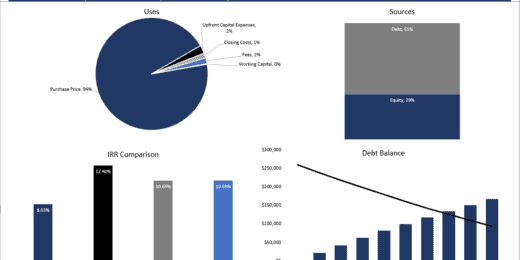
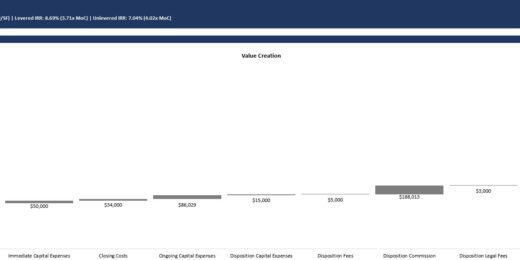
The property dashboard should include information such as rental income, expenses, cash flow, and return on investment (ROI). You can use formulas and functions in Excel to automatically calculate these metrics based on the data you’ve gathered. By organizing the information in a clear and visually appealing format, you can easily track the financial performance of your rental property over time.
3. Develop Cash Flow Projections
Another important aspect of building a rental property model in Excel is developing cash flow projections. Cash flow projections provide an estimate of the incoming and outgoing cash for your rental property over a specific time period, typically on a monthly or annual basis.
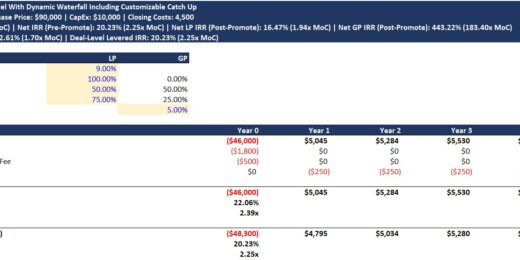
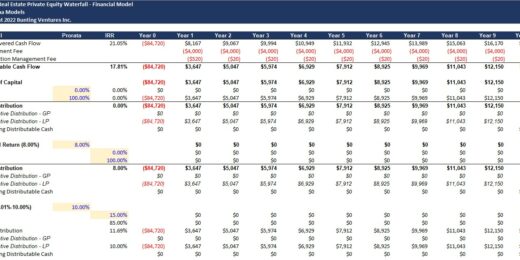
To create cash flow projections, you’ll need to consider both the rental income and the expenses associated with the property. This includes factors such as rental rates, occupancy rates, maintenance costs, property management fees, and financing costs. By forecasting the cash flow of your rental property, you can evaluate its profitability and identify potential risks or opportunities.
Excel provides various tools and functions that can help you analyze and project cash flows. By inputting the relevant data and utilizing formulas, you can generate cash flow projections that are tailored to your specific rental property and investment strategy.
4. Consider Financing Options
When building a rental property model in Excel, it’s important to consider the financing options available to you. Financing plays a significant role in the financial performance of your investment, as it affects the overall cost of the property and the cash flow generated.
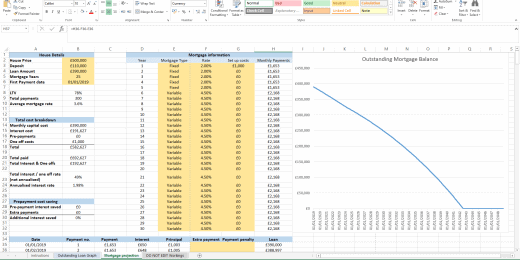
In your rental property model, include information about the financing terms, such as the interest rate, loan amount, and loan term. This will allow you to calculate the monthly mortgage payments and evaluate the impact of different financing options on your cash flow and ROI.
5. Evaluate Investment Returns
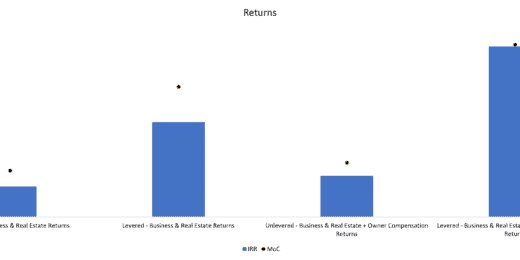
The final step in building a rental property model in Excel is to evaluate the investment returns. This involves analyzing key metrics such as cash on cash return, cap rate, and internal rate of return (IRR).
Cash on cash return measures the annual return on the cash invested in the property, while cap rate provides an estimate of the property’s profitability based on its net operating income. IRR, on the other hand, takes into account the time value of money and provides a more comprehensive measure of the investment’s return.
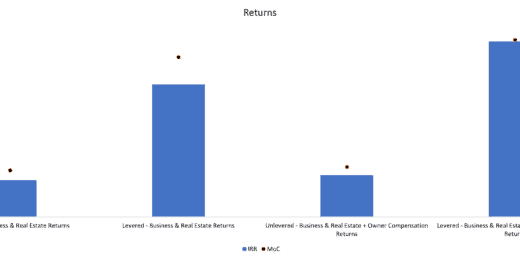
By evaluating these investment returns, you can assess the financial viability of your rental property and compare it to other investment opportunities. Excel can help you calculate these metrics and visualize them in a meaningful way, allowing for easier decision-making.
What are the Benefits of Building a Rental Property Model in Excel?
Building a rental property model in Excel offers several benefits for real estate investors and property owners. Here are some advantages:
- Enhanced Financial Analysis: By building a rental property model in Excel, you can conduct a detailed financial analysis of your investment. This includes evaluating the profitability, cash flow, and return on investment of the property.
- Informed Decision-making: With a rental property model, you can make more informed decisions about your investment. It helps you evaluate different scenarios, identify potential risks and opportunities, and assess the impact of various factors on the financial performance of the property.
- Better Budgeting and Planning: Excel allows you to budget and plan for your rental property effectively. You can track income and expenses, forecast cash flows, and set financial goals for your investment.
- Visual Representation of Data: Excel provides tools for creating charts and graphs, allowing you to visualize the financial data of your rental property. This makes it easier to understand and present the information in a clear and concise manner.
- Flexibility and Customization: With Excel, you have the flexibility to customize your rental property model according to your specific needs and investment strategy. You can tailor it to include the metrics, calculations, and information that are most relevant to your situation.
Conclusion
Building a rental property model in Excel is a powerful tool for real estate investors and property owners. It allows you to analyze the financial aspects of your investment, make informed decisions, and plan for the future. By gathering the necessary data, creating a property dashboard, developing cash flow projections, considering financing options, and evaluating investment returns, you can build a comprehensive rental property model that provides valuable insights and enhances your investment journey.
Key Takeaways
- Creating a rental property model in Excel can help you analyze potential cash flow and investment returns.
- You can use Excel to input property variables such as purchase price, rental income, and expenses.
- Excel formulas and functions can be used to calculate metrics like cash on cash return, gross yield, and net operating income.
- By adjusting variables and assumptions in the model, you can simulate different scenarios and assess the feasibility of a rental property investment.
- Excel models can be a helpful tool for both experienced investors and those new to real estate investing.
Frequently Asked Questions
Are you interested in building a rental property model in Excel? Here are some common questions and answers to help you get started.
1. What is a rental property model?
A rental property model is a financial tool used to analyze the profitability and cash flows of a real estate investment property. It is typically built in Excel and includes various assumptions, such as purchase price, loan terms, rental income, expenses, and more. The model helps investors evaluate the potential return on investment and make informed decisions.
Building a rental property model in Excel allows investors to input their specific property and financial information and generate projected cash flows, return metrics, and investment analysis. It provides a comprehensive overview of the investment’s financial viability.
2. Why is it important to build a rental property model in Excel?
Building a rental property model in Excel is important because it allows investors to accurately assess the financial performance of their investment. By inputting data such as rental income, expenses, financing terms, and market assumptions, investors can generate detailed cash flow projections, calculate key performance indicators like net operating income (NOI), cap rate, and cash-on-cash return, and evaluate the feasibility and profitability of the investment.
The model also enables investors to conduct sensitivity analysis by changing various inputs to understand the impact on the investment’s returns. This helps investors make more informed decisions, mitigate risks, and optimize their investment strategy.
3. What are the key components of a rental property model in Excel?
A rental property model in Excel typically consists of several key components:
1. Property Information: This includes details about the property, such as the address, square footage, number of units, and any unique features.
2. Assumptions: These are the inputs that drive the financial projections, including purchase price, financing terms, rental income, operating expenses, vacancy rate, management fees, and maintenance costs.
3. Cash Flow Projection: This section calculates the monthly or annual cash flows by subtracting expenses from rental income. It also includes calculations for loan payments, equity build-up, and tax implications.
4. Return Metrics: This part calculates key performance indicators like net operating income (NOI), cap rate, cash-on-cash return, and internal rate of return (IRR).
4. How can I create a rental property model in Excel?
To create a rental property model in Excel, follow these steps:
1. Gather Property Information: Collect all necessary information about the property and the anticipated rental income and expenses.
2. Set up Worksheets: Create separate worksheets for property information, assumptions, cash flow projections, and return metrics.
3. Input Assumptions: Enter all the relevant assumptions, such as purchase price, financing terms, rental income, expenses, and market assumptions.
4. Calculate Cash Flows: Use formulas to calculate the monthly or annual cash flows by subtracting expenses from rental income. Consider loan payments, taxes, and equity build-up.
5. Calculate Return Metrics: Use formulas to calculate key performance indicators like net operating income (NOI), cap rate, cash-on-cash return, and internal rate of return (IRR).
6. Review and Adjust: Review the model, validate the calculations, and make any necessary adjustments to ensure accuracy.
5. Are there any templates available for building a rental property model in Excel?
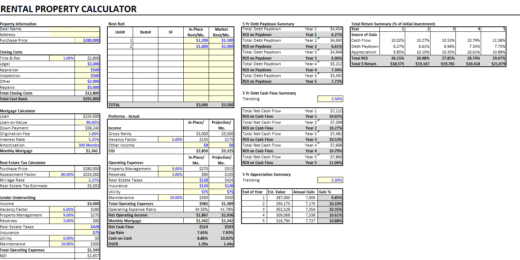
Yes, there are various templates available for building a rental property model in Excel. These templates provide a pre-built structure with formulas and formatting, making it easier for investors to input their property and financial data. They can be customized to suit specific investment requirements and can save time and effort in creating a model from scratch. Templates can be found online through real estate investment websites, financial modeling platforms, and Excel template providers.
To build a rental property model in Excel, start by gathering all relevant financial data, such as rental income, expenses, and loan details. Organize this information in a spreadsheet and use formulas to calculate metrics like cash flow, return on investment, and net operating income. It’s important to regularly update the model with accurate and up-to-date data.
Once the model is set up, you can use it to analyze the financial performance of different rental properties, make informed investment decisions, and track the overall profitability of your real estate portfolio. Excel’s versatility allows you to customize the model to fit your specific needs and goals, making it a valuable tool for property investors and financial planning.






































































































You might also like:
- 10 Tips to Develop a First Class Business Valuation Report
- 10 Main Elements of a Business Plan
- Exploring the Benefits of a Rental Property Excel Spreadsheet
- Achieve Financial Success By Knowing Your Business Plan Model
- Real Estate Financial Modeling in Excel
- Investment Multiple
- Budgeting
- Financial Planning for Small Business Owners – Taking an SBA Loan
- How to Build a Capitalization Table
- How to Start a Distillery Business: What You Need to Know?
- 5 Practical Tips to Help Raise Funds For Startups
- Commercial Real Estate Valuation Methods: Helping Investors in Taking Informed Decisions
- Financial Projections Templates – The Easy Way
- How to Prepare a Financial Feasibility Study for Coffee Farming?
- 10 Funding Sources for Businesses and Startups
- Real Estate Buy and Develop
- Steps to Building Financial Models in Excel
- Rental Income
- Property Valuation
- Rental Property Financial Model


