

0 ITEMS

Canada Real Estate Development Financial Model: Residential Developer, Townhouse, Condo Presales and Purpose-Built Rental Apartment with CMHC MLI Select, GST/HST and Construction Loan
Monthly Excel model for residential development in Canada: townhouses, condos sold with presales and purpose-built rental apartments. Six deal structures, Calgary, Toronto and Vancouver presets, itemized budget, deposits and closings, construction loan with interest reserve, CMHC MLI Select take-out financing, GST/HST self-supply, scenarios, live sensitivity and a dashboard. Feasibility and Due Diligence editions, fully unlocked.
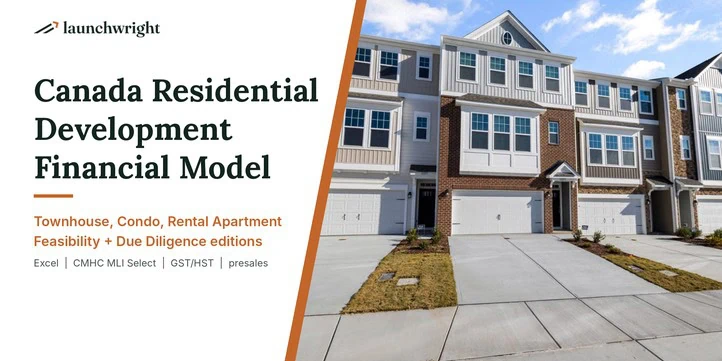
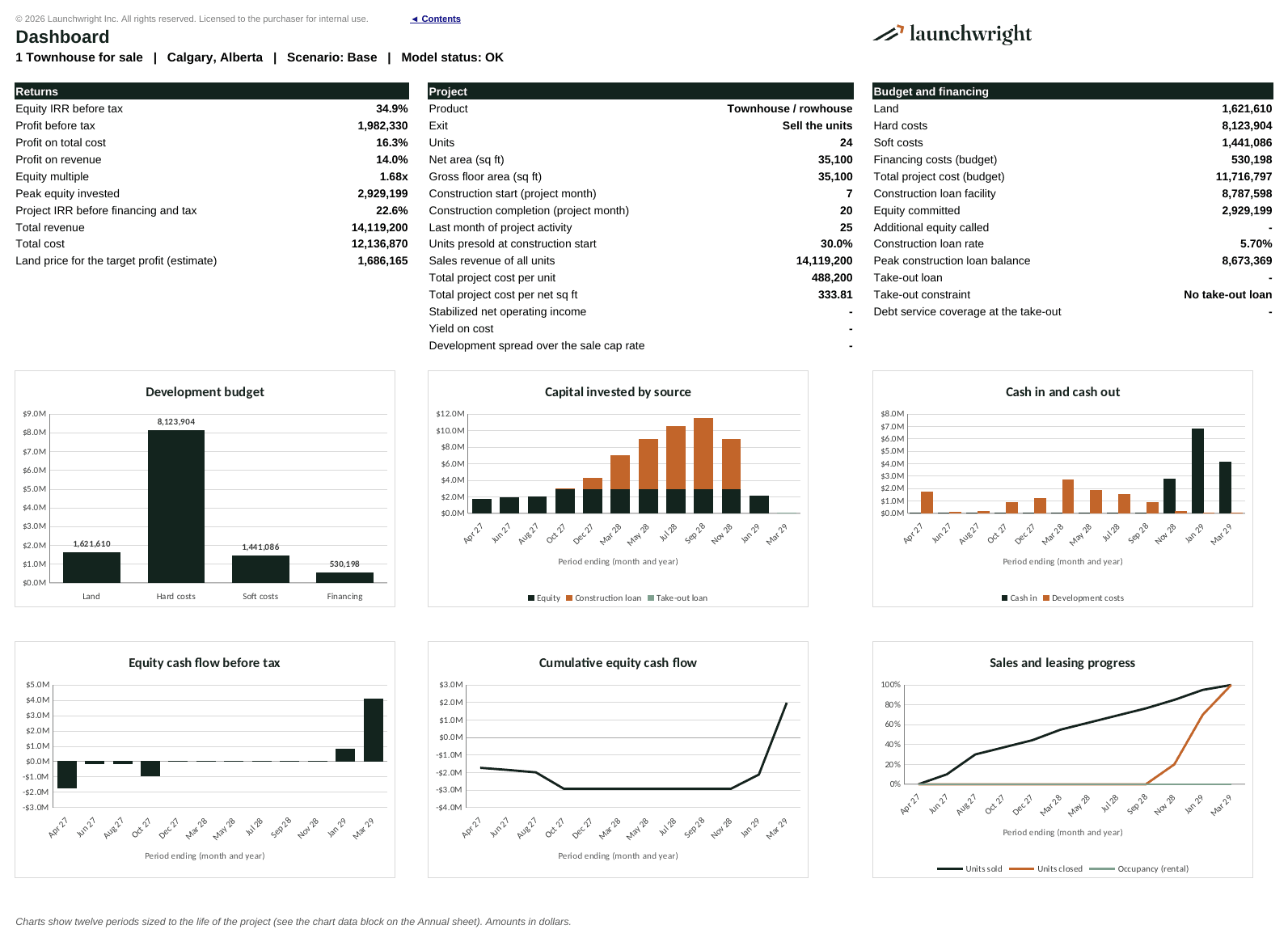
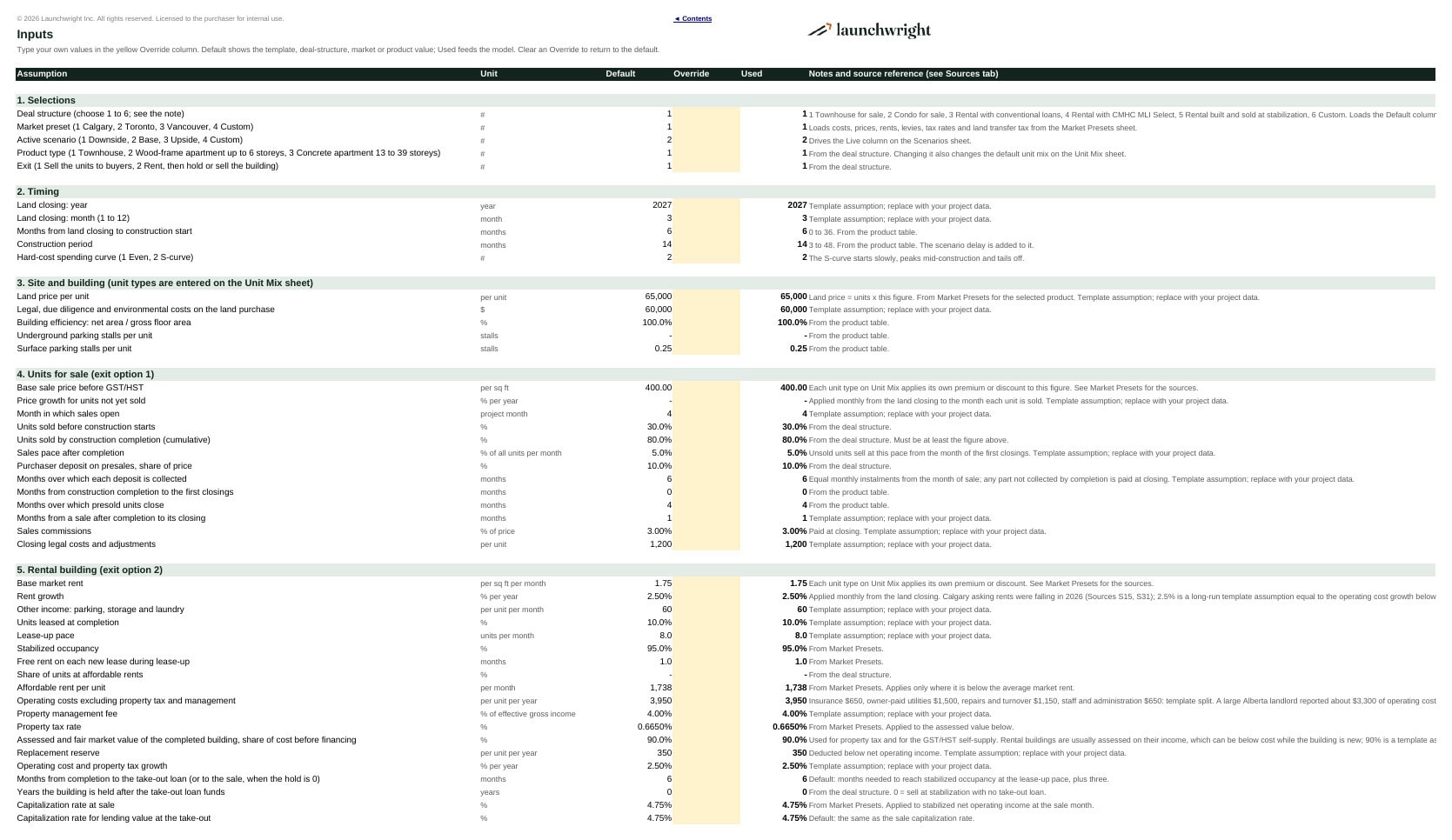
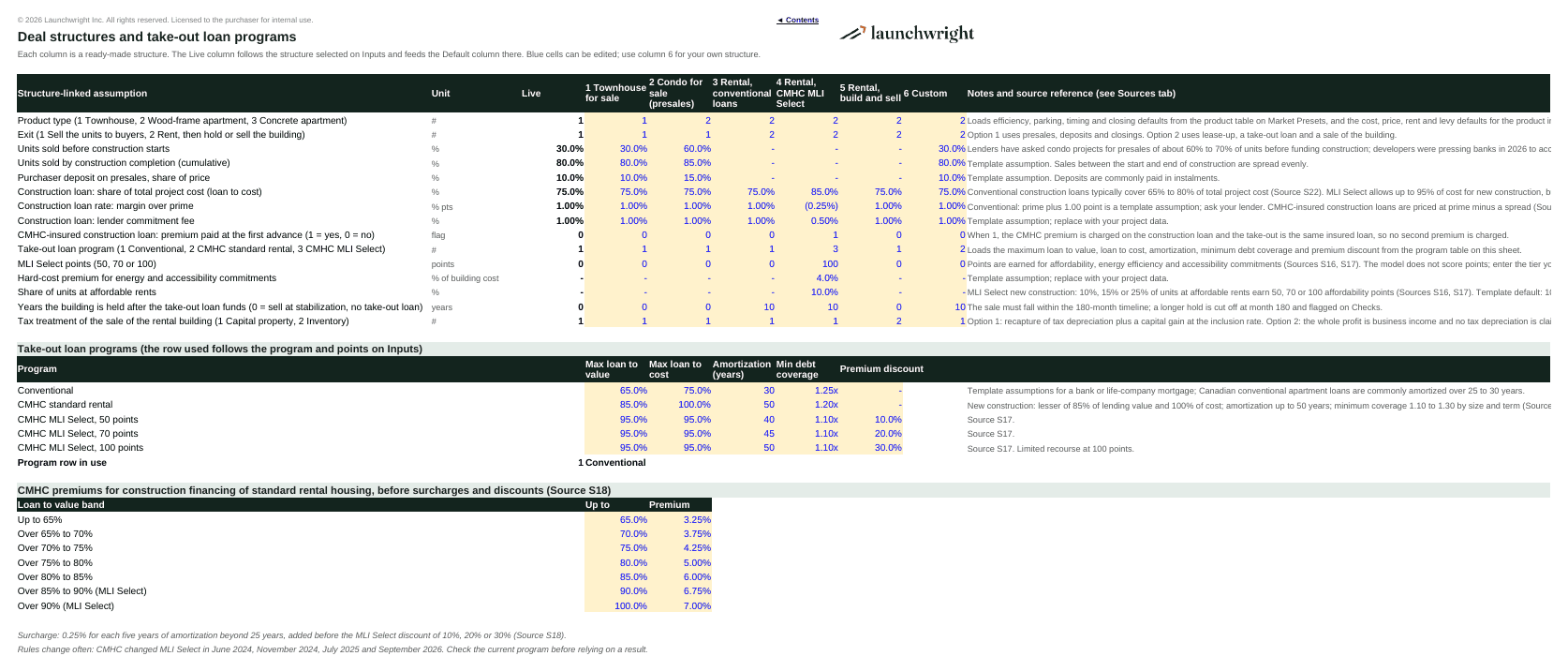
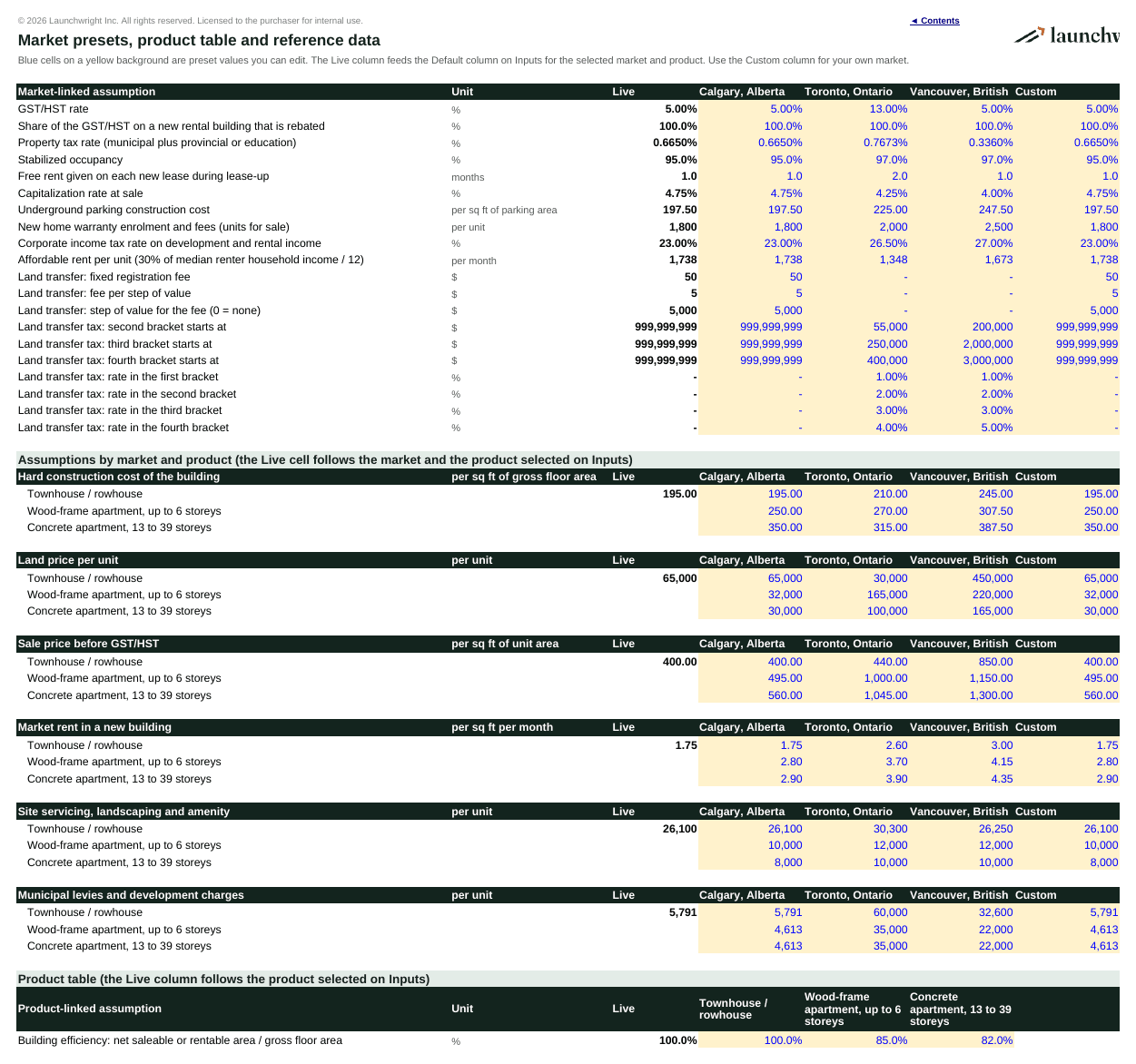
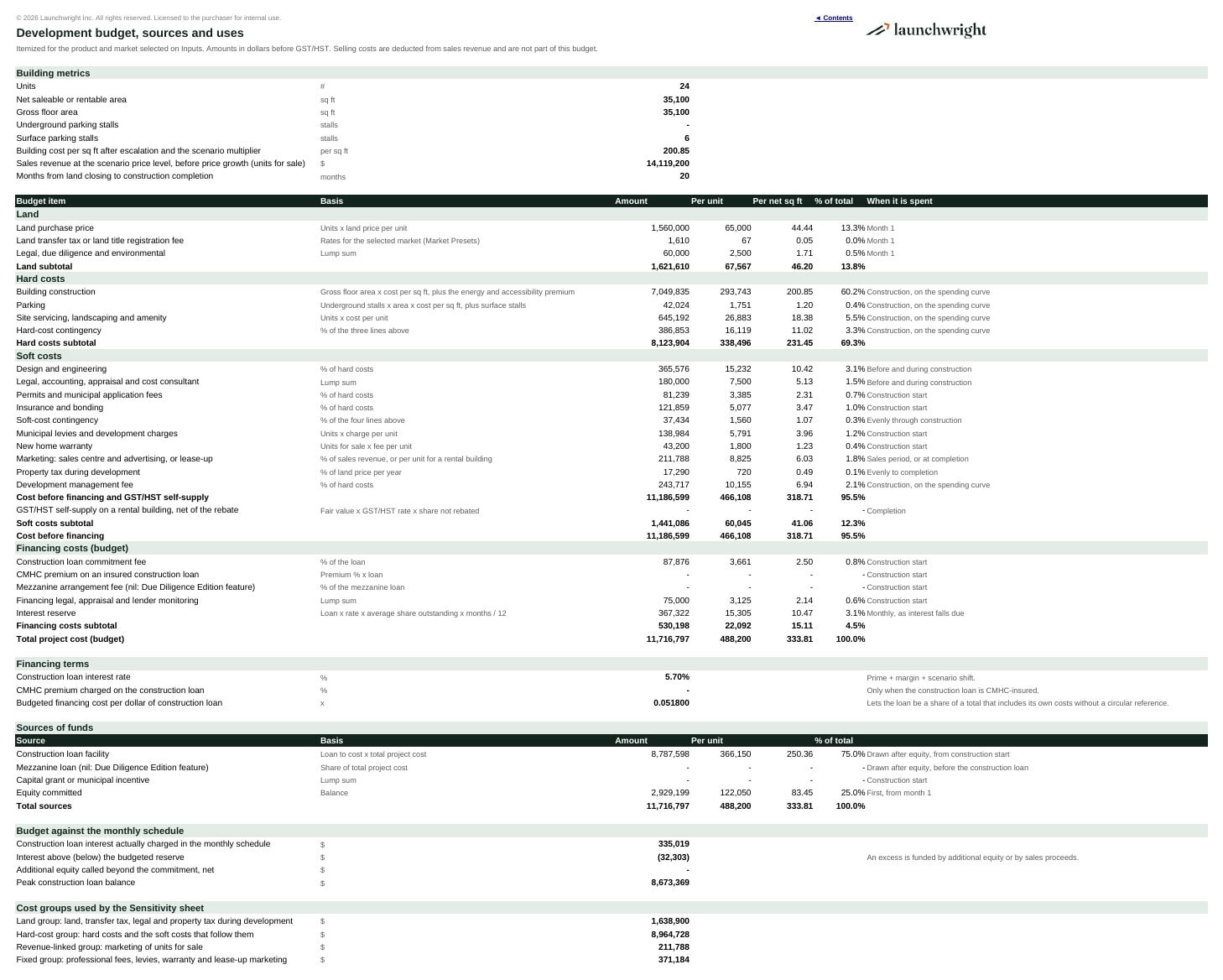
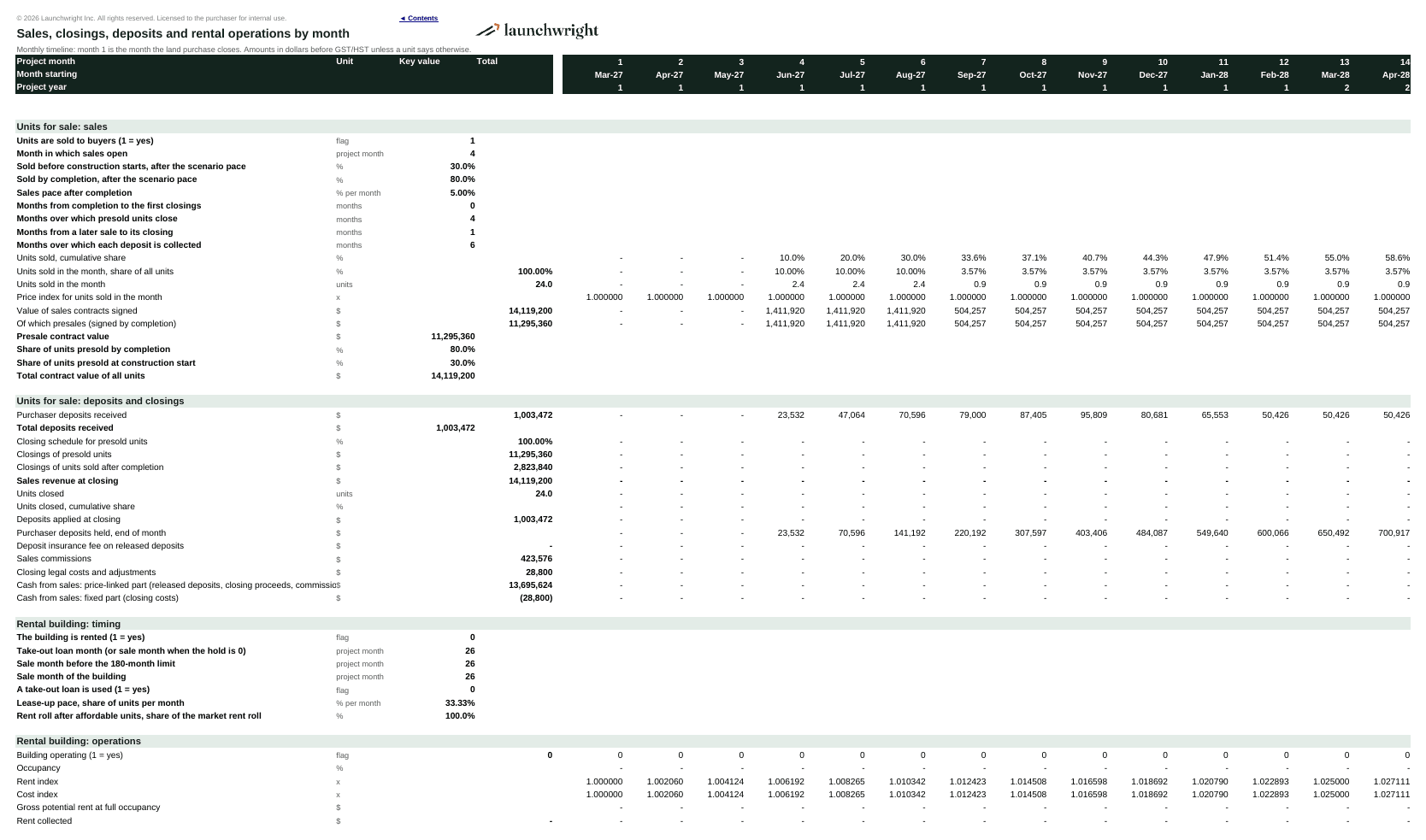
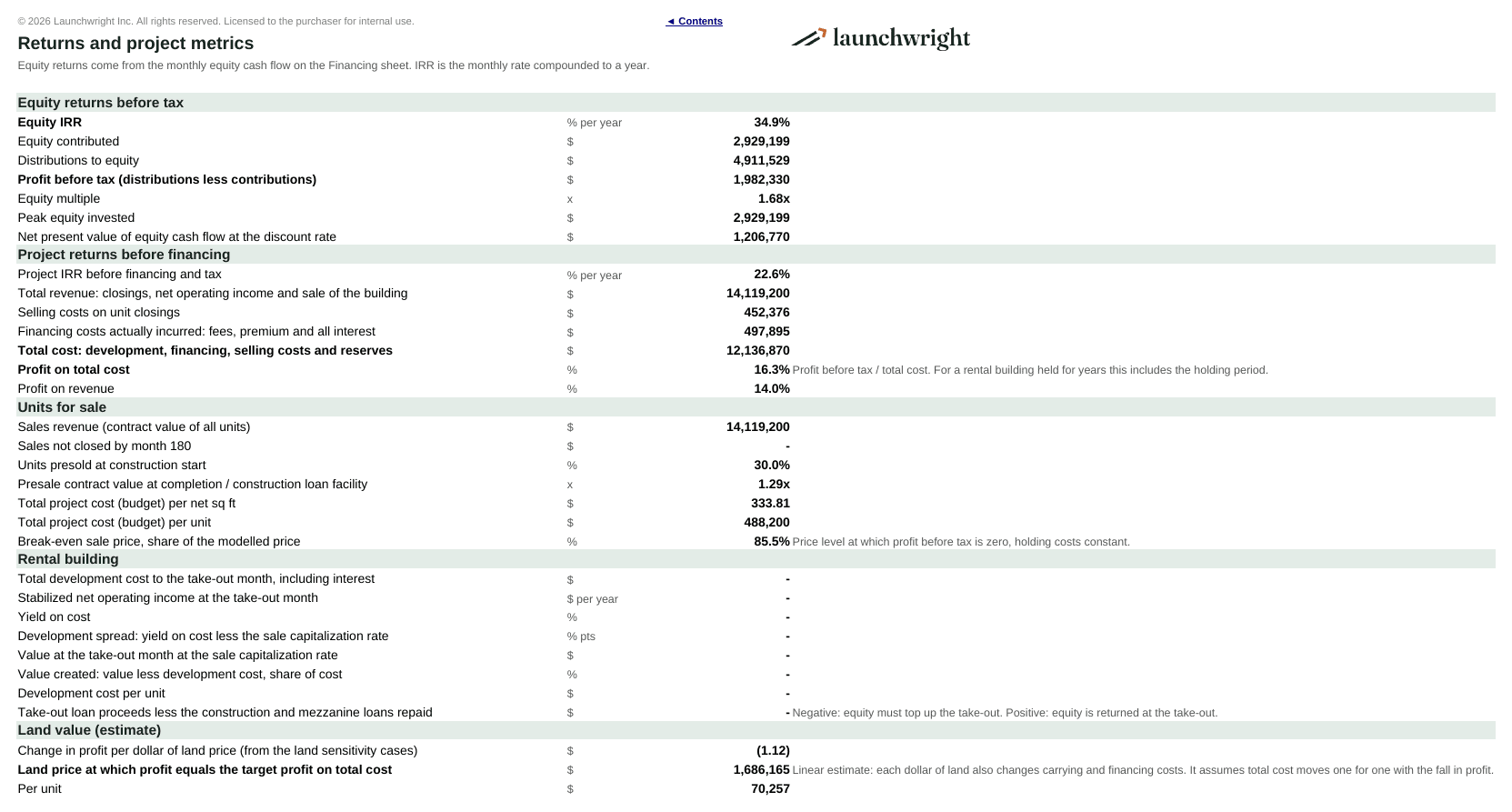
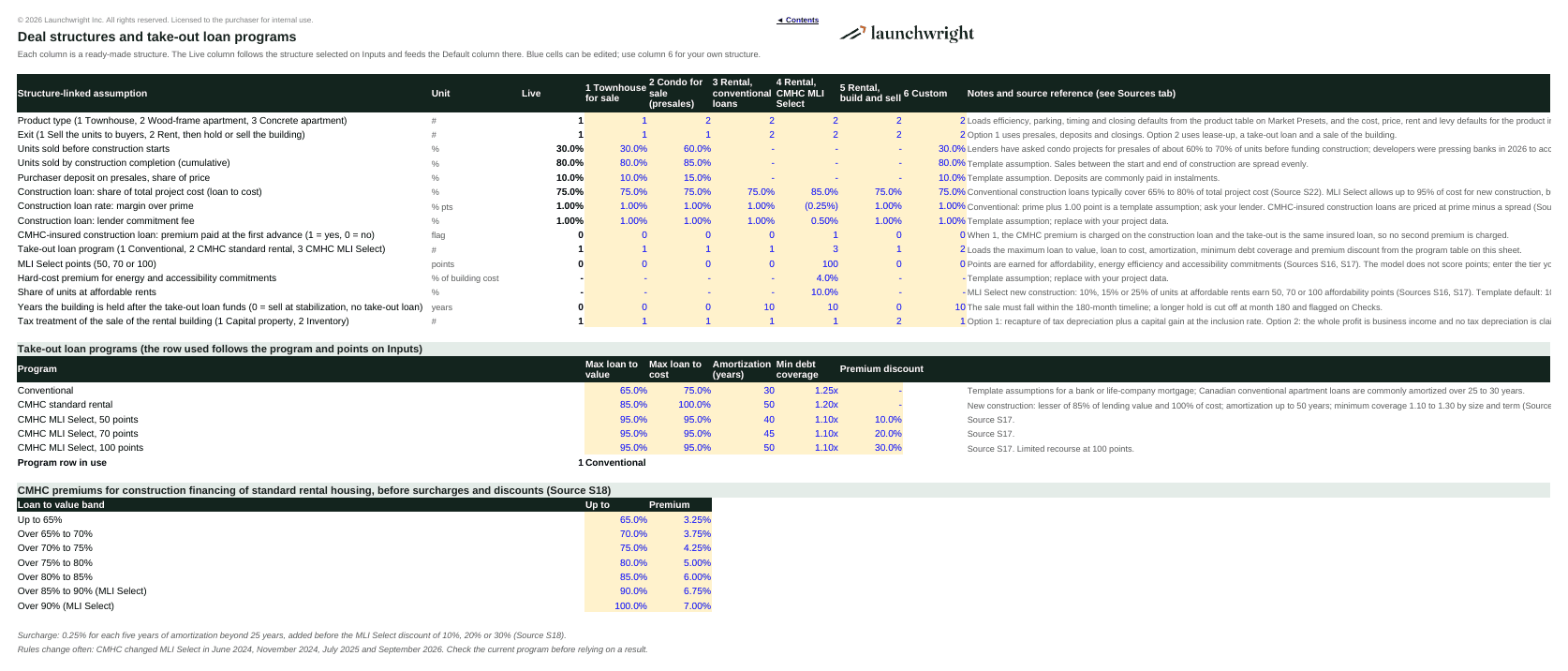
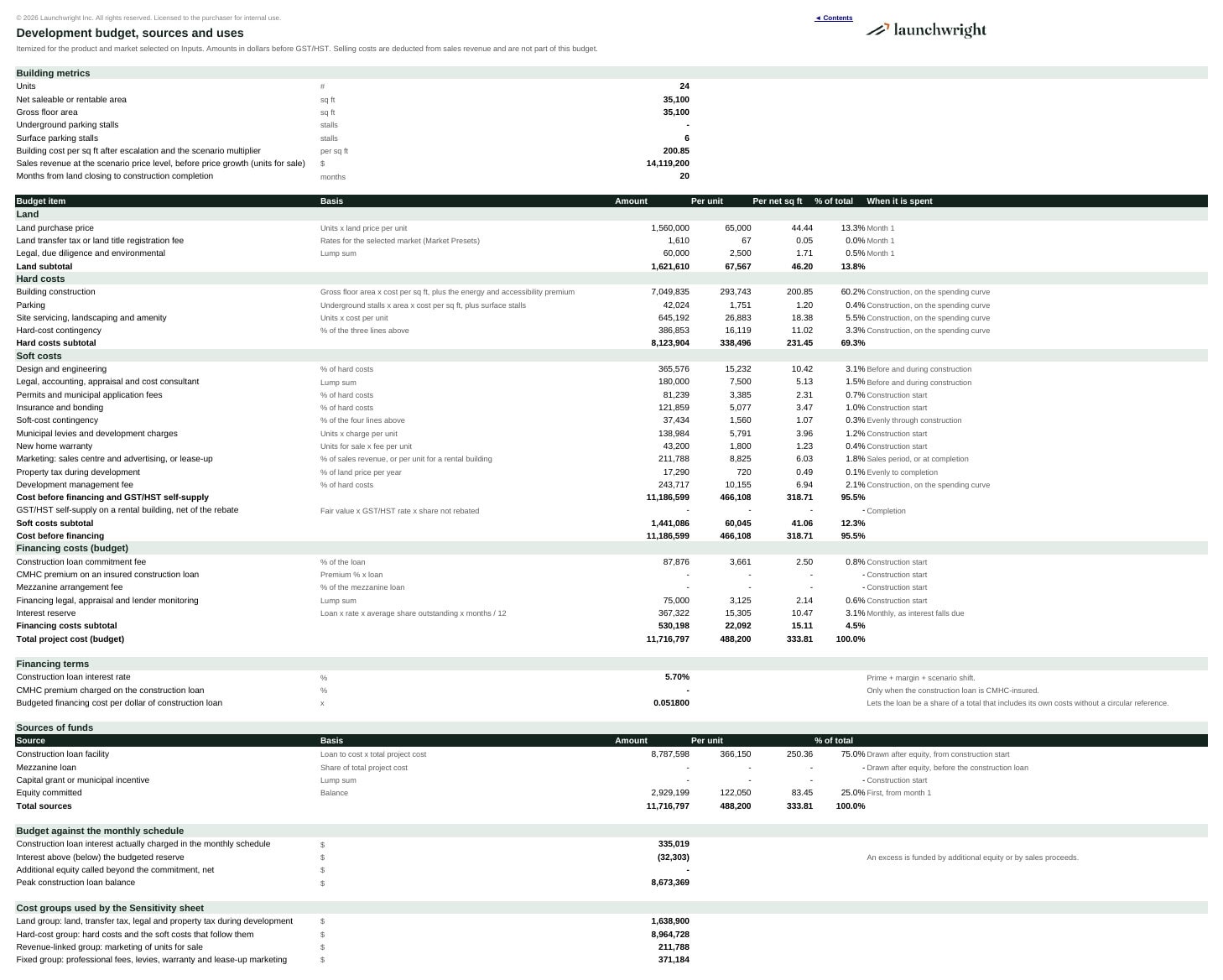
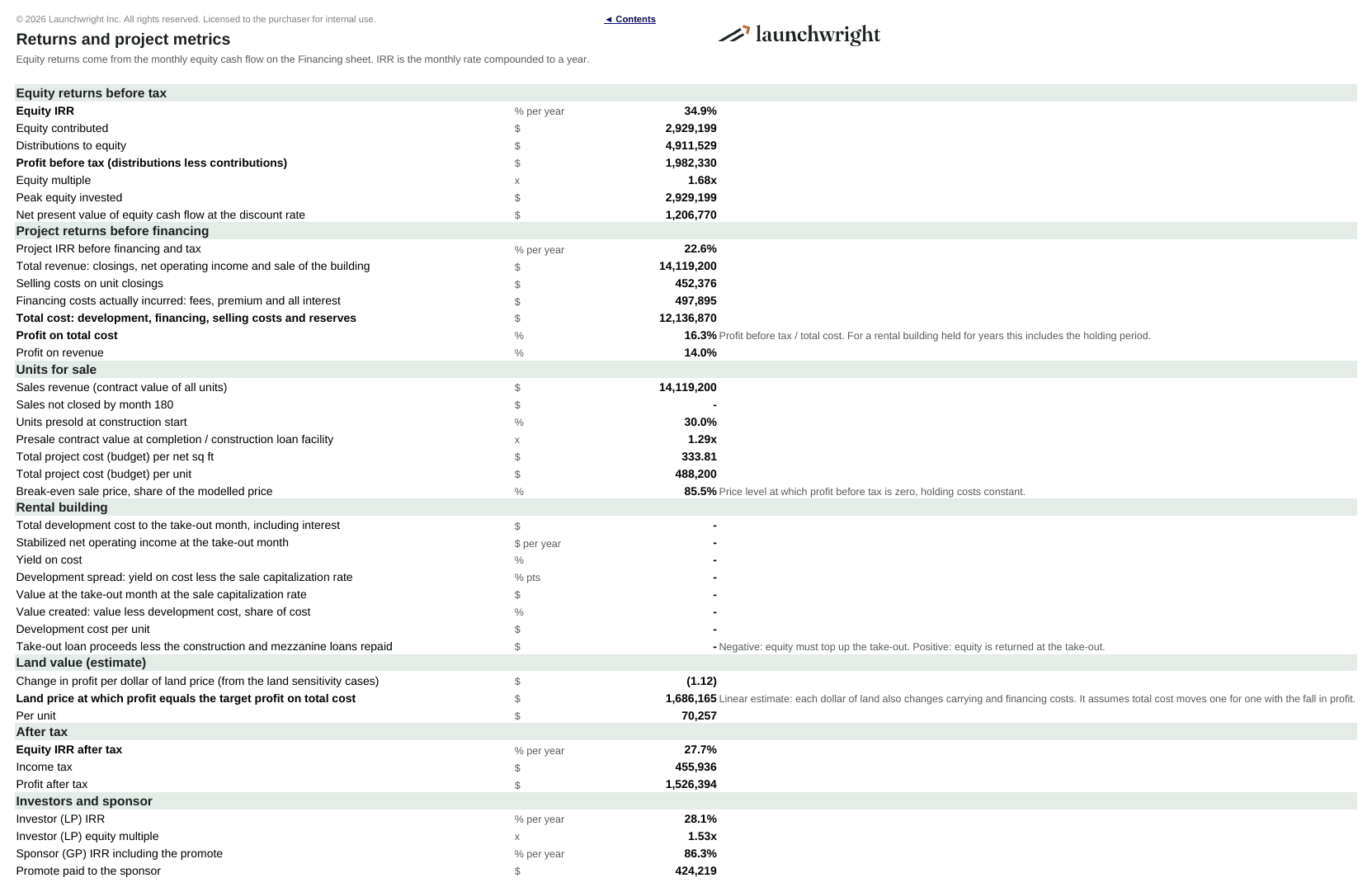
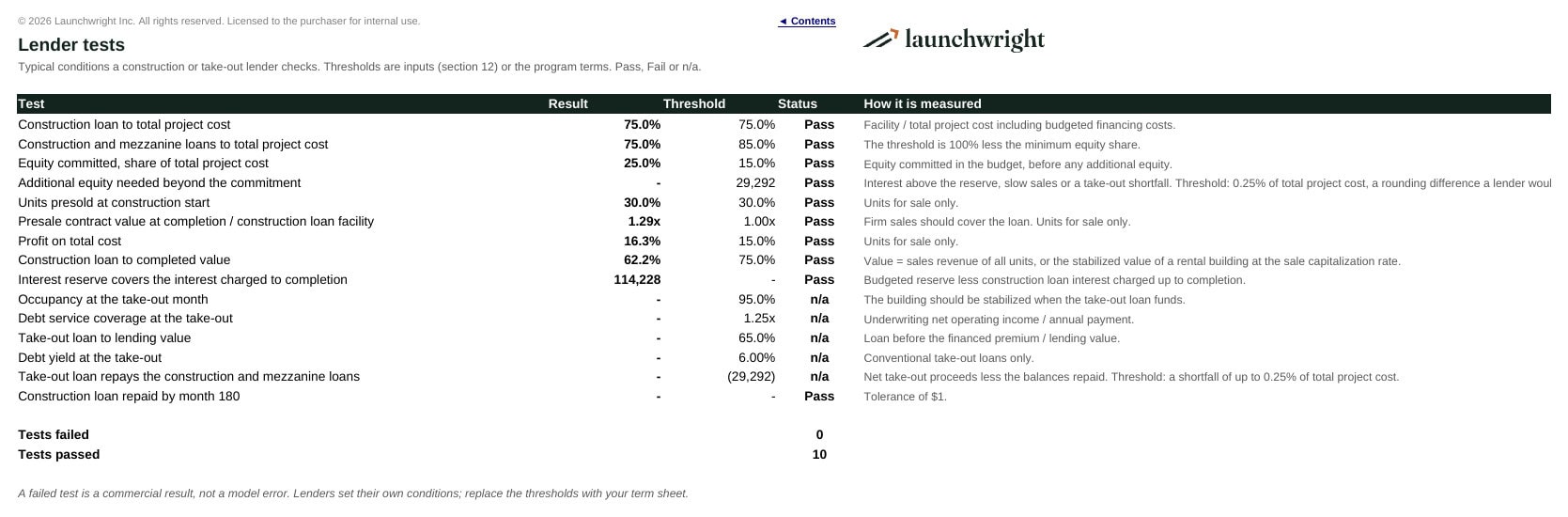
Building homes in Canada? This Excel model takes a residential development from land purchase to the last closing or the sale of the finished rental building, month by month for up to 180 months. It covers the three products most Canadian builders work with: townhouses, condominium apartments sold with presales, and purpose-built rental apartments.
One selection loads a complete deal structure, and you can switch between them to compare the same site as a sale project or a rental project: (1) townhouse for sale, (2) condo for sale with presales, (3) rental with conventional loans, (4) rental with CMHC MLI Select financing, (5) rental built and sold at stabilization, and (6) a custom structure. Market presets load cost, price, rent, tax and levy defaults for Calgary, Toronto and Vancouver, and a Custom column holds your own market. Three building types are included: townhouse or rowhouse, wood-frame apartment up to 6 storeys, and concrete apartment of 13 to 39 storeys. A unit mix sheet takes up to six unit types.
The Canadian rules are built in. Take-out mortgages compound semi-annually. The CMHC premium table and MLI Select points set the premium discount, amortization and leverage of an insured loan. GST/HST on a new rental building is charged on fair value at completion (self-supply) with the purpose-built rental rebate as an input. Land transfer tax follows the bracket tables of Ontario, the City of Toronto and British Columbia, and Alberta uses land title registration fees. Municipal levies and development charges are entered per unit.
Sales follow how projects are sold: presales to construction start and to completion, sales after completion at a monthly pace, purchaser deposits in instalments, and closings over a window after completion. Funding follows how lenders fund: equity goes in first, the construction loan is drawn after equity, interest is charged monthly against a budgeted interest reserve, and sale proceeds repay the loan before any distribution. The loan is sized as a share of a total cost that includes its own fees and interest, without a circular reference or a macro.
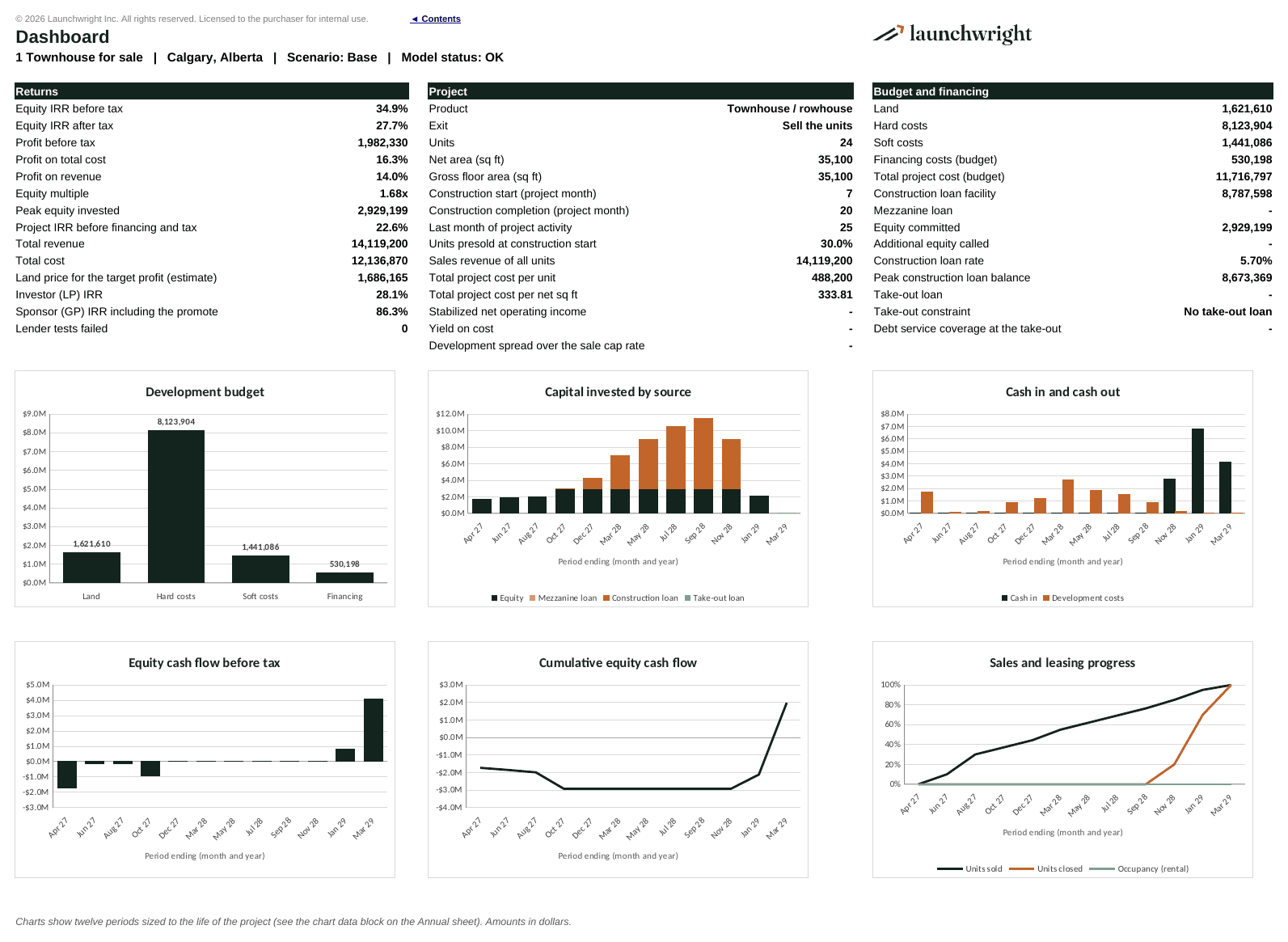
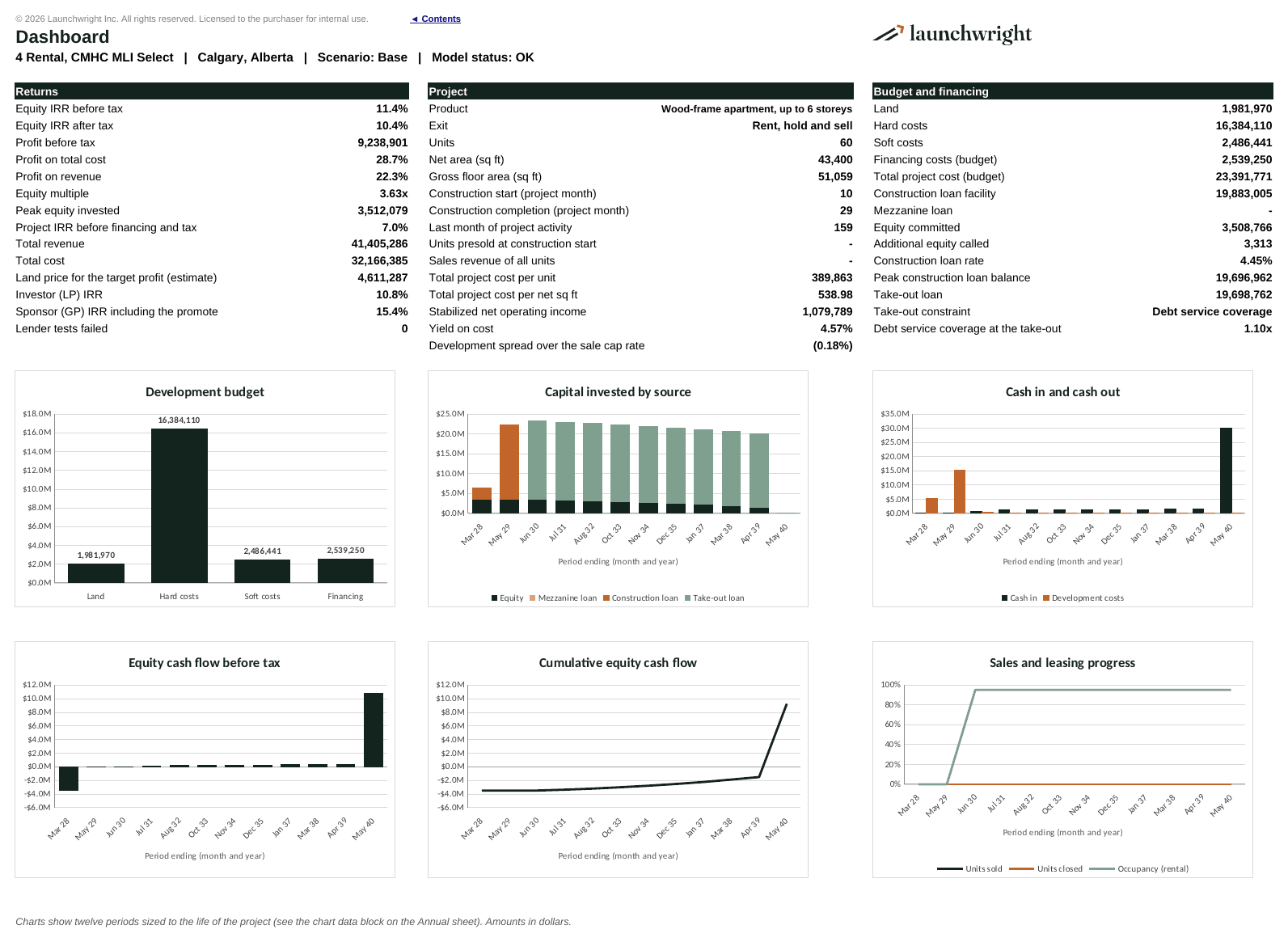
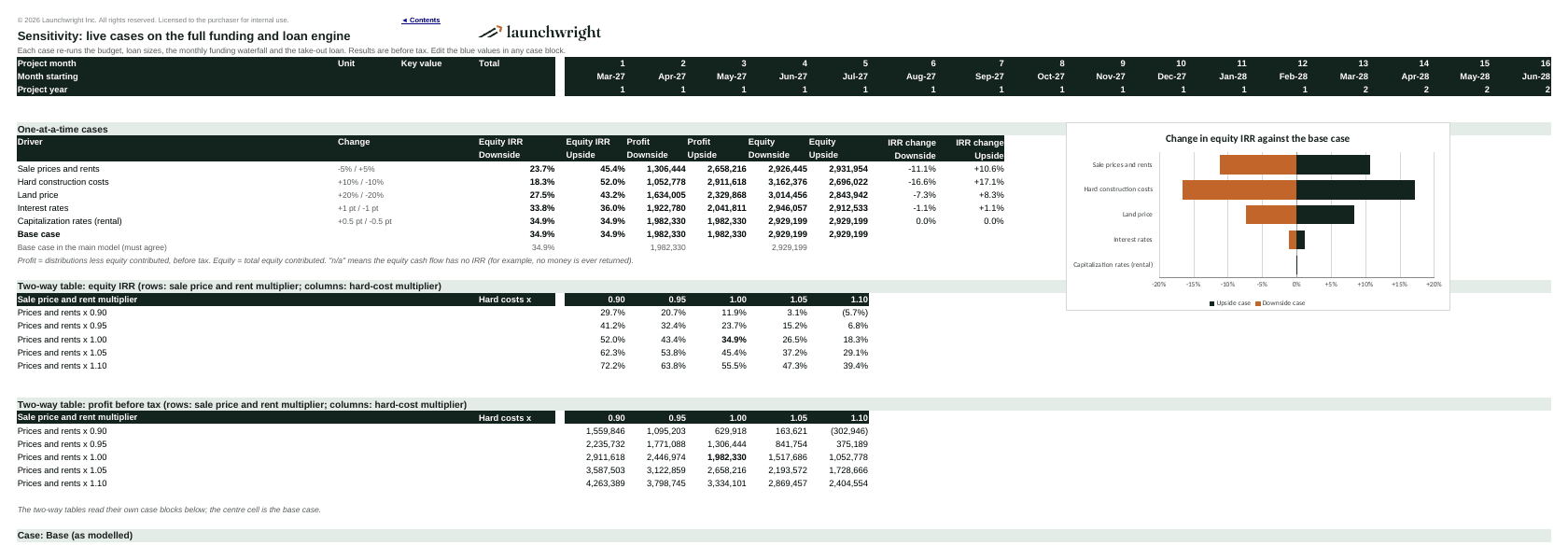
The base case is a 24-unit townhouse project in Calgary. With the cited defaults it shows a 34.9% equity IRR before tax and a 16.3% profit on total cost. Switch to structure 4 and the same Calgary defaults give a 60-unit rental building financed with CMHC MLI Select: an 11.4% equity IRR before tax and a 3.6x equity multiple over a 10-year hold. Not every structure works in every market: a Calgary condo opens at a small loss, in line with the weak 2026 Calgary condo market, and the model says so on the Checks sheet instead of hiding it. Every input can be changed.
Why this model
On November 16, 2026 we found 14 priced real estate development models on eFinancialModels. None mentioned Canada, GST/HST, CMHC or purchaser deposits in its title, and a search for “townhouse” returned no titles. General templates leave out the rules that decide whether a Canadian project works: the self-supply tax on a rental building, insured take-out financing, presale tests and semi-annual mortgage compounding. This model includes them, cites 31 public sources for its defaults, and runs every sensitivity case through the full budget, loan sizing and funding engine.
Two editions
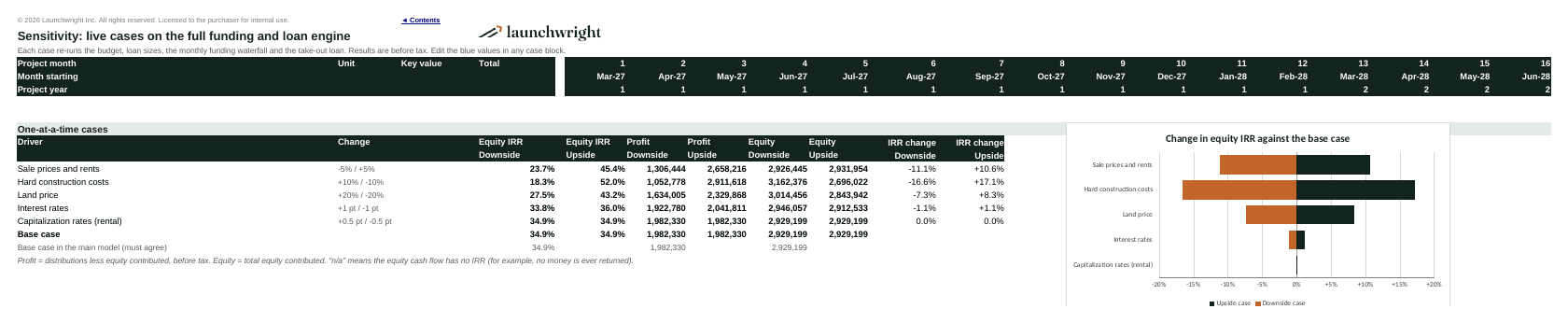
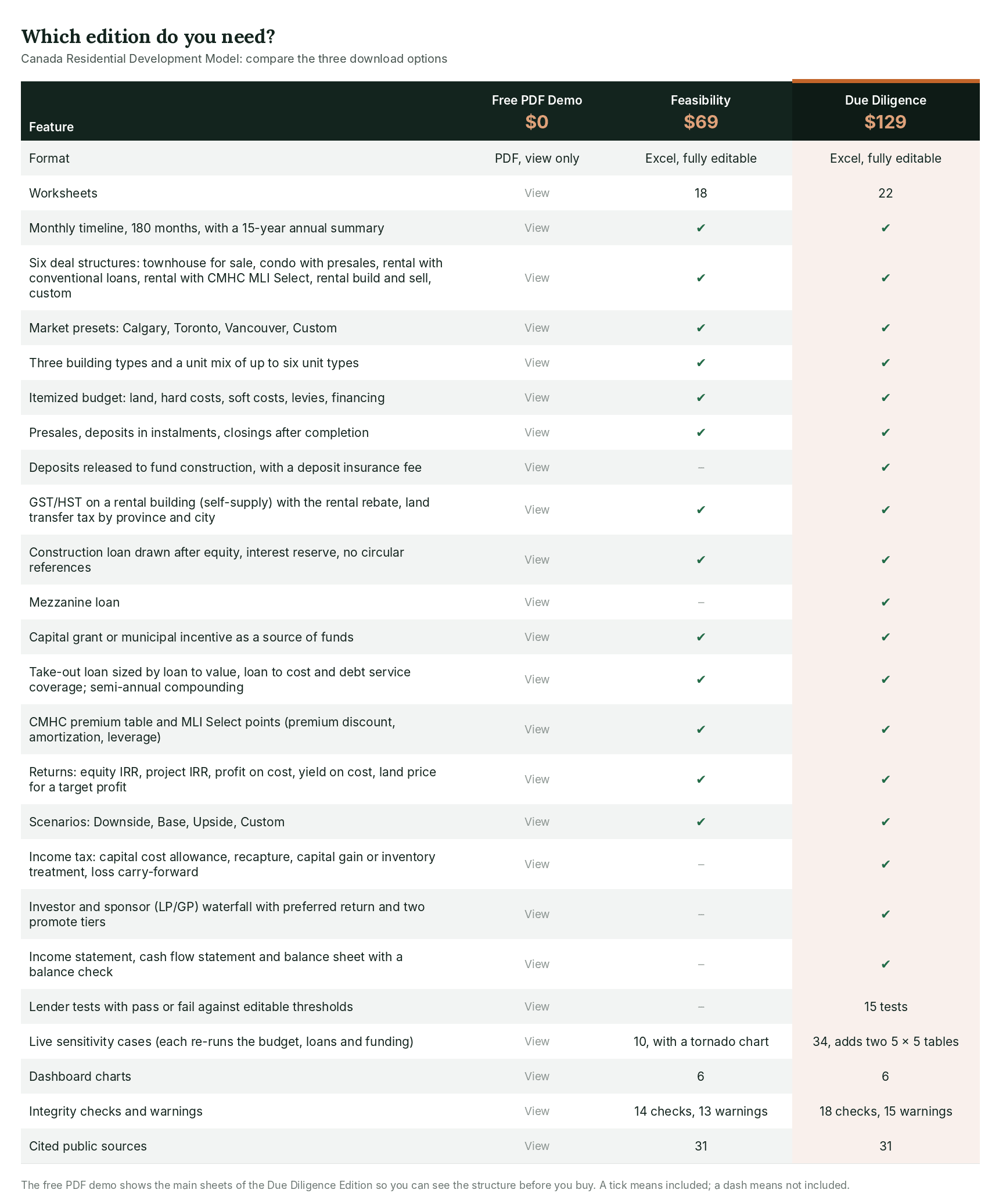
- Feasibility Edition (18 sheets): all six deal structures, the three market presets plus Custom, the unit mix, the itemized budget with sources and uses, monthly costs on a straight-line or S-curve profile, the sales, deposit and closing schedule, the rental lease-up, the construction loan with interest reserve, a capital grant, the take-out loan with the CMHC and MLI Select options, returns including the land price that meets a target profit, four scenarios, a dashboard with six charts, 10 live sensitivity cases with a tornado chart, 14 integrity checks with 13 warnings, and dropdown selectors on every choice input.
- Due Diligence Edition (22 sheets): everything in the Feasibility Edition, plus:
- a mezzanine loan drawn after equity and before the construction loan, with its own rate and fee
- purchaser deposits released to fund construction, with a deposit insurance fee
- income tax: capital cost allowance with the first-year rule, recapture and capital gain on the sale of a rental building, or inventory treatment for a builder, and losses carried forward
- an investor and sponsor (LP/GP) waterfall with a preferred return and two promote tiers, with investor and sponsor IRR
- an income statement, cash flow statement and balance sheet by project year, with a balance check in every year
- 15 lender tests with pass or fail against thresholds you can edit: loan to cost, equity share, presales, presale coverage of the loan, profit on cost, loan to completed value, interest reserve, occupancy, debt service coverage, loan to value, debt yield and repayment
- 34 live sensitivity cases, including two 5 x 5 tables of prices and rents against hard costs for equity IRR and profit
What is in the file
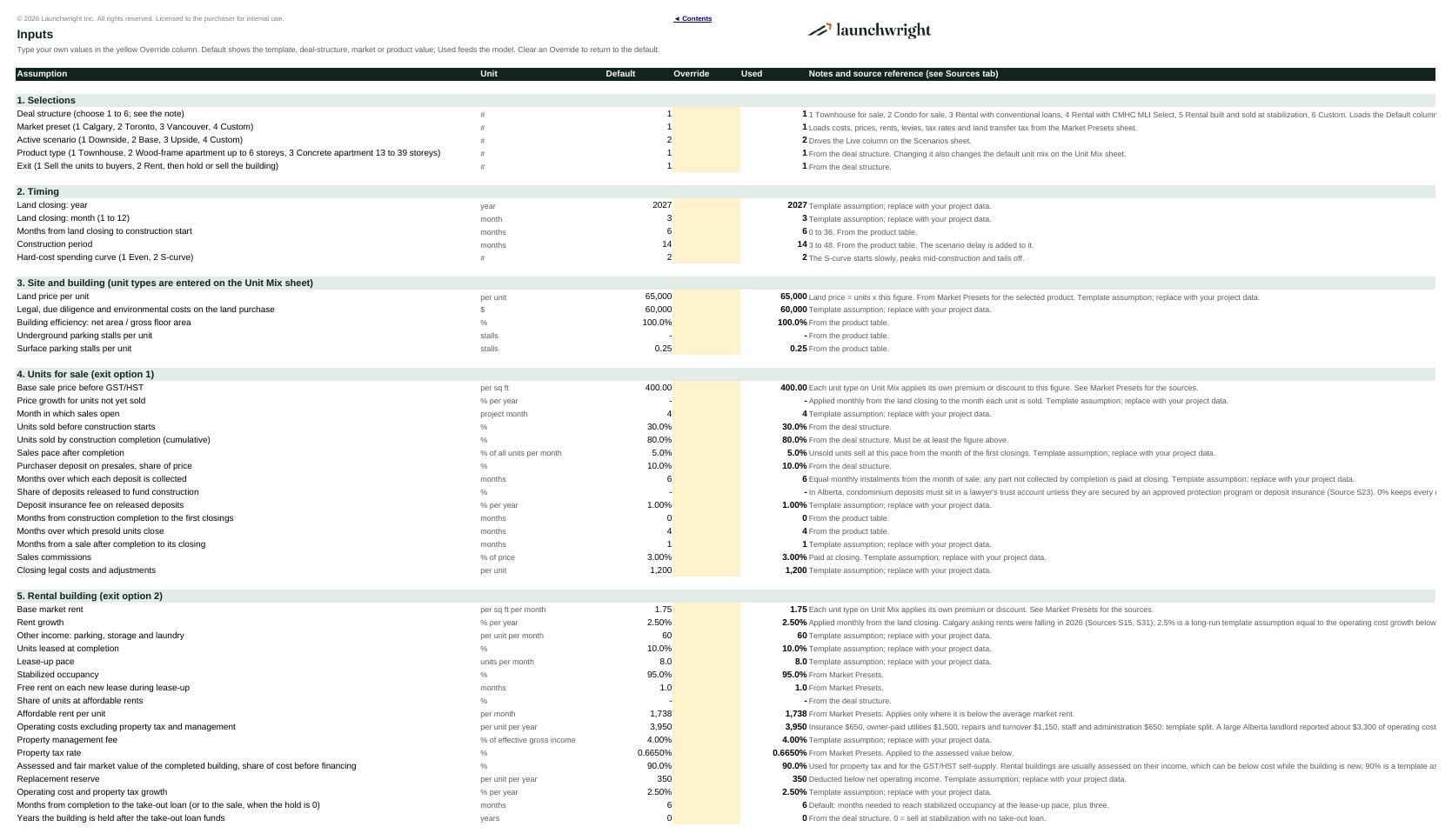
Contents, Instructions, Inputs, Deal Structures, Market Presets, Scenarios, Unit Mix, Dashboard, Budget, Costs, Revenue, Financing, Annual, Returns, Sensitivity, Checks, Sources and Glossary. The Due Diligence Edition adds Tax, Waterfall, Financials and Lender Tests. Inputs use Default, Override and Used columns, so you can always see the template value and return to it. Sheet tabs are colour-coded.
Who it is for
Builders and developers screening a site, landowners testing what a site is worth, investors and lenders reviewing a sponsor’s numbers, and advisers who need a clear, editable starting point for a Canadian residential project.
Frequently asked questions
Which Excel versions does it work in?
Excel 2010 or later on Windows or Mac. It uses only long-standing functions, with no macros, no dynamic arrays and no data tables. It was recalculated and tested in LibreOffice Calc. It has not been tested in Google Sheets.
Can I use it outside Calgary, Toronto and Vancouver?
Yes. Choose the Custom market and enter your own costs, prices, rents, tax rates, levies and land transfer tax brackets. Every preset value can also be overridden on the Inputs sheet.
Does it handle CMHC MLI Select?
Yes. Structure 4 uses an insured take-out loan. You enter the MLI Select points, and the model applies the premium, the premium discount, the amortization and the leverage for that level, then sizes the loan by loan to cost, loan to value and debt service coverage and reports which one binds. Check the current CMHC terms before relying on the result; programs change.
How does it avoid circular references?
The construction loan is a share of total project cost, and total project cost includes the loan fee and interest reserve. The model solves this with one closed-form formula on the Budget sheet. Monthly interest is charged on opening balances. There is no iterative calculation.
Why do some structures show warnings at the default inputs?
Warnings are commercial results, not errors. With the cited Calgary defaults, the condo structure loses money and the conventional rental needs extra equity when the take-out loan funds, and the Checks sheet says so. Replace the defaults with your own land price, costs, prices and rents.
Are the default numbers a forecast?
No. Defaults are published benchmarks and template assumptions, each cited on the Sources sheet or labelled as a template assumption. The Toronto and Vancouver land prices are template values set so the condo preset opens at a profit of about 15% to 20% of cost; they are not market evidence. Replace all of them with your own project data before relying on any result.
What is not modelled?
Phased projects, commercial or retail space, GST/HST on unit sales and buyer rebates (prices are entered before GST/HST), deferred tax, and provincial rules outside the three presets are not modelled. One building or one townhouse project is built in one phase.
Is the tax sheet tax advice?
No. It is a simplified estimate at one tax rate so you can see returns after tax. Confirm the treatment with your accountant.
Is the file locked?
No. There are no locked cells, passwords, hidden sheets or macros. Every formula is visible.
Support
For changes to the model, please use the eFinancialModels custom service.
Similar ProductsOther customers were also interested in...



 eFinancialModels
Electric Vehicle (EV) Charging Station Financial M...
With this comprehensive 5- or 10-year monthly tool, investors can assess the viability of setting up... Read more

Financial Model for Mobile App | Mobile App Busine...
The Mobile App Financial Plan Template in Excel allows you to develop financial projections when lau... Read more

 HenrySheykin
Food Truck Financial Model Excel Template
The Food Truck Financial Model helps entrepreneurs, founders, business owners, consultants, and anal... Read more

Green Hydrogen Production from Wind Energy Financi...
The Green Hydrogen from Wind Financial Model aims to comprehensively forecast a horizon of 40 years ... Read more

Simple Mutual Non-Disclosure Agreement Template
Protect your business secrets with ease using our Simple Mutual Non-Disclosure Agreement Template. S... Read more

Solar Energy Financial Model
The Solar Energy Financial Model Spreadsheet Template in Excel assists you in preparing a sophistica... Read more

 Peter Graf
The Customer-Centric Financial Model for Restauran...
Starting a restaurant without a financial plan is like driving a car blindfolded. You wouldn´t do i... Read more
You must log in to submit a review.