
0 ITEMS

Board Financial Dashboard Template – KPI Tiles, 25 Ratios with RAG Status, Decision Markers, Health Score, Budget Variance & 18 Charts (Excel)
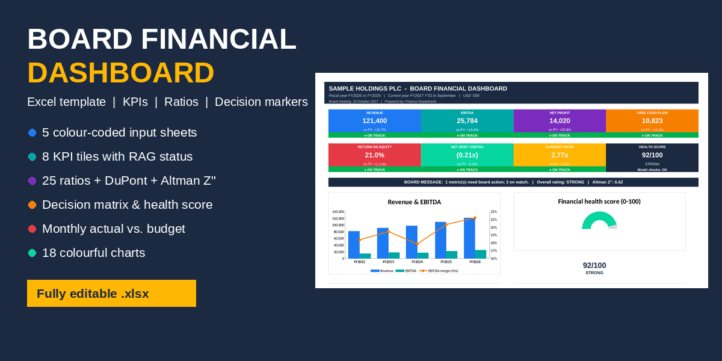
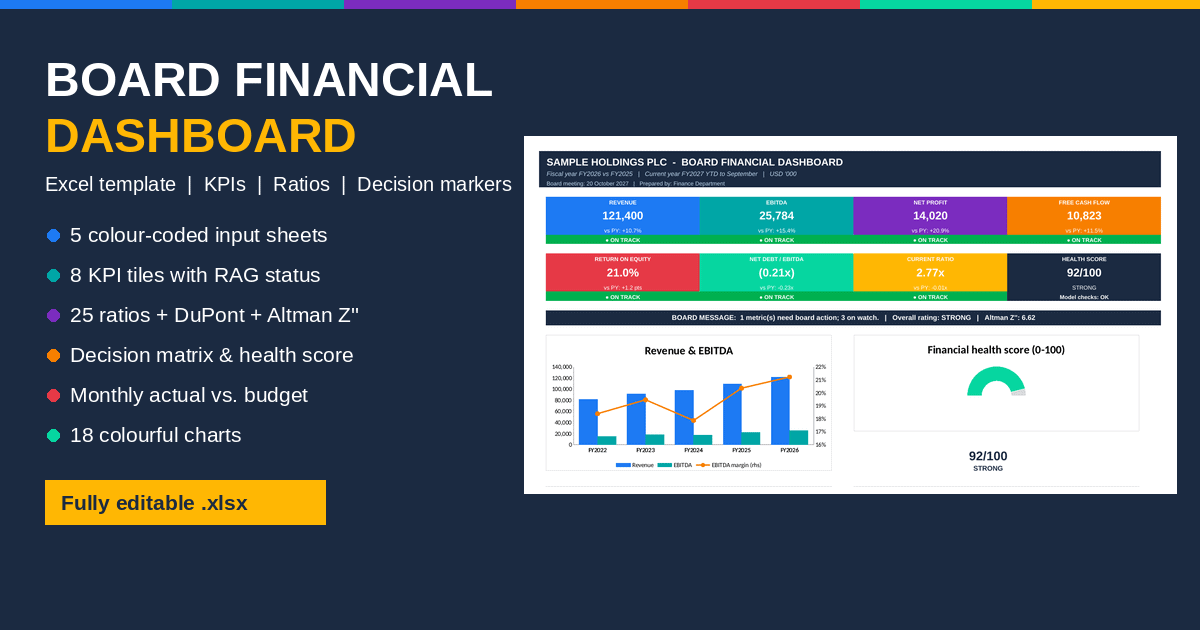
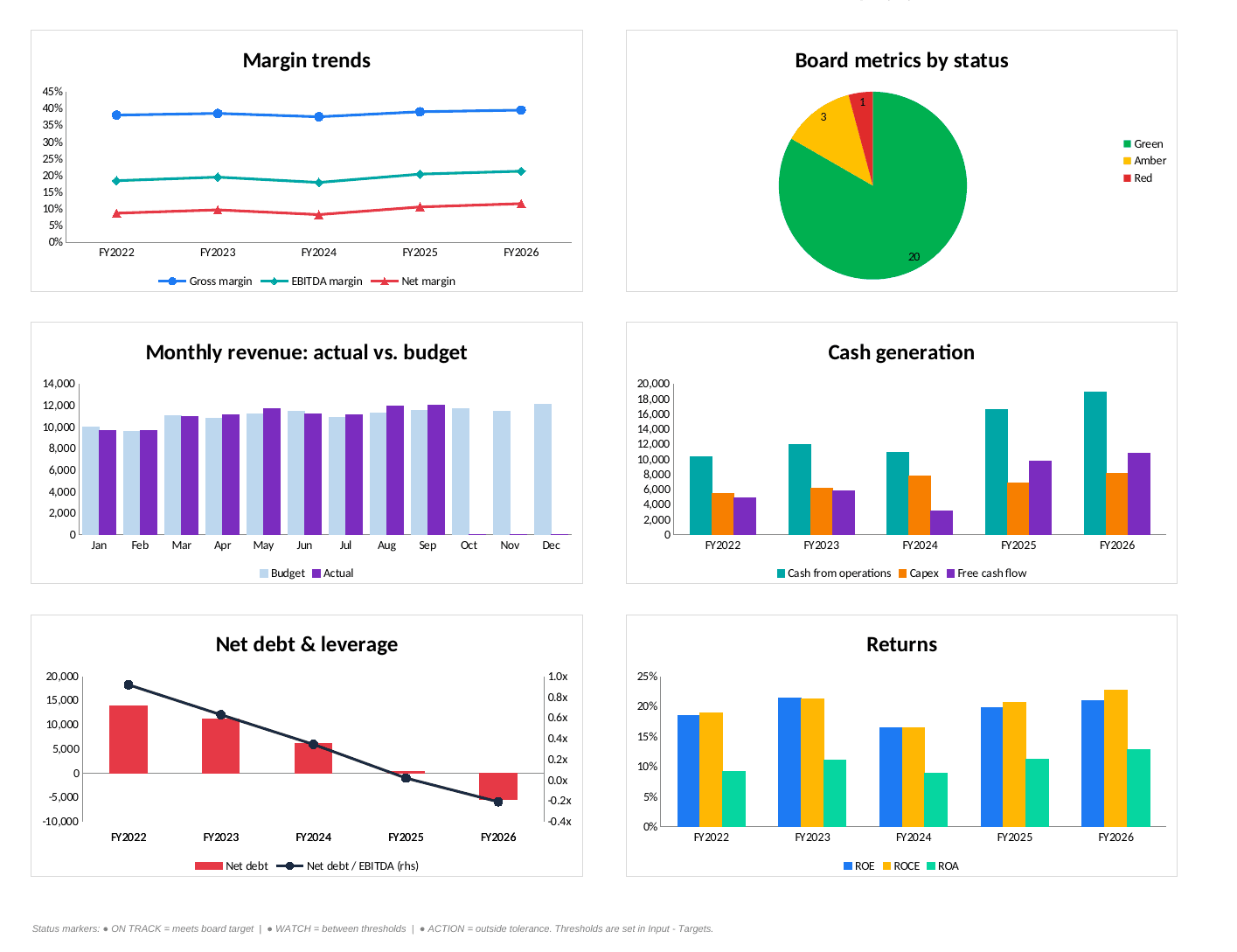
A board-ready Excel dashboard that turns key financial statement figures into a one-page view for directors and investors. How it works: You enter five years of income statement, balance sheet and cash flow figures, plus current-year monthly budget and actuals, in five colour-coded input sheets. The template calculates 25 ratios across profitability, growth, liquidity, working capital, leverage and cash flow. Each ratio gets a GREEN / AMBER / RED status against board-set thresholds, a trend arrow, and a written decision marker (On track / Watch / Act) with the recommended board action. Board-level outputs: a weighted financial health score out of 100 and an overall rating the Altman Z”-score solvency zone a DuPont breakdown of ROE year-to-date budget variance with a full-year outlook an automatic board message 18 colourful charts across two dashboard pages Sample data in USD ‘000. No macros.
What is this Board Financial Dashboard used for?
Boards, investors and lenders want a clear, consistent view of financial performance: what is on track, what needs watching and what needs action. This Excel template is built for CFOs, finance managers, company secretaries and consultants who prepare board packs. You enter the key figures from your financial statements once. The template then produces a colourful dashboard, a full ratio analysis with traffic-light status, and a decision matrix that tells the board where to focus.
Key features and highlights
- Five colour-coded input sheets. Each has its own tab colour and header, so inputs are never mixed with calculations:
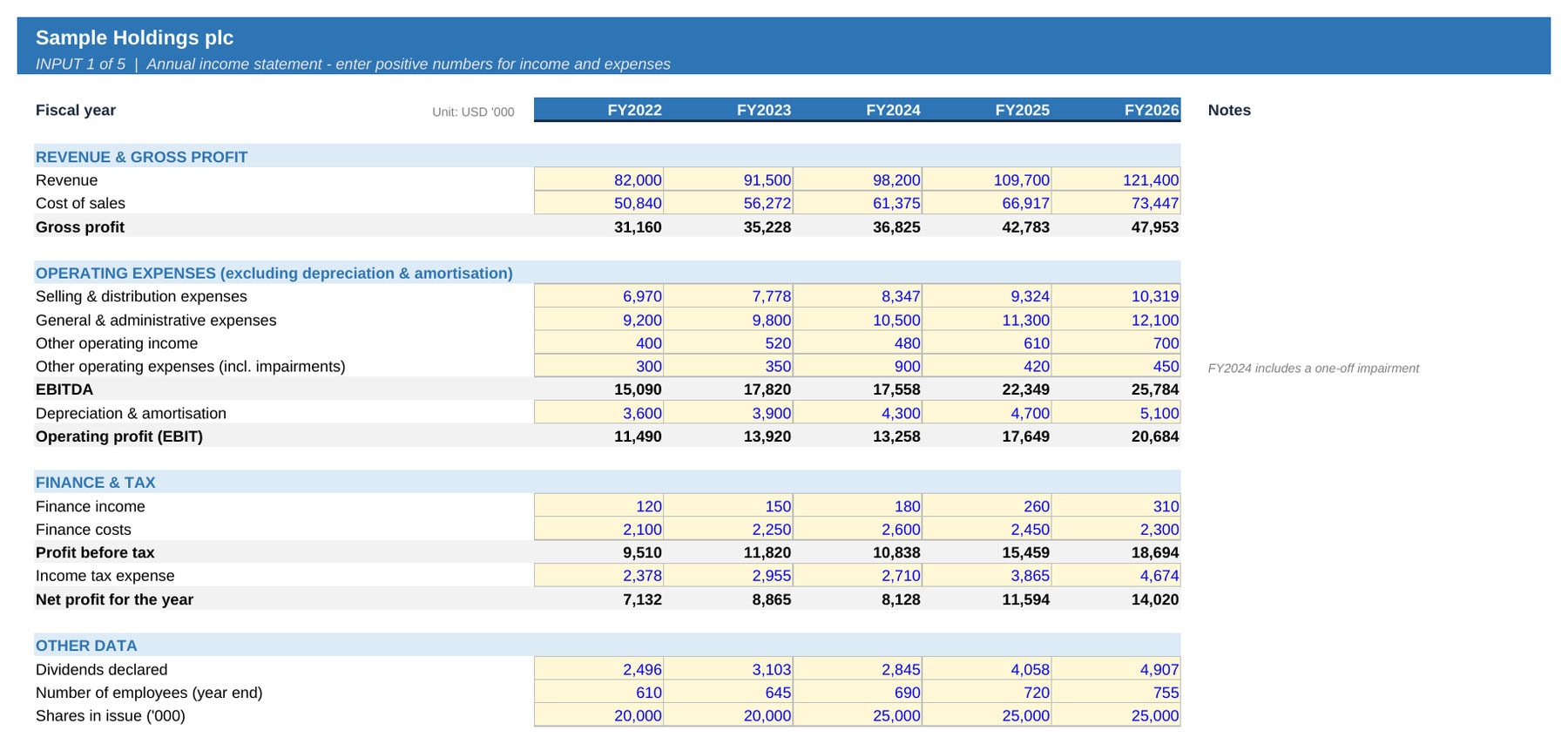
- Input – P&L: five years of revenue, costs, EBITDA, finance costs, tax, dividends, employees and shares.
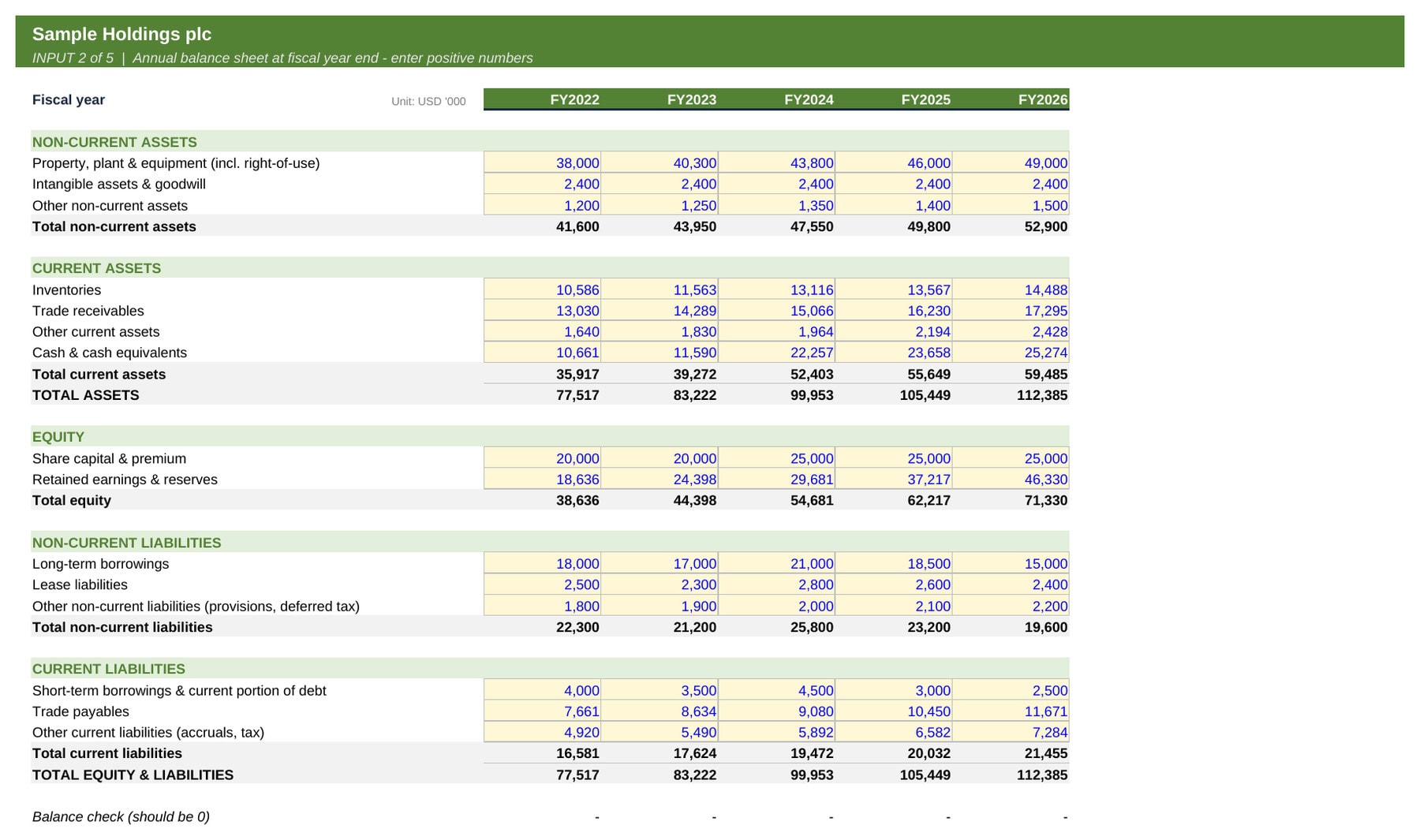
- Input – Balance Sheet: assets, equity and liabilities, with a built-in balance check.
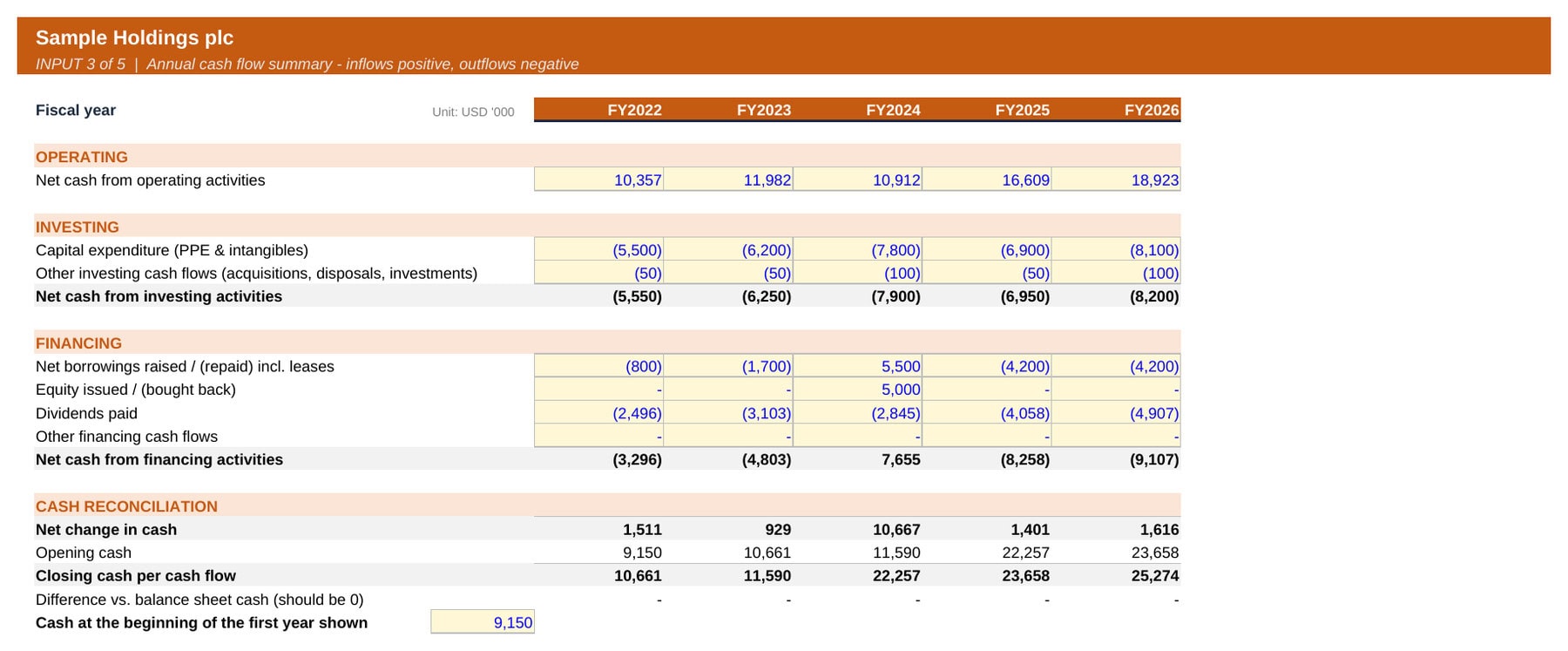
- Input – Cash Flow: operating, investing and financing cash flows, with a reconciliation to balance sheet cash.
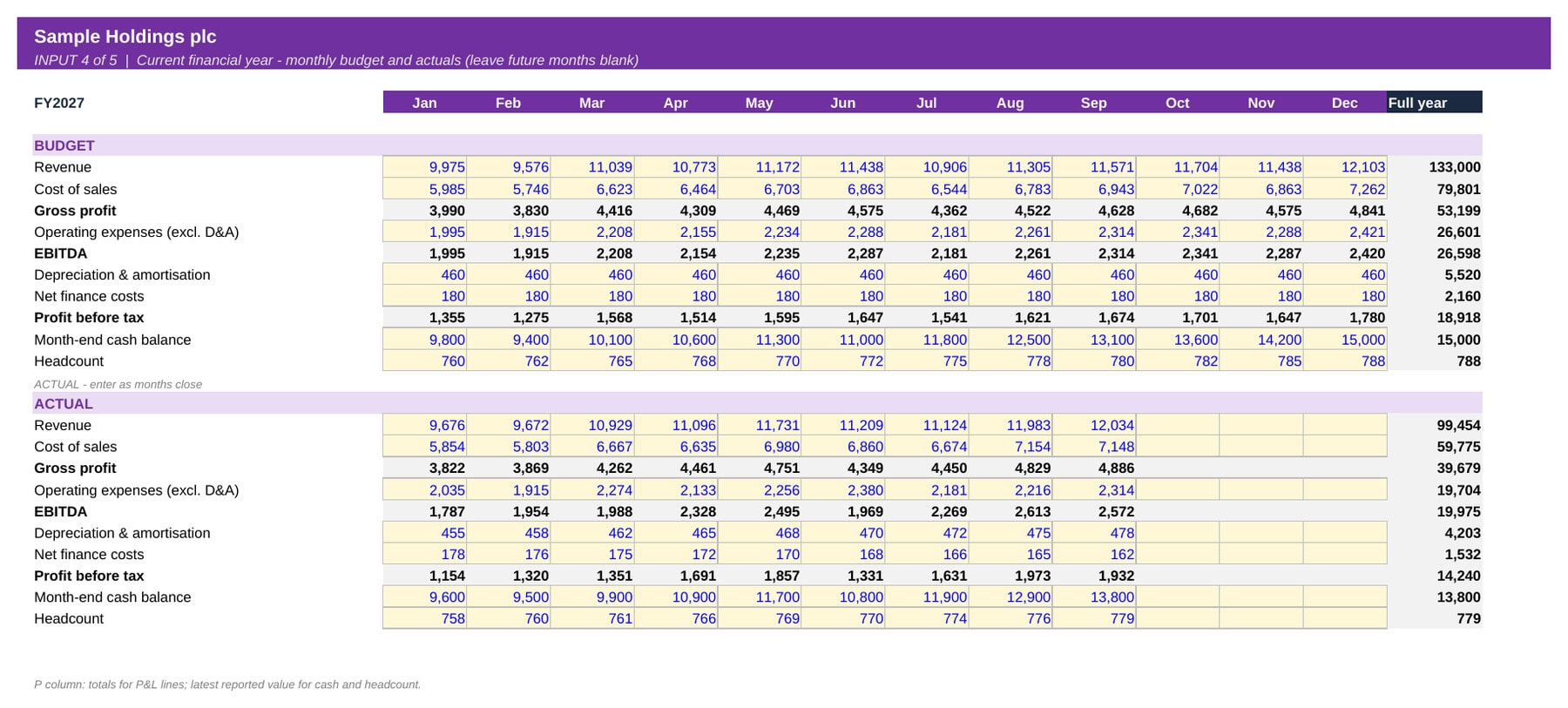
- Input – Monthly: current-year monthly budget and actuals for revenue, costs, EBITDA, cash and headcount.
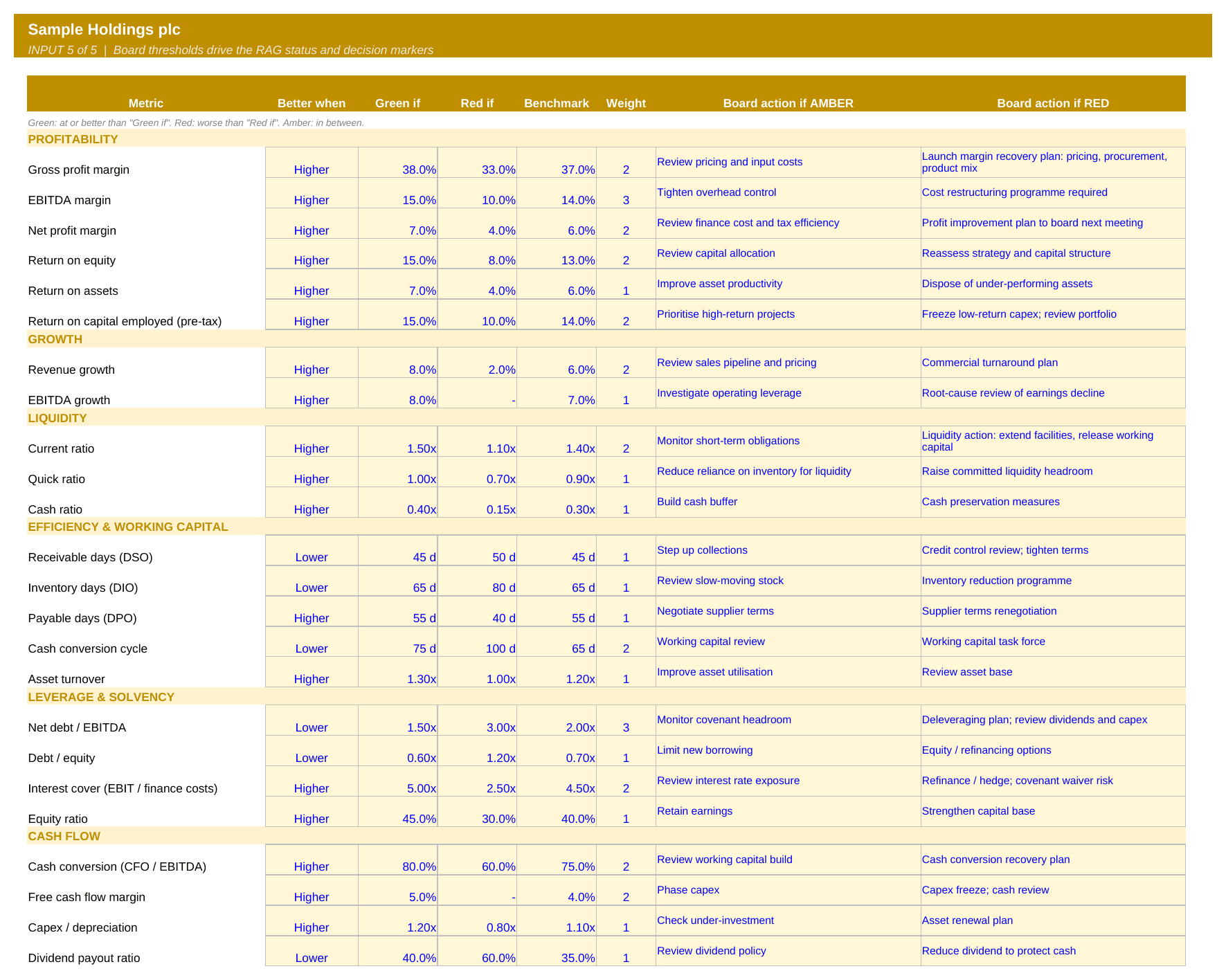
- Input – Targets: board thresholds for every ratio (direction, green / red limits, benchmark, weight) and the action wording used in the decision markers.
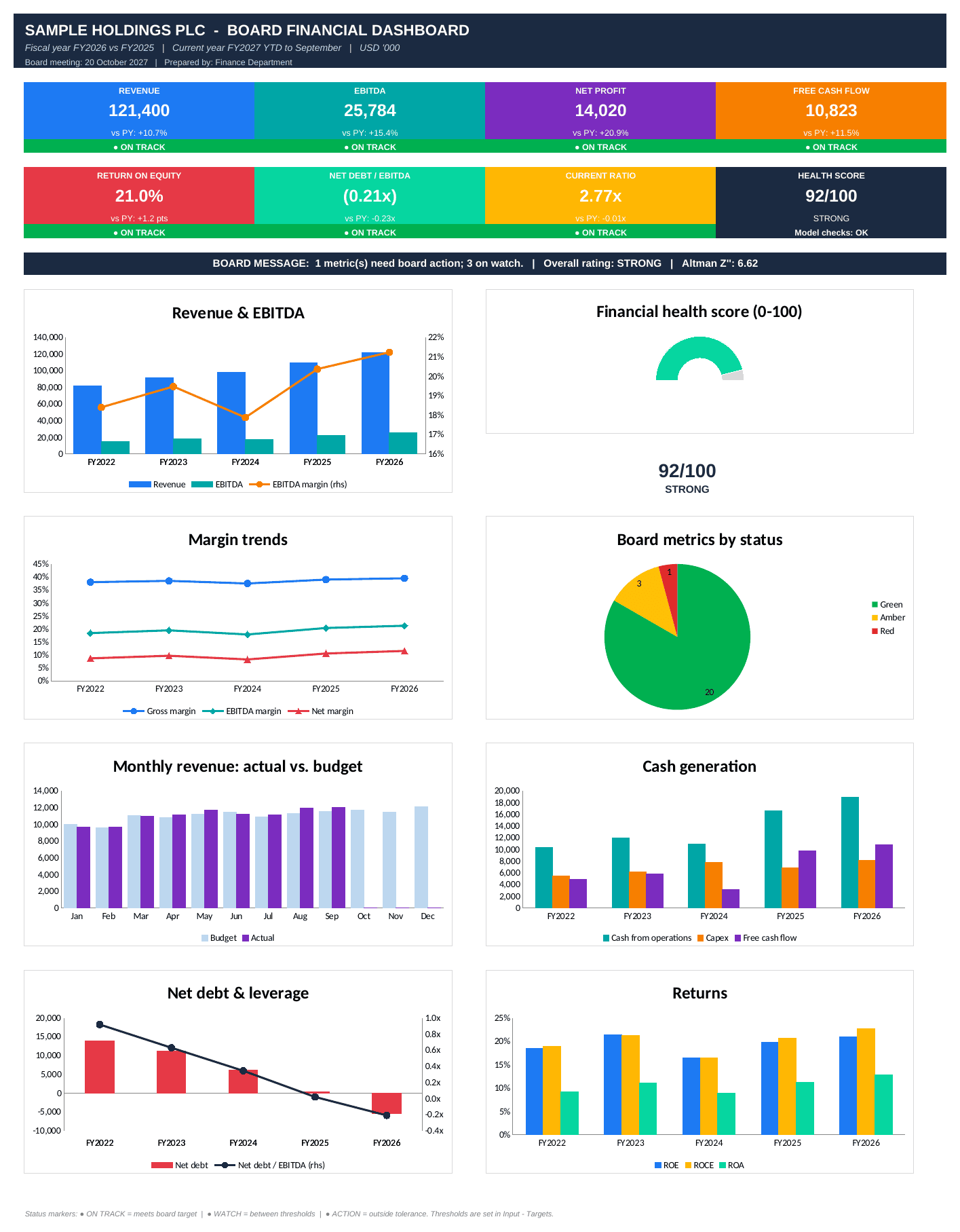
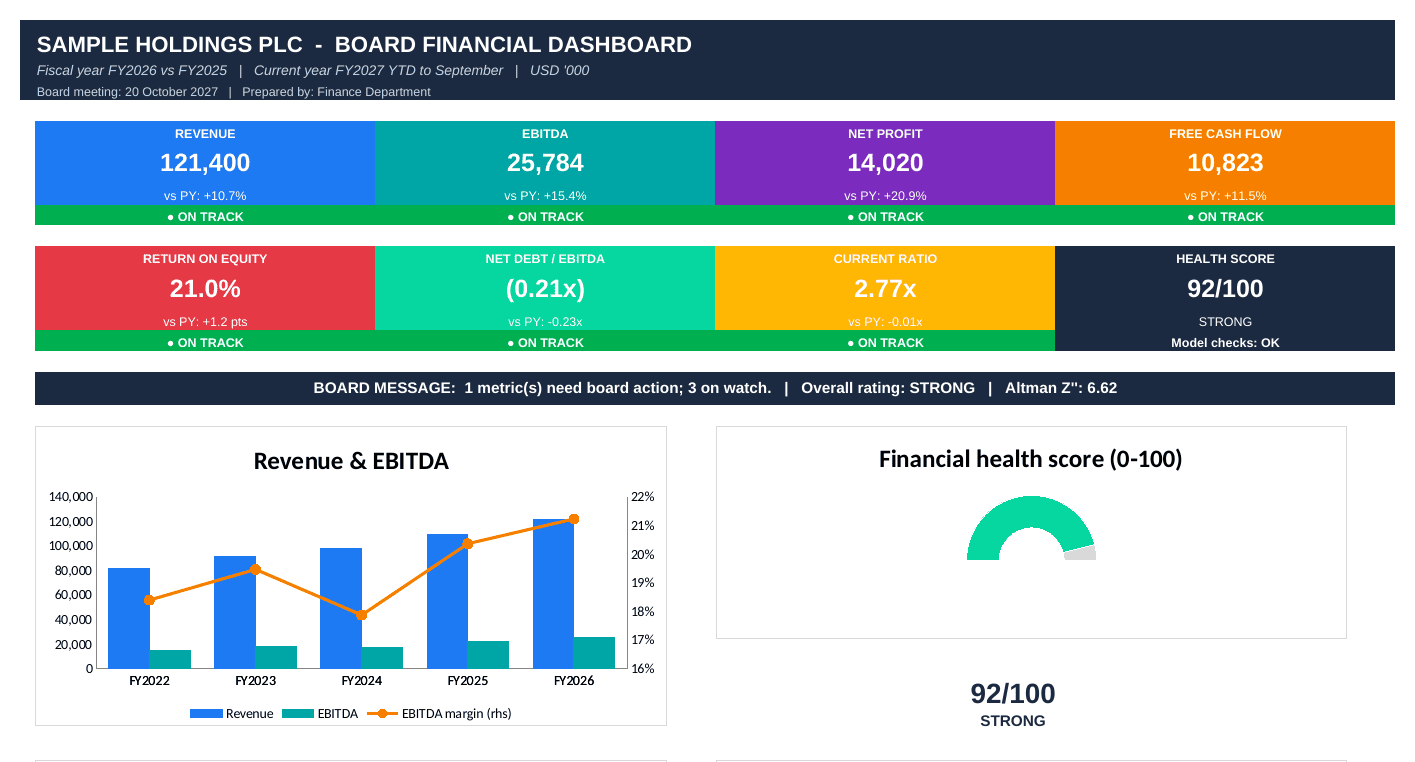
- Board Dashboard (one page): 8 colourful KPI tiles (revenue, EBITDA, net profit, free cash flow, ROE, net debt/EBITDA, current ratio, health score). Each tile shows the change vs. prior year and a status strip (ON TRACK / WATCH / ACTION). Below the tiles are an automatic board message and 8 charts, including a health-score gauge.
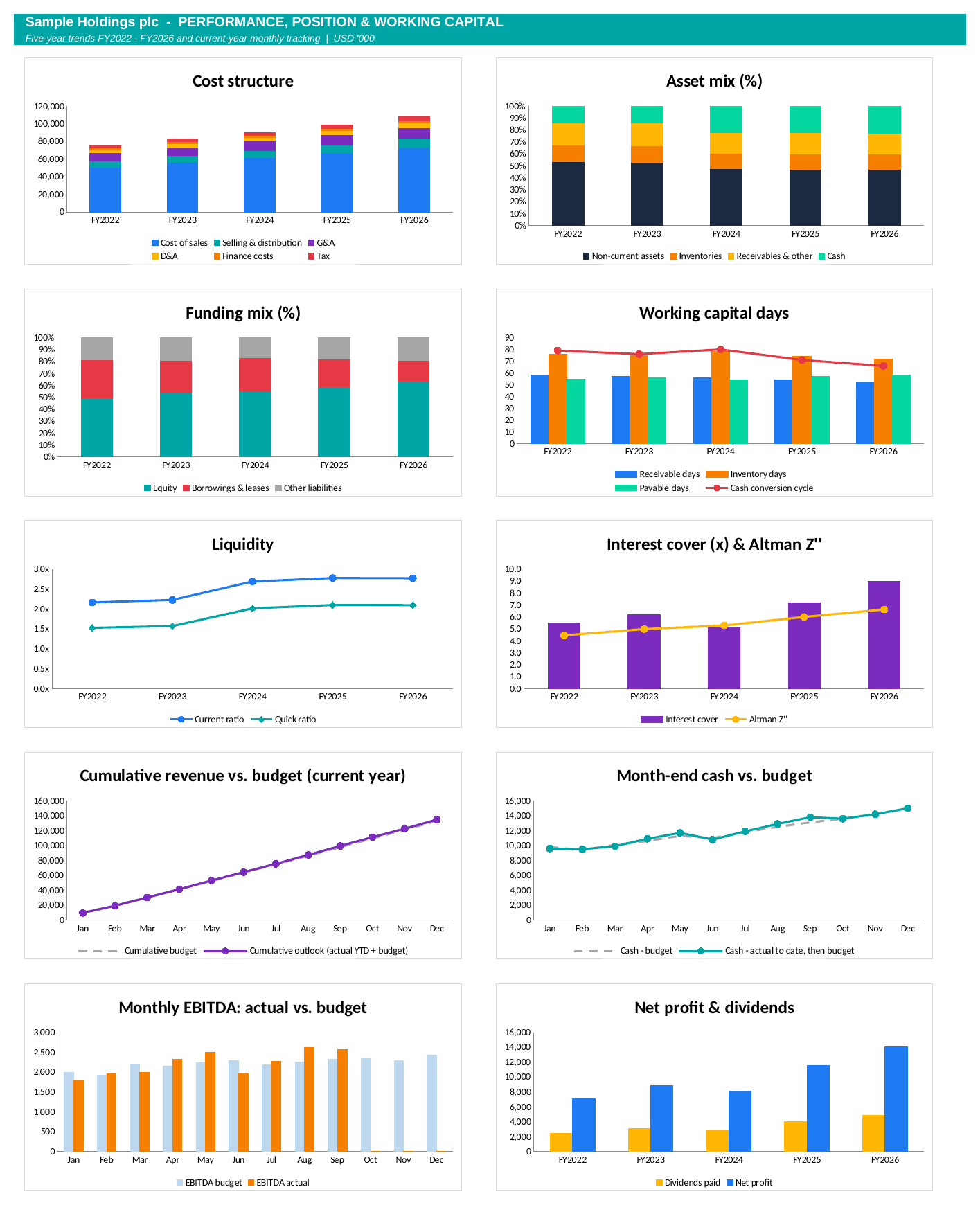
- Performance Charts page: 10 further charts:
- cost structure
- asset mix and funding mix
- working capital days and cash conversion cycle
- liquidity
- interest cover with Altman Z”
- cumulative revenue vs. budget
- month-end cash vs. budget
- monthly EBITDA vs. budget
- net profit and dividends
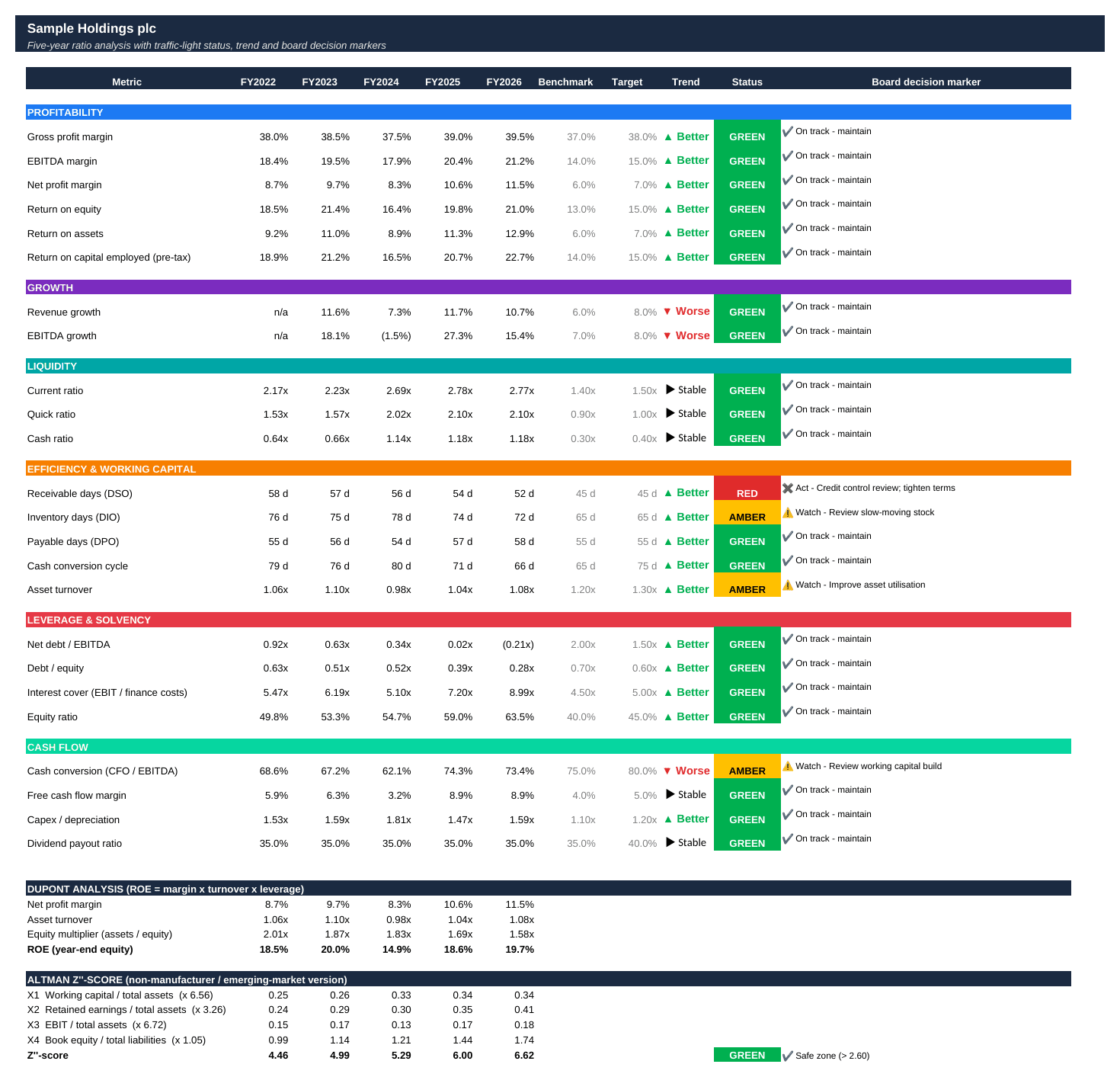
- Ratio Analysis: 25 ratios over five years, each with benchmark, target, trend arrow (▲ Better / ▼ Worse / ► Stable), RAG status and decision marker. Also includes DuPont analysis and the Altman Z”-score with safe / grey / distress zones.
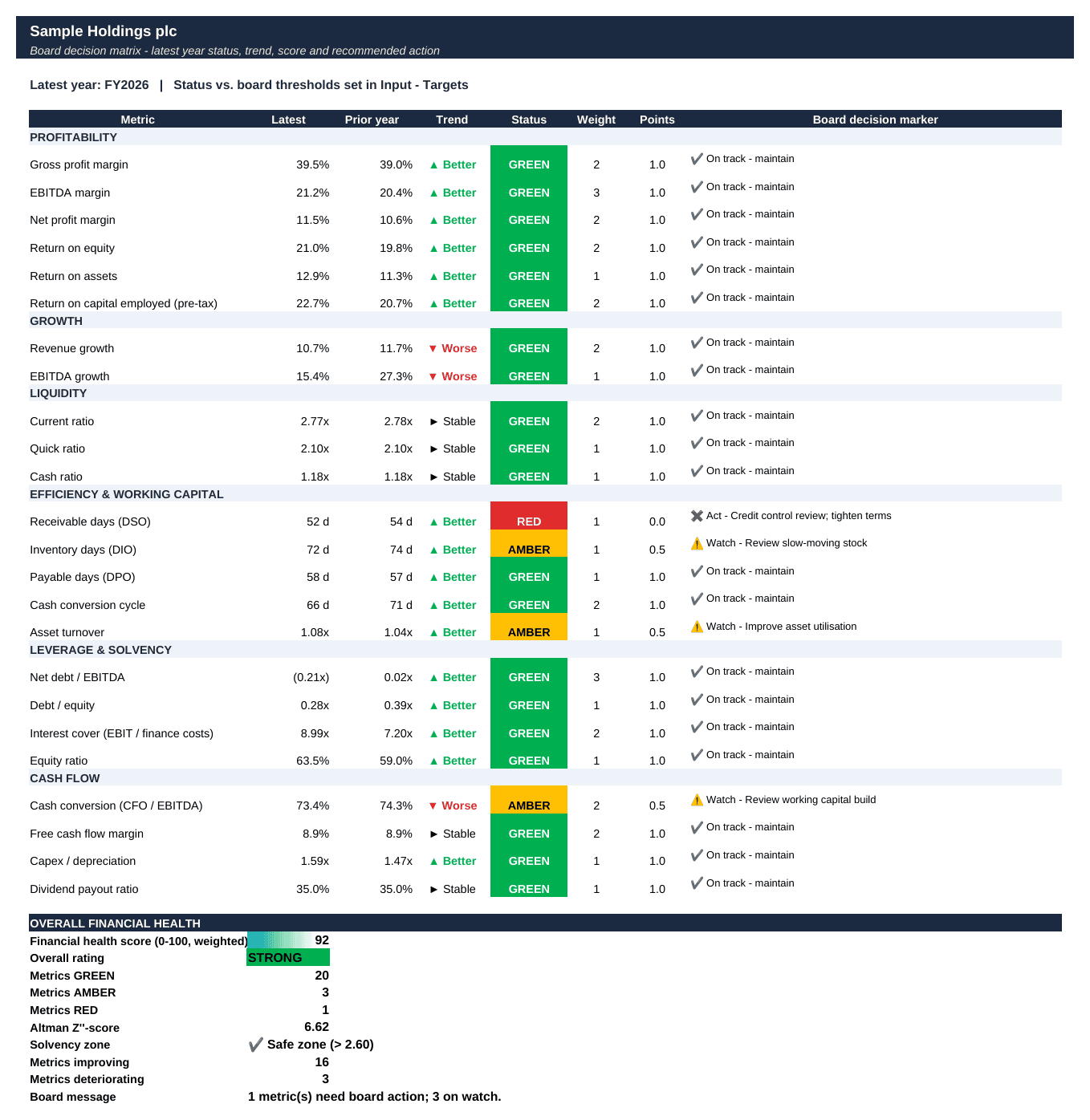
- Decision Matrix: all metrics on one page with status, trend, weight and points. It produces a weighted financial health score (0-100), an overall rating (Strong / Satisfactory / Weak) and counts of improving and deteriorating metrics.
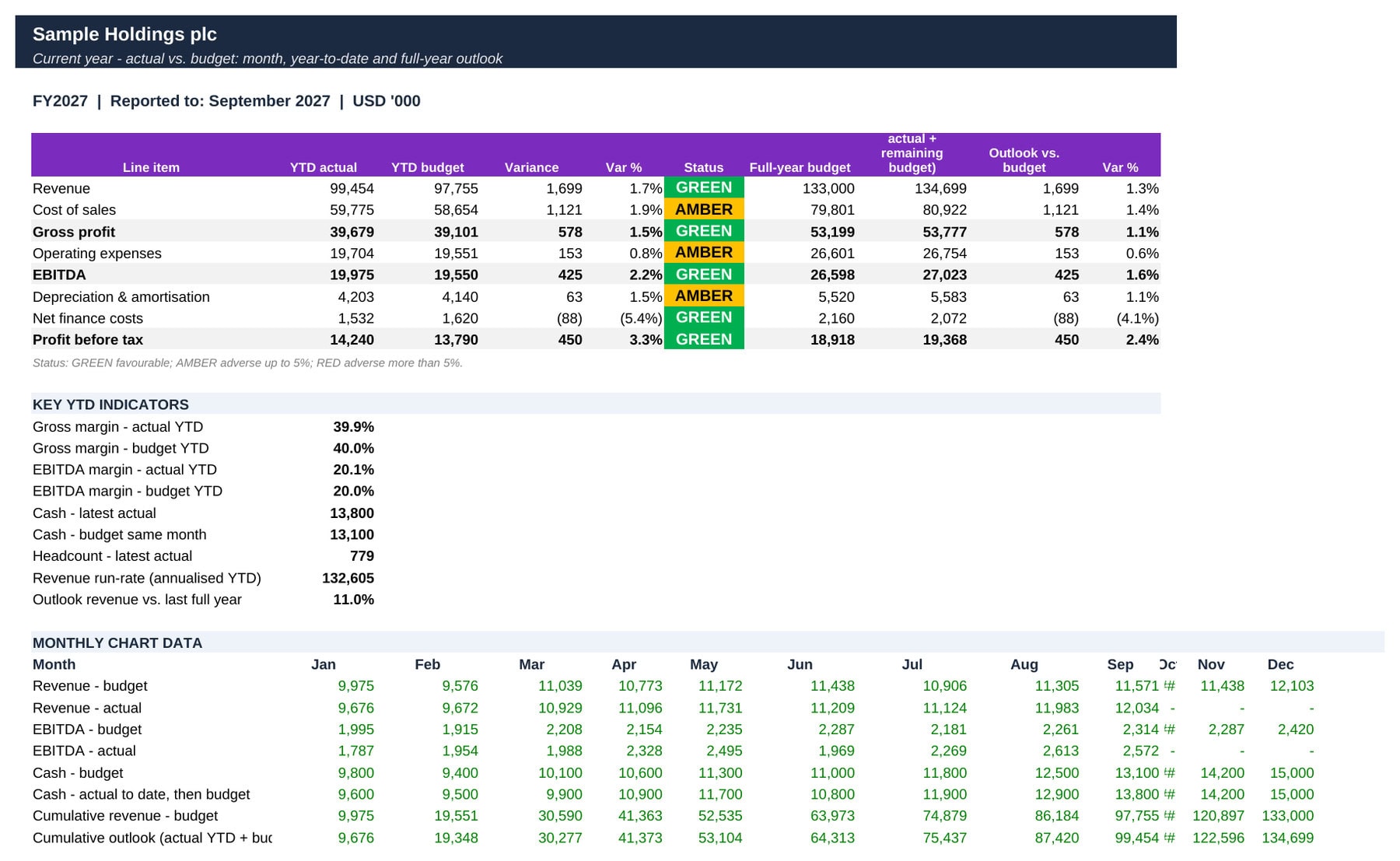
- Budget Variance: year-to-date actual vs. budget with variance, variance % and RAG status. It adds a full-year outlook (actual YTD + remaining budget), key YTD margins, cash and headcount, and the revenue run-rate.
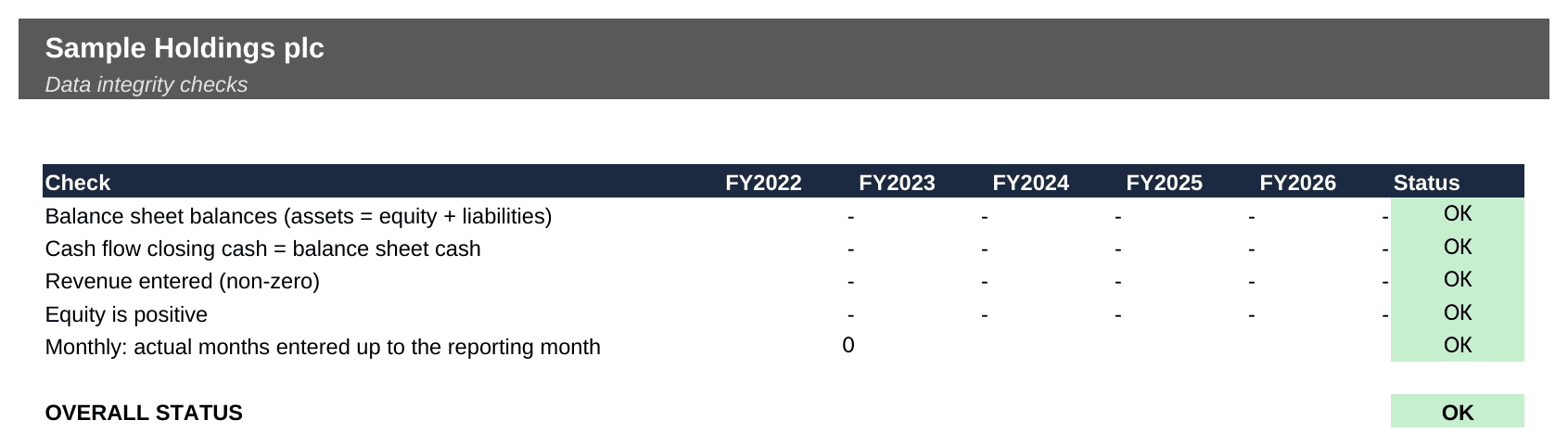
- Integrity checks: balance sheet, cash reconciliation, completeness of monthly actuals and positive equity, shown as OK / ERROR on the cover.
How to work with this template
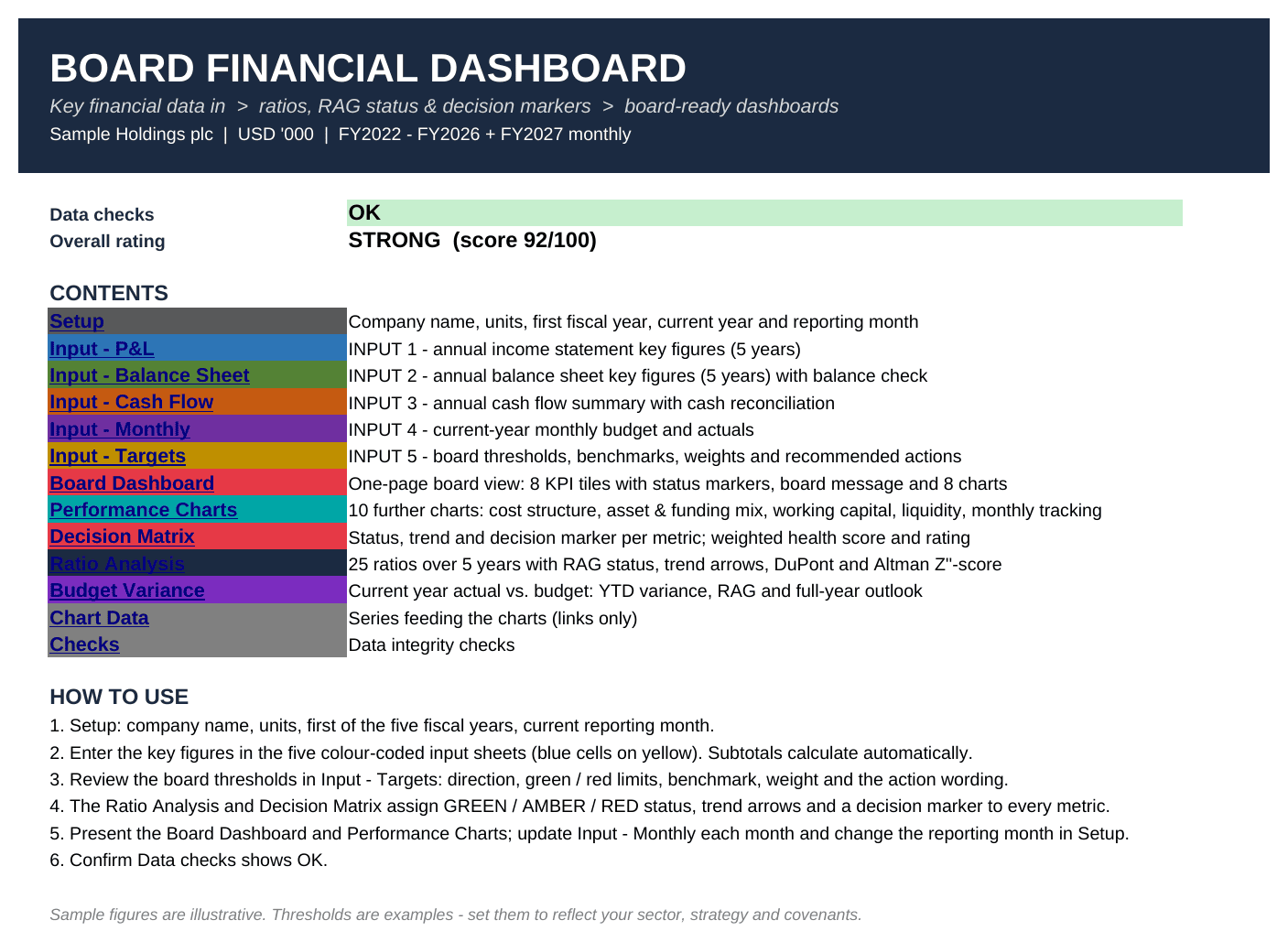
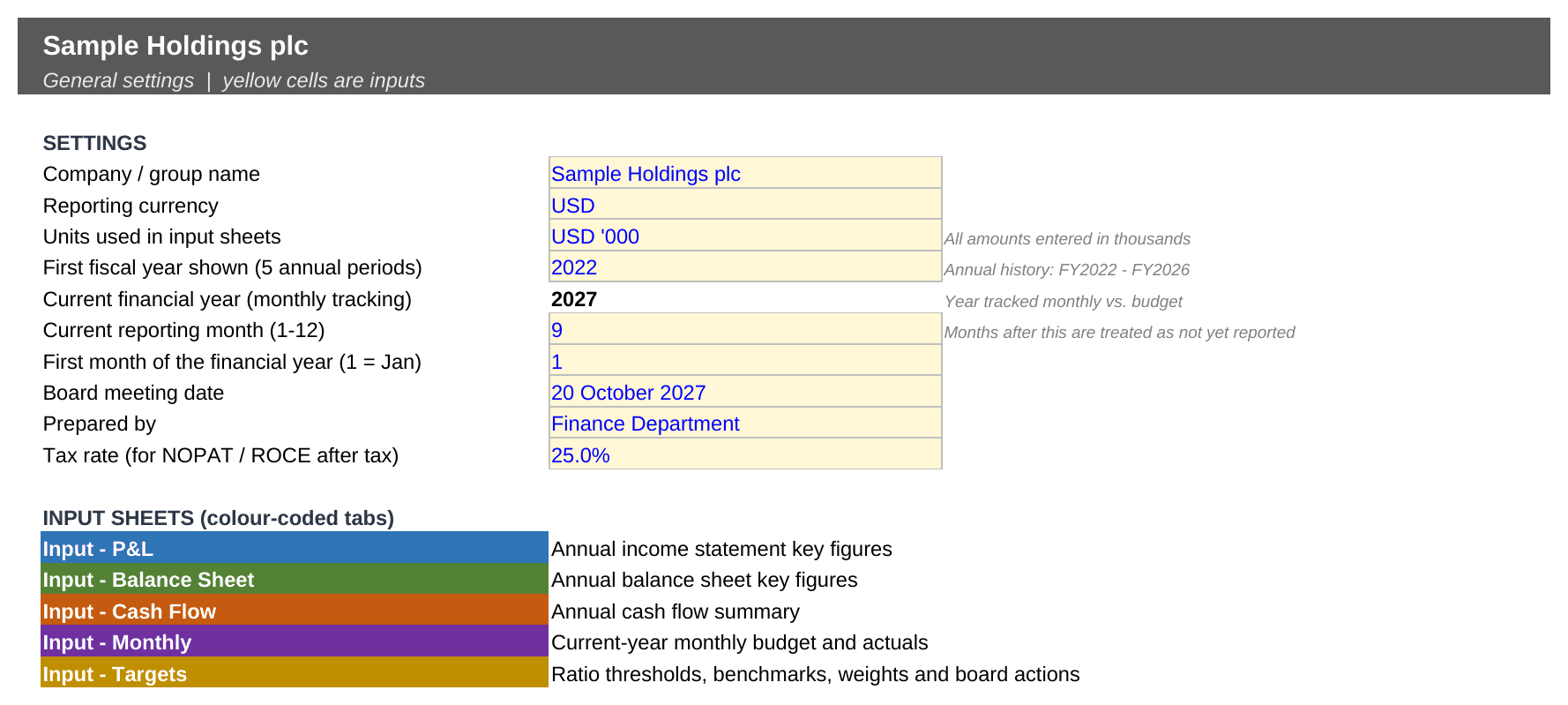
- In Setup, enter the company name, units, the first of the five fiscal years and the current reporting month.
- Fill in the five input sheets. Subtotals and checks calculate automatically.
- Adjust the board thresholds and action wording in Input – Targets to match your strategy, sector and covenants.
- Present the Board Dashboard, Performance Charts and Decision Matrix.
- Each month, add the new actuals and move the reporting month forward. Every page updates.
Why you need this template
Board packs often bury the message in pages of numbers. This template puts it on one page: where the business stands against the board’s own targets, which way each metric is moving, and the agreed action for anything off track. It is built entirely with transparent formulas, with no macros and no add-ins, so it is easy to audit and reuse every month.
Sample figures and thresholds are illustrative – set them to reflect your own business.
Similar ProductsOther customers were also interested in...



 eFinancialModels
Electric Vehicle (EV) Charging Station Financial M...
With this comprehensive 5- or 10-year monthly tool, investors can assess the viability of setting up... Read more

Financial Model for Mobile App | Mobile App Busine...
The Mobile App Financial Plan Template in Excel allows you to develop financial projections when lau... Read more

 HenrySheykin
Food Truck Financial Model Excel Template
The Food Truck Financial Model helps entrepreneurs, founders, business owners, consultants, and anal... Read more

Green Hydrogen Production from Wind Energy Financi...
The Green Hydrogen from Wind Financial Model aims to comprehensively forecast a horizon of 40 years ... Read more

Simple Mutual Non-Disclosure Agreement Template
Protect your business secrets with ease using our Simple Mutual Non-Disclosure Agreement Template. S... Read more

Solar Energy Financial Model
The Solar Energy Financial Model Spreadsheet Template in Excel assists you in preparing a sophistica... Read more

 Peter Graf
The Customer-Centric Financial Model for Restauran...
Starting a restaurant without a financial plan is like driving a car blindfolded. You wouldn´t do i... Read more
You must log in to submit a review.