
0 ITEMS

AI Automation Agency Financial Model – 5-Year 3-Statement Excel
A 5-year, fully editable Excel model built specifically for AI automation and AI services agencies. It captures how agencies actually earn — monthly retainers plus one-off projects — with AI/API usage and contractor costs, client churn, and a full three-statement output (P&L, Cash Flow, Balance Sheet) that ties out to zero. Switch between Bear, Base and Bull scenarios with one cell and read the results on a built-in KPI dashboard.
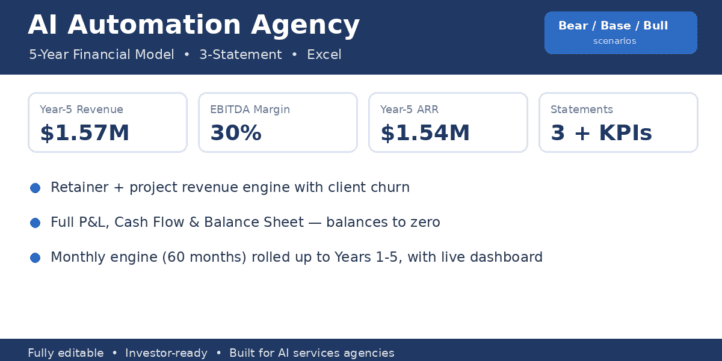


Built specifically for AI automation agencies — not a generic SaaS template.
Most “AI startup” models assume you sell a subscription product. An agency doesn’t. You earn monthly retainers, one-off projects, you pass through AI/API usage costs, and you staff with contractors. This model is built around exactly that reality, so the numbers reflect how your business actually runs.
What’s inside
- Monthly engine, 60 months, rolled up automatically into Years 1–5.
- Full three-statement model — Income Statement, Cash Flow Statement, and Balance Sheet that ties to zero in every period.
- Revenue engine: active retainer clients (grown by new wins, reduced by monthly churn) × average retainer, plus project revenue from project count × average value.
- Agency-specific costs: AI/API usage and contractor/delivery cost as a % of revenue, plus salaries (with annual growth), software, marketing, and overhead.
- Bear / Base / Bull scenarios — flip one cell to switch the entire model.
- Working capital (DSO/DPO), capex & depreciation, optional debt with interest, and tax with a loss carryforward so early losses shield later profits.
- Dashboard with headline KPIs and live charts (revenue vs EBITDA, ARR).
- Read-Me tab with step-by-step instructions and a colour legend.
How it works
- Open the Assumptions tab. 2. Pick your scenario (1 = Bear, 2 = Base, 3 = Bull). 3. Edit the blue input cells. 4. The Annual tab and Dashboard update instantly.
Fully editable. No locked cells, no macros, no passwords. Colour-coded to professional standards (blue = inputs, black = formulas, green = cross-tab links). Compatible with Microsoft Excel and Google Sheets. Tax/accounting treatment is simplified for planning; confirm specifics with a qualified accountant.
Use cases:
- Raising a pre-seed/seed round or applying to an accelerator and need credible financial projections.
- Applying for a business loan or line of credit for an AI/automation agency.
- Pricing retainers and projects, and stress-testing margins before scaling.
- Planning hiring and contractor spend against realistic cash flow.
- Modelling how client churn and AI/API costs affect profitability over 5 years.
Similar ProductsOther customers were also interested in...



 eFinancialModels
Electric Vehicle (EV) Charging Station Financial M...
With this comprehensive 5- or 10-year monthly tool, investors can assess the viability of setting up... Read more

Financial Model for Mobile App | Mobile App Busine...
The Mobile App Financial Plan Template in Excel allows you to develop financial projections when lau... Read more

 HenrySheykin
Food Truck Financial Model Excel Template
The Food Truck Financial Model helps entrepreneurs, founders, business owners, consultants, and anal... Read more

Green Hydrogen Production from Wind Energy Financi...
The Green Hydrogen from Wind Financial Model aims to comprehensively forecast a horizon of 40 years ... Read more

Simple Mutual Non-Disclosure Agreement Template
Protect your business secrets with ease using our Simple Mutual Non-Disclosure Agreement Template. S... Read more

Solar Energy Financial Model
The Solar Energy Financial Model Spreadsheet Template in Excel assists you in preparing a sophistica... Read more

 Peter Graf
The Customer-Centric Financial Model for Restauran...
Starting a restaurant without a financial plan is like driving a car blindfolded. You wouldn´t do i... Read more
You must log in to submit a review.