
0 ITEMS

SaaS & Subscription Cohort Retention Analysis Model (NRR, GRR, Churn, LTV/CAC)
Give this workbook one row per customer per month and it returns the full retention picture: cohort triangles for MRR and for customer counts, logo and net MRR retention curves, a month-by-month MRR movement bridge with gross and net revenue retention, unit economics split by segment and by acquisition channel, and a scenario-driven forecast of up to 24 months. Everything is a live Excel formula – over 13,700 of them. No macros, no add-ins, no external links, no password protection and no locked cells, so every calculation is open to inspection and the file behaves identically in Excel, LibreOffice, Numbers and Google Sheets. A dedicated Checks tab runs eight integrity tests: the movement bridge must tie on every single month, the cohort grid must reconcile to the raw data to the cent, and every customer must sit in exactly one cohort. You can prove the numbers reconcile before you put them in front of a board or an investor. Ships with a realistic 295-customer, 18-month sample dataset so every tab works the moment you open it. Delete it and paste your own. A five-page PDF guide covering the required data format, the calculation methodology behind every headline metric, and an honest account of the model’s limitations is included, and is also available as a free download.


Most subscription businesses can tell you what their revenue was last month. Far fewer can tell you where it came from: how much was genuinely new, how much was existing customers spending more, and how much quietly leaked away through downgrades and cancellations. That gap is where boards lose confidence and where diligence stalls. This model closes it.
What the template is used for. It converts a flat list of subscription revenue into the retention analytics that investors, lenders and boards ask for. You supply one row per customer per month with six fields: customer ID, segment, acquisition channel, cohort month, activity month and MRR. The workbook does the rest. It is built for RevOps and finance teams at SaaS and subscription companies, for the operating partners and analysts who underwrite them, and for consultants who would rather not rebuild a cohort model from scratch for every engagement.
Main features. Eleven worksheets, each doing one job.
Cohort triangles. Retained MRR and active customer counts by cohort against months since acquisition, with a total row that reconciles back to your raw data to the cent.
Retention curves. Both triangles expressed as percentages of each cohort’s own starting point, plus a blended average curve. Watching logo retention and net MRR retention diverge on one chart is usually the moment the expansion story becomes visible.
MRR movement bridge. Opening, new, expansion, contraction, churn and closing MRR for every month, with gross and net revenue retention, active customers, new customers and the logo churn rate alongside. A dedicated Check column proves the bridge ties on every single line.
Unit economics. Blended LTV, LTV to CAC and CAC payback, then the same calculation split by segment and by acquisition channel, each using its own observed churn rate and its own acquisition cost. A single blended CAC hides exactly the differences that drive where the next marketing dollar goes. LTV is discounted, not the naive ARPA-over-churn figure that overstates value.
Scenario forecast. Up to 24 months forward from your last actual month, with base, upside and downside cases switched from one cell.
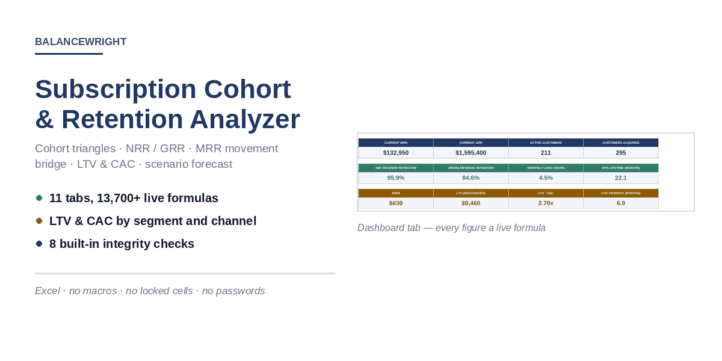
Dashboard. Twelve headline KPIs and three charts on a single page, all live formulas.
Eight integrity checks. A separate tab that tests the movement bridge, the cohort reconciliation, the cohort assignment, negative values, date ordering, retention bounds, the scenario switch and the forecast floor. Every line must read PASS before you present a number. Most templates ask you to trust them. This one shows its working.
How to work with this template. Open the Data tab, delete the sample rows and paste your own from row 7 down. Add one final row per customer in the month they churned with MRR set to zero, which is what drives the churn line of the bridge. Copy the six engine formulas down to your last row. On the Assumptions tab set gross margin, discount rate, forecast horizon and your CAC figures, blended and by segment and channel. Then read the Checks tab before you look at anything else.
Technical notes. Everything is a live Excel formula, more than 13,700 of them, with no hardcoded results in any output cell. There are no macros, no add-ins, no external links, no password protection and no locked cells, so every calculation is open to inspection and adaptation. The file behaves identically in Microsoft Excel, LibreOffice Calc, Apple Numbers and Google Sheets. Print layout is configured on every tab.
Why you need it. Building this analysis from scratch is a day or two of careful work, and the mistakes are quiet ones: a bridge that does not tie, a cohort grid that double counts, an LTV that divides a revenue-weighted ARPA by a customer-weighted churn rate. This workbook has those tests built in and visible.
What is included. The paid download is the full Excel workbook. A five-page PDF guide is available as a free download and covers the exact data format, the calculation methodology behind every headline metric, a walkthrough of the eight integrity checks, and an honest account of the model’s limitations. The workbook ships loaded with a realistic 295-customer, 18-month sample dataset so every tab works the moment you open it.
Similar ProductsOther customers were also interested in...



 eFinancialModels
Electric Vehicle (EV) Charging Station Financial M...
With this comprehensive 5- or 10-year monthly tool, investors can assess the viability of setting up... Read more

Financial Model for Mobile App | Mobile App Busine...
The Mobile App Financial Plan Template in Excel allows you to develop financial projections when lau... Read more

 HenrySheykin
Food Truck Financial Model Excel Template
The Food Truck Financial Model helps entrepreneurs, founders, business owners, consultants, and anal... Read more

Green Hydrogen Production from Wind Energy Financi...
The Green Hydrogen from Wind Financial Model aims to comprehensively forecast a horizon of 40 years ... Read more

Simple Mutual Non-Disclosure Agreement Template
Protect your business secrets with ease using our Simple Mutual Non-Disclosure Agreement Template. S... Read more

Solar Energy Financial Model
The Solar Energy Financial Model Spreadsheet Template in Excel assists you in preparing a sophistica... Read more

 Peter Graf
The Customer-Centric Financial Model for Restauran...
Starting a restaurant without a financial plan is like driving a car blindfolded. You wouldn´t do i... Read more
You must log in to submit a review.