
0 ITEMS

Service Business P&L Tracker Excel – Cash Flow, Invoices, Expenses, Tax Planning & KPI Dashboard
Professional Excel finance tracker for service businesses. Manage invoicing, expenses, contractors, monthly P&L, cash receipts, outstanding receivables and tax estimates. Includes bonus review planner and PDF guide.

SERVICE BUSINESS P&L TRACKER
Excel Finance Management & Reporting System
Income & Expense Tracking | Monthly P&L | Cash Flow | Invoices | Project Contribution | Tax Planning
Bring your service business finances together in one professional, structured and fully editable Excel management system.
The Service Business P&L Tracker by SheetworksStudio is designed for freelancers, consultants, coaches, digital agencies, creative studios and small service businesses seeking better visibility into revenue, operating costs, cash receipts, outstanding invoices and financial performance.
Unlike a basic income and expense spreadsheet, this system connects essential business records with automated financial reports, dashboards and monthly review workflows.
📊 Financial Dashboard & Performance Insights
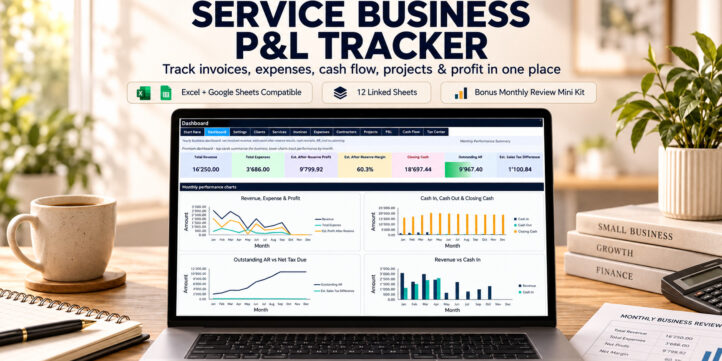
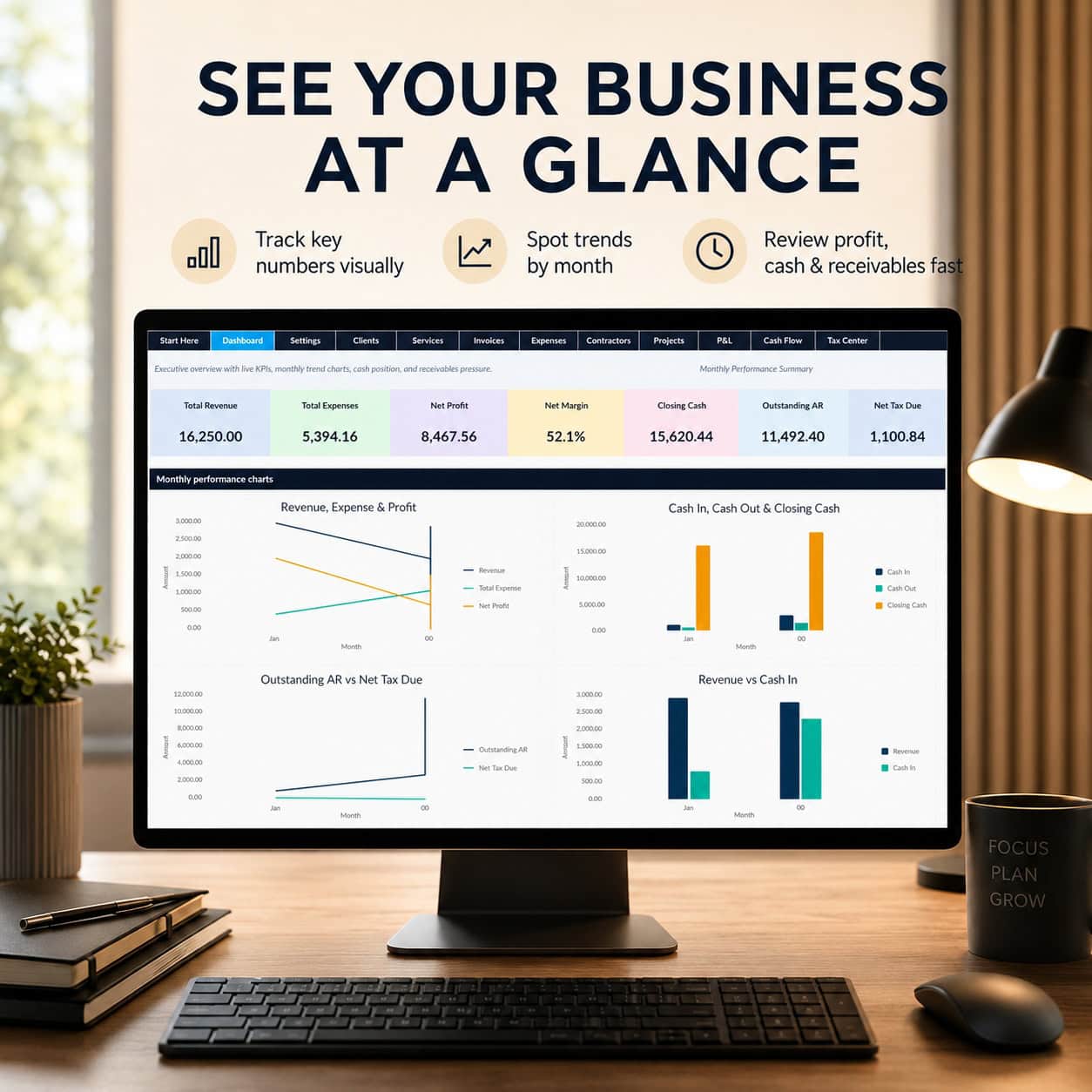
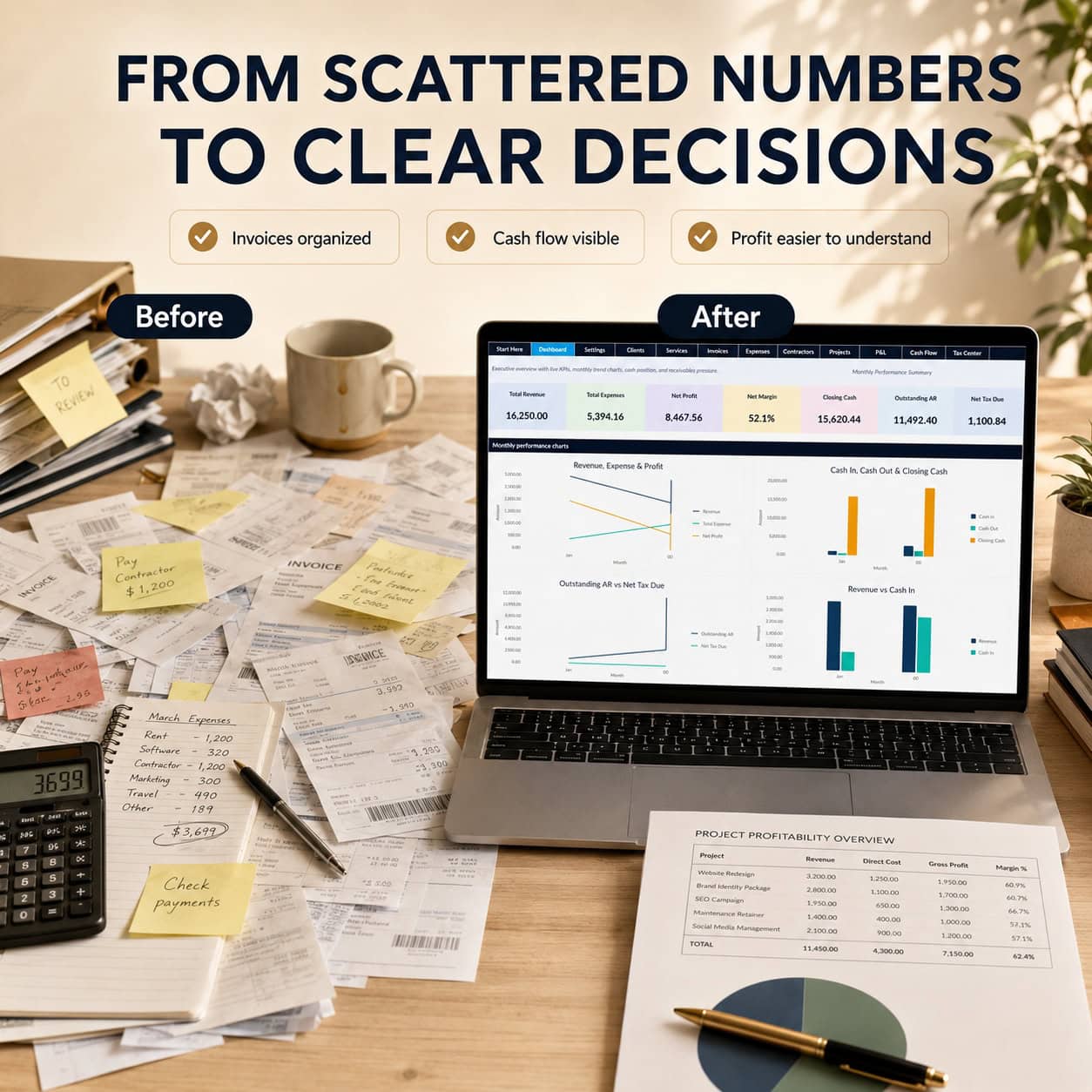
Monitor your business finances through a professional executive dashboard featuring KPI cards and four native Excel charts.
Review:
- Total Revenue
- Total Expenses
- Estimated Profit After Tax Reserve
- Estimated Profit Margin
- Closing Cash Balance
- Outstanding Accounts Receivable
- Estimated Sales Tax Difference
- Monthly Revenue and Cost Trends
- Cash Collections and Receivables
The workbook includes illustrative 2029 sample data and an editable reporting year.
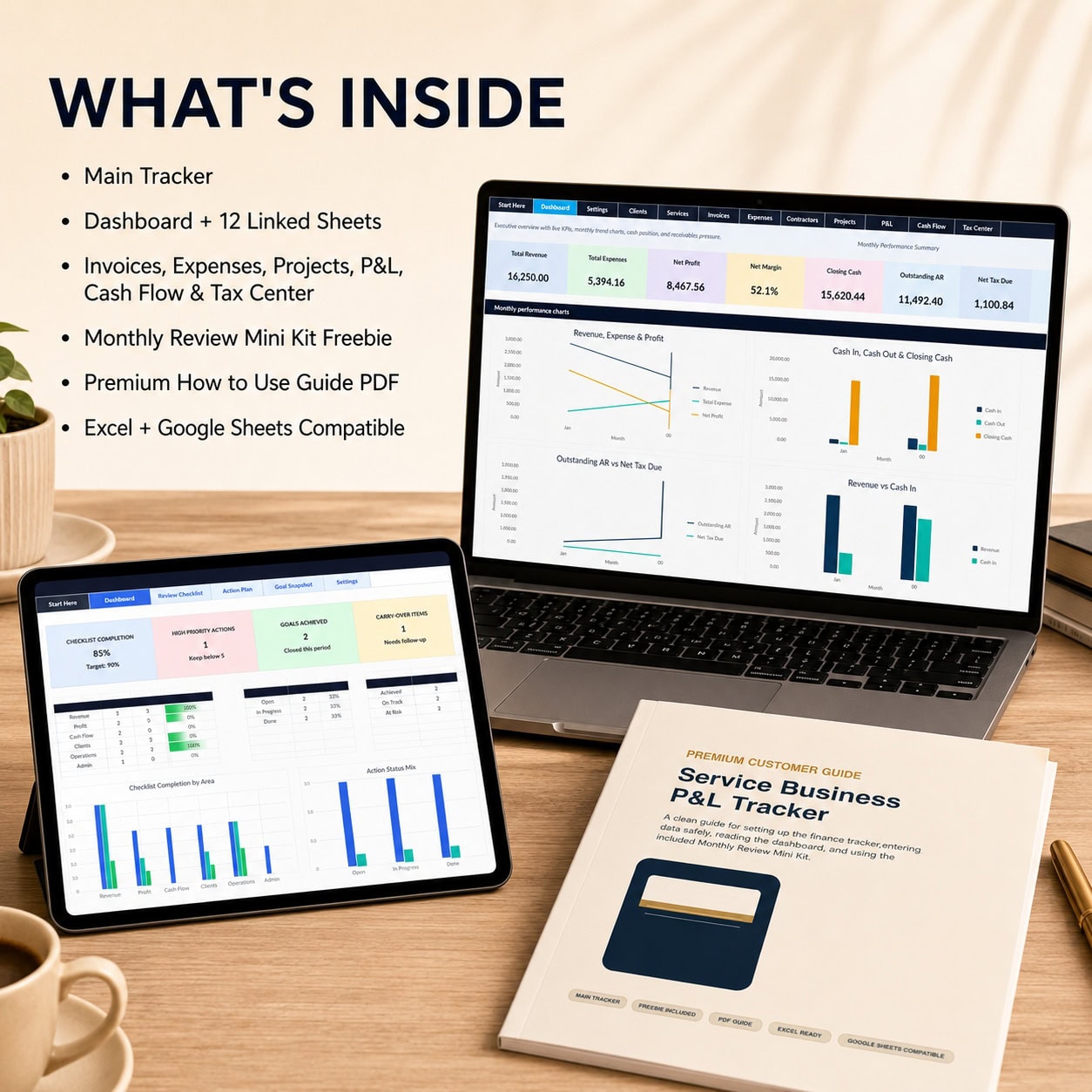
📦 What’s Included
1. Service Business P&L Tracker – Premium Excel Workbook
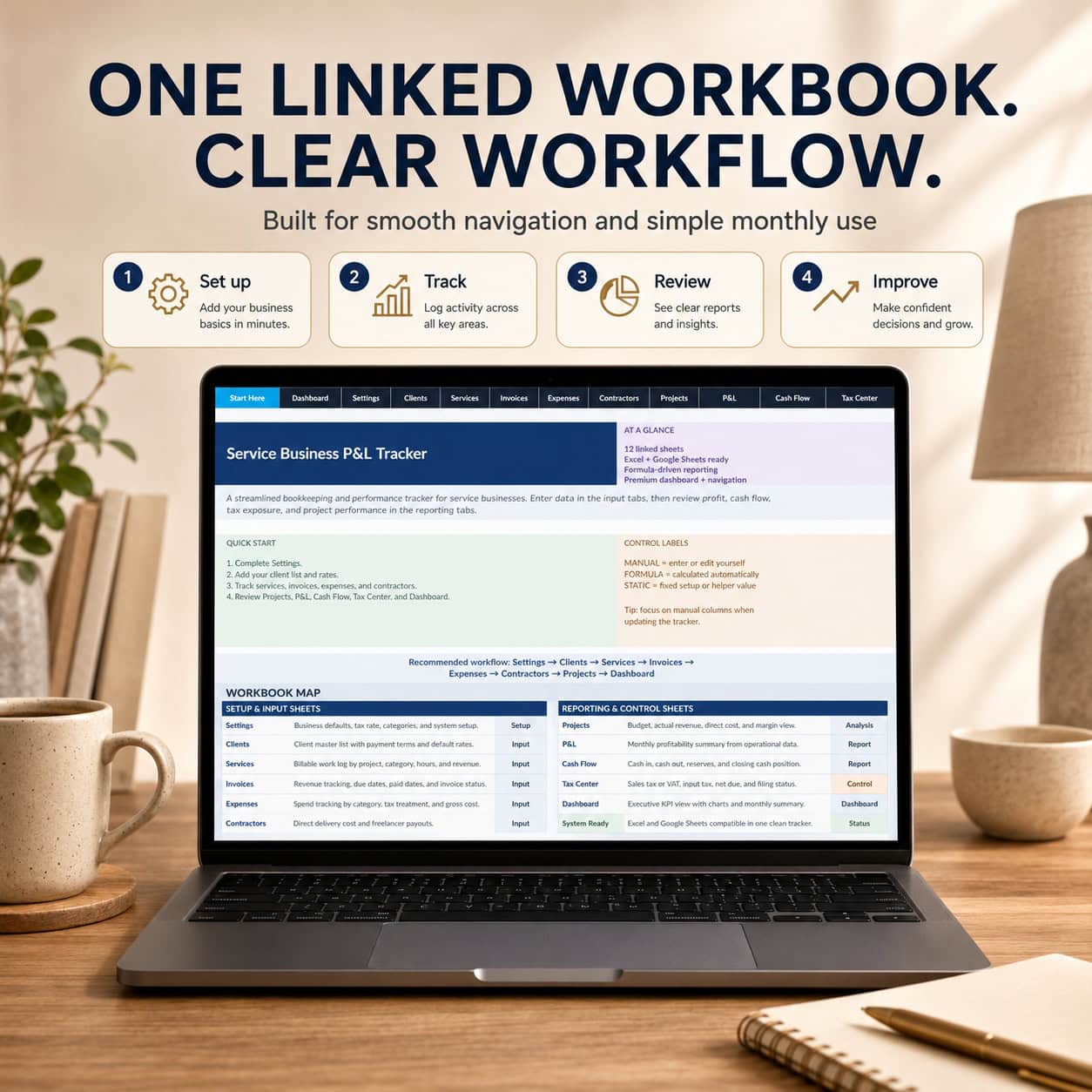
A complete 12-worksheet financial management system with structured input areas, integrated formulas, clickable navigation, dropdowns and four dashboard charts.
2. Monthly Review Mini Kit – Bonus Excel Workbook
A separate six-worksheet system for financial reviews, action planning, progress tracking and performance improvement, including two charts.
3. Professional How-to-Use Guide – 10-Page PDF
Clear instructions covering setup, navigation, financial reports, workbook usage, troubleshooting and important model limitations.
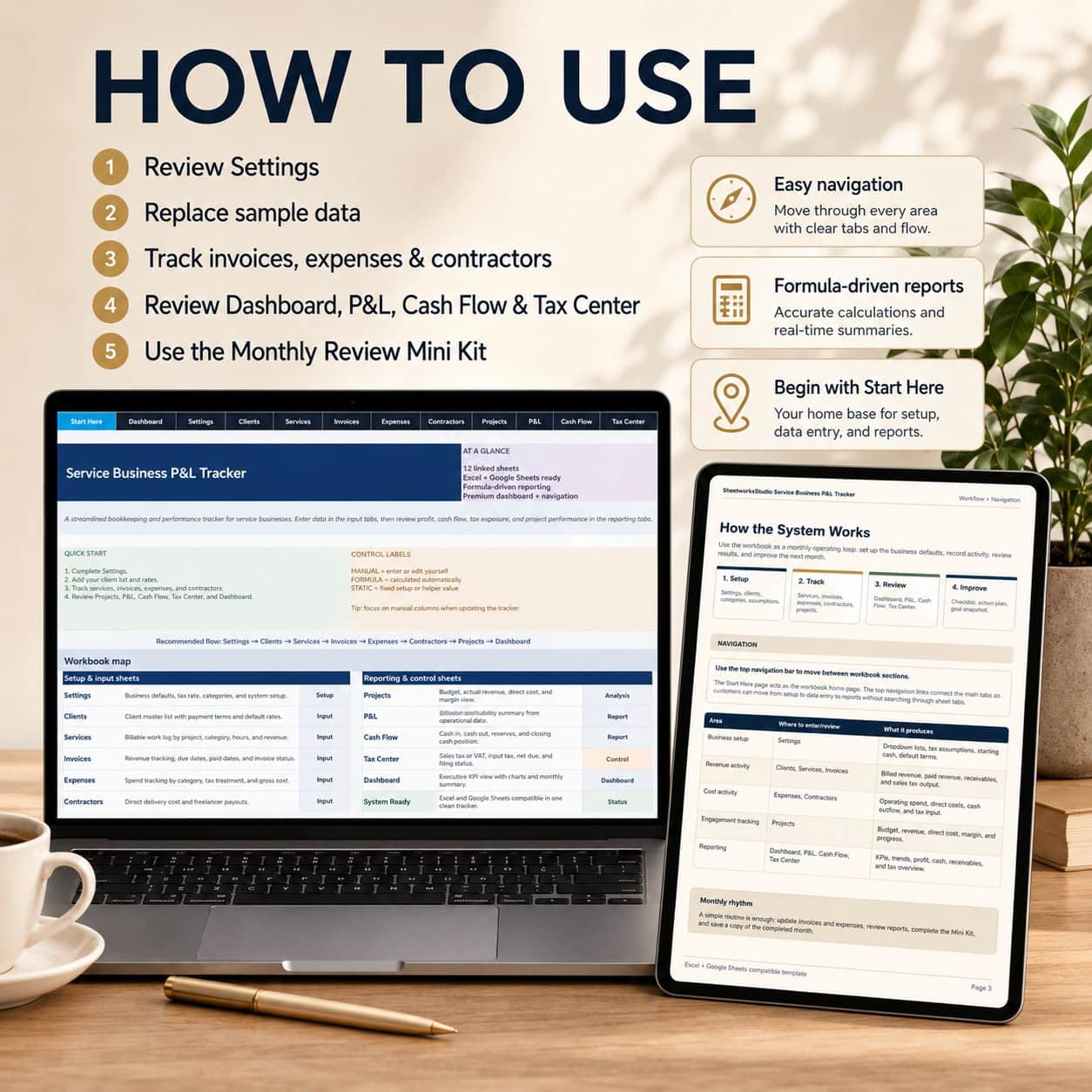
🧾 Main Excel Workbook – 12 Integrated Sections
01. Start Here
A professional welcome page with setup instructions and direct navigation to the workbook’s main sections.
02. Executive Dashboard
Review financial KPIs, monthly operating performance, cash collection, outstanding receivables and financial trends through four visual charts.
03. Settings
Customize your business profile, reporting year, currency label, opening cash, estimated tax reserve assumptions and reference categories.
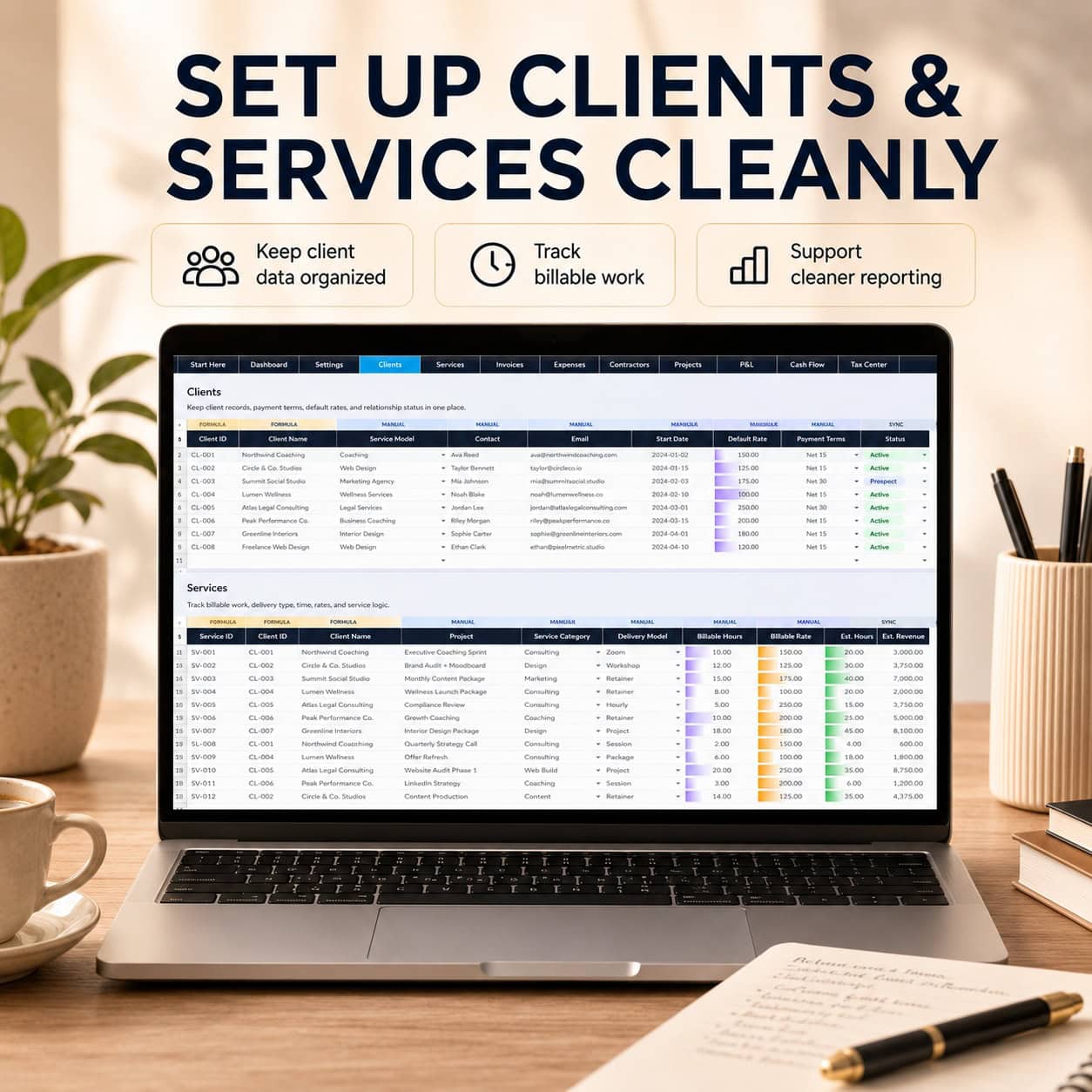
04. Clients
Maintain client information, contact details, commercial terms, service relationships and client status.
05. Services
Record billable activities, service categories, hours, rates and automatically calculated service amounts.
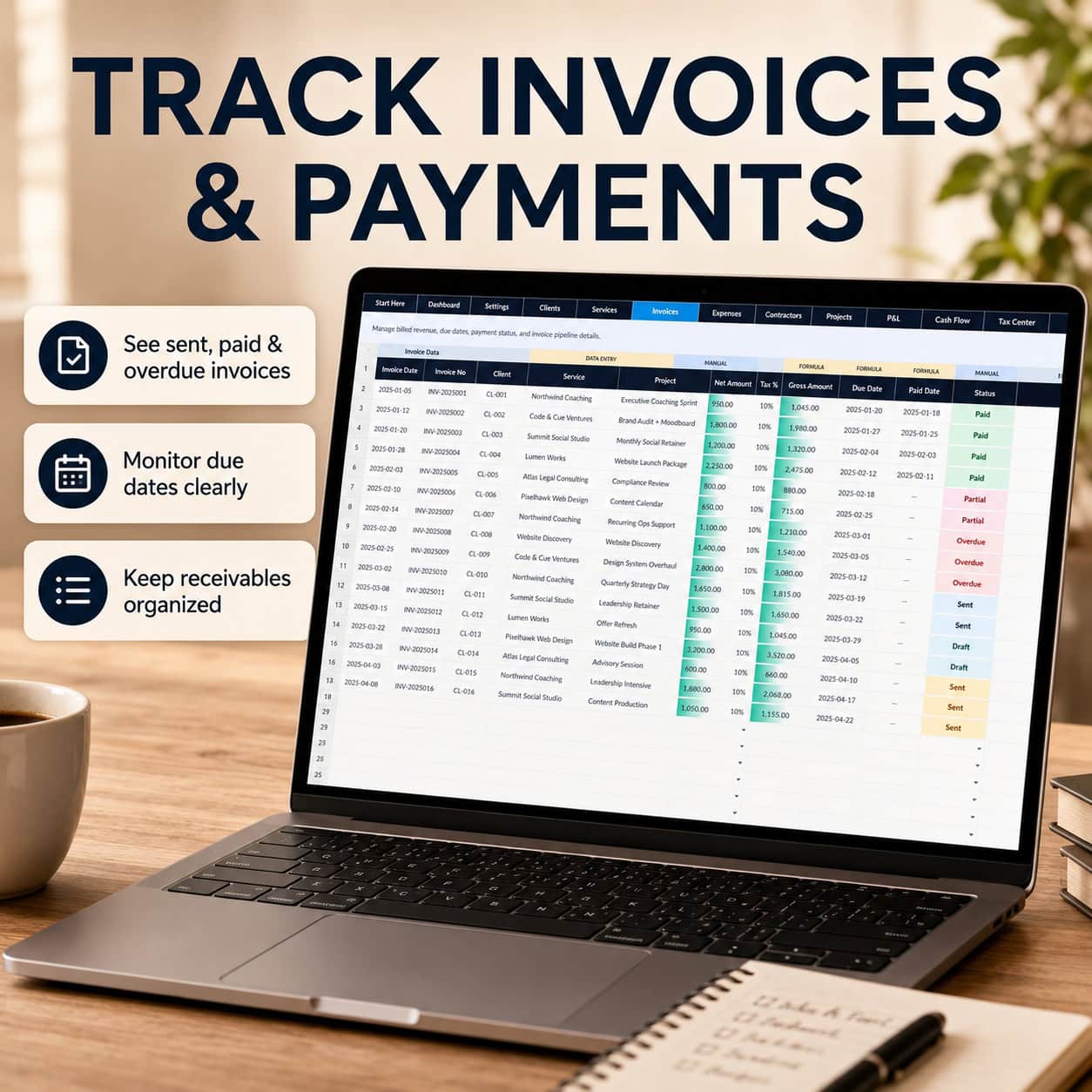
06. Invoices & Payments
Track invoice dates, numbers, clients, net amounts, tax percentages, gross values, due dates, payment status, receipts and outstanding balances.
Partial payments can be recorded using a cumulative gross receipt amount and a single receipt date per invoice.
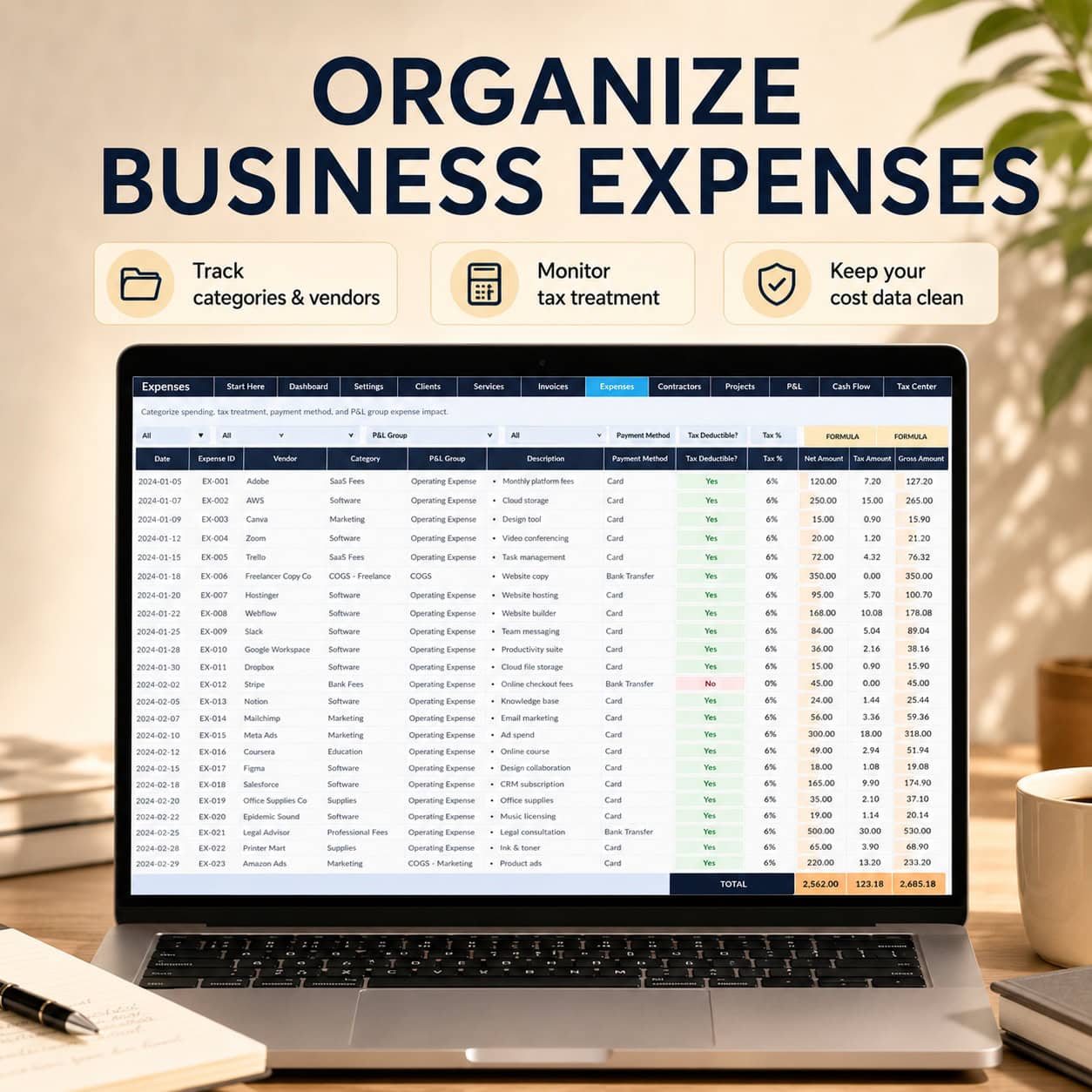
07. Business Expenses
Organize suppliers, categories, operating expenses, payment methods, net amounts, applicable tax and gross spending.
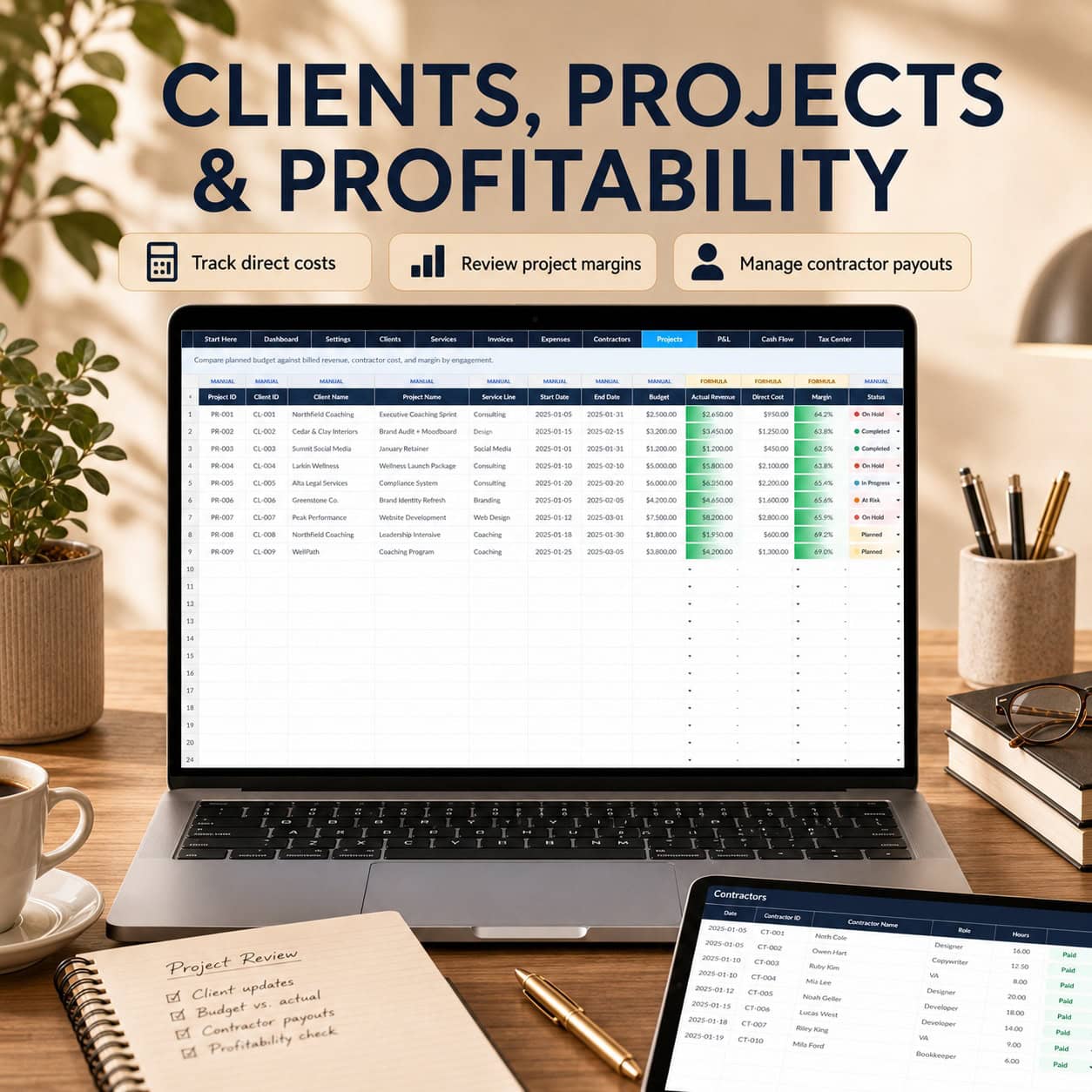
08. Contractors
Monitor external service providers, hours, rates, calculated payouts, project assignments and payment status.
09. Projects
Review net invoiced project revenue, booked contractor costs and calculated project contribution.
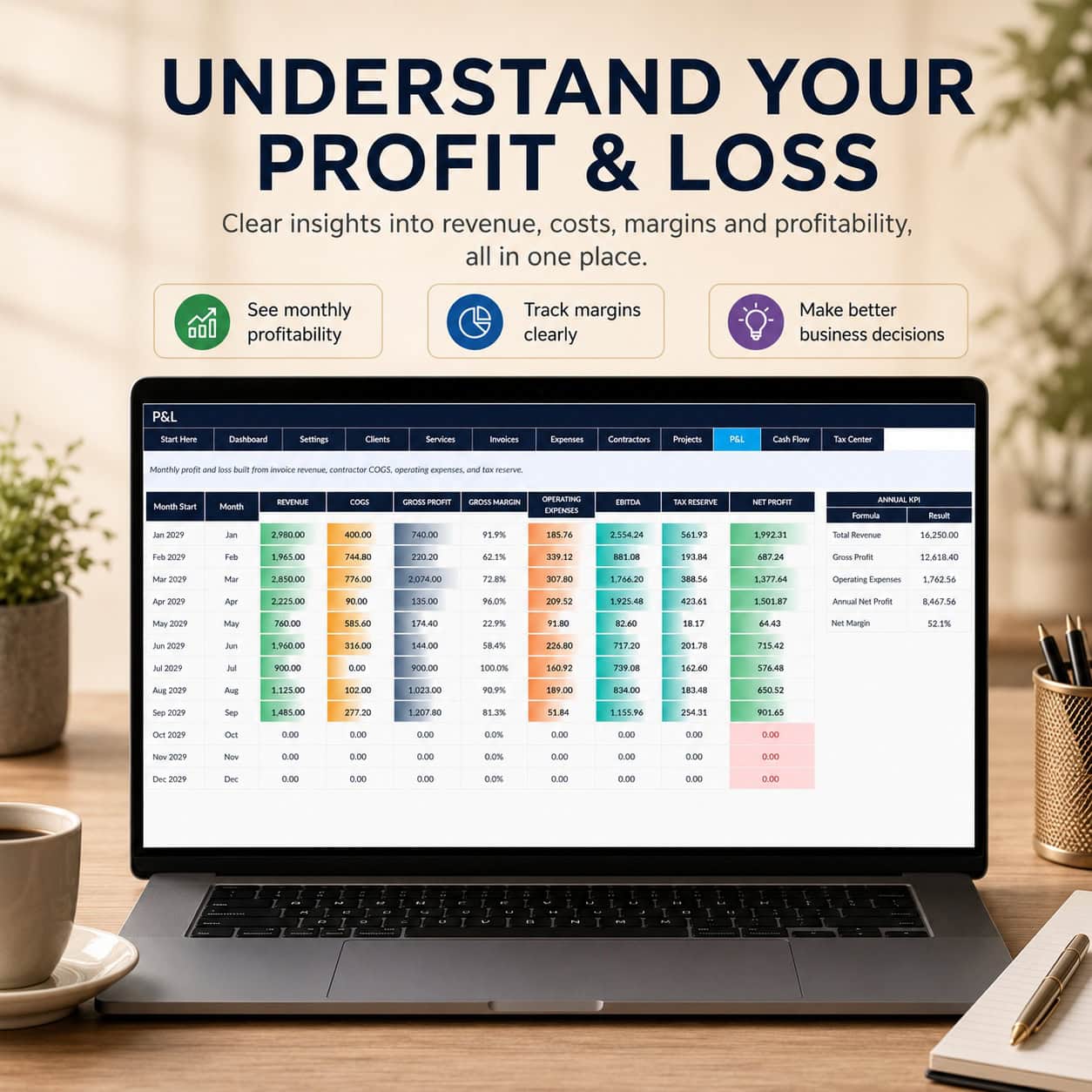
10. Monthly Profit & Loss
Understand monthly financial performance through net invoiced revenue, cost of services, operating expenses, pre-tax operating profit, estimated tax reserves and estimated profit after reserve.
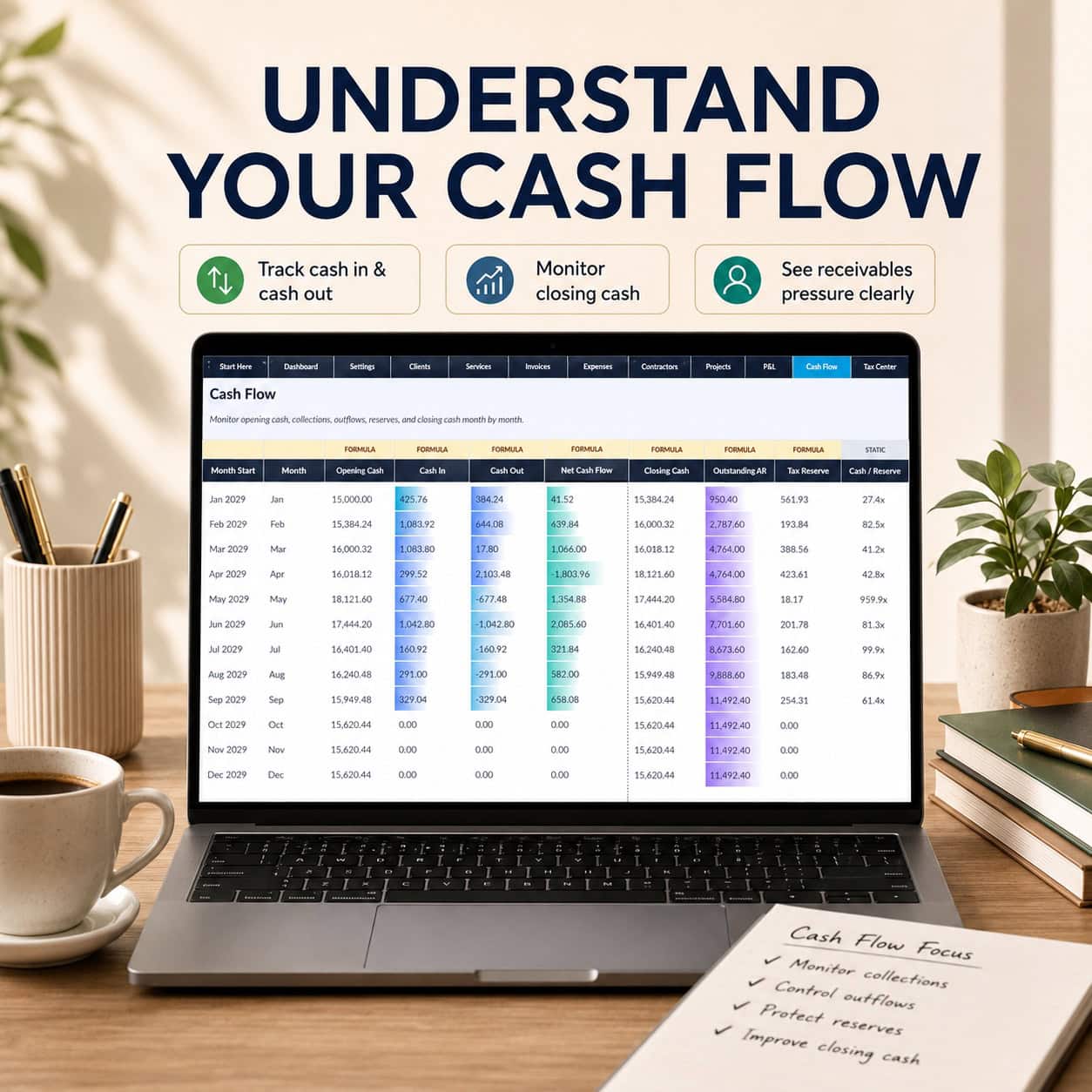
11. Cash Flow
Monitor estimated monthly cash receipts, cash outflows, opening cash, closing cash and outstanding accounts receivable.
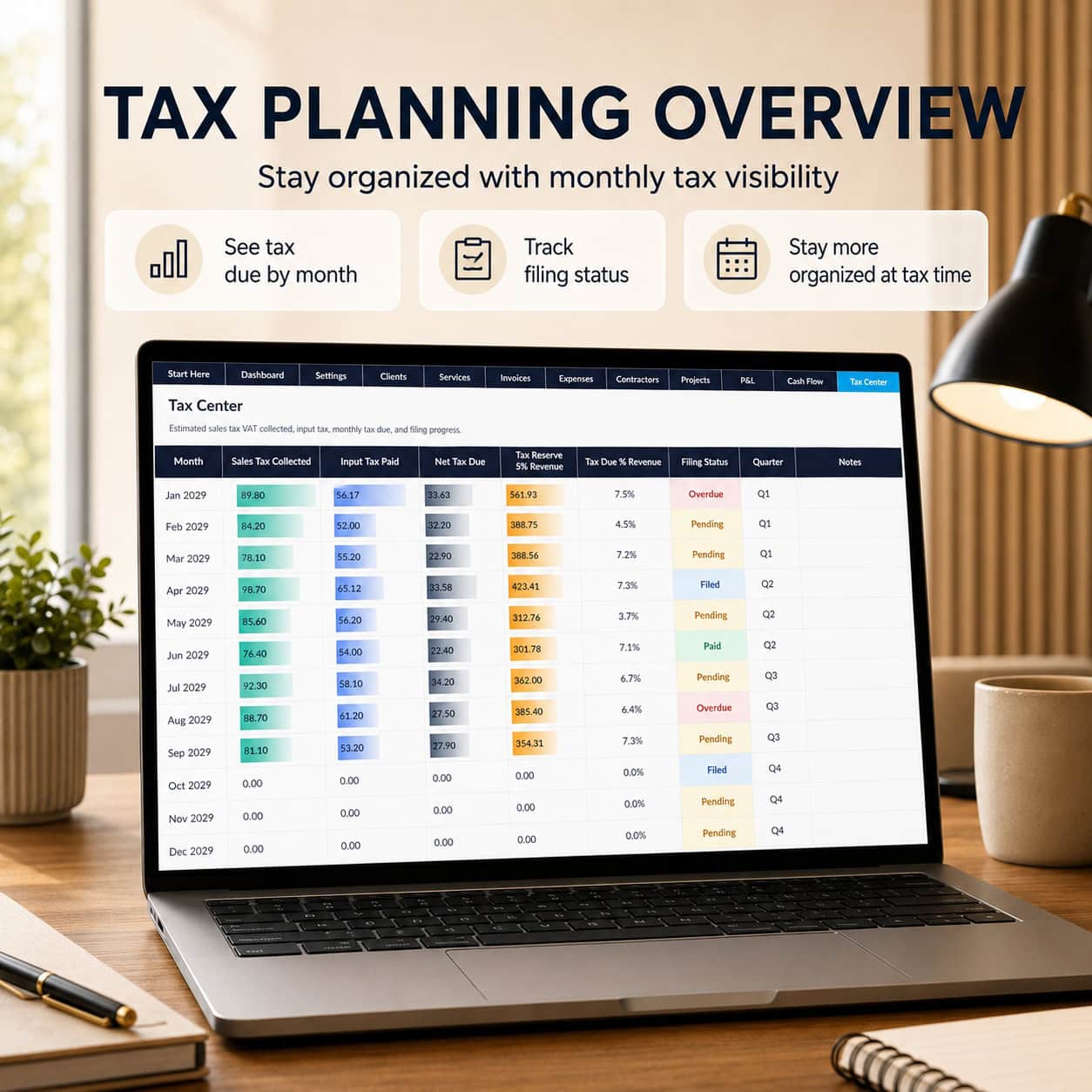
12. Tax Center
Review indicative invoice-based output tax, potential input tax, estimated tax differences and filing-status information.
📈 Better Financial Visibility for Service Businesses
The system helps users connect daily financial activity with management reporting.
Track how invoices contribute to reported revenue, understand the difference between invoiced amounts and cash collected, monitor business expenses and review estimated profitability.
Analyze project contribution, evaluate outstanding receivables and use monthly reports to identify areas requiring closer attention.
Financial calculations update as the underlying workbook inputs change, helping reduce repetitive manual reporting.
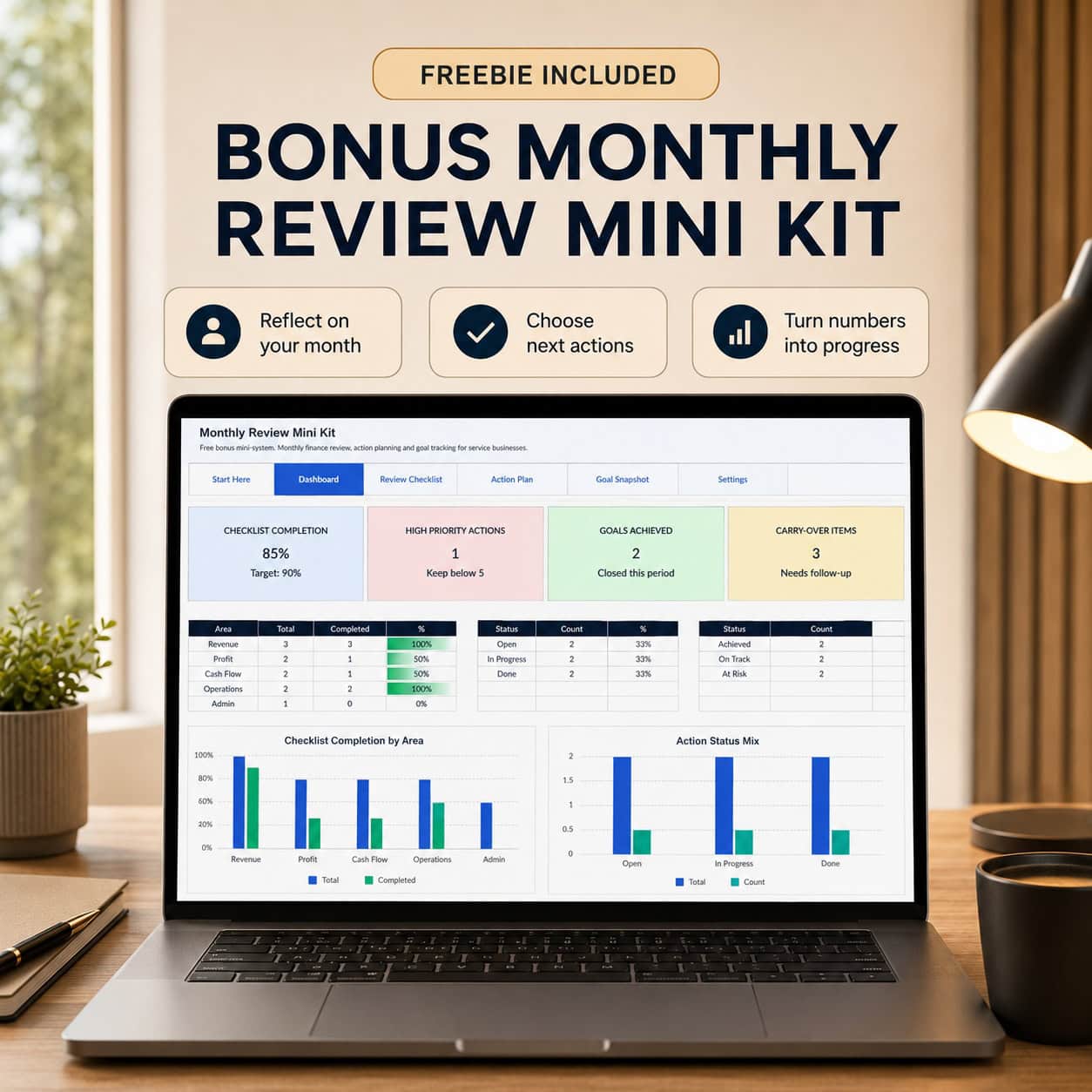
🎯 Bonus – Monthly Review Mini Kit
Turn financial insights into clear business actions.
The included bonus workbook contains:
- Start Here
- Dashboard
- Review Checklist
- Action Plan
- Goal Snapshot
- Settings
Monitor checklist completion, high-priority actions, achieved goals and outstanding follow-up items.
Dynamic dashboard cards and two charts provide an overview of review progress and action status.
The goal planner supports both minimum targets (At Least) and maximum limits (At Most), making it suitable for revenue goals, expense limits and operational improvement targets.
⚙️ How to Use
- Download the Excel workbooks and PDF guide.
- Open the main workbook and begin on the Start Here page.
- Customize your reporting year, business settings and assumptions.
- Replace the illustrative client, service, invoice, expense, contractor and project data.
- Maintain invoice statuses and payment information.
- Review your monthly P&L, Cash Flow, Tax Center and Executive Dashboard.
- Use the Monthly Review Mini Kit to identify priorities and track business improvements.
Ideal For
Freelancers, consultants, coaches, digital marketing agencies, designers, creative studios, virtual assistants, independent professionals and small service-based businesses seeking a structured Excel financial management solution.
Technical Specifications
- Main Excel workbook: 12 worksheets
- Bonus Excel workbook: 6 worksheets
- Main dashboard: 4 charts
- Bonus dashboard: 2 charts
- Financial reporting: Monthly
- Reporting period: One editable fiscal year
- Illustrative sample data: 2029
- Editable formulas and structured inputs
- Dropdown-based data entry
- Clickable worksheet navigation
- Macro-free
- No external workbook connections
- PDF user guide: 10 pages
Microsoft Excel Desktop is recommended. Google Sheets import may be possible, but formulas, dropdowns, navigation, charts and layout should be independently verified after import.
Important Financial Model Scope
This is an Excel financial tracking and management reporting system, not a complete accounting application, statutory general ledger, bank reconciliation solution, integrated three-statement financial model or multi-year financial forecast.
Revenue is reported using net invoice values. Operating expenses and direct costs in the P&L use net amounts. Estimated tax reserves are planning allocations, not booked tax liabilities or actual tax payments.
Business expenses are assumed paid on their recorded dates. Contractor payouts affect estimated cash flow when marked Paid.
The invoice tracker supports one recorded receipt date and a cumulative partial-payment amount per invoice, rather than a separate multiple-installment transaction ledger.
Project contribution does not allocate all shared overhead or other expenses not recorded as contractor costs.
Disclaimer
This product is intended for organizational, educational and internal financial planning purposes only. It does not constitute financial, accounting, tax, legal, investment or professional business advice.
Users are responsible for verifying assumptions, entries, tax treatments, formulas, calculations and resulting business decisions. Consult qualified professionals whenever appropriate.
This is a digital download. No physical product will be shipped.
Developed by SheetworksStudio – Professional Excel Financial Models & Business Templates.
Similar ProductsOther customers were also interested in...



 eFinancialModels
Electric Vehicle (EV) Charging Station Financial M...
With this comprehensive 5- or 10-year monthly tool, investors can assess the viability of setting up... Read more

Financial Model for Mobile App | Mobile App Busine...
The Mobile App Financial Plan Template in Excel allows you to develop financial projections when lau... Read more

 HenrySheykin
Food Truck Financial Model Excel Template
The Food Truck Financial Model helps entrepreneurs, founders, business owners, consultants, and anal... Read more

Green Hydrogen Production from Wind Energy Financi...
The Green Hydrogen from Wind Financial Model aims to comprehensively forecast a horizon of 40 years ... Read more

Simple Mutual Non-Disclosure Agreement Template
Protect your business secrets with ease using our Simple Mutual Non-Disclosure Agreement Template. S... Read more

Solar Energy Financial Model
The Solar Energy Financial Model Spreadsheet Template in Excel assists you in preparing a sophistica... Read more

 Peter Graf
The Customer-Centric Financial Model for Restauran...
Starting a restaurant without a financial plan is like driving a car blindfolded. You wouldn´t do i... Read more
You must log in to submit a review.