
0 ITEMS

Landlord Ledger: Rental Property Income & Expense Tracker with Schedule E Prep (Excel / Google Sheets)
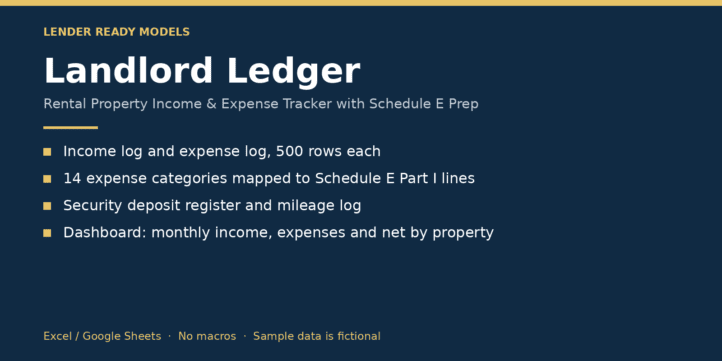
A bookkeeping workbook for owners of 1 to 10 rental properties. Log rent and other income, log expenses by category, track security deposits and mileage, and the workbook totals everything by property and by IRS Schedule E line for the tax year you pick.
| Commercial Real Estate Properties, Financial Model, Real Estate, Residential Properties |
| Accounting, Bookkeeping, Excel, Google Sheet, Rental Income, Tracking |

A bookkeeping workbook for owners of 1 to 10 rental properties. Log rent and other income, log expenses by category, track security deposits and mileage, and the workbook totals everything by property and by IRS Schedule E line for the tax year you pick.
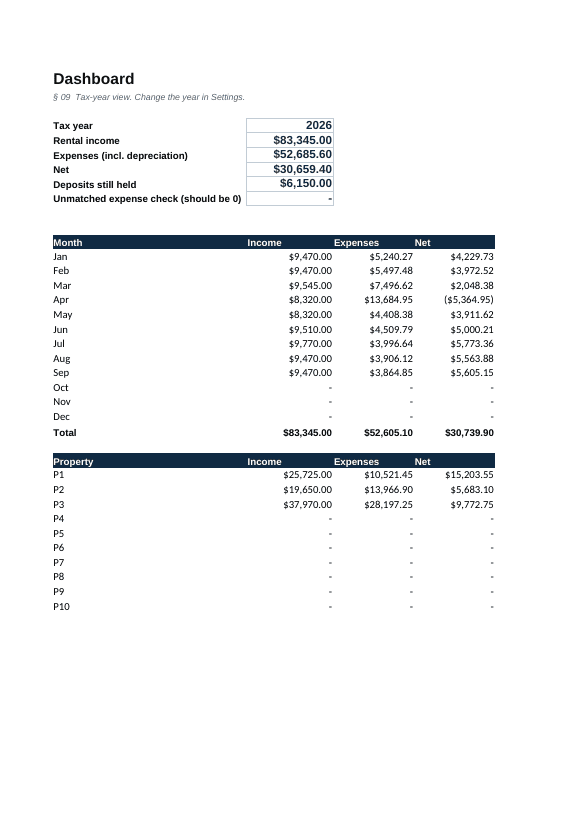
What it covers: income log and expense log (500 rows each, dropdowns for property and category); 14 expense categories mapped to Schedule E Part I lines; mileage log that feeds line 6 at your rate; depreciation entry per property; security deposit register (received, deductions, returned, still held); dashboard with monthly income, expenses and net and net by property; a check that flags expenses not tied to a property or category.
Who it is for: small landlords, house hackers and LLC owners who want clean year-end numbers for their tax preparer.
Files: .xlsx (Excel 2016+, works in Google Sheets). No macros. Sample data is fictional. Built with AI assistance and checked for formula errors. A record-keeping tool, not tax, legal or accounting advice.
What it is used for
Keeping one tax year of rental books in a single file and handing your preparer totals by property and by Schedule E line.
Tabs and structure
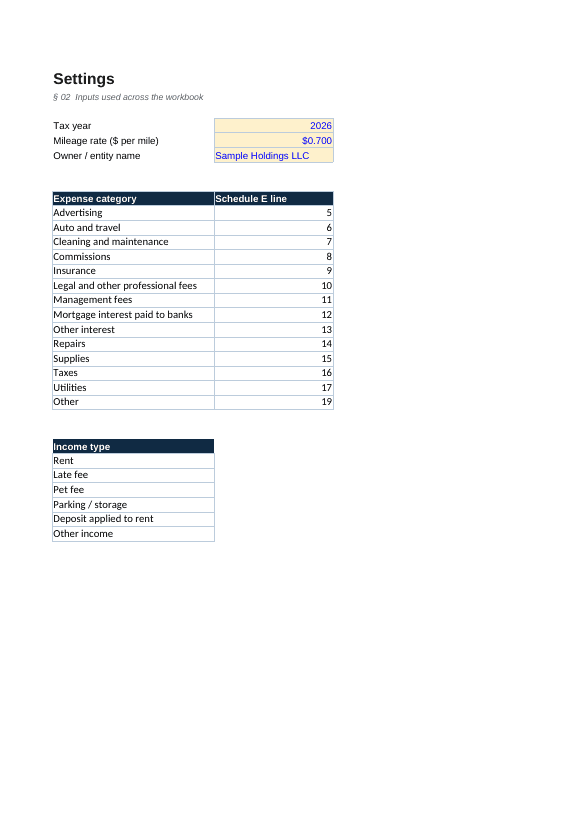
Nine tabs: Start Here, Dashboard, Settings, Properties, Income Log, Expense Log, Deposits, Mileage and Schedule E Prep.
What you enter
- Tax year, mileage rate and owner name in Settings
- Up to 10 properties (P1 to P10)
- Dated income and expense rows, picked from dropdowns
- Deposits (60 rows), trips with miles (200 rows) and depreciation per property
What it calculates
- Income, expense lines 5 to 19, total expenses and income less expenses for each property
- Deposits still held and the mileage deduction
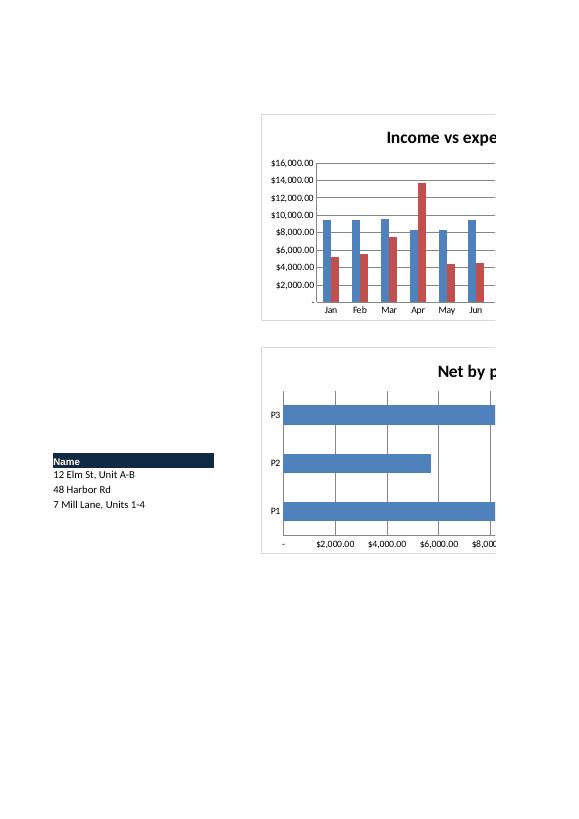
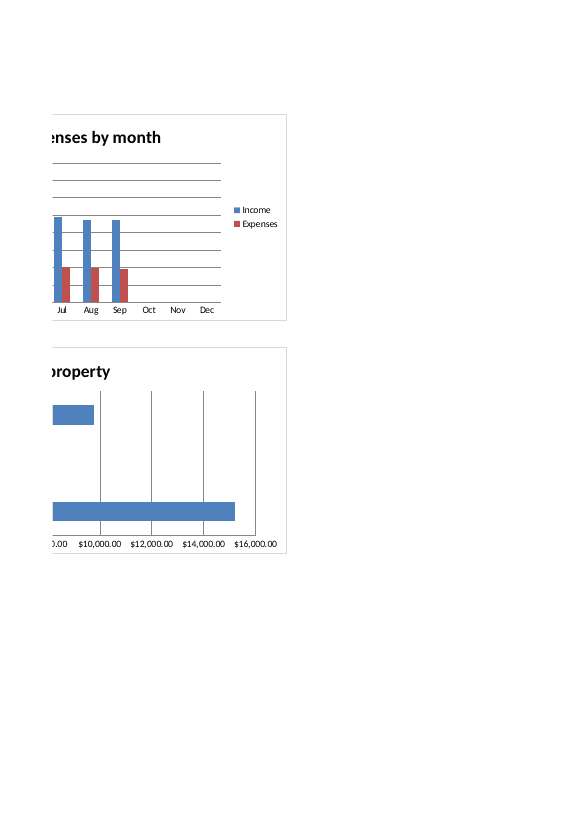
- Monthly income, expenses and net, with two bar charts
How to use it
Set the year and rate in Settings, list your properties, clear the sample rows, then log each transaction. Confirm the unmatched-expense check on the Dashboard reads 0.
File and limitations
One .xlsx file for Excel 2016+ and Google Sheets. No macros. Sample data is fictional. The mileage rate shipped in Settings is a placeholder; enter the IRS rate for your tax year. Built with AI assistance and checked for formula errors. A record-keeping tool, not tax, legal or accounting advice.
Similar ProductsOther customers were also interested in...



 eFinancialModels
Electric Vehicle (EV) Charging Station Financial M...
With this comprehensive 5- or 10-year monthly tool, investors can assess the viability of setting up... Read more

Financial Model for Mobile App | Mobile App Busine...
The Mobile App Financial Plan Template in Excel allows you to develop financial projections when lau... Read more

 HenrySheykin
Food Truck Financial Model Excel Template
The Food Truck Financial Model helps entrepreneurs, founders, business owners, consultants, and anal... Read more

Green Hydrogen Production from Wind Energy Financi...
The Green Hydrogen from Wind Financial Model aims to comprehensively forecast a horizon of 40 years ... Read more

Simple Mutual Non-Disclosure Agreement Template
Protect your business secrets with ease using our Simple Mutual Non-Disclosure Agreement Template. S... Read more

Solar Energy Financial Model
The Solar Energy Financial Model Spreadsheet Template in Excel assists you in preparing a sophistica... Read more

 Peter Graf
The Customer-Centric Financial Model for Restauran...
Starting a restaurant without a financial plan is like driving a car blindfolded. You wouldn´t do i... Read more
You must log in to submit a review.