
0 ITEMS

Monthly Budget & Debt Payoff Planner: Paycheck Budget, Snowball vs Avalanche, Savings Goals (Excel + Google Sheets)
Personal budget spreadsheet built around paychecks. Plan every dollar, log spending, track savings goals, and compare debt snowball vs avalanche for up to 8 debts with month-by-month schedules and a debt-free date. Works in Excel and Google Sheets, no macros.
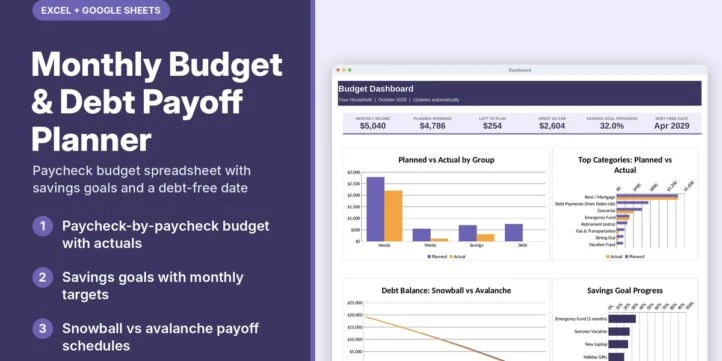
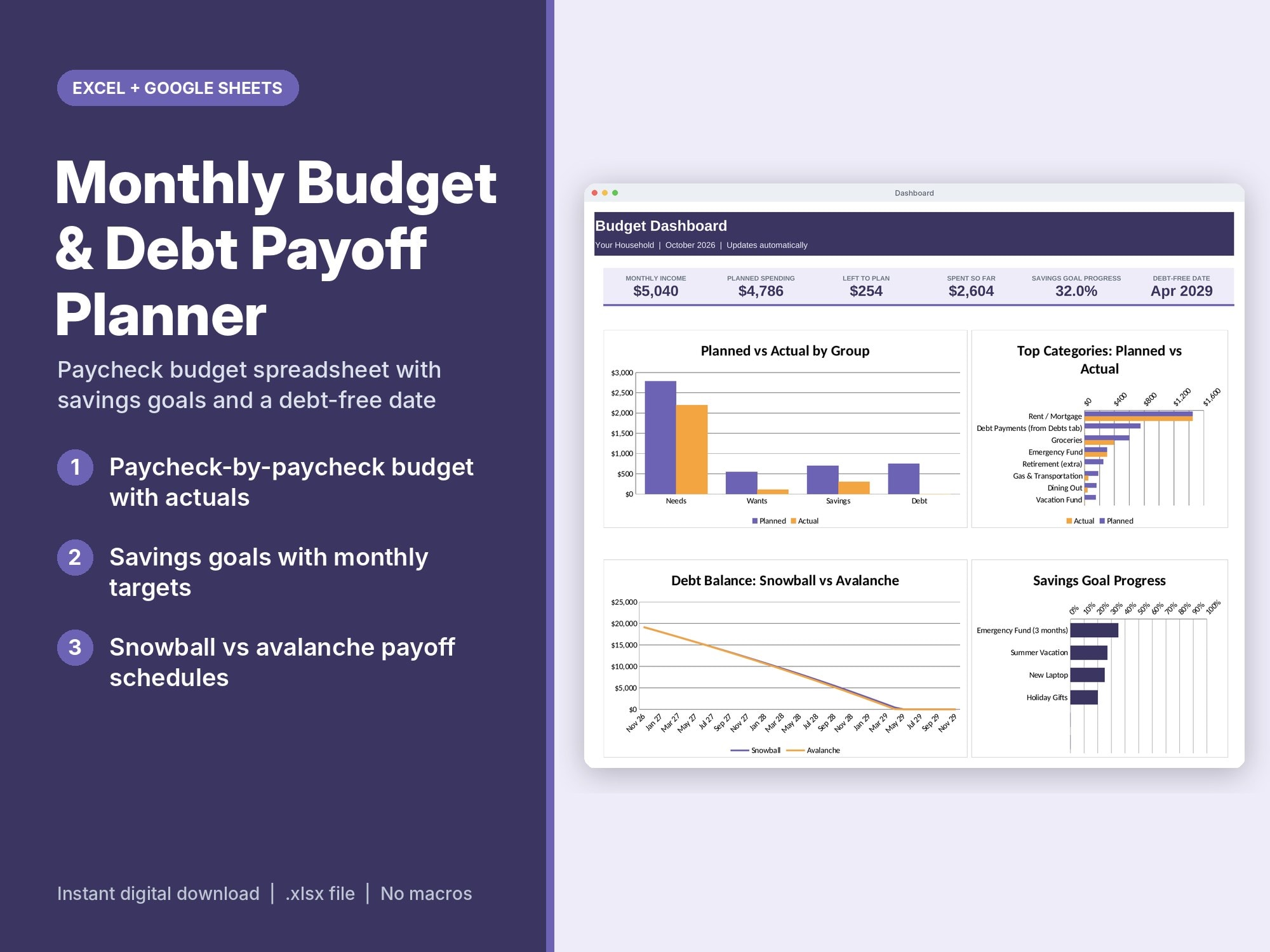
Plan every paycheck, track what you actually spend, grow your savings goals and see the month you’ll be debt-free. All in one spreadsheet, no formulas to write.
What It Does
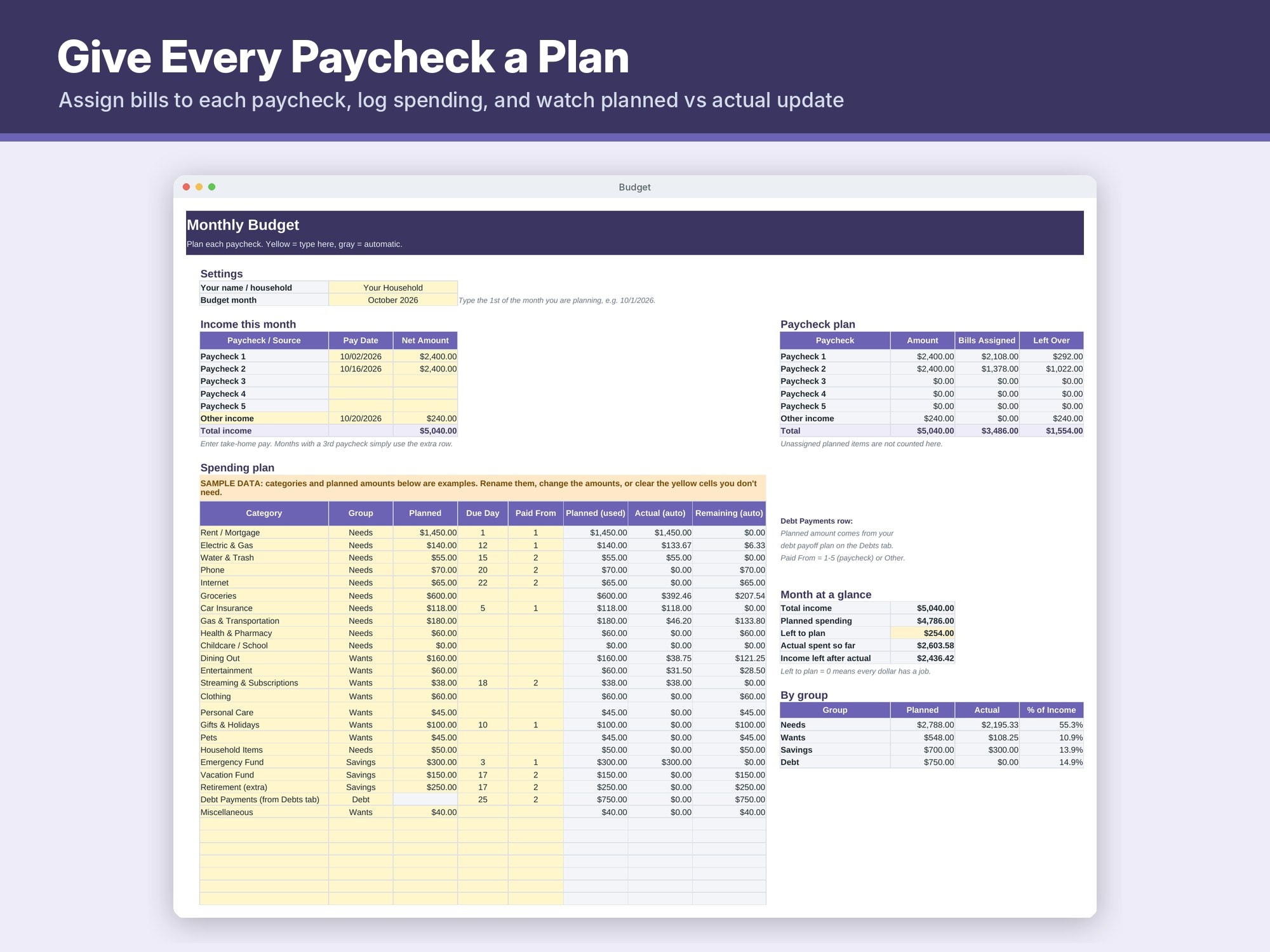
- Paycheck-based budget: enter each paycheck and assign bills to the paycheck that covers them. See what’s left over from each check
- Spending plan with 40 editable categories grouped as Needs, Wants, Savings and Debt, with planned vs actual and remaining
- “Left to plan” so every dollar has a job
- Transactions log with category dropdowns (500 rows); actual spending flows into the budget automatically
- Savings Goals: target, target date and amount saved so far give you the monthly amount needed, a projected finish date and an On track / Behind status
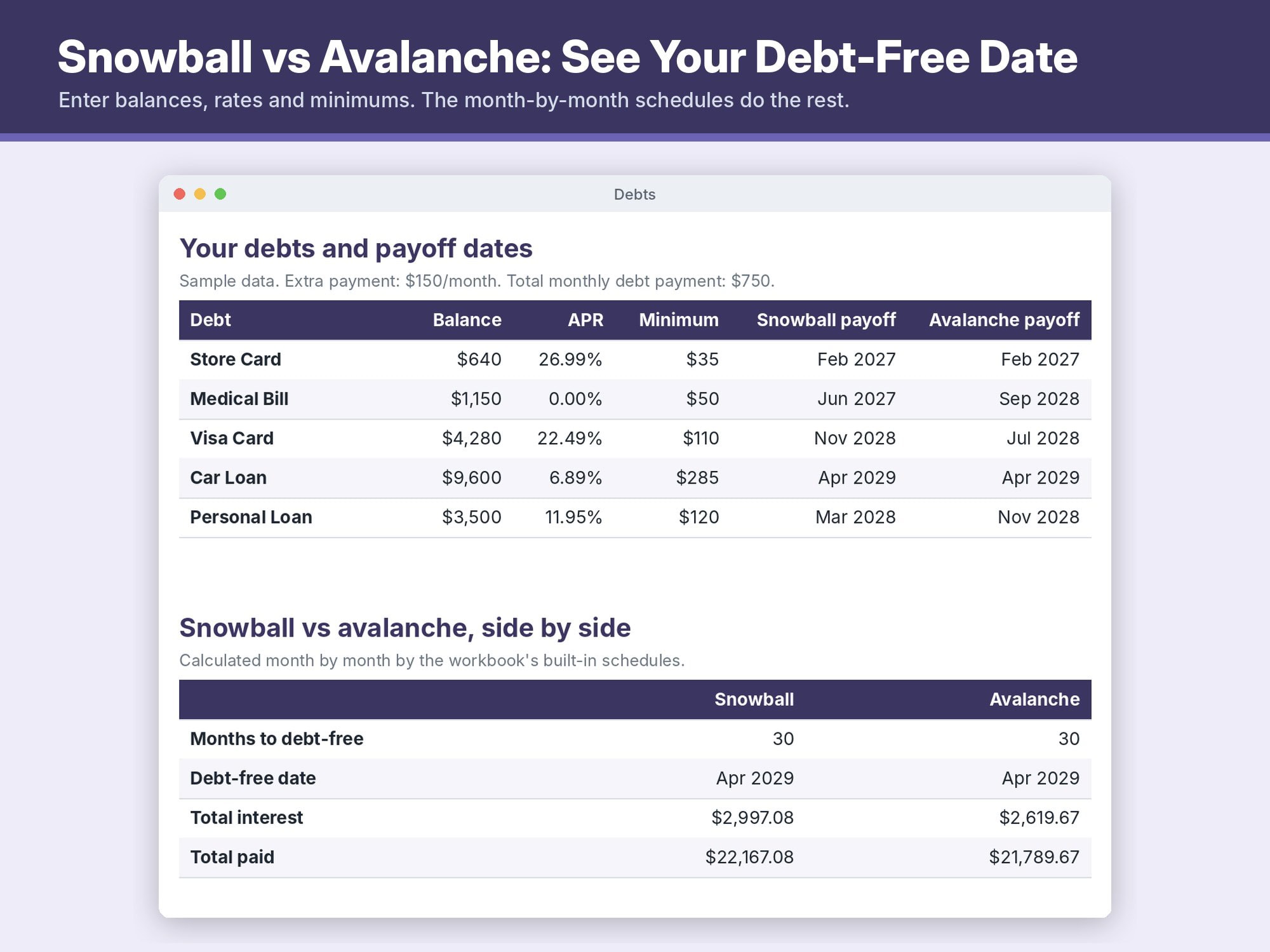
- Debt Payoff Planner for up to 8 debts: add an extra monthly payment and compare the snowball (smallest balance first) and avalanche (highest rate first) methods side by side: months to debt-free, debt-free date, total interest and payoff date for each debt
- Full month-by-month snowball and avalanche schedules (up to 20 years), formula-driven
- Dashboard with 6 key numbers and 4 charts: planned vs actual by group, top categories, debt balance over time, savings goal progress
What’s Included
- 1 .xlsx file with 8 tabs: Start Here, Dashboard, Budget, Transactions, Savings Goals, Debts, Snowball Schedule, Avalanche Schedule
- Plain-English instructions on the Start Here tab, including how snowball and avalanche work
- Sample data so you can see it working (clearly labeled, easy to replace)
How To Use It
Excel: open the .xlsx in Excel 2016 or newer, Microsoft 365, or Excel for Mac. No macros.
Google Sheets: in Google Drive click New > File upload, choose the file, open it, then File > Save as Google Sheets. Formulas, dropdowns and charts carry over; chart styling may look slightly different.
Then: set your budget month and paychecks, edit categories, clear the sample data, and list your debts. Yellow cells are inputs, gray cells calculate automatically. For a new month, save a copy and change the month.
Please Note
Payoff dates and interest totals are estimates based on the numbers you enter (fixed rates, no new charges, on-time payments). This planner is an organizing tool, not financial advice. Check your lender statements for exact figures.
Built with AI-assisted tooling and checked for formula errors before release.
Similar ProductsOther customers were also interested in...



 eFinancialModels
Electric Vehicle (EV) Charging Station Financial M...
With this comprehensive 5- or 10-year monthly tool, investors can assess the viability of setting up... Read more

Financial Model for Mobile App | Mobile App Busine...
The Mobile App Financial Plan Template in Excel allows you to develop financial projections when lau... Read more

 HenrySheykin
Food Truck Financial Model Excel Template
The Food Truck Financial Model helps entrepreneurs, founders, business owners, consultants, and anal... Read more

Green Hydrogen Production from Wind Energy Financi...
The Green Hydrogen from Wind Financial Model aims to comprehensively forecast a horizon of 40 years ... Read more

Simple Mutual Non-Disclosure Agreement Template
Protect your business secrets with ease using our Simple Mutual Non-Disclosure Agreement Template. S... Read more

Solar Energy Financial Model
The Solar Energy Financial Model Spreadsheet Template in Excel assists you in preparing a sophistica... Read more

 Peter Graf
The Customer-Centric Financial Model for Restauran...
Starting a restaurant without a financial plan is like driving a car blindfolded. You wouldn´t do i... Read more
You must log in to submit a review.