
0 ITEMS

Residential Development Financial Model Excel – 15-Year Sale, Rent & Retail, 3 Statements, IRR & Debt
A 180-month residential and mixed-use development financial model combining unit sales, residential rentals, retail leases, construction budgeting, debt and refinancing, three integrated financial statements, IRR, NPV and exit valuation. Includes 18 worksheets, 10 native charts, 500 prepared rows per principal input register, 17 model checks and a 22-page PDF guide.
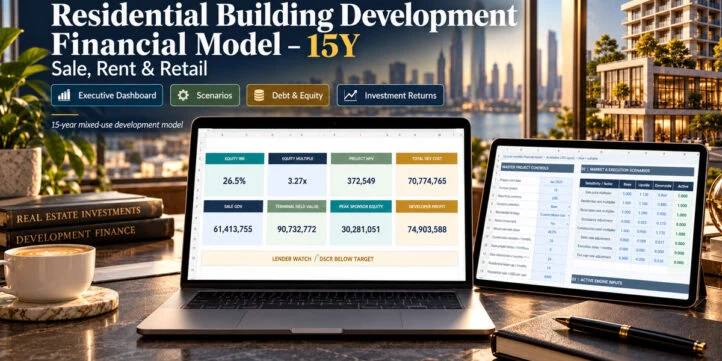
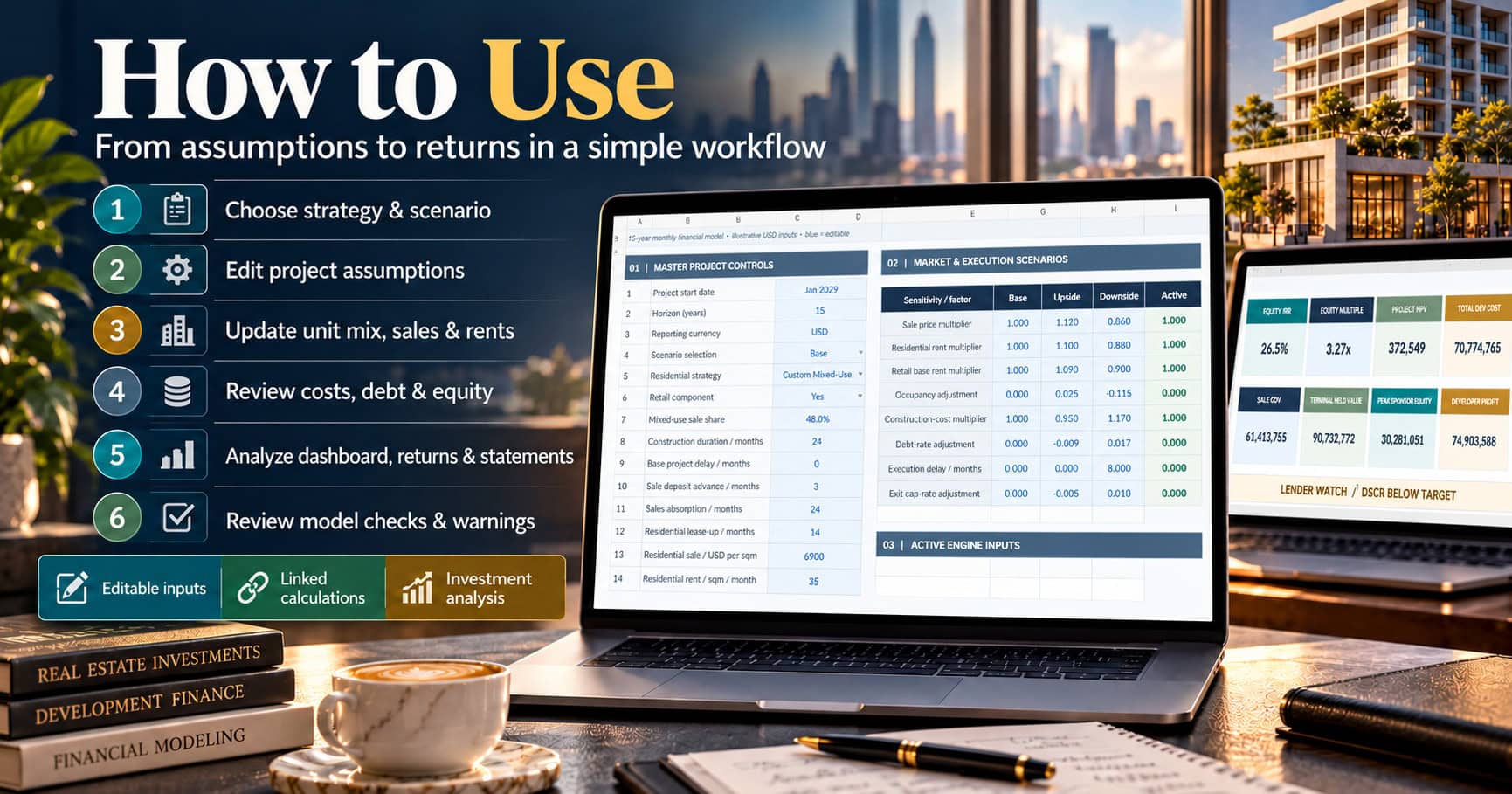
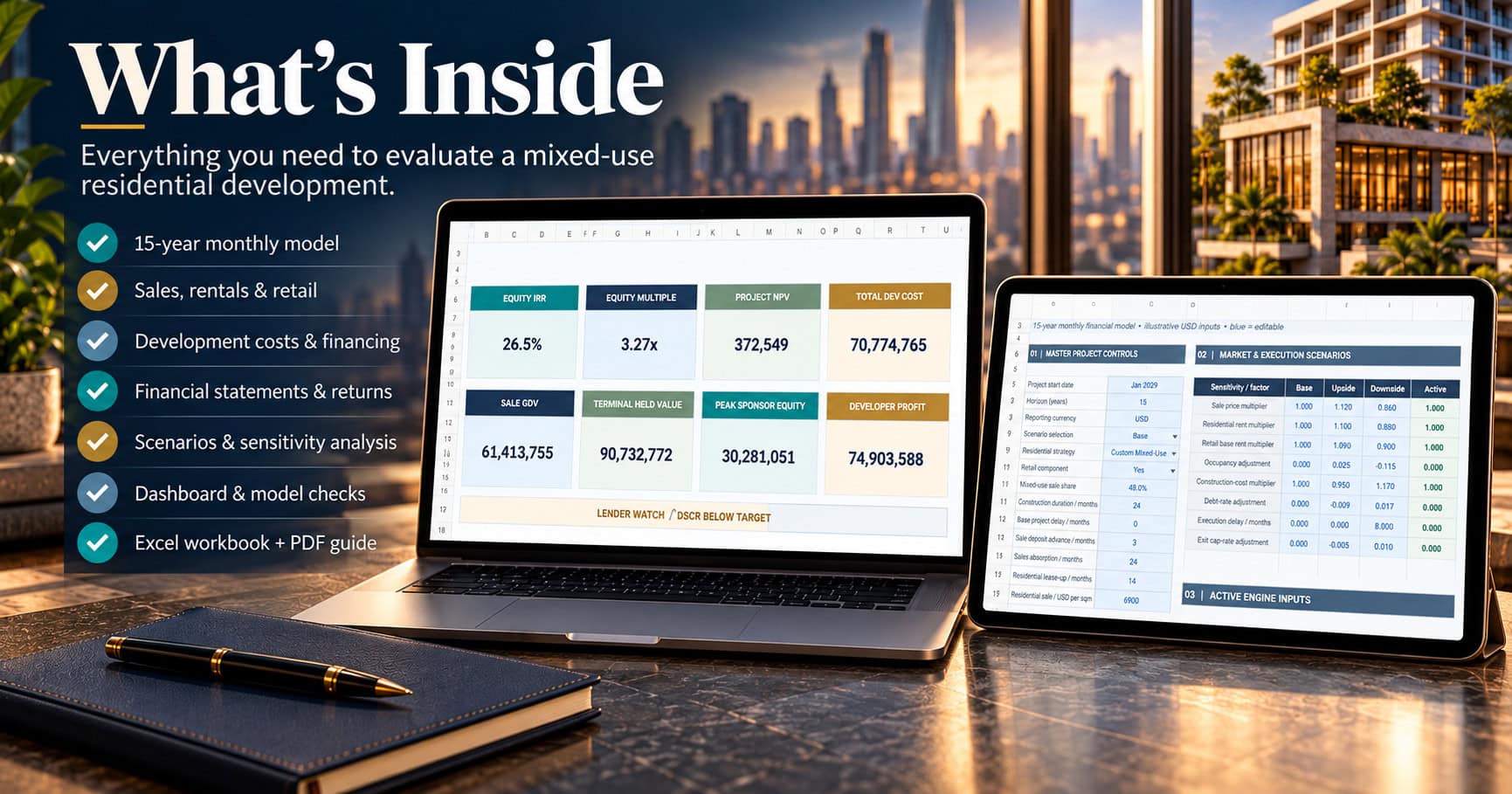
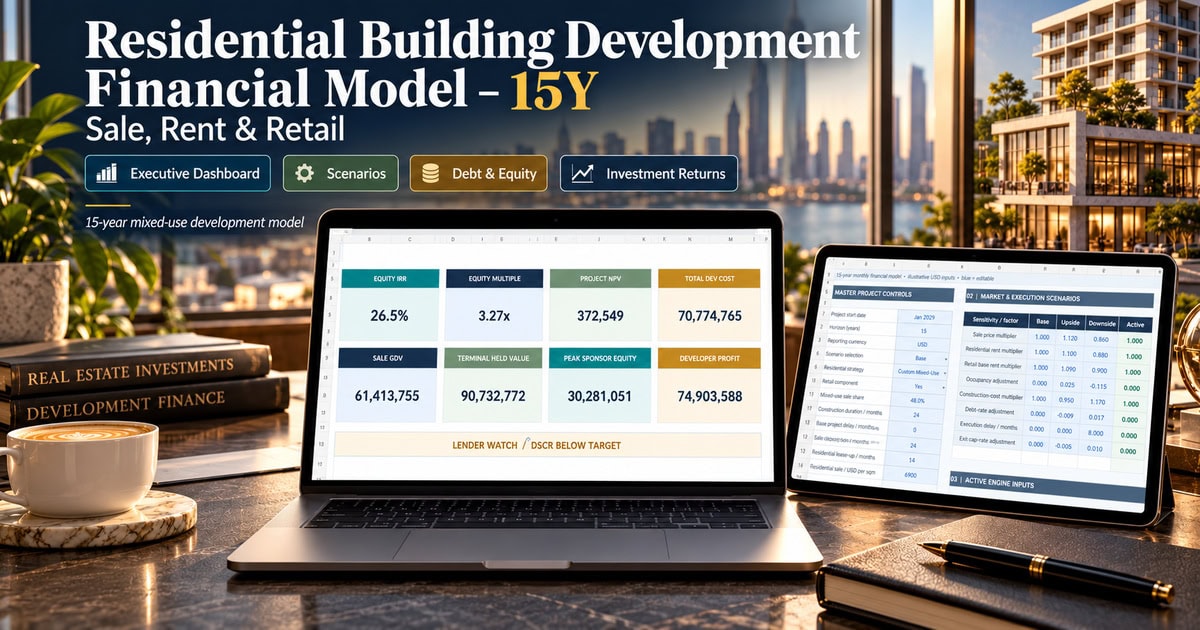
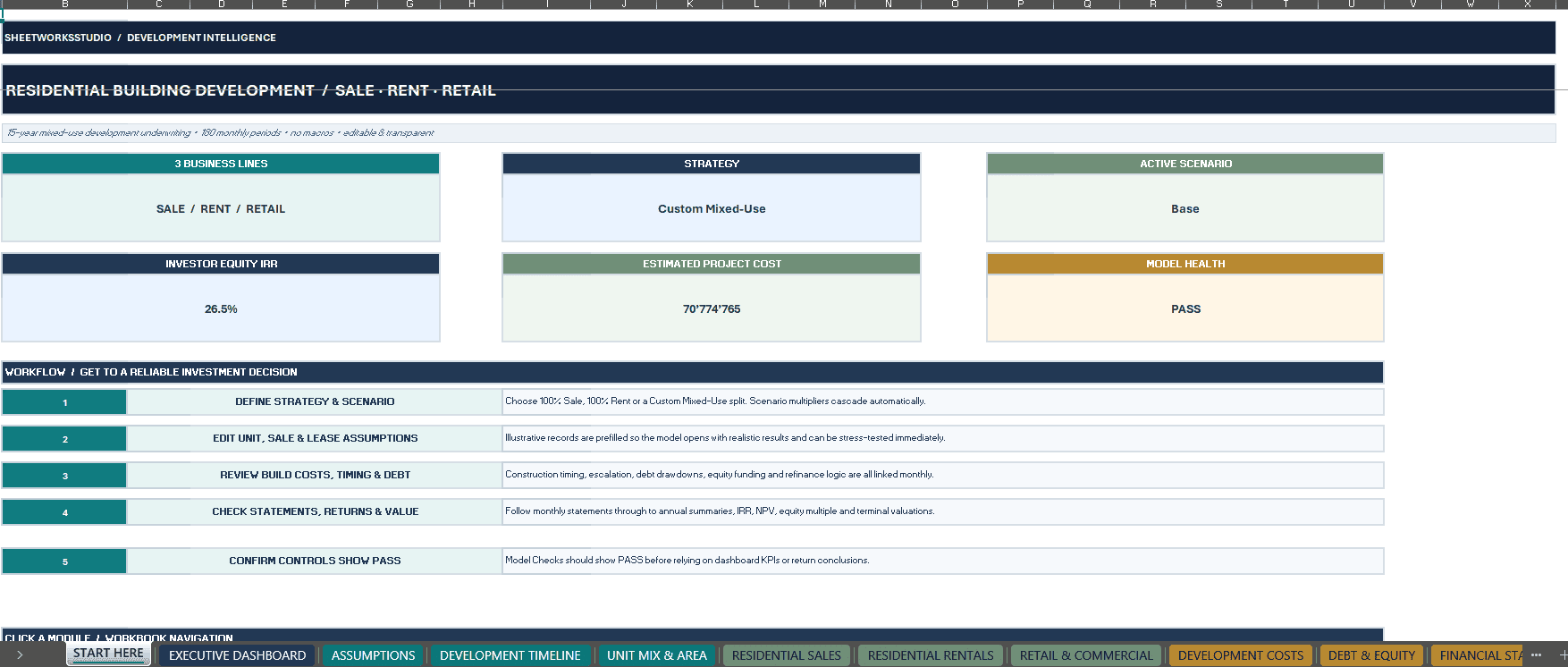
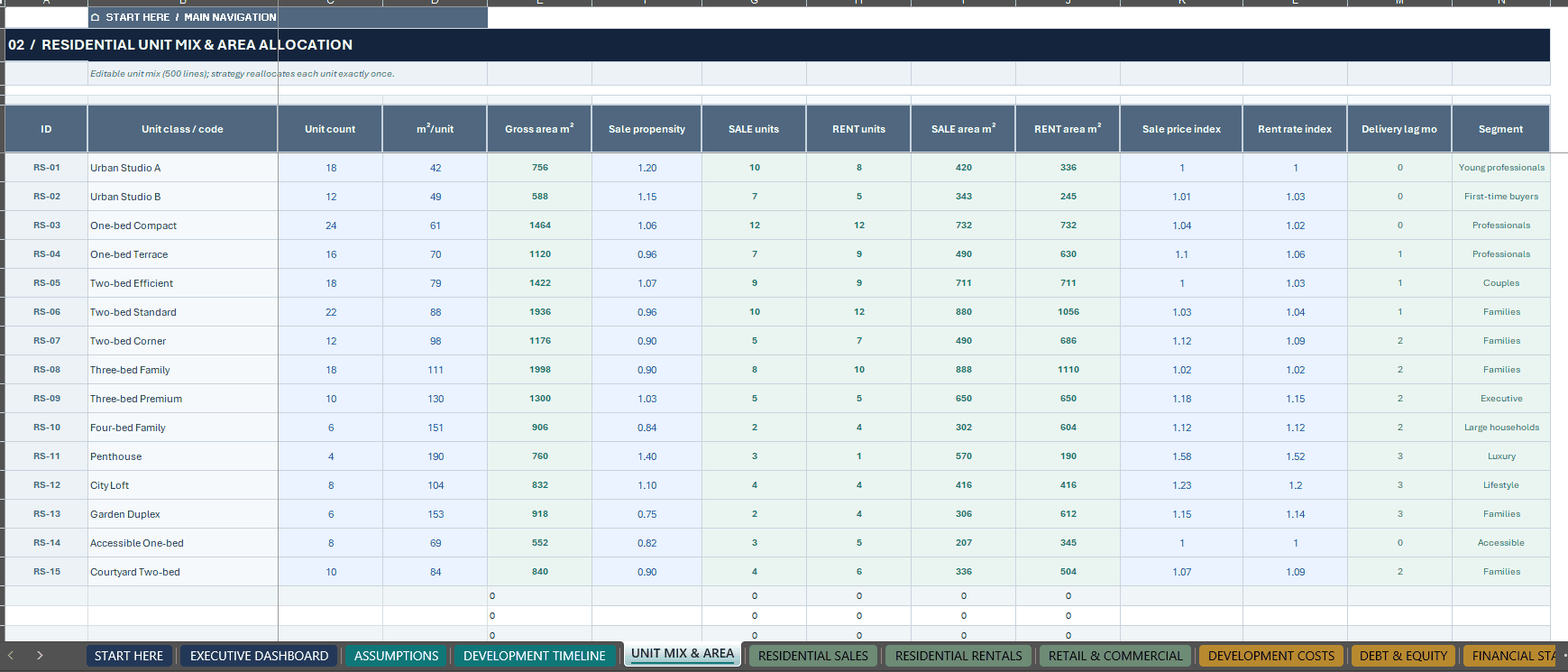
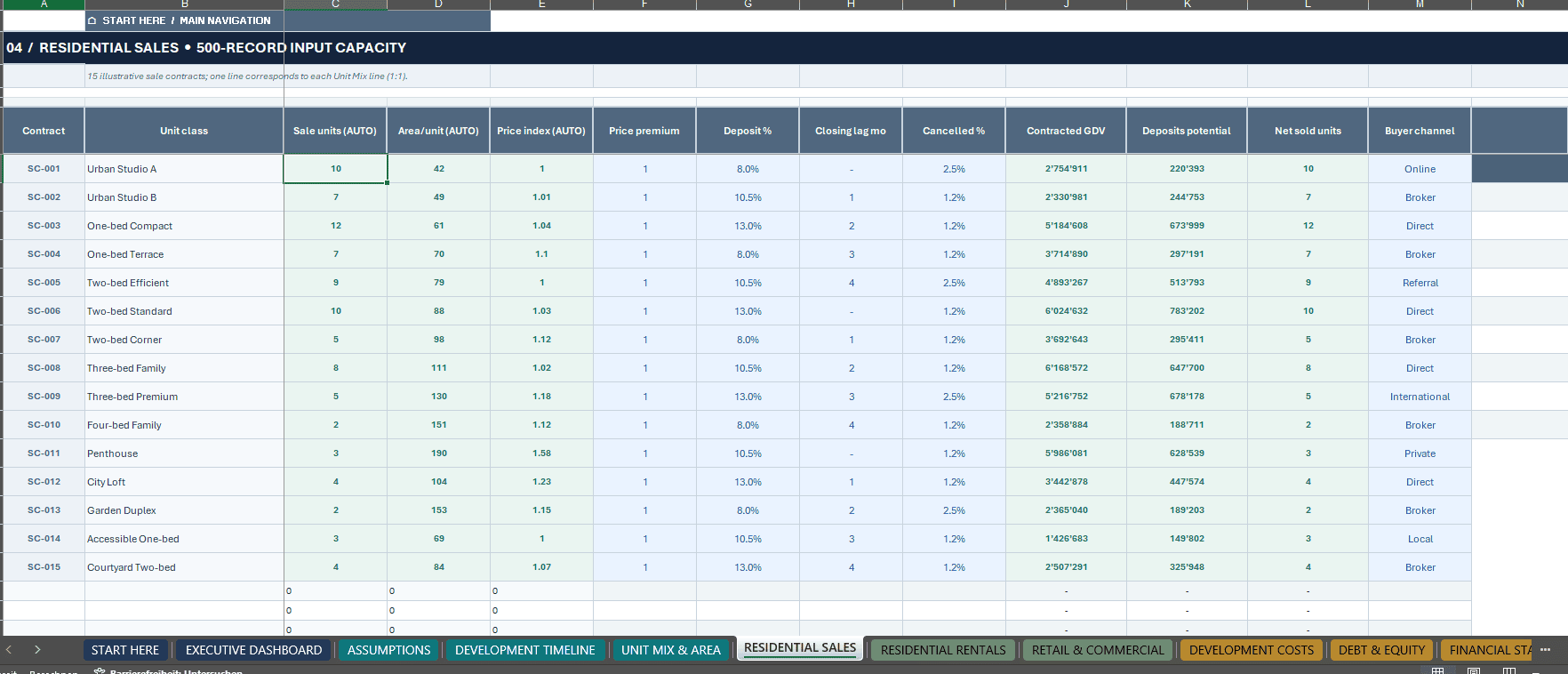
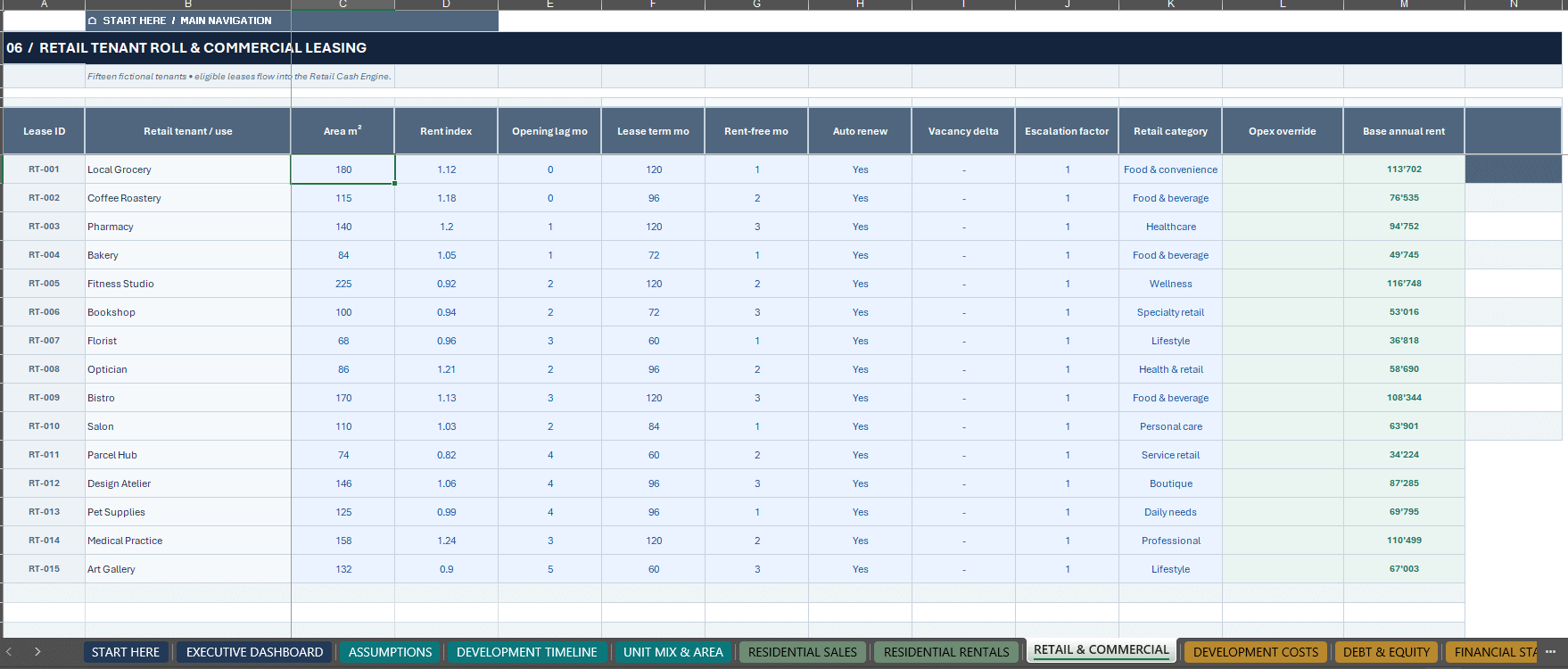
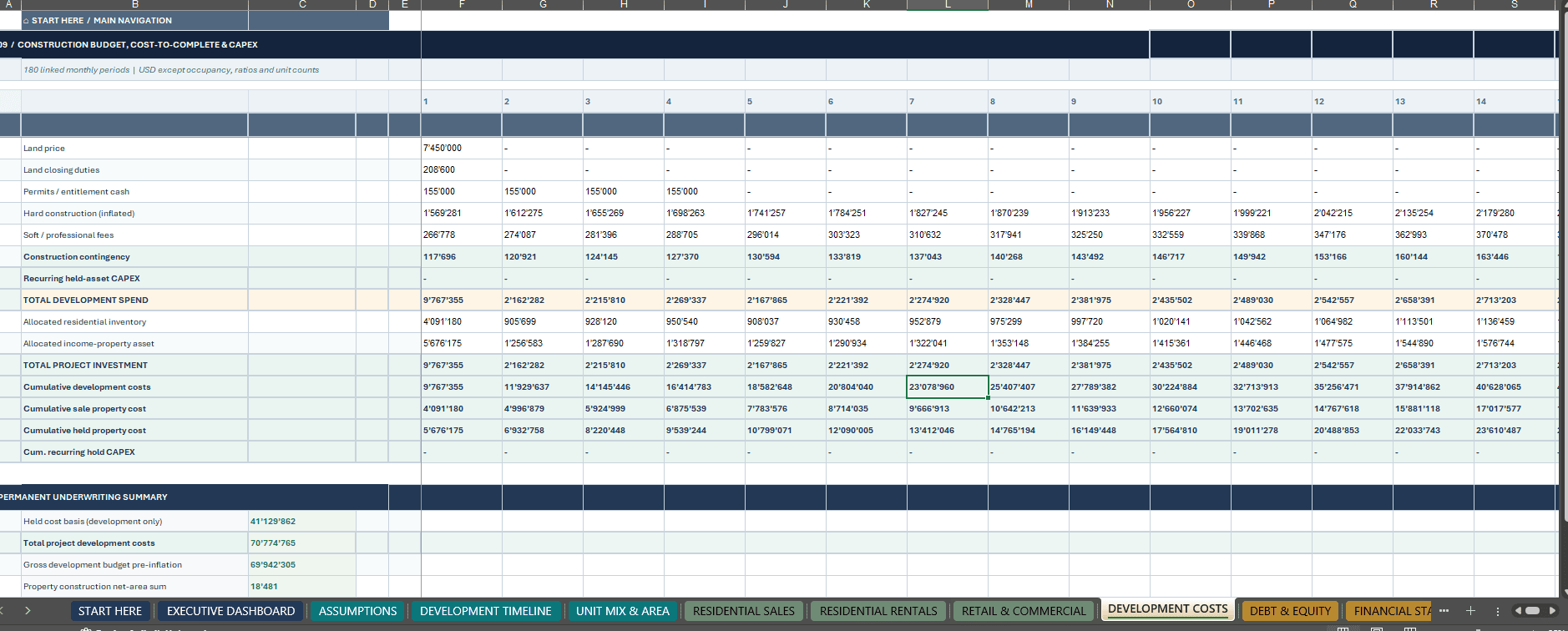

From land acquisition and construction to residential sales, rental operations, retail leasing, refinancing and final exit — one connected financial decision framework.
The SheetworksStudio Residential Development Financial Model is a sophisticated, fully editable 15-year Excel investment model designed for residential and mixed-use development projects.
With 180 monthly forecast periods, annual financial reporting and 18 interconnected worksheets, the model combines development expenditures, residential sales, rental operations, retail income, financing, property valuation and investor returns.
Evaluate 100% Residential Sale, 100% Residential Rent or Custom Mixed-Use development strategies, with an independently configurable retail component.
The workbook includes 15 fictional examples in each principal input register and prepared capacity for up to 500 records per register.
Designed for real estate developers, property investors, financial analysts, investment consultants and development professionals seeking a transparent framework for project feasibility and long-term investment analysis.
📊 1. EXECUTIVE DASHBOARD & FINANCIAL REPORTING
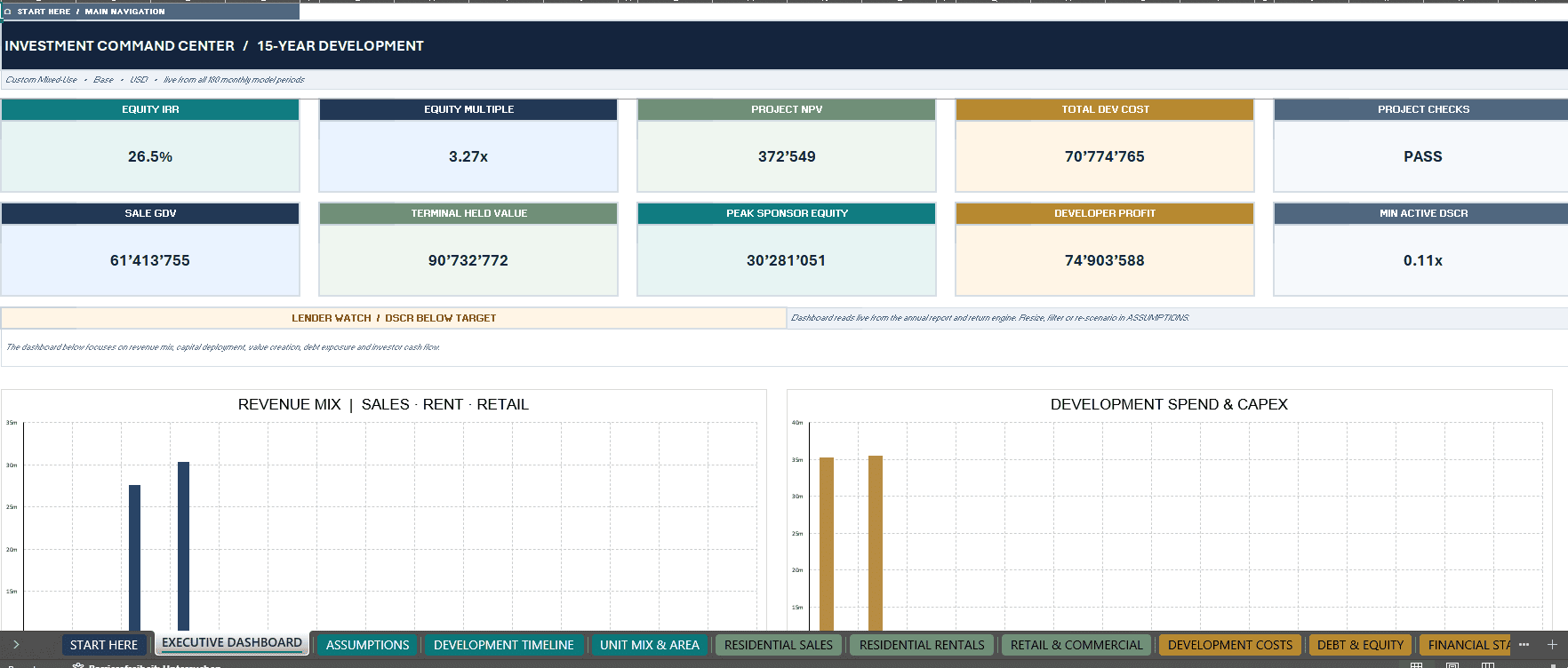
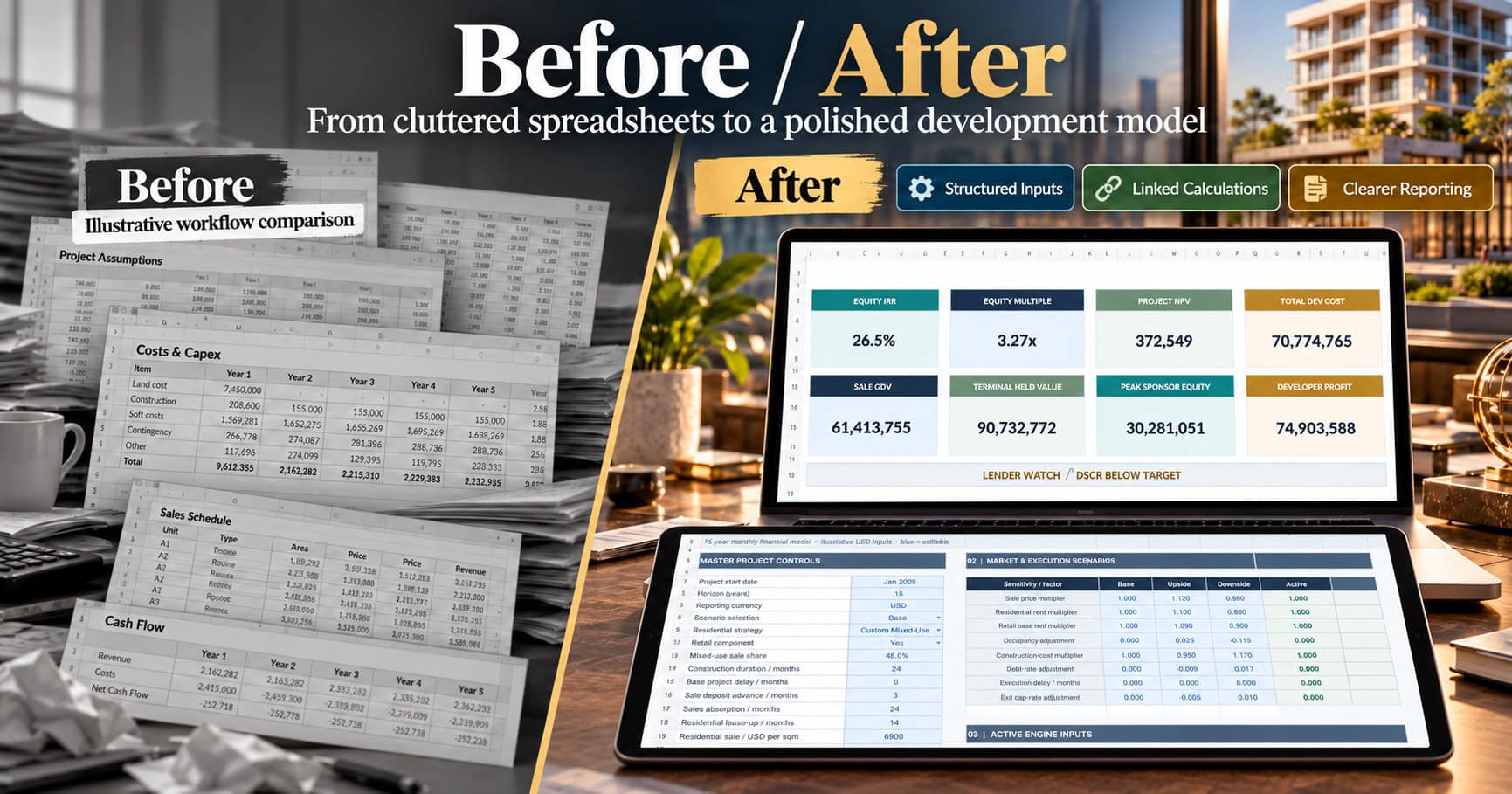
A professional Executive Dashboard consolidates critical development and investment indicators within a clean, coordinated reporting interface.
Key Performance Indicators Include:
- Equity Internal Rate of Return (IRR)
- Equity Multiple
- Project Net Present Value (NPV)
- Total Development Costs
- Gross Development Value
- Development Profit
- Debt and Sponsor Equity
- Model Integrity Status
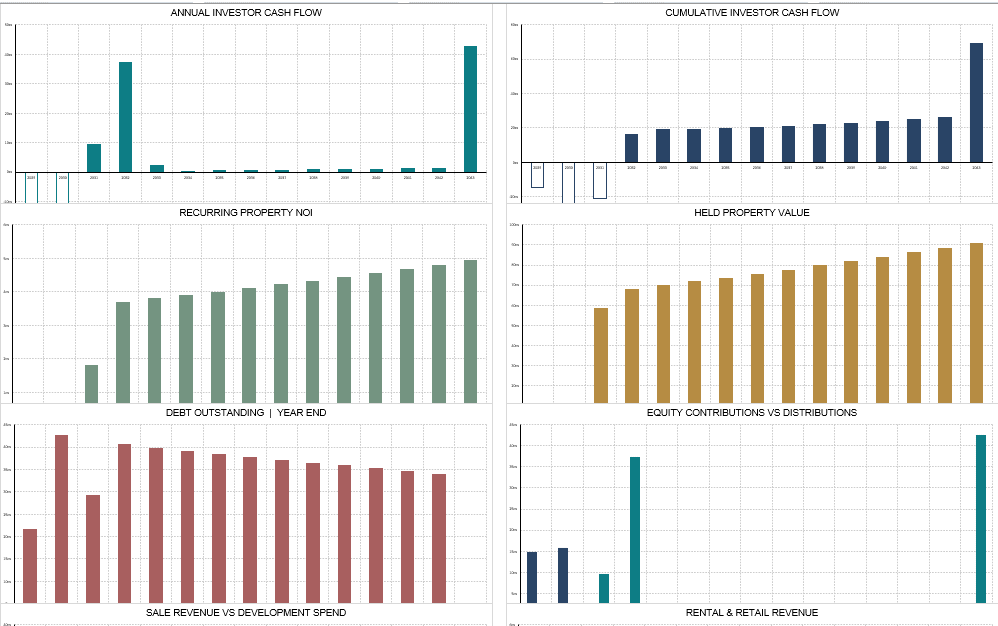
Ten native, data-linked Excel charts visualize revenue composition, development spending, investor cash flows, rental NOI, debt financing, retained property value and financial performance.
The model also includes three integrated financial statements:
- Income Statement / Profit & Loss
- Cash Flow Statement
- Balance Sheet
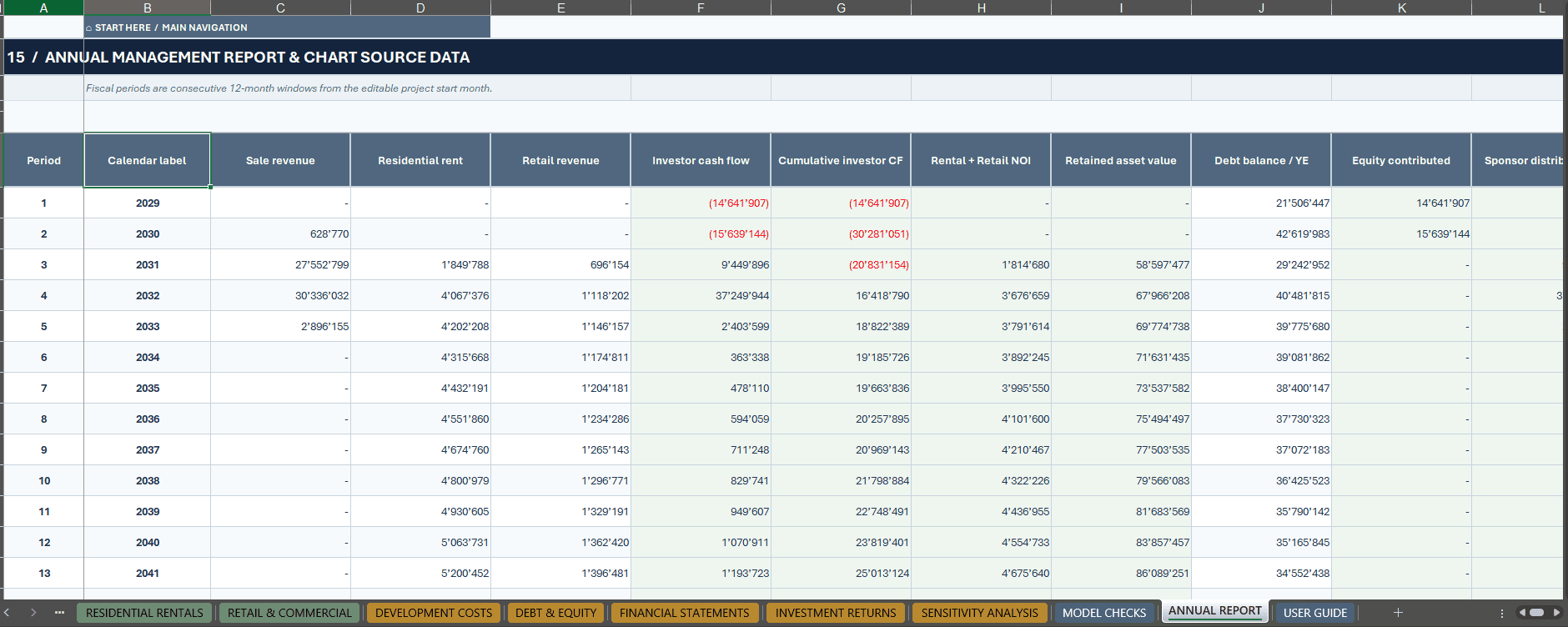
Monthly calculations flow into structured annual project-year summaries covering revenue, expenses, liquidity, debt, financial returns and property valuations.
🏘️ 2. THREE INTEGRATED REVENUE STREAMS
RESIDENTIAL SALES
Analyze unit sales through a connected unit register and monthly sales calculation engine.
Features include:
- Editable Residential Unit Classes
- Unit Quantities and Areas
- Sale Versus Rental Allocation
- Property Sale Pricing
- Pricing Premiums and Adjustments
- Reservation Deposits
- Sales Absorption
- Closing Delays
- Cancellation Assumptions
- Sales and Closing Expenses
- Inventory Cost Recognition
The model distinguishes reservation deposits, recognized property sale revenue and actual closing receipts, improving cash-flow transparency.
RESIDENTIAL RENTALS
Forecast retained residential property operations through:
- Retained Residential Area
- Rental Pricing per Square Meter
- Lease-Up Assumptions
- Stabilized Occupancy
- Monthly Rental Cash Flows
- Annual Rental Escalation
- Operating Expenses
- Net Operating Income (NOI)
- Recurring Property CAPEX
Residential rental assumptions connect to the monthly operating model, retained-property valuation and investor cash flows.
RETAIL & COMMERCIAL LEASING
Model commercial and ground-floor retail leasing separately.
Features include:
- Retail Tenant Areas
- Base Rental Rates
- Lease Commencement Delays
- Lease Terms
- Rent-Free Periods
- Renewal Options
- Vacancy Adjustments
- Annual Rental Growth
- Operating Costs
- Retail Net Operating Income
The retail component can be activated or deactivated independently from the residential investment strategy.
🏗️ 3. DEVELOPMENT COSTS & CONSTRUCTION PLANNING
Build a structured real estate development budget covering initial land investment, planning, construction and completion costs.
Development Planning Features:
- Land Acquisition
- Property Transaction Duties
- Permits and Entitlements
- Hard Construction Costs
- Professional and Soft Costs
- Construction Contingency
- Development Timing
- Monthly Construction Expenditure
- Construction Cost Inflation
- Project Delays
- Cost Allocation Between Sale and Rental Property
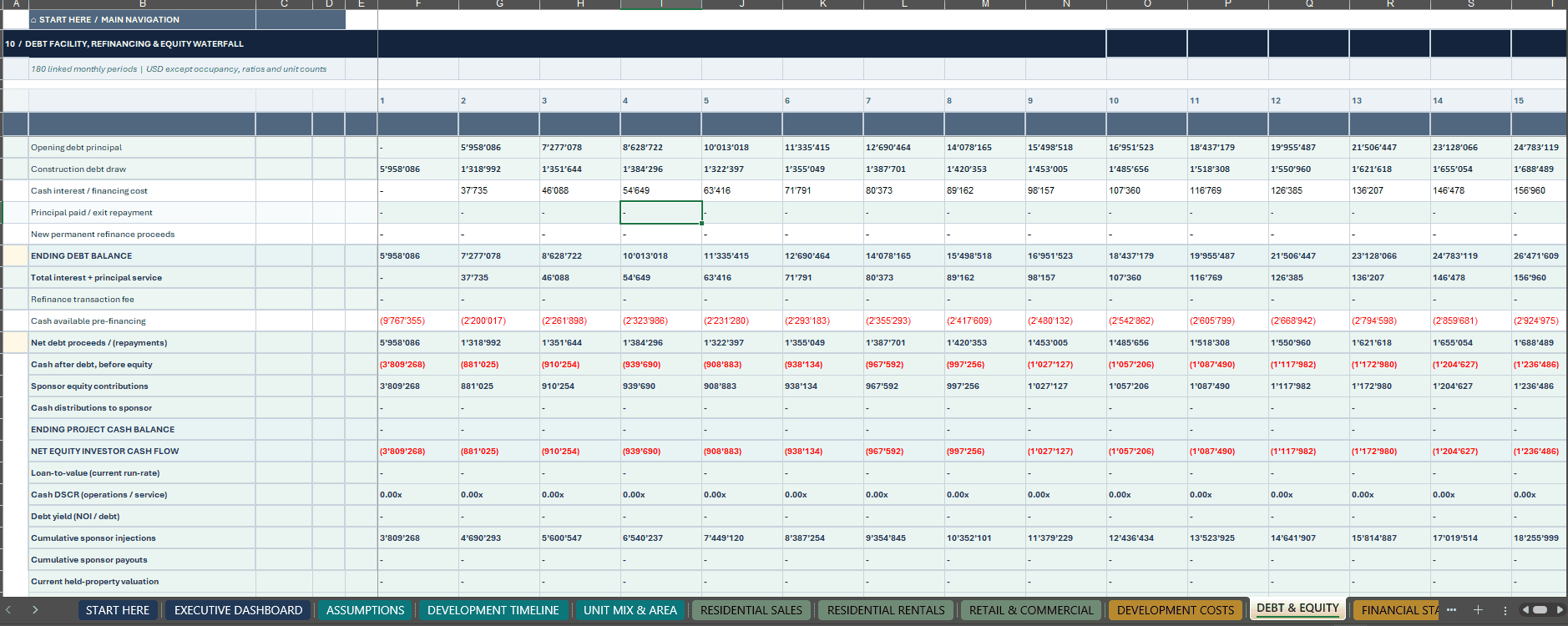
The DEVELOPMENT TIMELINE and DEVELOPMENT COSTS worksheets convert project assumptions into linked monthly expenditure schedules.
The financial model separates development inventory intended for sale from retained income-producing assets, with corresponding accounting and depreciation conventions.
💼 4. DEBT FINANCING, REFINANCING & SPONSOR EQUITY
Evaluate how development expenditures and operating performance affect project funding requirements.
Financing Features:
- Construction Loan Drawdowns
- Senior Debt Funding
- Interest Expense
- Scheduled Principal Repayments
- Construction Loan Balances
- Permanent Debt Refinancing
- Refinancing Fees
- Sponsor Equity Contributions
- Sponsor Distributions
- Monthly Project Liquidity
- Peak Cumulative Equity Requirements
- Peak Debt Outstanding
Financing Indicators Include:
- Debt Service Coverage Ratio (DSCR)
- Loan-to-Value (LTV)
- Loan-to-Cost (LTC)
- Debt Yield
The connected financing schedule supports examination of capital requirements, debt exposure and projected investor cash flows throughout the development and holding periods.
📈 5. INVESTMENT RETURNS & PROPERTY VALUATION
The INVESTMENT RETURNS worksheet provides a consolidated view of development profitability, investment cash flows and terminal property value.
Investment Analysis Includes:
- Annualized Unlevered Project IRR
- Annualized Equity IRR
- Project Net Present Value
- Equity Net Present Value
- Equity Multiple
- Sponsor Distributions
- Total Development Costs
- Gross Development Value
- Developer Profit Before Financing and Tax
- Profit on Development Cost
- Peak Equity Requirements
- Peak Debt Balances
Property Valuation Features:
- Residential Stabilized NOI
- Retail Stabilized NOI
- Exit Capitalization Rates
- Retained Residential Property Value
- Retained Retail Property Value
- Yield on Cost
- Year-Five Equity Cash-on-Cash Indicator
- Residual Land Value Proxy
- Break-Even Decision-Support Calculations
Retained-property valuations are calculated using the model’s capitalization-rate and NOI conventions.
Residual land value and break-even calculations are simplified analytical proxies and should not be interpreted as certified valuations.
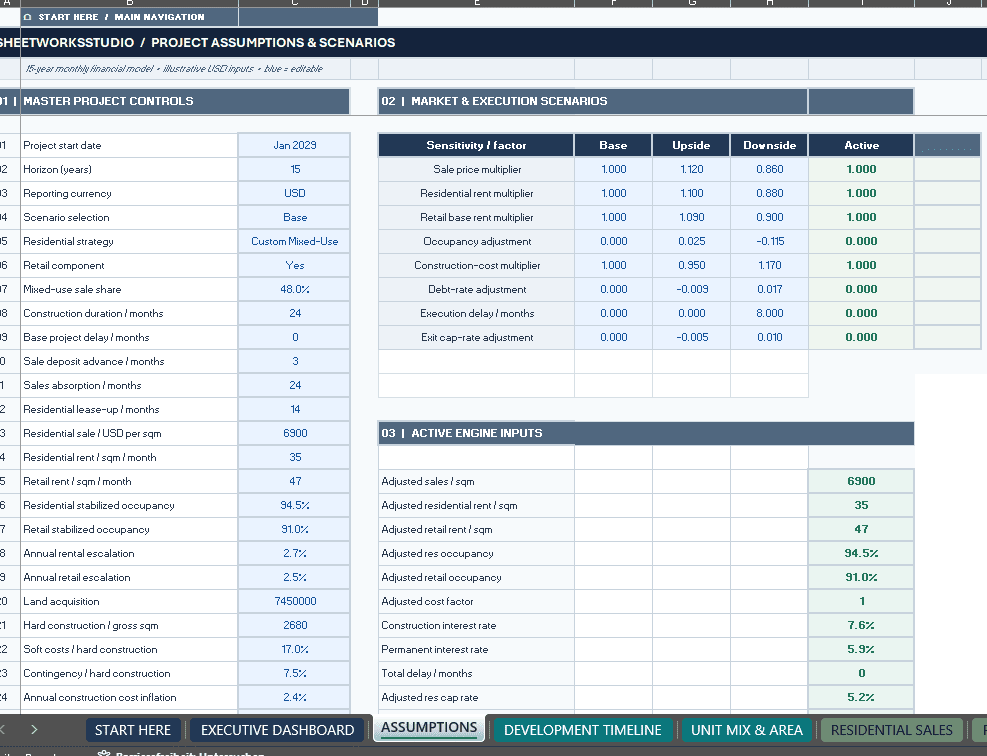
🔄 6. BASE, UPSIDE & DOWNSIDE SCENARIOS
Compare development outcomes under three predefined scenarios.
Available Scenarios:
- Base
- Upside
- Downside
Scenario assumptions cover:
- Residential Sale Prices
- Residential Rental Rates
- Retail Rental Rates
- Occupancy
- Construction Costs
- Debt Interest Rates
- Construction Delays
- Exit Capitalization Rates
Scenario factors feed the model’s active operating and investment assumptions.
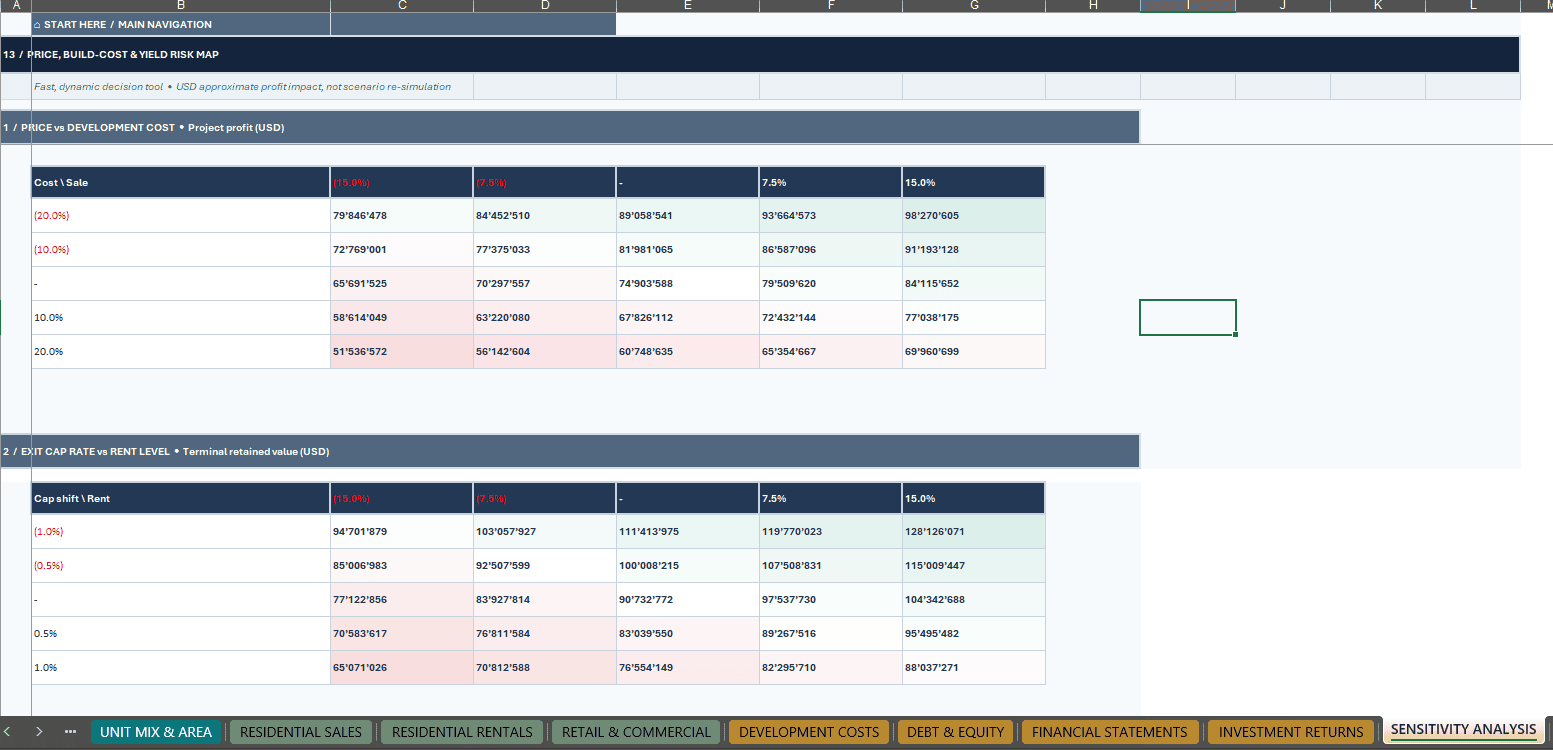
Separate sensitivity tables provide approximate comparisons of development profit and retained property value.
Sensitivity calculations hold the financing and tax structure constant; use the integrated scenario selector for linked scenario modeling.
✅ 7. MODEL INTEGRITY & FINANCIAL CONTROLS
The dedicated MODEL CHECKS worksheet includes 17 programmed integrity controls designed to support model transparency.
Control Areas Include:
- Residential Unit Allocation
- Sale and Rental Area Reconciliation
- Construction Cost Phasing
- Monthly Cash Flow Reconciliation
- Monthly Balance Sheet Reconciliation
- Reservation Deposit Balances
- Property Inventory
- Retained Property Book Values
- Debt Repayment
- Retail Activation
- Residential Strategy Consistency
- Occupancy Limits
- Construction Timing
- Project Liquidity
- Sponsor Equity
- Scenario Input Validity
Financial risk warnings are assessed separately from accounting and formula consistency.
Important: The fictional Base scenario includes a low DSCR warning. A passing model integrity check does not demonstrate that the investment is economically attractive or satisfies lender credit requirements.
📦 8. WHAT’S INCLUDED
FILE 1 — RESIDENTIAL DEVELOPMENT 15-YEAR FINANCIAL MODEL (.XLSX)
One editable Excel workbook containing:
- 18 Integrated Worksheets
- 16 Visible Customer-Facing Worksheets
- 2 Hidden Calculation Engines
- 180 Monthly Calculation Periods
- 15 Annual Reporting Periods
- 10 Native Excel Charts
- 3 Integrated Revenue Streams
- 500 Prepared Rows per Principal Input Register
- 15 Fictional Examples per Principal Register
- Integrated Financial Statements
- Debt Financing and Refinancing
- Property Valuation and Investment Returns
- Three Financial Scenarios
- Sensitivity Analysis
- 17 Model Integrity Controls
FILE 2 — COMPLETE HOW-TO-USE GUIDE (.PDF)
A comprehensive 22-page English operating manual covering:
- Workbook Setup
- Worksheet Navigation
- Editable Inputs and Cell References
- Residential Sale Assumptions
- Rental and Retail Operations
- Development Costs and Timing
- Financing and Equity
- Financial Statements
- Investment Return Calculations
- Scenario Analysis
- Sensitivity Interpretation
- Model Checks
- Troubleshooting
- Financial Modeling Conventions and Limitations
Both purchased files are supplied together in one downloadable ZIP package.
9. WHO IS THIS MODEL FOR?
Designed for:
- Real Estate Developers
- Residential Property Investors
- Mixed-Use Development Sponsors
- Real Estate Investment Analysts
- Property Acquisition Teams
- Financial Consultants
- Development Feasibility Analysts
- Investment Committees
- Asset Managers
- Project Finance Professionals
The model is particularly suitable for professionals who need to evaluate different residential development strategies within one transparent financial framework.
🧭 10. HOW TO USE
STEP 1 — CONFIGURE THE PROJECT
Open START HERE and set the project date, residential strategy, reporting currency and selected scenario.
STEP 2 — CUSTOMIZE MARKET ASSUMPTIONS
Adjust sale pricing, residential rents, retail leasing assumptions, occupancy and operating costs.
STEP 3 — UPDATE THE INPUT REGISTERS
Replace fictional unit classes, sale contracts and retail tenant data with project-specific information.
STEP 4 — CONFIGURE DEVELOPMENT & FINANCING
Set land costs, construction duration, development expenditure, borrowing and refinancing assumptions.
STEP 5 — REVIEW INVESTMENT RESULTS
Analyze the Executive Dashboard, integrated financial statements, annual reports, project returns and retained property valuation.
STEP 6 — VALIDATE MODEL OUTPUTS
Review MODEL CHECKS, financial warnings and sensitivity results before relying on outputs for investment analysis.
11. TECHNICAL SPECIFICATIONS
- Product: Residential Development Financial Model
- Forecast Horizon: 15 Years / 180 Months
- Worksheets: 18
- Visible Worksheets: 16
- Hidden Calculation Engines: 2
- Native Charts: 10
- Scenarios: Base, Upside, Downside
- Principal Input Register Capacity: 500 Rows Each
- Illustrative Example Records: 15 per Principal Register
- Model Integrity Controls: 17
- Documentation: 22-Page English PDF Guide
- File Formats: XLSX + PDF
- Recommended Software: Microsoft Excel Desktop
- Macros / VBA: Not Required
- External Data Connections: Not Required
- Delivery: Digital ZIP Download
Software Compatibility: Microsoft Excel Desktop is recommended. Google Sheets import and functional compatibility have not been independently verified. Equivalent calculations, charts, formatting, navigation and dropdown behavior are therefore not guaranteed.
The selected reporting currency changes the label only and does not perform foreign-exchange conversion.
12. IMPORTANT MODEL LIMITATIONS & DISCLAIMER
All financial figures and example property records are fictional and provided exclusively for demonstration.
The workbook uses simplified tax, financing, accounting, lease-renewal, depreciation and development cost-allocation conventions.
Residual land value and break-even outputs are model-defined analytical proxies. The workbook does not include a full LP/GP promote waterfall or jurisdiction-specific tax compliance functionality.
A passing model integrity check does not guarantee project profitability, financing availability, adequate debt coverage or acceptable investment risk.
Users should replace illustrative assumptions with independently verified project-specific information and seek appropriate legal, tax, accounting, valuation and investment advice before making financial decisions.
PLAN. BUILD. SELL. RENT. FINANCE. VALUE.
One Connected Financial Model for Professional Residential and Mixed-Use Development Analysis.
SheetworksStudio | Professional Financial Modeling Templates
Similar ProductsOther customers were also interested in...



 eFinancialModels
Electric Vehicle (EV) Charging Station Financial M...
With this comprehensive 5- or 10-year monthly tool, investors can assess the viability of setting up... Read more

Financial Model for Mobile App | Mobile App Busine...
The Mobile App Financial Plan Template in Excel allows you to develop financial projections when lau... Read more

 HenrySheykin
Food Truck Financial Model Excel Template
The Food Truck Financial Model helps entrepreneurs, founders, business owners, consultants, and anal... Read more

Green Hydrogen Production from Wind Energy Financi...
The Green Hydrogen from Wind Financial Model aims to comprehensively forecast a horizon of 40 years ... Read more

Simple Mutual Non-Disclosure Agreement Template
Protect your business secrets with ease using our Simple Mutual Non-Disclosure Agreement Template. S... Read more

Solar Energy Financial Model
The Solar Energy Financial Model Spreadsheet Template in Excel assists you in preparing a sophistica... Read more

 Peter Graf
The Customer-Centric Financial Model for Restauran...
Starting a restaurant without a financial plan is like driving a car blindfolded. You wouldn´t do i... Read more
You must log in to submit a review.