
0 ITEMS

NPV, IRR, & Payback Calculator
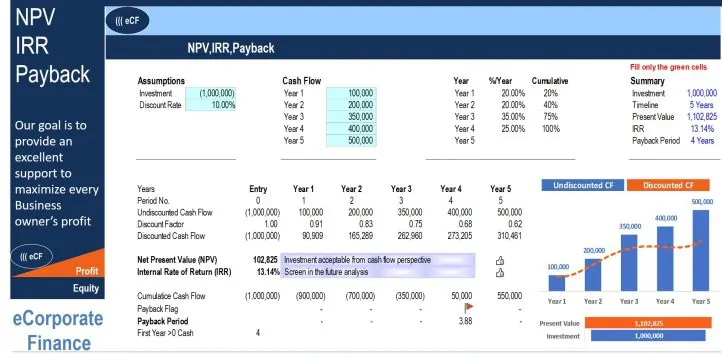
The template allows the user to calculate the net present value (NPV), internal rate of return (IRR) and payback period from simple cash flow stream with dynamic investment decision

General overview
The template is constructed to evaluate potential major projects or investments that would require capital budgeting before they are approved or rejected. It helps the CEO, CFO, and entrepreneurs to assess a prospective project’s cash flow to determine whether the potential returns would be generated to meet a sufficient target benchmark
The template allows the user to calculate the net present value (NPV), internal rate of return (IRR), and payback period from a simple cash flow stream with a dynamic investment decision
Inputs
Update the general info on the Front Page
Enter the investment amount, discount rate, and cash flow projection in the green cells
Outcome
Net present value
Internal rate of return
Payback period
Dynamic investment decision
Conclusion and customization
This is a highly versatile, very sophisticated financial model template and is also user-friendly.
If you have any inquiries, modification requests, or other requests of assistance to customize the model template for your business case, please reach me at: [email protected]
Similar ProductsOther customers were also interested in...



 ECF Consultancy
Corporate Finance Toolkit – 30 Financial Mod...
The toolkit is an essential resource for any organization, providing a comprehensive collection of t... Read more
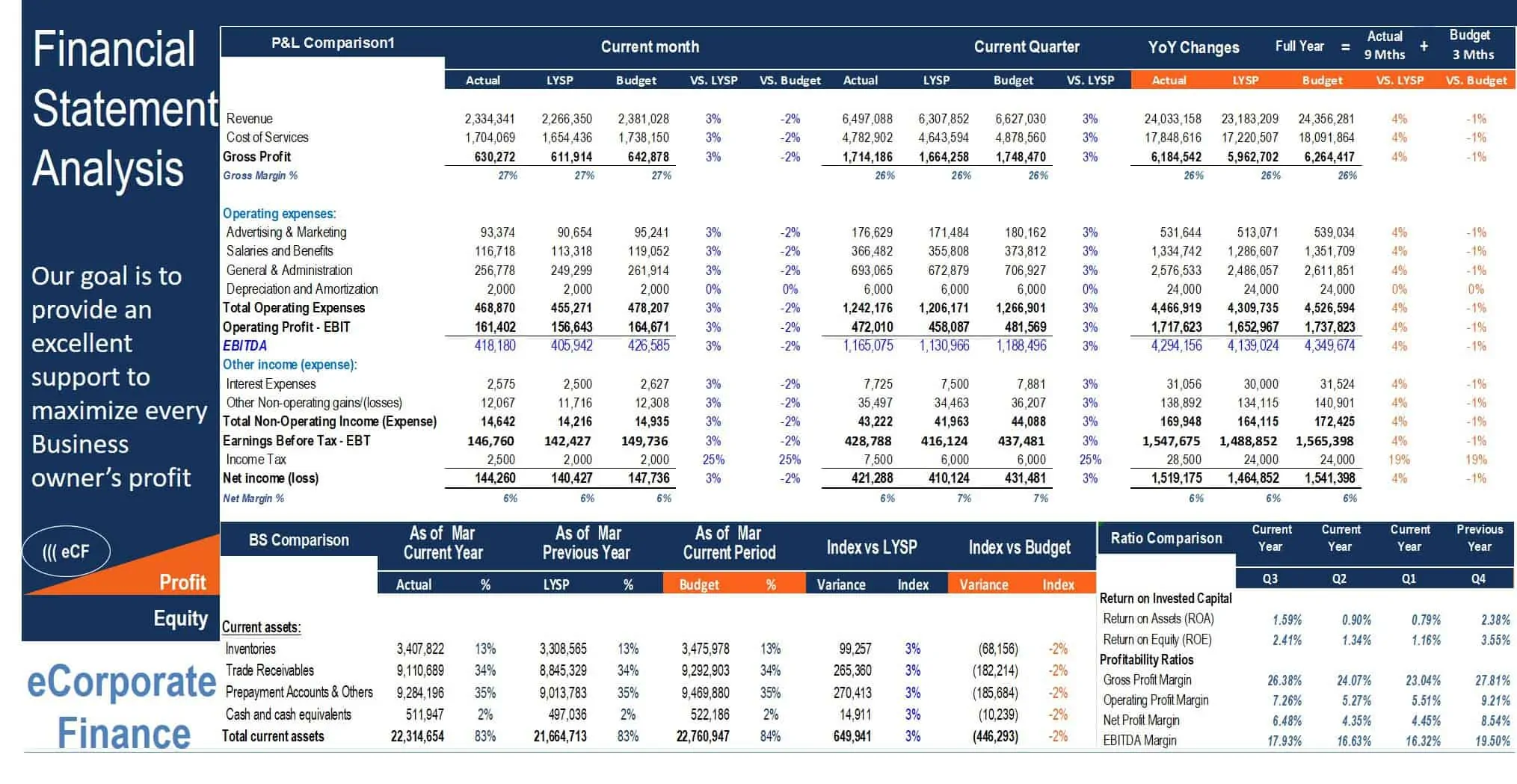
Financial Modeling Analysis
The main purpose of the model is to allows user to easily compare the financial performance result f... Read more
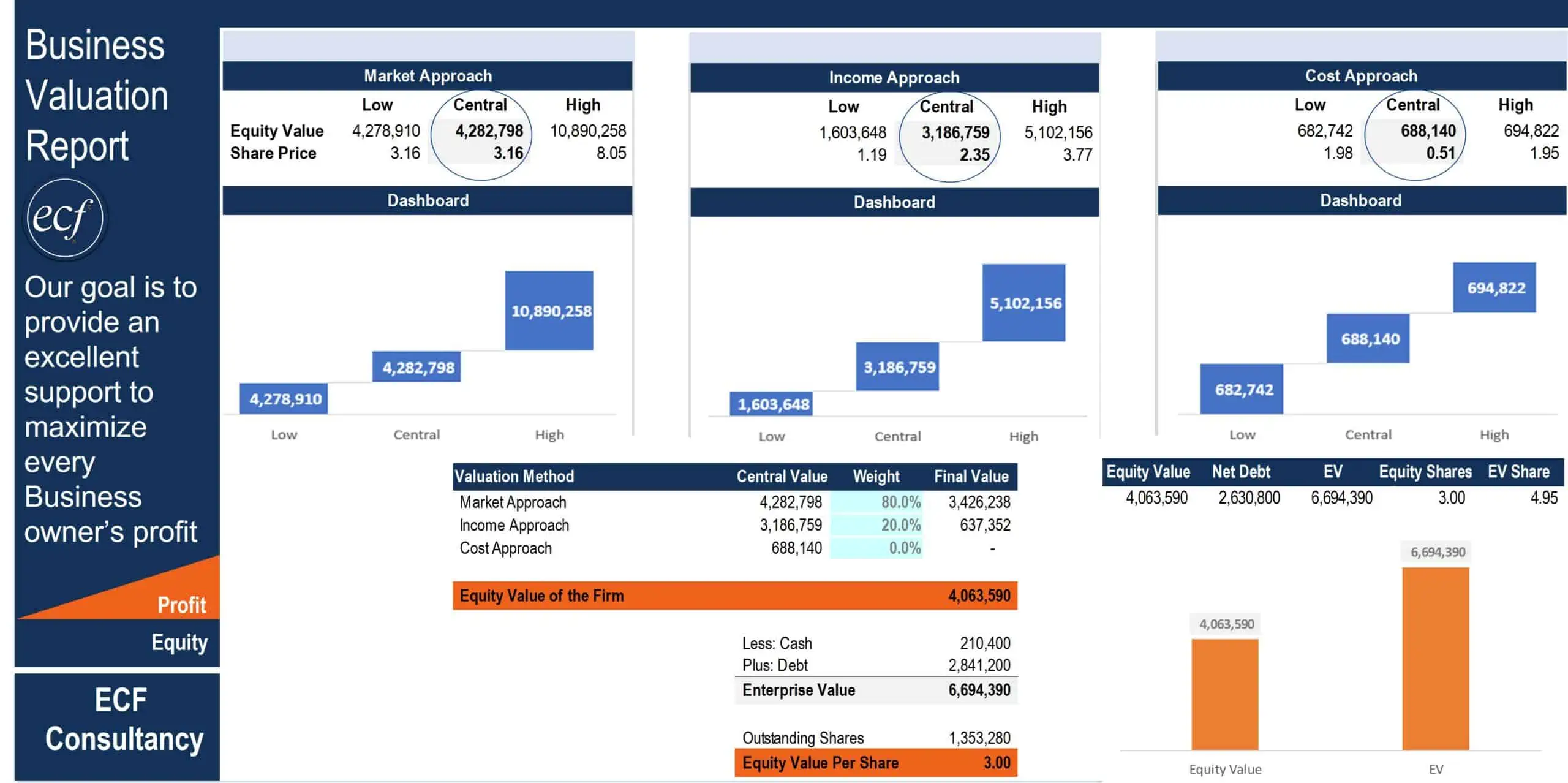
Comprehensive Business Valuation Model with Free P...
The report is detailed and easy template which allow the user to determine and monitor the value of ... Read more
 Anuj
Private Equity Fund Model (Investor Cashflows)
The Private Equity Fund Cashflows Model helps LPs and GPs analyze fund cash flows, returns, and dist... Read more
 Giorgos
Advanced Financial Model with DCF and Valuation
Dynamic 10-Year Financial Model, suitable for any type of business, supporting strategic planning, i... Read more
Startup Company Financial Model – 5 Year Fin...
Highly-sophisticated and user-friendly financial model for Startup Companies providing a 5-Year adva... Read more
Reviews
 Very powerful
 Helpful!
 NOV, IRR calc
Hi there! Thank you for creating this spreadsheet and making it available to the public. My only suggestion is to add our away and allow the spreadsheet to be added into PowerPoint easily. When I pasted it in the chart would not copy
736 of 1630 people found this review helpful.
Help other customers find the most helpful reviews
Did you find this review helpful?
-
Hi Paul, thank you for downloading this model template! Regarding the issue you mentioned, you can try taking a screenshot of it and insert in PPT (crop if needed). This way should work.
Thank you for your feedback.
784 of 1486 people found this review helpful.

You must log in to submit a review.