
0 ITEMS

Best Financial Model Template for Small Business: 7 Numbers First

The right financial model template turns a blank spreadsheet into a working forecast in hours, not weeks — but only if you pick the one that matches how your business actually makes money.
Key Takeaways
- 82% of small businesses that fail cite cash flow problems as a primary cause, making a cash flow statement the single most critical tab in any template Source
- Every small business financial model needs exactly 3 core components: a revenue projection, an expense tracker, and a cash flow statement — templates missing any one of these are incomplete.
- Service-based businesses need a different template structure than product-based businesses; using the wrong type produces projections that are structurally misleading from row 1.
- Gather 7 specific numbers before opening any template: last 12 months of revenue, fixed costs, variable cost percentage, average sale value, customer count, growth rate assumption, and cash on hand.
- A budget template tracks what you plan to spend; a financial model template forecasts what your business will earn, owe, and hold in cash — small businesses need both, but build the model first.
- Free templates cover basic scenarios; premium templates (typically $49–$299) include industry-specific logic, scenario toggles, and pre-built break-even analysis that saves 10–20 hours of setup.
- eFinancialModels offers over 1,000 industry-specific financial model templates built for businesses under $5M in revenue, with plug-and-play Excel files that require no financial analyst skills.
What Makes a Financial Model Template ‘Small Business Appropriate’
A small-business-appropriate financial model template is one you can populate with real numbers in under 4 hours without a finance degree. Enterprise models built for CFOs include multi-entity consolidations, complex debt waterfalls, and IFRS-compliant accounting schedules that a 10-person business will never need. The right template for a small business is lean, clearly labeled, and structured around the 3 questions owners actually ask: Can I make payroll next month? What happens if sales drop 20%? When do I break even?
Break-even analysis (the point at which total revenue equals total costs, producing zero profit or loss) should appear in any template you consider. If it doesn’t, the template was built for a different audience.
According to the U.S. Small Business Administration, there are 33.2 million small businesses in the United States Source, yet surveys consistently show fewer than half use any formal financial projection tool. That gap is partly a template problem: most available models are either too simple (a single income tab with no cash flow) or too complex (requiring a financial analyst to operate).
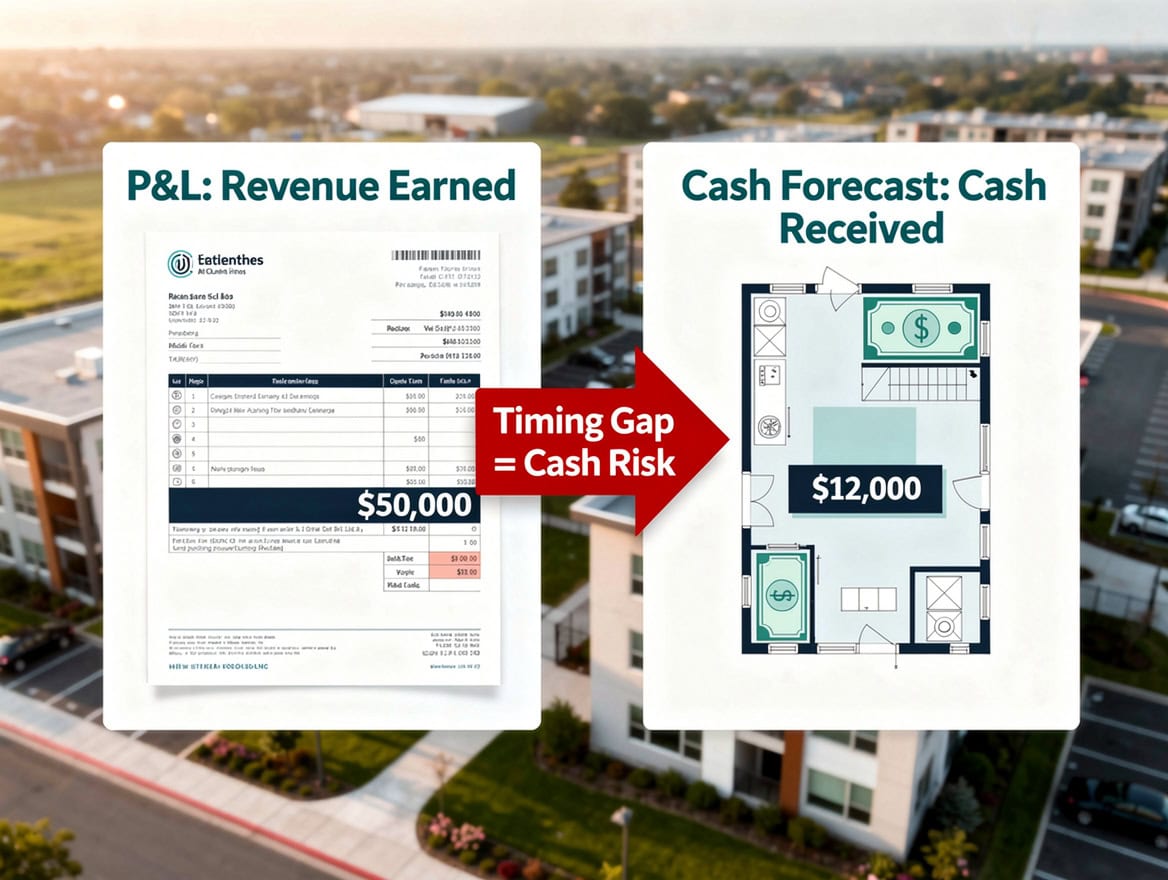
Templates missing a cash flow statement or break-even tab are built for a different audience — not small business owners making monthly decisions.
The 3 Core Components Your Template Must Include
Every small business financial model template must contain a revenue projection, an expense tracker, and a cash flow statement — in that order, because each feeds the next. Templates that combine all three into a single tab are harder to audit and easier to break; look for models with separate, linked sheets.
Revenue Projection: This tab forecasts how much money comes in, broken down by product line, service type, or customer segment. A good small business revenue tab lets you enter unit price, expected units sold per month, and a growth rate assumption. The formula does the rest.
Expense Tracker: Fixed costs (rent, salaries, insurance) stay constant regardless of sales volume. Variable costs (cost of goods sold, shipping, sales commissions) scale with revenue. EBITDA — Earnings Before Interest, Taxes, Depreciation, and Amortization, a measure of operating profitability before financing and accounting adjustments — appears at the bottom of this section. Any template that doesn’t separate fixed from variable costs will produce misleading margin analysis.
Cash Flow Statement: Revenue on paper doesn’t equal cash in the bank. A cash flow statement (which tracks actual money moving in and out, not accounting profit) shows whether you can cover expenses in any given month even when sales look healthy. Working capital — the difference between current assets and current liabilities, essentially your short-term financial cushion — is visible here. According to research cited by the Federal Reserve’s Small Business Credit Survey, 43% of small businesses experienced a financial shortfall in the prior 12 months Source, and most traced it to a cash timing mismatch that a proper cash flow tab would have flagged in advance.
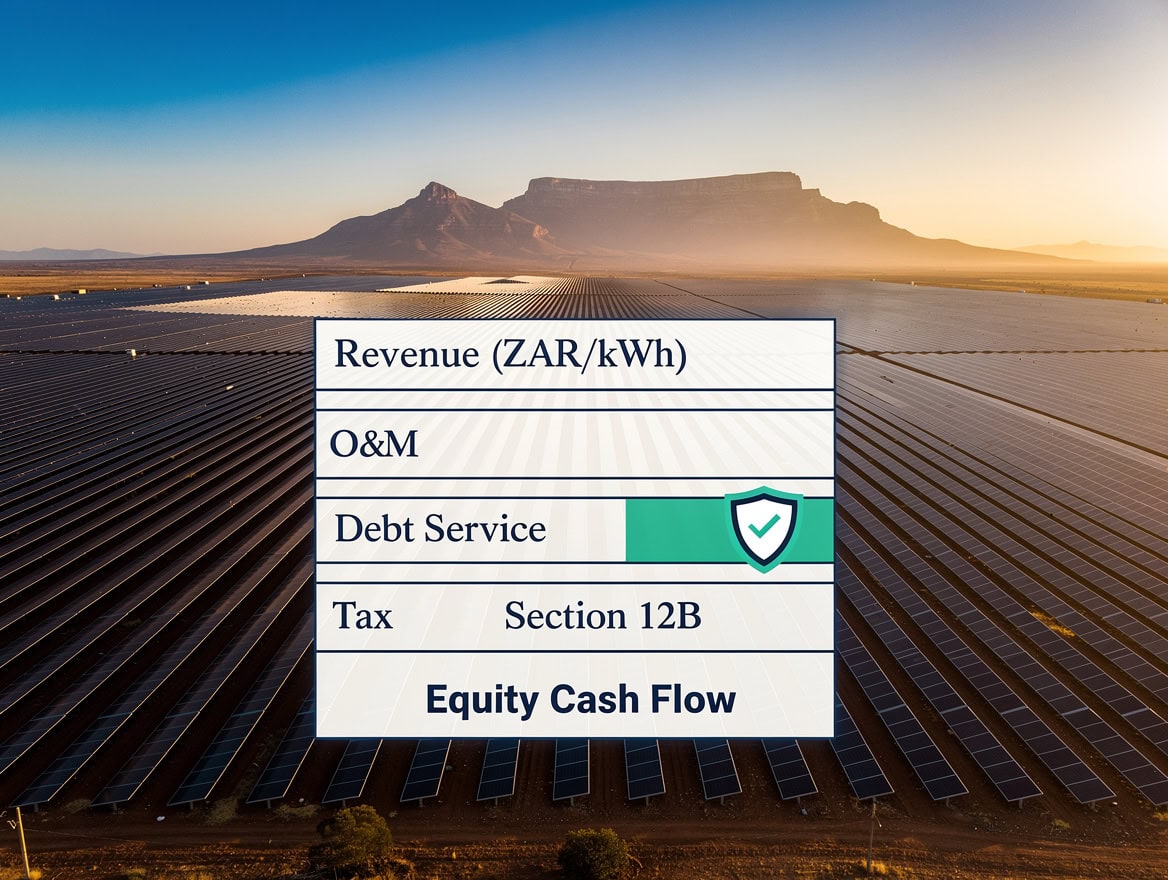
The three core components form a chain: revenue assumptions feed the expense model, and both flow into the cash flow statement that shows real liquidity.
Matching Template Type to Your Business Model
The best financial model template for your small business depends on your revenue structure, not your industry name. A yoga studio and a law firm are both service businesses, but a yoga studio sells class packs (subscription-adjacent) while a law firm bills hourly (project-based) — they need different template logic.
Use the table below to identify your starting point:
| Business Type | Revenue Pattern | Template Focus | Key Metric to Model |
|---|---|---|---|
| Service (hourly) | Project-based | Utilization rate | Billable hours × rate |
| Service (retainer) | Recurring monthly | Churn rate | MRR growth |
| Product (physical) | One-time sales | Inventory turns | COGS % of revenue |
| SaaS / subscription | Recurring + upgrades | LTV:CAC ratio | Monthly recurring revenue |
| Hybrid (product + service) | Mixed | Margin by segment | Blended gross margin |
| Retail | Seasonal, volume | Foot traffic / conversion | Revenue per sq ft |
LTV:CAC ratio compares the lifetime value of a customer (total revenue they generate over their relationship with you) to the cost of acquiring them. A ratio below 3:1 signals a business model that may not be sustainable at scale.
B2B businesses (selling to other businesses) typically have longer payment cycles — net-30 or net-60 terms — which creates a cash flow lag that must appear in the template. B2C businesses (selling directly to consumers) collect cash faster but face higher customer acquisition costs. Your template must reflect whichever dynamic applies to you.

Your revenue structure — not your industry name — determines which template type produces accurate projections for your business.
Free vs. Premium Templates: What You Actually Get
Free templates are a legitimate starting point, but they come with real limitations. Premium templates justify their cost through time savings and built-in logic that would take hours to build from scratch.
| Feature | Free Template | Premium Template ($49–$299) |
|---|---|---|
| Revenue tabs | 1 generic | 3–5 by segment |
| Cash flow statement | Basic or missing | Full 3-statement link |
| Scenario analysis | Manual copy/paste | Toggle-based (best/base/worst) |
| Break-even analysis | Rarely included | Pre-built |
| Industry-specific logic | None | Included |
| Formula protection | None | Locked structure, open inputs |
| Setup time | 8–20 hours | 2–4 hours |
A three-statement financial model links the income statement, balance sheet, and cash flow statement so that a change in one automatically updates the others. Free templates almost never include this linkage. If you’re preparing projections for a bank loan or investor, a three-statement model is the standard expectation.
eFinancialModels publishes over 1,000 financial model templates across industries, with dedicated collections for service businesses, online businesses, and startups. Each template includes example data so you’re never staring at a blank spreadsheet.
The 7 Numbers You Need Before You Open Any Template
Opening a template without your data ready is the fastest way to produce projections that feel real but mean nothing. Collect these 7 numbers first, and the template becomes a 2-hour task instead of a 2-day ordeal.
- Last 12 months of total revenue (monthly, not annual): Seasonal patterns only appear in monthly data.
- Fixed costs per month: Rent, salaries, insurance, software subscriptions — costs that don’t change with sales volume.
- Variable cost percentage: What percentage of each dollar of revenue goes to direct costs (materials, fulfillment, commissions)? If you sell a $100 product and it costs $40 to produce and ship, your variable cost rate is 40%.
- Average transaction value: The average dollar amount of a single sale or invoice.
- Monthly customer or transaction count: How many sales or clients per month, on average.
- Assumed annual growth rate: Be honest. The Kauffman Foundation’s research on small business growth shows that the median small business grows revenue at 3–8% annually in stable conditions Source — not the 30–50% that optimistic founders often enter.
- Current cash on hand: Your starting balance for the cash flow statement. Without this, the model can’t tell you when you’ll run out of money.
Gathering these 7 numbers before opening a template cuts setup time from 20 hours to under 4 — the data does the heavy lifting.
Step-by-Step: Customizing Your Template Without Breaking It
Customizing a financial model template safely means changing inputs, not structure. Here’s a worked example using a service business with $240,000 in annual revenue.
Starting assumptions:
- Monthly revenue: $20,000
- Fixed costs: $8,000/month (rent $2,000, salaries $5,000, software $1,000)
- Variable costs: 25% of revenue ($5,000/month)
- Growth rate: 5% per year (0.417% per month)
Month 1 calculation:
- Revenue: $20,000
- Variable costs: $20,000 × 25% = $5,000
- Gross profit: $20,000 – $5,000 = $15,000
- Fixed costs: $8,000
- Operating profit (EBITDA proxy): $15,000 – $8,000 = $7,000
Month 2 calculation (with 0.417% monthly growth):
- Revenue: $20,000 × 1.00417 = $20,083
- Variable costs: $20,083 × 25% = $5,021
- Gross profit: $15,062
- Fixed costs: $8,000 (unchanged)
- Operating profit: $7,062
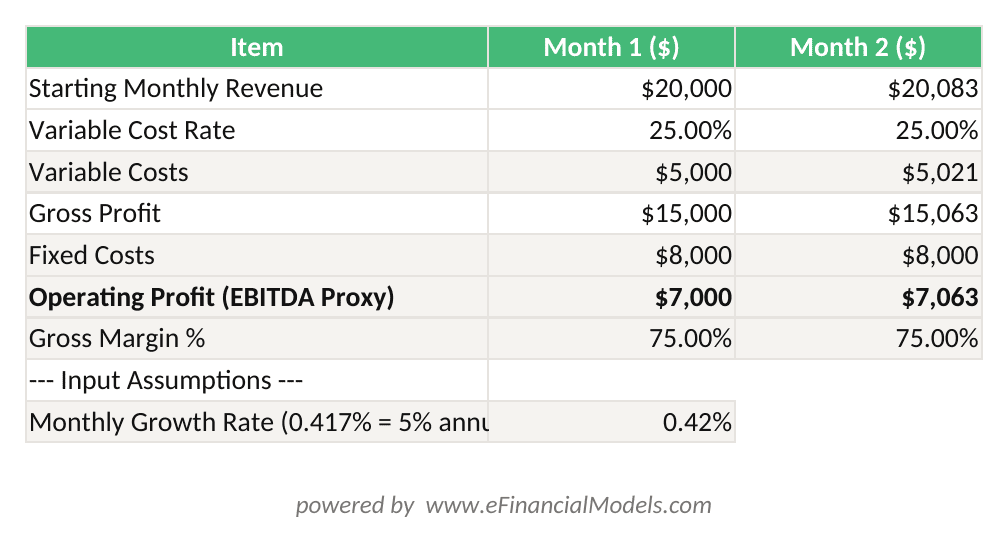
Month 2 revenue = Month 1 × (1 + 0.417% monthly growth rate). Operating profit = Gross Profit minus Fixed Costs. All formula cells update automatically when you change the yellow input cells.
The 5 cells you should modify in any template: (1) starting revenue, (2) growth rate assumption, (3) fixed cost line items, (4) variable cost percentage, and (5) starting cash balance. The structure — formulas linking tabs, the cash flow waterfall, the break-even calculation — should stay intact. If a formula breaks when you change an input cell, the template has a design flaw. Stop and find a better one.
Never insert or delete rows inside a formula range. Add new expense categories only in clearly marked input sections. If the template uses named ranges (Excel labels like “Revenue_Month1” instead of “B4”), don’t rename them — the formulas depend on those labels.

Changing only the 5 yellow input cells keeps the template’s formula structure intact — editing formula cells is the fastest way to break a model.
Common Template Mistakes That Produce Garbage Projections
Even a well-designed template produces bad output if you make these errors.
Mistake 1: Entering annual revenue as a monthly figure. If your business earns $240,000 per year and you type $240,000 into a monthly revenue cell, your model shows $2.88M in annual revenue. Always confirm whether input cells expect monthly or annual figures.
Mistake 2: Ignoring seasonality. A flat monthly growth rate applied to a seasonal business (retail, landscaping, tax preparation) produces projections that are wrong in every single month, even if the annual total looks reasonable. Use monthly adjustment factors or a template with a seasonality input.
Mistake 3: Circular references. A circular reference (a formula that refers back to itself, creating an infinite calculation loop) crashes Excel’s calculation engine and produces #REF! errors. They appear most often in interest expense calculations where debt balance depends on cash flow, which depends on interest expense. A quality template avoids these by using prior-period balances for interest calculations.
Mistake 4: Optimistic revenue, realistic costs. According to the Federal Reserve’s 2023 Small Business Credit Survey, 40% of small businesses reported revenues below expectations in the prior year Source. Build a conservative (base) scenario and a downside scenario. Any template without scenario toggles forces you to manually rebuild projections for each case.
Mistake 5: Forgetting taxes and owner draws. Net profit before tax is not the same as cash available to the owner. A template that stops at operating profit without accounting for estimated tax payments and owner distributions will overstate your available cash by 25–35% depending on your tax bracket.
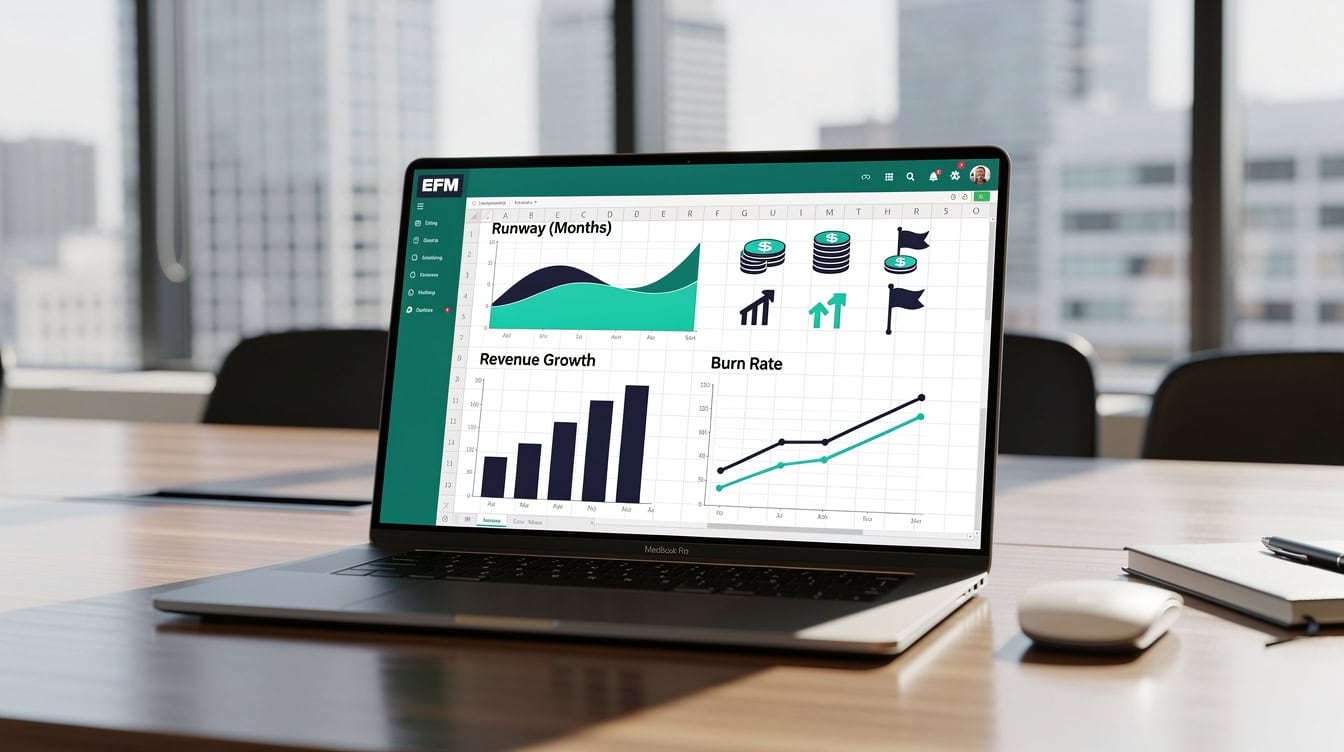
Circular references and flat growth assumptions are the two most common errors that make a financial model’s output unreliable from the first month.
Using Your Completed Model to Make Real Business Decisions
A completed financial model template is a decision tool, not a document. Here’s how to use it for the 4 decisions small business owners face most often.
Pricing change: Increase your average transaction value by 10% in the revenue tab. If gross margin improves without a projected drop in customer volume, the price increase is financially justified. If the model shows you’d need to retain 95%+ of customers to break even on the change, test the price increase on a small segment first.
Hiring decision: Add a new salary line to fixed costs. The model immediately shows how many additional revenue dollars you need per month to maintain current profitability. If that number is achievable within 90 days based on your pipeline, hire. If it requires 18 months of ramp, reconsider.
Equipment purchase: Model the purchase as either a one-time cash outflow (cash flow tab) or a monthly loan payment (fixed cost tab). Compare the two scenarios. The model will show which option preserves more working capital over 12 months.
Loan application: Banks and the SBA expect 3 years of monthly projections with a clear revenue assumption narrative. A three-statement model that links income statement to cash flow is the standard format. eFinancialModels’ financial projections templates are formatted to meet lender expectations out of the box.

A financial model earns its keep when it answers a specific question — pricing, hiring, equipment, or funding — not when it sits in a folder.
When to Upgrade Beyond Templates
Templates work until they don’t. You’ve outgrown a template when you spend more time maintaining the spreadsheet than reading its output. Specifically, upgrade to a custom-built model or financial modeling software when: your business has more than 3 distinct revenue streams that interact with each other, you’re managing inventory across multiple locations, you’re preparing for a capital raise above $1M, or your accountant can no longer reconcile the model to your actual financials.
For most businesses under $5M in revenue, a well-chosen premium template from a source like eFinancialModels covers every scenario you’ll encounter. The business valuation templates and DCF models on EFM extend the same plug-and-play approach to more advanced use cases without requiring a financial analyst.
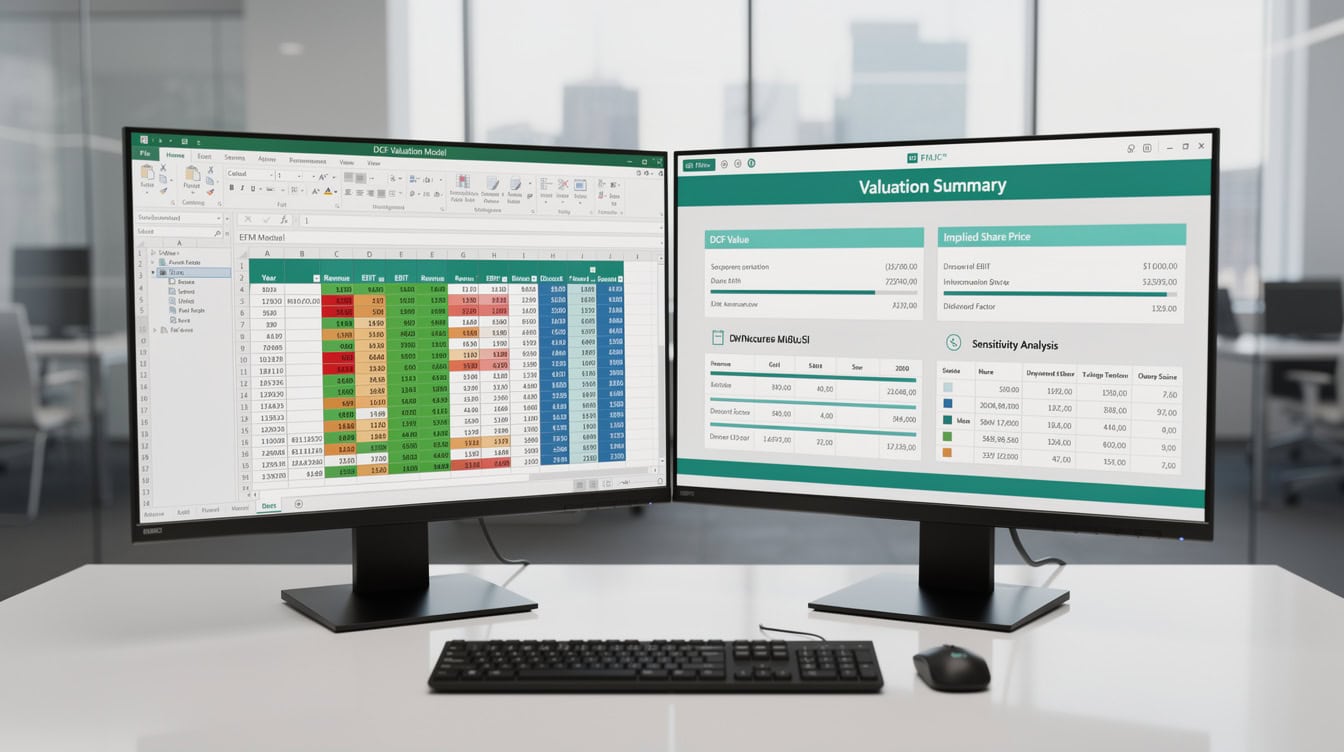
Templates serve most businesses under $5M in revenue — the upgrade trigger is when maintaining the spreadsheet takes more time than reading it.
Frequently Asked Questions
What is the best financial model template for a small business with no accounting experience?
The best starting point for a small business owner with no accounting background is a single-tab or three-tab template that separates revenue inputs, expense inputs, and a cash flow summary. Look for templates with clearly labeled input cells (often highlighted in yellow or blue) and locked formula cells that prevent accidental edits. eFinancialModels offers a range of free financial model templates with example data pre-filled, so you can see how the model behaves before entering your own numbers. Avoid any template that requires you to understand pivot tables, VBA macros, or array formulas (formulas that calculate across multiple cells simultaneously) to operate it. A good small business template should work with basic Excel skills: typing numbers into cells and reading the output.
How long does it take to set up a small business financial model template?
With your 7 key numbers ready (see the section above), a quality premium template takes 2–4 hours to populate and review. A free template with less structure typically takes 8–20 hours because you’ll spend time building logic the template doesn’t include. First-time users often underestimate setup time because they haven’t gathered their historical data in advance. The single biggest time-saver is pulling 12 months of monthly revenue from your accounting software (QuickBooks, Wave, or Xero all export this in under 5 minutes) before opening the template. Budget an additional 1–2 hours to run scenario analysis once the base case is complete.
What’s the difference between a budget template and a financial model template?
A budget template tracks planned versus actual spending for a defined period, usually a fiscal year. It answers: did we spend what we planned? A financial model template forecasts future revenue, expenses, and cash flow based on assumptions about how the business will grow. It answers: what will happen if we do X? Small businesses need both, but the financial model comes first because it defines the revenue targets that make the budget meaningful. Think of the financial model as the strategy document and the budget as the execution tracker. Many small business owners use a budget template for monthly expense control and a financial model template for annual planning and loan applications.
How do I know if a template is too complex for my small business?
A template is too complex if it requires inputs you don’t have and can’t reasonably estimate. Red flags include: a working capital schedule that requires accounts receivable aging data (you’d need detailed invoice records by due date), a debt schedule with multiple tranches and PIK interest (payment-in-kind, where interest accrues rather than being paid in cash), or a cap table (ownership structure) tab that’s irrelevant until you take outside investment. Conversely, a template is too simple if it lacks a cash flow statement, doesn’t separate fixed from variable costs, or has no break-even calculation. The right template asks for exactly the numbers you have and produces the outputs you need for your next decision.
Can I use a financial model template for a bank loan application?
Yes, and most small business lenders expect one. The SBA’s standard loan application process requires 3 years of financial projections for new businesses and 3 years of historical financials plus 1–2 years of projections for existing businesses Source. A three-statement financial model (income statement, balance sheet, cash flow statement, all linked) is the format lenders prefer because it shows that your projections are internally consistent — revenue growth flows through to cash, and cash balances match the balance sheet. eFinancialModels’ financial projections templates include all three statements with the linkages pre-built. Print the output tabs as PDFs and attach them to your loan package.
What growth rate should I assume in my small business financial model?
Use your actual trailing 12-month growth rate as your base case, then build a conservative scenario at 50% of that rate and an optimistic scenario at 150%. If you’re a new business with no history, industry benchmarks are your best reference: the Kauffman Foundation’s research on small business growth suggests 3–8% annual revenue growth as a realistic baseline for stable small businesses, with high-growth outliers reaching 20–30% in early years Source. Avoid entering growth rates above 25% annually without a specific, documented reason (a signed contract, a new distribution channel, a confirmed marketing spend increase). Lenders and investors will ask you to justify any assumption above industry norms, and “we expect strong growth” is not a justification.
Should I use Excel or Google Sheets for my small business financial model?
Excel is the industry standard for financial modeling and the format expected by lenders, investors, and accountants. Excel supports more complex formula types, better formula auditing tools, and more reliable behavior with large datasets. Google Sheets works for simple models and has the advantage of real-time collaboration, but it handles array formulas and certain financial functions differently than Excel, which can cause errors when you share a Sheets model with someone using Excel. If your template came as an .xlsx file, use Excel to open and edit it. eFinancialModels templates are all built and tested in Excel, with compatibility notes for each file.
Conclusion
The best financial model template for a small business is the one that matches your revenue structure, includes all three core components (revenue projection, expense tracker, cash flow statement), and lets you enter your 7 key numbers without needing a finance degree to interpret the output. Start with your business model type, gather your data before opening anything, and choose a template with locked formula structure and clearly marked input cells.
I recommend downloading the eFinancialModels Small Business Financial Model Template collection — plug-and-play Excel files with pre-filled example data, built-in break-even analysis, and scenario toggles that get you from blank spreadsheet to working forecast in under 4 hours.
























































