0 ITEMS

Best Financial Model Template for Small Business: 7 Compared
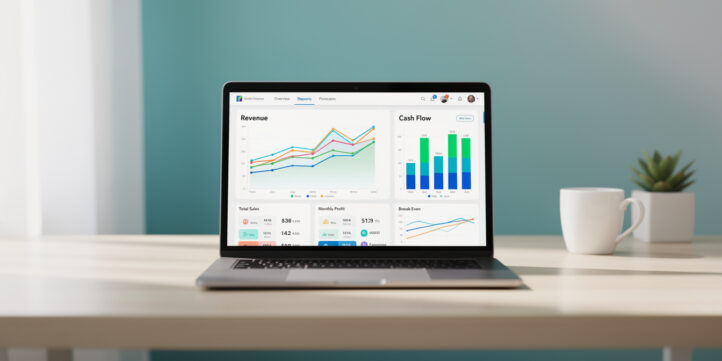
For most small businesses, the right financial model template is the one you’ll actually use, and that means starting simpler than you think.
Key Takeaways
- A 3-statement financial model (income statement, balance sheet, cash flow) is the single best all-purpose template for established small businesses seeking loans or investor meetings.
- Cash flow mismanagement causes 82% of small business failures, according to U.S. Bank research, making a cash flow tracker the highest-priority template for any new business.
- Pre-revenue startups need a startup financial model with 24-month projections; established businesses need a rolling 12-month forecast updated monthly.
- 7 core template types exist for small businesses: cash flow tracker, revenue forecasting, 3-statement model, startup model, SaaS model, retail/inventory model, and service business model.
- Free templates work for businesses under $500K in annual revenue; paid templates (typically $50-$300) add automation, scenario planning, and industry-specific benchmarks.
- eFinancialModels offers pre-built small business financial model templates across 50+ industries, each with built-in formulas and video tutorials.
- You can implement a basic financial model template in one weekend with the right data gathered in advance.
Best Financial Model Template for Small Business: Quick Answer
The best financial model template for most small businesses is an integrated 3-statement model that links your projected income statement, balance sheet, and cash flow statement in one spreadsheet. If you’re pre-revenue or in your first year, start with a startup financial model that includes a 24-month cash runway projection instead.
Here’s the simple decision rule: if you need to show a bank or investor your numbers, use the 3-statement model. If you’re managing day-to-day survival and need to know when you’ll run out of cash, start with a cash flow tracker. Everything else builds from those two foundations.
Only 49.2% of new employer businesses survive their first five years, according to the SBA Office of Advocacy’s Frequently Asked Questions About Small Business. A template doesn’t replace a CFO, but it gives you the structure to ask the right questions before the wrong answers show up in your bank account.
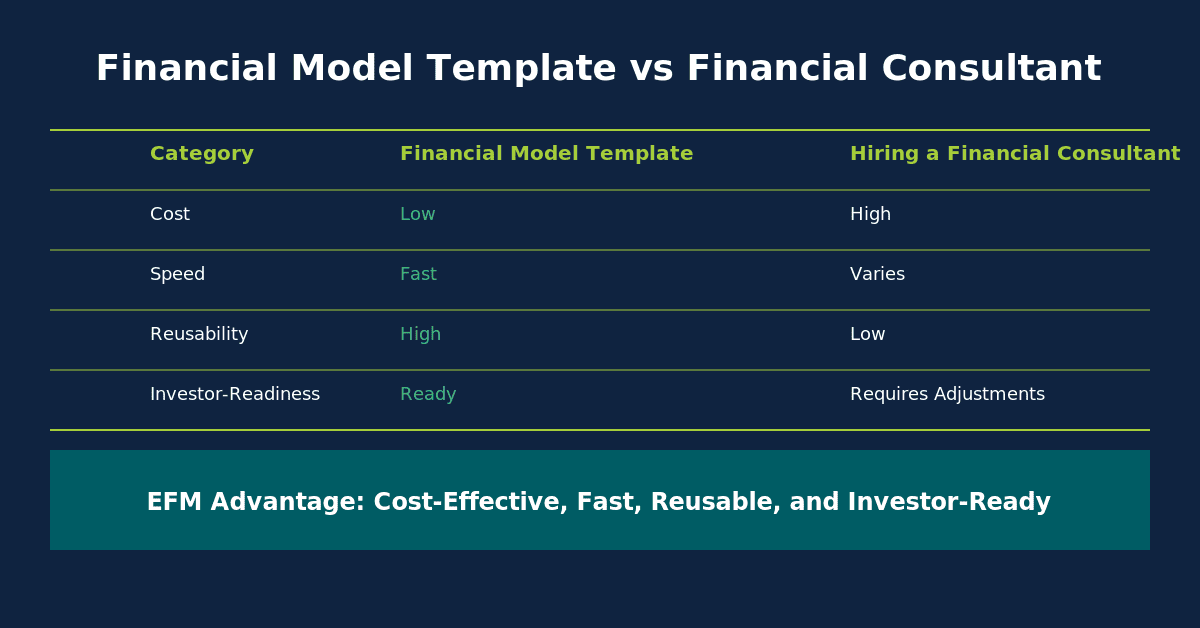
Use this 3-branch decision tree to match your business stage to the correct template type before downloading.
How to Choose the Right Template for Your Business Stage
Your business stage determines which template type will actually move the needle for you. Choosing the wrong template wastes time and creates false confidence in numbers that don’t reflect your real situation.
Use this 3-question framework before downloading anything:
Question 1: Are you pre-revenue or generating revenue?
Pre-revenue businesses need a startup financial model with burn rate tracking (the rate at which you spend cash reserves before reaching profitability) and a funding runway calculator. Revenue-generating businesses need a rolling forecast that compares actuals to projections each month.
Question 2: What’s your primary financial challenge right now?
- Running out of cash: cash flow tracker
- Applying for a bank loan: 3-statement model
- Pitching investors: startup financial model with scenario analysis
- Planning for growth: revenue forecasting template
- Managing inventory costs: retail/inventory model
Question 3: What industry are you in?
A SaaS business tracks monthly recurring revenue (MRR) and churn rate. A retail shop tracks inventory turnover and gross margin by product. A consulting firm tracks billable hours and utilization rate. Industry-specific templates include these metrics pre-built, saving you hours of customization.
7 Essential Financial Model Templates Compared
Each template type solves a specific business problem. The table below maps template to use case, complexity level, and the primary question each one answers.
| Template Type | Best For | Complexity | Key Question Answered |
|---|---|---|---|
| Cash Flow Tracker | All businesses, Year 1 | Low | When will I run out of money? |
| Revenue Forecasting | Growth planning | Low-Medium | How much will I make next quarter? |
| 3-Statement Model | Loans, investors | Medium | Is my business financially healthy? |
| Startup Financial Model | Pre-revenue, seed stage | Medium | How long does my runway last? |
| SaaS Model | Subscription businesses | Medium-High | What’s my MRR growth and churn? |
| Retail/Inventory Model | Product-based businesses | Medium | What’s my true cost of goods sold? |
| Service Business Model | Agencies, consultants | Low-Medium | What’s my billable capacity and margin? |
Cash Flow Tracker: This is a weekly or monthly spreadsheet showing every dollar coming in and going out. It contains columns for expected receipts, actual receipts, expected payments, and actual payments. It answers the question every small business owner loses sleep over: do I have enough cash to make payroll next Friday?
Revenue Forecasting Template: This template projects future sales using historical data, growth assumptions, and seasonality adjustments. It typically includes a revenue driver tab (where you enter assumptions like average order value and number of customers) and an output tab showing monthly revenue projections for 12-24 months.
3-Statement Financial Model: The gold standard for small business financial modeling. It links three core financial statements: the income statement (profit and loss), the balance sheet (assets and liabilities), and the cash flow statement. When you change one assumption, all three statements update automatically. Banks and investors expect this format.
Startup Financial Model: Designed for businesses that haven’t launched yet or are in their first 12 months. It includes pre-revenue assumptions, a funding needs calculator, and a break-even analysis (the point at which revenue covers all costs). eFinancialModels offers startup financial model templates across dozens of industries.
SaaS Financial Model: Built specifically for subscription businesses. It tracks MRR (monthly recurring revenue), ARR (annual recurring revenue), customer acquisition cost (CAC), lifetime value (LTV), and churn rate (the percentage of customers who cancel each month). These metrics don’t appear in generic templates.
Retail/Inventory Model: Tracks cost of goods sold (COGS), inventory turnover, and gross margin by product category. It includes a purchase order planner and helps you avoid the two most common retail financial mistakes: over-ordering slow-moving inventory and under-ordering bestsellers.
Service Business Model: Built around billable hours, utilization rates, and project-based revenue. It calculates your effective hourly rate, overhead allocation per project, and net margin after contractor costs. This template is ideal for agencies, consultants, and freelancers scaling to a team.
You can browse all of these categories in the eFinancialModels financial model template library.
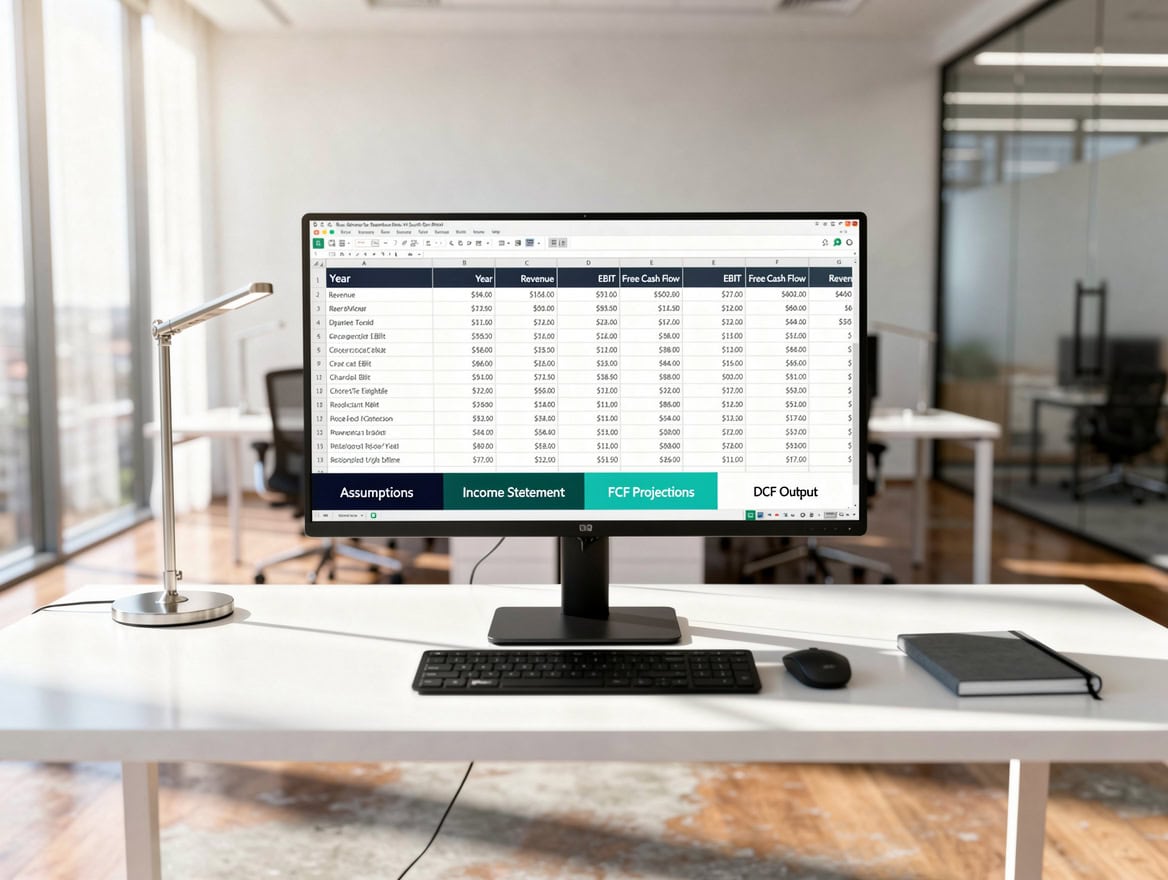
Every robust small business financial model contains these five sections, linked so that changing one assumption updates all outputs automatically.
What Should Be Inside Your Small Business Financial Model Template
A well-built small business financial model template contains five core sections. If a template you’re evaluating is missing any of these, it will create gaps in your analysis.
1. Assumptions Tab: Every number in your model flows from assumptions you set here: revenue growth rate, gross margin percentage, headcount, rent, and so on. A good template isolates all assumptions in one place so you can run scenarios by changing a single cell.
2. Revenue Model: This section breaks down how you earn money. For a product business, it’s units sold times price. For a service business, it’s hours billed times rate. For a subscription business, it’s starting subscribers plus new subscribers minus churned subscribers.
3. Operating Expenses: Fixed costs (rent, salaries, software subscriptions) and variable costs (commissions, shipping, raw materials) listed separately. This distinction matters because fixed costs don’t change when revenue drops, which is exactly when cash gets tight.
4. Three Financial Statements: Income statement, balance sheet, and cash flow statement, all linked. The cash flow statement is the most important for small businesses because profit on paper doesn’t mean cash in the bank.
5. Dashboard or Summary Tab: A one-page visual summary showing key metrics: monthly revenue, gross margin, net profit, cash balance, and runway. This is what you show a banker or investor in the first 30 seconds.
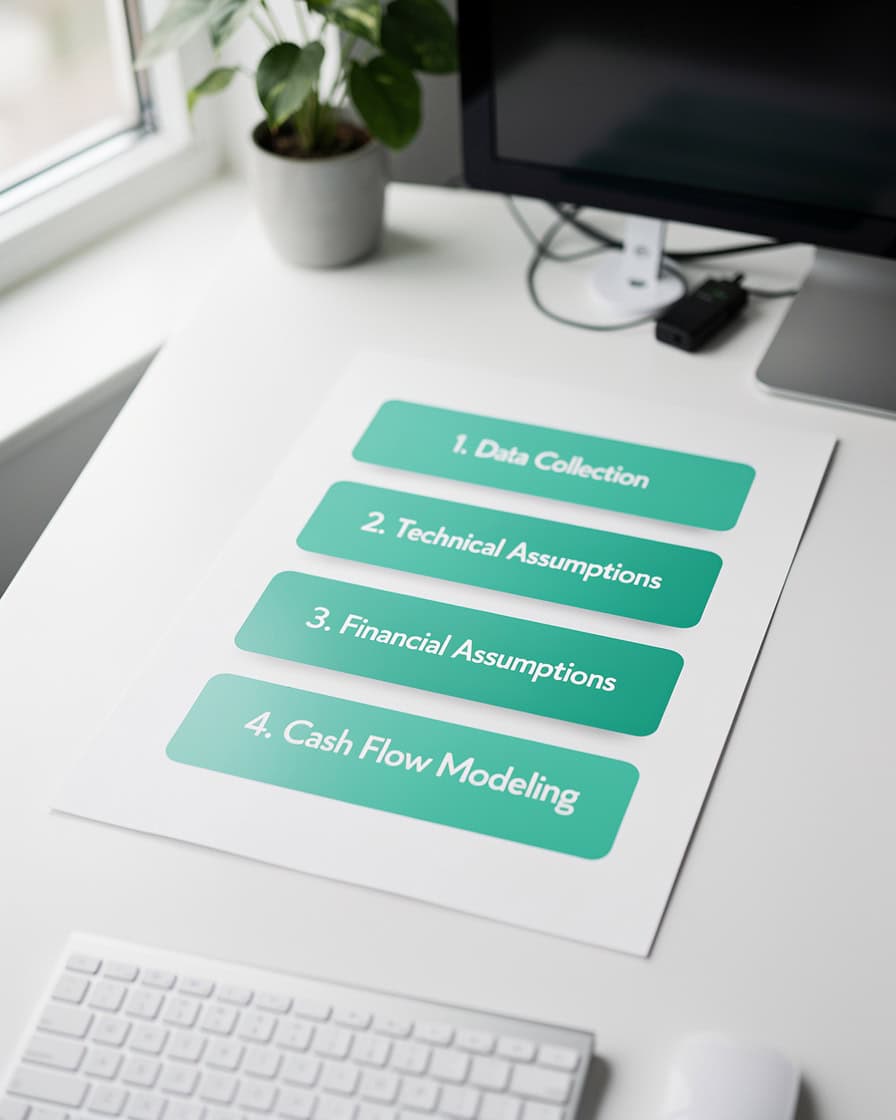
Following this five-step sequence in order prevents the most common setup errors and gets your model working in under 3 hours.
Step-by-Step: Implementing Your First Financial Model Template
You can set up a working financial model template in one weekend. Here’s the exact sequence, with the data you need to gather before you open the spreadsheet.
Before You Start: Gather These Numbers
- Last 12 months of bank statements (or 3 months if you’re newer)
- Your most recent profit and loss statement from your accounting software
- A list of all fixed monthly expenses with exact amounts
- Your average sale value and average number of sales per month
- Any outstanding loans with balance, interest rate, and monthly payment
Step 1: Enter Your Historical Revenue (30 minutes)
Input your actual monthly revenue for the past 6-12 months into the historical data tab. This gives the template a baseline to calculate growth rates automatically.
Step 2: Set Your Assumptions (45 minutes)
Navigate to the assumptions tab. Set your projected monthly revenue growth rate, gross margin percentage, and any planned changes to expenses (new hire, office expansion, equipment purchase). Start conservative: use your worst recent month as the baseline, not your best.
Step 3: Enter Fixed and Variable Costs (30 minutes)
List every recurring expense. Separate fixed costs (same every month) from variable costs (change with revenue). Common mistake: forgetting annual expenses like insurance renewals or software annual fees. Divide these by 12 and enter them as monthly amounts.
Step 4: Run the Break-Even Calculation
Break-even is the revenue level at which total costs equal total revenue. Here’s the math:
Break-Even Revenue = Fixed Monthly Costs / Gross Margin Percentage
Worked example: If your fixed costs are $8,000 per month and your gross margin is 40%, your break-even revenue is $8,000 / 0.40 = $20,000 per month. If you’re currently generating $15,000 per month, you need to close a $5,000 revenue gap before you’re profitable.
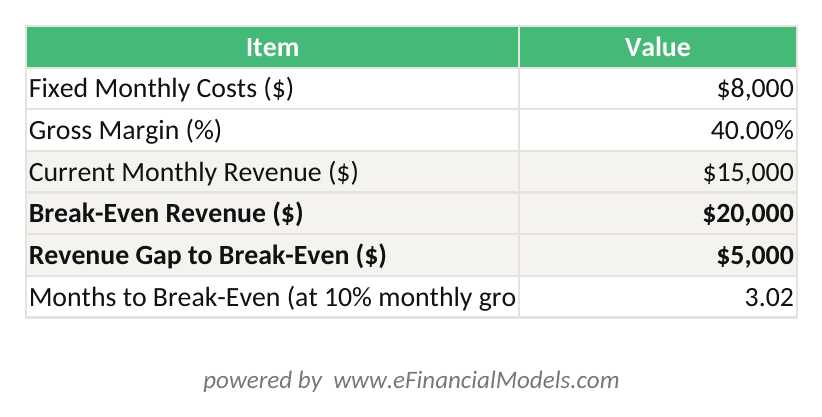
Break-Even Revenue = Fixed Monthly Costs / Gross Margin %. At $8,000 fixed costs and 40% margin, you need $20,000/month to cover all costs.
Step 5: Validate Your Model (20 minutes)
Three quick checks: (1) Does your projected cash balance ever go negative? If yes, you need more funding or lower costs. (2) Does your gross margin percentage stay consistent month to month, or does it swing wildly? Wild swings usually mean a formula error. (3) Does the cash flow statement balance to zero at the end? If not, there’s a linking error.
Break-even revenue = Fixed Costs / Gross Margin. At $8,000 fixed costs and 40% margin, you need $20,000 monthly revenue to cover all costs.
Free vs. Paid Financial Model Templates: What You Actually Get
Free templates work well for businesses under $500K in annual revenue with straightforward operations. Paid templates, which typically range from $50 to $300 on platforms like eFinancialModels, justify their cost in three specific situations.
When free templates are enough:
- You’re in your first year and need basic cash flow visibility
- Your business has one revenue stream and simple cost structure
- You’re building a model for internal planning only, not external presentation
When paid templates are worth it:
- You’re applying for an SBA loan or bank financing (lenders expect professional formatting and specific schedules)
- You’re pitching investors (a poorly formatted model signals inexperience faster than any number)
- Your business has multiple revenue streams, locations, or product lines that a generic template can’t handle
- You need industry-specific benchmarks built in (gross margin ranges, typical expense ratios)
Paid templates from eFinancialModels include pre-built formulas, error-checking logic, scenario comparison tools, and video walkthroughs. The financial projections templates on eFinancialModels are built by finance professionals and tested against real business use cases.
The Federal Reserve’s 2026 Report on Employer Firms found that 60% of small firms applied for financing in the prior 12 months, and only 42% of applicants received the full amount they asked for. Turning up with defensible numbers doesn’t require expensive software. It requires a template you’ll actually open every month.
Paid templates add scenario planning, industry benchmarks, and professional formatting that matter most when applying for loans or pitching investors.
Common Small Business Financial Model Template Mistakes
These five mistakes account for most of the errors EFM sees in small business financial models. Each one has a straightforward fix.
Mistake 1: Using best-case revenue assumptions
Small business owners naturally project optimistic growth. Build three scenarios: base case (realistic), downside (20% below base), and upside (20% above base). Make decisions based on the base case, not the upside.
Mistake 2: Forgetting the cash conversion lag
If you invoice clients and collect payment 30-60 days later, your income statement shows revenue before you have the cash. Your cash flow statement must reflect this lag. A template that doesn’t separate accrual accounting (recording revenue when earned) from cash accounting (recording revenue when received) will give you false confidence.
Mistake 3: Ignoring one-time costs
Equipment purchases, website redesigns, and security deposits don’t appear on your monthly P&L but they drain cash. Add a capital expenditure (CapEx) row to your cash flow statement for any purchase over $500.
Mistake 4: Never updating the model
A financial model you built in January and never touched again is a historical document, not a planning tool. Update your actuals vs. projections comparison every month. The Federal Reserve’s 2026 Small Business Credit Survey found that rising costs of goods, services and wages were the most common financial challenge small firms faced, with more than four in 10 also citing tariff-driven cost increases. A model built on last year’s cost base won’t show you any of that.
Mistake 5: Hardcoding numbers instead of using formulas
If you type “$5,000” directly into a cell instead of referencing your assumptions tab, you’ll forget to update it when your rent increases. Every number in your model should trace back to an assumption you can change in one place. Microsoft’s Excel specifications and limits documentation puts the ceiling at 64 levels of nested functions in a single formula. This means even the most complex small business model logic can be handled without breaking your spreadsheet.

These five mistakes account for most financial model errors in small businesses. Each has a straightforward fix that takes under 10 minutes to implement.
When to Graduate Beyond Templates: Red Flags
Templates solve 80% of small business financial modeling needs. These four situations signal that you need a custom model or professional help.
Red Flag 1: Multiple entities or locations. If you own three restaurants or two LLCs, a single template can’t consolidate your financials accurately. You need a multi-entity model with intercompany eliminations.
Red Flag 2: Complex debt structures. If you have a mix of SBA loans, equipment financing, a line of credit, and investor notes with different interest rates and repayment schedules, a template’s debt schedule won’t handle the complexity correctly.
Red Flag 3: Raising over $500K from investors. Sophisticated investors will stress-test your model. At this level, hire a financial modeler or fractional CFO to build a model that can withstand due diligence.
Red Flag 4: Your model takes more than 2 hours to update each month. If updating actuals is painful, the model is too complex for your current team. Simplify or get help.
Connecting Your Financial Model to Real Business Data
A financial model disconnected from your actual accounting data is a fiction exercise. Here’s how to bridge the gap.
Most small businesses use QuickBooks, Xero, or Wave for bookkeeping. All three can export a profit and loss statement and balance sheet as a CSV or Excel file. Import these exports into your template’s actuals tab each month. This takes about 20 minutes once you’ve done it twice.
For cash flow, connect your template to your bank’s transaction export (also available as CSV from most online banking portals). Map each transaction category to a line in your cash flow statement. After the first setup, monthly updates take under 30 minutes.
If you use QuickBooks Online, the built-in reporting exports match the standard financial statement format used in most financial model templates on eFinancialModels, making the import process straightforward.

Connecting your accounting software to your financial model template takes 20 minutes to set up and reduces monthly update time to under 30 minutes.
FAQ: Small Business Financial Model Templates
What is a financial model template and why does a small business need one?
A financial model template is a pre-built spreadsheet that organizes your business’s financial data into structured projections and reports. It contains formulas that automatically calculate key metrics like gross margin, break-even revenue, and cash runway when you enter your own numbers. Small businesses need one because banks require financial projections for loan applications, investors expect them before writing a check, and you need them to make informed decisions about hiring, pricing, and expansion. The SBA’s own guide to writing a business plan lists forecasted income statements, balance sheets, cash flow statements and capital expenditure budgets as standard content for a funding request. A template gives you that structure without requiring a finance degree.
How long does it take to set up a small business financial model template?
Most small business owners can set up a basic financial model template in 3-5 hours on their first attempt. The setup breaks down as follows: 1 hour gathering historical data from your accounting software and bank statements, 1 hour entering assumptions and historical revenue, 30 minutes entering expenses, and 1-2 hours validating the outputs and fixing any errors. After the initial setup, monthly updates typically take 20-30 minutes. eFinancialModels templates include video tutorials that reduce first-time setup to under 3 hours for most users. The key is gathering all your data before opening the spreadsheet, not hunting for numbers while you’re mid-build.
Can I use a free financial model template for a bank loan application?
Yes, but with important caveats. A free template can produce the three financial statements (income statement, balance sheet, cash flow) that most community banks and credit unions require for SBA loans. However, free templates often lack the debt schedule formatting, loan amortization tables, and collateral analysis sections that larger banks expect. If you’re applying for an SBA 7(a) loan over $150,000, a paid template with a proper debt schedule and sensitivity analysis (a tool that shows how your financials change under different scenarios) is worth the $50-$200 investment. SBA guidance asks for a prospective financial outlook covering the next five years, with quarterly or monthly detail for year one. Most free templates don’t go that deep.
What’s the difference between a cash flow template and a 3-statement financial model?
A cash flow template tracks only the movement of cash in and out of your business, typically on a weekly or monthly basis. It answers one question: do you have enough cash to pay your bills? A 3-statement financial model is more comprehensive. It links three documents: the income statement (revenue minus expenses equals profit), the balance sheet (assets minus liabilities equals equity), and the cash flow statement. The 3-statement model shows not just cash position but overall financial health, profitability trends, and net worth. For day-to-day cash management, use the cash flow tracker. For loan applications, investor presentations, or annual planning, use the 3-statement model. Many small businesses run both simultaneously, using the cash flow tracker weekly and the 3-statement model for quarterly reviews.
How often should I update my small business financial model?
Update your financial model at minimum once per month. The monthly update process involves importing actual revenue and expense data from your accounting software, comparing actuals to your projections, and adjusting future-month assumptions if your business is tracking significantly above or below plan. Quarterly, revisit your annual assumptions: growth rate, hiring plans, and major expense changes. The Federal Reserve’s Small Business Credit Survey recorded a six-point drop in its revenue expectations index, from 39 to 33, which is exactly the kind of shift that invalidates last year’s growth assumptions. If you’re in a high-growth phase or managing tight cash flow, update weekly. A model you update monthly is 10 times more valuable than one you update annually.
Do I need Excel to use a small business financial model template?
Most professional financial model templates, including those on eFinancialModels, are built in Microsoft Excel because Excel supports the complex formula structures, scenario tools, and formatting that financial models require. Microsoft’s published Excel limits put a single worksheet at 1,048,576 rows by 16,384 columns. This gives you more than enough capacity for any small business model. Google Sheets can open and run most Excel-based templates, though some advanced features like data tables and certain array formulas may not work correctly. If you don’t have Excel, Google Sheets handles 80% of template functionality at no cost. For templates with complex scenario analysis or VBA macros (automated Excel programming), Excel is required.
What financial data do I need before I can start filling out a template?
You need six categories of data before opening any financial model template: (1) monthly revenue for the past 6-12 months, broken down by product or service line if possible; (2) a complete list of fixed monthly expenses with exact dollar amounts; (3) variable cost percentages, such as what percentage of each sale goes to materials or commissions; (4) current bank account balances; (5) any outstanding loan balances with interest rates and monthly payments; and (6) your planned major expenses for the next 12 months, such as equipment, marketing campaigns, or new hires. If you use QuickBooks or Xero, export your profit and loss statement and balance sheet for the past year. That single export contains most of what you need. Missing data is the number one reason small business owners abandon their financial model mid-setup.
Conclusion
The best financial model template for your small business is the one that matches your current stage, solves your most urgent financial problem, and is simple enough that you’ll update it every month. Start with a cash flow tracker if you’re managing survival. Graduate to a 3-statement model when you’re ready to grow, borrow, or bring in investors.
I recommend downloading the eFinancialModels startup financial model templates or browsing the full financial model template library to find a pre-built template matched to your industry. Each template includes built-in formulas, a dashboard, and video tutorials so you can go from blank spreadsheet to working model in a single weekend, without hiring a consultant.