
0 ITEMS

Real Estate Development Financial Model: Excel Guide
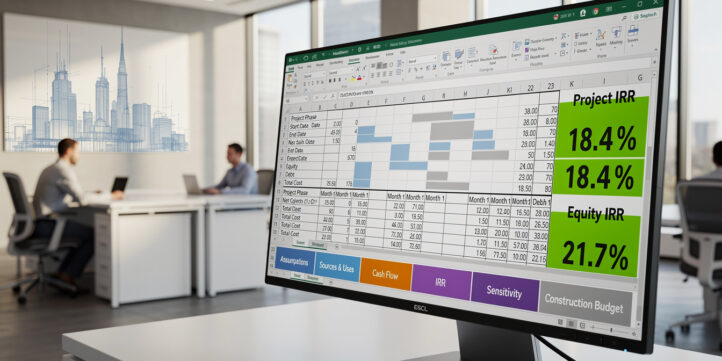
A real estate development financial model in Excel maps every dollar from land acquisition through project sale, giving developers and investors a single source of truth for feasibility decisions.
Key Takeaways
- A complete development model has 6 core modules: land costs, pre-development, construction, financing, revenue, and returns — all linked to a master timeline.
- Target project IRR benchmarks range from 15% to 25% for ground-up multifamily and 18% to 30% for speculative industrial, depending on market and risk profile.
- Construction contingency of 5% to 10% of hard costs is standard in institutional pro formas; omitting it is the single most common modeling error.
- Excel’s XIRR function (not IRR) is required for development models because cash flows occur on irregular dates, not uniform monthly intervals.
- Construction loans typically cover 60% to 75% of total project cost (loan-to-cost ratio), with interest rates priced at SOFR plus 250 to 400 basis points as of 2024-2025.
- Sensitivity tables built with Excel’s two-variable Data Table tool let you stress-test exit cap rate against construction cost simultaneously in under 5 minutes.
- eFinancialModels provides professionally built real estate development financial model templates that include all 6 modules, pre-wired formulas, and scenario dashboards.
What Is a Real Estate Development Financial Model?
A real estate development financial model is a structured Excel workbook that forecasts all costs, revenues, and returns for a ground-up or major renovation project across its full lifecycle. Unlike a stabilized acquisition model, a development model must account for a construction period with no income, capitalized interest (interest that accrues during construction and is added to the loan balance rather than paid in cash), phased revenue recognition, and a waterfall distribution (the contractual order in which cash flows are split between debt, preferred equity, and common equity partners).
Developers use these models to answer three questions before committing capital: Is the project feasible? What returns does it generate? And how sensitive are those returns to changes in key assumptions?

The 6 core modules of a development model are sequentially linked — a change in construction cost flows automatically through financing, revenue, and returns.
Core Components of a Development Model in Excel
Every professional real estate development financial model in Excel contains six linked modules. Each module feeds the next, so a change in one assumption ripples through the entire model automatically.
- Land and acquisition costs — purchase price, transfer taxes, due diligence fees, and closing costs.
- Pre-development costs — architecture, engineering, permitting, legal, and entitlement fees, typically 3% to 8% of total project cost.
- Construction cost buildup — hard costs (materials and labor), soft costs (design, insurance, developer fee), and contingency.
- Financing structure — construction loan draws, equity contributions, and capitalized interest during construction.
- Revenue projections — unit sales, lease-up schedule, or a combination, tied to the project timeline.
- Returns calculations — project IRR, equity IRR, equity multiple, cash-on-cash return, and debt service coverage ratio (DSCR).
Separating these six modules into distinct Excel worksheets, with a single Inputs tab controlling all assumptions, is the foundation of a maintainable model. eFinancialModels templates follow this exact architecture across all real estate financial models.
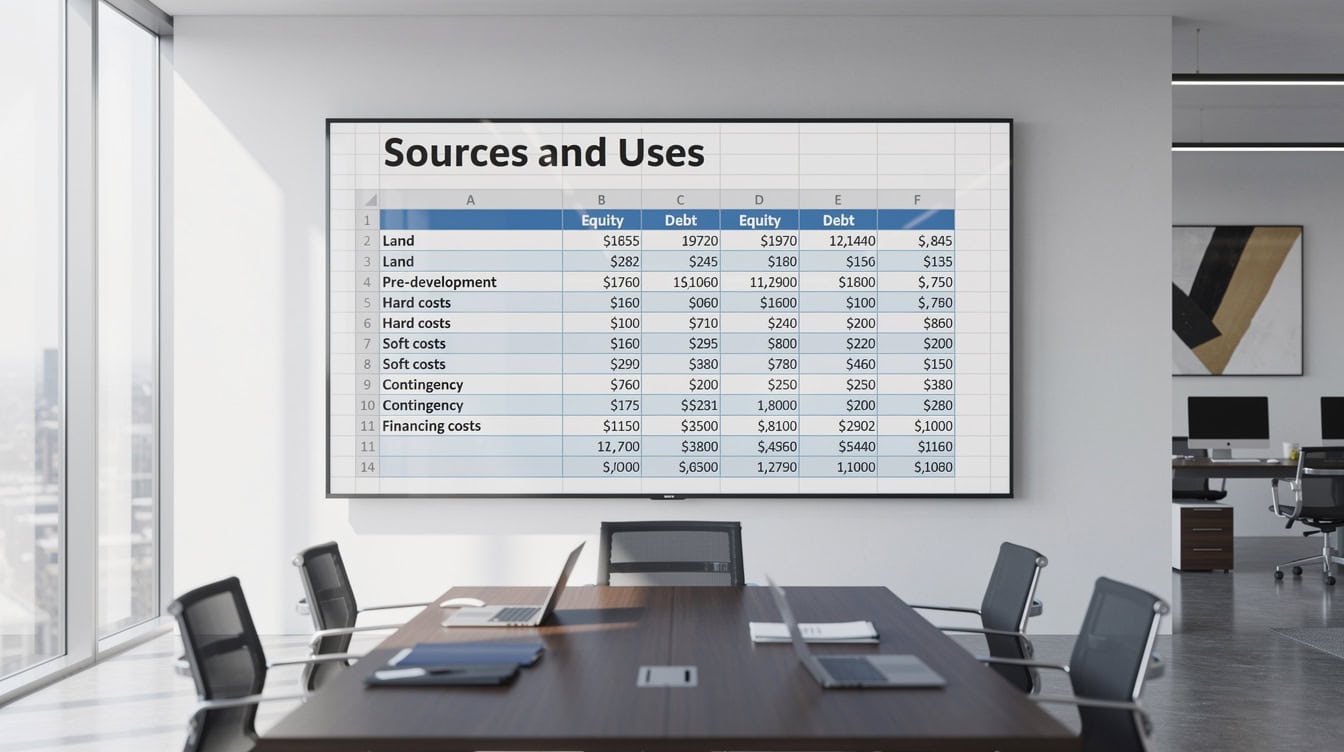
The Sources and Uses table reconciles total project cost against debt and equity — every lender reviews this page first.
Building the Development Timeline and Phasing Structure
The timeline is the backbone of a development model. Every cost and revenue line item must be indexed to a specific month or quarter, not just a total dollar amount.
Build your timeline as a row of date headers across the top of a calculation sheet, starting with the land closing date and ending 6 to 12 months after the last revenue event. Use Excel’s EDATE function to generate monthly periods automatically: =EDATE($B$1, (COLUMN()-COLUMN($B$1))) where $B$1 holds your project start date. This formula advances the date by one month for each column, eliminating manual date entry errors.
For phased projects (for example, a 3-phase residential subdivision), create a separate phase flag row using IF statements that activate cost and revenue columns only within each phase’s start and end months. INDEX-MATCH pairs work well here to look up phase-specific unit counts or cost rates against the timeline.

A 30-month development timeline: 6 months pre-development, 18 months construction, 6 months lease-up. Every cost and revenue line item must be indexed to a specific month.
Modeling Land Acquisition and Pre-Development Costs
Land and pre-development costs are typically funded 100% by equity because construction lenders do not advance funds until permits are in hand. Model these as negative cash flows in the months before construction starts.
A standard land cost buildup looks like this:
- Land purchase price
- Transfer taxes (varies by jurisdiction, commonly 0.1% to 2.0% of purchase price)
- Title insurance and closing costs (0.3% to 0.5% of purchase price)
- Due diligence and environmental reports
- Architect and engineering fees (pre-permit phase)
- Entitlement and permitting fees
- Legal and consultant fees
Sum these into a single Pre-Development Total cell and link it to your Sources and Uses table, which reconciles total project cost against total financing. The Sources and Uses table is a one-page summary that every lender and equity partner will review first.
Construction contingency (5-10% of hard costs) is shown in orange — the most commonly omitted line item in amateur development pro formas.
Construction Cost Buildup and Draw Schedules
Construction costs split into hard costs and soft costs. Hard costs cover physical construction: site work, structure, MEP (mechanical, electrical, plumbing), and finishes. Soft costs cover design, permits, insurance, developer fee, and financing costs. A standard developer fee runs 3% to 5% of total project cost according to industry practice tracked by the Urban Land Institute.
Construction contingency of 5% to 10% of hard costs is the institutional standard. According to the Associated General Contractors of America, material cost volatility since 2020 has pushed many developers toward the 10% end of that range for projects breaking ground in 2024-2025. Associated General Contractors of America
The draw schedule models how construction loan proceeds are disbursed each month. A simple S-curve draw schedule uses the following Excel formula to distribute total hard costs across the construction period:
=Hard_Cost_Total * (NORM.DIST((Month_Number / Construction_Months), 0.5, 0.15, TRUE) - NORM.DIST(0, 0.5, 0.15, TRUE))
This applies a normal distribution (bell curve) to front-load costs in the middle of construction, which matches how most general contractors bill. Alternatively, use a straight-line draw for simplicity: =Hard_Cost_Total / Construction_Months per month.
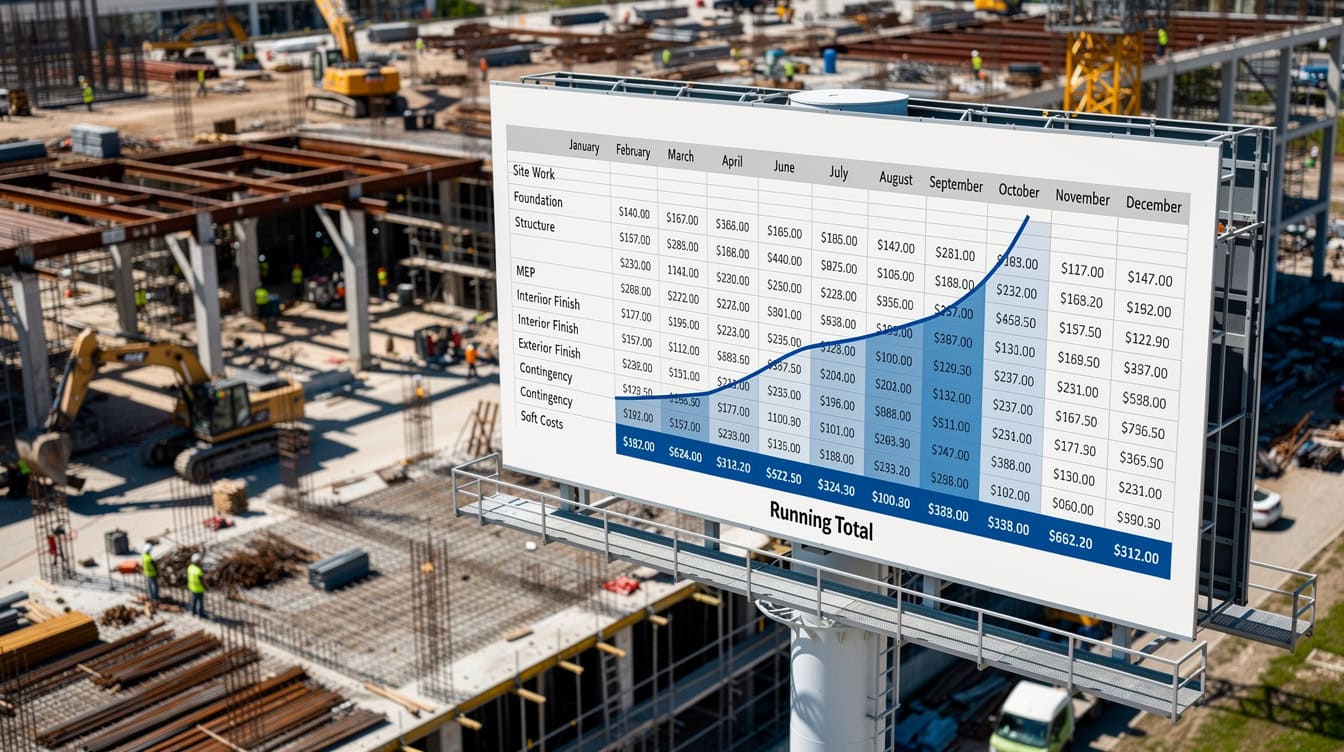
An S-curve draw schedule front-loads costs in the middle of construction, matching how most general contractors submit payment applications.
Financing Structure: Debt, Equity, and Construction Loans
Construction loans typically cover 60% to 75% of total project cost (the loan-to-cost ratio, or LTC). The Federal Reserve’s Senior Loan Officer Opinion Survey (SLOOS) data from 2024 shows that construction and land development lending standards tightened significantly, with most lenders pricing construction loans at SOFR plus 250 to 400 basis points. Federal Reserve At a 5.3% SOFR rate in mid-2024, that placed all-in construction loan rates between 7.8% and 9.3%.
Capitalized interest is the most technically complex element of a development model. Because no income exists during construction, interest accrues and is added to the outstanding loan balance each month rather than paid in cash. This creates a circular reference (a formula that refers back to itself) in Excel: the loan balance drives interest, and interest increases the loan balance.
Solve this by enabling iterative calculations in Excel: go to File, Options, Formulas, and check “Enable iterative calculation” with a maximum of 100 iterations. Then model the monthly interest as:
=Opening_Loan_Balance * (Annual_Rate / 12)
And the closing balance as:
=Opening_Balance + Draw_This_Month + Capitalized_Interest_This_Month
For equity waterfall structures in joint ventures, preferred returns of 6% to 9% per annum are common for limited partners, with a promote (carried interest) split of 80/20 or 70/30 between LP and GP after the preferred return hurdle is cleared. eFinancialModels offers dedicated private equity waterfall distribution models that handle multi-tier promote structures.

A 3-tier waterfall: LPs receive capital back first, then an 8% preferred return, then split remaining profits 70/30 with the GP promote.
Revenue Projections: Sales, Leasing, and Absorption Assumptions
Revenue modeling differs sharply between for-sale and for-lease development. For-sale projects (condominiums, single-family lots) recognize revenue at closing, so the absorption rate (the number of units sold per month) drives the revenue timing. For-lease projects (multifamily, office, industrial) recognize revenue as leases commence, so lease-up pace and stabilized occupancy are the key drivers.
Typical absorption rate assumptions by property type, based on Urban Land Institute market data:
- Multifamily (urban): 15 to 25 units per month at stabilization
- For-sale condominiums: 3 to 8 units per month in a healthy market
- Industrial (speculative): 3 to 6 months to full occupancy for buildings under 200,000 square feet
- Office (suburban): 12 to 24 months to stabilization post-delivery
In Excel, model monthly revenue as: =Units_Sold_This_Month * Average_Sale_Price for for-sale, or =Leased_SF_This_Month * Annual_Rent_PSF / 12 for for-lease. Link the units or SF leased each month to your absorption schedule, which you build as a separate input table.

Urban multifamily projects typically absorb 15-25 units per month, reaching stabilized occupancy (93%+) within 12-18 months of delivery.
Calculating Development Returns: IRR, Equity Multiple, and Cash-on-Cash
Development returns are the model’s primary output. The four metrics every developer and investor tracks are:
- Project IRR: the internal rate of return on total project costs, before financing. Use
=XIRR(cash_flow_range, date_range)because development cash flows occur on irregular dates. - Equity IRR: the IRR on equity cash flows only (contributions and distributions). This is always higher than project IRR when leverage is positive.
- Equity Multiple: total equity distributions divided by total equity invested. A 2.0x multiple means you doubled your money.
- Cash-on-Cash Return: annual cash distributions divided by equity invested, measured during the operating phase.
Worked Numerical Example
Here’s the math for a simple 24-month multifamily development:
- Total project cost: $20,000,000
- Construction loan (70% LTC): $14,000,000
- Equity invested: $6,000,000
- Capitalized interest during construction (18 months at 8.5%): approximately $1,190,000 (added to loan balance)
- Total loan at completion: $15,190,000
- Sale price at stabilization (Year 3, 5.0% exit cap on $1,200,000 NOI): $24,000,000
- Loan repayment at sale: $15,190,000
- Net equity proceeds: $8,810,000
- Equity Multiple: $8,810,000 / $6,000,000 = 1.47x
- Equity IRR (XIRR over 36 months): approximately 16.2%
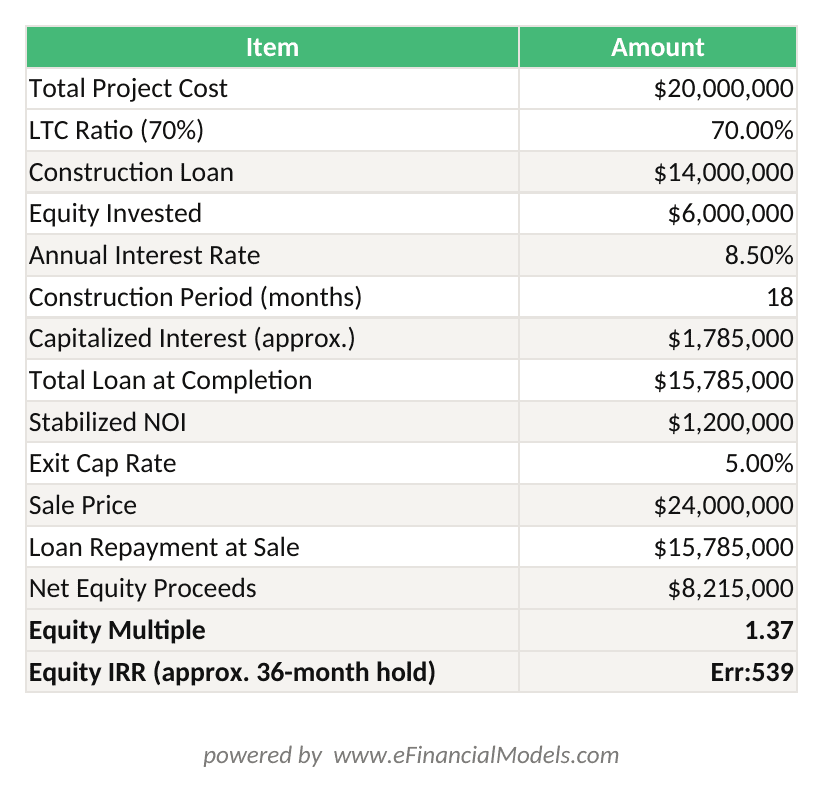
Equity IRR = XIRR({-6,000,000; 8,810,000}, {Jan-2022; Jan-2025}) ≈ 16.2%. Equity Multiple = $8,810,000 / $6,000,000 = 1.47x.
This example assumes no preferred return split. With a 70/30 GP/LP promote after an 8% preferred return, the LP receives the first 8% annually on their $4,200,000 contribution (70% of equity), then splits remaining profits 70/30 with the GP.
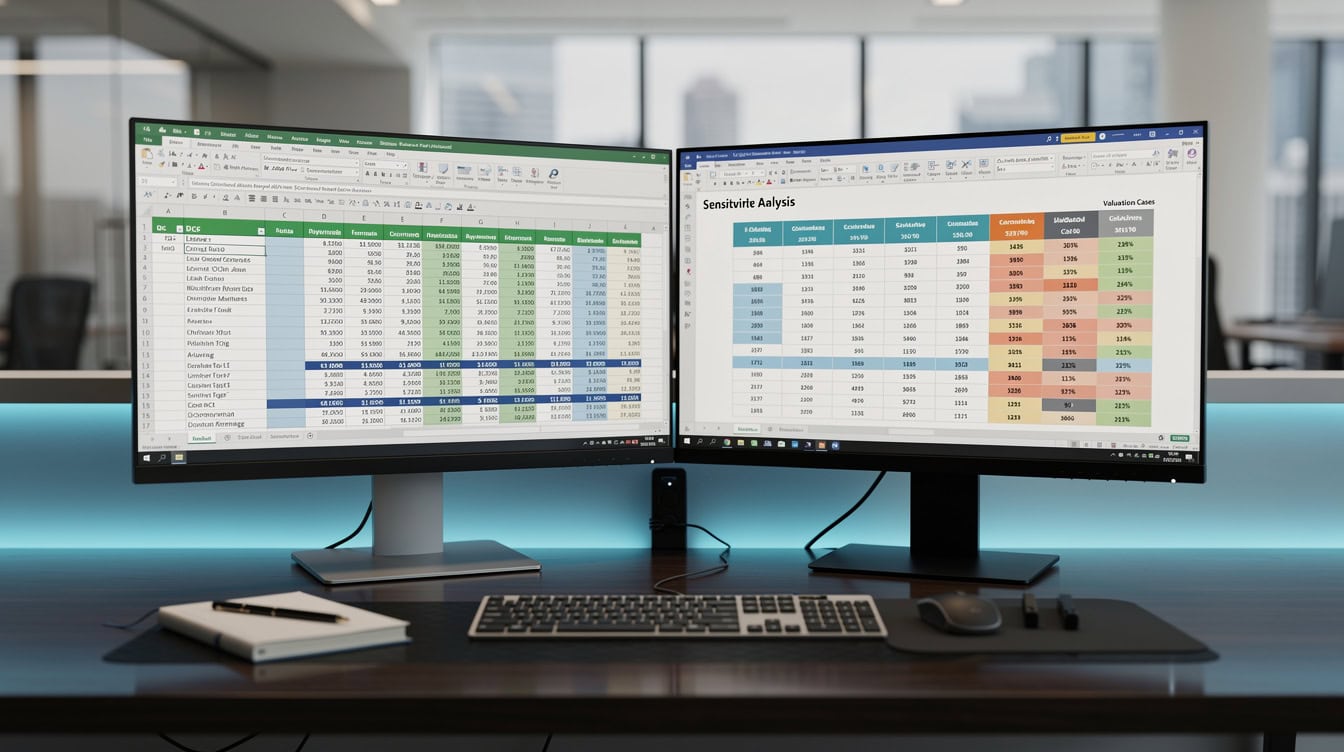
A two-variable Data Table stress-tests 25 IRR scenarios simultaneously — green cells clear the 15% hurdle rate, red cells do not.
Essential Excel Formulas for Real Estate Development Models
These are the Excel functions that separate a professional development model from a basic spreadsheet.
| Formula | Use Case | Key Argument |
|---|---|---|
| XIRR | Equity and project IRR | Irregular date cash flows |
| XNPV | Net present value | Irregular date cash flows |
| EDATE | Timeline generation | Advance dates by N months |
| OFFSET | Dynamic draw schedules | Shift reference by rows/cols |
| INDEX-MATCH | Phase lookups | Non-contiguous range matching |
| SUMPRODUCT | Weighted averages | Blended rate calculations |
| DATA TABLE | Sensitivity analysis | Two-variable stress testing |
| IFERROR | Error suppression | Wrap division formulas |
XNPV (net present value with irregular dates) is the correct function for development models. The standard NPV function assumes cash flows arrive at equal intervals, which is never true in development. XNPV syntax: =XNPV(discount_rate, cash_flows, dates). Excel supports XNPV natively in all versions from Excel 2010 onward. Microsoft Support
Data Tables (found under Data, What-If Analysis) let you build a sensitivity matrix with two variables simultaneously. For example, row headers = exit cap rates (4.0% to 6.5% in 0.25% steps), column headers = construction cost overrun percentages (0% to 20% in 5% steps), and the table body = equity IRR. This produces a 10×5 matrix of 50 IRR outcomes in seconds.
Scenario Analysis and Sensitivity Testing in Excel
Scenario analysis is not optional in development modeling. Market uncertainty is the defining feature of development risk, and lenders and equity partners expect to see best, base, and worst-case outputs before committing capital.
Build three named scenarios using Excel’s Scenario Manager (Data, What-If Analysis, Scenario Manager) or, for more control, a dropdown-driven input switch using INDEX and CHOOSE functions. Link every key assumption (construction cost per square foot, absorption rate, exit cap rate, rent per square foot) to the scenario selector.
A two-variable Data Table for exit cap rate vs. construction cost is the most common sensitivity output in institutional development pro formas. Here’s how to build one:
- Place your equity IRR formula in a cell (for example, C10).
- In a new table, put cap rate values across row 1 (D11:H11) and cost overrun percentages down column A (C12:C16).
- Select the full table range (C11:H16).
- Go to Data, What-If Analysis, Data Table.
- Set Row Input Cell = your cap rate assumption cell; Column Input Cell = your cost overrun assumption cell.
- Click OK. Excel populates all 25 cells instantly.
Conditional formatting (green for IRR above hurdle, red for below) makes the output immediately readable for non-modelers.
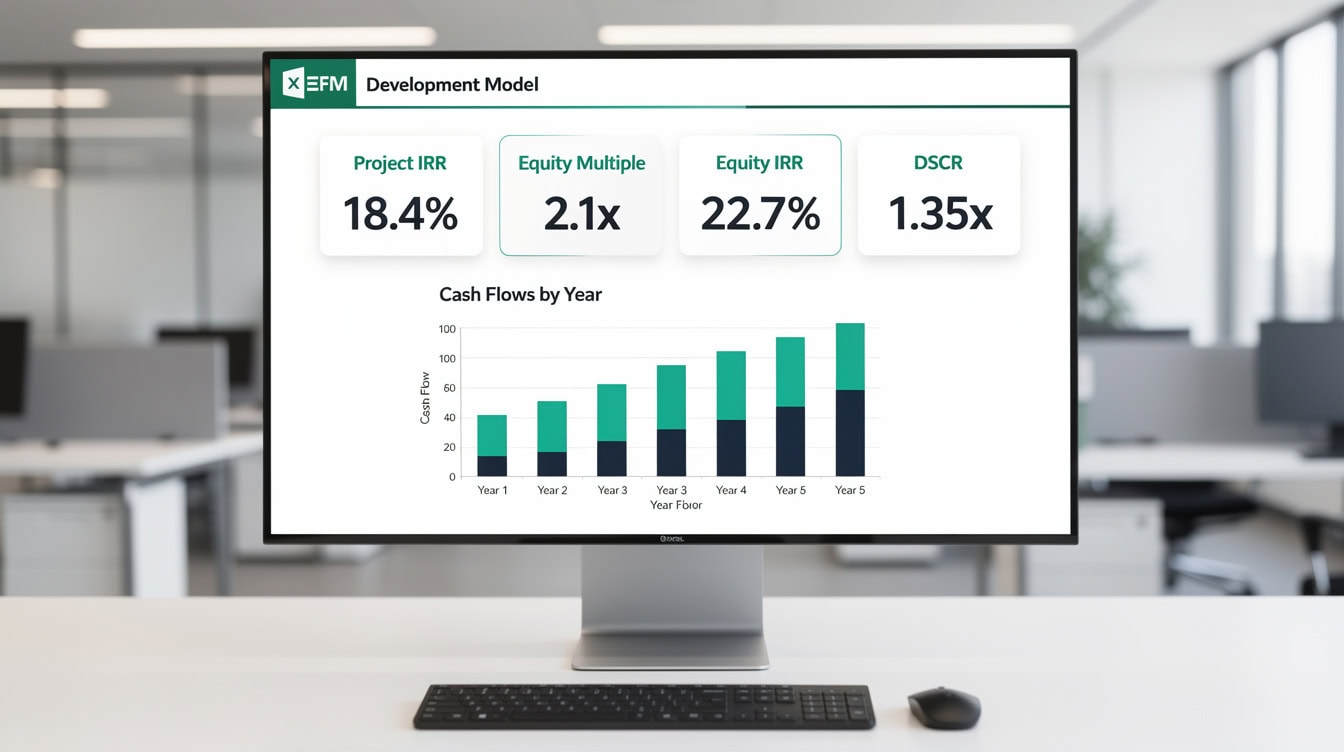
A one-page returns dashboard lets developers and investors assess feasibility at a glance before reviewing detailed assumptions.
Common Modeling Mistakes and How to Avoid Them
Development models fail in predictable ways. Here are the 5 most common errors and their fixes.
1. Circular reference with construction interest not resolved
Fix: Enable iterative calculations in Excel Options, or use a prior-period balance to break the circularity: =Prior_Month_Balance * (Rate/12).
2. Omitting construction contingency
Fix: Always include a contingency line of at least 5% of hard costs. For projects with complex site conditions or volatile material markets, use 10%.
3. Using IRR instead of XIRR
Fix: Replace every =IRR() call with =XIRR(values, dates). IRR assumes monthly cash flows; XIRR uses actual dates. The difference can be 200 to 400 basis points on a 36-month project.
4. Incorrect timing of revenue recognition
Fix: For-sale revenue hits the cash flow in the month of closing, not the month of contract signing. For-lease revenue starts in the month the tenant takes occupancy, offset by any free rent period.
5. Hardcoding financing costs instead of linking to the draw schedule
Fix: Calculate interest each month as =Outstanding_Balance * (Rate/12). Never type a lump-sum interest figure. Hardcoded numbers break when assumptions change and are invisible to reviewers.
According to a study published in the Journal of Real Estate Research, assumption errors in development pro formas, particularly around absorption timing and cost escalation, are a leading contributor to project cost overruns and return shortfalls in ground-up development. Journal of Real Estate Research
Real Estate Development Model Template Structure and Best Practices
A professional Excel development model follows a strict sheet architecture. Every input lives on one tab; every calculation lives on separate tabs; every output lives on a dashboard tab. This separation means you can change an assumption once and trust that every output updates correctly.
Recommended sheet structure:
| Sheet Name | Purpose | Color Code |
|---|---|---|
| Inputs | All assumptions | Blue tab |
| Timeline | Monthly period headers | Gray tab |
| Costs | Land, pre-dev, construction | Yellow tab |
| Financing | Loan draws, interest, equity | Orange tab |
| Revenue | Sales or lease schedule | Green tab |
| Returns | IRR, EM, DSCR, waterfall | White tab |
| Dashboard | Charts and summary | Red tab |
| Scenarios | Best/base/worst inputs | Purple tab |
Color-code input cells in blue (or use a light blue fill) and formula cells in white. Never type a number directly into a formula cell. Use named ranges for key assumptions (for example, name cell B5 “Construction_Rate” rather than referencing $B$5 throughout the model). Named ranges make formulas readable and reduce errors when rows are inserted.
Version control is critical. Save a new file version at each major milestone: land closing, permit approval, construction start, and stabilization. Include the date in the filename: ProjectName_DevModel_v3_2024-09-15.xlsx.
For teams building models from scratch, eFinancialModels provides financial model templates with pre-built sheet architecture, color coding, and formula documentation, cutting build time from 40+ hours to under 4 hours.
Frequently Asked Questions
What Excel functions are most important for a real estate development financial model?
The 3 most critical Excel functions for development models are XIRR, XNPV, and the two-variable Data Table. XIRR calculates the internal rate of return using actual dates rather than assuming equal time periods, which is essential because development cash flows are irregular. For example, `=XIRR({-6000000, 8810000}, {“1/1/2022”, “1/1/2025”})` returns approximately 13.7% for a 3-year hold. XNPV applies the same date-aware logic to net present value calculations. Data Tables let you stress-test two variables simultaneously, such as exit cap rate and construction cost, producing a full sensitivity matrix in seconds without writing any additional formulas. Excel has supported all three functions since Excel 2010 (Microsoft Support).
How do I model capitalized interest during construction in Excel?
Capitalized interest is interest that accrues on the construction loan during the build period and is added to the loan balance rather than paid in cash. To model it in Excel, first enable iterative calculations under File, Options, Formulas, setting maximum iterations to 100. Then calculate monthly interest as `=Opening_Balance (Annual_Rate / 12) and add it to the closing balance: =Opening_Balance + Monthly_Draw + Capitalized_Interest. On a $14,000,000 construction loan at 8.5% over 18 months, capitalized interest totals approximately $1,190,000, raising the total loan balance to $15,190,000 at completion. This amount must be repaid at sale or refinancing, directly reducing equity proceeds. Failing to model this correctly understates total project cost by 6% to 9% on typical development deals.
What IRR should a real estate development project target?
Target IRR benchmarks vary by property type and market risk. Ground-up multifamily in primary markets typically targets 15% to 20% project IRR and 18% to 25% equity IRR. Speculative industrial development targets 18% to 30% equity IRR given higher lease-up risk. Office development in secondary markets may require 20% or higher to attract equity capital given current market conditions. These benchmarks reflect the illiquidity premium and construction risk premium that development carries over stabilized acquisitions, which typically target 8% to 14% unlevered IRR. Always compare your modeled IRR against the opportunity cost of capital for your specific investor base, not generic benchmarks.
What is a waterfall distribution in a real estate development joint venture?
A waterfall distribution is the contractual order in which cash flows are allocated between the general partner (GP, the developer) and limited partners (LPs, the equity investors). A typical 3-tier waterfall works as follows: Tier 1 returns all invested capital to LPs and GP pro-rata. Tier 2 pays LPs a preferred return of 6% to 9% per annum on their invested capital. Tier 3 splits remaining profits between LP and GP, often 70/30 or 80/20, with the GP receiving the larger share (called the promote or carried interest) as compensation for development risk and management. In Excel, model each tier using nested IF statements or a waterfall calculation table that tracks cumulative distributions against each hurdle. eFinancialModels offers dedicated waterfall distribution models for complex multi-tier structures.
How do I build a sensitivity table for a development model in Excel?
A two-variable Data Table is the standard tool for sensitivity analysis in Excel development models. Place your output formula (for example, equity IRR) in a cell, then create a table with one variable across the top row and a second variable down the left column. Select the entire table including the formula cell at the top-left corner, go to Data, What-If Analysis, Data Table, and assign the row input cell and column input cell to your two assumption cells. Excel recalculates the output for every combination instantly. A common development sensitivity pairs exit cap rate (rows: 4.0% to 6.5% in 0.25% steps) against construction cost per square foot (columns: base minus 10% to base plus 20%). Apply conditional formatting with a green-to-red color scale so stakeholders can immediately identify which combinations clear the IRR hurdle rate.
What is the standard construction loan LTC ratio and how does it affect my model?
The loan-to-cost (LTC) ratio is the construction loan amount divided by total project cost. Most construction lenders in 2024-2025 offer LTC ratios of 60% to 75%, with 65% being the most common for ground-up multifamily. A higher LTC reduces the equity required but increases interest expense and lender scrutiny. In your Excel model, set LTC as an input assumption and calculate the loan amount as =Total_Project_Cost LTC_Ratio`. The remaining cost is funded by equity: `=Total_Project_Cost (1 – LTC_Ratio)`. Changing the LTC from 65% to 70% on a $20,000,000 project reduces required equity from $7,000,000 to $6,000,000, boosting equity IRR by roughly 200 to 300 basis points if the project succeeds, but amplifying losses if costs overrun. The Federal Reserve’s 2024 SLOOS data confirms that construction lending standards tightened materially, making 70%+ LTC loans harder to obtain without strong sponsor track records (Federal Reserve).
Can I use a pre-built template instead of building a development model from scratch?
Yes, and for most practitioners, a professionally built template is the better starting point. Building a complete development model from scratch takes 30 to 50 hours for an experienced modeler and introduces significant formula error risk. A pre-built template from eFinancialModels includes all 6 core modules, pre-wired XIRR and XNPV formulas, a construction draw schedule, capitalized interest calculation with iterative solving, a waterfall distribution module, and a scenario dashboard. You input your project-specific assumptions and the model produces outputs immediately. This approach reduces build time to under 4 hours and eliminates common structural errors like hardcoded interest or missing contingency lines. eFinancialModels real estate development templates are built to institutional standards and include documentation for every formula.
Conclusion
A real estate development financial model in Excel is the most important analytical tool a developer or investor can build before committing capital. The model must cover all six modules, use XIRR and XNPV for accurate return calculations, solve capitalized interest with iterative calculations, and stress-test key assumptions with two-variable Data Tables. Omitting construction contingency, using IRR instead of XIRR, or hardcoding financing costs are the three mistakes most likely to produce a model that misleads rather than informs.
I recommend downloading the eFinancialModels Real Estate Development Financial Model template to start with a professionally structured workbook that already handles construction draws, capitalized interest, waterfall distributions, and scenario analysis, so you can focus on your project assumptions rather than formula architecture.
























































