
0 ITEMS

CRE Acquisition Model Excel: Build IRR to Waterfall
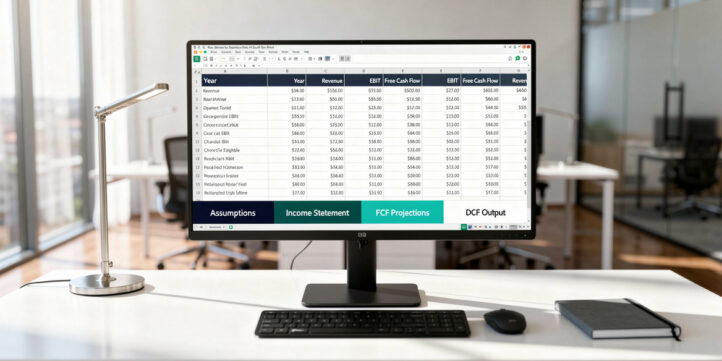
A commercial real estate acquisition model in Excel is the single analytical tool that separates disciplined buyers from those who overpay. This guide walks you through every tab, formula, and return metric you need to build one from scratch.
Key Takeaways
- A complete CRE acquisition model has 8 core tabs: assumptions, rent roll, revenue, operating expenses, debt schedule, cash flow waterfall, returns summary, and sensitivity analysis.
- Institutional investors typically target levered IRRs of 12–18% for value-add multifamily and 8–12% for stabilized core assets, according to NCREIF benchmarks.
- The debt service coverage ratio (DSCR) formula is Net Operating Income divided by Annual Debt Service; most lenders require a minimum DSCR of 1.25x.
- XIRR, not IRR, is the correct Excel function for CRE models because it handles irregular cash flow timing across actual calendar dates.
- Preferred returns in institutional real estate waterfall structures typically range from 6% to 9%, with GP promote splits of 20–30% above the hurdle.
- Exit cap rate assumptions drive terminal value more than any other single variable; a 25-basis-point cap rate expansion on a $10M NOI property reduces value by roughly $2.5M.
- Sensitivity tables built with Excel’s two-variable Data Table function let you stress-test exit cap rate and rent growth simultaneously in under 10 minutes.
What Is a Commercial Real Estate Acquisition Model?
A commercial real estate acquisition model is a structured Excel workbook that projects a property’s cash flows, debt obligations, and investor returns over a defined hold period, typically 3 to 10 years. It answers one core question: given the purchase price, financing terms, and operating assumptions, what return will investors earn?
The model covers every stage of the investment lifecycle: acquisition costs, operating performance, debt service, capital expenditures, and the eventual sale. Unlike a simple cap rate calculation, a full acquisition model captures the time value of money, lease rollover risk, and the layered economics of a capital stack (the hierarchy of debt and equity claims on a property’s cash flows).
EfinancialModels provides institutional-grade commercial real estate acquisition model templates used by acquisition analysts at private equity firms, family offices, and REITs.
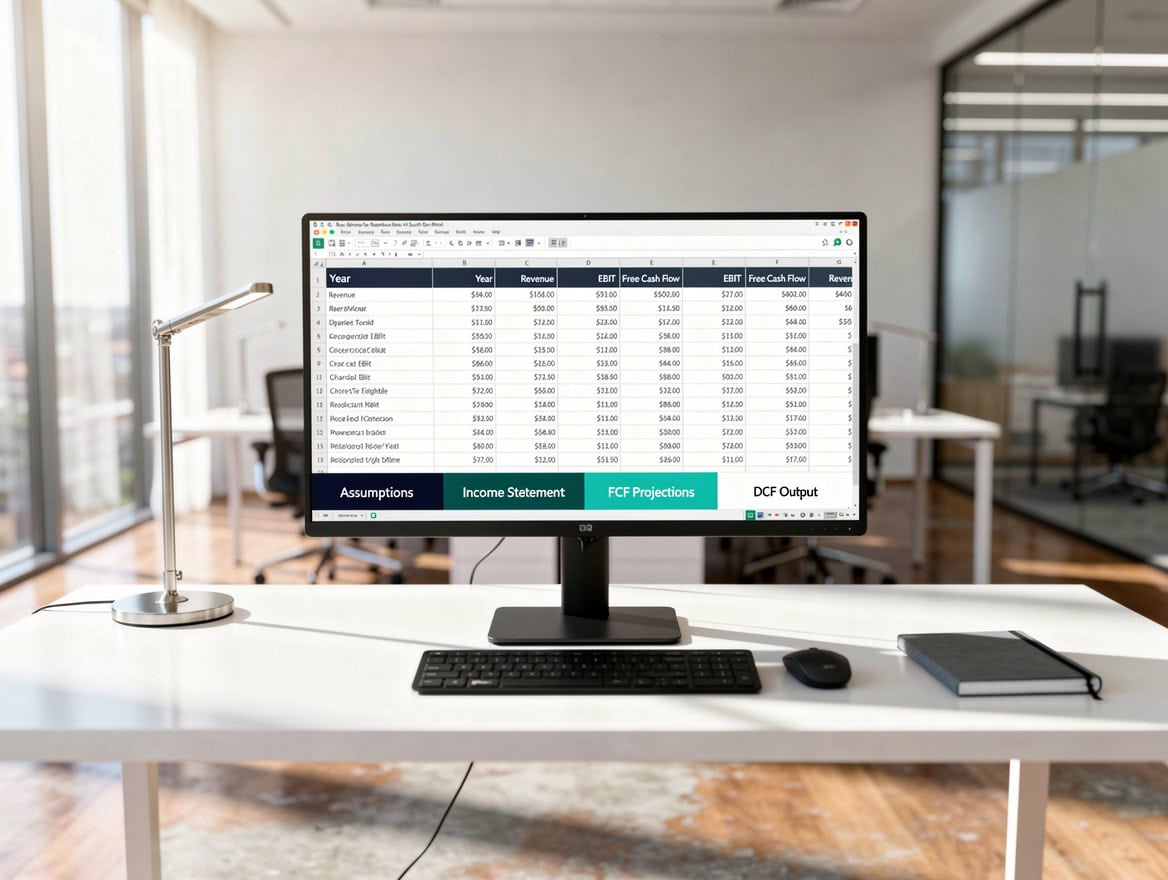
Data flows left to right through 8 tabs: each tab’s output becomes the next tab’s input, eliminating circular references.
Essential Components Every CRE Acquisition Model Must Include
Every institutional-quality CRE acquisition model contains eight distinct components, each housed in its own Excel tab. Missing any one of them creates blind spots that lead to mispriced acquisitions.
| Component | Tab Name | Key Output |
|---|---|---|
| Acquisition Assumptions | Inputs | Purchase price, closing costs, LTV |
| Rent Roll | Rent Roll | In-place rent, lease expiry, TI allowance |
| Revenue Projections | Revenue | Effective gross income by year |
| Operating Expenses | OpEx | NOI by year |
| Debt Schedule | Debt | DSCR, interest, amortization |
| Cash Flow Waterfall | Waterfall | LP/GP distributions |
| Returns Summary | Returns | IRR, equity multiple, CoC |
| Sensitivity Analysis | Sensitivity | IRR across cap rate and rent scenarios |
Each tab feeds the next in a linear data flow. Inputs drive Revenue, Revenue minus OpEx produces NOI, NOI minus Debt Service produces levered cash flow, and the Waterfall distributes that cash flow to investors.
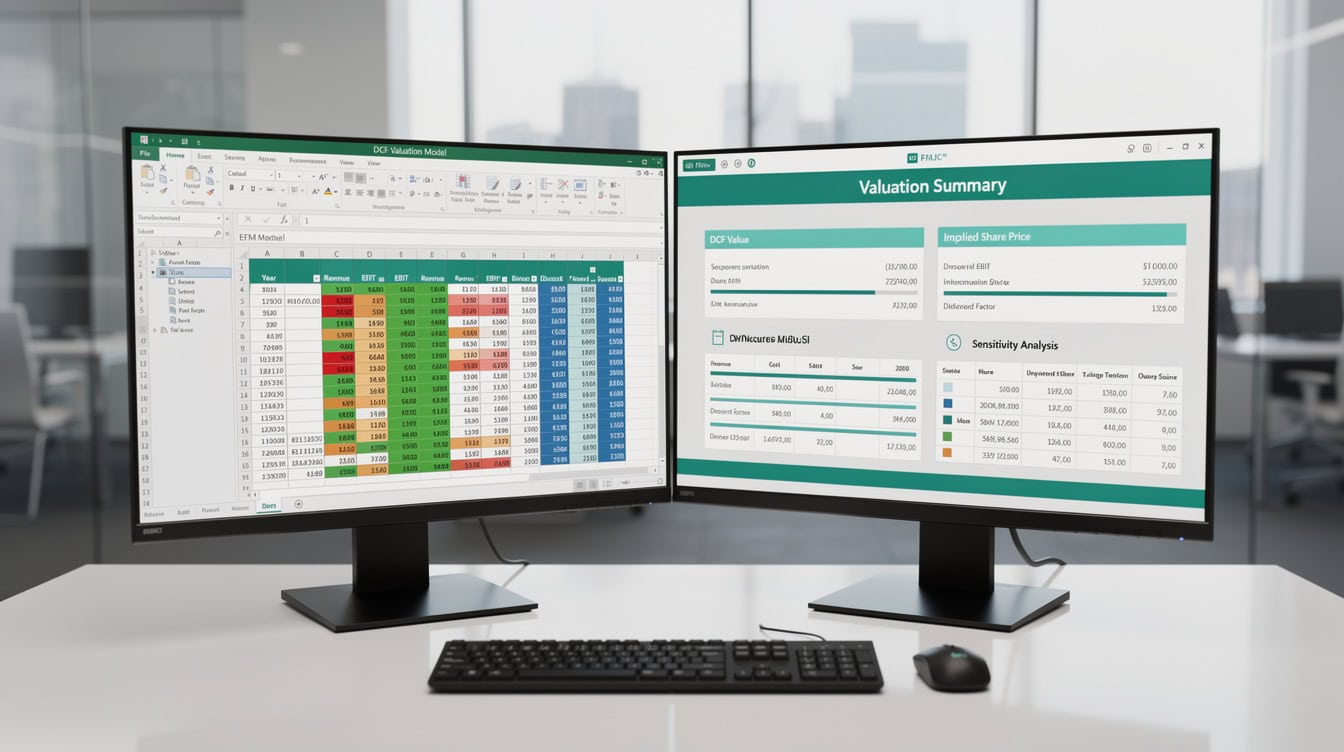
Blue for inputs, black for formulas, green for outputs: this three-color system is the institutional standard for auditable real estate models.
Setting Up Your Excel Model Architecture
Model architecture determines whether your workbook is auditable and error-resistant or a fragile tangle of hard-coded numbers. Structure your workbook so data flows left to right and top to bottom, with no circular references. Excel’s IFERROR function can wrap up to 64 nesting levels (Microsoft) of nested logic, though best practice is to keep nesting shallow for auditability.
Follow these conventions from day one:
- Color-coding: Blue cells for hard-coded inputs, black for formulas, green for outputs/results. This is the standard used by most institutional real estate shops and makes auditing fast.
- Named ranges: Use Excel’s Name Manager (Ctrl+F3) to name key inputs like
PurchasePrice,HoldPeriod, andExitCapRate. Named ranges make formulas readable and reduce reference errors. - Tab order: Inputs → Rent Roll → Revenue → OpEx → Debt → Waterfall → Returns → Sensitivity. Never let a downstream tab feed an upstream tab.
- Error checks: Add a dedicated row in each tab that flags
#REF!,#DIV/0!, or balance-sheet imbalances using=IFERROR()and=IF(SUM(...)=0,"CHECK","OK"). - Version control: Include a version number and date in cell A1 of the Inputs tab. Real estate transactions move fast; you need to know which model version was used for a bid.
Building the Acquisition Assumptions Tab
The Inputs tab is the control panel for the entire model. Every number in this tab should be a hard-coded input (blue cell); no formulas belong here.
Key inputs to include:
- Purchase price and price per square foot or per unit
- Closing costs: Typically 1–3% of purchase price, covering title insurance, legal fees, transfer taxes, and lender fees
- Financing terms: Loan-to-value ratio (LTV), interest rate, amortization period, interest-only period, and loan term
- Hold period: Number of years before the assumed sale, typically 5 or 7 years
- Exit cap rate: The capitalization rate (NOI divided by value) applied to Year N+1 NOI to calculate the sale price
- Acquisition cap rate: Going-in NOI divided by purchase price, used to benchmark entry pricing
For a $20M office acquisition with 65% LTV, your loan amount is $13M. If the going-in cap rate is 6.0% and you project NOI of $1.2M in Year 1, the implied value at purchase is $20M, confirming the inputs are internally consistent.
Commercial real estate debt outstanding exceeded $5.8 trillion as of 2024, reflecting the scale of leveraged acquisitions that depend on exactly this kind of structured modeling.
Federal Reserve, Financial Accounts of the United States, 2024
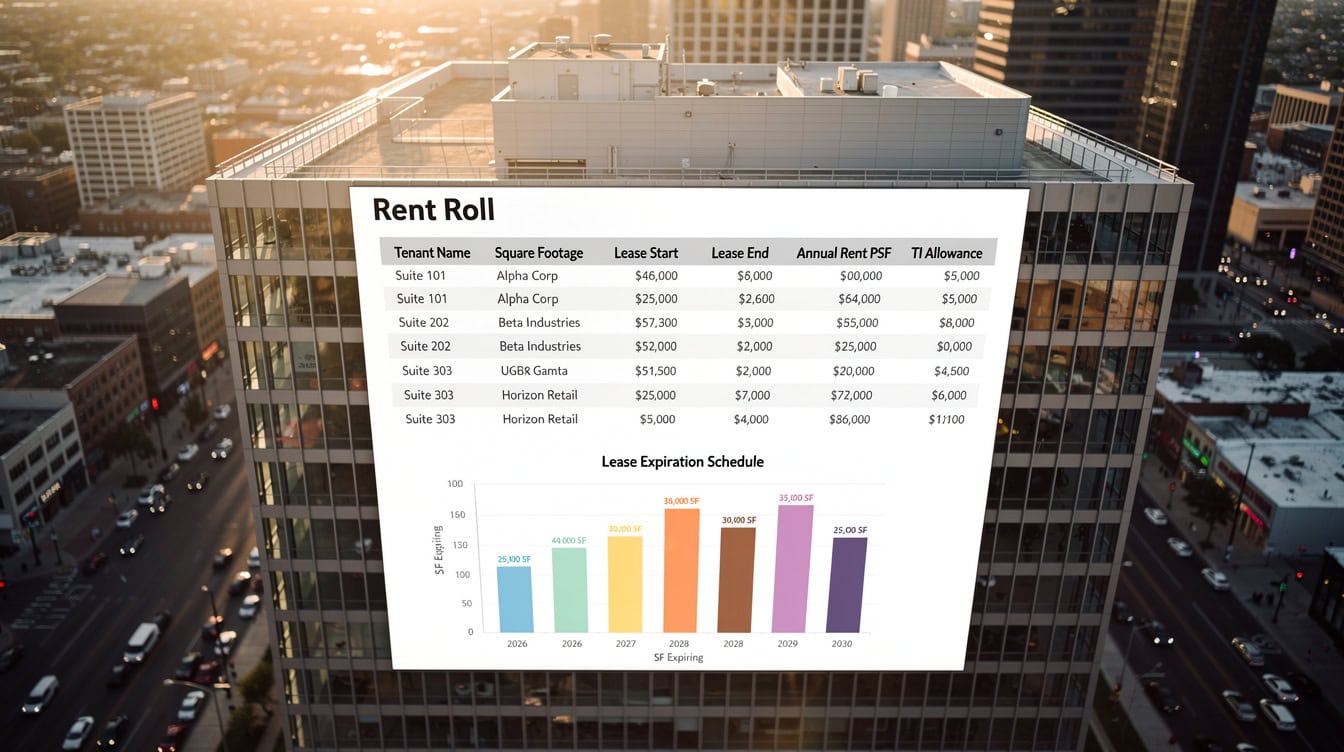
A tenant-by-tenant rent roll captures lease expiry risk: staggered expirations reduce rollover concentration and stabilize projected cash flows.
Modeling Revenue: Rent Rolls, Escalations, and Occupancy
Revenue modeling starts with the rent roll, which is a tenant-by-tenant schedule of current rent, lease expiration dates, renewal probability, and tenant improvement (TI) allowances. This is where CRE models diverge sharply from generic financial models.
Build your rent roll tab with one row per tenant and these columns: Tenant Name, Suite, Square Footage, Lease Start, Lease End, Annual Rent PSF, Annual Rent Total, Renewal Probability, TI Allowance PSF, and Leasing Commission PSF.
To project revenue dynamically, use INDEX/MATCH to pull each tenant’s rent into the annual revenue schedule based on whether their lease is active in a given year:
=IF(AND(ModelYear>=LeaseStart, ModelYear<=LeaseEnd), AnnualRent, 0)
Apply rent escalations using a compounding formula. For a 3% annual escalation starting in Year 2:
=BaseRent * (1 + EscalationRate)^(Year - 1)
Vacancy assumptions vary significantly by asset class. Multifamily models typically use 5–7% economic vacancy. Office models in major markets have used 10–20% vacancy assumptions post-2020, reflecting structural shifts in demand. Industrial assets have run at sub-5% vacancy in many markets through 2023–2024. Excel’s PMT function supports loan periods of up to 360 months (Microsoft), making it straightforward to model 30-year amortization schedules at the monthly level within the same workbook.
Effective Gross Income (EGI) equals Potential Gross Income minus Vacancy and Credit Loss, plus Other Income (parking, storage, laundry).
Operating Expenses and Net Operating Income
Net Operating Income (NOI) is Effective Gross Income minus total operating expenses. NOI is the single most important line in any CRE model because it drives both debt sizing and exit valuation.
Standard operating expense categories include:
- Property taxes: Typically 1–2% of assessed value annually, varying by jurisdiction
- Insurance: 0.1–0.3% of replacement cost
- Property management fee: 3–5% of EGI for multifamily; 2–4% for office and industrial
- Repairs and maintenance: $500–$1,500 per unit annually for multifamily; $2–$5 PSF for office
- Capital expenditures (CapEx): Modeled separately as a reserve, typically $150–$300 per unit per year for multifamily
- General and administrative: Legal, accounting, and administrative costs
Grow operating expenses at an assumed inflation rate, typically 2–3% annually. Use a separate escalation rate for property taxes if local assessment cycles differ from general inflation.
The operating expense ratio (OpEx divided by EGI) benchmarks model reasonableness. For stabilized multifamily, this ratio typically runs 35–50%. For office with full-service gross leases, it can reach 50–60% because the landlord absorbs all operating costs. Excel’s two-variable Data Table supports up to 32 row inputs and 32 column inputs (Microsoft), giving analysts ample room to stress-test operating expense and revenue scenarios simultaneously.
A monthly amortization schedule breaks each payment into interest and principal components; DSCR is calculated annually from the summed figures.
Constructing the Debt Schedule
The debt schedule calculates interest expense, principal repayment, and the outstanding loan balance for each period of the hold. Build it as a monthly schedule and then sum to annual figures for the cash flow model.
Here’s the math for a standard amortizing loan:
- Loan Amount: $13,000,000
- Interest Rate: 6.5% per annum (0.5417% per month)
- Amortization Period: 30 years (360 months)
- Loan Term: 5 years (60 months, with balloon payment at maturity)
=PMT(6.5%/12, 360, -13000000) = $82,190For an interest-only period (common in bridge and construction loans), the monthly payment is simply:
=LoanBalance * (AnnualRate / 12)The DSCR for Year 1 equals NOI divided by Annual Debt Service. With $1,200,000 NOI and $986,280 annual debt service ($82,190 x 12), DSCR equals 1.22x. Most conventional lenders require a minimum DSCR of 1.25x, so this deal would need either a lower loan amount or higher NOI to qualify.
Federal Reserve Bank of New York, Commercial Real Estate Lending Standards, 2023
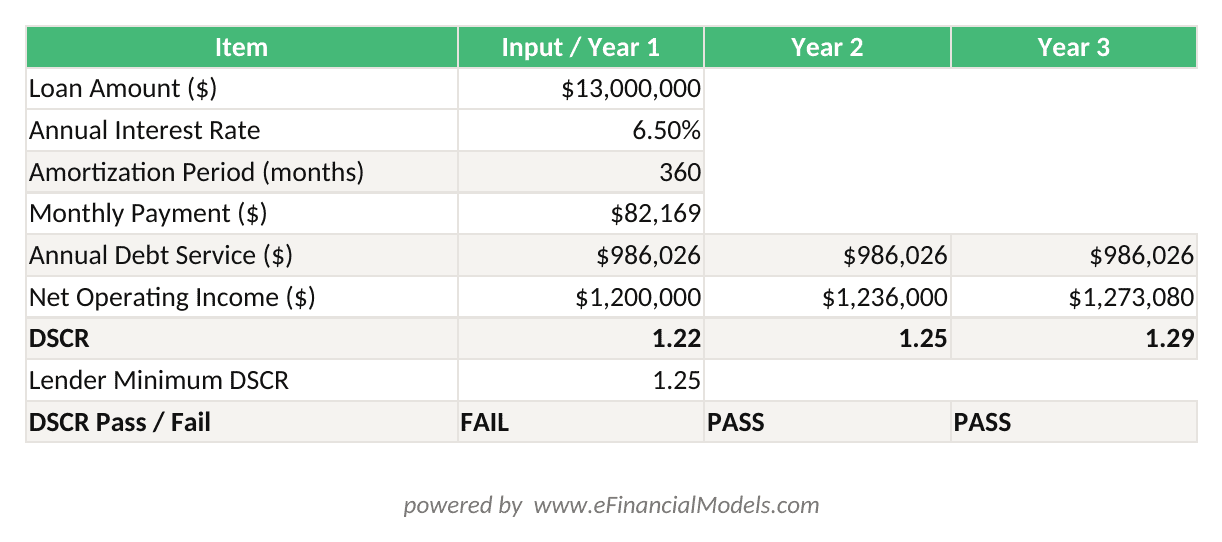
Monthly PMT = $82,190; Year 1 DSCR = 1.22x (NOI $1,200,000 / Debt Service $986,280). Lender minimum is typically 1.25x.
For multiple loan tranches (senior debt plus mezzanine), stack each tranche in separate rows and sum total debt service before calculating the blended DSCR.
Cash Flow Waterfall and Distribution Logic
The cash flow waterfall distributes net cash flow to investors in a defined priority sequence. Understanding the waterfall structure is essential for modeling private equity real estate returns accurately.
A standard two-tier waterfall works as follows:
- Return of capital: All cash flow goes to LPs (limited partners, the equity investors) until they recover 100% of their invested capital.
- Preferred return: LPs receive a preferred return (typically 6–9% annually, compounded) on their unreturned capital before the GP (general partner, the fund manager) receives any promote.
- GP promote: Above the preferred return hurdle, cash flow splits between LP and GP at a negotiated ratio, commonly 80/20 (LP/GP) or 70/30.
=PriorYearPreferredBalance * (1 + PreferredRate) + CurrentYearContributions * PreferredRate - CurrentYearDistributionsThe most common preferred return in institutional real estate funds is 8%, with GP promotes averaging 20% above the hurdle.
Preqin, Global Real Estate Report, 2023
EfinancialModels offers private equity waterfall distribution models that handle multi-tier promote structures with automatic catch-up provisions.
A standard two-tier waterfall: LPs receive return of capital and 8% preferred return before the GP earns any promote above the hurdle.
Calculating Investment Returns: IRR, Equity Multiple, and Cash Yields
The returns summary tab consolidates all investor cash flows into four key metrics. Each metric answers a different question about the investment’s performance.
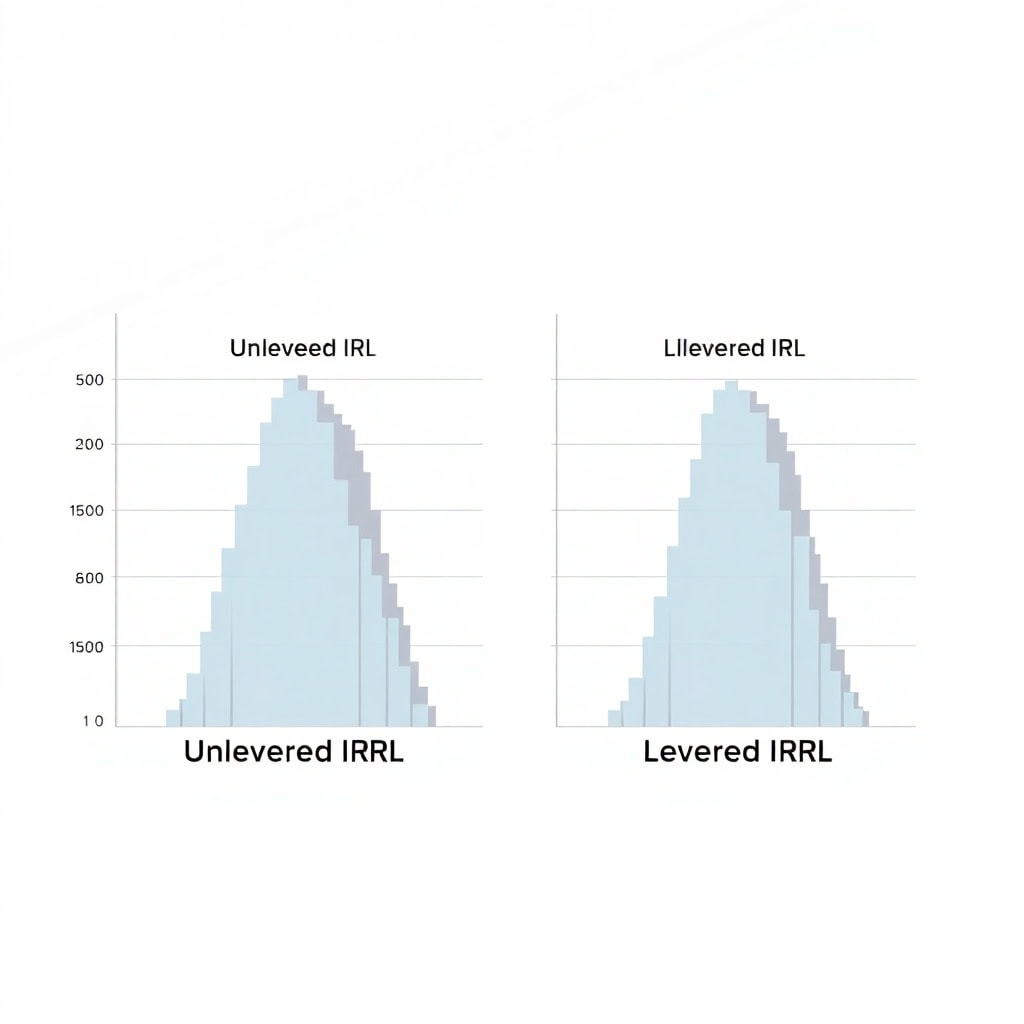
Levered IRR (Internal Rate of Return) measures the annualized return on equity after debt service. Use XIRR in Excel, not IRR, because XIRR accounts for actual calendar dates rather than assuming equal periods:
=XIRR(CashFlowRange, DateRange)
Unlevered IRR measures the property’s return before financing, using total project cash flows (NOI minus CapEx) and the purchase price as the initial outflow. This isolates asset performance from capital structure decisions.
Equity Multiple equals total distributions divided by total equity invested. A 2.0x equity multiple means investors doubled their money over the hold period, regardless of how long it took.
Cash-on-Cash Return (CoC) equals annual levered cash flow divided by equity invested. It measures current income yield and is particularly important for income-focused investors.
Here’s a worked example with a 5-year hold:
- Equity invested: $7,000,000 (Year 0)
- Annual levered cash flows: $350,000 / $385,000 / $420,000 / $460,000 / $500,000 (Years 1–5)
- Sale proceeds to equity: $5,800,000 (Year 5, after loan payoff)
- Total distributions: $350K + $385K + $420K + $460K + $500K + $5,800K = $7,915,000
- Equity Multiple: $7,915,000 / $7,000,000 = 1.13x
- XIRR (levered IRR): approximately 14.2% on these cash flows
- Year 1 Cash-on-Cash: $350,000 / $7,000,000 = 5.0%
Core real estate funds have delivered average net IRRs of approximately 8–10% over 10-year periods, while value-add funds have averaged 12–15%.
NCREIF, Property Index Returns, 2024
For a ready-to-use returns framework, explore EFM’s DCF valuation models and financial modeling templates.
Sensitivity Analysis and Scenario Testing
Sensitivity analysis stress-tests the acquisition decision by showing how returns change when key assumptions shift. Every CRE acquisition model should include at least two two-variable data tables.
Build a sensitivity table in Excel using Data > What-If Analysis > Data Table. A two-variable data table (which tests two inputs simultaneously) requires a formula cell that references both variables.
Table 1: Levered IRR vs. Exit Cap Rate and Rent Growth
| Exit Cap Rate \ Rent Growth | 1.0% | 2.0% | 3.0% | 4.0% |
|---|---|---|---|---|
| 5.00% | 16.8% | 18.2% | 19.7% | 21.3% |
| 5.25% | 14.9% | 16.3% | 17.8% | 19.3% |
| 5.50% | 13.1% | 14.5% | 15.9% | 17.4% |
| 5.75% | 11.4% | 12.8% | 14.2% | 15.7% |
| 6.00% | 9.8% | 11.2% | 12.6% | 14.0% |
This table shows that a 50-basis-point cap rate expansion (from 5.50% to 6.00%) combined with 1% rent growth drops the levered IRR from 13.1% to 9.8%, a 330-basis-point swing that could push a deal below a fund’s minimum return threshold.
Table 2: Equity Multiple vs. LTV and Interest Rate tests financing sensitivity, showing how much leverage amplifies or destroys returns as interest rates move.
Conditional formatting (Home > Conditional Formatting > Color Scales) applied to these tables creates a heat map that makes the risk profile immediately visible.
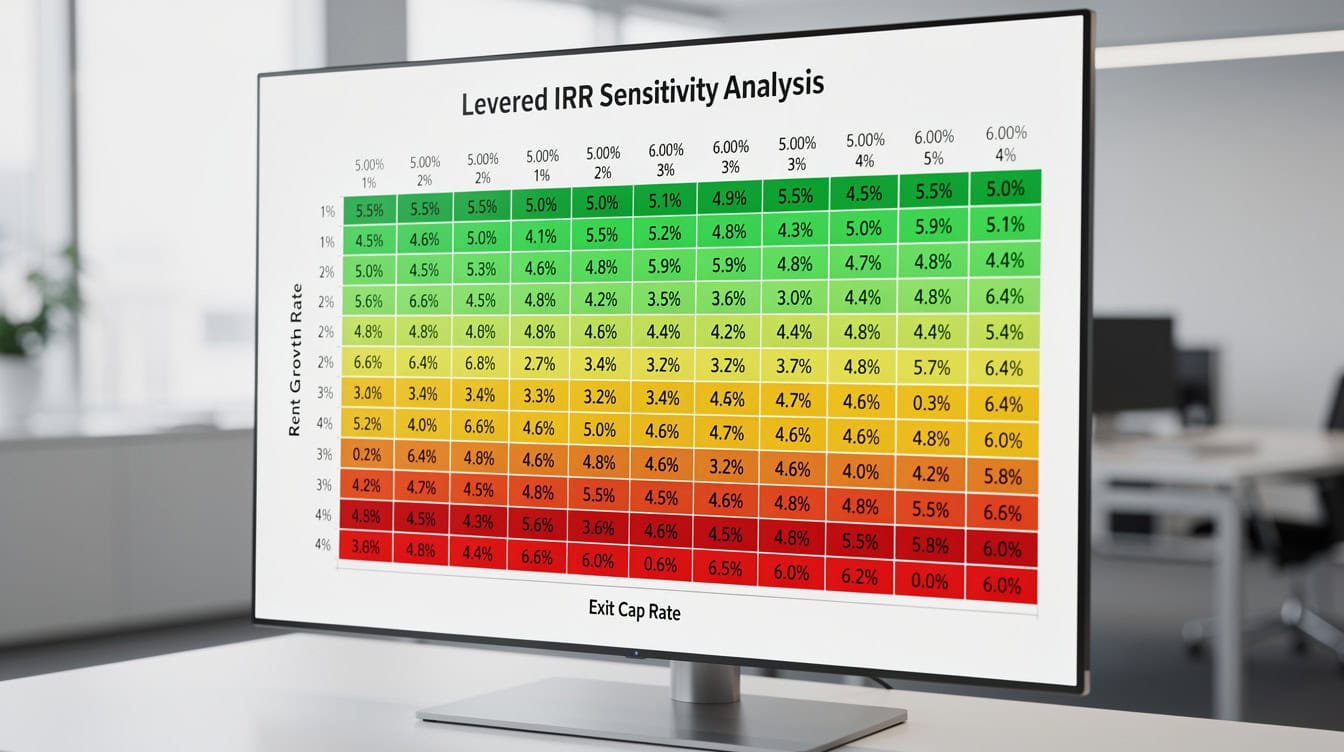
A two-variable sensitivity table with conditional formatting reveals that a 50-basis-point cap rate expansion can cut levered IRR by more than 300 basis points.
Common Excel Formula Errors in CRE Models
CRE models fail in predictable ways. Here are the 5 most common errors and how to fix each one.
1. Using IRR instead of XIRR: IRR assumes cash flows occur at equal intervals. Real estate closings, distributions, and sales happen on specific dates. Always use =XIRR(values, dates) with actual date references.
2. Circular references in construction lending: Interest during construction (IDC) depends on the outstanding loan balance, which depends on draws, which depend on IDC. Break the circularity by calculating IDC on the prior period’s balance only, or enable iterative calculations (File > Options > Formulas > Enable Iterative Calculation) with a maximum of 100 iterations.
3. Hard-coding the exit value: Typing the sale price as a fixed number means the model won’t update when you change the exit cap rate. Always calculate exit value as: =Year(N+1)NOI / ExitCapRate.
4. Ignoring lease-up timing: Modeling a vacant building as 100% occupied from Day 1 overstates early cash flows. Build a lease-up schedule that ramps occupancy from the acquisition vacancy rate to stabilized occupancy over 12–24 months.
5. Mismatching debt service timing: If your revenue model runs on a calendar-year basis but your debt schedule uses a loan anniversary date, interest calculations will be off. Standardize all schedules to the same fiscal year convention from the start.
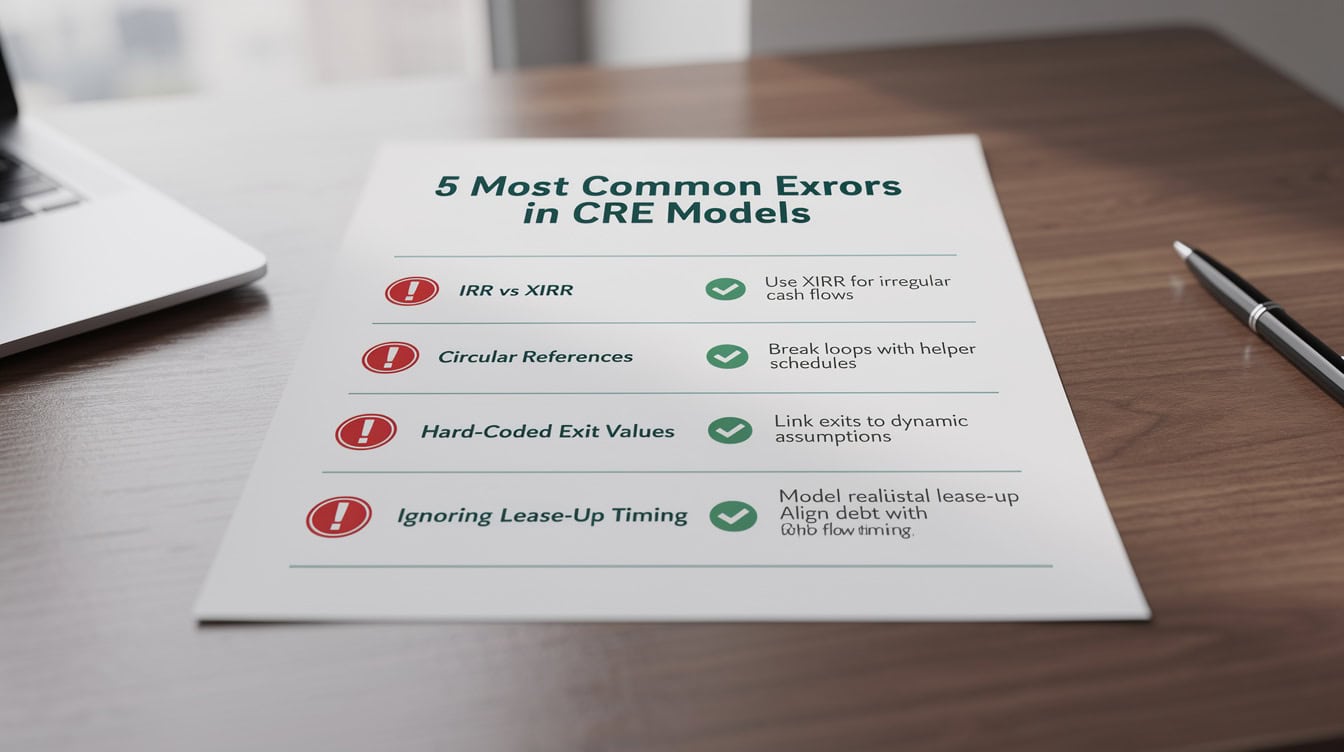
Five predictable model errors account for the majority of CRE acquisition mispricing: fixing them takes under an hour with the right checklist.
Frequently Asked Questions
What Excel functions are most important for a CRE acquisition model?
The five most critical Excel functions for CRE acquisition models are XIRR, XNPV, PMT, INDEX/MATCH, and IFERROR. XIRR calculates the internal rate of return for cash flows on specific dates, which is essential because real estate transactions don’t occur at neat annual intervals. XNPV calculates net present value using actual dates rather than periods. PMT calculates the fixed monthly payment on an amortizing loan: =PMT(rate/12, nper, pv). INDEX/MATCH pulls tenant rent data from the rent roll into the revenue schedule dynamically. IFERROR wraps any formula that might produce a divide-by-zero error, keeping the model clean. Together, these five functions handle 80% of the computational work in a professional CRE model.
How do I calculate the debt service coverage ratio in Excel?
The DSCR formula is Net Operating Income divided by Annual Debt Service. In Excel, if your NOI is in cell C15 and your annual debt service (interest plus principal) is in cell C25, the formula is simply =C15/C25. Most conventional lenders require a minimum DSCR of 1.25x at origination, meaning NOI must be at least 25% higher than the annual loan payment. Bridge lenders and construction lenders may underwrite to lower DSCRs of 1.10x–1.15x during lease-up, with a covenant that the stabilized DSCR must reach 1.25x before the loan converts or matures. Always model DSCR for every year of the hold period, not just Year 1, to identify years where cash flow tightens.
What is the difference between levered and unlevered IRR in real estate?
Unlevered IRR measures the return on the total property investment before any debt financing, using NOI minus CapEx as the annual cash flow and the full purchase price as the initial outflow. It isolates the asset’s operating performance. Levered IRR measures the return on equity only, after subtracting debt service from cash flows and adding back loan proceeds at acquisition. For a property with a 6.5% unlevered IRR and 65% LTV debt at 5.0% interest, the levered IRR will typically be 10–14% because positive leverage amplifies equity returns. If the debt cost exceeds the unlevered IRR, leverage destroys value. Always calculate both metrics: unlevered IRR benchmarks the deal against direct property market returns, while levered IRR reflects what equity investors actually earn.
How do I model a preferred return waterfall in Excel?
Model a preferred return waterfall using a running accrual balance that compounds annually. Set up four columns: Beginning Preferred Balance, Preferred Return Accrual (Beginning Balance times Preferred Rate), Cash Distributed to LP, and Ending Preferred Balance. The formula for Ending Preferred Balance is: =BeginningBalance + Accrual – MIN(AvailableCashFlow, BeginningBalance + Accrual)`. Once the preferred balance reaches zero, remaining cash flow splits between LP and GP at the promote ratio. For an 8% preferred return with a 20% GP promote, the LP receives 80% and the GP receives 20% of all cash flow above the hurdle. EFM’s waterfall distribution models automate this logic with built-in catch-up provisions.
What exit cap rate should I use in my CRE acquisition model?
Exit cap rate assumptions depend on asset class, market, and hold period. A common rule of thumb is to assume the exit cap rate is 25–50 basis points higher than the going-in cap rate to account for property aging and market uncertainty over the hold period. For a 5-year hold on a multifamily asset acquired at a 5.0% cap rate, a 5.25–5.50% exit cap rate is a reasonable base case. Always run sensitivity analysis across a range of exit cap rates, typically plus or minus 75–100 basis points from your base case. Industrial cap rates compressed to historic lows of 4.5–5.5% in 2022 before expanding 50–75 basis points through 2024, illustrating how quickly exit assumptions can shift.
CBRE, Cap Rate Survey, 2024
How many tabs should a CRE acquisition model have?
A complete institutional-grade CRE acquisition model typically has 8–12 tabs. The minimum viable set is 8 tabs: Inputs, Rent Roll, Revenue, Operating Expenses, Debt Schedule, Cash Flow Waterfall, Returns Summary, and Sensitivity Analysis. Larger deals or complex capital structures may add tabs for construction draws, mezzanine debt, preferred equity, or individual property-level models that roll up to a portfolio summary. Keep each tab focused on one function. Models with more than 15 tabs often indicate that the architecture needs consolidation. EFM’s commercial real estate financial model templates follow the 8-tab structure with clearly labeled, color-coded inputs.
Can I use the same Excel model for different CRE asset classes?
You can use the same model architecture for different asset classes, but you must adjust several key assumptions for each property type. Multifamily models use per-unit metrics, monthly rent, and unit-level vacancy. Office and retail models use per-square-foot metrics, triple-net or gross lease structures, and tenant improvement allowances that can reach $50–$100 PSF for new office leases. Industrial models typically have simpler lease structures, lower TI costs of $5–$20 PSF, and longer lease terms of 5–10 years. The debt schedule and waterfall logic remain consistent across asset classes, but the revenue and operating expense tabs need asset-class-specific line items. Build your model with a toggle cell that switches between asset class presets to make it reusable across deal types.
Conclusion
Building a commercial real estate acquisition model in Excel requires disciplined architecture, precise formulas, and a clear understanding of how each component connects to investor returns. Start with a clean Inputs tab, build your rent roll with dynamic lease logic, calculate NOI from the ground up, size your debt to meet DSCR requirements, and distribute cash flows through a properly structured waterfall. Run sensitivity tables on exit cap rate and rent growth before you finalize any bid.
I recommend downloading EFM’s institutional-grade Commercial Real Estate Acquisition Model template, which includes pre-built formulas for amortization schedules, multi-tier waterfall distributions, XIRR-based returns calculations, and two-variable sensitivity tables, so you can focus on deal analysis rather than model construction.
























































