
0 ITEMS

Multifamily Apartment Financial Model: 10 Must-Have Tabs

A multifamily apartment financial model template is a pre-built Excel workbook that automates the underwriting math behind apartment acquisitions, value-add repositioning, and ground-up development so investors can stress-test deals in hours instead of days.
Key Takeaways
- A professional multifamily financial model template must contain at least 10 structured worksheets covering inputs, rent roll, unit mix, operating expenses, capital expenditures, debt service, cash flow, returns, sensitivity tables, and a summary dashboard.
- The 3 return metrics every lender and equity partner will ask for are IRR (internal rate of return), equity multiple, and cash-on-cash return, and a quality template calculates all 3 automatically from a single set of inputs.
- Class A multifamily properties typically run operating expense ratios of 35-45% of effective gross income, Class B properties 40-50%, and Class C properties 45-55%, according to the National Apartment Association.
- Institutional multifamily investors typically target levered IRRs of 12-18% for value-add deals and 8-12% for stabilized acquisitions, based on NCREIF performance data.
- The difference between a $50 template and a $500 institutional-grade model comes down to 5 factors: dynamic scenario management, circular reference handling for construction interest, formula cell protection, data validation on every input, and a print-ready executive summary.
- A multifamily apartment financial model template from eFinancialModels includes built-in sensitivity tables, waterfall distribution logic, and support for multiple debt tranches, covering acquisition, value-add, and development strategies.
- Vacancy assumptions in underwriting typically range from 5-7% for urban core markets to 8-12% for suburban and tertiary markets, according to the Urban Land Institute’s Emerging Trends in Real Estate report, and hardcoding a single number without unit-type breakdowns is one of the most common and costly modeling errors.
What Is a Multifamily Apartment Financial Model Template?
A multifamily apartment financial model template is a structured Excel workbook that connects property-level assumptions to investor-level returns through a series of linked worksheets. You enter inputs once, and the model calculates net operating income (NOI, the property’s income after operating expenses but before debt service), debt service coverage ratio (DSCR, the ratio of NOI to annual debt payments), and projected returns across a defined hold period.
These templates serve three distinct use cases. First, acquisition underwriting: you load the current rent roll and trailing 12-month (T-12) operating statement, then project forward under your business plan. Second, value-add repositioning: the model tracks renovation costs, lease-up timelines, and the spread between in-place rents and market rents. Third, ground-up development: the model handles construction draws, construction loan interest (which creates a circular reference, explained below), and lease-up absorption.
Each use case requires a different template structure, which is why matching the template to your strategy before purchase matters.
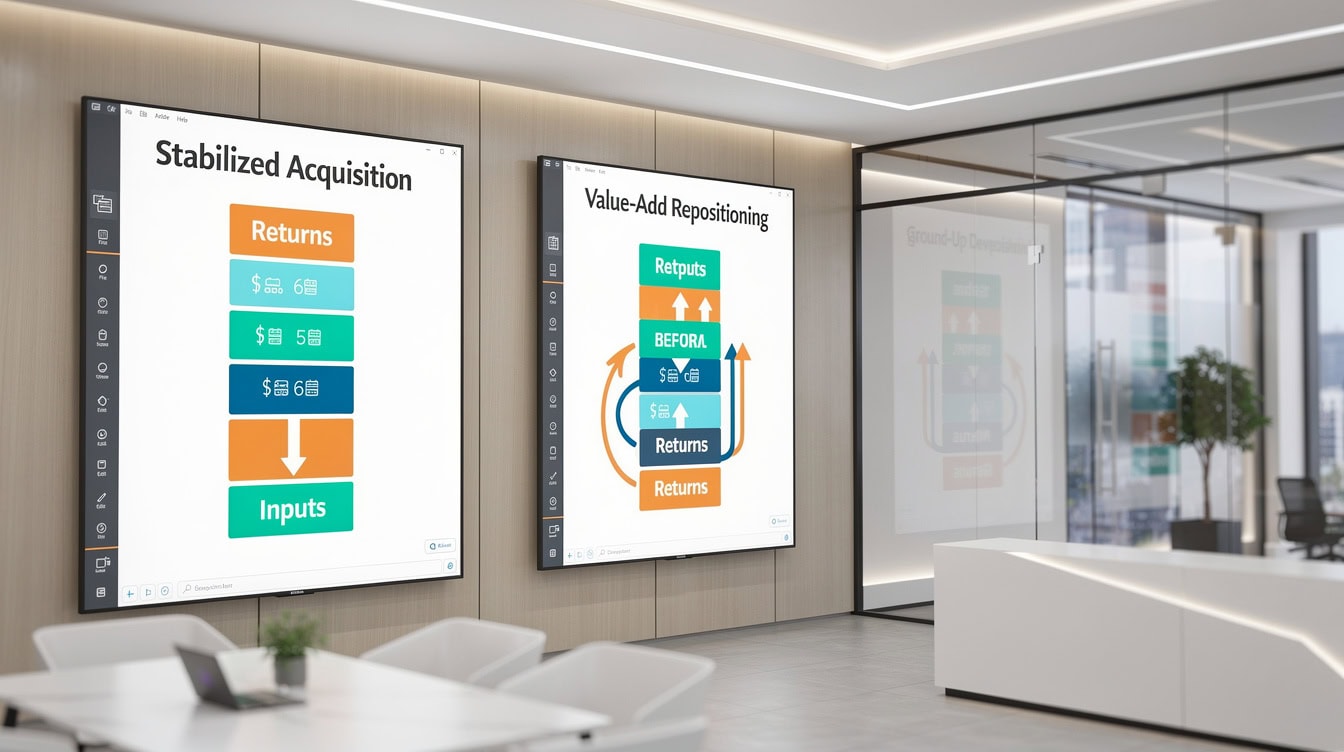
Each investment strategy requires a different template architecture. Using an acquisition model for a development deal produces unreliable return projections.
Essential Components: The 10 Worksheets Every Template Must Include
A professional multifamily financial model template organizes its logic across 10 core worksheets, each feeding the next in a clean data flow. Skipping any one of these tabs forces users to hardcode values, which breaks the model’s integrity.
Here are the 10 required tabs:
- Inputs / Assumptions: Purchase price, closing costs, hold period, exit cap rate (the capitalization rate used to estimate sale price, calculated as NOI divided by property value), and renovation budget.
- Unit Mix: Number of units by floor plan (studio, 1BR, 2BR, 3BR), square footage per unit type, and current vs. market rent per unit type.
- Rent Roll: Individual unit-level data imported from the actual rent roll, including lease expiration dates, in-place rent, and tenant status.
- Revenue Projections: Gross potential rent, vacancy by unit type, concessions, other income (parking, laundry, pet fees), and effective gross income (EGI).
- Operating Expenses: Line-item expenses tracked per unit and per square foot, including property management, insurance, taxes, maintenance, utilities, and payroll.
- Capital Expenditures (CapEx): Renovation budget by unit type, common area improvements, and timing of spend relative to lease-up.
- Debt Service: Loan terms, amortization schedule, interest-only periods, and support for multiple debt tranches (senior loan plus mezzanine or preferred equity).
- Cash Flow Waterfall: NOI minus debt service equals levered cash flow, distributed to equity partners according to the waterfall structure (the priority order in which profits flow to different investor classes).
- Returns Analysis: IRR (the annualized discount rate that makes the net present value of all cash flows equal to zero), equity multiple, cash-on-cash return, and unlevered vs. levered return comparison.
- Sensitivity Tables: Two-variable data tables showing how IRR and equity multiple change across exit cap rate and rent growth combinations.
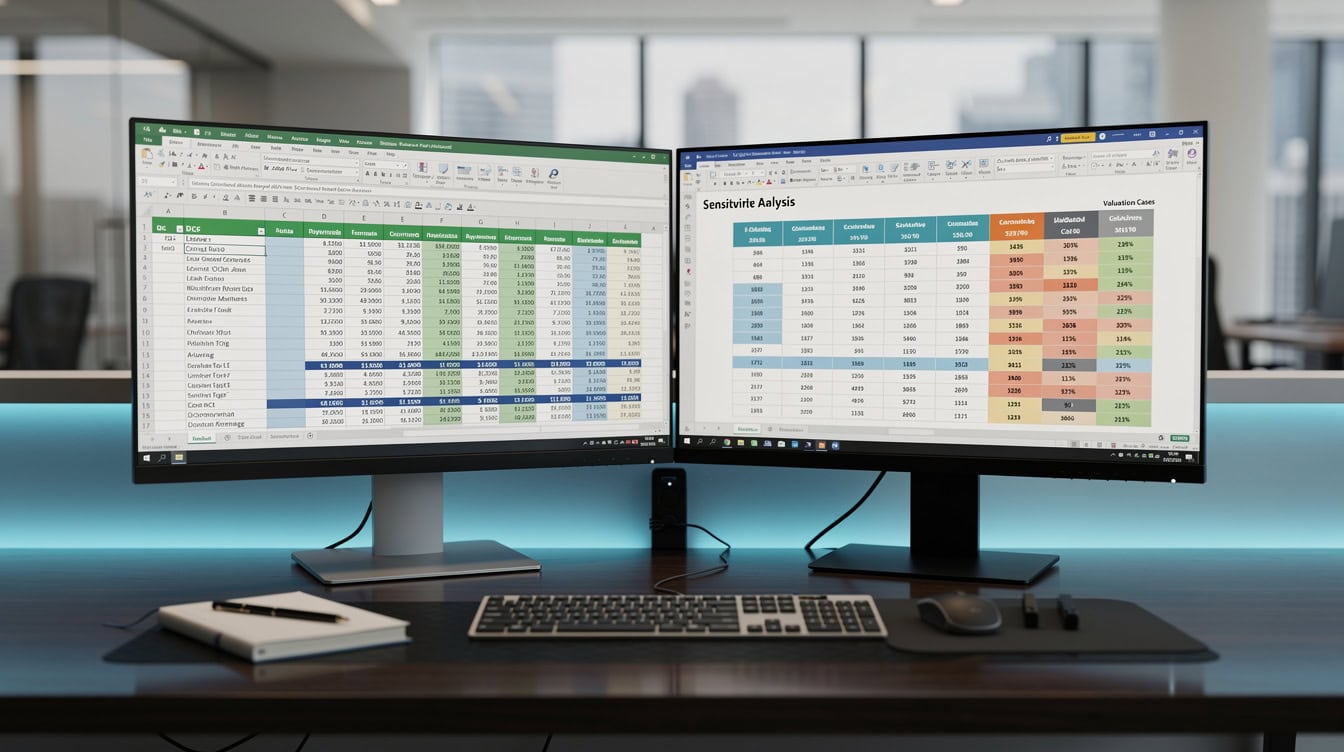
A 10-tab structure ensures clean data flow from property inputs to investor returns, with no hardcoded values in output cells.
Revenue Modeling: Rent Roll, Unit Mix, and Lease-Up Assumptions
Revenue modeling in a multifamily template starts with the unit mix tab and flows through to effective gross income. The unit mix tab is the foundation: it defines how many units exist at each floor plan, what they currently rent for, and what the market supports.
A well-built rent roll section handles 5 variables that generic real estate models miss:
- In-place vs. market rent spread: The gap between what current tenants pay and what the market will bear. For value-add deals, this spread drives the entire business plan.
- Turnover assumptions by unit type: Larger units turn over less frequently. A 3BR unit might turn every 24 months while a studio turns every 10 months.
- Vacancy by unit type: Don’t apply a single vacancy rate to the whole property. Studios in urban markets may run 4% vacancy while 3BR units in the same building run 9%.
- Lease-up absorption schedule: For development or heavy repositioning, the model must project how many units lease up each month and at what rent.
- Loss-to-lease: The difference between gross potential rent (if every unit rented at market) and actual scheduled rent. This is a critical line item that many $50 templates omit entirely.
Vacancy assumptions in underwriting typically range from 5-7% for urban core markets to 8-12% for suburban and tertiary markets, based on the Urban Land Institute’s Emerging Trends in Real Estate report.
Applying a flat 5% vacancy to a tertiary market deal is one of the most common underwriting errors that leads to missed projections.
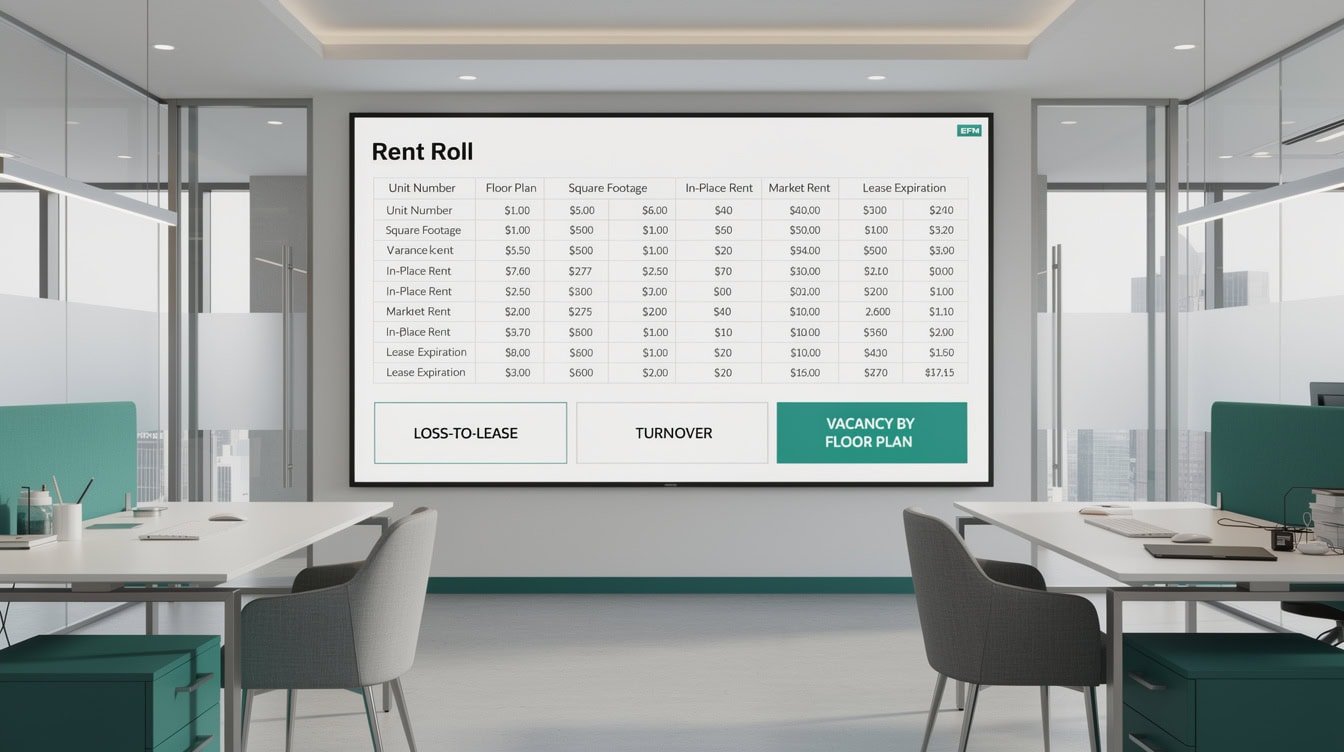
Loss-to-lease, the gap between gross potential rent and actual scheduled rent, is a critical line item that many basic templates omit entirely.
Operating Expense Framework: Per-Unit vs. Per-SF Methodology
Operating expenses in a multifamily model should be tracked using two methodologies simultaneously: per unit per year for management-intensive costs and per square foot per year for space-related costs. This dual approach lets you benchmark against industry data and catch outliers quickly.
Per-unit expenses include property management fees (typically 4-8% of collected revenue), payroll, and administrative costs. Per-square-foot expenses include property taxes, insurance, and common area maintenance.
The National Apartment Association tracks operating expense ratios by property class.
Class A properties (newer, amenity-rich buildings) typically run 35-45% expense ratios. Class B properties (mid-tier, 10-25 years old) run 40-50%. Class C properties (older workforce housing) run 45-55% due to higher maintenance and turnover costs.
Here are 4 common operating expense underwriting mistakes:
- Using seller’s actuals without normalization: Sellers often defer maintenance before a sale. Always add a normalized CapEx reserve of $200-400 per unit per year.
- Forgetting management fees on vacant units: Some models only apply the management fee to occupied units. Lenders underwrite management fees on gross potential rent.
- Ignoring property tax reassessment: In many states, a sale triggers a reassessment to the purchase price. Model the post-sale tax bill, not the current one.
- Underestimating utilities for older buildings: Class C properties with master-metered utilities can run $800-1,200 per unit per year in utility costs.
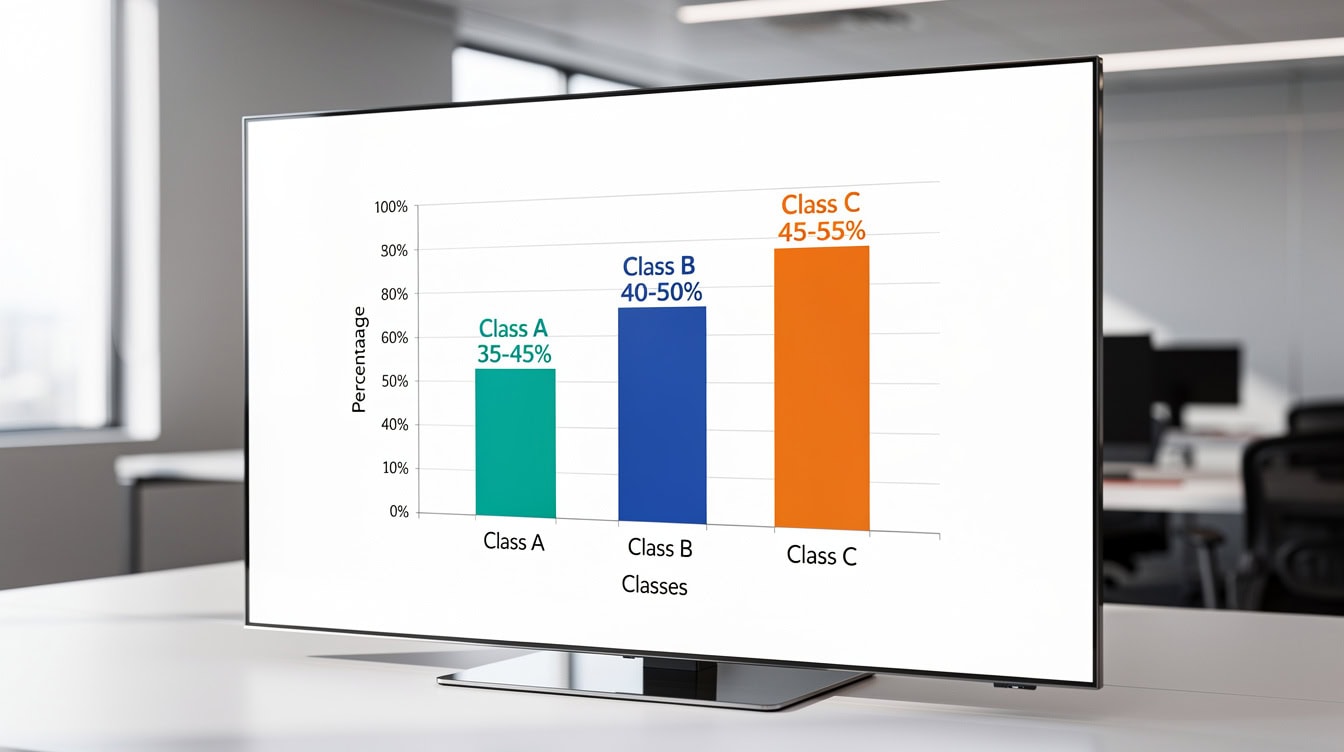
Class C properties run 10 percentage points higher expense ratios than Class A due to higher maintenance costs and tenant turnover.
Debt Structuring and Financing Scenarios
A professional multifamily financial model template handles at least 3 debt structures: stabilized acquisition financing, bridge loans for value-add deals, and construction loans for development. Each has different mechanics that require specific modeling logic.
For stabilized acquisitions, Fannie Mae and Freddie Mac agency loans dominate the market. As of 2024-2025, agency multifamily loans typically price at 150-250 basis points over the 10-year Treasury, with LTV ratios of 65-80% and 30-year amortization periods, according to the Mortgage Bankers Association’s Commercial/Multifamily Finance Forecast.
For value-add deals, bridge loans typically carry floating rates (SOFR plus a spread), interest-only periods of 2-3 years, and LTV ratios of 70-80% based on the as-stabilized value. The model must handle the transition from bridge to permanent financing, including the refinancing proceeds and any cash-out or cash-in at refi.
Construction loans create a circular reference (a situation where a formula refers back to itself) because the interest accrues on the outstanding balance, which includes previously accrued interest. A quality template resolves this with an iterative calculation setting or a dedicated construction draw schedule that calculates interest on the average outstanding balance each month.
For complex capital stacks, the model should support multiple debt tranches: a senior loan, mezzanine debt (subordinate debt that sits between senior debt and equity), and preferred equity. Each tranche has its own interest rate, payment priority, and return hurdle.

A multi-tranche capital stack requires a template that calculates debt service, interest-only periods, and refinancing proceeds for each layer independently.
Return Metrics That Matter: IRR, Cash Yield, and Equity Multiple Calculations
A multifamily apartment financial model template must calculate 6 return metrics automatically from a single set of inputs. These are the numbers every equity partner and lender will ask for on day one.
Here’s the math for a worked example:
Assumptions:
- Purchase price: $10,000,000
- Equity invested: $3,000,000 (30% of purchase price)
- Loan amount: $7,000,000 at 6.5% interest, 30-year amortization, 3-year interest-only
- Year 1 NOI: $550,000
- Annual NOI growth: 3%
- Hold period: 5 years
- Exit cap rate: 5.5%
Step 1: Calculate exit value.
Year 5 NOI = $550,000 × (1.03)^4 = $619,000 (rounded). Exit value = $619,000 / 0.055 = $11,254,545.
Step 2: Calculate debt service.
During the 3-year interest-only period, annual debt service = $7,000,000 × 6.5% = $455,000. In years 4-5, the loan amortizes; annual payment using PMT formula = approximately $528,000.
Step 3: Calculate levered cash flows.
Year 1 levered cash flow = $550,000 NOI minus $455,000 debt service = $95,000.
Year 1 cash-on-cash return = $95,000 / $3,000,000 = 3.2%.
Step 4: Calculate equity multiple and IRR.
At exit, loan payoff balance (after 5 years, 2 of which amortized) is approximately $6,820,000. Net sale proceeds to equity = $11,254,545 minus $6,820,000 minus closing costs of ~$225,000 = $4,209,545.
Total equity distributions over 5 years plus exit proceeds = approximately $5,000,000.
Equity multiple = $5,000,000 / $3,000,000 = 1.67x.
The IRR on this cash flow stream (initial outflow of $3,000,000, annual inflows, and terminal inflow) calculates to approximately 11.2%.
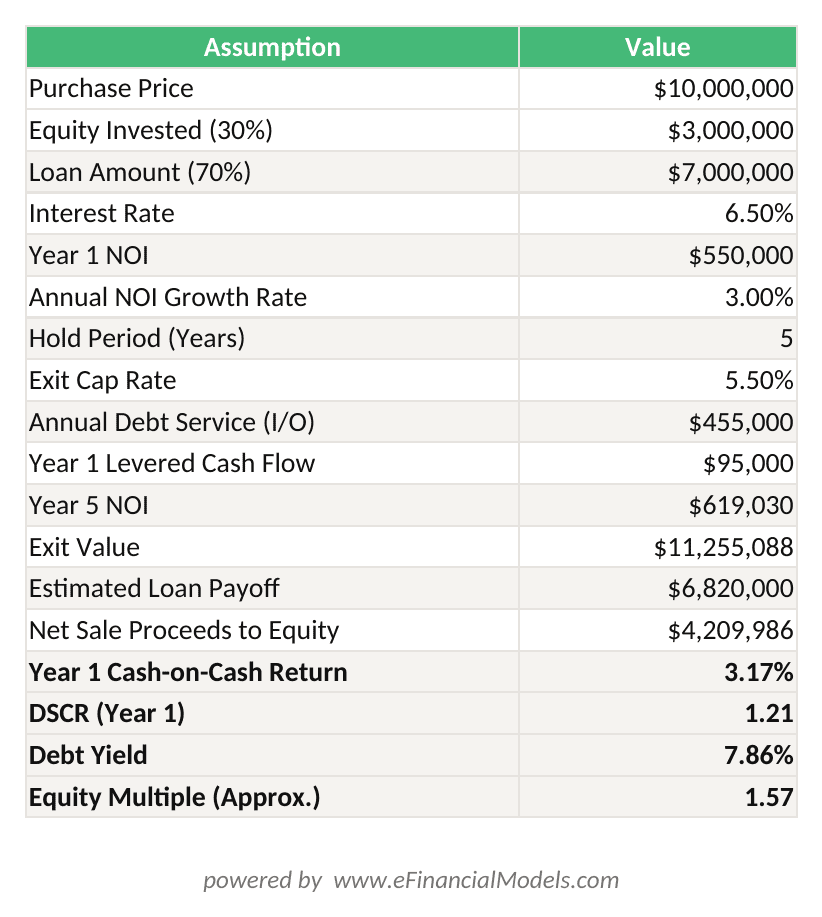
Levered IRR of ~11.2% and equity multiple of 1.67x calculated from a $10M acquisition with $3M equity, 6.5% interest-only bridge loan, and 5.5% exit cap rate.
Institutional multifamily investors typically target levered IRRs of 12-18% for value-add deals and 8-12% for stabilized acquisitions, according to NCREIF (National Council of Real Estate Investment Fiduciaries) performance data.
A deal returning 11.2% levered IRR on a stabilized acquisition sits at the upper end of market expectations.
The 6 metrics every template must calculate:
| Metric | Definition | Typical Target |
|---|---|---|
| Levered IRR | Annualized return on equity | 8-18% depending on strategy |
| Unlevered IRR | Return on total capital, no debt | 5-9% |
| Equity Multiple | Total distributions / equity invested | 1.5x-2.5x |
| Cash-on-Cash | Annual cash flow / equity invested | 4-8% |
| DSCR | NOI / annual debt service | 1.20x minimum |
| Debt Yield | NOI / loan amount | 7-9% minimum |
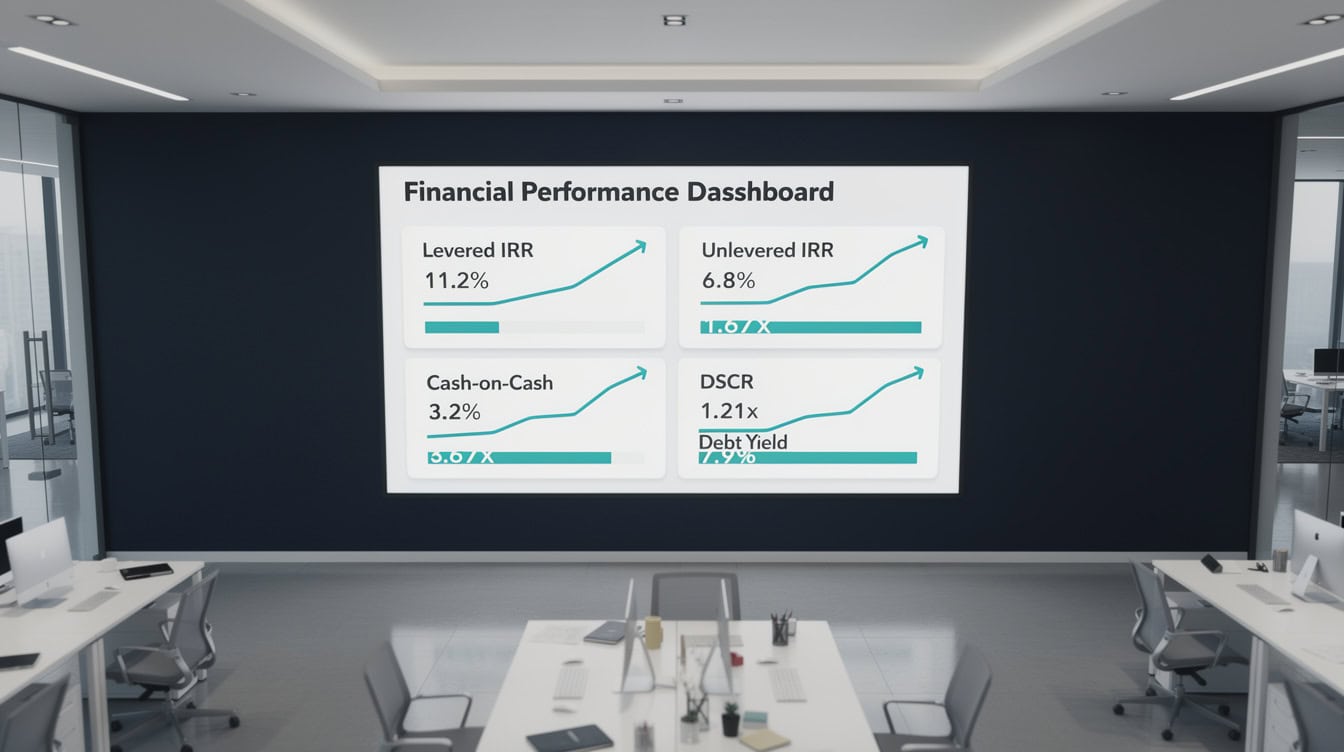
All six return metrics should calculate automatically from a single set of inputs. Changing the exit cap rate should update every metric instantly.
Value-Add vs. Development vs. Stabilized: Matching Template to Strategy
Different investment strategies require fundamentally different model architectures, and using the wrong template for your strategy produces unreliable outputs. Here’s how the three main strategies differ in modeling requirements.
Stabilized acquisition: The simplest structure. The model starts with the current T-12 operating statement, normalizes expenses, applies your underwriting assumptions, and projects forward. The key variables are rent growth, expense growth, and exit cap rate. A financial model template built for stabilized acquisitions should integrate directly with the seller’s T-12 and rent roll.
Value-add repositioning: Adds a renovation budget, unit-by-unit renovation schedule, and a lease-up model that tracks the transition from in-place rents to renovated rents. The model must handle the period when some units are offline for renovation, reducing occupancy and income. This is where many generic templates fail: they don’t model the renovation-driven vacancy correctly.
Ground-up development: The most complex structure. The model needs a construction draw schedule, construction loan interest calculations (with circular reference handling), a lease-up absorption model, and a stabilization trigger that converts the construction loan to permanent financing. Development models share this complexity of pre-revenue phases.
For value-add and development deals, the model must also include a waterfall distribution model. A waterfall defines how cash flows split between the general partner (GP, the deal sponsor who manages the investment) and limited partners (LPs, the passive equity investors) at different return hurdles. A typical structure might give LPs 100% of cash flow until they hit an 8% preferred return, then split 70/30 (LP/GP) until a 12% IRR, then split 50/50 above that.

A three-tier waterfall with an 8% preferred return and 12% IRR hurdle is the most common structure in institutional multifamily syndications.
How to Evaluate Template Quality: The $50 vs. $500 Difference
The price gap between a basic multifamily template and an institutional-grade model reflects 5 specific technical differences, not just aesthetics. Before purchasing any template, verify each of these.
| Feature | Basic ($50) | Institutional ($300-500) |
|---|---|---|
| Scenario management | Manual copy/paste | Dynamic dropdown switching |
| Circular references | Broken or ignored | Iterative calc or draw schedule |
| Formula protection | None | Locked cells, unlocked inputs |
| Data validation | None | Dropdown lists, range checks |
| Documentation | None | Instruction tab, cell comments |
| Sensitivity tables | Static | Dynamic two-variable tables |
| Waterfall logic | None | Full GP/LP waterfall |
| Debt tranches | Single loan | Senior + mezz + pref equity |
Dynamic arrays vs. legacy formulas: Excel’s dynamic array functions (FILTER, SORT, UNIQUE, introduced in Excel 365) allow the rent roll to automatically resize as you add or remove units. Legacy VLOOKUP-based templates require manual row insertion and are prone to reference errors. Verify which version the template uses before purchase.
Circular reference handling: Construction interest is circular because interest accrues on a balance that includes prior interest. A quality template either enables Excel’s iterative calculation feature (found under File, Options, Formulas) or uses a monthly draw schedule that avoids the circularity entirely. A template that simply ignores this will understate construction costs.
Error-checking tab: The best institutional templates include a dedicated error-check tab that flags broken links, out-of-balance balance sheets, and inputs outside reasonable ranges. This single feature prevents the most common modeling disasters.

The $450 price difference buys dynamic scenario management, circular reference handling, formula protection, and a dedicated error-check tab.
Customization and Common Pitfalls to Avoid
Even a high-quality multifamily apartment financial model template requires customization for your specific deal, and knowing where to customize safely prevents breaking the model’s logic.
5 pitfalls to avoid:
- Hardcoded values in formula cells: The most common template flaw. If a cell that should contain a formula contains a number instead, changing an assumption won’t flow through the model. Before using any template, press Ctrl+
`(grave accent) to toggle formula view and scan for hardcoded numbers in output cells. - Single vacancy rate for all unit types: As discussed in the revenue section, vacancy varies by unit type and market. A template that applies one vacancy percentage to the entire property will misstate income, especially for mixed-use buildings with retail components.
- Ignoring the T-12 normalization step: The seller’s trailing 12-month operating statement often includes non-recurring items (insurance claims, one-time repairs) and excludes others (deferred maintenance). Always build a normalization column that adjusts the T-12 to a stabilized run rate before projecting forward.
- Linking errors from copied tabs: When you duplicate a worksheet tab in Excel, relative references can shift unexpectedly. Always audit inter-tab links after copying. A template with named ranges (labels assigned to specific cells, like “PurchasePrice” instead of “B5”) is far more robust to this problem.
- Missing the refinancing cash flow: In a value-add deal with a bridge-to-perm refinancing, the refi proceeds are a major cash flow event. Templates that omit this event will show an artificially low IRR during the hold period and an artificially high terminal cash flow at exit.
For deals requiring financial projections across 5-10 years, a template with a dedicated assumptions tab and clearly labeled input cells reduces customization time from days to hours.

Press Ctrl+ in Excel to toggle formula view and immediately identify hardcoded values in cells that should contain formulas.
FAQ: Multifamily Financial Model Templates
What is a multifamily apartment financial model template used for?
A multifamily apartment financial model template is used to underwrite apartment investment opportunities by projecting income, expenses, debt service, and investor returns over a defined hold period. Real estate investors use these templates during due diligence to evaluate whether a deal meets their return thresholds before committing capital. Lenders use them to verify DSCR and debt yield. Equity partners use them to confirm IRR and equity multiple projections. A quality template connects all three audiences through a single set of inputs, so changing one assumption, like the exit cap rate, flows through to every output automatically. eFinancialModels offers institutional-grade multifamily templates built for acquisitions, value-add repositioning, and ground-up development.
How do I calculate NOI in a multifamily model?
NOI (net operating income) equals effective gross income minus total operating expenses, excluding debt service and capital expenditures. Here’s the calculation: start with gross potential rent (all units at market rent, 100% occupied), subtract vacancy and credit loss (typically 5-10%), add other income (parking, laundry, pet fees), and you get effective gross income (EGI). Then subtract operating expenses (management fees, taxes, insurance, maintenance, utilities, payroll) to arrive at NOI. For a 100-unit property with $1,200 average rent, gross potential rent is $1,440,000 per year. At 7% vacancy, EGI is approximately $1,339,200. If operating expenses run 42% of EGI, NOI is approximately $776,736. A cap rate of 5.5% implies a value of $14,122,000.
What Excel version do I need to run a multifamily financial model template?
Most professional multifamily templates require Excel 2016 or later for full functionality. Templates that use dynamic array functions (FILTER, SORT, UNIQUE, XLOOKUP) require Excel 365 or Excel 2021, as these functions are not available in earlier versions. Microsoft introduced dynamic arrays in Excel 365 in 2020, and they significantly improve rent roll flexibility. Before purchasing a template, check the documentation for version requirements. If you’re running Excel 2016 or 2019, look for templates that explicitly state compatibility with those versions, or ask the seller whether legacy formula versions are available. Running a dynamic array template in an incompatible version will display #NAME? or #SPILL! errors throughout the model.
What is DSCR and what minimum does a lender require?
DSCR (debt service coverage ratio) measures how many times a property’s NOI covers its annual debt payments. The formula is: DSCR = NOI / Annual Debt Service. A DSCR of 1.25x means the property generates 25% more income than needed to cover the loan payment. Most agency lenders (Fannie Mae, Freddie Mac) require a minimum DSCR of 1.25x for multifamily loans, though some programs allow 1.20x for high-quality properties in strong markets. Bridge lenders for value-add deals often underwrite to the as-stabilized DSCR rather than the current in-place DSCR, which is why the model must project both. A template that only shows current DSCR without projecting the stabilized DSCR will miss a critical lender requirement.
How does a waterfall distribution model work in a multifamily template?
A waterfall distribution model defines the order and percentages in which cash flows are distributed between the general partner (GP, the deal sponsor) and limited partners (LPs, the passive investors). A typical multifamily waterfall has 3-4 tiers. Tier 1: LPs receive 100% of cash flow until they recover their invested capital plus an 8% preferred return. Tier 2: cash flow splits 70% LP and 30% GP until LPs hit a 12% IRR. Tier 3: cash flow splits 50% LP and 50% GP above 12% IRR. The GP’s share above the preferred return is called the carried interest or promote. A quality multifamily template calculates these splits automatically using IF and MIN functions, so changing the hurdle rates instantly updates all distributions. Without waterfall logic, you can’t accurately model LP vs. GP returns.
Can I use a multifamily template for a development deal?
Yes, but you need a template specifically designed for ground-up development, not an acquisition model. Development models require a construction draw schedule (monthly budget by cost category), construction loan interest calculations (which create a circular reference that must be handled with iterative calculations or a draw-based approach), a lease-up absorption model, and a stabilization trigger that converts the construction loan to permanent financing. An acquisition model applied to a development deal will miss all of these mechanics and produce unreliable returns. eFinancialModels offers separate templates for stabilized acquisitions, value-add repositioning, and ground-up development, each with the specific worksheet architecture the strategy requires.
What is the difference between levered and unlevered IRR?
Unlevered IRR (also called the property-level or all-equity IRR) measures the return on the total property investment as if it were purchased with 100% equity and no debt. It reflects the property’s intrinsic performance independent of financing. Levered IRR measures the return on the equity invested after accounting for debt service and financing costs. For a property purchased at a 6% cap rate with 70% LTV financing at 6.5% interest, the unlevered IRR might be 7-8% while the levered IRR could reach 12-15%, because debt amplifies equity returns when the property yield exceeds the borrowing cost. This amplification is called positive leverage. A quality multifamily template calculates both metrics side by side, so you can see exactly how much of your return comes from the property versus the financing structure.
























































