
0 ITEMS

Multifamily Development Model Pro (GP/LP Waterfall)
FinModelAI Multifamily Development Model Pro is an institutional-grade Excel template purpose-built for modeling the full development lifecycle of a residential rental project — from groundbreaking through stabilized operations and exit. Whether you are underwriting a garden-style apartment community, a mid-rise urban multifamily development, or a value-add acquisition with a repositioning plan, this model provides the analytical rigor that lenders, equity investors, and development teams require.


Overview
FinModelAI Multifamily Development Model Pro is an institutional-grade Excel template purpose-built for modeling the full development lifecycle of a residential rental project — from groundbreaking through stabilized operations and exit. Whether you are underwriting a garden-style apartment community, a mid-rise urban multifamily development, or a value-add acquisition with a repositioning plan, this model provides the analytical rigor that lenders, equity investors, and development teams require.
The model covers 10-year projections across 14 fully linked worksheets, with approximately 1,300 auto-calculating formulas, zero macros, and zero circular references. It delivers three complete financial statements, a detailed construction budget with an S-curve draw schedule, a fully parameterizable debt structure including a construction-to-permanent loan with cash-out refinancing, a GP/LP equity waterfall, a DCF valuation, and an executive dashboard — all driven from a single Assumptions tab.
Why This Model
Most multifamily pro formas available online are simple annual cash flow models bolted together with a cap rate exit. This model was built from the ground up with real estate development fundamentals at its core:
- Granular unit mix — Studio, 1-Bedroom, 2-Bedroom, and 3-Bedroom unit types each with their own unit count, average square footage, and rent, so Gross Potential Rent builds bottom-up from the actual unit mix rather than a single blended rent
- Value-add / renovation scenario (toggle) — an optional repositioning mode with renovation capex per unit, units renovated per year, and a post-renovation rent premium, letting you model a value-add business plan in the same workbook as a ground-up development
- Lease-up occupancy ramp with monthly granularity — not a static stabilized yield applied from day one, but a realistic trajectory from certificate of occupancy through stabilization, exactly the way lenders and equity sponsors underwrite residential development
- GPR → EGI → NOI waterfall — Gross Potential Rent, vacancy and credit loss, concessions, other income, all flowing through to Effective Gross Income and Net Operating Income in the structure that every appraisal and lender package uses
- Construction S-curve with capitalized IDC — monthly construction draw schedule following an S-curve cost distribution, with Interest During Construction automatically capitalized and flowing to the Balance Sheet
- Construction loan + permanent financing with IO period and cash-out refinancing — the full debt lifecycle of a multifamily development, including an optional Year 5 refinancing event that extracts equity capital for LP distributions, fully visible and parameterizable
- Development spread — Yield on Cost versus exit cap rate, the key metric developers use to underwrite whether a project creates value relative to the going-in yield investors require
- Full 3-statement integration with automatic balance check every period — not just a cash flow model
What’s Inside (Tab by Tab)
1) START HERE — Workflow guide, color code legend (blue = inputs, black = formulas, green = cross-sheet links), model structure overview, and key assumptions summary. Start here before touching anything else.
2) Dashboard — Executive summary with 4 auto-updating charts: revenue ramp through lease-up, NOI margin over time, DSCR trajectory, and project cash flow waterfall. Key metrics displayed at a glance: Project IRR, Equity IRR, MOIC, LP IRR, NPV, Yield on Cost, development spread, and minimum DSCR.
3) Assumptions — Centralized input hub for all model drivers: granular unit mix (Studio / 1BR / 2BR / 3BR — unit count, average SF, and rent for each type), construction schedule, vacancy and credit loss rates, lease-up ramp curve, value-add toggle with renovation capex per unit, units renovated per year and rent premium, operating expense assumptions by line item, financing terms (construction loan, permanent debt, IO period, cash-out refi in Year 5), equity structure (GP/LP split, preferred return, promote hurdles), WACC, and DCF parameters. All blue cells, all in one place.
4) Construction — Monthly construction budget with S-curve cost distribution across hard costs (land, site work, vertical construction), soft costs (architecture, engineering, permits, development fees), and financing costs. IDC is capitalized automatically and flows to the Balance Sheet. Total development cost feeds the Debt and Returns tabs.
5) Revenue — Full GPR to EGI to NOI build-up for 240 units across a granular unit mix (Studio, 1BR, 2BR, 3BR). Gross Potential Rent builds bottom-up from unit count × average rent for each unit type; vacancy and credit loss applied as a percentage of GPR, concessions and bad debt, other income (parking, pet fees, laundry), all rolling up to Effective Gross Income. Lease-up occupancy ramp begins at certificate of occupancy and reaches stabilization in the Base Case by Month 12 of operations. When the value-add toggle is on, renovated units pick up the configured rent premium on the renovation schedule.
6) Opex — Operating expense model including property management fees (as a percentage of EGI), repairs and maintenance, insurance, property taxes (with annual escalation), utilities, landscaping, and general and administrative. Supports per-unit and percentage-of-revenue assumptions with cost escalation applied annually.
7) Debt — Construction loan draws following the S-curve, permanent debt takeout at stabilization (sizing off DSCR or LTV, whichever is binding), interest-only period (parameterizable length), optional cash-out refinancing in Year 5 (visible in the model, not hidden), and annual DSCR tracking with covenant visualization. The Year 5 refi generates $9.6M of proceeds in the Base Case, distributed to equity partners.
8) P&L — Full Income Statement from EGI through NOI, depreciation, EBIT, interest expense, and net income. Automatically linked from Revenue and Opex tabs.
9) Cash Flow — Operating cash flow, investing cash flow (construction capex, maintenance capex), financing cash flow (construction loan draws and repayments, permanent debt, equity contributions and distributions, refi proceeds), and free cash flow to equity. Feeds the Balance Sheet automatically.
10) Balance Sheet — Fully integrated balance sheet with assets (capitalized construction costs, PP&E net of depreciation), liabilities (debt schedule), and equity (contributed capital, retained earnings). Automatic balance check displayed on every period — must equal zero.
11) Returns — Project-level and equity-level return analysis: Project IRR, Equity IRR (unlevered and levered), MOIC, Cash Yield, and Yield on Cost. GP/LP equity waterfall with 8% preferred return, return of capital, and two IRR-based promote tiers showing GP promote economics and LP net returns separately.
12) DCF — Discounted Cash Flow valuation with dual exit methodology: (1) Exit Cap Rate applied to stabilized NOI and (2) Price per Unit exit multiple. WACC calculation included. Outputs NPV and implied equity value under each exit scenario.
13) Sensitivity — Two live sensitivity tables (formula-based, no Excel Data Tables required): (1) Project IRR vs Rent Growth and Exit Cap Rate, (2) Equity IRR vs Leverage and Construction Cost. Base / Bull / Bear scenario toggle built into Assumptions.
14) Glossary — Multifamily development and project finance terms defined: GPR, EGI, NOI, unit mix, value-add, cap rate, development spread, YoC, DSCR, IDC, lease-up, cash-out refi, waterfall, GP/LP promote, IRR, MOIC, and more.
Key Outputs
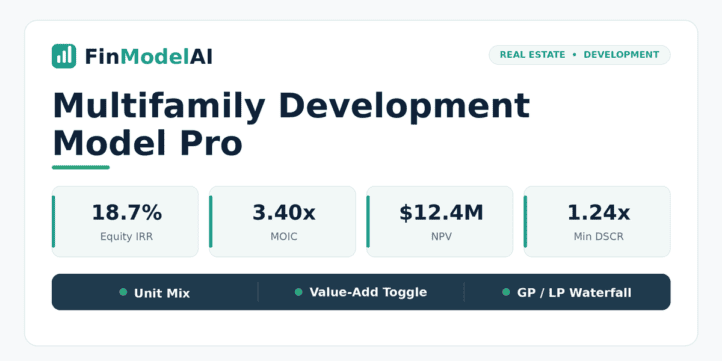
Metric Demo Scenario (Base Case) Project IRR 10.2% Equity IRR (Levered) 18.7% MOIC 3.40x LP Net IRR 17.3% DCF NPV +$12.4M @ 7% WACC Yield on Cost (Stabilized) 6.3% Development Spread +1.0pp vs exit cap rate Minimum DSCR 1.24x Cash-Out Refi Proceeds (Year 5) $9.6M Total Units 240 Total Capex ~$52.6M
Who It’s For
- Real estate private equity and family offices underwriting multifamily development investments as a GP or LP
- Development companies building their first or next apartment community and needing a financial model for lender packages and LP presentations
- Investment banks and advisors modeling residential development project finance transactions
- Debt funds and construction lenders evaluating DSCR, debt sizing, and construction loan risk on multifamily projects
- Asset managers stress-testing development economics across rent growth, construction cost, and exit cap rate scenarios
- MBA students and analysts learning real estate development pro forma modeling, GP/LP waterfalls, and project finance in the residential sector
What Makes It Different
This model competes on integration and engineering integrity, plus two practical features many pro formas skip — a granular unit mix and a value-add toggle. It is not the cheapest multifamily template on the market; it is one of the better-built ones.
Granular Unit Mix (Studio / 1BR / 2BR / 3BR) — Gross Potential Rent builds bottom-up from each unit type’s count, average square footage, and rent, rather than from a single blended rent. That makes the revenue line credible to a lender or appraiser and lets you test how the mix itself drives returns.
Value-Add / Renovation Scenario — A toggle turns the model from ground-up development into a repositioning play: renovation capex per unit, units renovated per year, and a post-renovation rent premium flow through revenue, the renovation capex schedule, and returns. One workbook covers both the build and the value-add business plans.
Engineering Integrity — Zero Macros, Zero Circular References — The full debt-and-interest mechanics, IDC capitalization, and cash-out refinancing resolve with no VBA and no iterative calculation, and an automatic balance check ties out on every period. A number of competing multifamily models rely on macros or on Excel’s iterative-calculation switch to close their interest loops, which breaks in Google Sheets, on locked-down corporate machines, and in shared workbooks. This model just opens and works.
Lease-Up Occupancy Ramp — Rather than applying a stabilized occupancy rate from day one, the model builds in a realistic monthly lease-up trajectory from certificate of occupancy. The ramp rate and stabilization month are fully parameterizable. This is the difference between a spreadsheet and a credible lender or LP underwriting model.
GPR to NOI Structure — Revenue flows through Gross Potential Rent, vacancy and credit loss, concessions, and other income to reach Effective Gross Income — the industry-standard structure used in ARGUS, appraisals, and lender packages. No shortcuts.
Construction S-Curve with IDC — The construction budget follows an S-curve draw schedule rather than a straight-line allocation, matching actual construction cash flows. Interest During Construction is calculated monthly and capitalized to the Balance Sheet automatically.
Cash-Out Refinancing in Year 5 — The permanent loan refinancing event in Year 5 is fully modeled and visible: new loan sizing, proceeds calculation, LP distribution of refi cash, and the impact on remaining equity basis and future returns. No black box.
Development Spread — Yield on Cost versus the exit cap rate is calculated and displayed prominently. This is the core value-creation metric in multifamily development — if your yield on cost exceeds the exit cap, you are creating equity value. The model makes this explicit.
Full 3-Statement Integration with Balance Check — Most real estate pro formas stop at cash-on-cash and IRR. This model includes a fully linked P&L, Cash Flow Statement, and Balance Sheet with an automatic balance check on every period. Required for institutional LP and lender presentations.
GP/LP Waterfall with Dual Promote — The waterfall models the preferred return (8%), return of capital, and two IRR-based promote tiers, reflecting how real estate PE funds and family offices actually structure multifamily joint venture economics. GP and LP returns are shown separately.
Sensitivity Without Data Tables — Both sensitivity tables are formula-driven rather than Excel Data Table-dependent, ensuring full compatibility across Excel versions, operating systems, and shared workbooks.
Technical Notes / Compatibility
- Built for Microsoft Excel (Windows and Mac)
- No VBA / macros, no circular references
- Approximately 1,300 auto-calculating formulas, zero formula errors
- Automatic balance check (must equal zero every period)
- Compatible with Google Sheets (some charts may render differently)
- Currency and start year are parameterizable from the Assumptions tab
Files Included
- 1 Excel file: FinModelAI_Multifamily_Pro.xlsx
- START HERE tab + Glossary included inside the workbook
Disclaimer
This template is provided for educational and analytical purposes only. It does not constitute financial, investment, legal, or engineering advice. Users are responsible for verifying all assumptions and outputs against project-specific data. Consult qualified professionals before making investment or financing decisions.
Similar ProductsOther customers were also interested in...



 eFinancialModels
Electric Vehicle (EV) Charging Station Financial M...
With this comprehensive 5- or 10-year monthly tool, investors can assess the viability of setting up... Read more

Financial Model for Mobile App | Mobile App Busine...
The Mobile App Financial Plan Template in Excel allows you to develop financial projections when lau... Read more

 HenrySheykin
Food Truck Financial Model Excel Template
The Food Truck Financial Model helps entrepreneurs, founders, business owners, consultants, and anal... Read more

Green Hydrogen Production from Wind Energy Financi...
The Green Hydrogen from Wind Financial Model aims to comprehensively forecast a horizon of 40 years ... Read more

Simple Mutual Non-Disclosure Agreement Template
Protect your business secrets with ease using our Simple Mutual Non-Disclosure Agreement Template. S... Read more

Solar Energy Financial Model
The Solar Energy Financial Model Spreadsheet Template in Excel assists you in preparing a sophistica... Read more

 Peter Graf
The Customer-Centric Financial Model for Restauran...
Starting a restaurant without a financial plan is like driving a car blindfolded. You wouldn´t do i... Read more
You must log in to submit a review.