
0 ITEMS

All-In-One Monthly Employee Timecard: Tracking, Billing & Executive Reporting
Simplify employee time tracking and client billing with our all-in-one Monthly Employee Timecard Template. Designed for businesses that demand accurate, efficient, and detailed reporting, this Excel-based tool manages work hours, billing categories, and productivity insights from a single file. This timesheet template helps you track employee performance, manage client billing, and generate executive reports effortlessly, making it ideal for growing businesses.
| All Industries |
| Accounts Payable, Calculator, Dashboard, Employee Performance, Excel, KPIs (Key Performance Indicators), Team management, Tracking |


Key Features Of The Timecard Spreadsheet Template
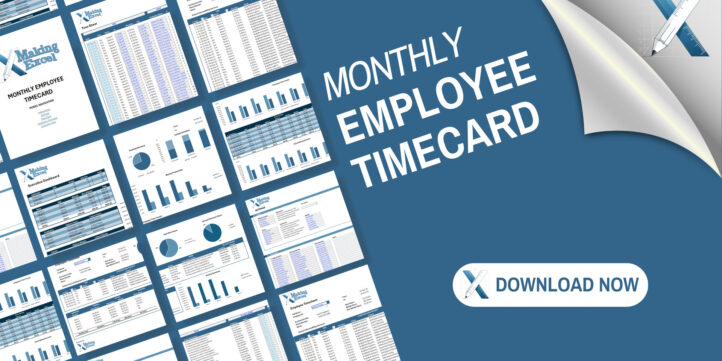
This timecard system offers four integrated features for efficient tracking and reporting. The Raw Data Time Sheet logs detailed work entries and auto-calculates hours by billing category. The Employee Timecard Summary provides a clear breakdown of each employee’s total and billable hours, aiding performance reviews. Meanwhile, the Client Work Report tracks project-specific hours and billing for transparent invoicing. Both tabs include dropdown selectors, allowing users to easily switch between employee names or clients without navigating across tabs, streamlining review and minimizing friction. Finally, the Executive Dashboard delivers insights into weekly and team productivity, as well as client billing and transparency.
- Raw Data Time Sheet
The sheet is structured for easy data input (logging date, time in/out, employee, client, and project/work status). It then features a built-in time card sheet calculator to automatically compute total hours worked and allocate them to the appropriate billing category, streamlining tracking, eliminating manual errors, and ensures accurate calculations for payroll and invoicing.
- Employee Timecard Summary
This tab displays employee details and activity overview, their respective total work hours vs billable hours. It easily shows breakdown of hours by work status and billing category, as well as clear visual summaries for performance review. It includes a dropdown for quick switching between employees without navigating tabs. Moreover, this employee timecard feature allows management to understand how employees allocate their time, so that businesses can improve workforce planning, identify inefficiencies, and optimize project assignments. For example, a manager can quickly see if an employee is spending too much time on non-billable tasks like internal meetings and adjust priorities to maximize billable work hours.
- Client Work Report
The client work report tracks client-specific hours and billing breakdowns, with a dropdown to easily shift between clients. The sheet includes client details and associated projects, total hours worked, and billable hour breakdowns. By using this feature, businesses can easily produce timecard sample or client-ready reports to share with clients for review or invoicing purposes. Accurate client reporting builds trust and strengthens relationships by providing complete transparency. It also helps internal teams confirm that all billable work has been recorded correctly before invoicing.
- Executive Dashboard
The executive dashboard offers a high-level activity and efficiency summary view. It highlights top-performing employees, active clients, and projects. It shows the consolidated summary of total work hours and billable hours. This centralized view supports strategic planning, resource allocation, and financial analysis, all in one dynamic interface. For example, an operations manager can quickly see which week had the highest productivity and compare that against billing data to evaluate efficiency and profitability.
Why This Tool Is Essential
This all-in-one Monthly Employee Timecard offers a simple solution to collect and track employee hours and billable hours, making it easier by automating hours calculations, simplifying employee and client data, as well as billing. With dropdown selectors for quick navigation, it enhances productivity tracking and delivers clear, visual insights into how time is spent. The timesheet template consolidates key metrics, like active vs inactive employees as well as clients, billable hours, and weekly productivity, empowering managers to make informed decisions and optimize performance with ease.
- Automates Calculations
The built-in time card sheet calculator eliminates manual entry errors by automatically computing total hours and allocating them to the correct billing categories, saving time and reducing payroll mistakes.
- Drives Productivity Insights
Visual summaries and detailed breakdowns show management exactly how time is spent (billable vs. internal tasks), helping them identify bottlenecks and optimize workforce planning.
- Simplifies Client Billing
The Client Work Report generates transparent, client-ready reports with itemized summaries of hours worked per project and billing category. This ensures accurate invoicing and builds client trust through clear documentation.
Who This Timecard Is Ideal For:
This timesheet template is designed to support a wide range of professionals and organizations that rely on accurate time tracking and transparent reporting. From service-based companies, project-based teams, small to medium businesses. This tool adapts to your workflow and simplifies the entire time tracking process.
- Service-Based Companies
Perfect for businesses that bill clients by the hour and need precise records to support invoicing and resource allocation.
- Project-Based Teams
Ideal for teams seeking better visibility into how time is spent across tasks, clients, and billing categories to improve productivity and planning.
- Small to Medium Businesses
A scalable solution that grows with your team, offering structured time tracking without the complexity of enterprise systems.
Simplify Your Monthly Employee Timecard
Managing work hours, client billing, and team productivity doesn’t have to be complicated. This all-in-one Monthly Employee Timecard helps you stay organized, reduce manual errors, and make smarter decisions, without juggling multiple spreadsheets. From automated hour calculations to visual dashboards and client-ready reports, it gives you the clarity and control to run your operations smoothly. Whether you’re tracking internal performance or preparing invoices, everything you need is in one place, ready to adapt to your workflow.
Download our Monthly Employee Timecard now and take control of your team’s time tracking, billing accuracy, and productivity insights.
Similar ProductsOther customers were also interested in...



 eFinancialModels
Electric Vehicle (EV) Charging Station Financial M...
With this comprehensive 5- or 10-year monthly tool, investors can assess the viability of setting up... Read more

Financial Model for Mobile App | Mobile App Busine...
The Mobile App Financial Plan Template in Excel allows you to develop financial projections when lau... Read more

 HenrySheykin
Food Truck Financial Model Excel Template
The Food Truck Financial Model helps entrepreneurs, founders, business owners, consultants, and anal... Read more

Green Hydrogen Production from Wind Energy Financi...
The Green Hydrogen from Wind Financial Model aims to comprehensively forecast a horizon of 40 years ... Read more

Simple Mutual Non-Disclosure Agreement Template
Protect your business secrets with ease using our Simple Mutual Non-Disclosure Agreement Template. S... Read more

Solar Energy Financial Model
The Solar Energy Financial Model Spreadsheet Template in Excel assists you in preparing a sophistica... Read more

 Peter Graf
The Customer-Centric Financial Model for Restauran...
Starting a restaurant without a financial plan is like driving a car blindfolded. You wouldn´t do i... Read more
You must log in to submit a review.