
0 ITEMS

Basis Points Formula: Calculations, Conversions & Examples
Understanding the basis points formula is essential for anyone working with interest rates, bond yields, or investment fees, where small percentage differences translate into significant dollar amounts. This guide walks through the core calculations, percentage conversions, Excel formulas, and real-world examples so you can apply basis points with confidence.
Whether you are analyzing a bond yield, comparing mortgage rates, or evaluating investment fees, understanding how basis points work is essential. Here are the key points to keep in mind before diving into the details.
Key Takeaways
- 1 basis point (bps) equals exactly 0.01% or 0.0001 in decimal form, so 100 basis points equals 1%.
- To convert a percentage to basis points, multiply by 100 (if expressed as a percent like 3.75%) or by 10,000 (if expressed as a decimal like 0.0375).
- To convert basis points to a percentage, multiply by 0.0001: 25 bps × 0.0001 = 0.0025, or 0.25%.
- In Excel, calculate basis points between two decimal rates with the formula =(A1-B1)10000, where A1 and B1 hold the two rates as decimals.
- A 25 basis point increase on a $300,000 mortgage at 6.50% raises the monthly payment by roughly $47, adding about $16,920 over a 30-year term.
- Federal Reserve rate decisions are announced in increments of 25 bps (0.25%), making basis points the standard language for central bank policy.
- A 10 bps difference in annual fund fees on a $100,000 investment costs approximately $1,000 in extra fees over 10 years, before compounding effects.
Basis point calculations appear across bond trading desks, mortgage analysis, and investment fee comparisons — all using the same core formula.*
Understanding the Basis Points Formula: Core Calculation Methods
The basis point formula converts between percentage changes and the standardized unit used across bond markets, interest rate analysis, and investment fee comparisons. One basis point equals 0.01% and 0.0001 in decimal form (Indeed). The two core formulas are: Basis Points = Percentage × 100 (when the input is already expressed as a percent) and Percentage = Basis Points ÷ 100. To convert basis points directly to decimal form, multiply by 0.0001.
Basis points exist because small percentage differences carry large dollar consequences in finance. Saying a bond yield moved “a fraction of a percent” is ambiguous. Saying it moved “15 basis points” is exact. Basis points quantify the difference between two percentages, such as interest rates or bond yields (Indeed), removing any ambiguity about whether someone means percentage points or decimal fractions.
Here are the two master formulas you will use in every context:
| Direction | Input Format | Formula | Example |
|---|---|---|---|
| % → bps | Percentage (e.g., 3.75%) | bps = % × 100 | 3.75 × 100 = 375 bps |
| Decimal → bps | Decimal (e.g., 0.0375) | bps = decimal × 10,000 | 0.0375 × 10,000 = 375 bps |
| bps → % | Basis points (e.g., 25) | % = bps × 0.0001 × 100 | 25 × 0.01 = 0.25% |
| bps → decimal | Basis points (e.g., 25) | decimal = bps × 0.0001 | 25 × 0.0001 = 0.0025 |
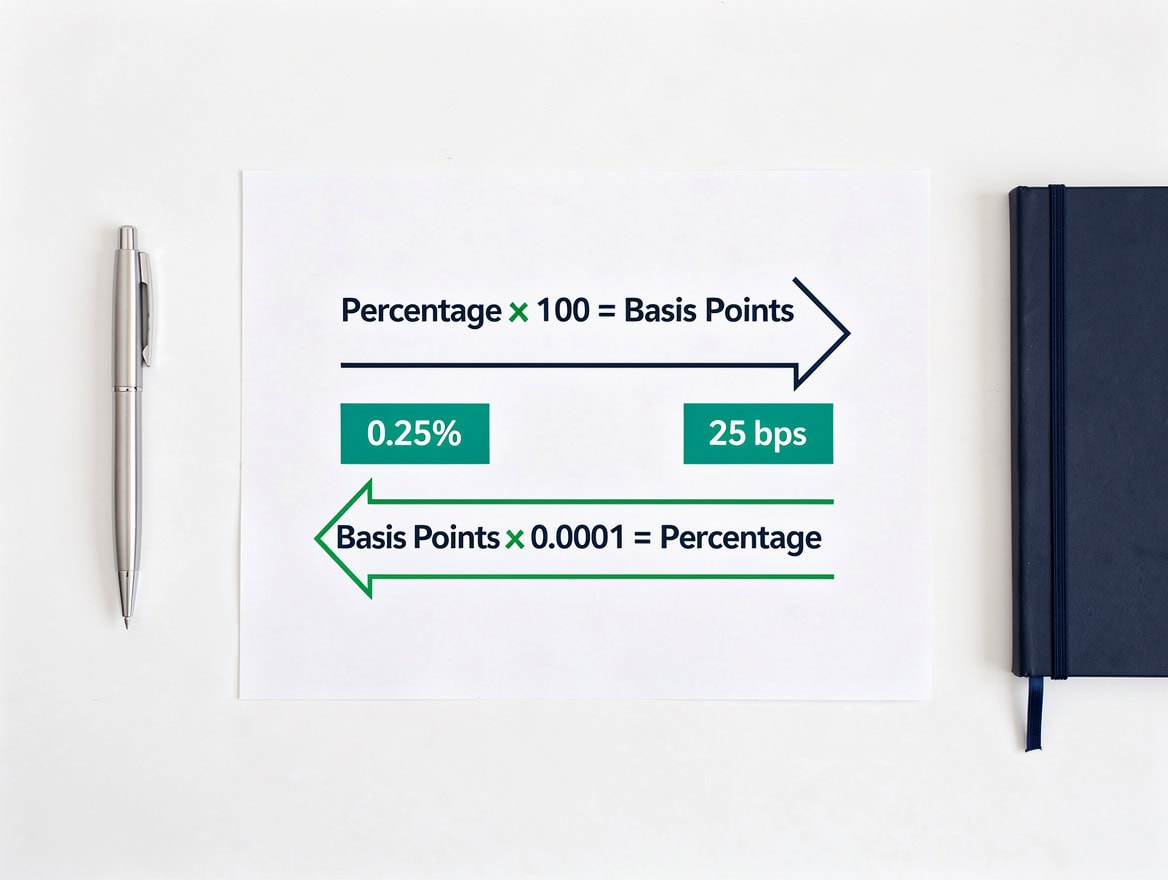
The two master formulas: multiply by 100 to go from percent to bps, multiply by 0.0001 to reverse.
Converting Percentage to Basis Points: Formula and Examples
To convert a percentage to basis points, multiply the percentage value by 100. A 0.01% change equals 1 basis point, while a 1% change equals 100 basis points (Indeed).
This direction of conversion comes up constantly when you observe a rate change quoted in percent and need to express it in the standard market language. Here are four realistic scenarios:
- A mortgage rate moves from 6.50% to 6.75%: the change is 0.25%, which equals 25 basis points (0.25 × 100).
- A corporate bond yield rises from 4.80% to 5.35%: the change is 0.55%, which equals 55 basis points.
- A savings account rate drops from 5.10% to 4.85%: the change is 0.25%, which equals 25 basis points.
- An equity fund’s expense ratio falls from 1.20% to 0.95%: the reduction is 0.25%, or 25 basis points.
Notice that the same 25 bps figure appears across very different financial instruments. That consistency is exactly why basis points are the preferred unit: they work identically for rates, yields, and fees.
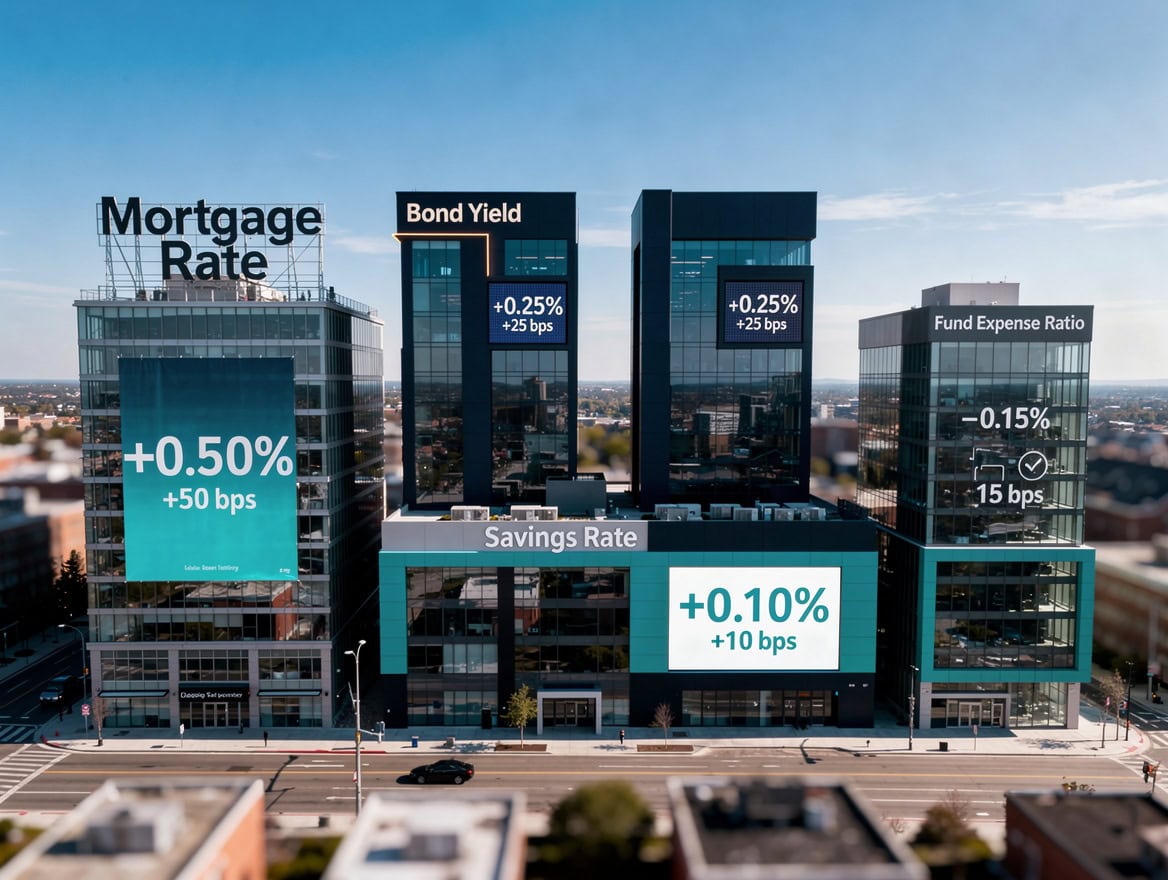
The same 25 bps figure appears across mortgages, bonds, savings accounts, and fund fees — demonstrating the unit’s universal applicability.
Converting Basis Points to Percentage: The 0.0001 Multiplier
To convert basis points to a percentage, multiply the basis points by 0.01 — so 25 basis points equals 0.25%. If you need decimal form instead (for use in a spreadsheet formula), multiply by 0.0001, which turns 25 basis points into 0.0025 (Indeed).
Common benchmarks you will encounter in financial markets:
- 25 bps = 0.25% (the standard Federal Reserve rate-hike increment)
- 50 bps = 0.50%
- 75 bps = 0.75%
- 100 bps = 1.00% (one full percentage point)
- 200 bps = 2.00%
25 basis points equals 0.25%, a figure that appears in nearly every Federal Open Market Committee (FOMC) rate decision announcement. The Federal Reserve has historically moved its federal funds rate target in 25 bps increments during normal policy cycles, though it used 75 bps moves during the 2022 tightening cycle (Federal Reserve, FOMC meeting statements, 2022).
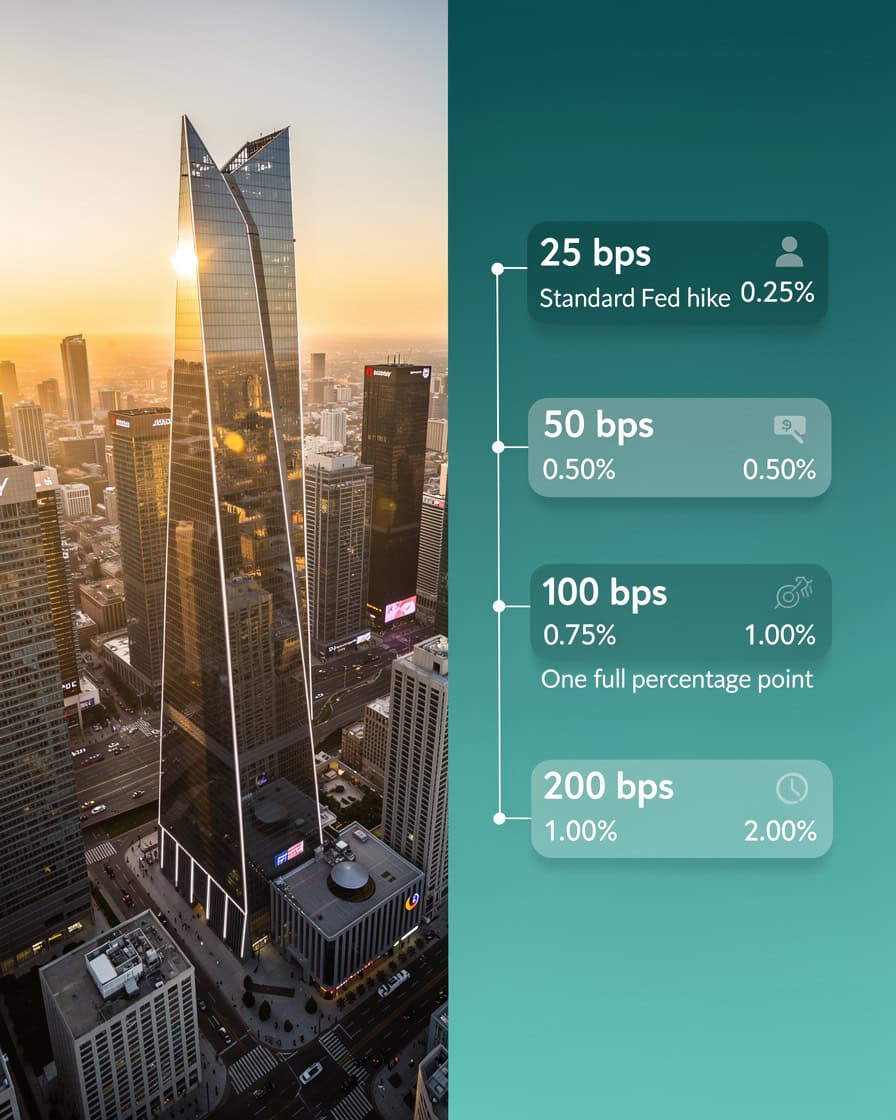
25 bps is the Fed’s standard rate-move increment; 100 bps equals one full percentage point.
Calculating Basis Point Difference Between Two Rates
To find the basis point difference between two rates, subtract the smaller rate from the larger rate and multiply by 10,000 if the rates are in decimal form, or by 100 if they are in percentage form. This is the most common calculation in fixed income trading and loan comparison.
Formula (decimal inputs): BPS Difference = (Rate A − Rate B) × 10,000
Formula (percentage inputs): BPS Difference = (Rate A% − Rate B%) × 100
Worked example: A corporate treasurer compares two bank loan offers. Bank A quotes 5.85% and Bank B quotes 5.60%.
- Difference in percentage terms: 5.85% − 5.60% = 0.25%
- Difference in basis points: 0.25 × 100 = 25 basis points
On a $10 million revolving credit facility, 25 basis points in annual interest equals $25,000 per year. Over a 5-year facility, that is $125,000 in additional interest cost. This is why treasury teams track basis points rather than rounding to the nearest quarter-percent.
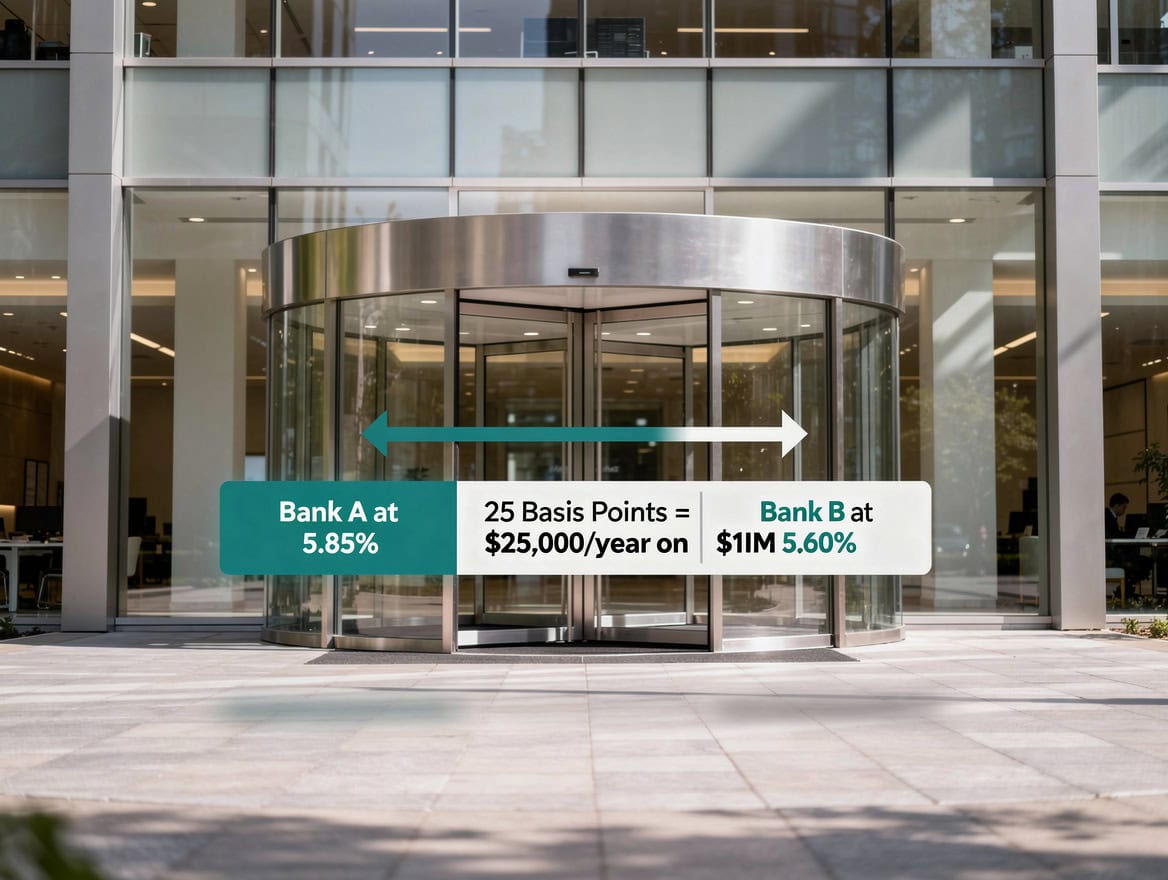
25 basis points on a $10M credit facility equals $25,000 per year — illustrating why treasury teams track bps, not rounded percentages.
Excel Formulas for Basis Point Calculations
In Excel, the formula to calculate basis points between two rates entered as decimals is =(A1-B1)10000, where A1 holds the first rate and B1 holds the second rate, both as decimal values (e.g., 0.0585 for 5.85%). This single formula covers the most common spreadsheet use case in financial modeling.
Here is a complete set of Excel implementations:
| Task | Cell Setup | Formula | Result |
|---|---|---|---|
| BPS between two decimal rates | A1=0.0585, B1=0.0560 | =(A1-B1)10000 | 25 bps |
| Convert % to BPS | A1=0.25 (percent value) | =A1100 | 25 bps |
| Convert decimal to BPS | A1=0.0025 | =A110000 | 25 bps |
| Convert BPS to % | A1=25 | =A10.01 | 0.25% |
| Convert BPS to decimal | A1=25 | =A10.0001 | 0.0025 |
For a bond yield spread dashboard, set column A to bond yields as decimals, column B to the benchmark yield, and column C to =( A2-$B$2)10000. The dollar sign locks the benchmark reference so you can drag the formula down across all bonds without the benchmark cell shifting.
If your rates are stored as Excel percentage-formatted cells (which display as 5.85% but store as 0.0585 internally), the =(A1-B1)10000 formula still works correctly because Excel stores percentage-formatted values as decimals.
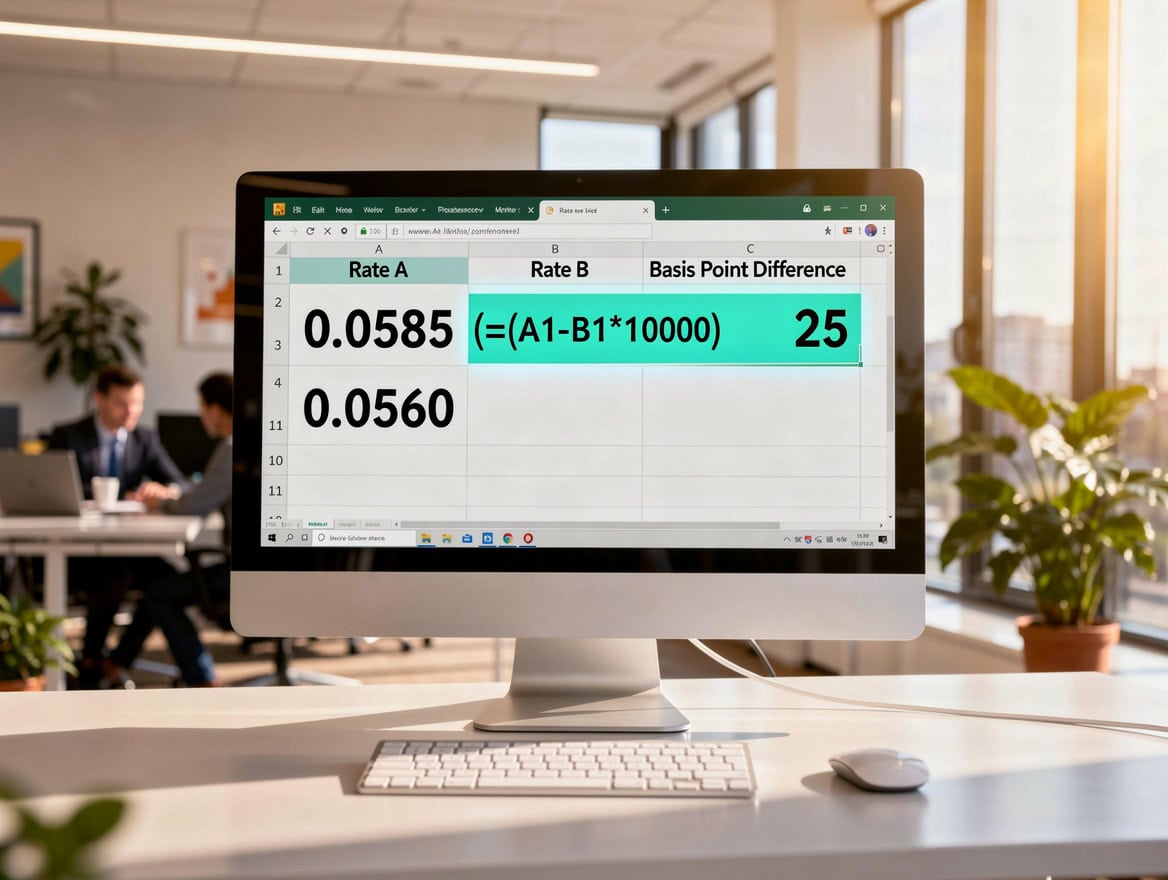
The Excel formula =(A1-B1)10000 calculates basis point differences instantly when rates are stored as decimals.*
Real-World Basis Point Calculations: Interest Rates and Mortgages
A 25 basis point change in a mortgage rate produces a measurable and predictable shift in monthly payments. On a $300,000 30-year fixed mortgage, moving from 6.50% to 6.75% (a 25 bps increase) raises the monthly payment from approximately $1,896 to $1,943, a difference of $47 per month.
Here’s the math using the standard mortgage payment formula:
Monthly Payment = P × r(1+r)^n / (1+r)^n − 1
Where P = principal ($300,000), r = monthly interest rate, n = number of payments (360 for 30 years).
- At 6.50%: r = 0.065/12 = 0.005417. Payment = $300,000 × 0.005417 × (1.005417)^360 / (1.005417)^360 − 1 = $1,896/month
- At 6.75%: r = 0.0675/12 = 0.005625. Payment = $300,000 × 0.005625 × (1.005625)^360 / (1.005625)^360 − 1 = $1,943/month
- Difference: $47/month × 360 payments = $16,920 in total additional interest
That $16,920 figure comes from a single 25 bps move. When the Federal Reserve raised rates by 75 basis points at three consecutive FOMC meetings in 2022, the cumulative effect on new mortgage originations was a payment increase of several hundred dollars per month on a median-priced home.

A single 25 bps rate move on a $300,000 mortgage adds $16,920 in total interest over a 30-year term.
Basis Point Calculations for Bond Yields and Investment Returns
Bond traders use basis points to measure yield spreads, which are the differences in yield between two bonds of different credit quality or maturity. A yield spread is the number of basis points by which one bond’s yield exceeds another’s, and it directly signals relative risk.
Example: A 10-year U.S. Treasury yields 4.30% and a BBB-rated corporate bond yields 5.05%. The spread is 0.75%, or 75 basis points. If that spread widens to 100 bps, the corporate bond now yields 5.30%, signaling that the market perceives higher credit risk.
For investment fund comparisons, basis points measure expense ratios (the annual fee a fund charges as a percentage of assets). A difference of 10 basis points between two otherwise identical index funds costs $100 per year on a $100,000 investment. Over 10 years, assuming 7% annual returns, the fund with the higher 10 bps fee produces a portfolio worth approximately $1,967 less, because the fee compounds against you each year.
You can explore how these return differences affect long-term valuations using the net present value framework to discount future cash flows at different rate assumptions.
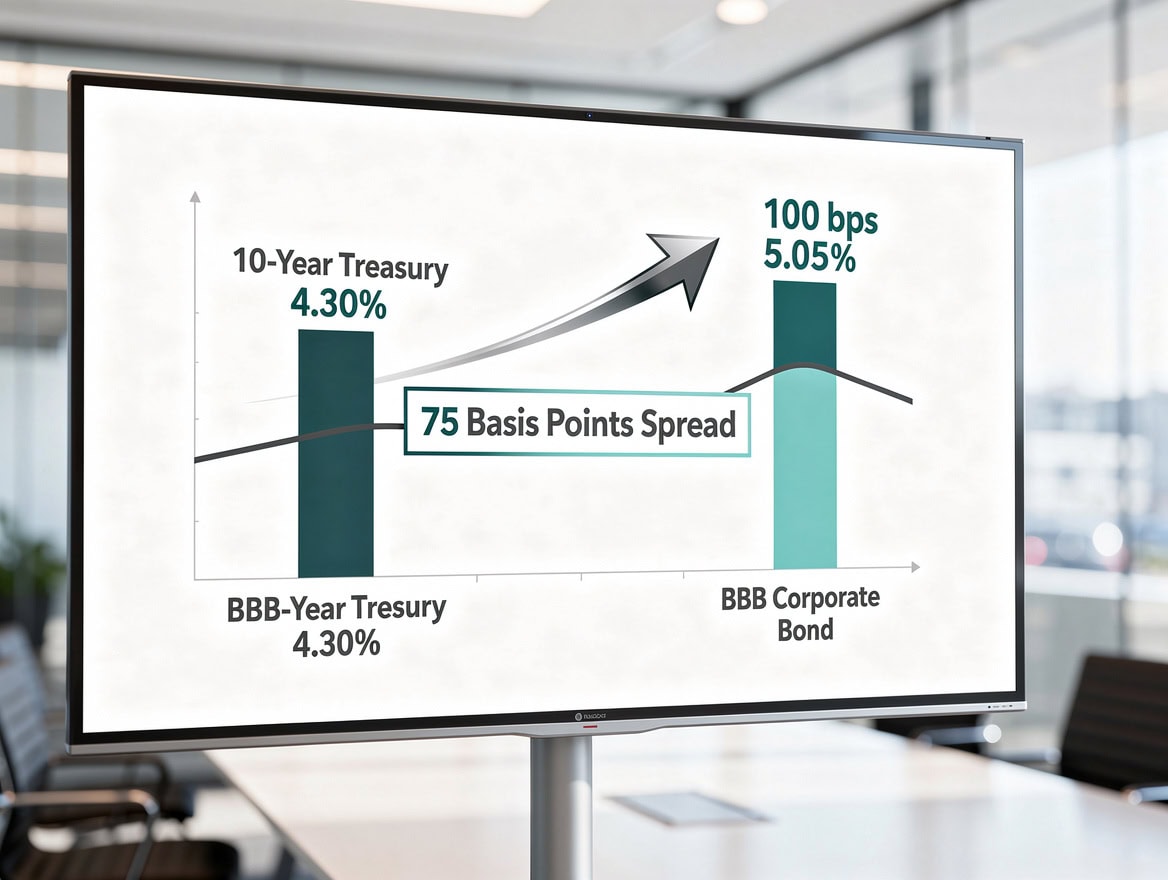
A 75 bps yield spread between Treasuries and investment-grade corporates reflects the market’s credit risk premium.
Common Basis Point Benchmarks in Financial Markets
Certain basis point values appear repeatedly in financial markets because they correspond to standard policy increments, regulatory thresholds, and market conventions. Knowing these benchmarks lets you interpret financial news instantly.
| Basis Points | Percentage | Common Context |
|---|---|---|
| 1 bps | 0.01% | Minimum quoted spread in many bond markets |
| 5 bps | 0.05% | Typical bid-ask spread on liquid government bonds |
| 25 bps | 0.25% | Standard Fed rate hike/cut increment |
| 50 bps | 0.50% | Aggressive Fed move; common in crisis response |
| 75 bps | 0.75% | Rare; used in high-inflation tightening cycles |
| 100 bps | 1.00% | One full percentage point; major policy shift |
| 200 bps | 2.00% | Typical investment-grade to high-yield spread threshold |
| 300+ bps | 3.00%+ | Distressed debt territory in credit markets |
For financial modeling work, understanding how these benchmarks interact with valuation drivers is essential. The key drivers of business valuations article explains how discount rate assumptions, often expressed in basis points, flow through to enterprise value.
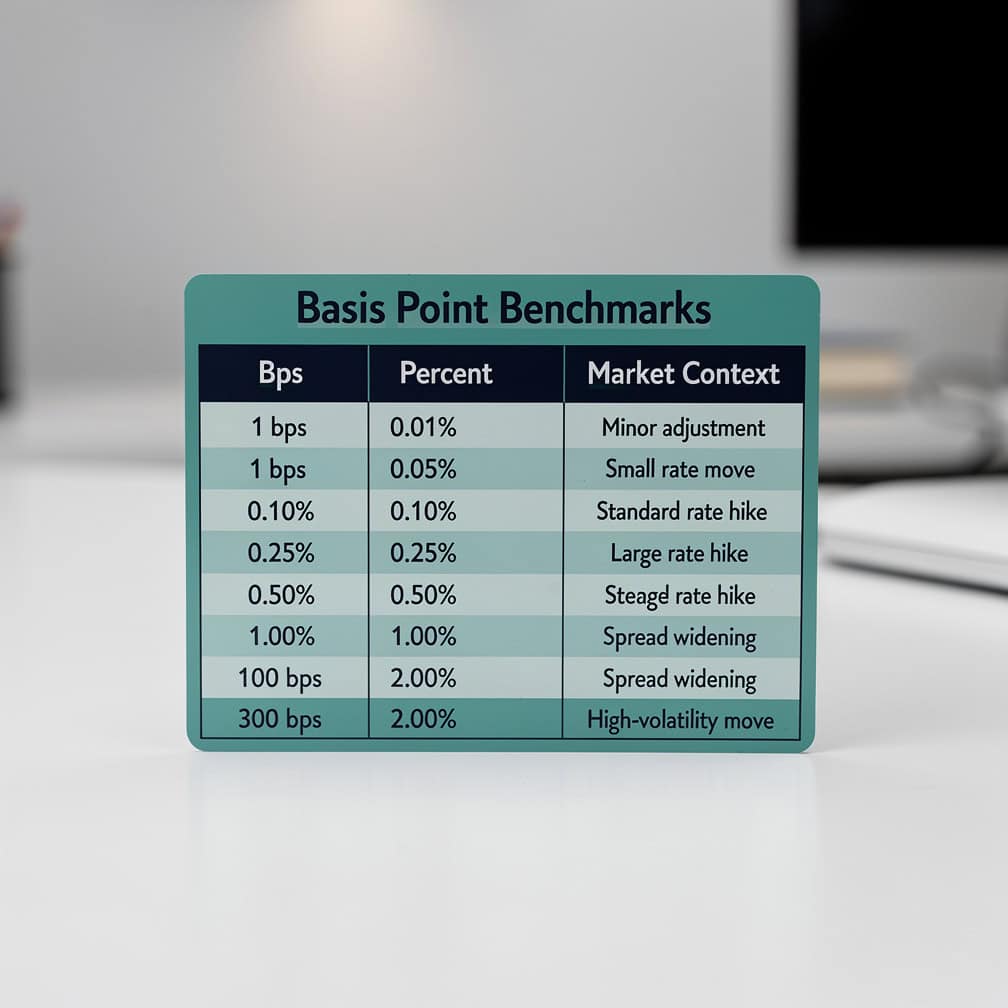
Keep this benchmark table handy: 25 bps is the Fed’s standard increment; 300+ bps signals distressed credit territory.
Common Mistakes in Basis Point Calculations and How to Avoid Them
Basis point errors are surprisingly common and can produce results that are off by a factor of 100. These are the four mistakes that appear most often in financial models and how to fix each one.
Mistake 1: Multiplying a percentage by 10,000 instead of 100.
If your input is already in percentage form (e.g., 3.75, not 0.0375), multiplying by 10,000 gives 37,500 bps instead of 375 bps. Fix: always check whether your input is a percentage or a decimal before choosing your multiplier.
Mistake 2: Confusing basis point changes with percentage point changes.
A rate moving from 4% to 5% is a 100 basis point change, not a 1 basis point change. The percentage point change (1%) and the basis point change (100 bps) describe the same move in different units. Mixing these up in a report can overstate or understate a rate change by a factor of 100.
Mistake 3: Applying the wrong Excel formula when rates are stored as percentages.
If Excel cells are formatted as percentages but you apply =(A1-B1)100 instead of =(A1-B1)10000, you get the answer in percentage points, not basis points. Since Excel stores percentage-formatted cells as decimals internally (5.85% is stored as 0.0585), always use *10000 for decimal-stored values.
Mistake 4: Rounding intermediate calculations.
In bond pricing, rounding a yield to two decimal places before converting to basis points can introduce errors. A yield of 4.8467% rounded to 4.85% shifts the basis point reading by 0.33 bps. In high-volume trading, carry intermediate calculations to at least 4 decimal places before rounding the final output.
For more Excel precision techniques, the free 100 Excel shortcuts and formulas guide covers number formatting and precision settings that prevent rounding errors in financial models.
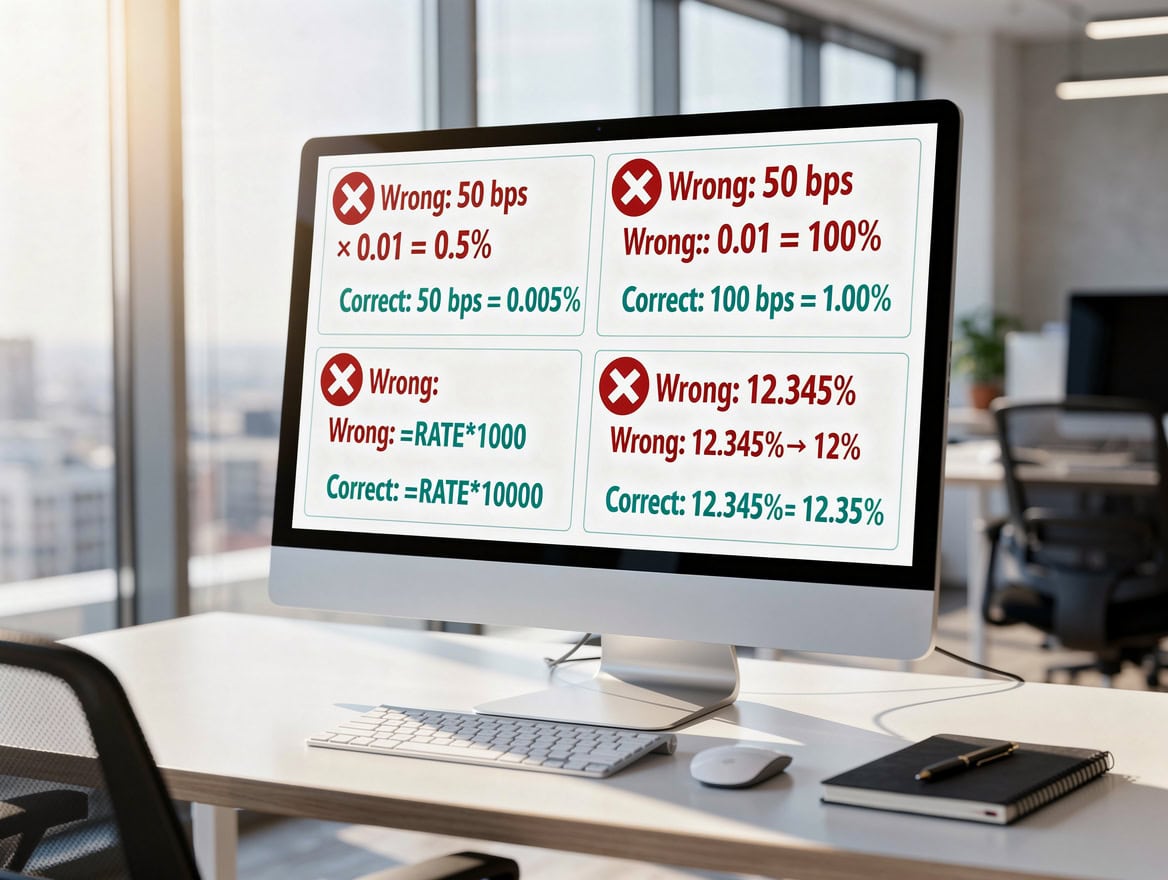
The most costly basis point error is applying the wrong multiplier — off by a factor of 100 in either direction.
Frequently Asked Questions
What is the basis points formula in simple terms?
The basis points formula has two directions. To go from percentage to basis points, multiply the percentage value by 100: a 0.50% change equals 50 basis points. To go from basis points to percentage, multiply by 0.0001: 50 bps × 0.0001 = 0.005, or 0.50%. If your input is a decimal (like 0.005 rather than 0.50%), multiply by 10,000 to get basis points. The key rule is to identify your input format first, then choose the correct multiplier. A 1% change always equals exactly 100 basis points, which serves as a useful sanity check for any conversion you perform.
How do I calculate basis points in Excel between two interest rates?
Enter the first rate in cell A1 and the second rate in cell B1, both as decimals (for example, 0.0675 for 6.75% and 0.0650 for 6.50%). Then enter the formula =(A1-B1)10000 in cell C1. The result is 25, meaning the two rates differ by 25 basis points. If your rates are stored as Excel percentage-formatted values, this formula still works correctly because Excel stores percentage-formatted cells as their decimal equivalents internally. For a rate table with multiple comparisons, lock the benchmark cell with a dollar sign: =(A2-$B$2)10000, then drag the formula down the column.
Why do central banks use basis points instead of percentages?
Central banks use basis points because the unit eliminates ambiguity in policy communication. When the Federal Reserve says it raised rates by 25 basis points, every market participant knows the exact magnitude: 0.25 percentage points, or 0.0025 in decimal form. If the Fed said it raised rates “by a quarter percent,” some listeners might interpret that as a quarter of the current rate rather than a quarter of a percentage point. Basis points are also the standard unit in bond markets, derivatives pricing, and swap agreements, so using them in policy statements ensures direct comparability with market instruments. The Fed has used 25 bps as its standard increment since the 1990s, with exceptions during crisis periods.
How much does a 1 basis point difference in fees cost on a $500,000 investment?
On a $500,000 investment, 1 basis point in annual fees equals $50 per year (0.0001 × $500,000 = $50). Over 10 years, that $50 annual cost totals $500 in direct fees before compounding. With compounding, the drag is larger: if the investment grows at 7% annually, the 1 bps fee reduces the ending portfolio value by approximately $700 compared to a zero-fee scenario, because each year’s fee reduces the base on which future returns are calculated. This is why institutional investors and pension funds negotiate fees in single-digit basis points: on a $1 billion portfolio, 1 bps equals $100,000 per year.
What is the difference between a basis point and a percentage point?
A percentage point and a basis point measure the same thing (a change in a rate or percentage) but at different scales. One percentage point equals 100 basis points. So when a mortgage rate rises from 6% to 7%, it has risen by 1 percentage point or 100 basis points. The confusion arises because people sometimes say “percent” when they mean “percentage point.” For example, saying a rate “increased by 1%” is ambiguous: it could mean the rate rose from 6% to 6.06% (a 1% relative increase) or from 6% to 7% (a 1 percentage point increase). Basis points remove this ambiguity entirely: a 100 bps increase always means a 1 percentage point absolute increase.
How do basis points apply to bond yield spreads?
A bond yield spread is the difference in yield between two bonds, expressed in basis points. For example, if a 10-year U.S. Treasury yields 4.30% and a BBB-rated corporate bond yields 5.05%, the spread is 75 basis points (5.05% − 4.30% = 0.75% × 100 = 75 bps). This spread compensates investors for the additional credit risk of the corporate bond relative to the risk-free Treasury. When spreads widen (increase in basis points), the market is pricing in more risk. When they tighten (decrease), risk appetite is rising. Investment-grade bonds typically trade at spreads of 50 to 200 bps over Treasuries, while high-yield bonds trade at 300 bps or more. You can model these dynamics using the cap rate formula framework adapted for fixed income yield analysis.
Can basis points be negative?
Yes, basis points can be negative when a rate or yield decreases. If a bond yield falls from 4.50% to 4.20%, the change is negative 30 basis points (4.20% − 4.50% = −0.30% × 100 = −30 bps). In Excel, the formula =(A1-B1)10000 will automatically return a negative number when B1 is larger than A1. Negative basis points appear frequently in central bank rate-cutting cycles, in bond rally scenarios, and when comparing a lower-cost fund to a higher-cost benchmark. In financial reports, negative basis point changes are typically shown with a minus sign or in parentheses: (30 bps) or −30 bps.
Conclusion
Basis points are the precision instrument of financial measurement. Every rate change, yield spread, and fee comparison becomes unambiguous when expressed in basis points, and the underlying math is straightforward once you know which multiplier to apply. The core formula is simple: multiply a percentage by 100 to get basis points, or multiply basis points by 0.0001 to get back to a percentage. In Excel, =(A1-B1)10000 handles the most common calculation in seconds.
The dollar impact of basis points is real and significant. A 25 bps mortgage rate difference on a $300,000 loan costs $16,920 over 30 years. A 10 bps fee difference on a $100,000 fund investment costs roughly $1,000 over a decade. These are not rounding errors; they are material financial outcomes.
I recommend downloading the EFM Excel shortcuts and formulas template to build your own basis point calculator with pre-built conversion formulas, rate comparison tables, and mortgage payment sensitivity analysis, so you can apply these calculations immediately in your own financial models.
























































