
0 ITEMS

Self-Storage Development & Acquisition Financial Model Excel – 10-Year Forecast, Refinancing, IRR & DSCR
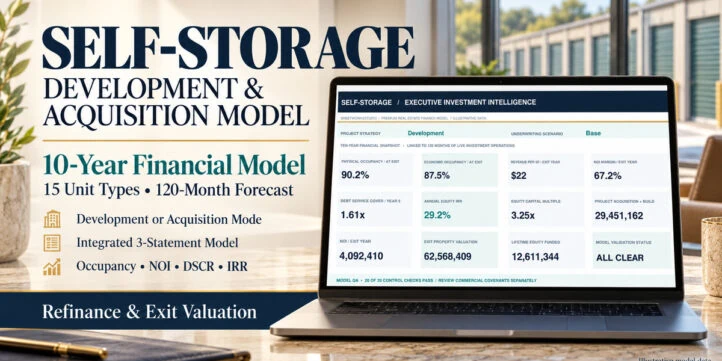
An editable 10-year self-storage financial model integrating Development and Acquisition strategies, 15 storage-unit categories, 120 monthly periods, lease-up, rental operations, construction and permanent debt, refinancing, integrated financial statements, investor returns and exit valuation. Includes 17 worksheets, eight native charts, three scenarios, 20 model checks and a detailed 45-page English PDF guide.
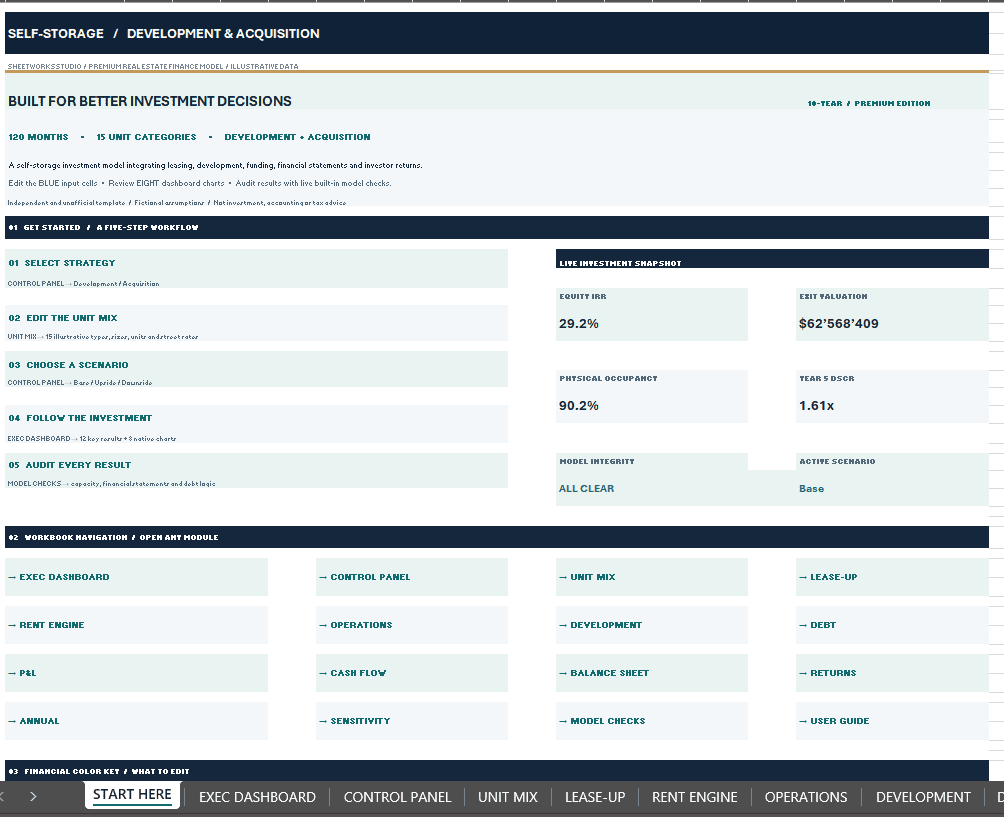
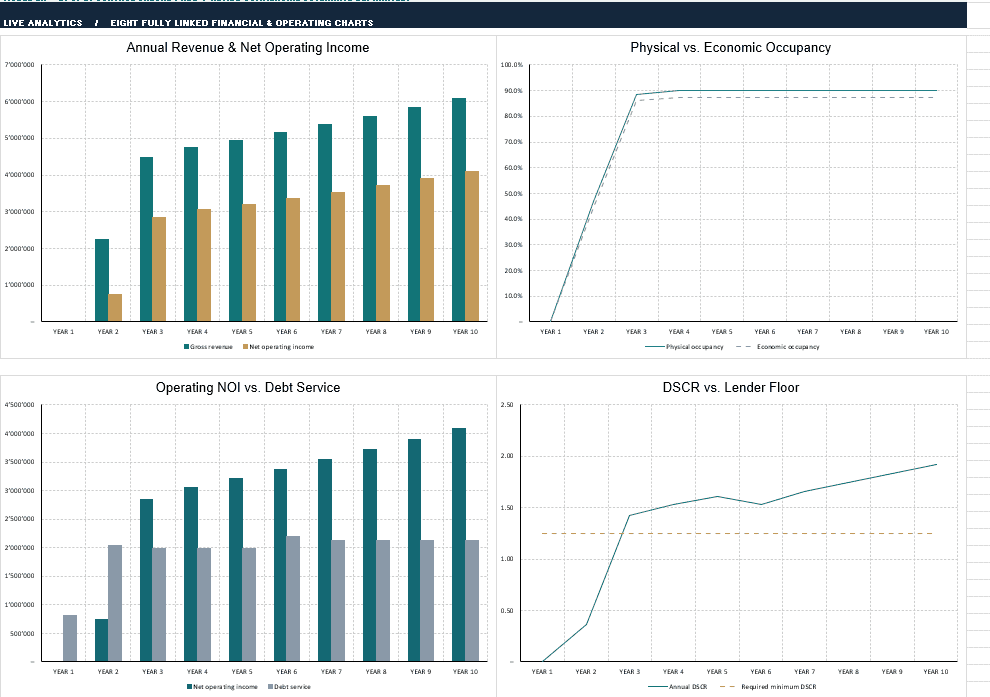
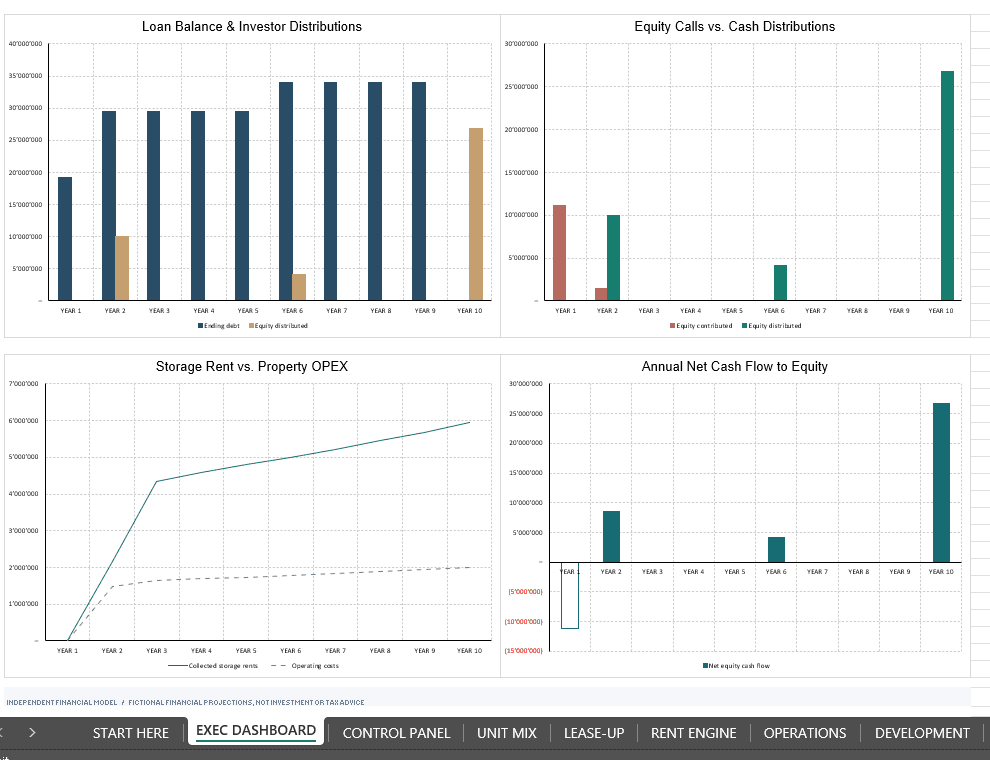
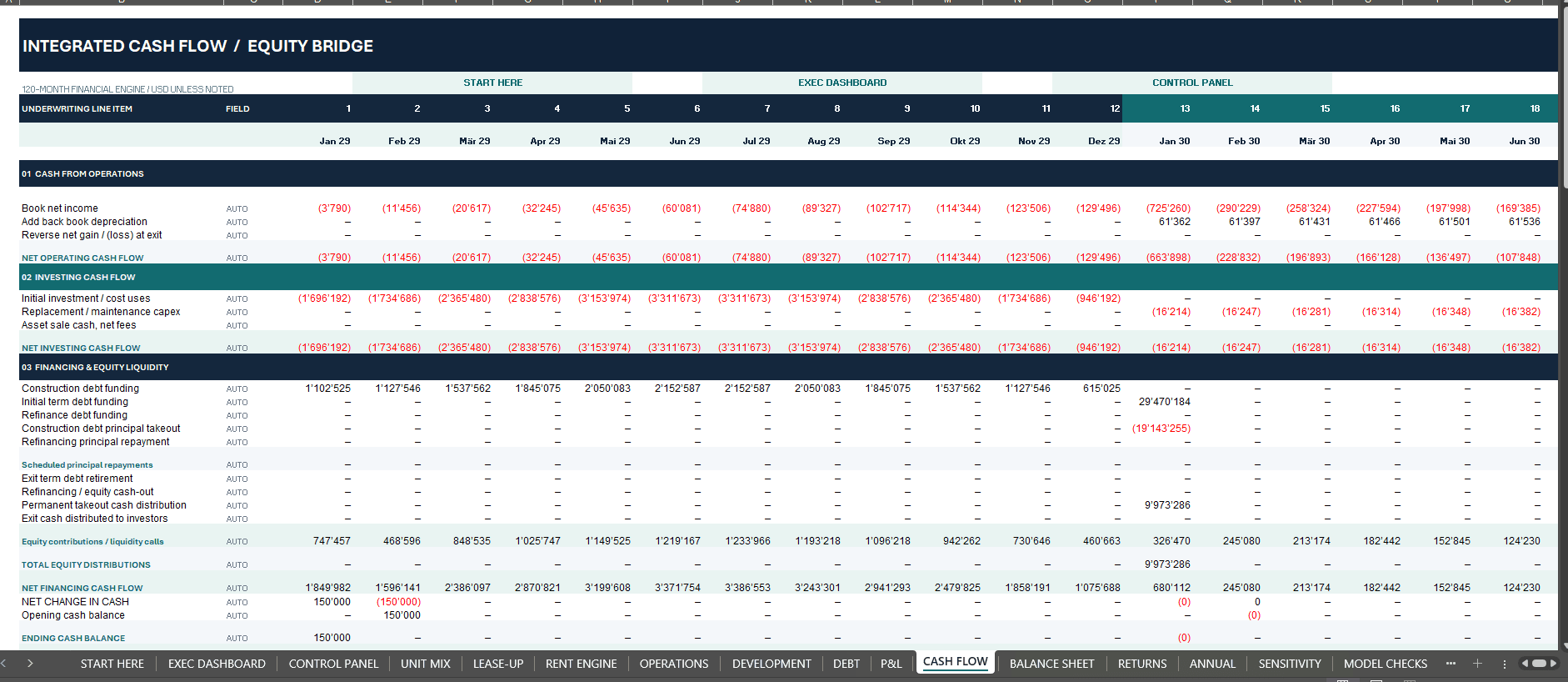
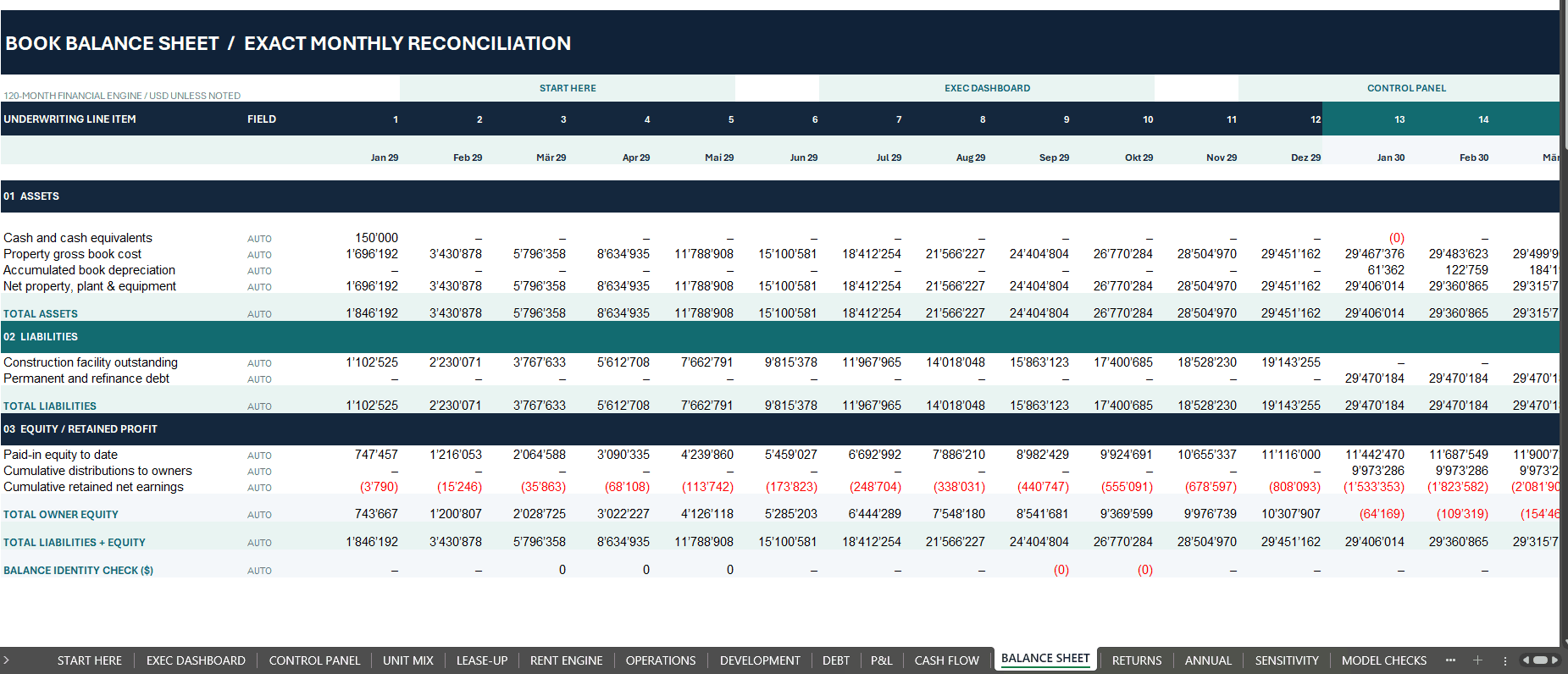
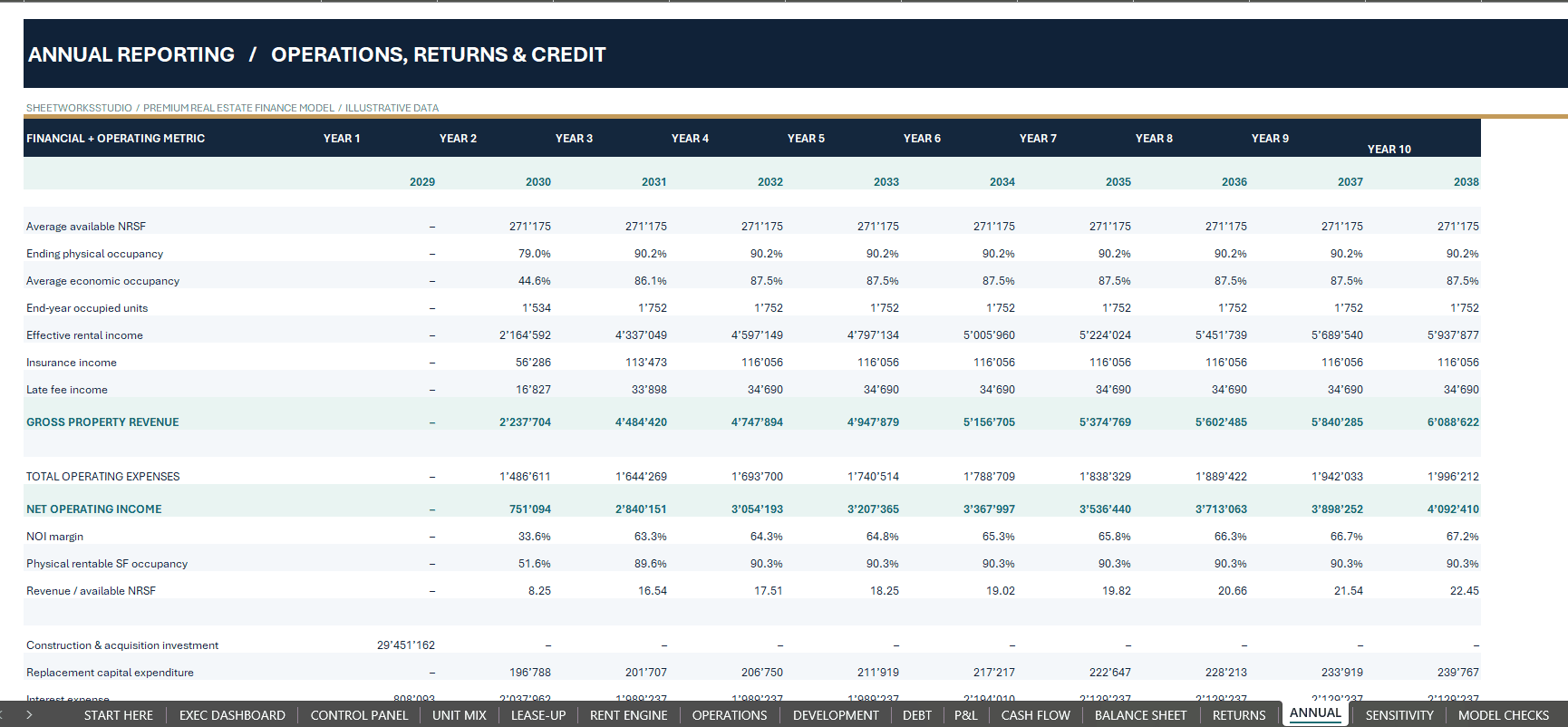
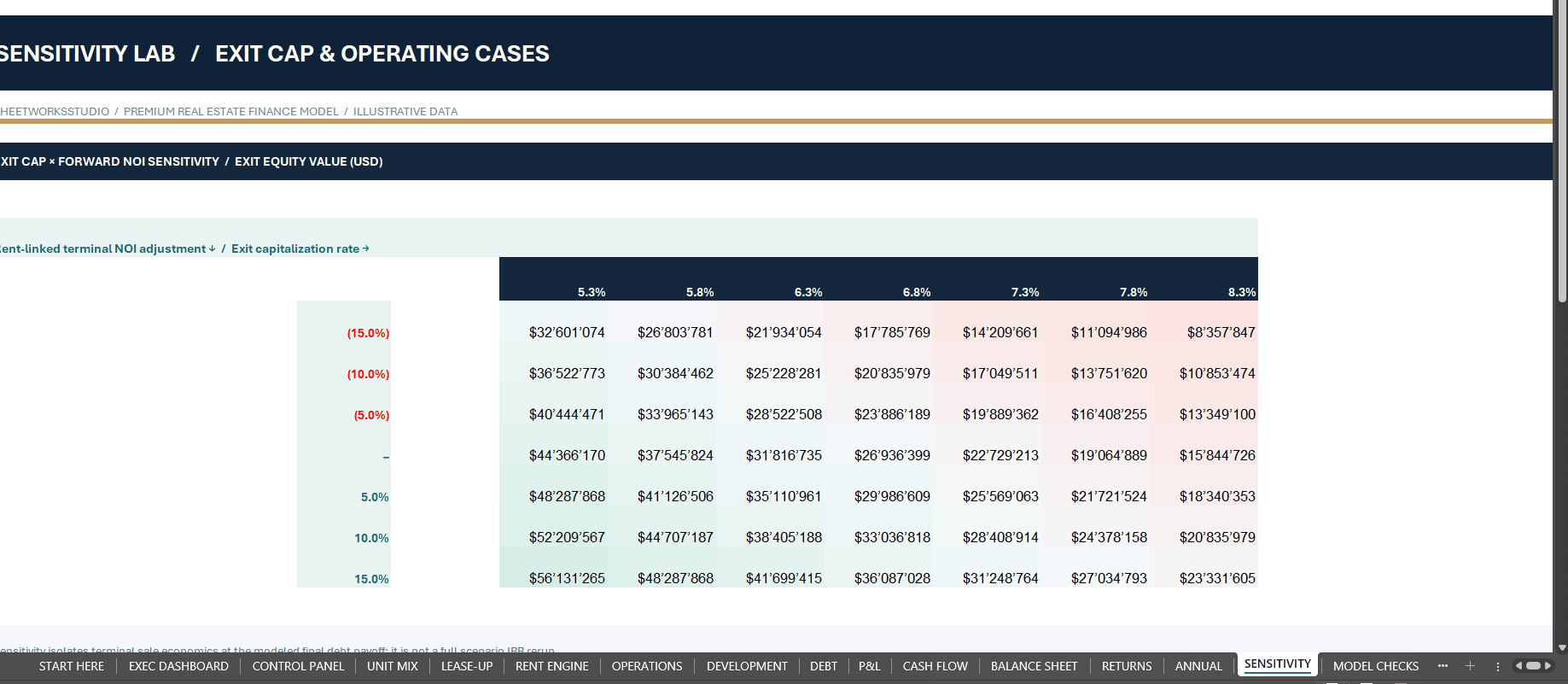

SELF-STORAGE DEVELOPMENT & ACQUISITION FINANCIAL MODEL
10-Year Excel Forecast | Lease-Up, Debt, Refinancing & Investment Returns
Bring storage-unit economics, occupancy growth, property costs and financing into one connected real estate investment model.
The Self-Storage Development & Acquisition Financial Model by SheetworksStudio is a fully editable Excel planning template for self-storage developers, facility buyers, owners, real estate investment analysts and financial consultants.
Model a ground-up development or an existing-facility acquisition over 120 months, from initial investment and unit lease-up through operating performance, construction and permanent financing, refinancing and a modeled property exit.
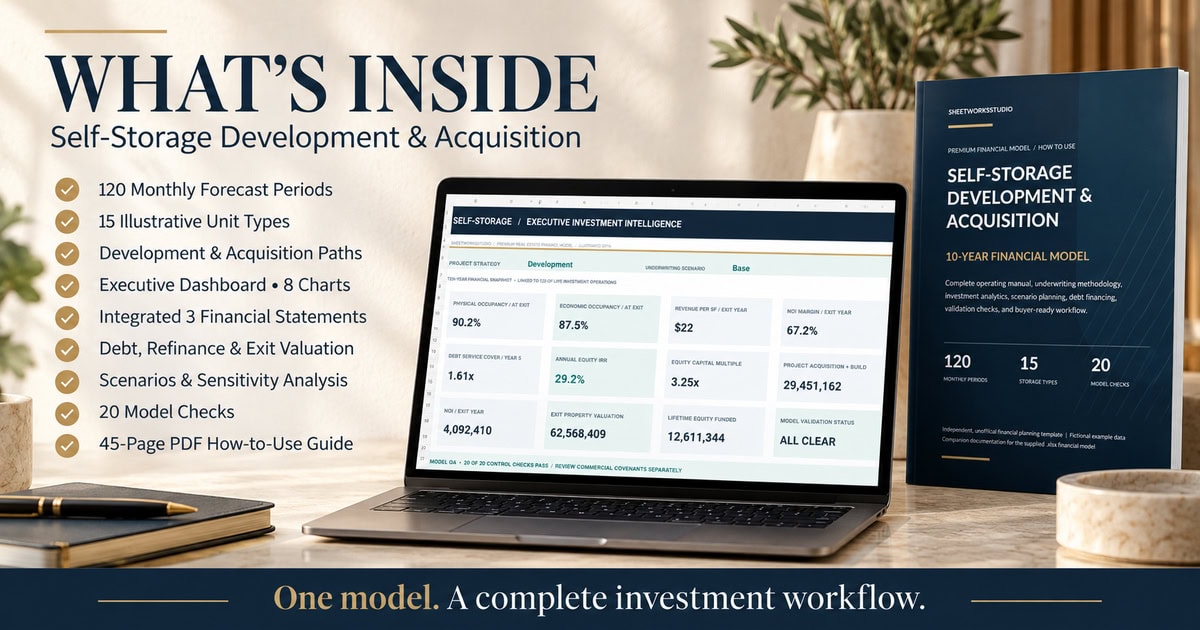
The package includes 17 connected worksheets, 15 fictional unit categories, eight native dashboard charts, three operating scenarios, 20 technical checks and a detailed 45-page English PDF guide.
🏗 DEVELOPMENT OR ACQUISITION — TWO INVESTMENT PATHS
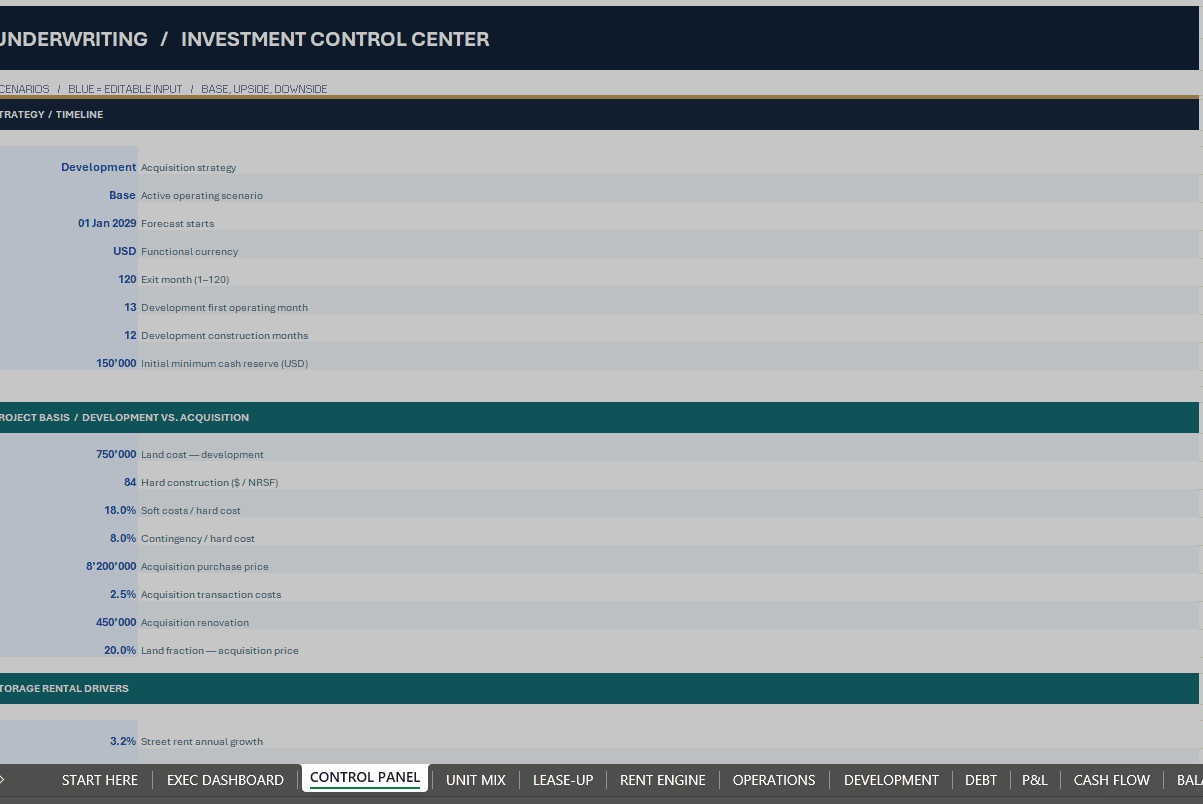
Choose the relevant strategy in CONTROL PANEL.
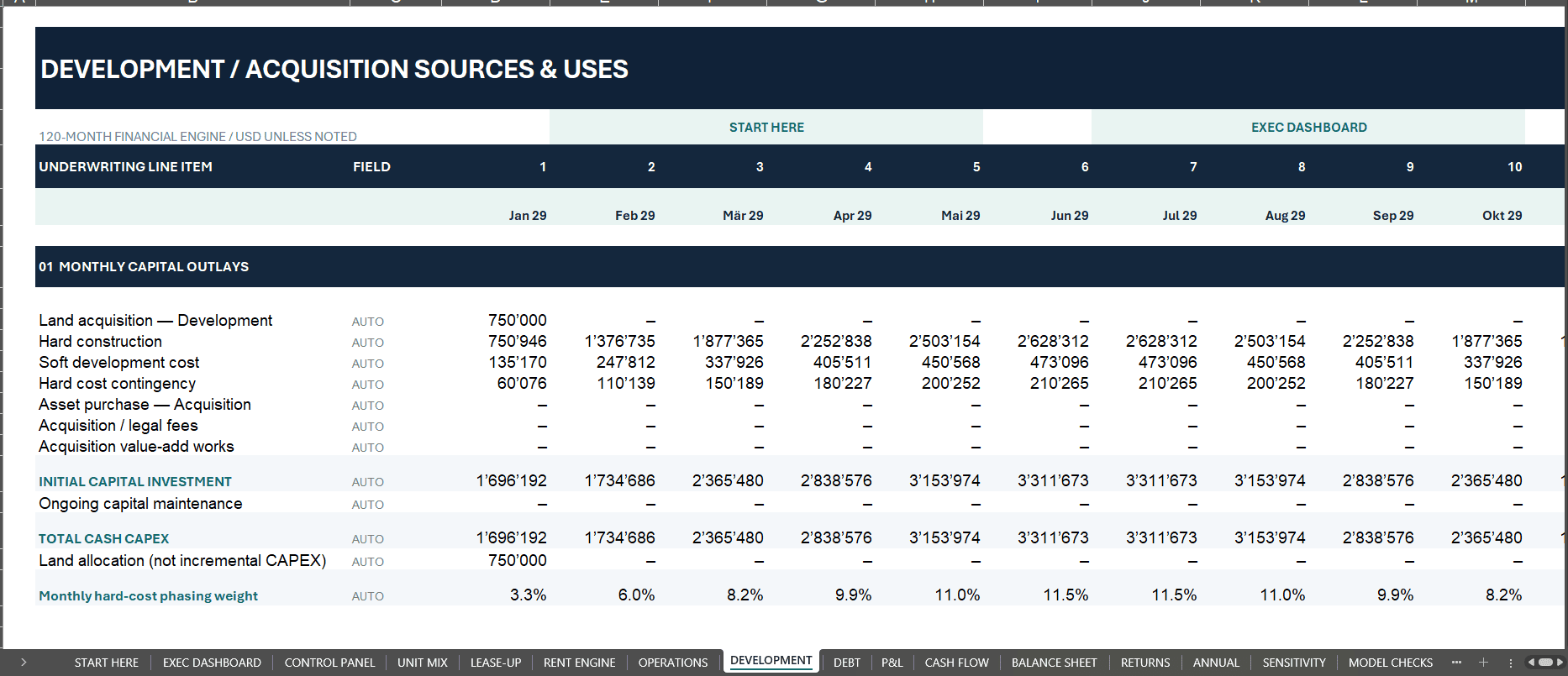
✓ Development: Land acquisition, net-rentable-area-based hard construction cost, soft cost, contingency, development duration and opening assumptions.
✓ Acquisition: Purchase price, transaction expenses, renovation expenditure and an editable land-allocation assumption.
✓ Forecast: Editable start date, operating timing and exit month within the 120-month structure.
✓ Funding: Property acquisition and development sources-and-uses calculations integrated with the debt and cash-flow schedules.
The two paths share a connected lease-up and investment analysis framework, allowing users to tailor the model to the type of property transaction they are evaluating.
⌂ UNIT MIX, CAPACITY & MONTHLY LEASE-UP
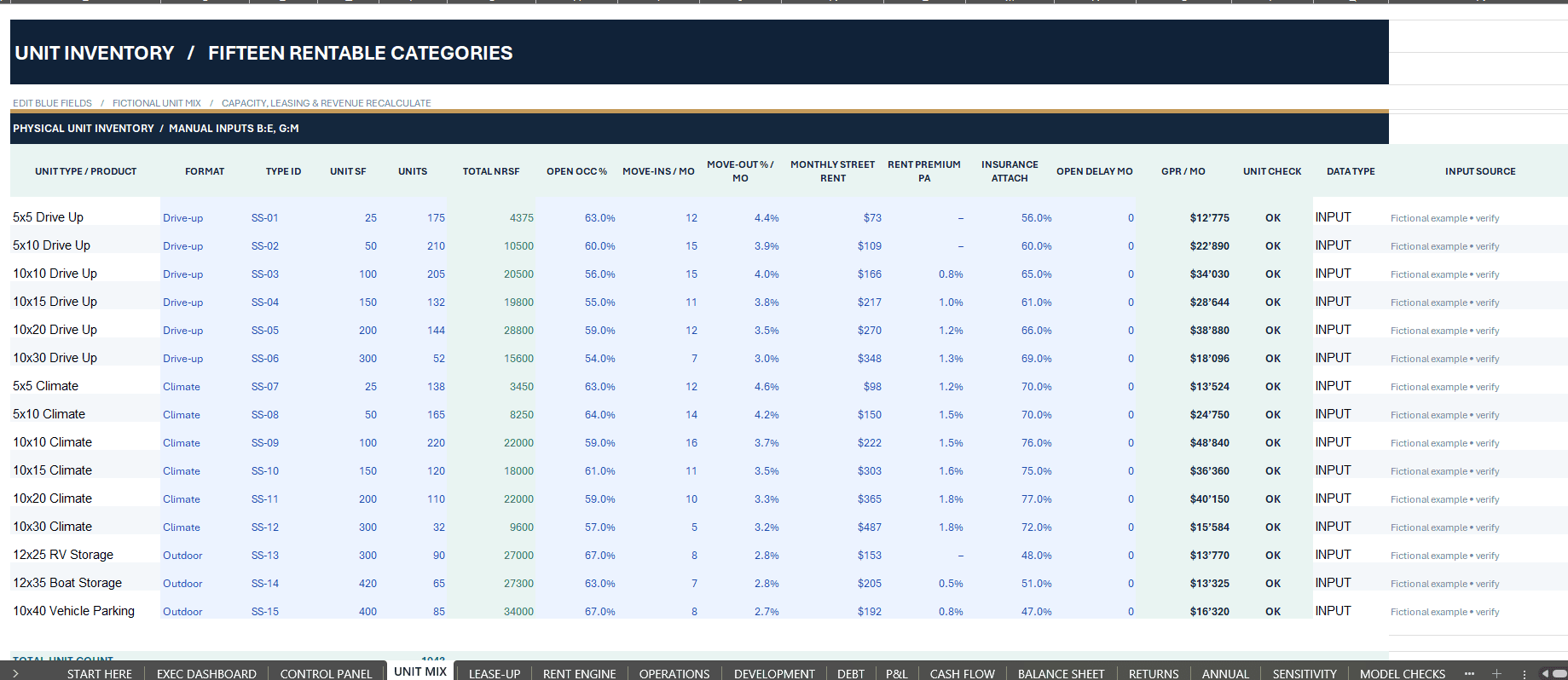
Start with 15 editable demonstration unit types including drive-up storage, climate-controlled storage and outdoor vehicle, boat and RV space.
✓ Unit counts, individual unit areas and total net rentable square footage.
✓ Opening occupancy and planned move-ins.
✓ Move-outs, vacant capacity and target occupancy.
✓ Monthly occupied units and occupied rentable area.
✓ Capacity safeguards and reconciliation checks.
✓ Physical occupancy and economic occupancy metrics.
The operating framework prevents modeled occupied units from exceeding available capacity under its defined assumptions.
💼 RENTAL REVENUE & STORAGE OPERATING COSTS
Connect modeled occupancy to collected storage income and ancillary revenues.
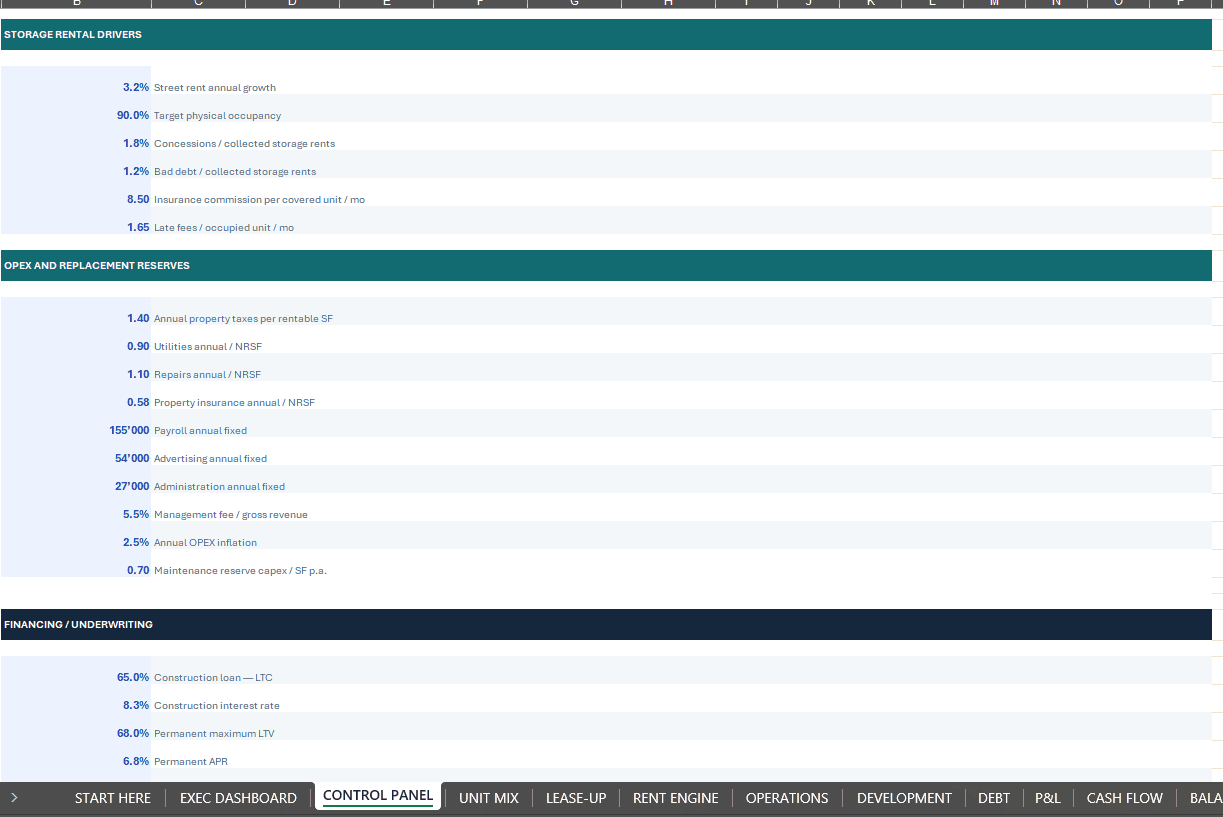
✓ Street rents and annual rent growth.
✓ Rental concessions and bad-debt assumptions.
✓ Insurance commission income and late fees.
✓ Property taxes, utilities, repairs and property insurance.
✓ Payroll, marketing, administration and management fees.
✓ Operating expense inflation and recurring maintenance CAPEX.
✓ Net operating income, NOI margin and revenue per available square foot.
These operating drivers feed the monthly financial statements, portfolio reporting and investment calculations.
🏦 CONSTRUCTION FINANCE, PERMANENT DEBT & REFINANCING
Analyze the capital structure through dedicated monthly debt schedules.
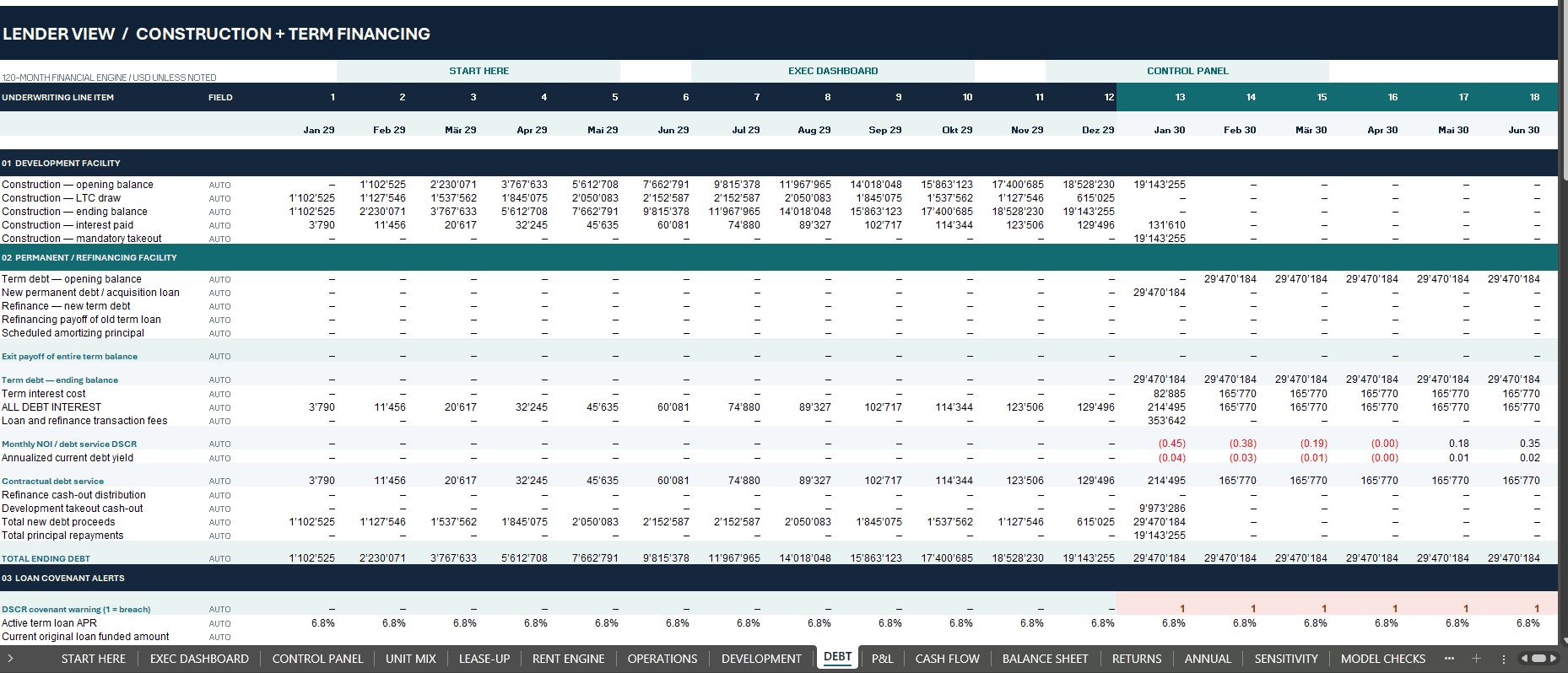
✓ Construction loan-to-cost, drawdowns and interest expense.
✓ Permanent debt sizing and financing at project opening or acquisition.
✓ Interest-only periods, scheduled amortization and mortgage repayments.
✓ Refinance timing, loan-to-value, interest rate and financing fees.
✓ Debt-service coverage, debt yield and covenant warning indicators.
✓ Debt payoff at terminal sale.
The model also identifies additional cash requirements and investor contributions instead of automatically hiding liquidity gaps through artificial balancing funds.
📊 EXECUTIVE DASHBOARD & ANNUAL REPORTING
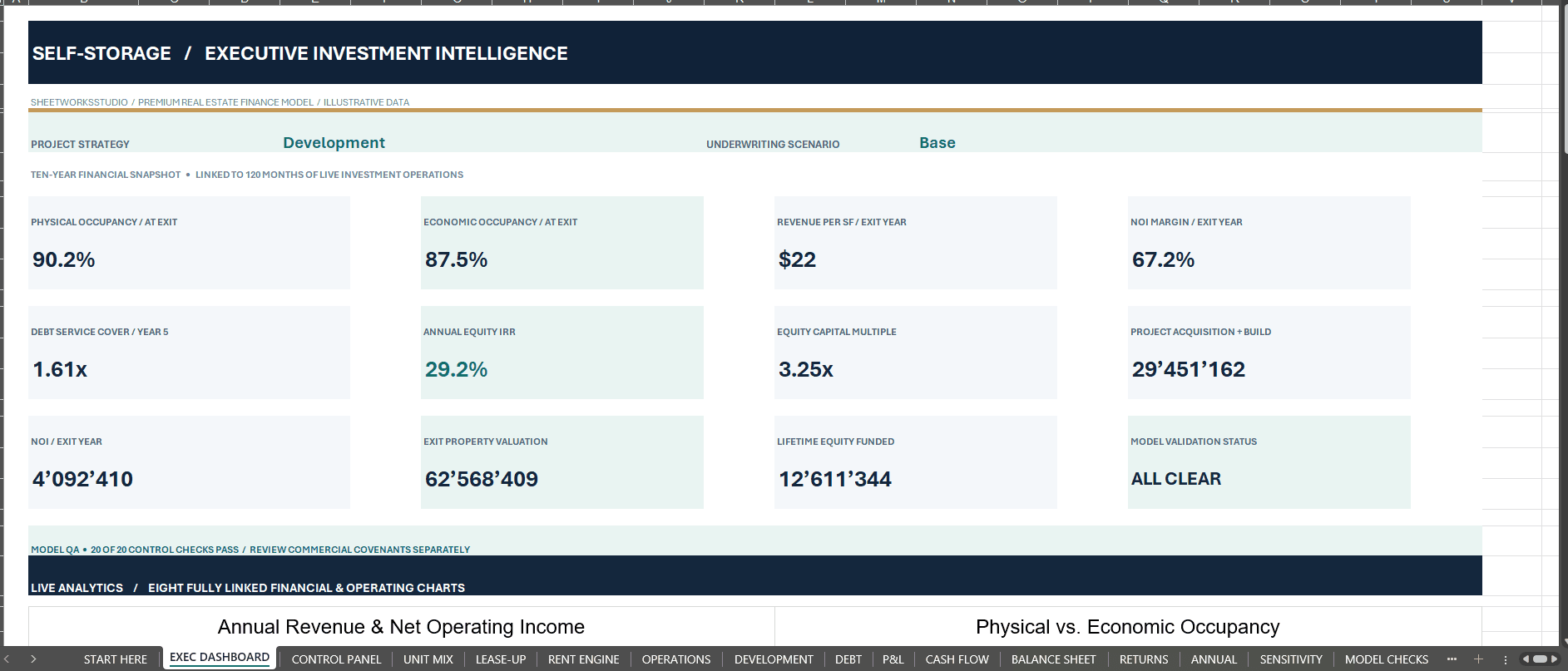
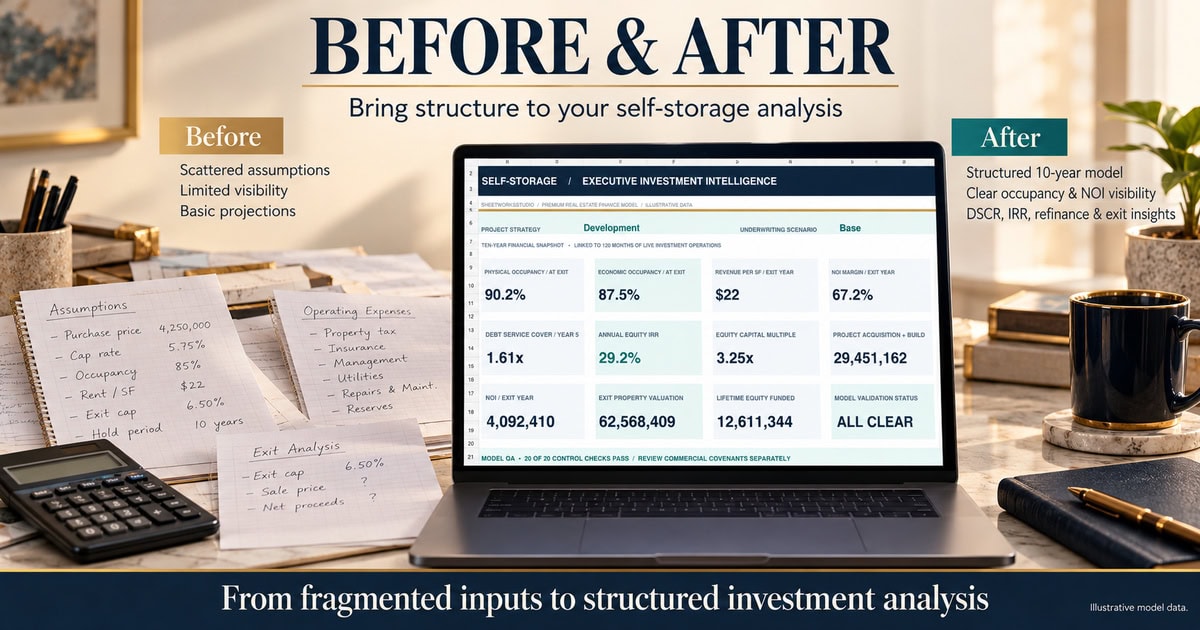
The Executive Dashboard includes twelve KPI cards and eight native, linked Excel charts.
Headline reporting covers physical and economic occupancy, NOI, revenue per available square foot, DSCR, equity IRR, investment multiple, property value, project costs, scenario and technical model status.
The ANNUAL worksheet summarizes ten years of operating activity, investment expenditure, debt service, income and investor cash flows from the underlying monthly calculation engine.
📈 INVESTOR RETURNS, REFINANCING & EXIT VALUATION
Review property and investor economics through connected cash-flow and return schedules.
✓ Effective annual equity IRR and pre-tax project IRR.
✓ Equity multiple and investor discounted NPV.
✓ Cumulative equity contributions and distributions.
✓ Exit valuation derived from capitalized terminal NOI.
✓ Disposal costs and outstanding debt repayment.
✓ Cash flow implications of refinance assumptions and exit timing.
The return outputs are illustrative mathematical results, not appraisals, lender approvals or guaranteed investment outcomes.
🔀 THREE SCENARIOS & EXIT SENSITIVITY
Select Base, Upside or Downside in CONTROL PANEL.
Editable scenario drivers adjust rent growth, move-ins, target occupancy, construction spending, interest rates and operating expenses. The selected scenario is intended to flow through the 120-month forecast.
The separate 7 × 5 sensitivity grid varies terminal NOI and capitalization rates to show directional exit equity values. The grid isolates sale economics and is not a complete recalculation of IRR or financing for every combination.
✅ MODEL CHECKS & RISK WARNINGS
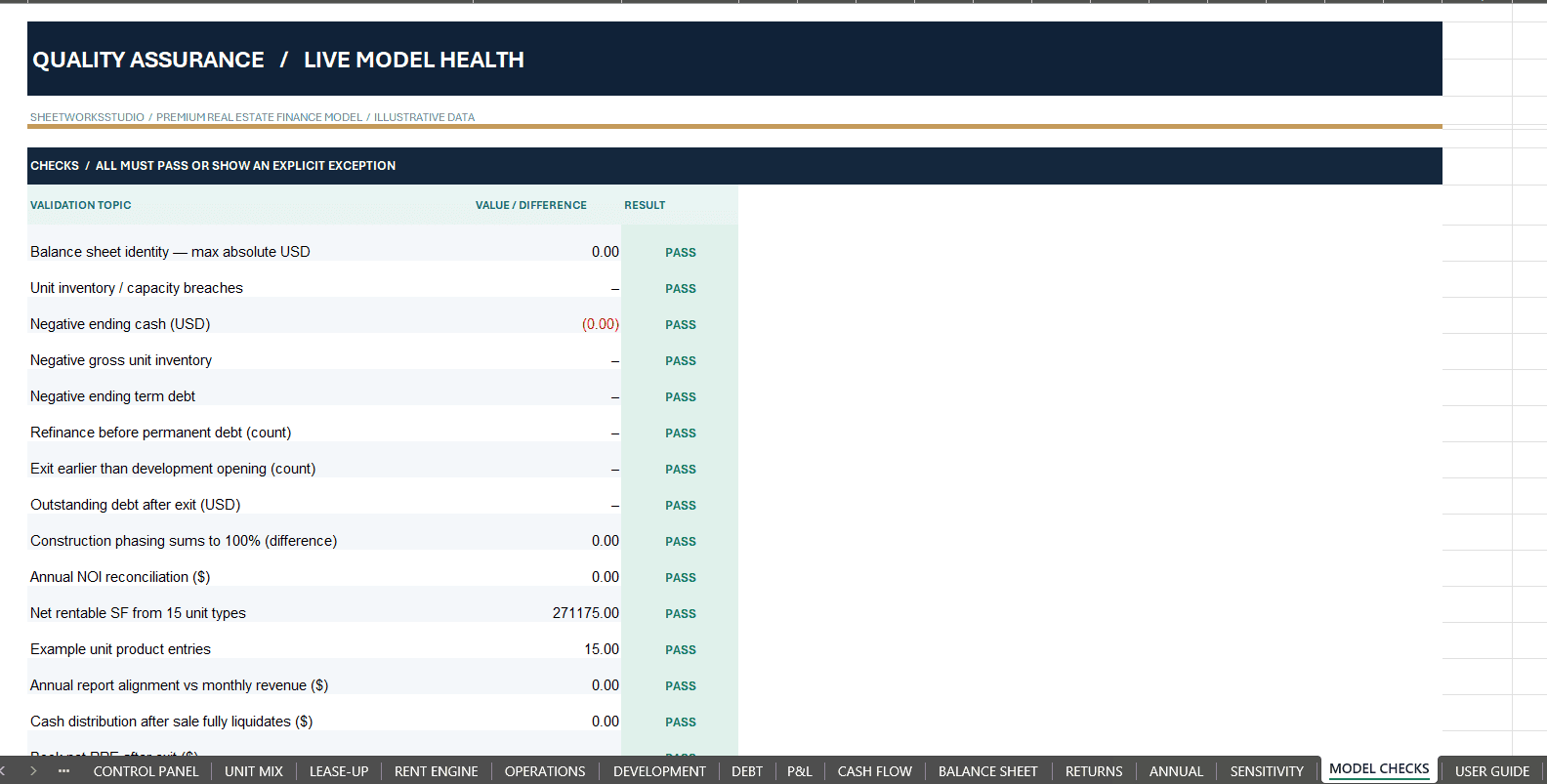
Twenty technical controls support review of balance sheet reconciliation, capacity, cash balances, debt, refinance timing, investor cash flows, terminal debt payoff and annual reporting.
Technical checks are separate from commercial and lender warnings. A model can pass its arithmetic checks while still showing insufficient coverage or substantial funding needs.
The fictional Development Base case includes 13 months below the selected DSCR lender threshold and approximately USD 11.86 million of additional liquidity/equity calls after the first month. These warnings remain visible by design.
📦 WHAT YOU RECEIVE
FILE 1 — SELF-STORAGE FINANCIAL MODEL (.XLSX)
✓ 17 Worksheets
✓ 120 Monthly Forecast Periods
✓ Ten Annual Summaries
✓ 15 Illustrative Storage Unit Types
✓ Development and Acquisition Strategies
✓ Eight Native Excel Dashboard Charts
✓ Base, Upside and Downside Scenarios
✓ Three Integrated Financial Statements
✓ Lease-Up, Operating Costs and Financing Calculations
✓ Refinancing and Exit Valuation
✓ Equity and Project Returns
✓ 7 × 5 Sensitivity Analysis
✓ 20 Technical Model Checks
FILE 2 — PROFESSIONAL HOW-TO-USE GUIDE (.PDF)
A detailed 45-page English manual covering:
✓ Initial Setup and Navigation
✓ Development and Acquisition Assumptions
✓ Unit Mix and Lease-Up
✓ Occupancy and Revenue Calculations
✓ Operating Costs
✓ Construction and Permanent Debt
✓ Financial Statements
✓ Refinancing and Exit Valuation
✓ Investor Returns
✓ Scenarios and Sensitivity Analysis
✓ Model Checks and Troubleshooting
Both purchased files are included in one ZIP package.
The PDF guide may also be offered independently as a complimentary reference. The free guide does not include the functioning Excel workbook.
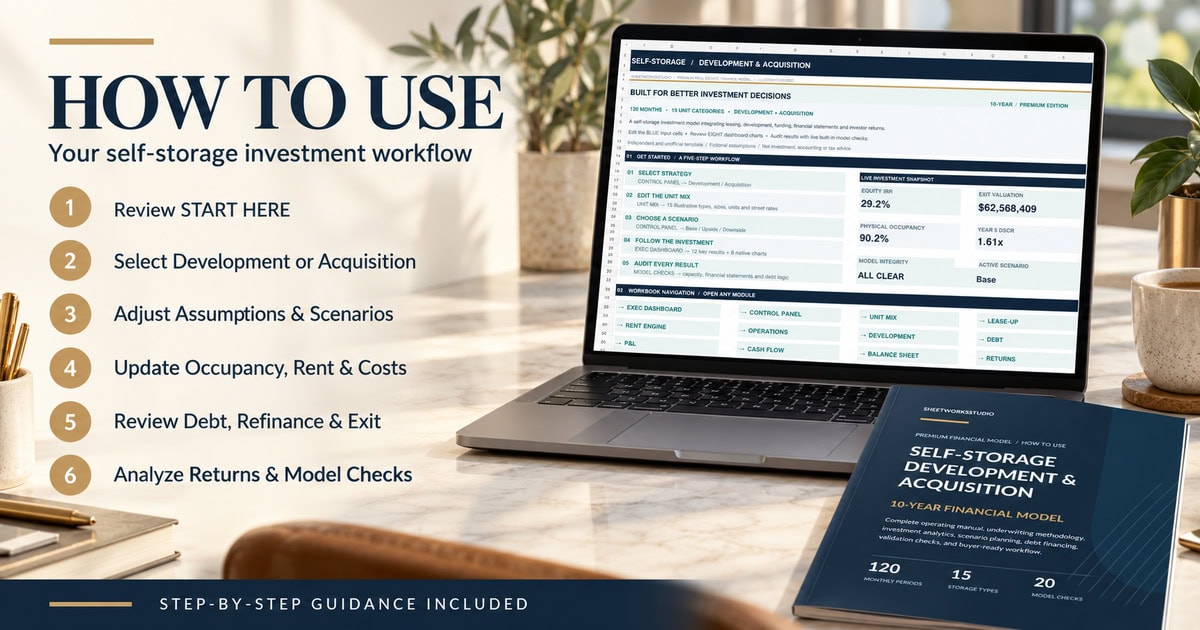
🧭 GETTING STARTED
STEP 1 — Save a working copy and review START HERE.
STEP 2 — Choose Development or Acquisition in CONTROL PANEL.
STEP 3 — Replace the example UNIT MIX and underwriting assumptions.
STEP 4 — Configure rent, occupancy, costs, financing, scenario and exit inputs.
STEP 5 — Review monthly schedules, annual reports, dashboard and investor returns.
STEP 6 — Examine model checks, DSCR warnings and funding requirements before relying on any result.
👥 WHO THIS MODEL IS FOR
Designed for self-storage property developers, acquisition analysts, facility owners, real estate investment teams, asset managers, private investors, consultants and professionals exploring property-level investment feasibility.
⚙ TECHNICAL SPECIFICATIONS
Forecast Horizon: 120 Months / 10 Years
Illustrative Start Date: January 2029
Worksheets: 17
Storage Unit Categories: 15
Investment Strategies: Development and Acquisition
Operating Scenarios: Base, Upside, Downside
Dashboard Charts: 8 Native Excel Charts
Model Controls: 20
User Documentation: 45-Page English PDF
File Formats: XLSX + PDF
Recommended Software: Microsoft Excel Desktop
Macros / Live Data Connections: Not Required
Delivery: Digital ZIP Download
Microsoft Excel Desktop is the intended spreadsheet environment. An end-to-end Desktop Excel recalculation and a functional Google Sheets import have not been independently verified.
The currency setting changes the reporting label; it does not convert the underlying monetary assumptions.
Tax, depreciation, financing and refinancing use simplified modeling conventions. Detailed jurisdiction-specific taxation, US MACRS and LP/GP promote waterfalls are not included.
🛡 IMPORTANT INFORMATION & INDEPENDENT TEMPLATE DISCLAIMER
All demonstration properties, financial results and underwriting assumptions are fictional and illustrative.
Actual self-storage occupancy, achievable rental rates, property costs, borrowing terms and exit values depend on local conditions and independently supported data.
Users must replace demonstration inputs with researched assumptions and obtain appropriate professional review before making material investment decisions.
This is an independent, unofficial SheetworksStudio financial planning template. It is not a certified, audited, official, lender-approved or institution-endorsed product.
The workbook does not constitute investment, financial, real estate, accounting, tax or legal advice. No investment return, financing approval or future property performance is guaranteed.
Digital download only. No physical device, printed guide or software license is included.
DEVELOP. LEASE UP. FINANCE. ANALYZE. VALUE.
SheetworksStudio | Premium Financial Modeling Templates
Similar ProductsOther customers were also interested in...



 eFinancialModels
Electric Vehicle (EV) Charging Station Financial M...
With this comprehensive 5- or 10-year monthly tool, investors can assess the viability of setting up... Read more

Financial Model for Mobile App | Mobile App Busine...
The Mobile App Financial Plan Template in Excel allows you to develop financial projections when lau... Read more

 HenrySheykin
Food Truck Financial Model Excel Template
The Food Truck Financial Model helps entrepreneurs, founders, business owners, consultants, and anal... Read more

Green Hydrogen Production from Wind Energy Financi...
The Green Hydrogen from Wind Financial Model aims to comprehensively forecast a horizon of 40 years ... Read more

Simple Mutual Non-Disclosure Agreement Template
Protect your business secrets with ease using our Simple Mutual Non-Disclosure Agreement Template. S... Read more

Solar Energy Financial Model
The Solar Energy Financial Model Spreadsheet Template in Excel assists you in preparing a sophistica... Read more

 Peter Graf
The Customer-Centric Financial Model for Restauran...
Starting a restaurant without a financial plan is like driving a car blindfolded. You wouldn´t do i... Read more
You must log in to submit a review.