
0 ITEMS

Rolling Forecast & Variance Analysis: Monthly Update Guide
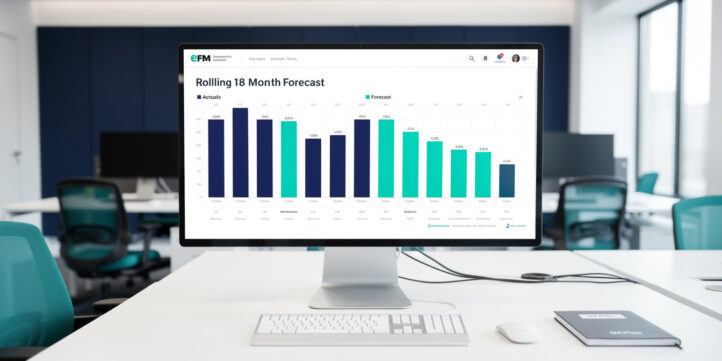
Updating your financial model with actuals each month is the single highest-leverage habit in FP&A, and most teams do it wrong.
Key Takeaways
- Rolling forecasts extend the planning horizon by 1 month every month, so you always have 12 to 18 months of forward visibility instead of a shrinking annual budget runway.
- A complete monthly update follows 6 sequential steps: close the books, import actuals, calculate variances, analyze drivers, update assumptions, and extend the horizon.
- Variance analysis requires 3 comparisons: actual vs. budget, actual vs. prior forecast, and this month’s forward projection vs. last month’s forward projection.
- Finance teams that adopt rolling forecasts report forecast accuracy improvements of up to 30% compared to static annual budgets, according to the Association for Financial Professionals.
- A variance threshold of 5% or $10,000 (whichever is larger) is the most common investigation trigger used by FP&A practitioners.
- Template-driven approaches reduce monthly update time by up to 60% when combined with narrative commentary and a documented assumption tracker.
- Choosing the right rolling window (13-week, 13-month, or 18-month) depends on your industry’s cash cycle and planning lead time, not personal preference.
What Rolling Forecasts Are and Why Monthly Updates Matter
A rolling forecast is a continuously updated financial plan that adds a new future period every time a past period closes, keeping your planning horizon constant. Unlike a static annual budget, which locks assumptions on day one and grows stale by February, a rolling forecast treats every month-end as a strategic refresh point.
The mechanical difference matters. A static budget compares actuals to a plan written 6 to 18 months ago. A rolling forecast compares actuals to assumptions you updated 30 days ago. That recency is what makes variance analysis actionable rather than archaeological.
According to the Association for Financial Professionals, only 42% of organizations had adopted rolling forecasts as of their most recent benchmarking survey, yet those that did reported significantly higher forecast accuracy and faster decision cycles. The administrative burden of monthly updates is the primary reason adoption remains below 50%, which is exactly why a structured workflow and pre-built templates matter so much.
Static budgets lose forward visibility every month. Rolling forecasts maintain a constant horizon by design.
The Three Approaches to Rolling Forecast Management
You can manage a rolling forecast using three distinct approaches, and the best teams combine all three. Each approach has a different strength, and choosing only one leaves a gap.
| Dimension | Narrative | Procedural | Template-Driven |
|---|---|---|---|
| Core strength | Explains the “why” | Defines the “how” | Enforces the “what” |
| Best for | Board commentary, CFO memos | Analyst training, SOPs | Monthly close, data entry |
| Risk if used alone | No repeatable process | No institutional memory | No interpretive context |
| Time to produce | High | Medium | Low |
| Accuracy dependency | Human judgment | Checklist discipline | Formula integrity |
| Ideal user | CFO, FP&A lead | Senior analyst | Junior analyst, controller |
| Combines well with | Template for structure | Narrative for context | Procedural for governance |
The narrative approach tells the story behind the numbers. It answers why revenue missed by $180,000 and what the team is doing about it. The procedural approach defines the exact sequence of steps your team follows every month, so the process doesn’t live in one person’s head. The template-driven approach pre-builds the calculation grids, import zones, and commentary fields so analysts spend time thinking rather than formatting.
The winning combination: use a template to capture and calculate, a procedure to govern the sequence, and narrative to interpret and communicate. None of the three works as well alone.
Monthly Actuals Update Workflow: Step-by-Step
Updating your rolling forecast with actuals follows a 6-step sequence. Skipping or reordering steps is the most common source of errors.
Step 1: Close the books and lock the actuals source. Pull your trial balance or ERP export only after the accounting close is complete. Importing pre-close numbers creates phantom variances you’ll spend hours chasing.
Step 2: Import actuals into the designated import zone. Paste actuals into a clearly labeled input area, never directly into formula cells. Use a separate “Actuals Input” tab that feeds the main model via cell references (for example, ='Actuals Input'!B12). This preserves all downstream formulas.
Step 3: Calculate the three variance layers. Your model should auto-calculate: (a) actual vs. budget, (b) actual vs. prior forecast, and (c) this month’s forward projection vs. last month’s forward projection. Each layer answers a different question.
Step 4: Identify drivers for variances above your threshold. For any line item where the variance exceeds 5% or $10,000, document the root cause in the commentary field before moving to the next step.
Step 5: Update forward assumptions. Revise price, volume, timing, and cost assumptions for the remaining forecast periods based on what the actuals revealed. This is the strategic step most teams skip.
Step 6: Extend the horizon by one period. Add the next month (or quarter) to the end of your forecast window. Delete or archive the period that just closed. Your horizon stays constant.
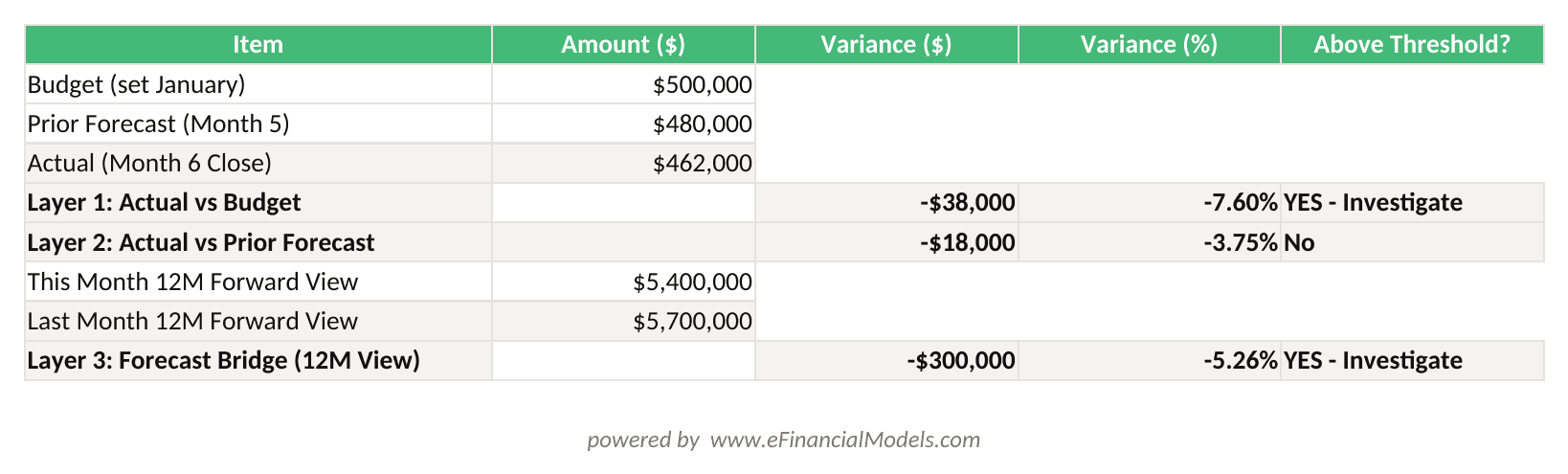
Three-layer variance analysis: Layer 2 shows the forecast was 96.25% accurate; Layer 3 reveals a $300,000 forward outlook reduction requiring narrative explanation.
Variance Analysis Framework: Three Critical Comparisons
Variance analysis (the process of measuring and explaining the gap between two financial figures) only delivers value when you run all three comparisons, not just one.
Layer 1: Actual vs. Budget. This is the traditional comparison. It tells you how performance measured against the original plan. Its weakness: the budget may be 10 months old and based on assumptions that no longer apply.
Layer 2: Actual vs. Prior Forecast. This is the most operationally useful comparison. It measures how well your most recent forecast predicted reality. A team with a 3% average actual-vs.-prior-forecast variance is forecasting well. A team with a 15% variance has a modeling or assumption problem.
Layer 3: Forecast vs. Forecast (this month’s forward view vs. last month’s forward view). This comparison, often called a “forecast bridge,” shows how your view of the future has changed. It’s the layer that makes rolling forecasts strategically valuable because it forces you to explain why your outlook shifted.
Worked Numerical Example
Here’s the math for a SaaS company’s revenue line in Month 6:
- Budget (set in January): $500,000
- Prior forecast (set in Month 5): $480,000
- Actual (Month 6 close): $462,000
Layer 1 variance (Actual vs. Budget): $462,000 minus $500,000 equals negative $38,000, or negative 7.6%. This triggers investigation.
Layer 2 variance (Actual vs. Prior Forecast): $462,000 minus $480,000 equals negative $18,000, or negative 3.75%. This is within the 5% threshold, meaning the Month 5 forecast was reasonably accurate.
Layer 3 variance (this month’s 12-month forward view vs. last month’s 12-month forward view): If Month 6’s updated forecast projects $5.4M for the next 12 months versus Month 5’s projection of $5.7M, the forecast bridge shows a negative $300,000 shift. That shift requires a narrative explanation: for example, one enterprise deal slipped from Q3 to Q4.
The Layer 2 result tells you your forecasting process is working. The Layer 3 result tells you your pipeline has a timing problem. Both insights are invisible if you only run Layer 1.
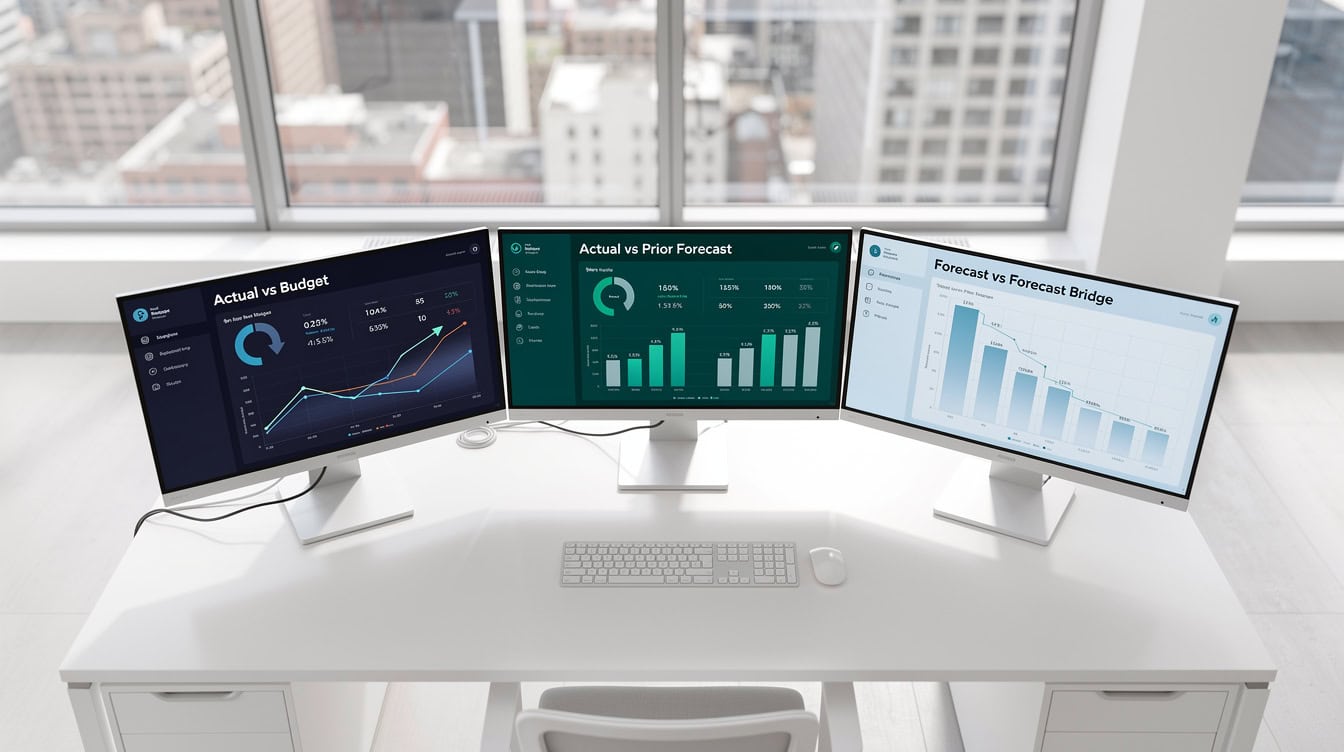
Running only Layer 1 (actual vs. budget) misses the two most operationally useful variance comparisons.
Technical Mechanics: Updating Your Model Without Breaking It
The most common technical failure in rolling forecast updates is overwriting a formula cell with a pasted value. One misplaced paste can corrupt months of downstream calculations silently.
Four rules prevent this:
- Separate input zones from calculation zones. Actuals go in a dedicated input tab. Formulas in the main model reference that tab. Never paste into a formula cell.
- Use absolute references for actuals, relative references for forecast periods. For example,
=$B$2locks an actuals figure;=B2allows the forecast row to shift as you extend the horizon. - Lock forecast cells with data validation or sheet protection. Protect all formula cells and allow input only in the designated actuals zone. Excel’s sheet protection feature (Review tab, Protect Sheet) takes 30 seconds to set up and prevents hours of debugging.
- Handle partial-month data with a completion factor. If you import actuals mid-month, multiply the partial figure by a completion factor (for example,
=ActualToDate / (DaysElapsed / DaysInMonth)) to annualize the run rate without distorting the full-month comparison.
For scenario analysis and sensitivity testing, always run scenarios on a copy of the model, never on the live rolling forecast file.
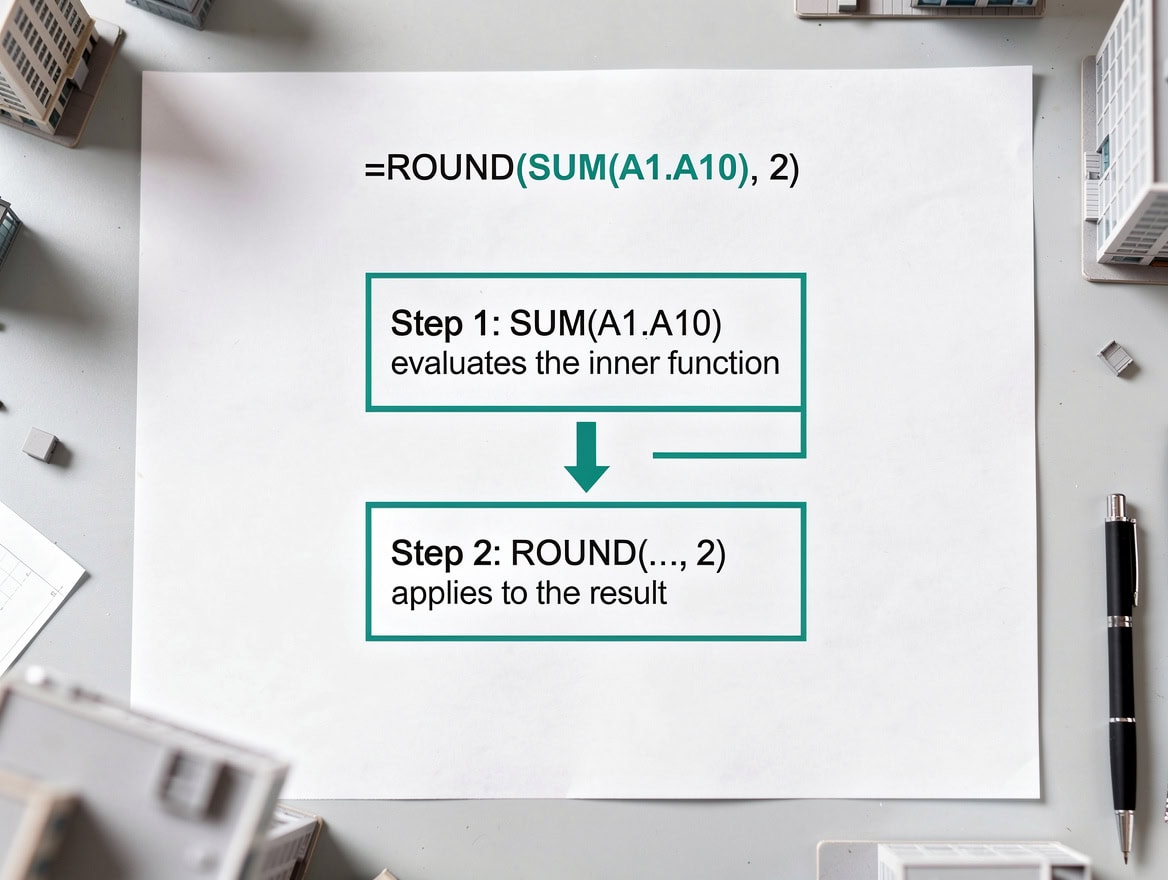
Separating the actuals input zone from formula cells prevents the most common cause of rolling forecast model corruption.
Choosing Your Rolling Window: 13-Week vs. 13-Month vs. 18-Month
Your rolling window length should match your business’s cash cycle and planning lead time, not a generic best practice.
13-week (quarterly) rolling forecast: Best for businesses with short cash cycles, high revenue volatility, or active turnaround situations. Retailers, restaurants, and early-stage startups often use 13-week windows because 90 days is the practical limit of reliable visibility. The tradeoff: you lose long-range planning context.
13-month rolling forecast: The most common choice for mid-market companies. It gives you a full year of forward visibility plus one month of overlap, which helps with annual planning cycles and board reporting. Most financial analysis frameworks assume a 12-to-13-month horizon.
18-month rolling forecast: Best for capital-intensive businesses with long lead times: manufacturing, real estate, infrastructure, and SaaS companies with enterprise sales cycles exceeding 6 months. The 18-month window captures the full impact of decisions made today on cash flows 12 to 18 months out.
| Window | Best Industry Fit | Key Benefit | Key Tradeoff |
|---|---|---|---|
| 13-week | Retail, restaurants, startups | High accuracy, fast refresh | No long-range visibility |
| 13-month | Mid-market, SaaS, services | Board-ready, annual overlap | Moderate assumption uncertainty |
| 18-month | Manufacturing, real estate, enterprise | Full lead-time coverage | Higher assumption error at tail |
Variance Commentary and Assumption Documentation
Variance commentary is the narrative layer that transforms a number into a decision. A variance without commentary is just a complaint; commentary without a proposed action is just an excuse.
Effective commentary follows a 3-part structure: (1) state the variance and its magnitude, (2) identify the root cause category, and (3) describe the forward implication or corrective action.
Root cause categories for variance analysis include: volume (more or fewer units than forecast), price (rate or discount different from assumption), mix (different product or customer composition), timing (revenue or cost shifted between periods), and one-time items (non-recurring events not in the original forecast).
For assumption documentation, every time you change a forward assumption, record: the original assumption, the new assumption, the date of the change, and the reason. This creates an audit trail that makes your next forecast more credible and your variance explanations more defensible.
According to research published by the International Institute of Finance, finance teams that document assumption changes formally produce forecasts with 22% lower variance in subsequent periods compared to teams that update assumptions without documentation.
For forecasting best practices, the threshold rule most practitioners use is: investigate any variance exceeding 5% of the line item or $10,000 in absolute terms, whichever is larger. Below that threshold, document but don’t escalate.
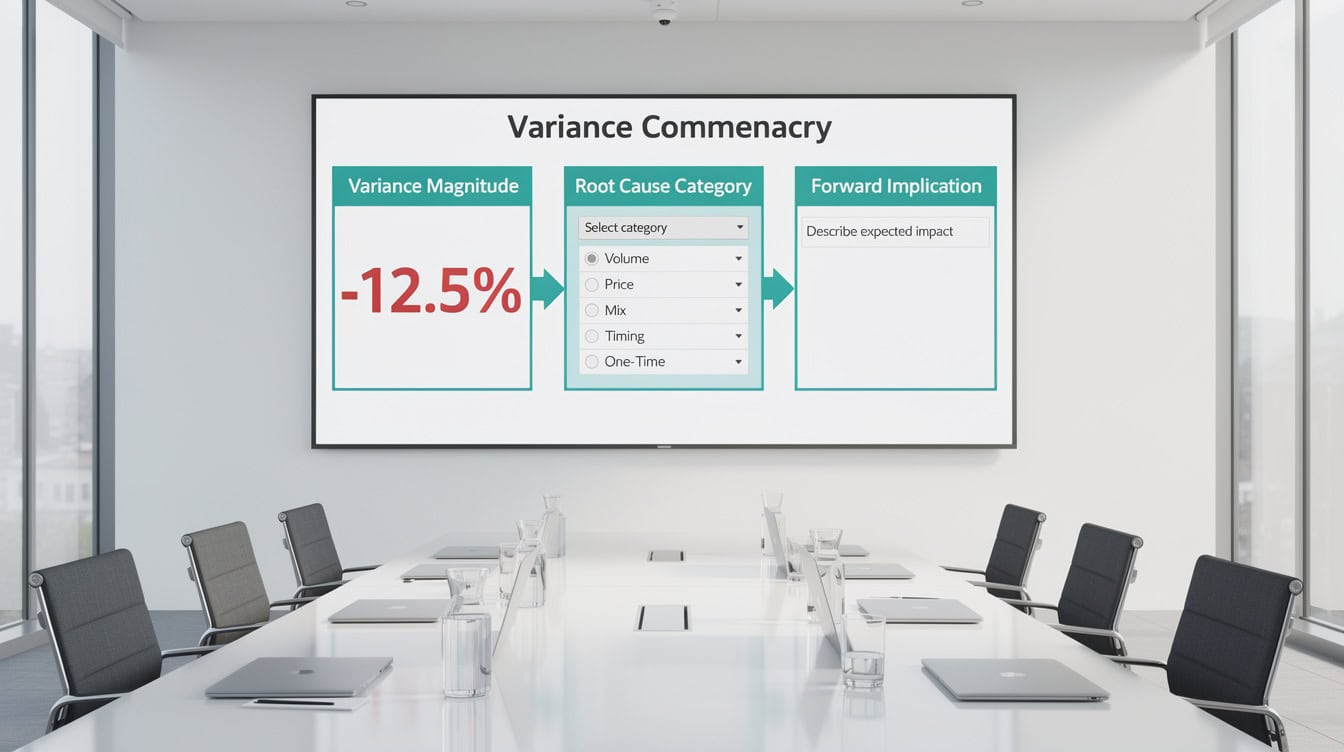
Effective variance commentary always includes a root cause category and a forward implication, not just a description of what happened.
Template Architecture for Rolling Forecasts
A well-designed rolling forecast template has 5 functional zones, each with a distinct purpose.
Zone 1: Actuals Import Area. A dedicated tab or section where you paste raw actuals from your ERP or accounting system. This zone contains no formulas, only values. It feeds the rest of the model via cell references.
Zone 2: Variance Calculation Grid. Auto-calculates all three variance layers for every line item. Conditional formatting highlights cells above the investigation threshold in red. This zone is formula-only; no manual input.
Zone 3: Assumption Tracker. A structured log of every forward assumption: revenue growth rate, headcount additions, cost escalation factors, and capital expenditure timing. Each assumption has a current value, a prior-month value, and a change-reason field.
Zone 4: Forecast Extension Logic. The formulas that automatically populate the new period added to the end of the rolling window. These formulas reference the assumption tracker, so updating an assumption automatically flows through to the extended period.
Zone 5: Commentary Capture Area. A structured text field linked to each major variance. Some teams use a separate commentary tab; others embed comment fields directly in the variance grid. Either approach works as long as commentary is mandatory for above-threshold variances.
For cash flow analysis specifically, add a sixth zone: a 13-week cash flow bridge that reconciles the rolling P&L forecast to actual cash movements.
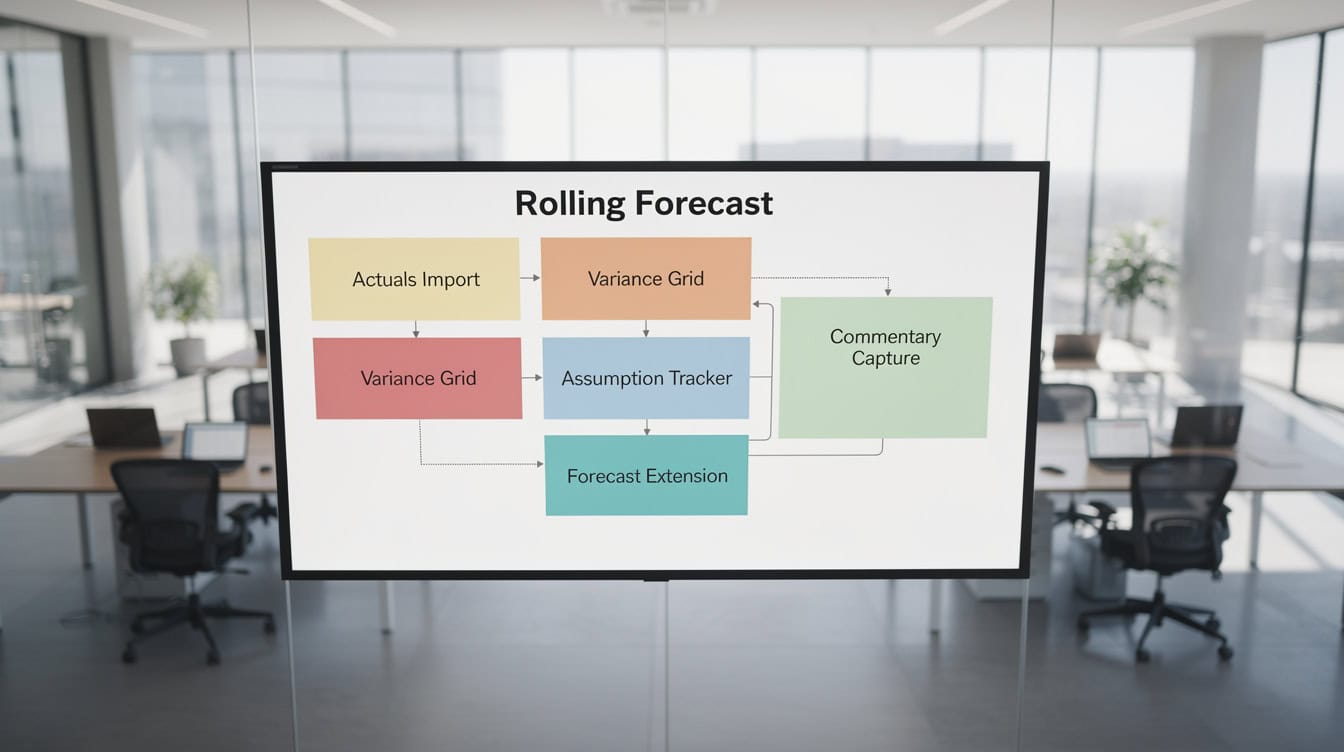
A five-zone template architecture separates data input, calculation, assumption management, horizon extension, and narrative commentary.
Common Monthly Update Pitfalls and Solutions
Five mistakes account for the majority of rolling forecast errors.
Pitfall 1: Importing pre-close actuals. Fix: establish a hard rule that actuals import happens only after the accounting close sign-off email is received. Build a checklist item into your close calendar.
Pitfall 2: Updating assumptions without documenting the change. Fix: make the assumption tracker a required field. If the assumption changes and the tracker isn’t updated, the model flags an error via a simple IF formula that checks whether the change-reason field is blank.
Pitfall 3: Running only Layer 1 variance (actual vs. budget). Fix: build all three variance layers into the template so they calculate automatically. If the template does the work, analysts can’t skip the step.
Pitfall 4: Treating the monthly update as data entry rather than a strategic review. Fix: schedule a 60-minute variance review meeting immediately after the update is complete. The meeting agenda: Layer 2 variances above threshold, assumption changes made this month, and forward outlook changes.
Pitfall 5: Extending the horizon without updating tail-period assumptions. Fix: the forecast extension formula should reference the assumption tracker, not hardcoded values. When you extend by one month, the new period inherits the current assumptions automatically.
For variance analysis templates that prevent these errors by design, pre-built structures with locked formula zones are significantly more reliable than models built from scratch each month.
Integrating Rolling Forecasts Into Your Close Calendar
A rolling forecast only works if it’s embedded in a repeatable monthly rhythm. The close calendar is the governance mechanism that makes the process stick.
A practical close calendar for rolling forecast teams looks like this: Days 1 to 3 after month-end, complete accounting close and lock actuals. Day 4, import actuals into the forecast template. Days 5 to 6, calculate variances and complete commentary for above-threshold items. Day 7, update forward assumptions and extend the horizon. Day 8, distribute the updated forecast package to leadership. Day 10, hold the variance review meeting.
Organizations that embed rolling forecasts into a formal close calendar complete their monthly updates in an average of 4.2 days, compared to 8.7 days for teams without a structured process, according to benchmarking data from the Association for Financial Professionals. That 4.5-day reduction compounds: over a year, it returns more than 50 analyst-hours to higher-value work.
The organizational change management piece is real. Moving from an annual budget to a rolling forecast requires finance leadership to reframe the process: the goal is no longer to defend the original budget but to produce the most accurate forward view possible. Teams that frame variance analysis as a learning tool rather than a performance judgment adopt rolling forecasts faster and with less resistance.
Teams with a structured close calendar complete rolling forecast updates in 4.2 days on average, versus 8.7 days without one.
Frequently Asked Questions
How do I update my financial model with actuals each month without breaking formulas?
The safest method is to separate your actuals input zone from your calculation zone. Create a dedicated “Actuals Input” tab in your Excel model and paste all actuals there as values only. Your main model tabs reference this input zone using cell references like ='Actuals Input'!B12. This means you never paste into a formula cell. Additionally, protect your calculation sheets using Excel’s Review tab, Protect Sheet function, and allow editing only in the actuals input zone. This two-zone architecture means a misplaced paste can only corrupt the input zone, which contains no formulas, so the damage is always recoverable. Most experienced FP&A analysts also maintain a version-controlled backup of the prior month’s file before importing new actuals, giving them a clean restore point if something goes wrong.
What is the difference between a rolling forecast and a static annual budget?
A static annual budget is set once, typically in Q4 of the prior year, and the planning horizon shrinks every month as the year progresses. By October, you’re comparing actuals to a 10-month-old plan with only 2 months of forward visibility remaining. A rolling forecast, by contrast, adds a new future period every time a past period closes, keeping your horizon constant at 12, 13, or 18 months. The practical difference is that a rolling forecast’s assumptions are never more than 30 days old, which makes variance analysis far more actionable. According to the Association for Financial Professionals, organizations using rolling forecasts report up to 30% higher forecast accuracy compared to those relying solely on static annual budgets.
What variance threshold should I use to decide when to investigate a variance?
The most widely used threshold in FP&A practice is 5% of the line item’s budgeted or forecasted value, or $10,000 in absolute dollar terms, whichever is larger. This dual threshold prevents you from wasting time on large-percentage variances on small line items (for example, a 20% variance on a $500 expense line is only $100) while still catching material dollar variances on large line items even when the percentage is small. For example, a 3% variance on a $500,000 revenue line equals $15,000, which exceeds the $10,000 absolute threshold and warrants investigation even though it’s below 5%. Some organizations adjust these thresholds by line item category: revenue lines often use a tighter 3% threshold because revenue accuracy is more strategically critical than cost accuracy.
Which rolling window length is right for my business: 13-week, 13-month, or 18-month?
The right window depends on your cash cycle and planning lead time. If your business has high revenue volatility and short cash cycles, such as retail or food service, a 13-week rolling forecast gives you high-accuracy near-term visibility and forces weekly discipline. If you’re a mid-market company with annual board reporting requirements, a 13-month window gives you a full year of forward visibility plus one month of overlap that helps with annual planning. If your business makes capital commitments with lead times exceeding 6 months, such as manufacturing, real estate development, or enterprise SaaS, an 18-month window is necessary to capture the full financial impact of decisions made today. Many companies run two windows simultaneously: a 13-week cash flow forecast for liquidity management and a 13-month P&L forecast for strategic planning.
How do I document assumption changes in a rolling forecast?
Every assumption change should be logged in a structured assumption tracker with four fields: the original assumption value, the new assumption value, the date of the change, and the business reason for the change. For example: “Revenue growth rate changed from 8% to 5% on March 15 due to enterprise deal pipeline slippage identified in the CRM review.” This documentation serves three purposes. First, it creates an audit trail that makes your forecast credible to leadership and auditors. Second, it forces the analyst to articulate a business reason, which improves assumption quality. Third, it provides the raw material for variance commentary in future months when the impact of today’s assumption change shows up in actuals. Research from the International Institute of Finance indicates that teams with formal assumption documentation produce forecasts with 22% lower variance in subsequent periods.
What are the three layers of variance analysis and why do all three matter?
The three layers are: actual vs. budget, actual vs. prior forecast, and this month’s forward projection vs. last month’s forward projection. The first layer (actual vs. budget) tells you how performance compared to the original plan, but the budget may be months old and based on outdated assumptions. The second layer (actual vs. prior forecast) tells you how accurate your most recent forecast was, which is the best measure of your forecasting process quality. A team consistently achieving less than 5% actual-vs.-prior-forecast variance is forecasting well. The third layer (forecast vs. forecast, also called a forecast bridge) shows how your view of the future has changed and forces you to explain why. For example, if your 12-month forward revenue projection dropped by $300,000 from last month to this month, the forecast bridge makes that shift visible and requires a narrative explanation, such as a deal slipping from Q3 to Q4.
How long should a monthly rolling forecast update take?
According to benchmarking data from the Association for Financial Professionals, finance teams with a structured close calendar and pre-built templates complete their monthly rolling forecast update in an average of 4.2 days after month-end close. Teams without a structured process average 8.7 days. The biggest time consumers are: importing and reconciling actuals (typically 30 to 60 minutes with a well-designed import zone), calculating and reviewing variances (2 to 4 hours for a mid-market P&L), updating forward assumptions (1 to 2 hours), and writing variance commentary (1 to 3 hours depending on the number of above-threshold items). A pre-built template with automated variance calculations, conditional formatting for threshold alerts, and structured commentary fields can reduce total update time by 50 to 60% compared to a manually formatted spreadsheet rebuilt each month.
Conclusion
Rolling forecasts deliver their full value only when monthly updates follow a disciplined sequence: import actuals into a protected zone, run all three variance layers, document assumption changes, and extend the horizon by one period. The teams that do this well combine a template for structure, a procedure for governance, and narrative for interpretation. None of the three approaches works as well alone.
I recommend downloading the EFM Rolling Forecast Update Template with built-in variance analysis grids, actuals import zones, and assumption tracking. It’s designed to reduce your monthly update time by 60% and eliminate the most common formula-breaking mistakes that slow finance teams down every month-end.
























































