
0 ITEMS

How to Create a Financial Model: 3-Statement Build
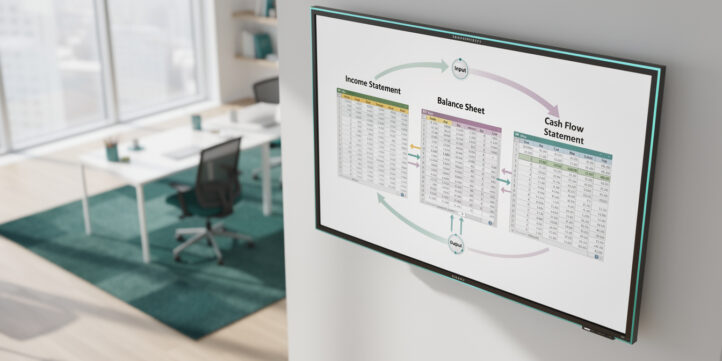
Building a financial model from scratch takes 40 or more hours for a complete 3-statement structure — but most first-time builders lose days to avoidable structural errors before they write a single formula.
Key Takeaways
- A complete financial model requires 3 linked statements: Income Statement, Balance Sheet, and Cash Flow Statement — missing any one breaks the entire logic chain.
- Research by KPMG found that 91% of spreadsheets containing more than 150 rows have at least one material error, making structural discipline the single highest-leverage skill in model building.
- A complex 3-statement model with scenario analysis takes 40 to 80 hours to build manually from a blank spreadsheet, versus 8 to 15 hours using a validated template structure.
- The FAST Standard (Flexible, Appropriate, Structured, Transparent) is the closest thing to an industry-wide modeling protocol and defines 4 core principles every professional model must satisfy.
- Hardcoded numbers inside formula cells — called “magic numbers” — are the most common fatal error in first-time models and the hardest to audit later.
- A 12-point quality audit, covering circular references, assumption documentation, and sensitivity completeness, is the professional standard for declaring a model “done.”
- Choosing the wrong model type for your decision (e.g., building a full LBO when you only need a budget forecast) wastes 20 or more hours and produces outputs no investor or lender will use.
What You’ll Build: Anatomy of a Complete Financial Model
A complete financial model is a set of linked Excel worksheets that translates business assumptions into projected financial statements and decision-ready outputs. The three core statements — Income Statement, Balance Sheet, and Cash Flow Statement — form the engine. Everything else (scenario tables, valuation outputs, dashboards) runs off that engine.
Here’s how the anatomy breaks down across tabs:
- Inputs/Assumptions tab: Every driver lives here — revenue growth rates, margin targets, headcount, capex schedules. Color-code these cells (blue font on white background is the investment banking convention) so any user immediately knows what’s an input versus a formula.
- Calculations engine: The three statements plus supporting schedules (debt schedule, depreciation schedule, working capital schedule). No raw numbers here — only formulas referencing the Inputs tab.
- Outputs/Dashboard tab: Charts, KPI summaries, and scenario toggles. This is what a CFO or investor sees first.
- Documentation tab: Assumptions log, version history, data sources, and a model map. Investment banks and PE firms require this for any model used in a transaction.
The FAST Standard (Flexible, Appropriate, Structured, Transparent), maintained by the FAST Standard Organization, is the most widely adopted framework for professional model architecture. It requires that every input be separable from every calculation — a rule that eliminates the most common class of audit failures.
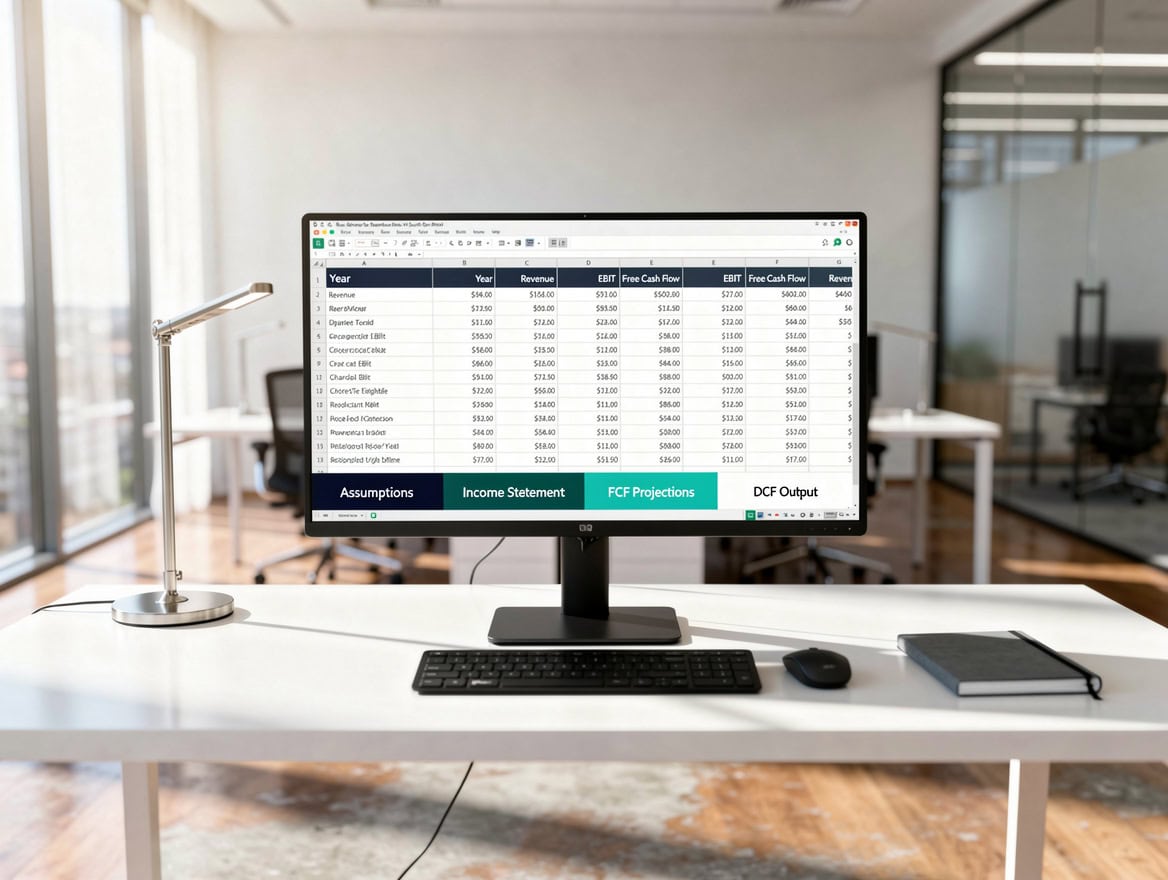
Tab order matters: inputs always precede calculations, and calculations always precede outputs.
Before You Start: Choosing the Right Model Type
The right model type depends entirely on the decision you’re trying to make. Using a discounted cash flow (DCF) model — which values a business by discounting future free cash flows back to present value — when you only need a 12-month operating budget is like using a surgical robot to cut a sandwich.
Use this decision framework:
| Decision | Model Type | Typical Build Time |
|---|---|---|
| Annual budget / forecast | 3-Statement Operating Model | 15-25 hrs |
| Startup fundraising | 3-Statement + Revenue Build | 20-35 hrs |
| Business valuation | DCF + Comparable Multiples | 30-50 hrs |
| Acquisition analysis | LBO or Merger Model | 50-80 hrs |
| Real estate investment | Property Cash Flow Model | 10-20 hrs |
For most founders, startup CFOs, and non-finance managers, the 3-statement model is the correct starting point. It’s the foundation every other model type builds on. You can find purpose-built startup financial models that pre-structure this foundation if you want to skip the blank-spreadsheet phase.
Step 1: Structuring Your Model Workbook
Workbook structure determines whether your model is auditable, scalable, and error-resistant — or a liability. Set this up before you enter a single number.
Tab order (left to right): Cover → Assumptions → Income Statement → Balance Sheet → Cash Flow → Debt Schedule → Depreciation Schedule → Working Capital → Outputs → Documentation.
Color-coding convention (investment banking standard):
- Blue font: hardcoded inputs (only on the Assumptions tab)
- Black font: formulas
- Green font: links from other tabs
- Red font: error checks (should always equal zero)
Named ranges: Excel’s named ranges feature (Formulas → Define Name) lets you write =Revenue_Growth instead of =Assumptions!B12. This makes formulas readable and reduces broken-link errors when rows are inserted. Named ranges are especially valuable in models with 10 or more tabs.
Data validation: Use Excel’s Data Validation (Data → Data Validation) to restrict input cells to acceptable ranges — for example, limiting a growth rate cell to values between -50% and 200%. This prevents accidental inputs that cascade into nonsensical outputs. A single Excel workbook can contain up to 1,048,576 rows and 16,384 columns, according to Microsoft’s official Excel specifications.
Step 2: Building the Income Statement
The Income Statement (also called the Profit and Loss, or P&L) shows revenue, costs, and profit over a period. Build it top-down: Revenue → Gross Profit → EBITDA → EBIT → Net Income.
Revenue build (the most important section): Never enter revenue as a single growth-rate assumption. Break it into drivers. For a SaaS company, the formula is:
Revenue = (Beginning Customers × Retention Rate × ARPU) + (New Customers × ARPU)
Where ARPU means Average Revenue Per User. This structure lets you stress-test churn independently from pricing — which is exactly what a Series B investor will do in due diligence.
EBITDA stands for Earnings Before Interest, Taxes, Depreciation, and Amortization. It’s the most commonly used proxy for operating cash generation. Build it as:
EBITDA = Revenue - COGS - Operating Expenses
COGS (Cost of Goods Sold) covers direct costs tied to revenue delivery. Operating Expenses cover SG&A (Sales, General and Administrative costs) and R&D.
Worked example — SaaS company Year 1:
- Beginning customers: 500
- New customers acquired: 200
- Annual churn rate: 8% (so retention = 92%)
- ARPU: $1,200/year
- Retained customers: 500 × 92% = 460
- Total end-of-year customers: 460 + 200 = 660
- Average customers for revenue recognition: (500 + 660) / 2 = 580
- Revenue: 580 × $1,200 = $696,000
- COGS (25% of revenue): $174,000
- Gross Profit: $522,000 (75% gross margin)
- Operating Expenses: $380,000
- EBITDA: $142,000
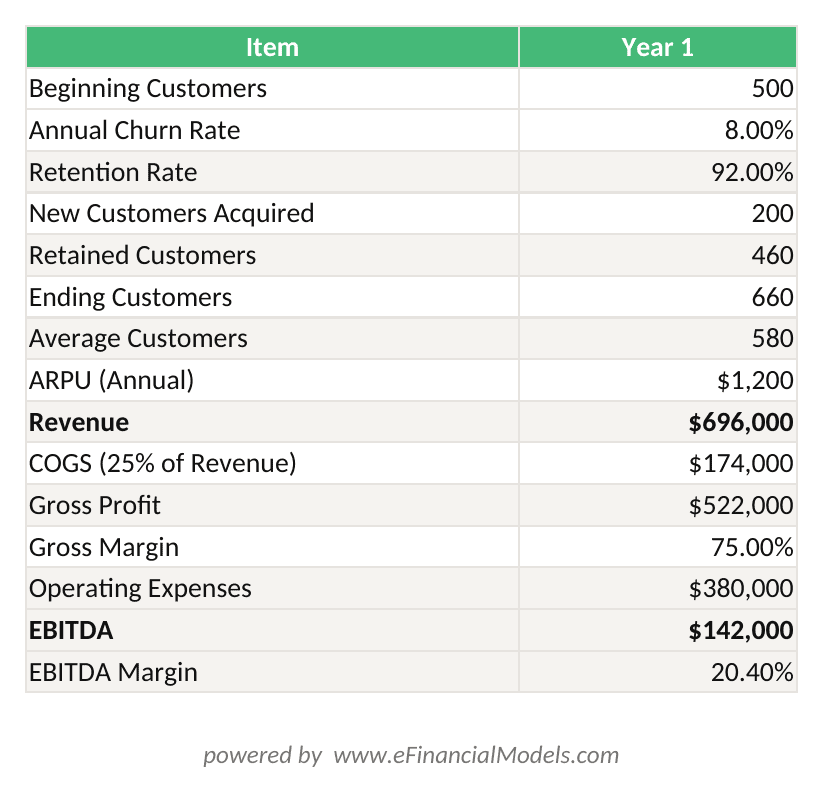
Revenue = Average Customers × ARPU. EBITDA = Revenue – COGS – OpEx. Every cell is a formula referencing the Assumptions tab.

Breaking revenue into customer cohorts and ARPU lets you stress-test churn independently from pricing.
Step 3: Constructing the Balance Sheet
The Balance Sheet is a snapshot of what the business owns (assets), owes (liabilities), and the residual value belonging to shareholders (equity) at a single point in time. The fundamental equation is: Assets = Liabilities + Equity. If this doesn’t balance, your model has an error.
Key linkages to build:
- Cash on the Balance Sheet = Ending Cash from the Cash Flow Statement
- Retained Earnings = Prior Period Retained Earnings + Net Income – Dividends
- Debt balance = Prior balance + New borrowings – Repayments (from the Debt Schedule)
- PP&E (Property, Plant and Equipment) = Prior PP&E + Capex – Depreciation (from the Depreciation Schedule)
Working capital is the difference between current assets (accounts receivable, inventory) and current liabilities (accounts payable, accrued expenses). It represents the cash tied up in day-to-day operations. Model it using Days Sales Outstanding (DSO), Days Inventory Outstanding (DIO), and Days Payable Outstanding (DPO):
Accounts Receivable = (Revenue / 365) × DSO
For the SaaS example above with DSO of 30 days: AR = ($696,000 / 365) × 30 = $57,205.
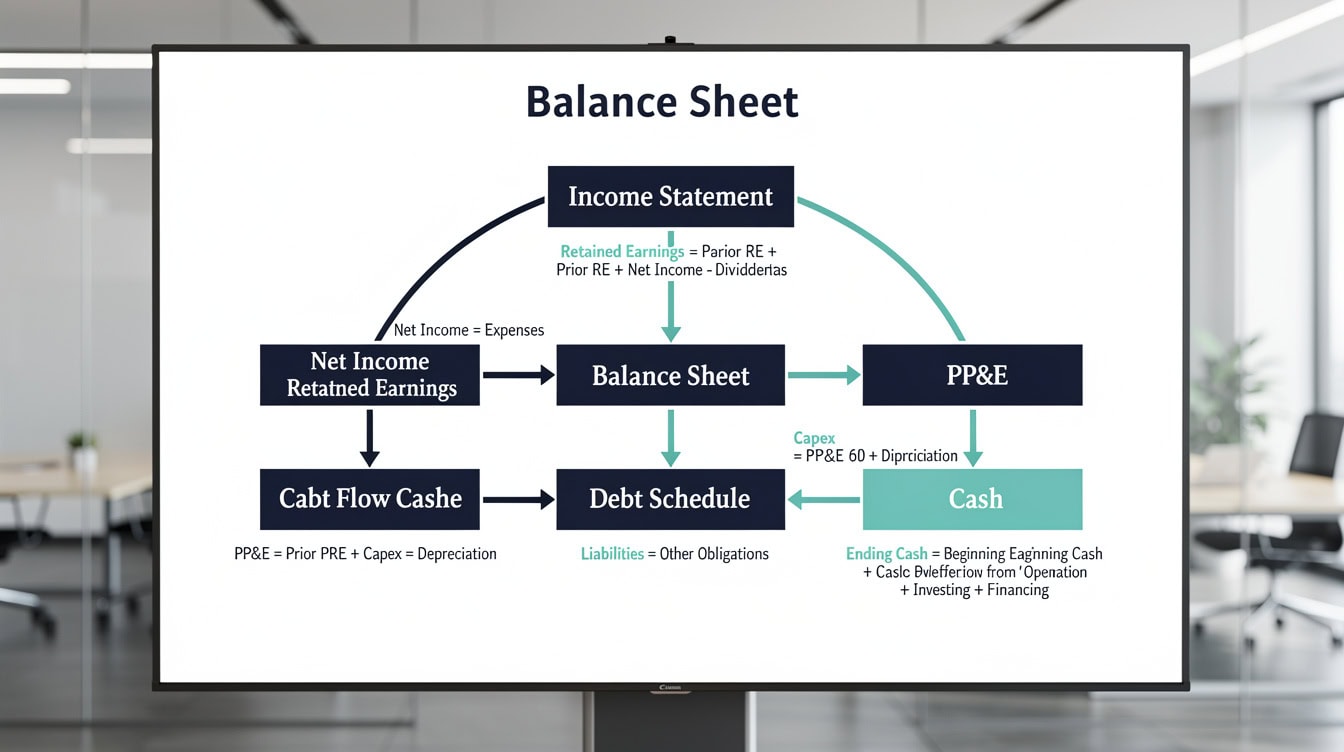
Every Balance Sheet line item should trace back to a source schedule — never a hardcoded number.
Step 4: Creating the Cash Flow Statement
The Cash Flow Statement (CFS) reconciles net income to actual cash movement. It has three sections: Operating Activities, Investing Activities, and Financing Activities. Most first-time builders get this wrong because they try to build it independently — it must be derived from the Income Statement and Balance Sheet.
Operating Cash Flow (indirect method):Operating CF = Net Income + Depreciation & Amortization - Change in Working Capital
Investing Cash Flow:Investing CF = -Capex + Proceeds from Asset Sales
Financing Cash Flow:Financing CF = New Debt Raised - Debt Repaid + Equity Raised - Dividends Paid
Ending Cash = Beginning Cash + Operating CF + Investing CF + Financing CF
This ending cash figure must equal the cash line on your Balance Sheet. If it doesn’t, you have a broken link somewhere — use Excel’s Trace Precedents tool (Formulas → Trace Precedents) to find it.
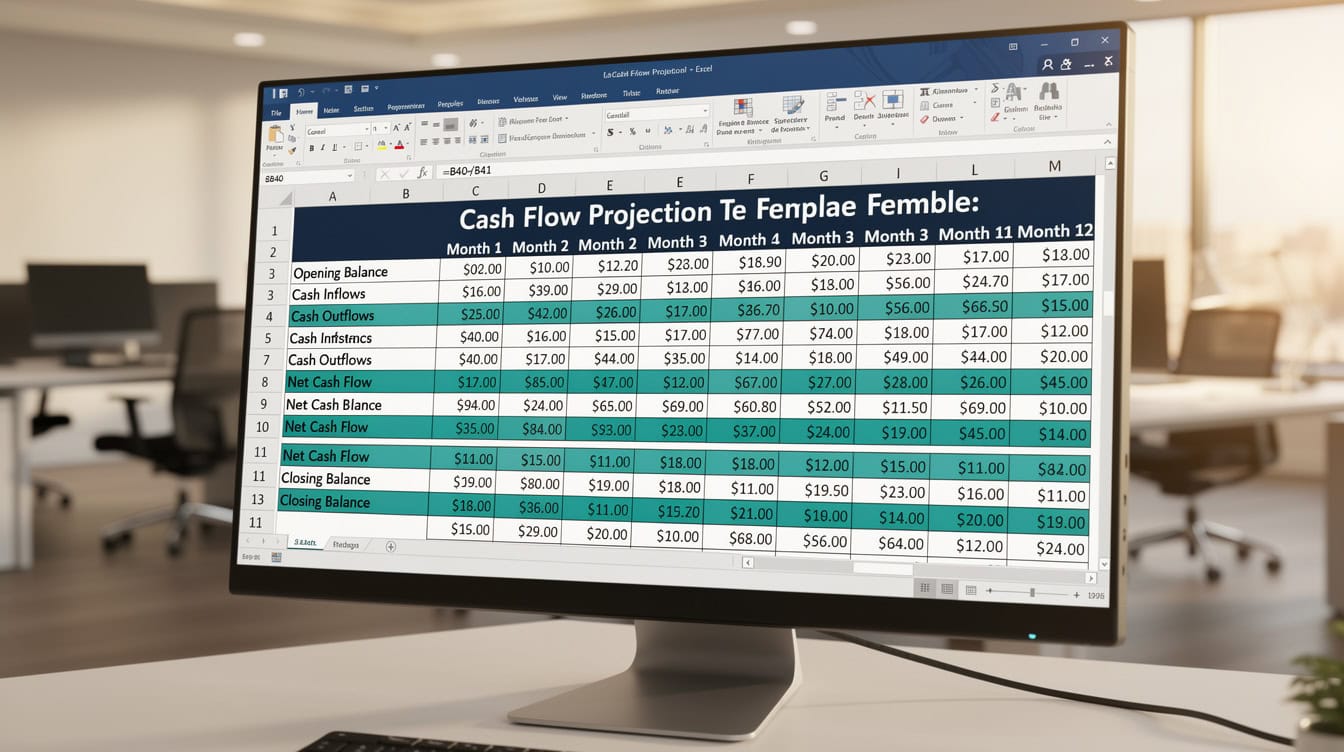
Ending cash on the Cash Flow Statement must equal the cash line on the Balance Sheet — this is your primary integrity check.
Step 5: Linking the Three Statements
Linking the three statements correctly is where most first-time models break. The links run in a specific sequence, and one broken reference corrupts every downstream output.
The correct link sequence:
- Net Income flows from Income Statement → Retained Earnings on Balance Sheet
- Depreciation flows from Depreciation Schedule → Income Statement (as expense) AND Cash Flow Statement (as add-back)
- Capex flows from Assumptions → Cash Flow Statement (Investing) AND Balance Sheet (PP&E)
- Change in Working Capital flows from Balance Sheet → Cash Flow Statement (Operating)
- Ending Cash flows from Cash Flow Statement → Balance Sheet (Cash asset)
- Debt balance flows from Debt Schedule → Balance Sheet (Liabilities) AND Interest Expense on Income Statement
Step 6 creates a circular reference — a situation where a formula refers back to itself through a chain of cells. Interest expense depends on the debt balance, which depends on cash available for repayment, which depends on net income, which depends on interest expense. Excel can handle this with iterative calculations (File → Options → Formulas → Enable Iterative Calculation, max iterations = 100). Excel supports up to 32,767 characters in any single cell, per Microsoft’s Excel specifications and limits documentation.
For circular reference resolution the default maximum iterations setting is 100 — a limit worth knowing when your debt schedule loops don’t converge. However, many modelers prefer to break the circularity using a “prior period” interest calculation in Year 1 to avoid instability.
Three-statement financial model templates with pre-built linkages eliminate this setup risk entirely.
Step 6: Adding Scenario Analysis and Sensitivity Tables
Scenario analysis lets you test how outputs change under different assumption sets. Sensitivity analysis (a subset) tests how a single output — like IRR or Net Income — changes as you vary one or two inputs simultaneously.
Scenario toggle method: Create a dropdown in the Assumptions tab (Data → Data Validation → List: Base, Upside, Downside). Use an INDEX-MATCH formula — a lookup function that finds a value at the intersection of a row and column — to pull the correct assumption set:
=INDEX(AssumptionTable, MATCH(ScenarioToggle, ScenarioList, 0), MATCH(AssumptionName, HeaderRow, 0))
Sensitivity table: Use Excel’s Data Table feature (Data → What-If Analysis → Data Table) to build a two-variable sensitivity grid. A common output is EBITDA margin sensitivity to revenue growth rate and COGS percentage — a 5×5 grid that shows 25 scenarios in seconds.
For 5-year financial projections that include pre-built scenario toggles, starting from a validated template cuts this setup time from roughly 6 hours to under 2 hours.
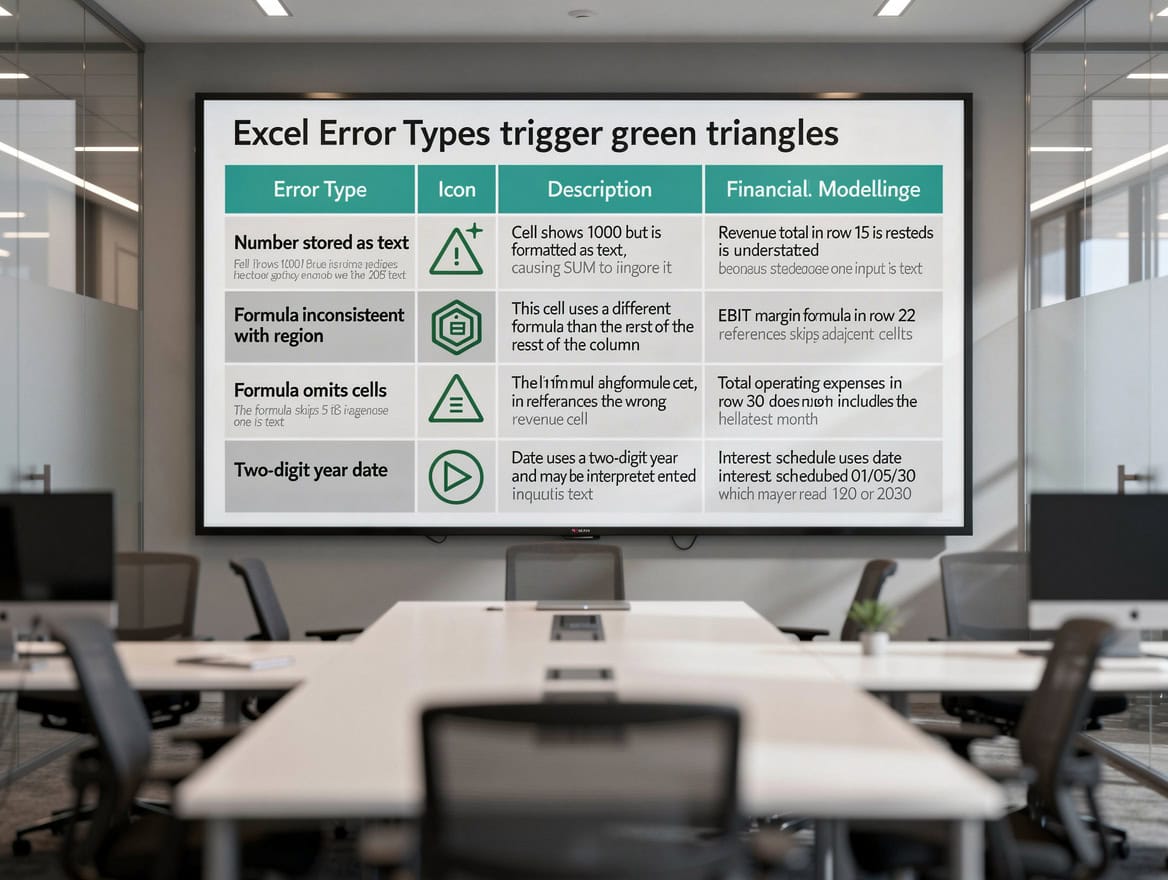
A 5×5 sensitivity grid tests 25 scenarios simultaneously — the minimum output standard for any model presented to investors.
The Financial Model Quality Audit: 12-Point Checklist
A model isn’t done when the Balance Sheet balances — it’s done when it passes a structured quality audit. The following 12-point checklist is based on standards from the FAST Standard Organization and Big 4 audit firm model review protocols.
Structure and Architecture
- All inputs are isolated on a single Assumptions tab with no hardcoded numbers in formula cells.
- Tab color-coding is consistent and documented on the Cover tab.
- Formulas flow left-to-right and top-to-bottom with no backward references (except the intentional circularity in the debt schedule).
- Named ranges are used for all key assumptions and are documented in the Documentation tab.
Calculation Integrity
- Balance Sheet balances to zero (Assets – Liabilities – Equity = 0) in every period. Use a dedicated error-check row with conditional formatting that turns red if non-zero.
- Cash Flow Statement ending cash ties to Balance Sheet cash in every period.
- Circular references are intentional, documented, and stable under iterative calculation settings.
- No #REF!, #DIV/0!, or #VALUE! errors exist anywhere in the model. Use IFERROR() wrapping on division formulas.
Assumption Quality
- Every assumption has a documented source (10-K, industry report, management estimate) in the Documentation tab.
- Growth rates and margins are benchmarked against at least one comparable company or industry average.
- The model includes at least 3 scenarios (Base, Upside, Downside) with clearly differentiated assumptions.
Output Completeness
- A sensitivity table exists for the model’s primary decision metric (IRR, NPV, EBITDA, or Revenue) varying the two highest-impact assumptions.
The FAST Standard Organization publishes its full modeling protocol at faststandard.org — it’s the closest thing to a universal professional standard in financial modeling.
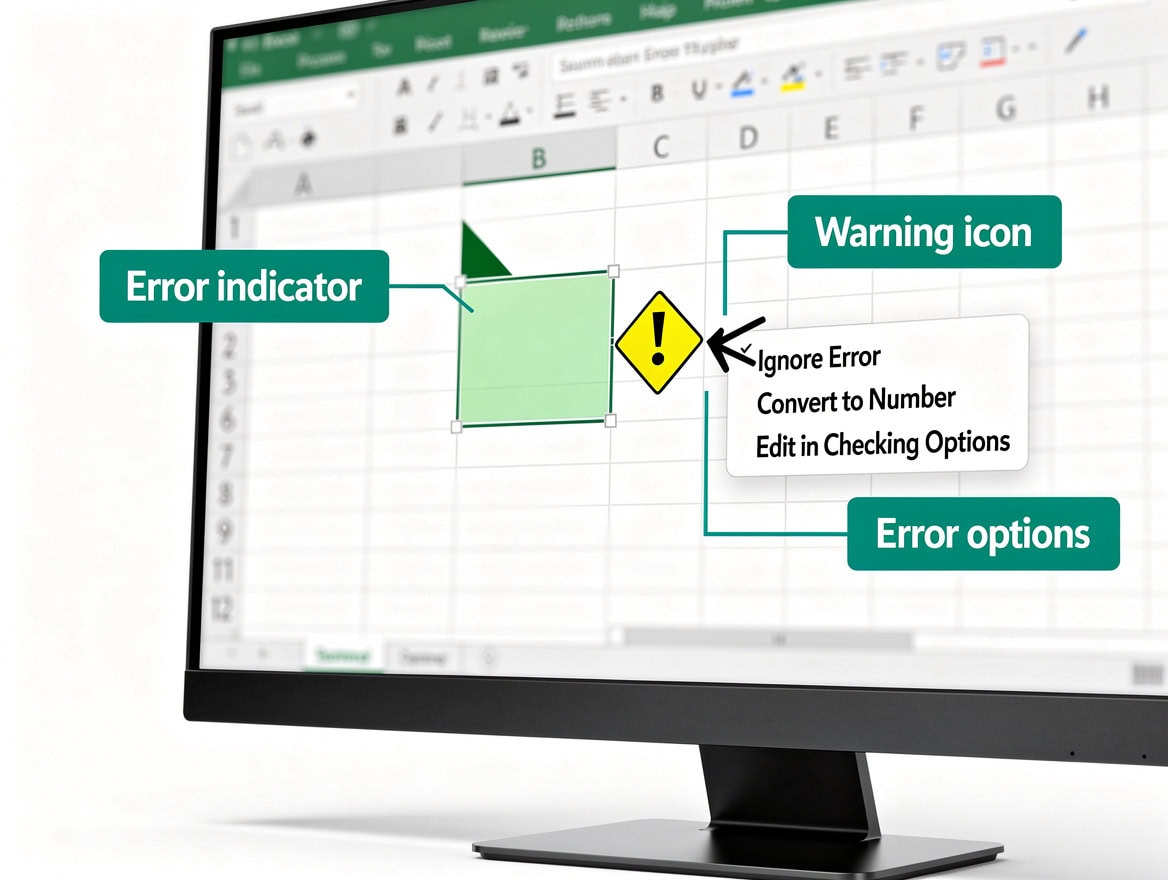
A model isn’t done when the Balance Sheet balances — it’s done when all 12 audit criteria are satisfied.
Time Investment Reality: Manual Build vs Template-Guided Approach
Being honest about time is more useful than making modeling sound easy. Here’s what the data shows.
A study cited by the European Spreadsheet Risks Interest Group (EuSpRIG) found that 88% of spreadsheets contain errors, with error rates rising sharply as model complexity increases.
For models with more than 200 rows, KPMG’s internal audit research found material errors in 91% of cases.
Manual build times vary by model type, but industry practitioners consistently report 40 or more hours for a complete 3-statement model with scenario analysis built from scratch. An LBO model (Leveraged Buyout — a model used to analyze acquisitions financed primarily with debt) typically requires 60 to 80 hours for a first-time builder.
| Model Type | Manual Build | Template-Guided | Error Risk |
|---|---|---|---|
| 3-Statement Operating | 40-60 hrs | 8-15 hrs | High / Low |
| DCF Valuation | 20-30 hrs | 4-8 hrs | Medium / Low |
| LBO Model | 60-80 hrs | 15-25 hrs | Very High / Low |
| SaaS Revenue Model | 15-25 hrs | 3-6 hrs | Medium / Low |
| Real Estate Model | 10-20 hrs | 2-5 hrs | Medium / Low |
Templates don’t eliminate the need to understand the model — they eliminate the structural setup time and the most common error classes. You still need to input your own assumptions, validate the logic against your business, and interpret the outputs. The financial model templates at EFM are built with the 12-point audit checklist pre-applied, which is where the error-rate reduction comes from.
Fatal Errors in First-Time Models
First-time model builders make predictable mistakes. Here are the 5 most damaging ones and how to fix each.
1. Hardcoded numbers in formula cells (“magic numbers”)
The mistake: Writing =B5*0.25 instead of =B5*Assumptions!B12. When your COGS assumption changes, you have to hunt through every formula manually.
The fix: Every percentage, rate, or driver lives in the Assumptions tab. Formula cells contain only references and operators.
2. Broken three-statement links
The mistake: Manually typing net income into the Balance Sheet instead of linking it with =IncomeStatement!B30. The statements appear to balance but are actually independent.
The fix: Use Trace Precedents (Ctrl+[) on every Balance Sheet and Cash Flow cell to verify it links back to a source.
3. Unrealistic growth assumptions with no benchmarking
The mistake: Projecting 50% annual revenue growth for 5 years because it “feels right” for a startup. Investors will immediately discount the entire model.
The fix: Anchor every growth assumption to a comparable company benchmark or cited industry report. Document the source in the Documentation tab.
4. Missing debt schedule
The mistake: Modeling debt as a static balance sheet line. This ignores interest expense (which reduces net income) and principal repayments (which affect cash).
The fix: Build a separate Debt Schedule tab that calculates beginning balance, draws, repayments, ending balance, and interest expense for each period. Link interest expense back to the Income Statement.
5. No scenario or sensitivity analysis
The mistake: Presenting a single-scenario model to investors or a board. A model with no downside case signals that the builder hasn’t stress-tested their own assumptions.
The fix: Add a minimum of 3 scenarios before any model leaves your desk. Use the Data Table feature for a sensitivity grid on your primary output metric.
Frequently Asked Questions
How long does it actually take to build a financial model from scratch?
For a complete 3-statement model with scenario analysis, expect 40 to 60 hours if you’re building from a blank spreadsheet and have intermediate Excel skills. A simple operating budget for a single-product business might take 15 to 20 hours. An LBO model for an acquisition analysis typically runs 60 to 80 hours for a first-time builder. These estimates assume you already have the source data (historical financials, industry benchmarks). Data gathering adds another 5 to 15 hours depending on whether the company is public (10-K available) or private (management-provided). Using a validated template structure cuts the structural setup phase — roughly 30% of total build time — and reduces the error rate significantly based on EuSpRIG spreadsheet audit research.
What’s the difference between a 3-statement model and a DCF model?
A 3-statement model (Income Statement, Balance Sheet, Cash Flow Statement) is a forward-looking projection of a company’s financial performance. It answers: “What will this business look like financially over the next 3 to 5 years?” A DCF model (Discounted Cash Flow) takes the free cash flows from a 3-statement model and discounts them back to present value using a discount rate (typically WACC — Weighted Average Cost of Capital). It answers: “What is this business worth today?” The DCF is built on top of the 3-statement model, not instead of it. You need a working 3-statement model before you can build a credible DCF. For a startup raising a Series A, you need both: the 3-statement model shows operational viability, and the DCF supports the valuation discussion. You can find DCF model templates that pre-link to a 3-statement foundation.
What does it mean when my Balance Sheet doesn’t balance?
A Balance Sheet that doesn’t balance (Assets ≠ Liabilities + Equity) means you have a broken link or a missing schedule somewhere in your model. The most common causes are: (1) Net income isn’t flowing correctly into Retained Earnings — check the formula =PriorRetainedEarnings + NetIncome - Dividends; (2) Depreciation is expensed on the Income Statement but not reducing PP&E on the Balance Sheet; (3) Debt repayments are reducing cash on the Cash Flow Statement but not reducing the debt balance on the Balance Sheet; (4) A new line item was added to one statement but not the other. Add a dedicated error-check row at the bottom of your Balance Sheet: =TotalAssets - TotalLiabilities - TotalEquity. Apply conditional formatting to turn this cell red if it’s non-zero. This check should be the first thing you look at every time you open the model.
How do I handle circular references in Excel financial models?
Circular references occur when a formula refers back to itself through a chain of cells — the classic example in financial modeling is interest expense depending on the debt balance, which depends on cash available, which depends on net income, which depends on interest expense. Excel can resolve this using iterative calculations: go to File → Options → Formulas → check “Enable Iterative Calculation” and set Maximum Iterations to 100 and Maximum Change to 0.001. This tells Excel to recalculate the circular chain up to 100 times until the change between iterations is smaller than 0.001. The risk is model instability — if your assumptions create a diverging loop, the model will return incorrect values without warning. A safer approach for beginners: use prior-period debt balance to calculate current-period interest expense, which breaks the circularity entirely at the cost of a small timing approximation.
What Excel functions do I actually need to know to build a financial model?
You need 8 core functions for 90% of financial modeling work. SUM and SUMIF aggregate values with or without conditions. IF and IFERROR handle logical tests and suppress error messages. INDEX-MATCH replaces VLOOKUP for flexible lookups across tables — the syntax is =INDEX(ReturnRange, MATCH(LookupValue, LookupRange, 0)). NPV and IRR calculate net present value and internal rate of return for cash flow series. OFFSET creates dynamic ranges that expand as you add periods. Data Tables (not a function but a feature under Data → What-If Analysis) build sensitivity grids automatically. You don’t need VBA or macros for a professional-grade 3-statement model — the complexity comes from logic and structure, not programming. The general Excel financial models library includes annotated examples of each function in context.
Should I build my own model or use a template?
Build your own model if: you’re learning financial modeling as a skill, the business has highly unusual economics that no template covers, or you’re in an investment banking role where building from scratch is a job requirement. Use a validated template if: you need a working model within days rather than weeks, you’re a founder or operator (not a finance professional) who needs outputs rather than modeling experience, or you’re presenting to investors who expect professional formatting and structure. The honest answer is that 88% of manually built spreadsheets contain errors according to EuSpRIG research, and most of those errors are structural — the kind that templates eliminate by design. For financial projections used in fundraising or M&A, the cost of a structural error in front of a sophisticated investor far exceeds the cost of a validated template.
What is the FAST Standard and do I need to follow it?
The FAST Standard (Flexible, Appropriate, Structured, Transparent) is a set of financial modeling best practices published by the FAST Standard Organization. It defines 4 principles: models should be Flexible (inputs separated from calculations), Appropriate (complexity matched to purpose), Structured (consistent layout and flow), and Transparent (formulas readable without documentation). You don’t need to follow FAST rigidly for an internal operating budget, but if your model will be reviewed by investors, auditors, or counterparties in a transaction, FAST compliance signals professional-grade work. The CFA Institute’s Financial Modeling curriculum also references FAST principles as a baseline standard. The most practical FAST rule for beginners: never put a hardcoded number inside a formula cell. That single rule eliminates the most common audit failure mode.
Conclusion
Building a financial model that actually works — one that balances, links correctly, and survives scrutiny from an investor or CFO — requires structural discipline before formula sophistication. The 3-statement foundation, the 12-point quality audit, and the habit of isolating every assumption on a dedicated tab are the three practices that separate models that get used from models that get questioned.
I recommend starting with a professionally structured financial model template rather than a blank spreadsheet. You’ll spend your time on the assumptions and business logic — the parts that require your judgment — instead of rebuilding structural scaffolding that’s already been audited and error-checked. The template becomes your learning artifact: reverse-engineer the linkages, modify the assumptions, and you’ll understand the architecture faster than any blank-sheet build.
























































