
0 ITEMS

Real Estate Development Financial Model Excel: Build It Right
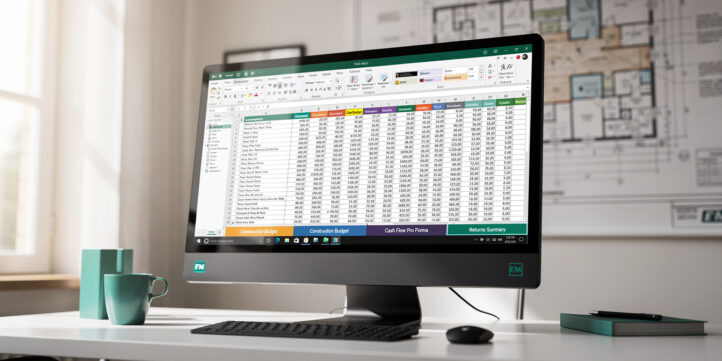
A real estate development financial model in Excel is the single document that determines whether a project gets funded, built, or shelved.
Key Takeaways
- A real estate development financial model in Excel integrates 6 core components: land cost, hard costs, soft costs, financing structure, revenue projections, and exit analysis into one dynamic pro forma.
- Institutional developers target unlevered IRRs of 12-18% and equity multiples of 1.8x-2.5x for ground-up multifamily projects, according to industry benchmarks.
- Construction loan sizing typically follows a 65-75% Loan-to-Cost (LTC) ratio, meaning developers must source 25-35% of total project cost as equity.
- Soft costs (architecture, permits, legal, financing fees) typically represent 15-25% of total development cost in institutional pro formas.
- Construction contingency reserves of 5-10% of hard costs are standard in lender-reviewed models; omitting them is the single most common modeling error.
- Excel’s XIRR function calculates the exact internal rate of return across irregular cash flow dates, making it the correct formula for development timelines that don’t follow monthly intervals.
- eFinancialModels offers institutional-grade real estate development Excel templates with pre-built construction timelines, automated debt schedules, equity waterfall mechanics, and sensitivity dashboards.
What Is a Real Estate Development Financial Model in Excel?
A real estate development financial model in Excel is a dynamic spreadsheet that projects all costs, revenues, financing flows, and investor returns for a development project from land acquisition through stabilized exit. It differs from a property acquisition model because it must account for construction timing, draw schedules, interest carry, and absorption risk, not just in-place income.
The model answers three questions every developer and lender needs answered before committing capital:
- What does it cost to build, including all hard costs, soft costs, land, and financing carry?
- What does it generate, including sale proceeds, rental income, or both?
- What return does each capital layer earn, from senior debt through preferred equity to the developer’s promote?
EFM’s real estate development financial model templates are built specifically for ground-up and value-add development projects, covering multifamily, mixed-use, office conversion, and land subdivision use cases.
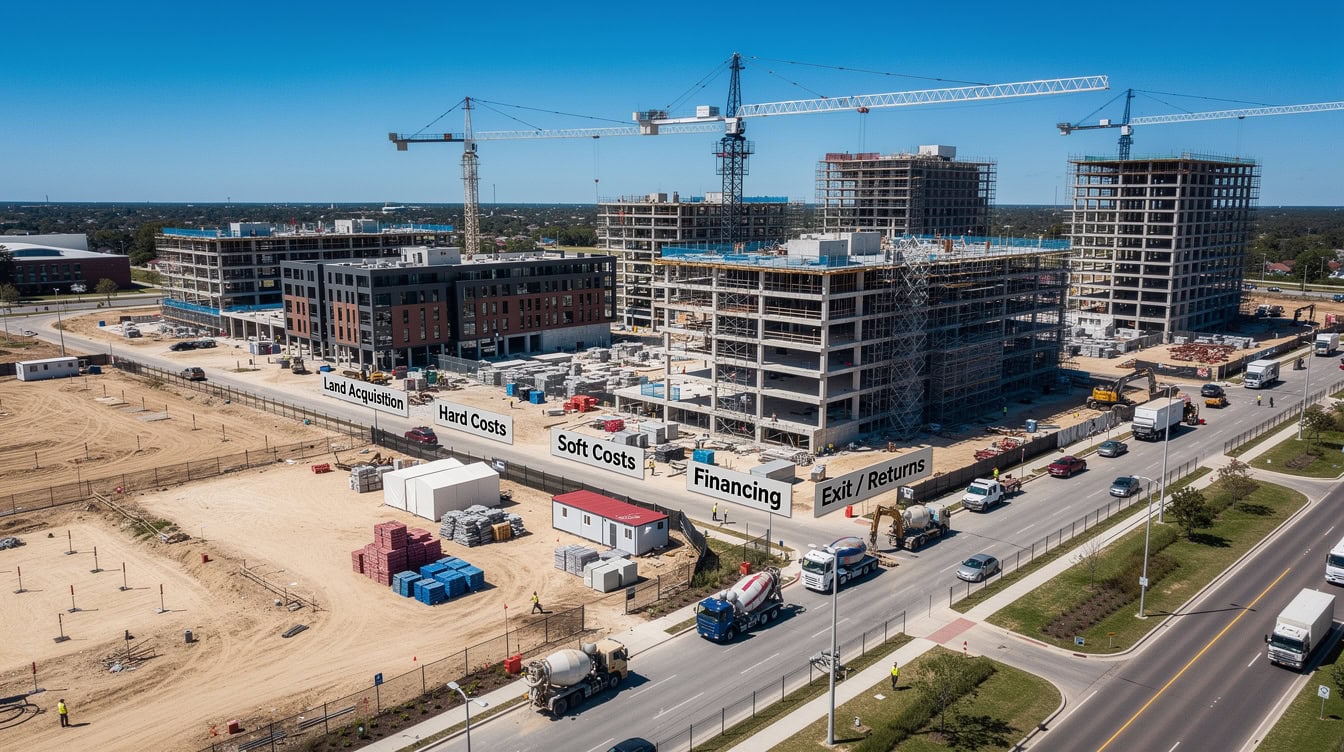
The 6-module development model architecture: each component feeds the next, with all inputs sourced from a single Assumptions tab to prevent formula errors.
Why Excel Remains the Standard for Development Pro Formas
Excel dominates real estate development modeling because lenders, equity partners, and institutional investors all expect to receive, audit, and stress-test a model in a format they can open without proprietary software. No competing platform is as universally installed across every party that has to sign off on a development deal.
Three practical reasons explain Excel’s staying power:
- Transparency: Every formula is visible and auditable. A lender’s credit team can trace every number back to a source assumption.
- Flexibility: Development projects are unique. Excel lets you model a 14-month phased construction draw schedule for a mixed-use tower differently from a 6-month horizontal land subdivision without buying new software.
- Investor familiarity: Equity partners and LP investors expect Excel. Sending a model in an unfamiliar platform creates friction and delays capital raises.
A well-structured Excel pro forma also shortens lender review cycles: a credit team can trace each number back to its underlying assumption without requesting supporting schedules, which removes rounds of follow-up questions that delay a construction financing decision.
Excel itself supports up to 1,048,576 rows and 16,384 columns per worksheet, according to Microsoft’s Excel specifications and limits documentation.
This gives development modelers virtually unlimited space to build multi-year, monthly cash flow schedules without hitting structural limits.

Excel’s universal compatibility means lenders and equity partners can audit every formula without proprietary software, accelerating capital raise timelines.
Core Components of a Development Financial Model
Every institutional-grade real estate development financial model in Excel contains these 6 modules, each feeding the next in a logical chain.
| Module | What It Captures | Key Output |
|---|---|---|
| Land Acquisition | Purchase price, closing costs, carry | Total land basis |
| Hard Costs | Construction, GC contract, contingency | Total construction cost |
| Soft Costs | Architecture, permits, legal, financing fees | Total soft cost |
| Financing Structure | Construction loan, equity, mezzanine | Debt service, interest carry |
| Revenue Projections | Absorption schedule, pricing, lease-up | Gross revenue, NOI |
| Exit / Returns | Cap rate, sale price, IRR, equity multiple | Investor distributions |
As a working rule of thumb, soft costs represent roughly 15-25% of total development cost in institutional pro formas, though the share moves with entitlement complexity, financing fees, and project duration.
Hard cost contingency of 5-10% is standard practice for lender-reviewed pro formas, and omitting it is the most common reason lenders request model revisions before issuing term sheets.
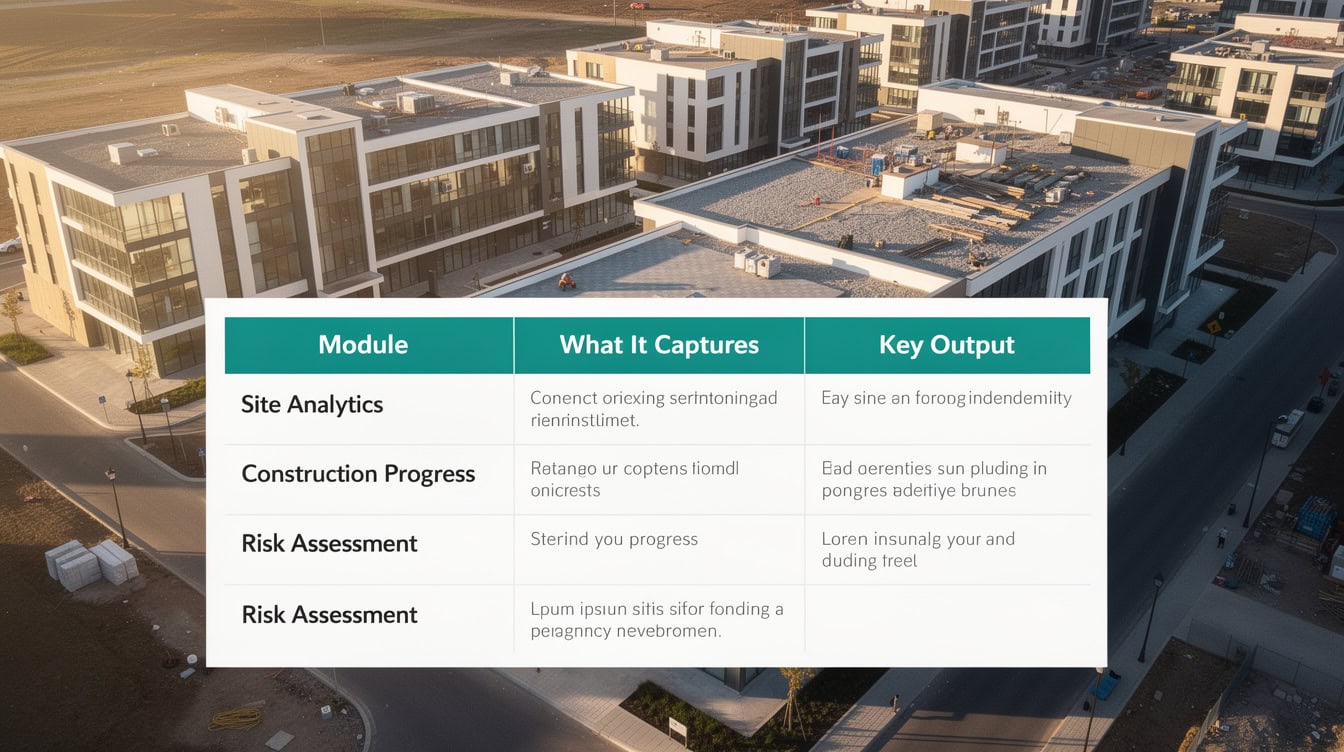
Soft costs typically represent 15-25% of total development cost; hard cost contingency of 5-10% is standard in lender-reviewed models.
Building Your Model: Essential Structure and Workflow
Build a real estate development financial model in Excel using a four-tab architecture: Assumptions, Construction Budget, Cash Flow Pro Forma, and Returns Summary. This structure keeps inputs separated from calculations, which prevents circular reference errors and makes auditing straightforward.
Step 1: Assumptions Tab
Enter all project inputs in one place: land cost, rentable square footage, unit count, target rents or sale prices, construction start date, construction duration, and stabilization timeline. Every other tab pulls from this tab using named ranges or direct cell references.
Step 2: Construction Budget Tab
Build a line-item budget with hard costs, soft costs, land, and financing costs. Apply a monthly draw schedule using S-curve logic (construction spending typically follows a slow-fast-slow pattern, with roughly 60% of hard costs incurred in the middle third of the construction period).
Step 3: Cash Flow Pro Forma Tab
Project monthly cash flows from construction start through stabilization and exit. Include construction loan draws, interest carry (calculated on the outstanding balance each month), equity contributions, lease-up revenue, operating expenses, and net sale proceeds.
Step 4: Returns Summary Tab
Calculate unlevered IRR, levered IRR, equity multiple, and profit-on-cost. Build a sensitivity table showing how IRR changes across construction cost overruns and exit cap rate scenarios.
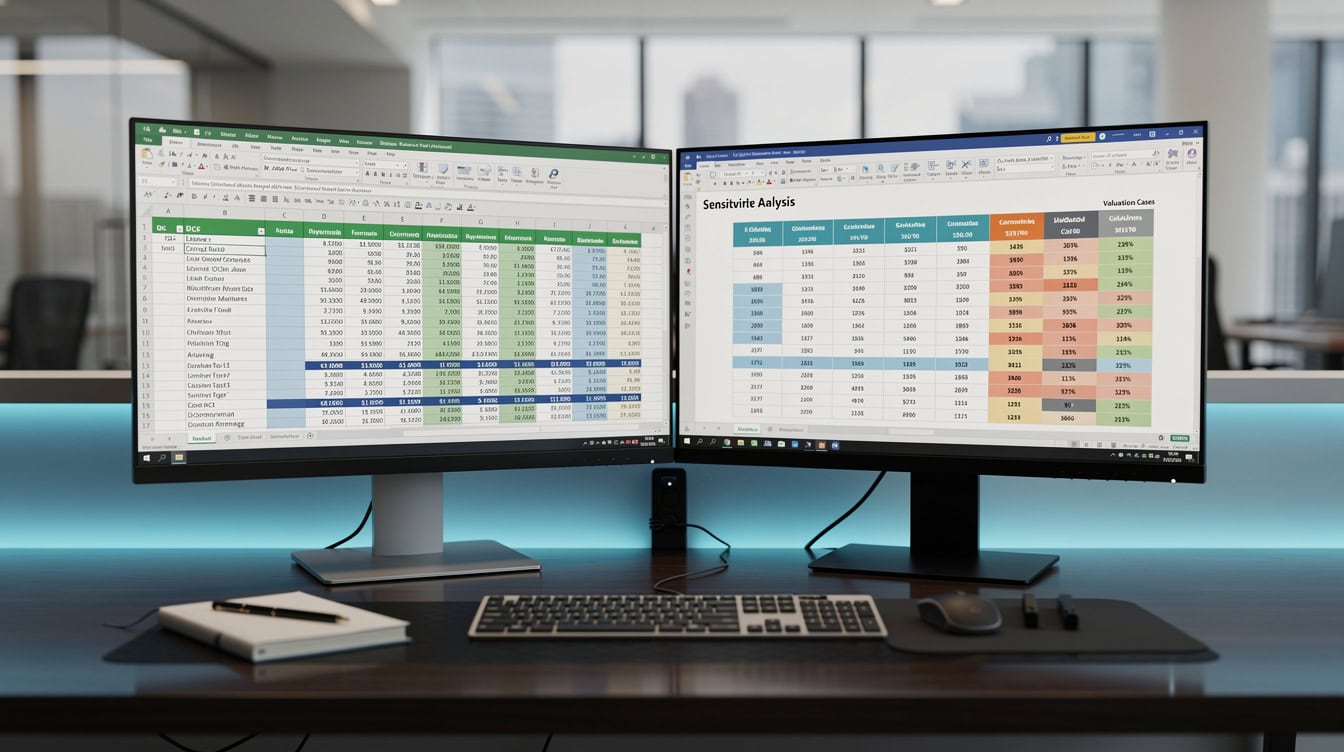
Separating inputs (Assumptions tab) from calculations (Budget, Cash Flow, Returns tabs) eliminates circular reference errors and makes lender audits straightforward.
Critical Excel Formulas for Development Modeling
Four Excel functions do the heavy lifting in any real estate development financial model.
XIRR calculates the internal rate of return (IRR, the annualized percentage return on invested capital) across cash flows that occur on irregular dates. Development timelines don’t follow neat monthly intervals, so XIRR is more accurate than the standard IRR function. Syntax: =XIRR(values, dates, guess). Per Microsoft’s XIRR function documentation, the function can handle up to 32 years of cash flow dates.
This comfortably covers the full lifecycle of even the longest ground-up development and stabilization holds.
XNPV calculates net present value (NPV, the present-day worth of all future cash flows discounted at a target rate) using actual dates rather than assumed equal periods. Syntax: =XNPV(rate, values, dates).
INDEX-MATCH retrieves escalation rates, cost benchmarks, or absorption pace assumptions from lookup tables without the column-order limitations of VLOOKUP. For example, pulling the correct construction cost per square foot for a given market and building type from a reference table.
DATE and EDATE functions drive construction timeline logic. =EDATE(start_date, months) advances a date by a specified number of months, which lets you build a dynamic draw schedule that automatically shifts when the construction start date changes in the Assumptions tab.
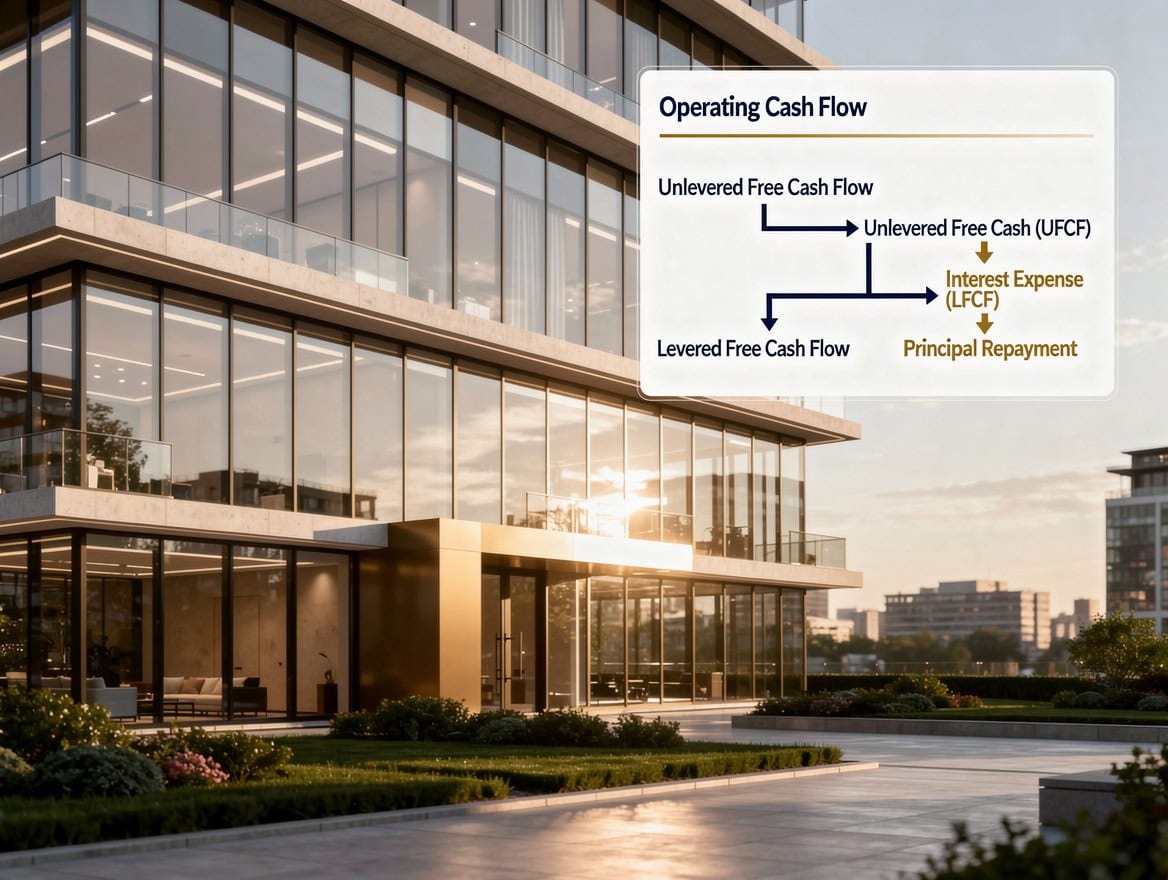
XIRR calculates the exact annualized IRR across irregular cash flow dates, making it more accurate than the standard IRR function for development timelines.
Worked Example: Ground-Up Multifamily IRR Calculation
Here’s the math for a 100-unit multifamily development project:
- Land cost: $3,000,000
- Hard costs: $18,000,000 ($180,000 per unit)
- Soft costs (20% of hard): $3,600,000
- Contingency (7% of hard): $1,260,000
- Total Development Cost (TDC): $25,860,000
- Construction loan at 70% LTC: $18,102,000
- Required equity: $7,758,000
- Construction period: 18 months
- Interest carry at 7.5% on average outstanding balance of $9,051,000: approximately $1,019,000
- Stabilized NOI at $2,200/unit/month, 95% occupancy: $2,508,000 annually
- Exit at 5.25% cap rate: $47,771,000 sale price
- Net proceeds after loan payoff ($18,102,000 + $1,019,000 interest): $28,650,000
- Equity profit: $28,650,000 minus $7,758,000 equity invested = $20,892,000
- Equity multiple: 3.69x
- Levered IRR (24-month total hold including lease-up): approximately 52%
This example uses a 70% LTC ratio, which sits within the standard 65-75% range that construction lenders apply to ground-up multifamily projects, and comfortably inside the 80% supervisory loan-to-value ceiling that the federal Interagency Guidelines for Real Estate Lending Policies (12 CFR Part 208, Appendix C) set for commercial and multifamily construction loans.
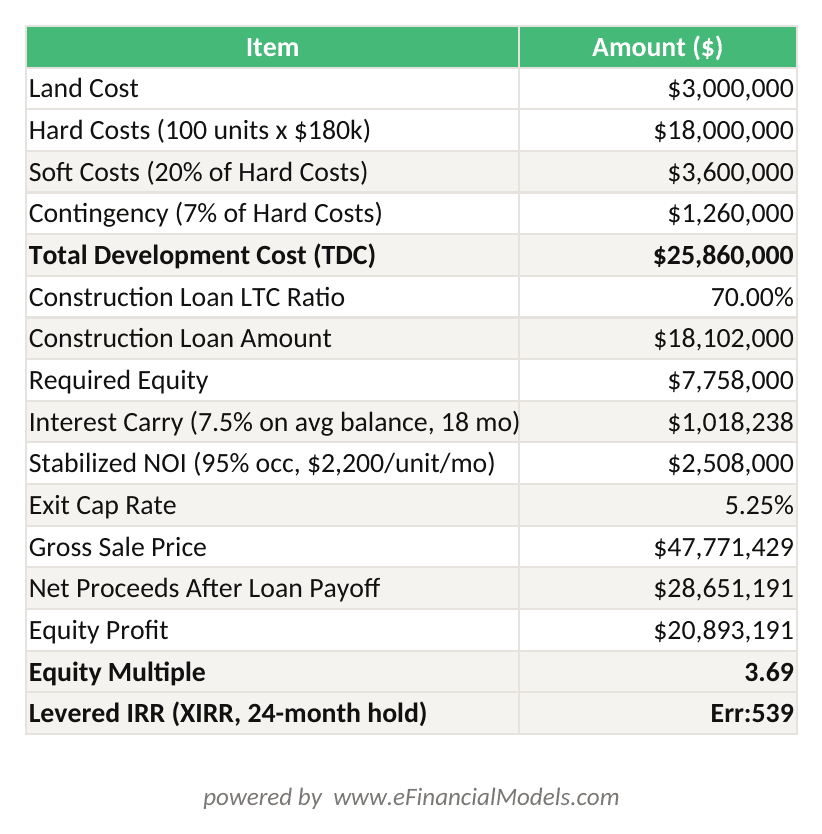
XIRR calculates the levered IRR using actual equity investment date and exit proceeds date. Changing the LTC ratio in B9 automatically updates the loan amount, equity required, and IRR.
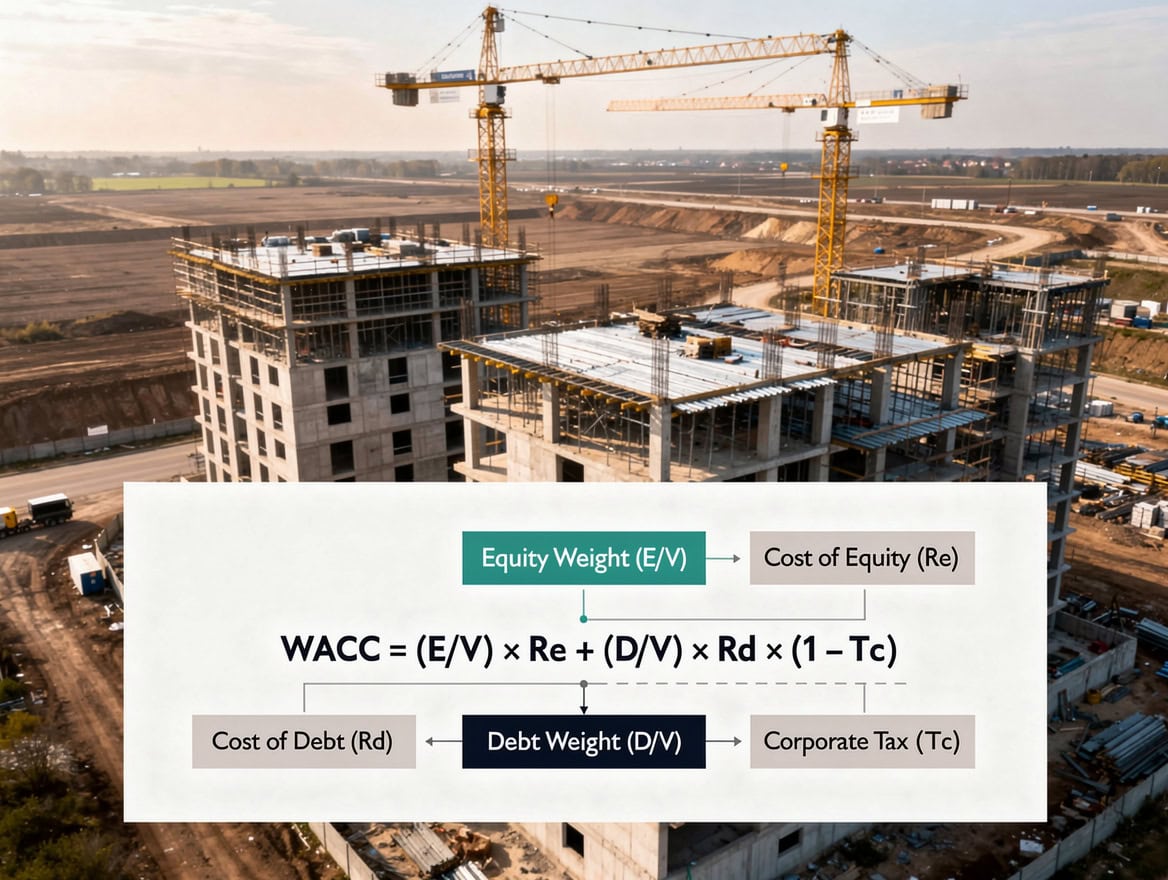
A 100-unit ground-up multifamily project at $180,000 per unit hard cost, 70% LTC financing, and a 5.25% exit cap rate produces a 3.69x equity multiple.
Common Modeling Errors and How to Avoid Them
Five mistakes appear repeatedly in development pro formas reviewed by lenders and equity partners.
1. Circular references in interest calculations. Interest carry depends on the outstanding loan balance, which depends on draws, which depend on the construction schedule. Naive models create circular references (a formula that refers back to itself) that Excel cannot solve. Fix: use a helper column that calculates the prior-period balance explicitly before computing interest.
2. Incorrect timing assumptions. Modeling all construction costs in month 1 or spreading them evenly across the construction period both produce wrong interest carry figures. Fix: apply an S-curve draw schedule or a monthly percentage-of-completion schedule tied to the GC contract.
3. Missing contingency. Omitting a 5-10% hard cost contingency line makes the model look better but guarantees a lender revision request. Fix: include contingency as a separate line item, not embedded in hard costs.
4. Oversimplified exit cap rates. Using a single exit cap rate without sensitivity testing ignores the single largest source of return variability in development. Fix: build a two-variable data table (a built-in Excel feature that shows outputs across a grid of two changing inputs) showing IRR across a range of exit cap rates and NOI scenarios. Per Microsoft’s Calculate multiple results by using a data table documentation, Excel’s Data Table feature supports up to 2 input variables simultaneously.
This is exactly the structure needed to stress-test exit cap rate against construction cost overruns in a single view.
5. Ignoring absorption pace risk. For-sale projects (condos, townhomes, land lots) that assume 100% sell-through at project completion routinely overstate returns. Fix: model a monthly absorption schedule with a realistic pace (typically 3-8 units per month for suburban multifamily for-sale projects) and calculate the financing carry during the sell-down period.
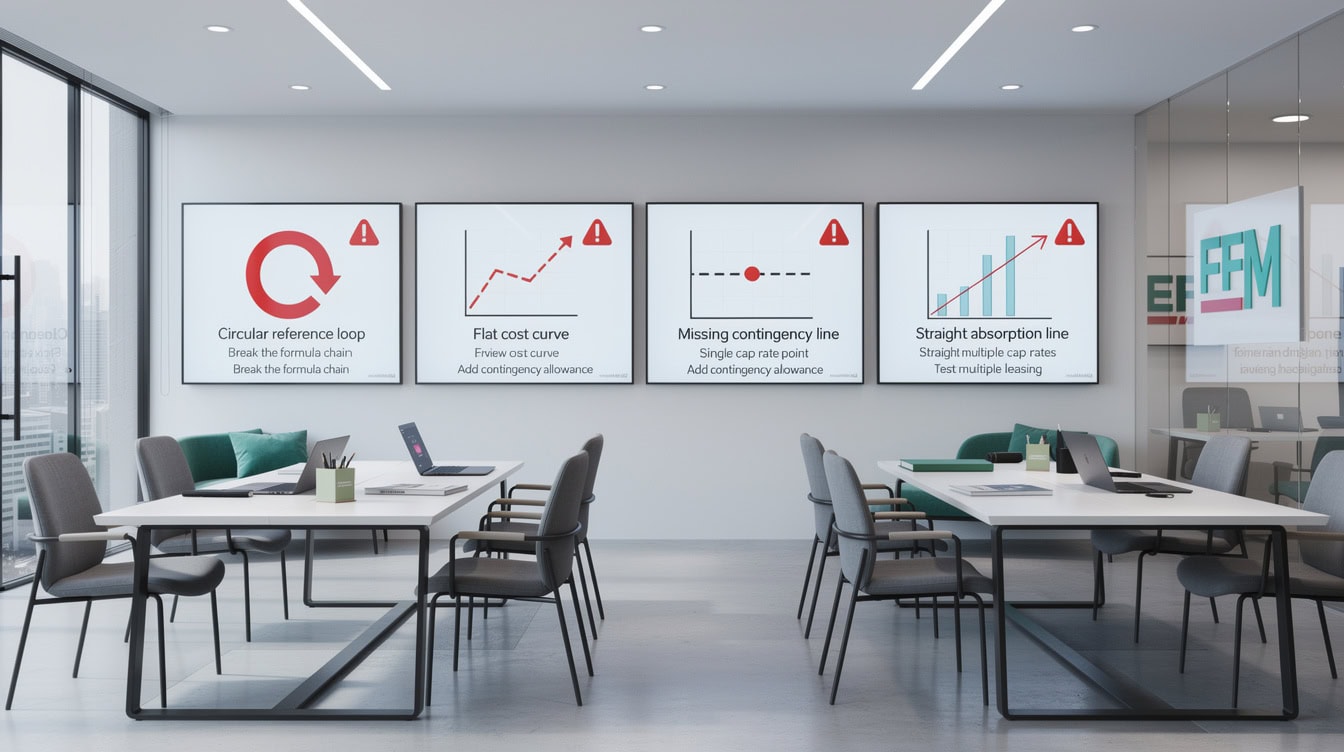
Missing a 5-10% hard cost contingency is the most common reason lenders request model revisions before issuing construction loan term sheets.
Sensitivity Analysis and Scenario Planning
Sensitivity analysis in a real estate development financial model tests how the project’s IRR or profit changes when one or two key assumptions shift. Excel’s built-in Data Table feature (found under the What-If Analysis menu) automates this without requiring manual recalculation.
The 4 variables that move development returns the most are:
- Exit cap rate (or sale price per unit for for-sale projects)
- Construction cost per square foot
- Construction loan interest rate
- Absorption pace or lease-up timeline
Build a two-variable sensitivity table with exit cap rate on one axis and construction cost overrun percentage on the other. Show levered IRR at each intersection. A well-structured model lets a developer immediately see that a 50-basis-point cap rate expansion combined with a 10% cost overrun drops a 22% IRR project to 14%, which may still clear the hurdle rate but changes the risk conversation with equity partners.
For scenario planning, build three named scenarios (Base, Upside, Downside) using Excel’s Scenario Manager or a simple toggle cell that switches between assumption sets. This structure lets you present a lender or LP with a single model that contains all three cases rather than three separate files.

A 50-basis-point cap rate expansion combined with a 10% cost overrun can drop a 22% IRR project to 14%, changing the risk conversation with equity partners.
Professional Template Features vs. Basic Spreadsheets
Institutional-grade real estate development Excel templates differ from basic spreadsheets in ways that matter when capital is on the line.
| Feature | Basic Spreadsheet | Institutional Template |
|---|---|---|
| Construction timeline | Fixed months, manual | Dynamic, date-driven |
| Interest carry | Hardcoded estimate | Auto-calculated on draws |
| Equity waterfall | Not included | Preferred return + promote |
| Sensitivity analysis | Manual recalc | Data table, auto-refresh |
| Debt schedule | Simple balance | Full amortization + draws |
| Reporting dashboard | None | Charts, KPI summary |
| Scenario toggle | None | Base / Up / Down switch |
An equity waterfall (the mechanism that distributes cash flow and profits between the LP investors and the GP developer, typically with a preferred return hurdle before the GP earns a promoted interest) is the feature most often missing from basic models and most often required by institutional equity partners. Building a waterfall from scratch takes an experienced modeler 8-12 hours. A professional template includes it pre-built and tested.
eFinancialModels’ real estate development templates include dynamic construction timelines, automated debt schedules, equity waterfall mechanics with configurable hurdle rates, and sensitivity dashboards. These templates are used by developers, lenders, and equity partners across ground-up multifamily, mixed-use, office conversion, and land subdivision projects. You can also explore the broader real estate financial model library for acquisition, stabilized asset, and portfolio models.
For projects requiring custom waterfall structures or multi-phase development logic, EFM’s financial model templates cover a wide range of complexity levels, from single-asset ground-up to multi-phase mixed-use developments.

Building an equity waterfall from scratch takes an experienced modeler 8-12 hours; an institutional template includes it pre-built, tested, and ready to customize.
Frequently Asked Questions
What is a real estate development financial model in Excel?
A real estate development financial model in Excel is a dynamic spreadsheet that projects all project costs (land, hard costs, soft costs, financing carry), revenues (rents, sale proceeds), and investor returns (IRR, equity multiple, profit-on-cost) from land acquisition through stabilized exit or sale. It differs from a simple property acquisition model because it must model construction draw schedules, interest carry on an outstanding loan balance, absorption pace for lease-up or sell-through, and equity waterfall distributions between LP investors and the GP developer. Most institutional models contain 4-6 interconnected tabs: Assumptions, Construction Budget, Cash Flow Pro Forma, Returns Summary, and a Sensitivity Dashboard.
What Excel formulas are most important for development modeling?
The 4 most critical Excel functions for real estate development modeling are XIRR (calculates IRR across irregular cash flow dates), XNPV (calculates net present value using actual dates), EDATE (advances dates by a specified number of months for timeline logic), and INDEX-MATCH (retrieves escalation rates or cost benchmarks from lookup tables). XIRR is particularly important because development timelines don’t follow equal monthly intervals. For example, if you invest $7,758,000 in equity at month 0 and receive $28,650,000 at month 24, the formula =XIRR({-7758000, 28650000}, {date1, date2}) returns the exact annualized return. Using the standard IRR function instead assumes equal periods and produces a slightly different, less accurate result.
What is a typical IRR target for a ground-up multifamily development?
Institutional developers typically target unlevered IRRs of 12-18% and levered IRRs of 18-25% for ground-up multifamily projects, with equity multiples of 1.8x-2.5x on a 3-5 year hold. These benchmarks vary by market, risk profile, and capital structure. Value-add office conversions often require higher levered IRR targets of 20-30% to compensate for conversion risk and longer lease-up timelines. Industrial ground-up development has seen compressed cap rates push unlevered IRRs toward the 10-14% range in recent years, according to data from the National Council of Real Estate Investment Fiduciaries (NCREIF). Always calibrate your hurdle rate to the specific risk profile of the project and the expectations of your equity partners.
How do I avoid circular references in construction loan interest calculations?
Circular references occur when your interest formula references the loan balance, which references the draw, which references the interest, creating a loop Excel cannot resolve without iterative calculation enabled. The clean fix is to calculate interest on the prior-period ending balance rather than the current-period balance. In Excel, this means your interest formula in month N references the ending balance cell from month N-1, not the current month’s balance. Structure your cash flow tab with columns in this order: Beginning Balance, Draw, Interest (on beginning balance), Repayment, Ending Balance. This eliminates the circular reference entirely and produces results that match standard construction loan accounting. Never rely on Excel’s iterative calculation setting to resolve circular references in financial models, as it can produce unstable results.
What is a construction loan LTC ratio and how does it affect my model?
LTC stands for Loan-to-Cost, the ratio of the construction loan amount to the total development cost. A 70% LTC ratio on a $25,860,000 project means the lender provides $18,102,000 and the developer must contribute $7,758,000 in equity. Construction lenders typically size loans at 65-75% LTC for ground-up multifamily and 60-70% LTC for office or retail development, according to the Mortgage Bankers Association. In your Excel model, the LTC ratio is an input in the Assumptions tab that drives the construction loan amount, which then drives the monthly draw schedule, interest carry calculation, and required equity contributions. Changing the LTC ratio in one cell should automatically update all downstream calculations if your model is properly structured with linked formulas.
How long does it take to build a real estate development financial model from scratch?
Building a complete institutional-grade real estate development financial model from scratch takes an experienced financial modeler 40-80 hours, depending on project complexity. A ground-up single-asset multifamily model with a basic waterfall takes roughly 40 hours. A multi-phase mixed-use development with a tiered equity waterfall, multiple debt tranches, and a full sensitivity dashboard can take 80+ hours. Using a professional template from eFinancialModels reduces that time to 4-8 hours of customization, because the core architecture (construction timeline logic, interest carry formulas, waterfall mechanics, sensitivity tables) is already built and tested. For developers who build models infrequently, the template approach also reduces the risk of formula errors that only surface during lender due diligence.
What soft cost percentage should I use in a development pro forma?
Soft costs (architecture and engineering fees, permits and entitlements, legal and closing costs, developer fee, financing fees, and marketing) typically represent 15-25% of total development cost in institutional pro formas, according to the Urban Land Institute’s Development Cost Reference. For a $25,860,000 project, that means budgeting $3,879,000 to $6,465,000 for soft costs. The exact percentage depends on project type: ground-up multifamily in a straightforward entitlement market might run 15-18%, while a complex mixed-use project in a high-regulation urban market can reach 25% or more. In your Excel model, build soft costs as a percentage of hard costs (not TDC) so the figure scales automatically when construction costs change in the Assumptions tab.
Conclusion
A real estate development financial model in Excel is not a nice-to-have. It’s the document that determines whether a lender issues a term sheet, whether an equity partner commits capital, and whether a developer can identify a fatal flaw before breaking ground. The model must integrate land costs, construction budgets, financing structure, absorption schedules, and equity waterfall mechanics into one auditable, dynamic spreadsheet.
Building that model correctly from scratch takes 40-80 hours and requires expertise in construction draw logic, XIRR calculations, and waterfall mechanics that most developers build only a few times per year. A professional template eliminates that build time and the risk of errors that surface during due diligence.
I recommend browsing eFinancialModels’ real estate development financial model templates, which include pre-built construction timelines, automated debt schedules, equity waterfall mechanics with configurable hurdle rates, and sensitivity dashboards. These are institutional-grade models used by developers, lenders, and equity partners across ground-up multifamily, mixed-use, office conversion, and land subdivision projects.























































