
0 ITEMS

LBO Model Excel Template: IRR, MOIC & Debt Schedules
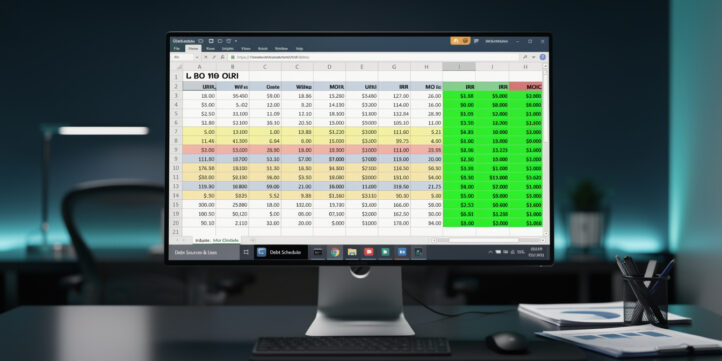
The eFinancialModels LBO Excel template gives private equity analysts, investment banking associates, and MBA candidates a ready-to-run leveraged buyout model with every institutional-grade tab pre-built and color-coded for immediate deal use.
Key Takeaways
- The eFinancialModels LBO template includes 6 core worksheets: Sources & Uses, Transaction Assumptions, Debt Schedule, Cash Flow Waterfall, Returns Analysis, and Sensitivity Tables.
- Most PE firms target a minimum 20% IRR and a 2.0x MOIC (money-on-invested-capital) as investment thresholds, according to industry benchmarks tracked by Preqin.
- Institutional LBO models typically model 3 to 5 debt tranches: senior secured, second lien, mezzanine, PIK notes, and a revolving credit facility.
- Circular references in debt schedules are the single most common Excel error in LBO models; the fix is enabling iterative calculations under File > Options > Formulas.
- The template supports 3 exit scenarios (base, upside, downside) and 2 sensitivity dimensions (entry multiple vs. exit multiple, and leverage vs. EBITDA growth).
- Color-coding convention: blue cells for hard-coded inputs, black cells for formulas, and green cells for outputs — a standard adopted across bulge-bracket banks.
- Interview candidates can complete a 60-minute LBO case study using only the Transaction Assumptions and Returns Analysis tabs.
Download the LBO Excel Template: What You Get Immediately
The eFinancialModels LBO model template is available for instant download at the LBO template library. You get a fully unlocked Excel file with no macros required, compatible with Excel 2016 and later on both Windows and Mac.
The download includes:
- Sources & Uses tab: maps the full capital structure at close, including equity check, debt tranches, transaction fees, and OID (original issue discount — the difference between a bond’s face value and its issue price, which creates additional interest expense).
- Transaction Assumptions tab: single input area for purchase price, entry EBITDA multiple, revenue growth, EBITDA margin, capex as a percentage of revenue, and working capital assumptions.
- Debt Schedule tab: amortization, cash sweeps, and PIK (payment-in-kind, where interest accrues to principal rather than being paid in cash) toggle for each tranche.
- Cash Flow Waterfall tab: unlevered free cash flow bridged to levered free cash flow, with mandatory debt repayment and optional excess cash sweep.
- Returns Analysis tab: IRR (internal rate of return), MOIC, and equity bridge from entry to exit.
- Sensitivity Tables tab: two-variable data tables for IRR and MOIC across entry/exit multiples and leverage scenarios.
Six tabs cover every component of an LBO from deal close to exit, with color-coded input and output cells.
Anatomy of an Institutional LBO Model Structure
An institutional LBO model differs from a basic template in its handling of the debt schedule, tax shield, and circular reference logic. Each section below maps directly to a tab in the eFinancialModels template.
Sources & Uses
The Sources & Uses table (often called the “S&U”) is the deal’s balance sheet at close. Sources equal uses by definition. A typical mid-market LBO with a $500M enterprise value might look like this:
| Source | Amount | % of Total |
|---|---|---|
| Senior Secured Term Loan | $175M | 35% |
| Second Lien | $75M | 15% |
| Mezzanine / PIK | $50M | 10% |
| Sponsor Equity | $200M | 40% |
| Total Sources | $500M | 100% |
| Use | Amount |
|---|---|
| Purchase Price (10x EBITDA) | $500M |
| Transaction Fees (2%) | $10M |
| OID on Debt (1%) | $3M |
| Total Uses | $513M |
Note: fees and OID push total uses above the enterprise value, requiring the equity check to absorb the difference.
Debt Schedule
The debt schedule tracks each tranche’s opening balance, interest expense, mandatory amortization, and optional cash sweep year by year. Institutional models typically model 3 to 5 tranches. The template uses Excel’s EDATE function (which shifts a date by a specified number of months) to handle stub periods when a deal closes mid-year. Excel’s EDATE function accepts exactly 2 arguments (Microsoft), making it straightforward to shift close dates by any number of months without manual date arithmetic.
Cash Flow Waterfall
The waterfall converts EBITDA to free cash flow available for debt repayment. The sequence is: EBITDA minus capex minus changes in working capital equals unlevered free cash flow; then subtract cash interest and mandatory amortization to get levered free cash flow; then apply the excess cash sweep (typically 50% to 75% of remaining cash) to optional debt repayment.
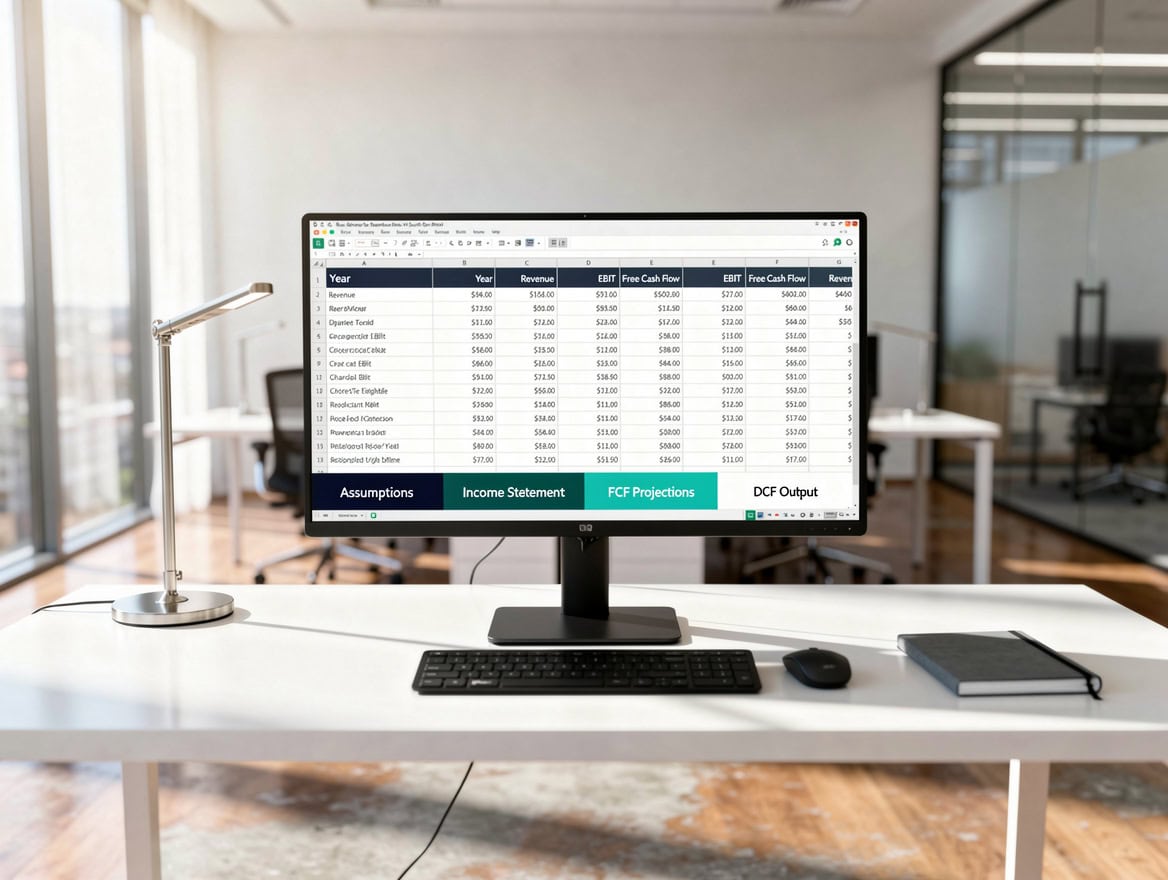
The cash flow waterfall converts EBITDA to levered free cash flow, then allocates excess cash to optional debt repayment.
How to Customize the Template for Your Transaction
Customizing the eFinancialModels LBO template takes fewer than 30 minutes for a standard deal. Enter all inputs only in the blue-shaded cells on the Transaction Assumptions tab; every other cell is formula-driven.
Step 1: Set the purchase price and entry multiple. Enter the target’s LTM (last twelve months) EBITDA and the entry EV/EBITDA multiple. The template calculates enterprise value automatically.
Step 2: Build the capital structure. On the Sources & Uses tab, enter the debt amount for each tranche and the interest rate. Toggle PIK on or off per tranche. The equity check auto-calculates as the plug.
Step 3: Input revenue and EBITDA projections. Enter a 5-year revenue CAGR (compound annual growth rate) and EBITDA margin for each year. The template supports year-by-year overrides if your deal has a restructuring year.
Step 4: Set the exit assumption. Enter the exit year (typically year 3, 4, or 5) and the exit EV/EBITDA multiple. The template runs all three scenarios simultaneously.
Step 5: Review the Returns Analysis tab. IRR and MOIC populate automatically. If IRR is below 20%, adjust leverage, entry multiple, or growth assumptions until the deal clears the hurdle.
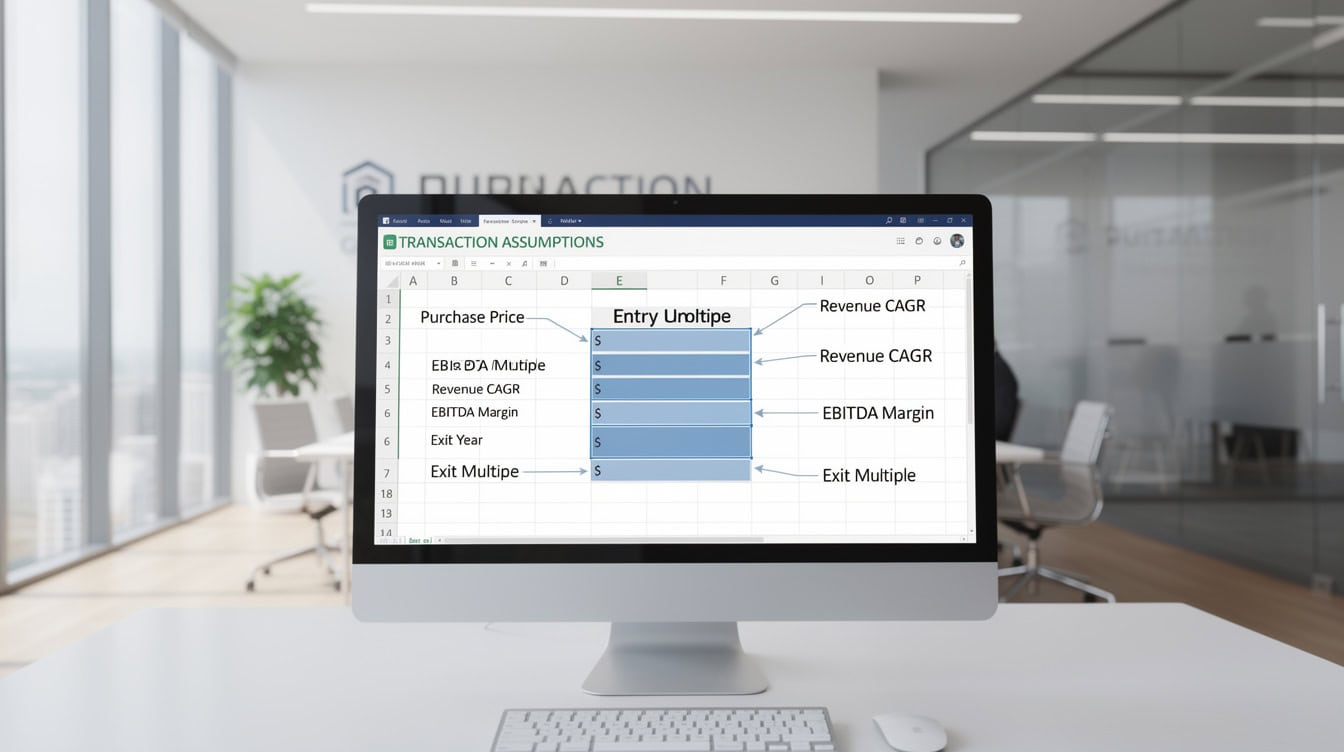
All deal-specific inputs live in blue cells on the Transaction Assumptions tab — no other cells require manual entry.
Core LBO Calculations: IRR, MOIC, and the Equity Bridge
The three metrics every PE sponsor reviews first are IRR, MOIC, and the equity bridge. Here is exactly how the template calculates each one.
Worked Example: $500M LBO at 10x Entry, 5x Leverage
Assumptions:
- LTM EBITDA: $50M
- Entry EV: $500M (10x EBITDA)
- Total Debt: $250M (5x EBITDA)
- Equity Check: $250M (50% of EV, plus fees)
- Revenue CAGR: 8% per year
- EBITDA Margin: stable at 20%
- Exit Year: Year 5
- Exit Multiple: 10x EBITDA
- Debt Paydown by Year 5: $150M (leaving $100M outstanding)
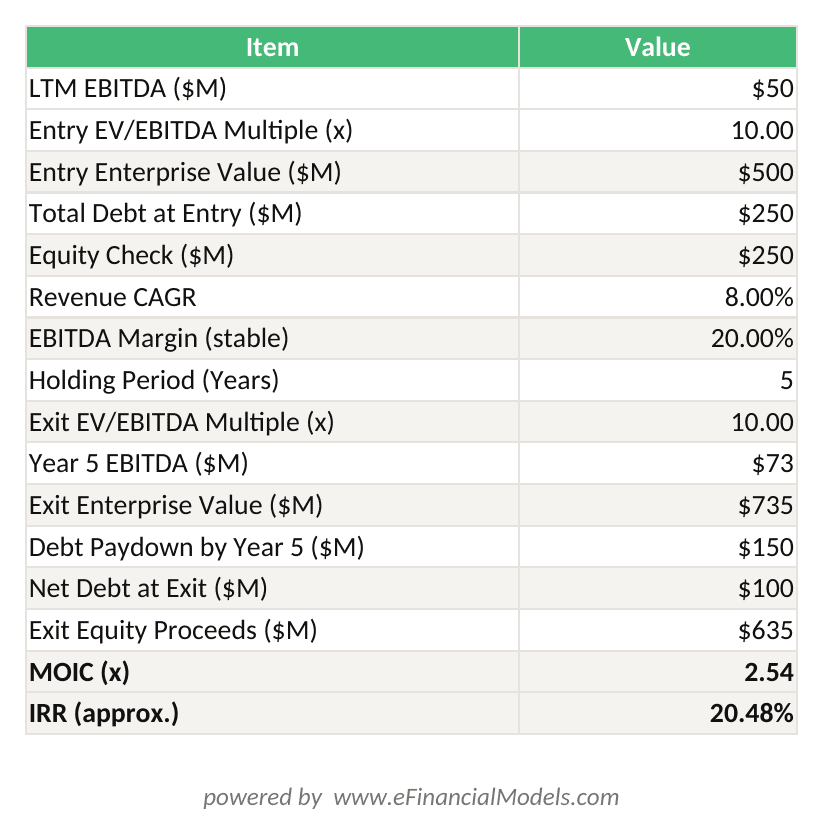
MOIC = Exit Equity / Entry Equity Check; IRR = XIRR of cash flows. Entry equity $250M, exit equity $635M = 2.54x MOIC, ~20.5% IRR.
Here’s the math:
Year 5 EBITDA = $50M × (1.08)^5 = $73.5M
Year 5 Exit EV = $73.5M × 10x = $735M
Year 5 Net Debt = $250M initial debt minus $150M paydown = $100M
Year 5 Equity Proceeds = $735M minus $100M = $635M
MOIC = $635M / $250M equity check = 2.54x
IRR = ($635M / $250M)^(1/5) minus 1 = approximately 20.5%
This deal clears the typical 20% IRR threshold by a narrow margin, which is why sensitivity analysis on the exit multiple matters so much.
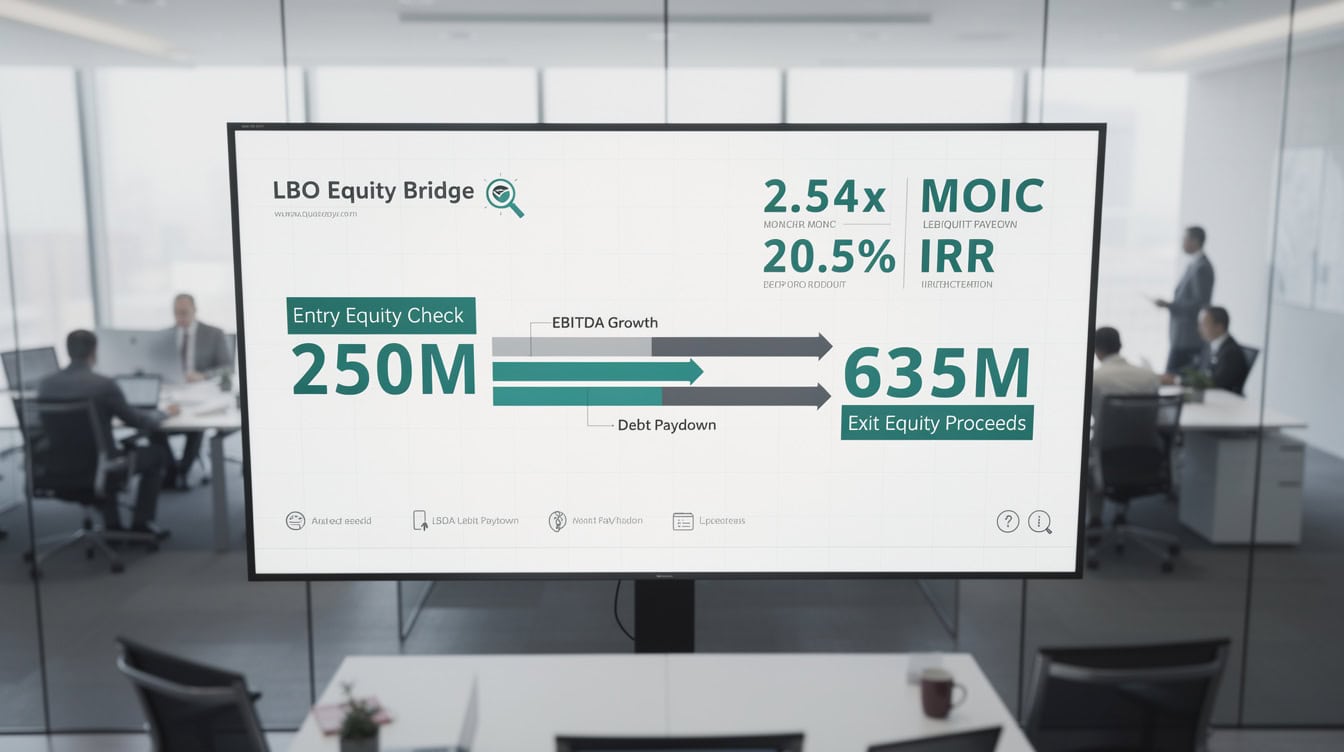
A $500M LBO at 10x entry and 8% EBITDA growth delivers 2.54x MOIC and 20.5% IRR at a 5-year exit — just above the 20% PE hurdle.
Institutional-Grade vs. Basic LBO Templates: Key Differences
Not all LBO templates are equal. The table below shows what separates a model you’d use in a real transaction from a teaching exercise.
| Feature | Basic Template | Institutional-Grade |
|---|---|---|
| Debt Tranches | 1-2 | 3-5 |
| PIK Toggle | No | Yes |
| Circular Ref Handling | Manual | Iterative calc built in |
| Sensitivity Tables | 1 dimension | 2 dimensions, 25-cell grid |
| Exit Scenarios | 1 | 3 (base/up/down) |
| Management Rollover | No | Yes |
| OID Amortization | No | Yes |
| Color-Coding Protocol | Inconsistent | Blue/black/green standard |
| Stub Period Logic | No | EDATE-based |
| Error Checks | None | Balance sheet check row |
The eFinancialModels financial modeling templates include all institutional-grade features listed above.
Use Cases: PE Deals, IB Sell-Side, and Interview Prep
The eFinancialModels LBO template serves four distinct user groups, each with a different workflow.
PE Sponsor Model: A private equity associate uses the full template, running all three exit scenarios and stress-testing leverage against a downside EBITDA case. According to Preqin’s 2024 Global Private Equity Report, the median holding period for PE-backed companies globally was 5.6 years, which means the 5-year projection horizon in the template matches real-world deal timelines.
Sell-Side IB Model: An investment banker running a sell-side process builds the LBO model to establish a “sponsor floor” — the maximum price a financial buyer can pay and still hit a 20% IRR. The template’s entry multiple sensitivity table solves this directly.
Buy-Side Diligence Model: A corporate development team uses the template to evaluate whether a target fits their return criteria before engaging advisors. The DCF model and LBO model together bracket the valuation range.
Interview Prep: PE and IB interviews frequently include a 60-minute paper LBO or a take-home model test. Candidates who practice with the eFinancialModels template learn the exact tab structure and formula logic that senior bankers expect. The Association for Financial Professionals reports that financial modeling proficiency is cited as a top-3 hiring criterion by 78% of investment banking recruiting managers.
Best Practices for Model Integrity
A model that crashes or produces wrong answers in front of a senior banker or PE partner ends careers. Follow these five practices to keep the eFinancialModels LBO template error-free.
1. Enable iterative calculations before opening the debt schedule. Go to File > Options > Formulas > Enable Iterative Calculation. Set maximum iterations to 100 and maximum change to 0.001. This resolves the circular reference (a formula that refers back to its own cell, which Excel cannot solve in a single pass) created when cash interest depends on the debt balance, which depends on the cash sweep, which depends on cash available after interest. Excel allows a maximum of 32,767 iterative calculation iterations (Microsoft), though setting the limit to 100 is sufficient for standard LBO debt schedule convergence.
2. Use a balance sheet check row. The template includes a row that calculates Assets minus Liabilities minus Equity. If this row shows any value other than zero, a formula is broken. Check this row before every presentation.
3. Hard-code nothing in formula cells. Every assumption lives in the blue input cells. If you type a number directly into a black formula cell, you break the model’s auditability. Senior bankers trace formulas with Ctrl+[ (trace precedents) to verify this.
4. Version-control with date stamps. Save each major revision as LBO_Model_CompanyName_YYYYMMDD.xlsx. Never overwrite the base template.
5. Document non-standard assumptions inline. Use Excel comments (Shift+F2) on any cell where you deviate from the template default. This is especially important for management rollover percentages and transaction fee structures.
Troubleshooting Common LBO Model Excel Errors
These are the 5 errors that appear most often when analysts adapt LBO templates to new deals.
Error 1: #VALUE! in the debt schedule. Cause: a date cell formatted as text instead of a date serial number. Fix: select the cell, press Ctrl+1, and reformat as Date. Then re-enter the date.
Error 2: Circular reference warning on open. Cause: iterative calculations are disabled. Fix: enable iterative calculations as described above. Do not click “OK” to remove the circular reference — that breaks the cash sweep logic.
Error 3: IRR returns #NUM!. Cause: the cash flow series has no sign change (all cash flows are negative, meaning the model shows the company never generates positive equity proceeds). Fix: check that exit proceeds in the Returns Analysis tab are positive and that the equity check is entered as a negative number (cash out). The XIRR function requires at least 1 positive and 1 negative value in its cash flow range (Microsoft); if all values share the same sign, the function cannot converge and returns #NUM!.
Error 4: Sources do not equal Uses. Cause: transaction fees or OID were entered in the wrong cell. Fix: trace the Sources total formula and confirm every fee line item feeds into Uses, not Sources.
Error 5: EDATE returns a wrong stub period. Cause: the close date month is entered as a number greater than 12. Fix: enter the close date as a proper Excel date (e.g., 15-Mar-2025) rather than a month number.
Frequently Asked Questions About LBO Model Excel Templates
What Excel version do I need to run the LBO template?
The eFinancialModels LBO template requires Excel 2016 or later on Windows, or Excel 2019 or later on Mac. It uses standard functions including EDATE, XIRR, and two-variable data tables. XIRR (which calculates IRR for irregular cash flow dates) requires the Analysis ToolPak add-in, which ships with all versions of Excel 2016 and later. The template does not use Power Query, VBA macros, or Office 365-exclusive dynamic array functions, so it runs on any modern Excel installation without additional setup. Google Sheets does not support two-variable data tables, so the sensitivity analysis tabs will not function correctly in Sheets.
How do I model a management rollover in the LBO template?
A management rollover occurs when existing management reinvests a portion of their equity proceeds into the new deal rather than cashing out entirely. In the eFinancialModels template, enter the rollover percentage in the Transaction Assumptions tab under “Management Rollover %.” The model reduces the sponsor equity check by that amount and adds the rollover as a separate equity line in Sources & Uses. This affects the IRR calculation because the rollover equity has a different cost basis than the sponsor’s equity. For example, if management rolls over $10M of a $250M equity check, the sponsor’s effective equity check drops to $240M, improving sponsor IRR by approximately 20 to 40 basis points depending on the exit scenario.
What IRR and MOIC should my LBO model target?
Most private equity firms use a minimum 20% gross IRR and a 2.0x MOIC as investment committee thresholds for new deals, though upper-quartile funds target 25% IRR and 2.5x MOIC. According to Cambridge Associates’ U.S. Private Equity Index, the 10-year horizon IRR for U.S. buyout funds through 2023 was approximately 15.5% net of fees, which implies gross IRRs of 20% to 22% for top-quartile managers after accounting for a typical 2% management fee and 20% carried interest. If your model produces an IRR below 15%, the deal is unlikely to clear most investment committees without a significant price reduction or operational improvement thesis.
How does the template handle PIK (payment-in-kind) debt?
PIK debt accrues interest to the principal balance rather than paying cash interest. In the eFinancialModels template, toggle the PIK switch to “Yes” for any tranche on the Debt Schedule tab. The model then adds accrued PIK interest to the opening balance each year instead of routing it through the cash flow waterfall. This increases the exit debt balance (reducing equity proceeds) but improves near-term cash flow available for senior debt repayment. PIK is common in sponsor-to-sponsor deals and situations where the target has limited near-term cash generation. The template shows the PIK accrual separately so you can clearly see its impact on the equity bridge at exit.
Can I use this template for a paper LBO in a PE interview?
Yes. The eFinancialModels LBO template is structured exactly the way PE firms expect candidates to think through a deal. For a 60-minute interview case, focus on three inputs: entry EV (purchase price), debt amount, and exit EV. From those three numbers, you can calculate MOIC directly as (Exit EV minus Exit Debt) divided by Equity Check. For IRR, use the approximation: MOIC^(1/holding period) minus 1. Practice this calculation until you can do it in under 5 minutes without a spreadsheet, then use the full template to verify your mental math. Most PE first-round interviews give a target company with $50M to $200M EBITDA and ask you to assess whether a deal works at a given entry multiple.
What is the difference between IRR and MOIC, and which matters more?
IRR (internal rate of return) measures the annualized return on invested capital, accounting for the time value of money. MOIC (multiple on invested capital, also called cash-on-cash multiple) measures the total dollars returned per dollar invested, ignoring time. A deal that returns 3.0x in 3 years has a much higher IRR than a deal that returns 3.0x in 7 years, even though the MOIC is identical. PE firms care about both: IRR drives fund performance rankings (since funds are compared on annualized returns), while MOIC drives LP satisfaction (since LPs care about total dollars returned). In practice, a deal that shows 2.5x MOIC and 22% IRR over 5 years is considered strong by most investment committees. The eFinancialModels template displays both metrics side by side in the Returns Analysis tab.
How do transaction fees affect the LBO model?
Transaction fees, including advisory fees, financing fees, and legal costs, typically run 2% to 4% of enterprise value on a mid-market deal. These fees increase the total uses of funds, which increases the required equity check (since debt is sized as a multiple of EBITDA, not of total uses). In the eFinancialModels template, enter total transaction fees as a percentage of EV in the Transaction Assumptions tab. The model adds fees to Uses and adjusts the equity check automatically. Financing fees are also amortized over the life of the debt for accounting purposes (under ASC 835-30, which governs debt issuance costs under U.S. GAAP), creating a non-cash deduction that the template handles in the debt schedule.
Build Your LBO Analysis Today
The eFinancialModels LBO Excel template gives you every tab, formula, and error check that institutional PE and IB teams use on live transactions. You don’t need to build the debt schedule from scratch or debug circular references at midnight before a pitch. The template handles the mechanics so you can focus on the deal thesis.
I recommend downloading the LBO model template from eFinancialModels now and pairing it with the DCF valuation model to bracket your entry price from both a returns and intrinsic value perspective. If you need a broader suite of transaction models, the financial modeling template library includes M&A, three-statement, and waterfall distribution models built to the same institutional standard.
























































