
0 ITEMS

CareDesk Complaint Manager Pro – Customer Complaints Log, SLA & Decision Matrix (Excel)
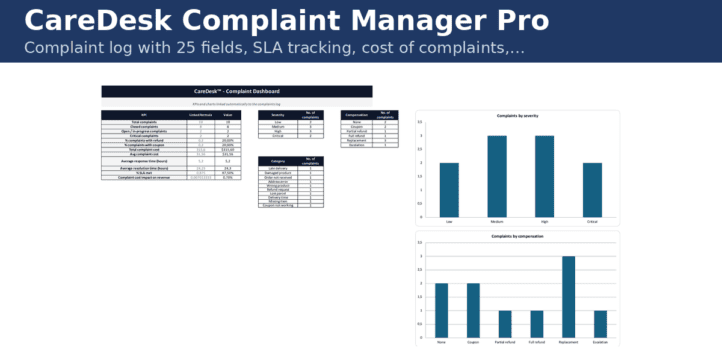
Complaint log with 25 fields, SLA tracking, cost of complaints, decision matrix and ready-made reply templates for e-commerce customer care. CareDesk is the customer-care back office of my online stores, packed into one Excel file. Every complaint becomes a row with identification, category, severity, channel, costs (refund, coupon, reshipping, replacement), response and resolution times, SLA target and SLA compliance, all calculated automatically from drop-down menus.
| E-Commerce & Web Shops, Financial Model, General Excel Financial Models, Online Businesses |
| Business Template, Cost Calculation, Dashboard, Excel, KPIs (Key Performance Indicators), Tracking |
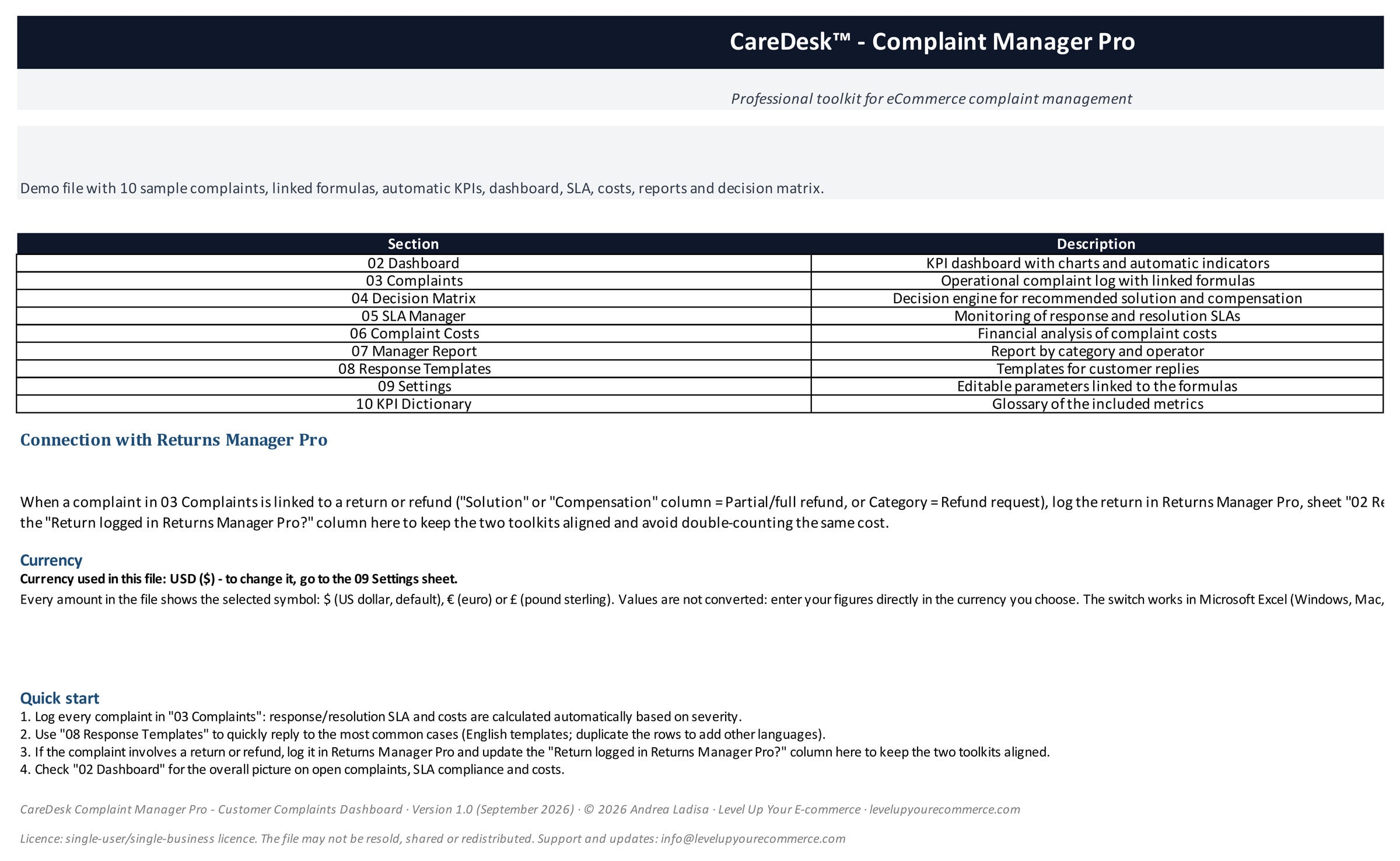

CareDesk is the customer-care back office of my online stores, packed into one Excel file. Every complaint becomes a row with identification, category, severity, channel, costs (refund, coupon, reshipping, replacement), response and resolution times, SLA target and SLA compliance, all calculated automatically from drop-down menus.
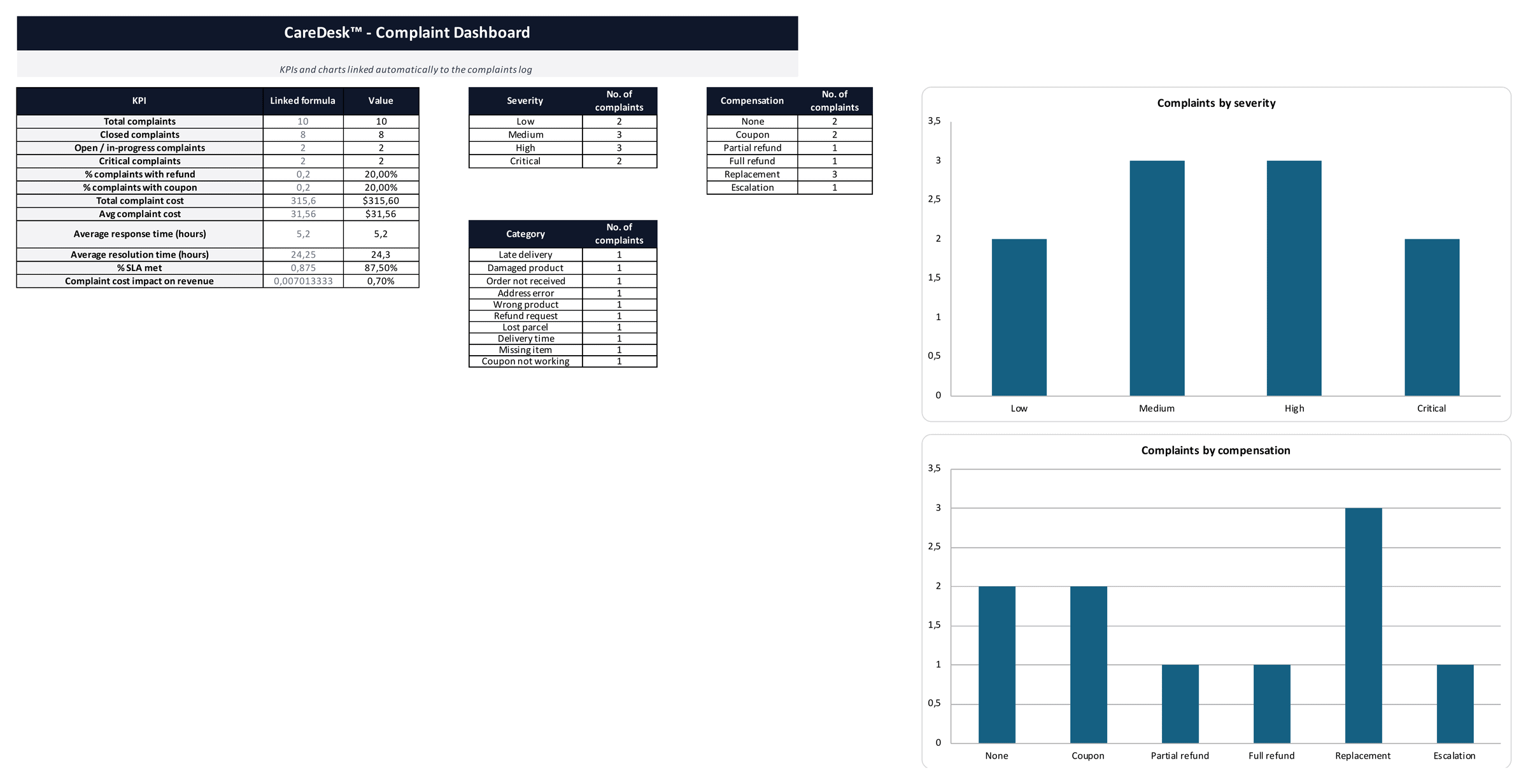
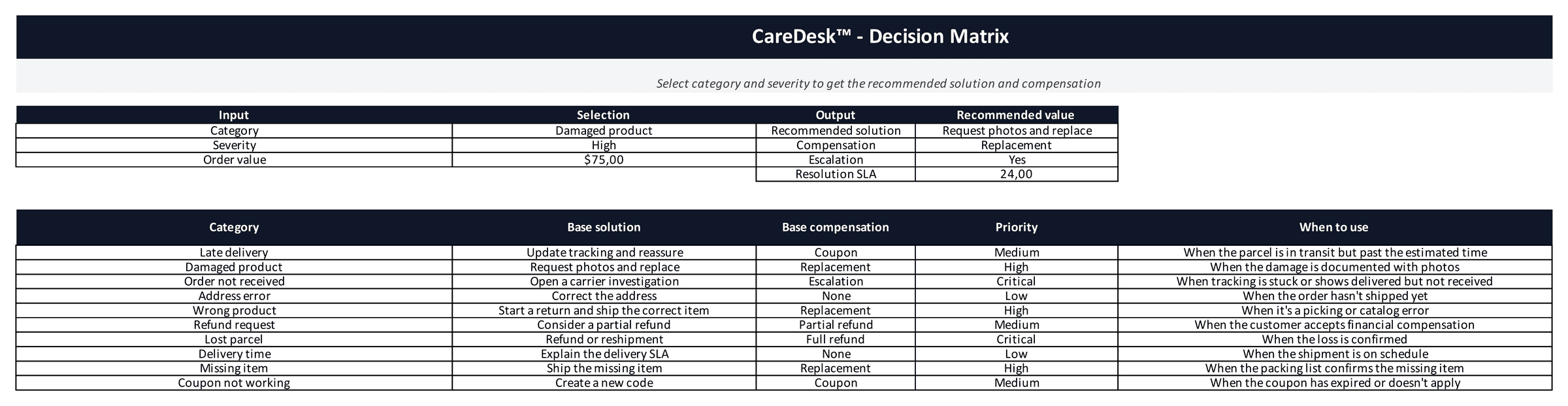
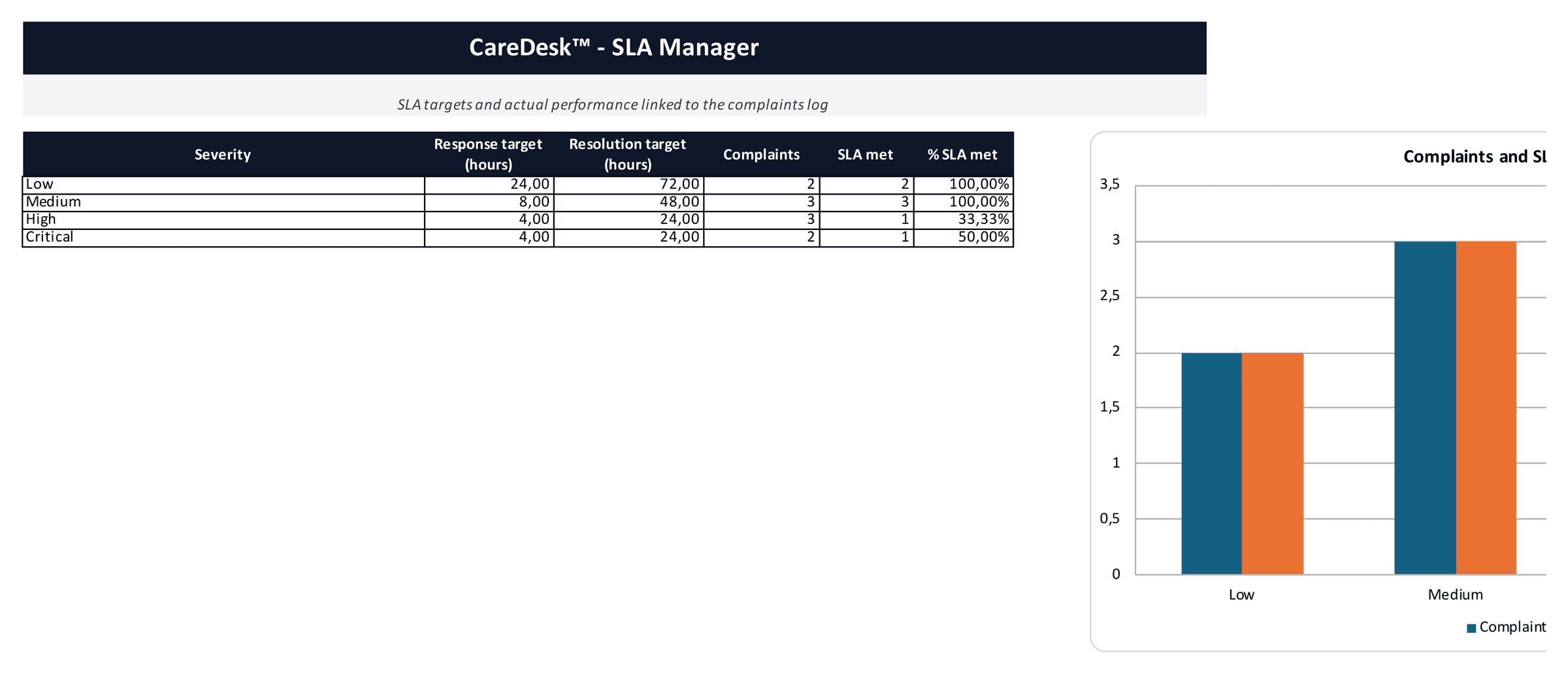
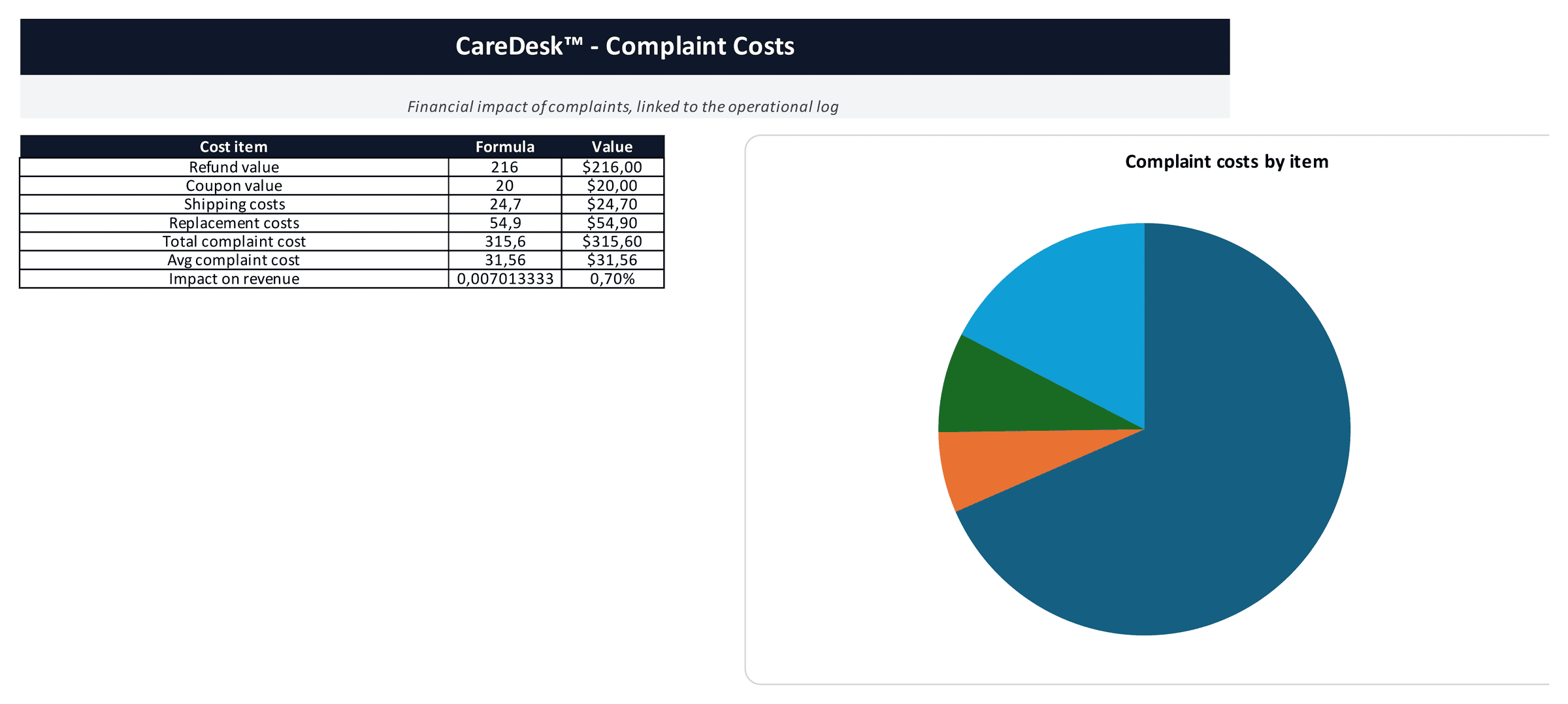
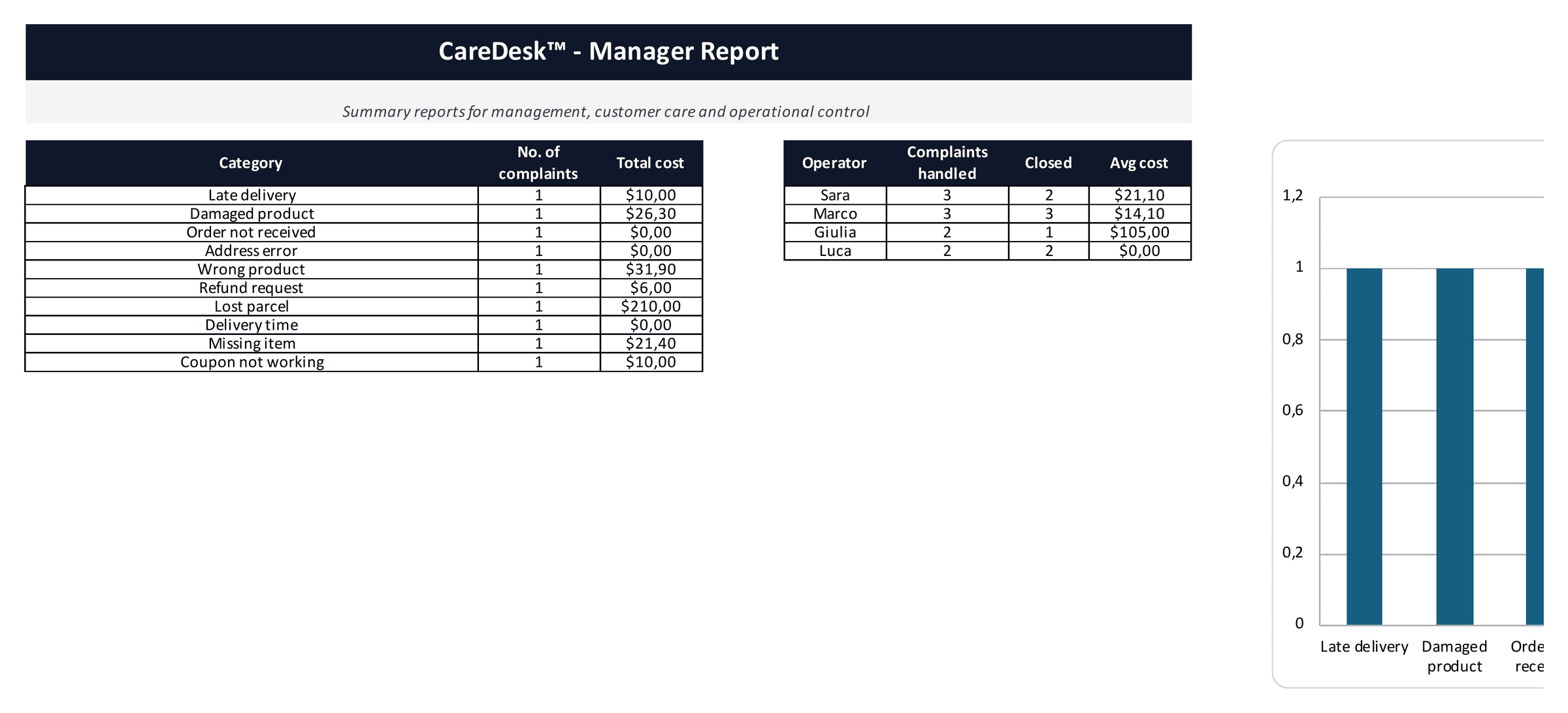
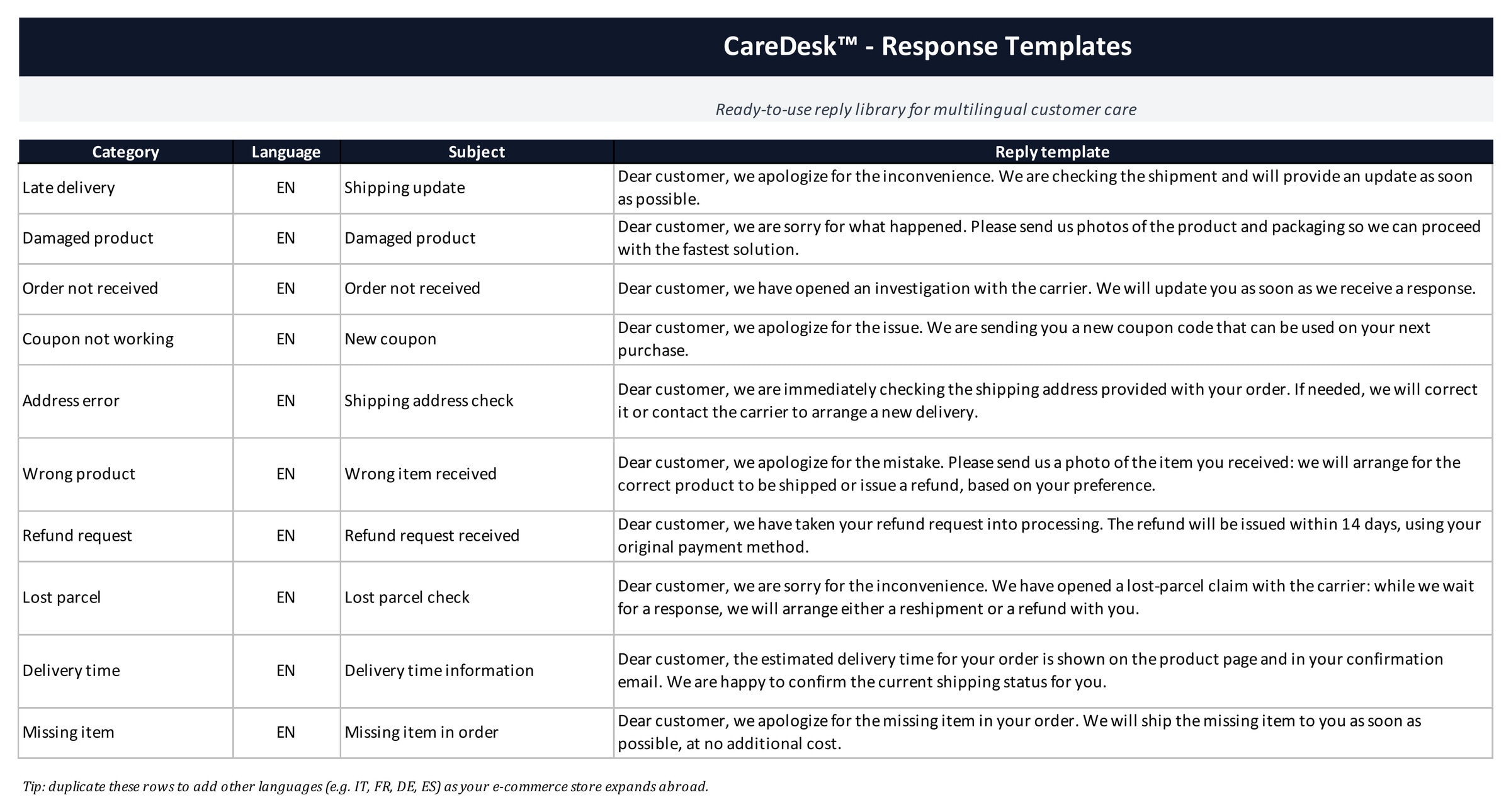
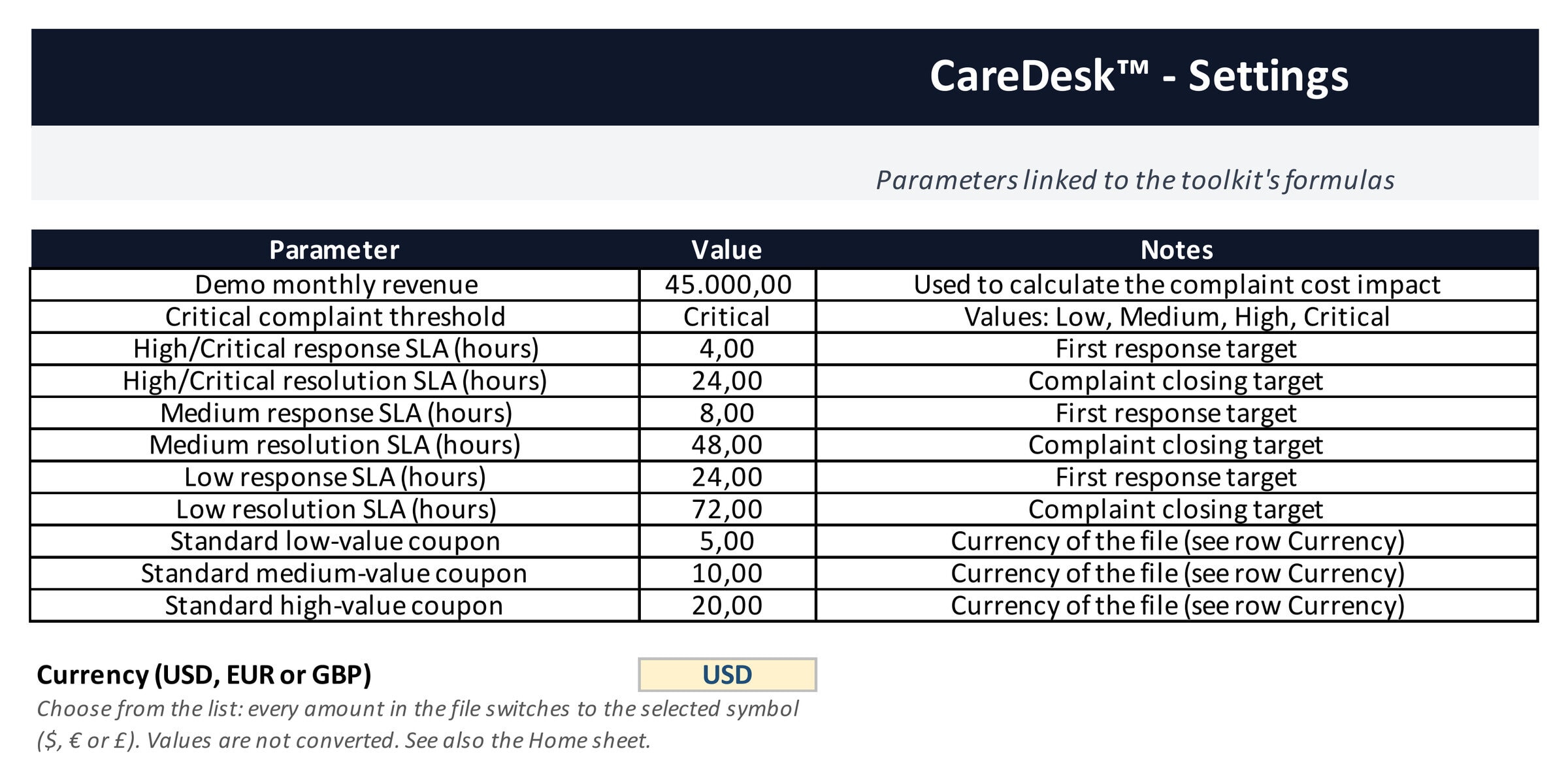
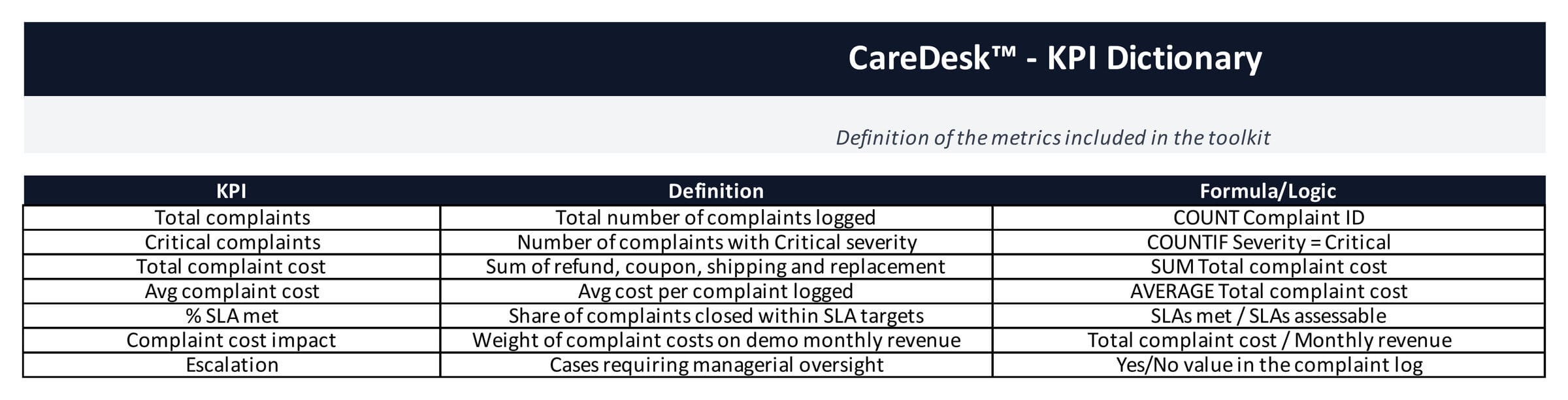
What is inside (10 sheets): Complaints log (25 columns, 100 rows ready, link to the returns file for cases that generate a return) · Dashboard (open, closed and critical complaints, % with refund or coupon, average cost, response and resolution times, % SLA met, breakdown by category, severity and compensation, 5 charts) · Decision Matrix (select category and severity, get the recommended solution, compensation, escalation and SLA) · SLA Manager · Complaint Costs (refunds, coupons, shipping, replacements and their share of revenue) · Manager Report (by category and by operator, ready for the monthly meeting) · Response Templates (professional replies for every category, in English, duplicate the rows for other languages) · Settings (reference revenue, SLA targets, standard coupon amounts) · KPI Dictionary · Home.
Who it is for: online stores from 10 complaints a month upwards, customer-care teams, outsourced support providers who need a shared log and a consistent compensation policy.
How to use it: start from the 10 demo complaints, adapt the rules of the Decision Matrix to your business, then replace the demo rows. Described in chapter 13 of the guide Level Up Your E-commerce.
How to work with the template, step by step
CareDesk turns customer complaints into a structured process: every case has a severity, an SLA, a recommended solution and a cost. Here is how to use it.
- Adapt the Settings and the Decision Matrix. In Settings set response and resolution SLA by severity, average cost per contact and compensation rules; in the Decision Matrix check the solution suggested for each category and severity. The demo values are a reasonable starting point for a small store.
- Log every complaint. In the Complaints sheet fill in the descriptive fields only: customer, channel, category, severity, linked order. Recommended solution, compensation, costs and SLA status are calculated from the Decision Matrix and the Settings.
- Reply with the Response Templates. Ten ready-made replies cover the most frequent cases; duplicate the rows to add other languages as you sell abroad.
- Keep SLA and costs under control. SLA Manager shows the cases close to or beyond deadline; Complaint Costs sums refunds, compensation and handling time per case.
- Review the Dashboard and the Manager Report. Open complaints, SLA compliance, cost per complaint and the categories that generate most cases: that is where to act on products, logistics or information.
When a complaint involves a return or refund, log the return in Returns Manager Pro with the same order number, so the cost is counted once. This edition comes without sheet protection: edit the input cells and leave the formula cells as they are.
What you get
- Excel workbook in English and the same workbook in Italian (.xlsx), fully editable, no sheet protection, no macros.
- User Guide in PDF (English and Italian) with a KPI dictionary.
- Demo data to replace with your own; USD / EUR / GBP currency switch.
This edition comes without sheet protection, as requested by this marketplace: edit the input cells and leave the formula cells as they are (keep a copy of the original before you start). Works in Microsoft Excel 2016 or later, Excel 365 and Google Sheets; no macros, no add-ins. Demo data included: replace it with your own and every KPI, chart and alert updates automatically. Italian version of the file included in the download. Version 1.0 (September 2026) · Free updates for buyers · Part of the Level Up Your E-commerce toolkit. I am Andrea Ladisa, e-commerce entrepreneur selling in 20+ countries: I built this file for my own stores before packaging it for you.
Similar ProductsOther customers were also interested in...



 eFinancialModels
Electric Vehicle (EV) Charging Station Financial M...
With this comprehensive 5- or 10-year monthly tool, investors can assess the viability of setting up... Read more

Financial Model for Mobile App | Mobile App Busine...
The Mobile App Financial Plan Template in Excel allows you to develop financial projections when lau... Read more

 HenrySheykin
Food Truck Financial Model Excel Template
The Food Truck Financial Model helps entrepreneurs, founders, business owners, consultants, and anal... Read more

Green Hydrogen Production from Wind Energy Financi...
The Green Hydrogen from Wind Financial Model aims to comprehensively forecast a horizon of 40 years ... Read more

Simple Mutual Non-Disclosure Agreement Template
Protect your business secrets with ease using our Simple Mutual Non-Disclosure Agreement Template. S... Read more

Solar Energy Financial Model
The Solar Energy Financial Model Spreadsheet Template in Excel assists you in preparing a sophistica... Read more

 Peter Graf
The Customer-Centric Financial Model for Restauran...
Starting a restaurant without a financial plan is like driving a car blindfolded. You wouldn´t do i... Read more
You must log in to submit a review.