0 ITEMS

Pro Forma Templates: Pick, Build, and Project

Building a financial projection from a blank spreadsheet takes most founders 20+ hours and still ends up riddled with broken formula links. A well-built pro forma template cuts that to under four hours and lets you spend the time where it matters — on the assumptions that actually drive your numbers.
Key Takeaways
- Pro forma templates cut setup time from 20+ hours to under 4 hours for most small business owners, letting you focus on assumptions rather than spreadsheet architecture.
- 3 core templates cover 90% of planning needs: a projected income statement (P&L), a cash flow forecast, and a balance sheet — each serves a distinct decision.
- Real estate pro forma templates must calculate Net Operating Income (NOI = Gross Rental Income minus Vacancy minus Operating Expenses) before any cash-on-cash return is meaningful.
- Pro forma invoices and pro forma financial statements are completely different documents — confusing them wastes time and misleads stakeholders.
- Free templates from SCORE and Microsoft Excel handle 12-month horizons well; premium templates add scenario modeling, industry-specific KPIs, and 5-year projections.
- The single biggest template mistake is locking revenue growth at a flat annual rate — seasonality adjustments and monthly granularity prevent this.
- Update your pro forma against actuals every month for the first year; quarterly updates are acceptable once the business is 24+ months old.
What Are Pro Forma Templates and Why Use Them?
A pro forma template is a pre-structured spreadsheet that lets you project future financial performance by entering your own assumptions into pre-built formulas. Unlike actual financial statements — which record what already happened — pro forma statements (from the Latin meaning “as a matter of form”) show what you expect to happen, making them the core tool for fundraising, loan applications, and strategic planning.
Templates matter because building a three-statement financial model from scratch requires both accounting knowledge and Excel proficiency that most founders and property investors simply don’t have on day one. A well-designed template handles the formula logic so you can focus on the business assumptions that actually drive the numbers.
Excel is used by more than 1 billion people worldwide (Microsoft, 2024), which is why the vast majority of pro forma templates are Excel-based. That ubiquity means templates are easy to share with lenders, investors, and accountants without compatibility issues.
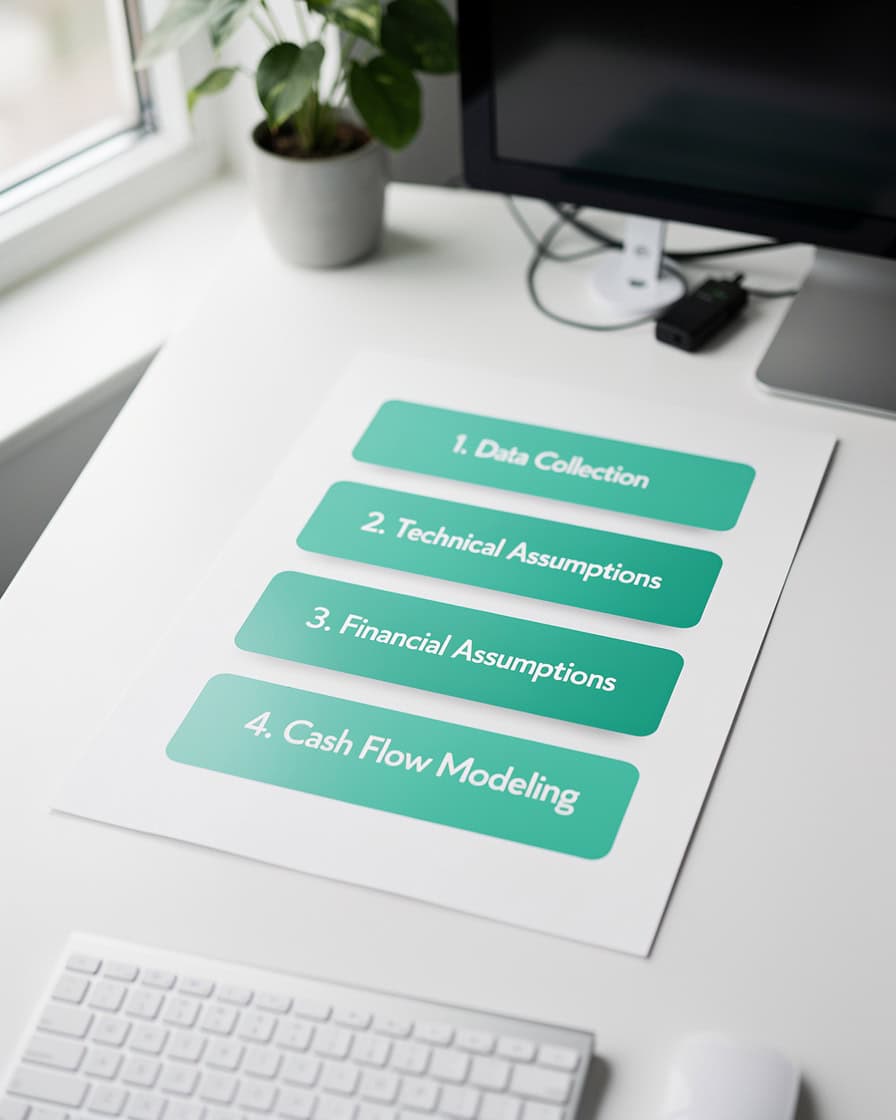
The three-statement model links every line: net income flows from the P&L into retained earnings on the balance sheet and into operating cash flow.
Types of Pro Forma Financial Templates Explained
Four template types cover the full picture of a business’s financial health, and each answers a different question for a different audience.
| Template Type | Primary Question Answered | Primary Audience |
|---|---|---|
| Income Statement (P&L) | Will this business be profitable? | Investors, management |
| Cash Flow Forecast | Will we have cash when we need it? | Lenders, CFOs, founders |
| Balance Sheet | What do we own and owe at a point in time? | Banks, equity investors |
| Real Estate Pro Forma | Does this property generate acceptable returns? | Property investors, lenders |
| Pro Forma Invoice | What will this transaction cost before it’s finalized? | Hospitality, consulting clients |
Each template type uses different input cells and formulas. Mixing them up — or trying to force one template to do the job of another — is one of the most common planning errors.
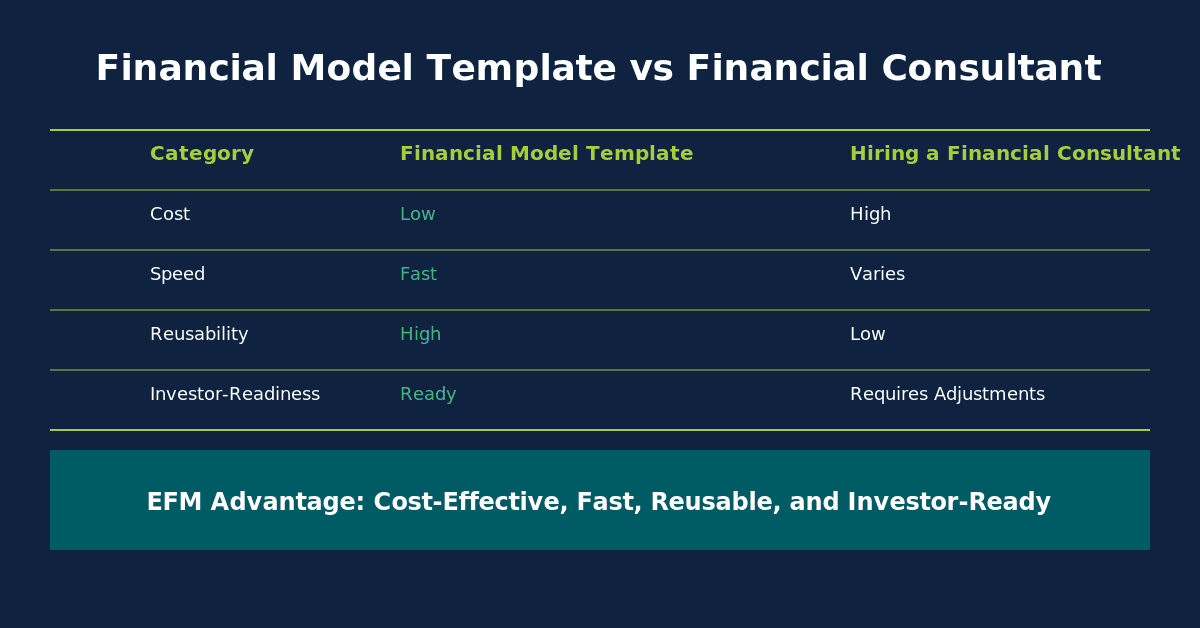
Each template type answers a different financial question — selecting the wrong one produces misleading outputs regardless of how accurate your assumptions are.
Pro Forma Income Statement Templates: Projecting Revenue and Profitability
An income statement template projects revenue, subtracts costs, and arrives at net income over a defined period — typically 12 months or 5 years. The template’s value is in its formula chain: change one revenue assumption and every downstream figure (gross profit, EBITDA, net income) updates automatically.
The 3 formulas you must understand in any P&L template:
1. Revenue Growth Formula
Month N Revenue = Month (N-1) Revenue × (1 + Monthly Growth Rate)
In Excel: =B5*(1+$B$2) where B5 is last month’s revenue and $B$2 is your locked growth rate assumption.
2. COGS as a Percentage of Revenue
COGS = Revenue × COGS %
In Excel: =B6*$C$2 where $C$2 holds your COGS margin assumption. For a SaaS business, this might be 15-25%. For a restaurant, it’s typically 28-35%.
3. Straight-Line Depreciation
Annual Depreciation = (Asset Cost – Salvage Value) / Useful Life
In Excel: =(B20-B21)/B22 — this formula appears in most fixed-asset schedules linked to the P&L.
SCORE’s 12-Month Profit and Loss Projection template is designed to help users forecast profits and losses over the next 12 months (SCORE, 2024), and it’s a solid starting point for service businesses and early-stage startups that don’t yet need multi-year modeling.
For 5-year financial projections, you’ll need a template that handles compounding growth rates and links the P&L to a balance sheet — something most free templates don’t do.
Cash Flow Pro Forma Templates: Managing Liquidity and Timing
A cash flow pro forma template tracks the timing of cash in and cash out — not just whether you’re profitable, but whether you’ll have money in the bank on the 15th when payroll runs. Profitable businesses fail when they run out of cash, which is why this template is often more important than the P&L for early-stage companies.
The 3 sections every cash flow template must include:
- Operating Activities: Cash from core business operations (collections from customers, payments to suppliers, payroll)
- Investing Activities: Capital expenditures, equipment purchases, asset sales
- Financing Activities: Loan proceeds, debt repayments, equity injections, dividends
The key formula in a cash flow template is the closing cash balance:
Closing Cash = Opening Cash + Net Operating Cash + Net Investing Cash + Net Financing Cash
In Excel: =B3+B15+B22+B29 — where each cell references the subtotal of its respective section.
For cash flow projections that connect to your P&L, look for templates that pull net income from the income statement and then add back non-cash charges like depreciation (the indirect method). This linkage prevents double-entry errors and keeps your three statements consistent.
Real Estate Pro Forma Templates: Property Investment Analysis
A real estate pro forma template estimates a property’s income, expenses, NOI, and cash flow to determine whether an acquisition makes financial sense before you commit capital. A pro forma in real estate is used to estimate a property’s income, expenses, potential revenue, net operating income (NOI), and cash flow (Stessa, 2024).
Worked Example: 10-Unit Rental Property
Here’s the math for a basic real estate pro forma:
- Gross Potential Rent: 10 units × $1,200/month × 12 months = $144,000/year
- Vacancy Allowance (5%): $144,000 × 0.05 = $7,200
- Effective Gross Income (EGI): $144,000 – $7,200 = $136,800
- Operating Expenses (property tax, insurance, maintenance, management at 35%): $136,800 × 0.35 = $47,880
- Net Operating Income (NOI): $136,800 – $47,880 = $88,920
- Cap Rate (NOI / Purchase Price): $88,920 / $1,200,000 = 7.41%
- Annual Debt Service (mortgage P&I): $62,400
- Cash Flow Before Tax: $88,920 – $62,400 = $26,520
- Cash-on-Cash Return: $26,520 / $240,000 (down payment) = 11.05%
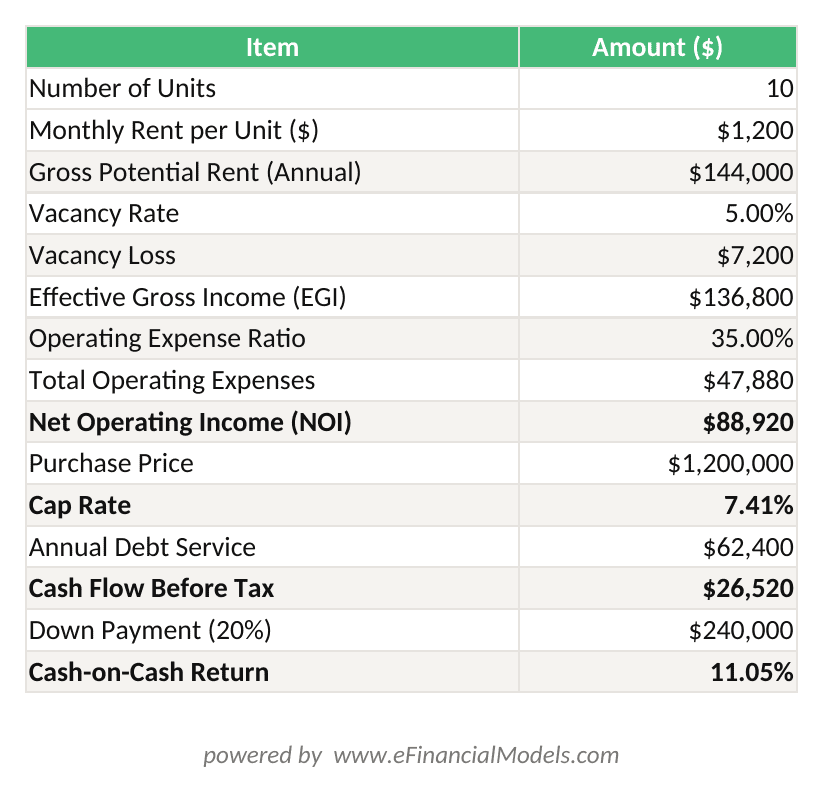
Real estate pro forma: 10 units at $1,200/month yields $88,920 NOI, a 7.41% cap rate, and 11.05% cash-on-cash return at $1.2M purchase price with 20% down.
A real estate pro forma template should have separate input cells for each assumption above so you can run sensitivity analysis — for example, testing what happens to cash-on-cash return if vacancy rises to 10% or operating expenses hit 40%.
For deeper property valuation work, look for templates that include a rent roll tab, a capital expenditure schedule, and a hold-period IRR calculation across a 5-10 year projection.
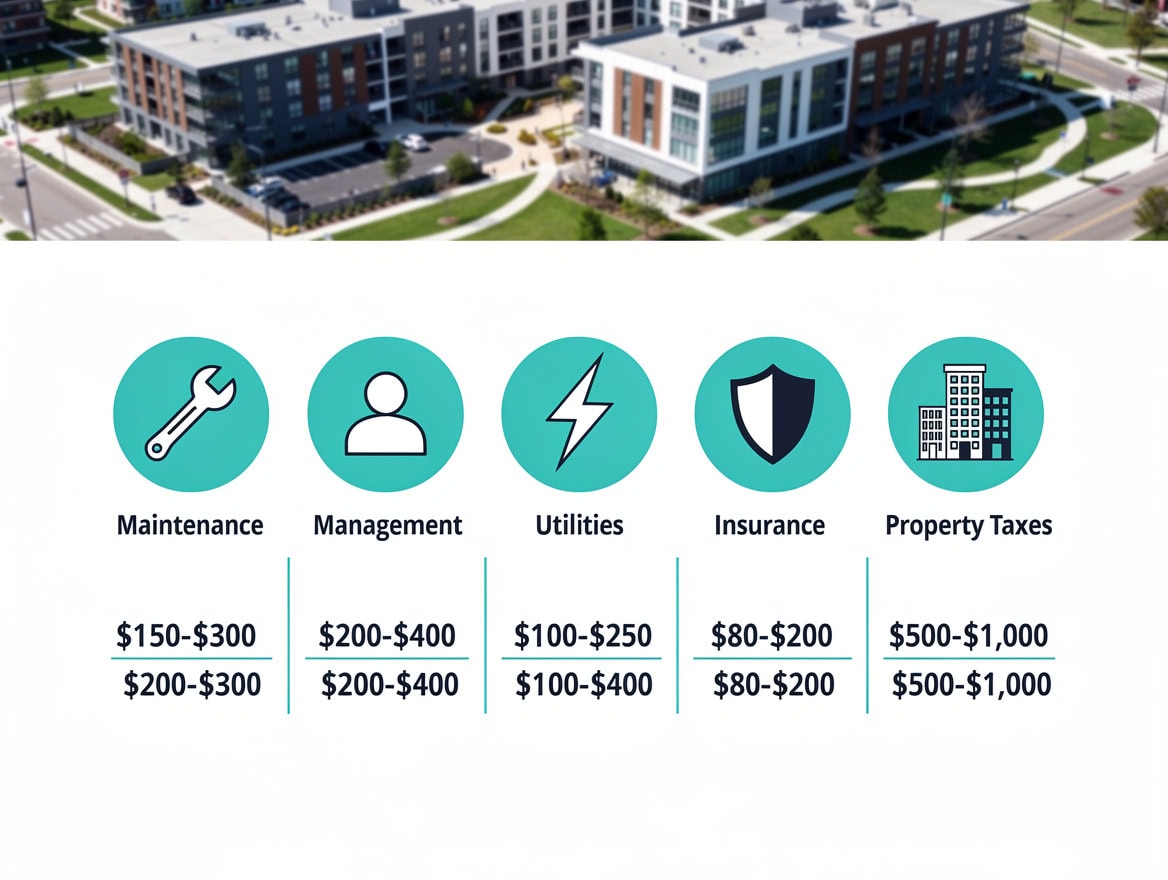
NOI is the foundation of every real estate valuation — cap rate, DSCR, and cash-on-cash return all derive from this single figure.
Pro Forma Invoice Templates vs. Financial Projection Templates
These two document types share a name but serve completely different purposes — and confusing them is a genuine operational risk for hospitality, consulting, and service businesses.
A pro forma invoice is a preliminary invoice document used for charges that are not yet final (Cloudbeds, 2024). Hotels use them to show guests an estimated bill before checkout. Consultants use them to confirm project scope and pricing before work begins. Importers use them for customs declarations before goods ship.
A pro forma financial statement, by contrast, is a multi-period projection of your entire business’s financial performance. It’s used for business planning, investor presentations, and loan applications — not for billing a single client.
When you need a pro forma invoice: Pre-stay hotel billing, consulting engagement letters, international trade documentation, subscription renewals before the billing cycle closes.
When you need a pro forma financial template: Raising equity, applying for an SBA loan, building an annual operating budget, evaluating a property acquisition.
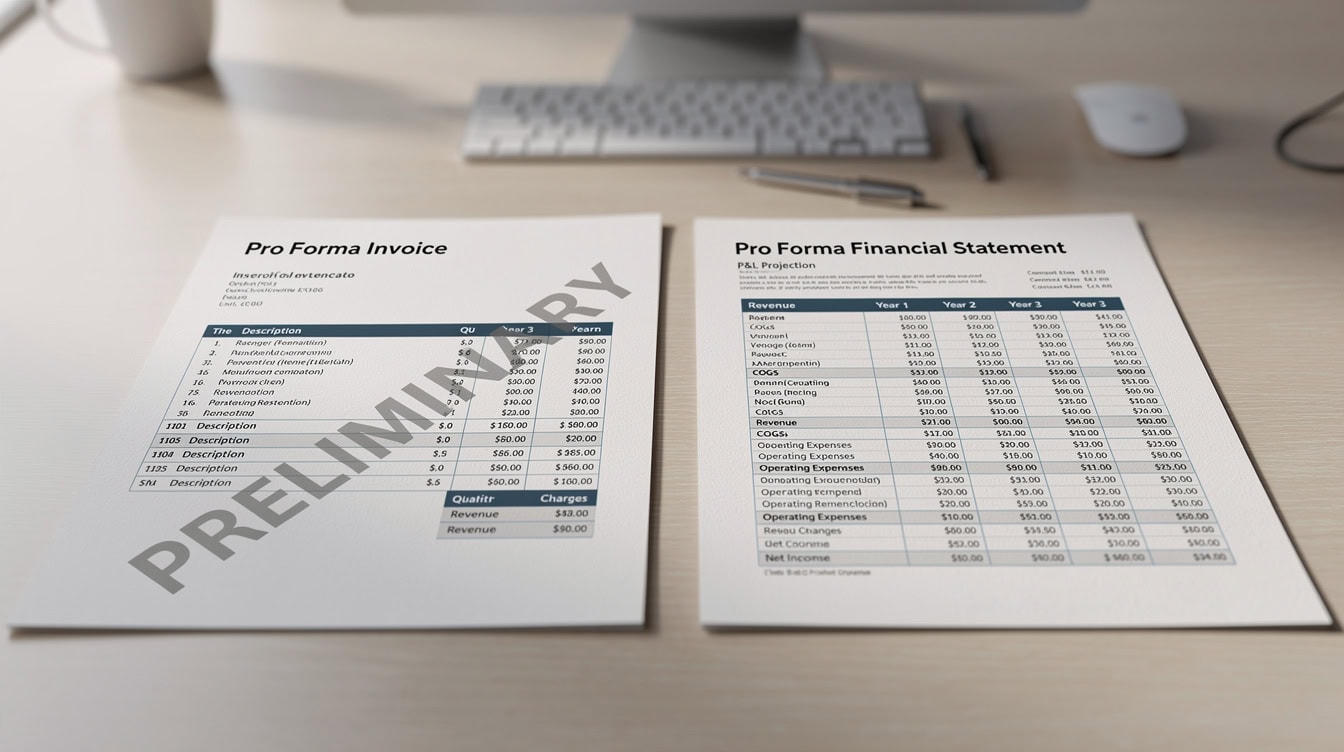
Same name, completely different documents: a pro forma invoice estimates a single transaction; a pro forma financial statement projects years of business performance.
How to Choose the Right Pro Forma Template for Your Business
The right template depends on 3 variables: your business stage, your industry, and your planning horizon. A template that works perfectly for a 3-year-old SaaS company will be nearly useless for a pre-revenue real estate developer.
| Business Context | Recommended Template Type | Key Assumptions to Customize |
|---|---|---|
| Pre-revenue startup | 3-statement model with monthly detail | Burn rate, runway, customer acquisition cost |
| SaaS / subscription | Revenue model with MRR/ARR and churn | Monthly churn rate, ARPU, CAC payback period |
| Retail / e-commerce | P&L with inventory turns and COGS detail | Inventory turnover (target: 4-8x/year), gross margin |
| Service / consulting | P&L with utilization rate driver | Billable hours, utilization rate (target: 65-75%) |
| Real estate acquisition | Property-level pro forma with NOI and IRR | Vacancy rate, cap rate, exit multiple |
| Established business (3+ years) | Rolling 12-month forecast vs. actuals | Variance thresholds, seasonality indices |
For revenue projections specifically, match the template’s revenue model to how your business actually earns money. A template built for project-based revenue won’t handle recurring subscription income correctly without significant restructuring.
Customizing Pro Forma Templates in Excel: Key Formulas and Assumptions
Customizing a template correctly takes 2-4 hours for a simple 12-month P&L and 8-15 hours for a full three-statement model with scenario analysis. The most important rule: only change the yellow (assumption) cells, never the formula cells, until you fully understand the model’s logic.
5 customization steps that apply to every template:
- Lock your assumption cells using Excel’s cell protection (Review > Protect Sheet) so collaborators can’t accidentally overwrite formulas.
- Replace placeholder growth rates with your actual historical data or market research benchmarks. A generic 10% annual growth rate is almost never the right assumption.
- Add seasonality adjustments by multiplying monthly revenue by a seasonality index (e.g., a retail business might index December at 1.4x and February at 0.7x the monthly average).
- Build 3 scenarios (best case, base case, worst case) using Excel’s named ranges or a scenario manager. Vary your top 3 assumptions by ±20% to stress-test the model.
- Link actuals vs. projections by adding a column for actual results next to each projected month. The variance formula is simply:
=Actual - Projected.
Microsoft Excel balance sheet templates let users add or subtract rows in the assets, liabilities, and equity tables and verify that total assets equal total liabilities plus equity (Microsoft Excel, 2024). That built-in balance check — typically =IF(TotalAssets=TotalLiabilities+Equity,"Balanced","ERROR") — is one of the most valuable features in any template.
For cost projections that feed into your P&L, build a separate assumptions tab where every cost line has its own driver (headcount × salary, square footage × rent/sqft, units × variable cost). This structure makes scenario analysis far faster than editing individual cells.
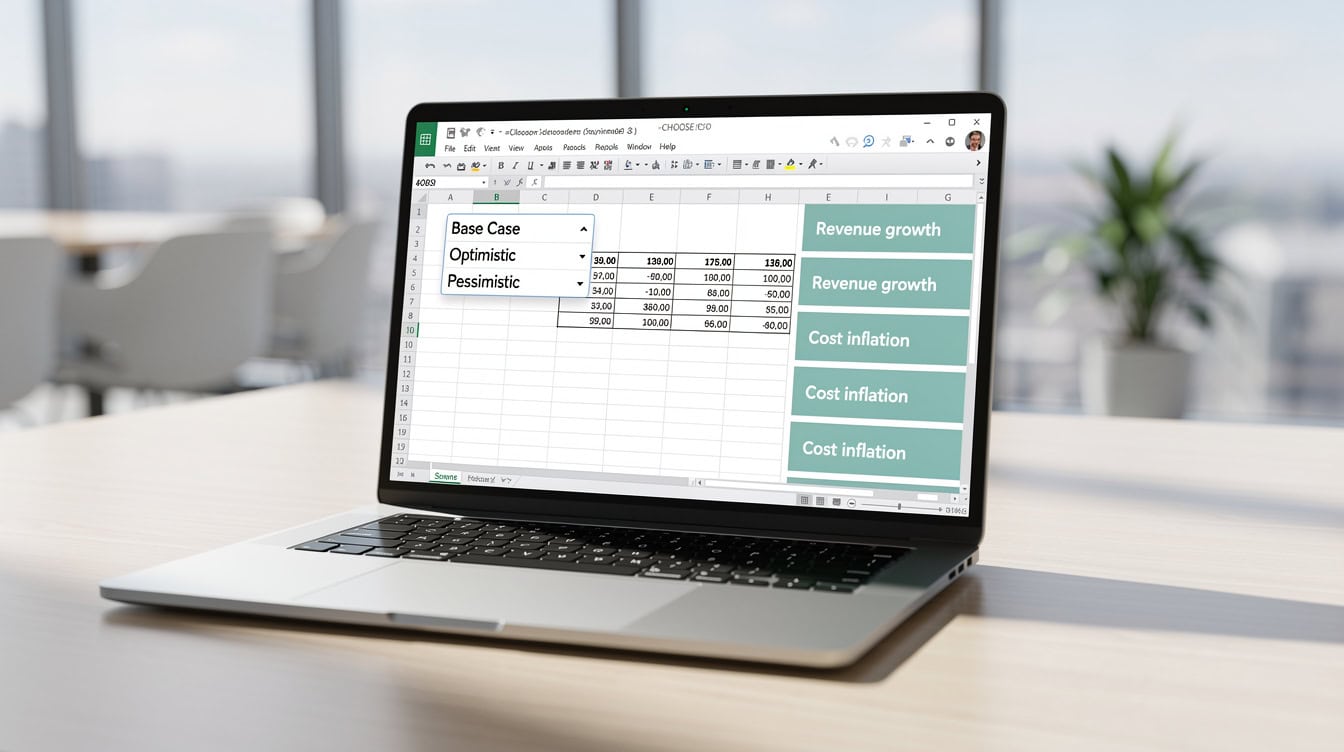
A single CHOOSE formula linked to a scenario toggle cell lets you switch between best, base, and worst case in one click — no duplicate tabs required.
Free vs. Premium Pro Forma Templates: What You Actually Get
Free templates are a legitimate starting point for simple use cases. Premium templates justify their cost when you need industry-specific logic, multi-scenario modeling, or investor-ready formatting.
| Feature | Free Templates (SCORE, Microsoft) | Premium Templates (EFM) |
|---|---|---|
| Planning horizon | 12 months | 5-10 years |
| Scenario modeling | Manual / none | Built-in 3-scenario toggle |
| Industry-specific KPIs | Generic | SaaS, real estate, retail, etc. |
| Three-statement linkage | Rarely | Standard |
| Error-checking formulas | Basic | Comprehensive |
| Setup time | 2-4 hours | 1-2 hours |
| Cost | $0 | $29-$199 |
Microsoft 365 Personal costs $69.99 per year (Microsoft, 2024), which gives you access to Excel and all of Microsoft’s built-in template library. Microsoft 365 Family costs $99.99 per year (Microsoft, 2024) and covers up to 6 users — relevant for small teams sharing a financial model.
The honest limitation of any template: it’s a starting point, not a complete solution. A template can’t know your specific customer concentration risk, your supplier payment terms, or your local tax rates. Those assumptions require your input and judgment.
Common Mistakes When Using Pro Forma Templates
Most pro forma errors aren’t Excel errors — they’re assumption errors that compound over a 5-year projection into wildly unrealistic numbers.
Mistake 1: Flat annual growth rates with no monthly granularity
A 20% annual growth rate applied as a flat monthly rate ignores seasonality entirely. Fix: build monthly seasonality indices and apply them to your base revenue line.
Mistake 2: Ignoring the cash conversion cycle
A P&L can show profit while the cash flow statement shows negative cash — because customers pay in 60 days but suppliers want payment in 30. Fix: model accounts receivable and accounts payable days explicitly in your cash flow template.
Mistake 3: Never updating actuals against projections
A pro forma that’s never compared to real results becomes fiction within 3 months. Fix: add an actuals column to every monthly projection and review variances at the end of each month.
Mistake 4: Using a generic template for a specialized business
A standard P&L template doesn’t handle deferred revenue (common in SaaS), percentage-of-completion revenue (construction), or NOI calculations (real estate). Fix: match the template’s revenue recognition logic to your business model before entering a single number.
Mistake 5: Over-optimistic Year 1 revenue
According to the U.S. Small Business Administration, approximately 20% of new businesses fail in their first year, often because cash flow projections assumed faster revenue ramp than the market delivered. Fix: build a conservative base case and treat your optimistic scenario as a stretch target, not a plan.
Frequently Asked Questions About Pro Forma Templates
What is the difference between a pro forma and a budget?
A budget is an internal planning document that sets spending limits and revenue targets for the coming period, typically one year. A pro forma is a forward-looking financial statement that projects what your financials will look like under a set of assumptions — it can span 1 to 10 years and is often prepared for external audiences like investors or lenders. The key distinction: a budget controls spending; a pro forma models outcomes. For example, a budget might cap marketing spend at $50,000, while a pro forma models what happens to revenue if you spend $50,000 versus $100,000 on marketing. Most businesses need both: the budget for operational discipline and the pro forma for strategic planning and fundraising.
How many years should a pro forma template cover?
For a startup seeking venture capital, 5 years is the standard expectation — investors want to see a path to profitability and an exit scenario. For a small business applying for an SBA loan, 3 years is typically sufficient. For a real estate acquisition, model the full hold period, which is commonly 5-10 years, to calculate an accurate IRR (Internal Rate of Return, the annualized return on your investment). For internal planning purposes, a rolling 12-month forecast updated monthly is more useful than a static 5-year model. The right horizon depends on your audience and decision: match the projection length to the decision you’re making.
Can I use a pro forma template without knowing Excel formulas?
Yes, if the template is well-designed. A good pro forma template clearly labels assumption cells (often in yellow or blue) and formula cells (often locked or in white). You enter numbers in the assumption cells and the formulas calculate everything else automatically. You don’t need to write formulas from scratch. However, you do need to understand what each assumption means — entering a 50% gross margin when your actual margin is 30% will produce a useless projection regardless of how sophisticated the template is. Spend 30 minutes reading the template’s documentation or instruction tab before entering any numbers.
What’s the difference between a pro forma invoice and a pro forma financial statement?
A pro forma invoice is a preliminary billing document that shows a customer what they’ll owe before the transaction is finalized — common in hotels, consulting, and international trade. A pro forma financial statement is a multi-period projection of your business’s income, cash flow, and balance sheet — used for planning and fundraising. The only thing they share is the name. If a hotel guest asks for a pro forma, they want an estimated bill. If a bank asks for a pro forma, they want 3 years of projected financial statements. Sending the wrong document to either party creates confusion and delays.
How do I build scenario analysis into a pro forma template?
The cleanest method uses a single “Scenario” toggle cell (e.g., cell B1 = 1 for base case, 2 for optimistic, 3 for pessimistic) combined with Excel’s CHOOSE function to select the right assumption set. For example: =CHOOSE($B$1, 0.05, 0.10, 0.02) returns a 5% growth rate for base case, 10% for optimistic, and 2% for pessimistic. All your assumption cells reference this formula rather than hardcoded numbers. This approach lets you switch between all 3 scenarios with a single cell change, which is far more efficient than maintaining 3 separate spreadsheet tabs. Most premium templates include this structure; most free templates require you to build it yourself.
How often should I update my pro forma template?
For the first 12 months of a new business, update your pro forma monthly: enter actual results, calculate variances, and revise forward assumptions based on what you’ve learned. Monthly updates catch cash flow problems 4-6 weeks earlier than quarterly reviews, which is often the difference between a manageable shortfall and a crisis. Once the business is 24+ months old and revenue is predictable, quarterly updates are sufficient for most operational purposes. However, always rebuild the full pro forma from scratch when a major event occurs: a new product launch, a large contract win or loss, a financing round, or a significant market change.
What makes a real estate pro forma template different from a business pro forma?
A real estate pro forma centers on property-level cash flows rather than business operations. Its core output is NOI (Net Operating Income = Effective Gross Income minus Operating Expenses), which drives both the cap rate valuation and the debt service coverage ratio that lenders require. A business pro forma focuses on revenue from selling products or services, COGS, and operating expenses. Real estate templates also include a rent roll (a schedule of all tenants, lease terms, and rents), a capital expenditure reserve, and a hold-period IRR calculation that assumes you sell the property at the end of the projection. These features don’t exist in standard business P&L templates, which is why using a generic template for a property acquisition produces misleading results.
Conclusion
Pro forma templates are the fastest path from financial uncertainty to a credible plan — but only if you match the template to your business context, customize the assumptions with real data, and update the model as actuals come in. A generic template with realistic assumptions beats a custom-built model with optimistic ones every time.
I recommend downloading the pro forma financial model templates from eFinancialModels, which include built-in three-statement linkage, scenario analysis toggles, and industry-specific assumption sets for real estate, SaaS, retail, and service businesses. Skip the setup and start projecting your business growth today.