0 ITEMS

Template Quality Checklist: How to Spot a Professional-Grade
A professional-grade template separates its inputs from its calculations, shows its own error checks, documents its logic and survives a quick stress test, while a cheap or generic one hides weak logic behind attractive formatting. A first-time founder can run the checklist below on any template in about five minutes, before paying for it.
Key Takeaways
- A professional-grade template keeps inputs, calculations and outputs clearly separated, often on separate sheets, so a founder can see where every number comes from.
- Visible checks, such as totals that must equal each other, show that the builder expected mistakes and tested for them.
- Consistent formulas across each row make a model easy to review, and one odd formula in a row is a warning sign.
- Documentation inside the file, a named seller and independent reviews tell more about quality than screenshots or a low price.
- A four-step test, taking about five minutes, exposes common structural faults before any money is spent, including by changing one input.
What separates a professional-grade template from a cheap one?
Three things separate them: a visible structure, evidence of testing and a seller who stands behind the file. A cheap or generic template often looks polished on the first sheet, but the numbers behind it are typed in, copied across or linked in ways nobody can follow. A professional-grade template lets a stranger open the file and follow any result back to its inputs.
The stakes are real for a first-time founder, because a template feeds decisions about hiring, pricing and fundraising. A startup financial model is only as useful as the care that went into its logic, and errors in spreadsheets are common.
A 2024 study led by Prof. Pak-Lok Poon, reported on Phys.org, found that 94% of spreadsheets used in business decision-making contain errors.
That figure describes spreadsheets in general, not templates, but it explains why a buyer should test a template instead of trusting its appearance.
A 2026 analysis of spreadsheet failures by Simon Thorne and Angela Collins, Anatomy of a Spreadsheet Failure, describes a mistyped date that cost Norway’s sovereign wealth fund about $92 million in 2024.
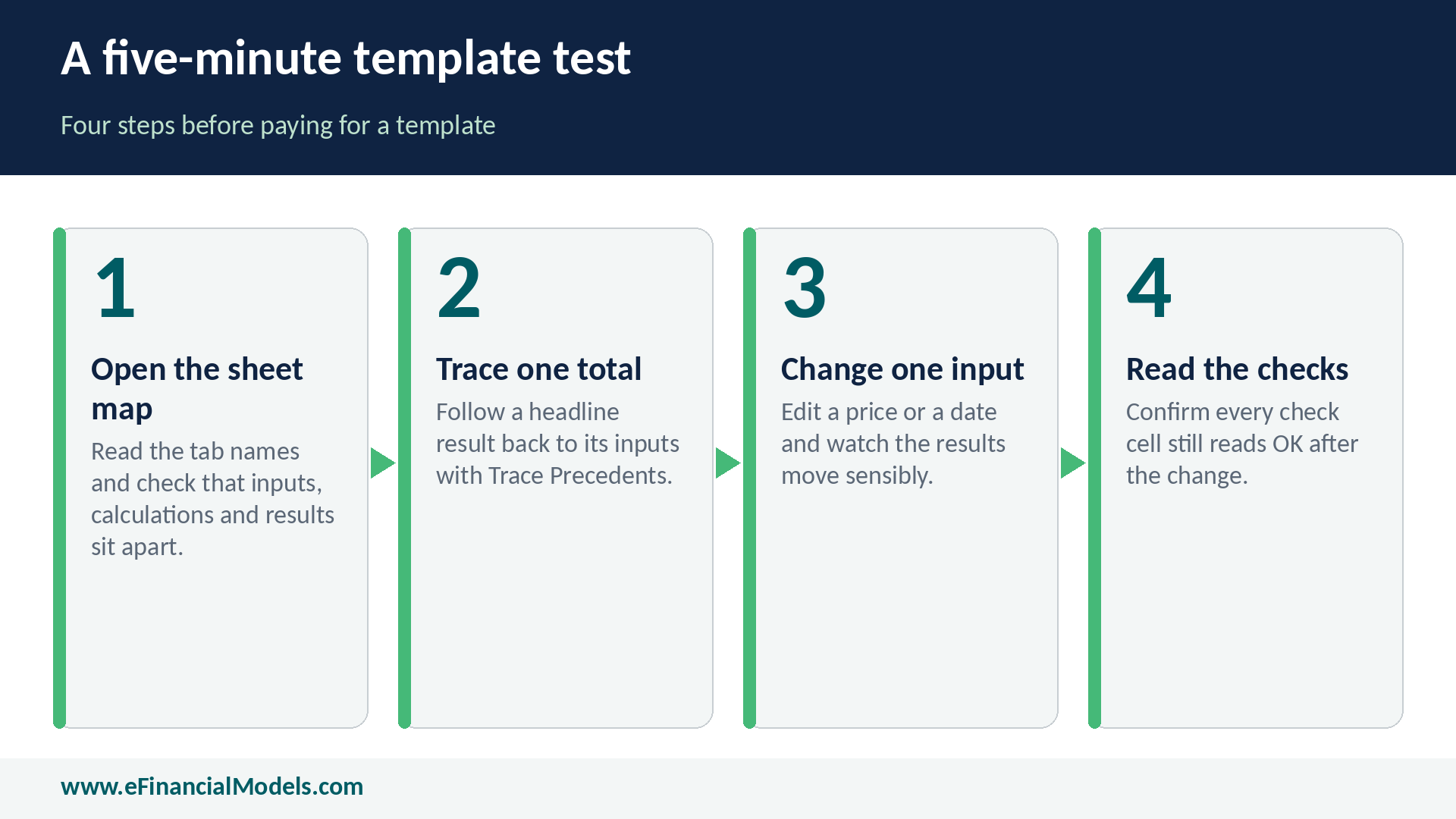
The four-step test described in this article, from the first look at the tabs to the final reading of the checks.
Does the template keep inputs, calculations and outputs apart?
Yes, in a professional-grade template, and the separation is the first thing to look for. The Institute of Chartered Accountants in England and Wales (ICAEW) publishes a Financial Modelling Code that tells modelers to keep inputs (assumptions), calculations and outputs (results) apart. In practice, the tabs should read like a map: one place for assumptions, one for the calculations and one for the results a founder will present.
A quick look at the tab names shows whether the builder followed this idea. Inputs should be easy to find and visibly marked, usually with one cell colour reserved for them. Calculation sheets should hold formulas only, and results should pull from the calculations, never from typed-in numbers.
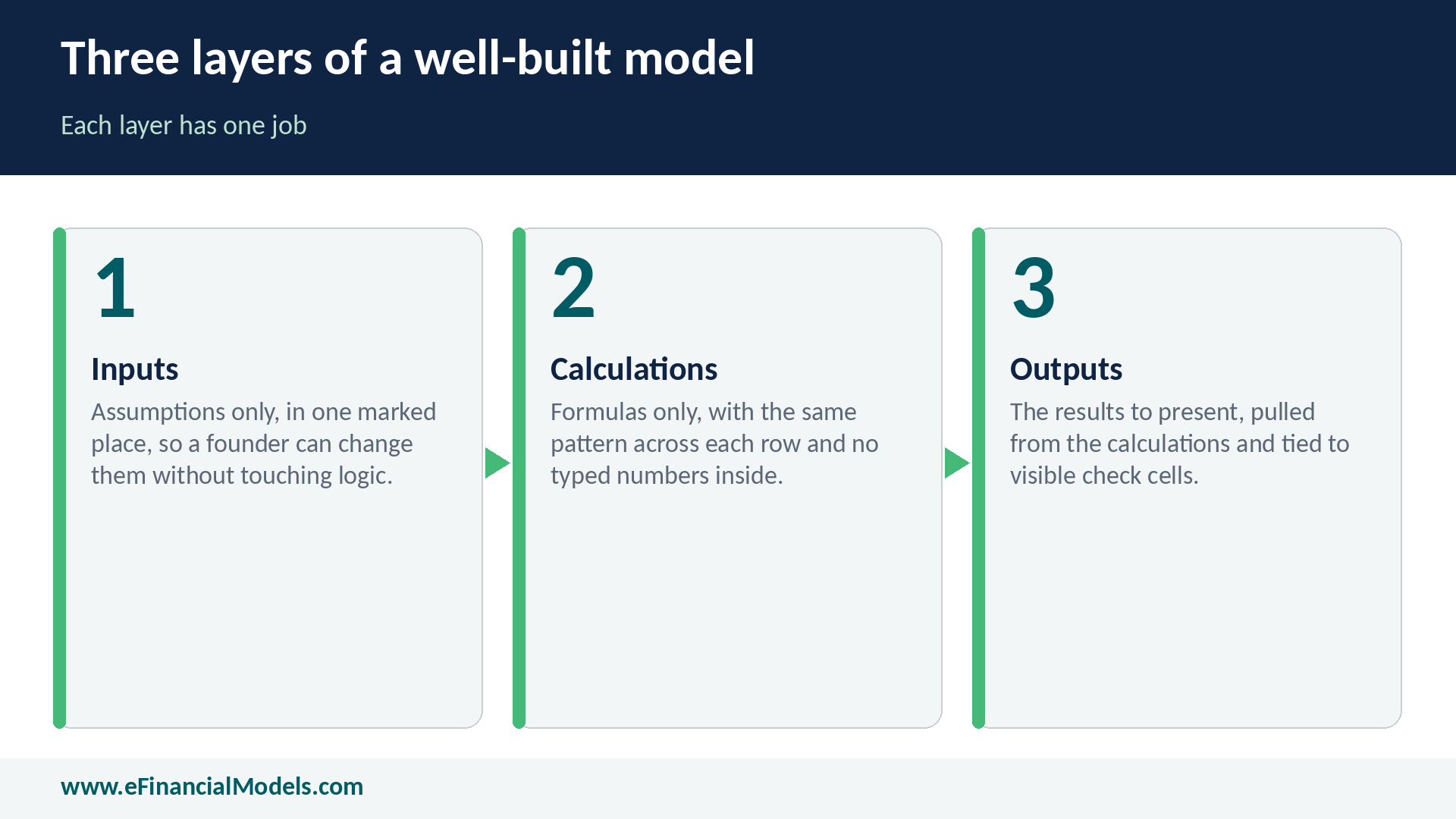
The three layers a professional-grade template keeps apart, from assumptions to the results a founder presents.
Are the formulas consistent and checked?
A professional-grade template uses the same formula across each row of a calculation and shows checks that prove its totals agree. A reviewer can then focus on whether the first cell in a row makes sense, because every cell after it repeats the pattern.
The same logic helps a buyer. Clicking several cells across a row, not only the first and last, should show the same formula pattern, and one cell that differs is a red flag.
Checks are the second signal. The ICAEW Code advises including an equality check wherever two sets of values are calculated separately but ought to match. A balance sheet that balances, or a cash total that matches the cash flow statement, can be tied to a visible check cell reading OK or showing a difference of zero. A template with no check cells asks the buyer to trust the builder.
Excel adds a third layer. Microsoft’s page on detecting formula errors says its checking rules “do not guarantee that your worksheet is error free, but they can go a long way toward finding common mistakes”. A buyer can switch them on and scan the flagged cells in a minute. Microsoft’s page on formula relationships describes the Trace Precedents and Trace Dependents commands, which draw arrows from a result to the cells feeding it and to the cells it feeds.
What documentation, support and reviews should come with it?
A professional-grade template explains itself inside the file and comes from a seller who can be contacted. The ICAEW Code advises against keeping documentation in a separate file or email that could become detached from the model. A notes tab that lists the purpose, the structure, the colour key and the main assumptions is therefore a good sign, and a file that needs a separate email to be understood is not.
Review is the other half. The same Code lists the practice “Operate a system of peer review”, meaning a second person checks the work before it is released. A buyer cannot audit the seller’s process, but can ask whether anyone else reviewed the file, read the reviews left by earlier buyers and check whether the seller has other listings with a consistent style.
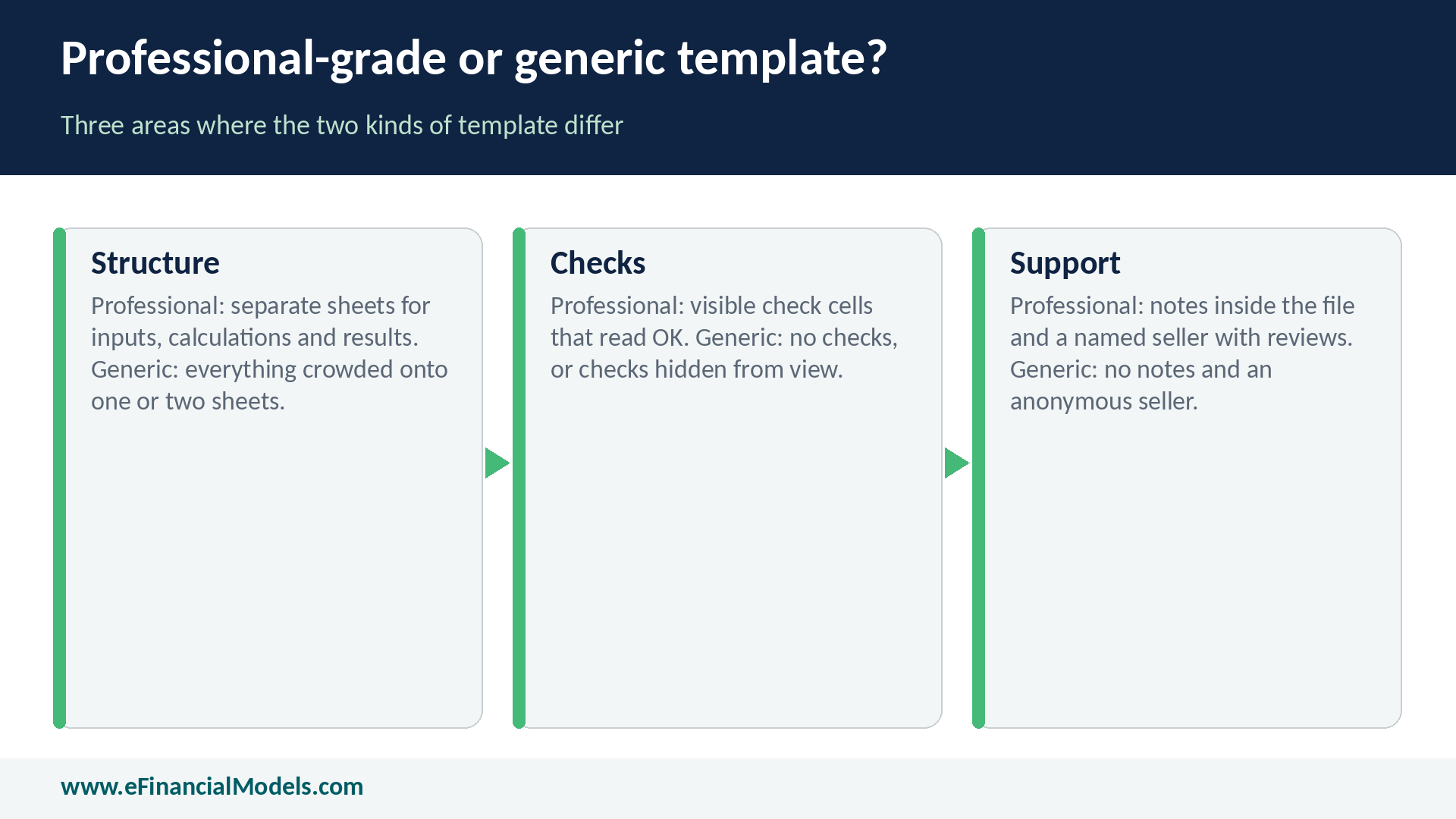
Side-by-side view of the three areas where a professional-grade template and a generic one differ.
How can a first-time founder test a template in five minutes?
Four quick steps expose common structural faults, and none needs advanced Excel skills. They need the working file, so a buyer should first ask the seller for a demo copy or a clear refund policy, and treat a missing file as a warning sign.
First, open the sheet map. Read the tab names and confirm that inputs, calculations and results sit apart. Second, trace one total. Click a headline result, such as annual profit, and follow it back with Trace Precedents until it reaches inputs; a trail that ends in a typed number inside a formula is a defect. Third, change one input, for example a price or a start date, and watch the results move in a sensible direction. A result that stays frozen means a broken link or a hard-coded value. Fourth, read the checks, and confirm that every check cell still reads OK after the change.
Worked example: scoring two templates
In this hypothetical example, a founder scores two templates on all four steps of the test described above, each step a pass-or-fail check worth one point.
Template A passes the sheet map, the traced total and the check cells, and fails only the changed-input step. Template B passes only the check cells and fails the other three steps.
Template A therefore passes 3 of the 4 steps, and Template B passes 1 of the 4. The founder shortlists A, then asks the seller why a changed input did not flow through, since that failure suggests a hard-coded cell. Price does not decide the result, so the steps apply equally to any template in the free financial model templates collection on eFinancialModels.
Conclusion
A professional-grade template shows its structure, proves its totals, explains itself and comes from a seller who can answer questions. Founders who want a template to review can start with the SaaS Business Financial Model on eFinancialModels.
Frequently Asked Questions
Does a higher price mean a better template?
Not by itself. Price reflects the seller’s positioning, the size of the model and the support offered, while quality shows up in the file’s design. Two templates at the same price can differ widely in structure and testing. A founder should score each candidate on the same checklist, compare the results and treat price as one input among several. A cheap file that passes every check beats an expensive one that hides its logic.
Can a founder check a template without advanced Excel skills?
Yes, because most checks need only reading and clicking. Reading the tab names reveals the structure, clicking a few cells reveals formula patterns, and changing one assumption reveals whether results respond. Excel’s own error flags and tracing arrows do the heavy lifting. A founder unsure about a finding can ask the seller to explain it; a clear, prompt answer is itself a quality signal, and a vague reply is another.
What should a founder do if a template has no documentation?
Ask the seller for a short description of the structure, the colour key and the main assumptions before buying. If the answer arrives quickly and matches the file, the missing notes are a small defect. If no answer arrives, or the explanation contradicts what the file shows, the safer choice is another template. Where the file is already owned, a founder can write the notes tab personally while learning the model.
Should an accountant review a template before it goes to an investor?
A review is wise whenever outside readers will rely on the numbers, because investors and lenders test assumptions and arithmetic closely. A suitable reviewer is an accountant or financial modeler who did not build the template. The reviewer should receive the template, the founder’s inputs and a short list of changes made. A second pair of eyes also catches problems that the original user has stopped seeing, so the review is worth its cost even for a template that passed every test.
How often should a purchased template be checked again?
A template should be rechecked after every structural change, such as a new product line or a new financing round, and before every important presentation. The four-step test takes little time, and repeating it after edits confirms that the check cells still read OK and that results still respond to inputs. Keeping a dated copy of each version makes it easy to find when something changed.