
0 ITEMS

Vendor Due Diligence Scorecard: Excel Third-Party Risk Assessment Template
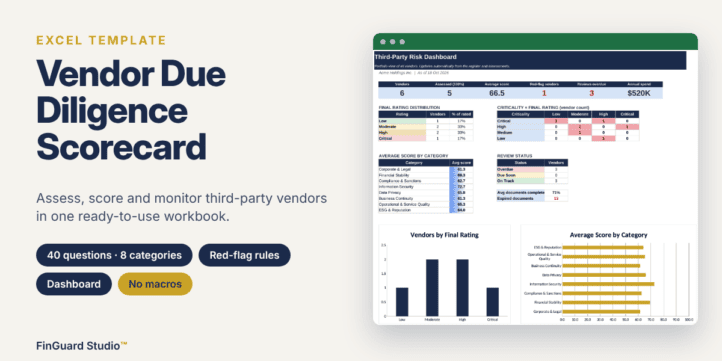
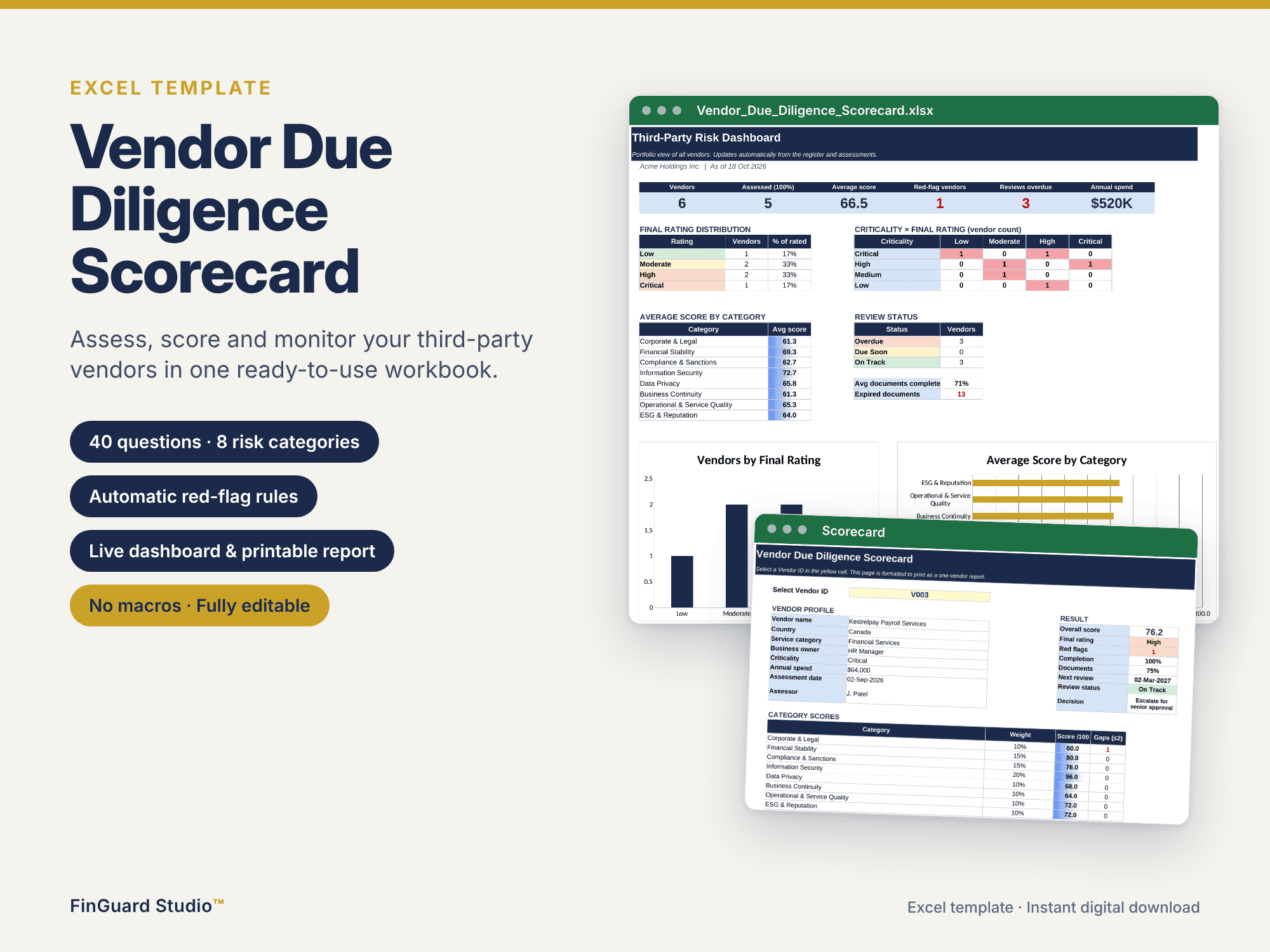
An Excel template to assess, score and monitor third-party vendors. Score 40 due diligence questions across 8 weighted risk categories, apply automatic knock-out red-flag rules, track evidence documents and review dates, and produce a one-page scorecard per vendor plus a portfolio dashboard. No macros, fully editable, with a blank template and a sample file with fictional vendors.
| All Industries, General Excel Financial Models |
| Business Template, Dashboard, Excel, Financial Due Diligence, KPIs (Key Performance Indicators), Report, Supply, Tracking |
Purpose
Onboarding a supplier without a structured review exposes a business to financial, legal, data, operational and reputational risk. The Vendor Due Diligence Scorecard gives procurement, compliance and third-party risk teams a consistent, documented and repeatable way to assess vendors in Excel, without expensive software. Every vendor is scored against the same criteria, every decision is supported by evidence, and every review date is tracked.
What’s inside
Start Here: step-by-step instructions, the scoring scale, how the rating works and a colour legend for input and formula cells.
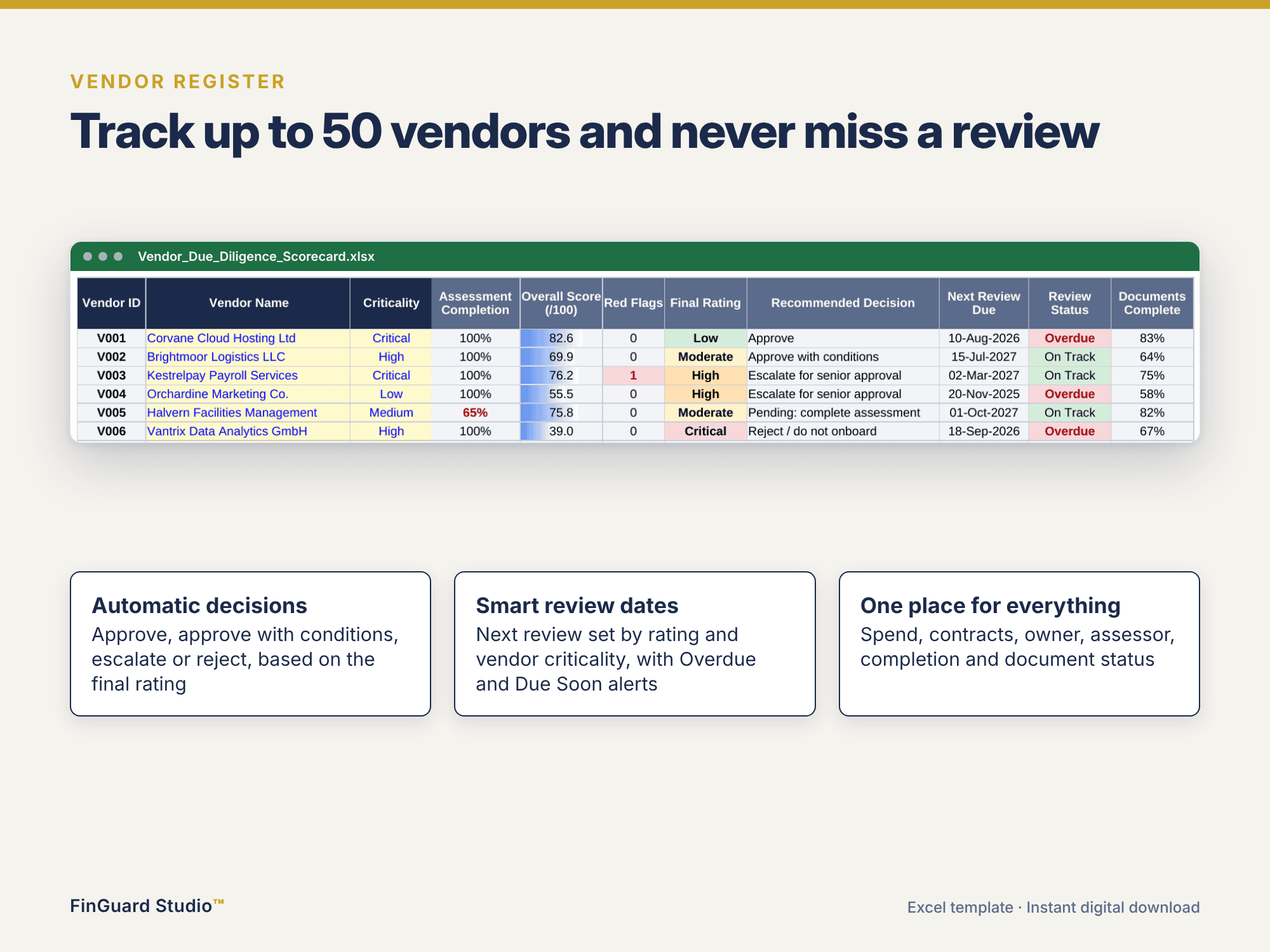
Vendor Register: capacity for 50 vendors with country, service category, business owner, criticality, annual spend, contract dates, assessment date and assessor. The register automatically shows completion, overall score, red flags, final rating, recommended decision, next review date, review status and document completeness.
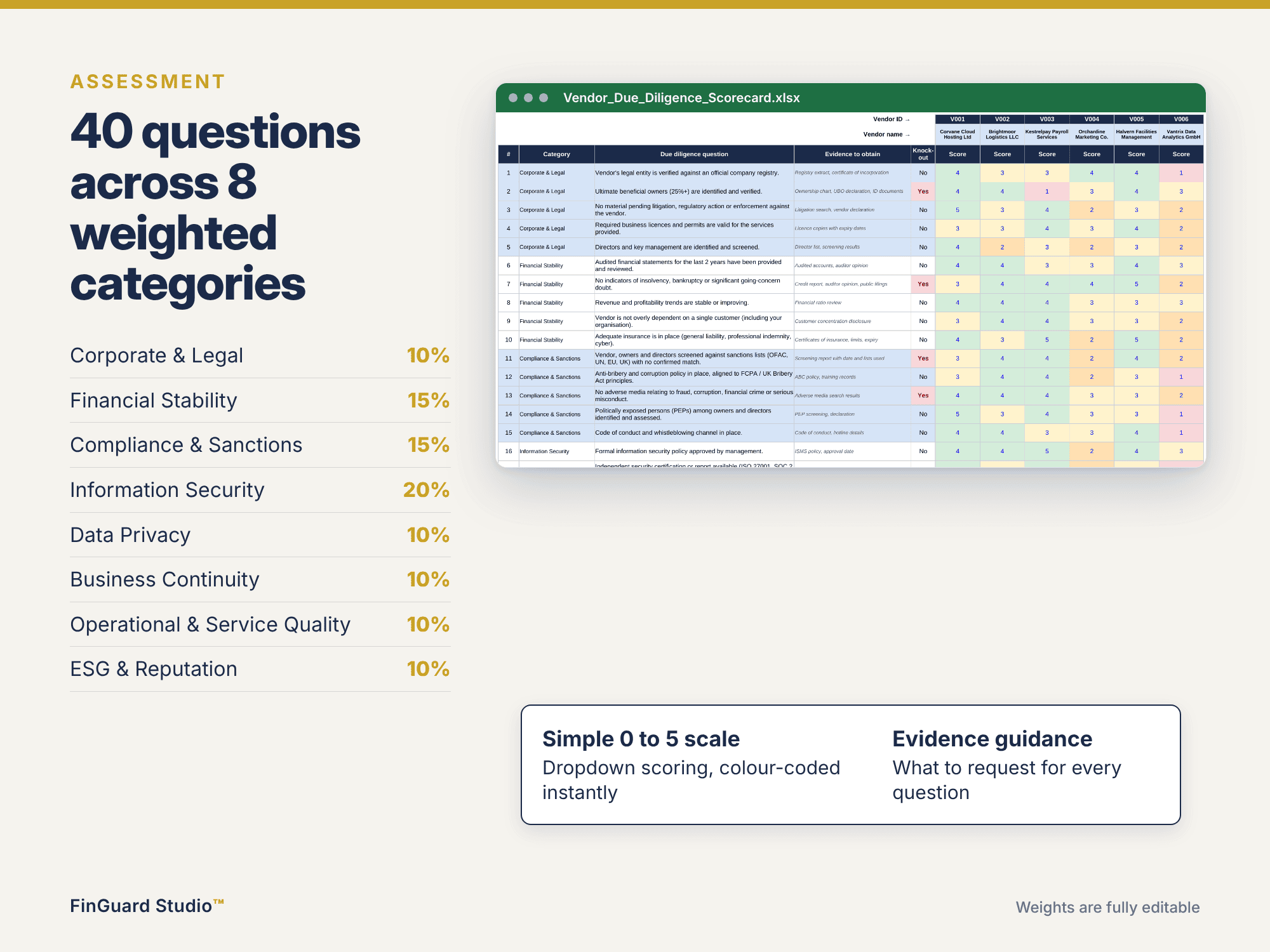
Assessment: 40 due diligence questions across 8 weighted categories: Corporate & Legal, Financial Stability, Compliance & Sanctions, Information Security, Data Privacy, Business Continuity, Operational & Service Quality, and ESG & Reputation. Each question is scored 0 to 5 or N/A from a dropdown and includes guidance on the evidence to obtain. N/A answers are excluded, and the weights rebalance automatically.
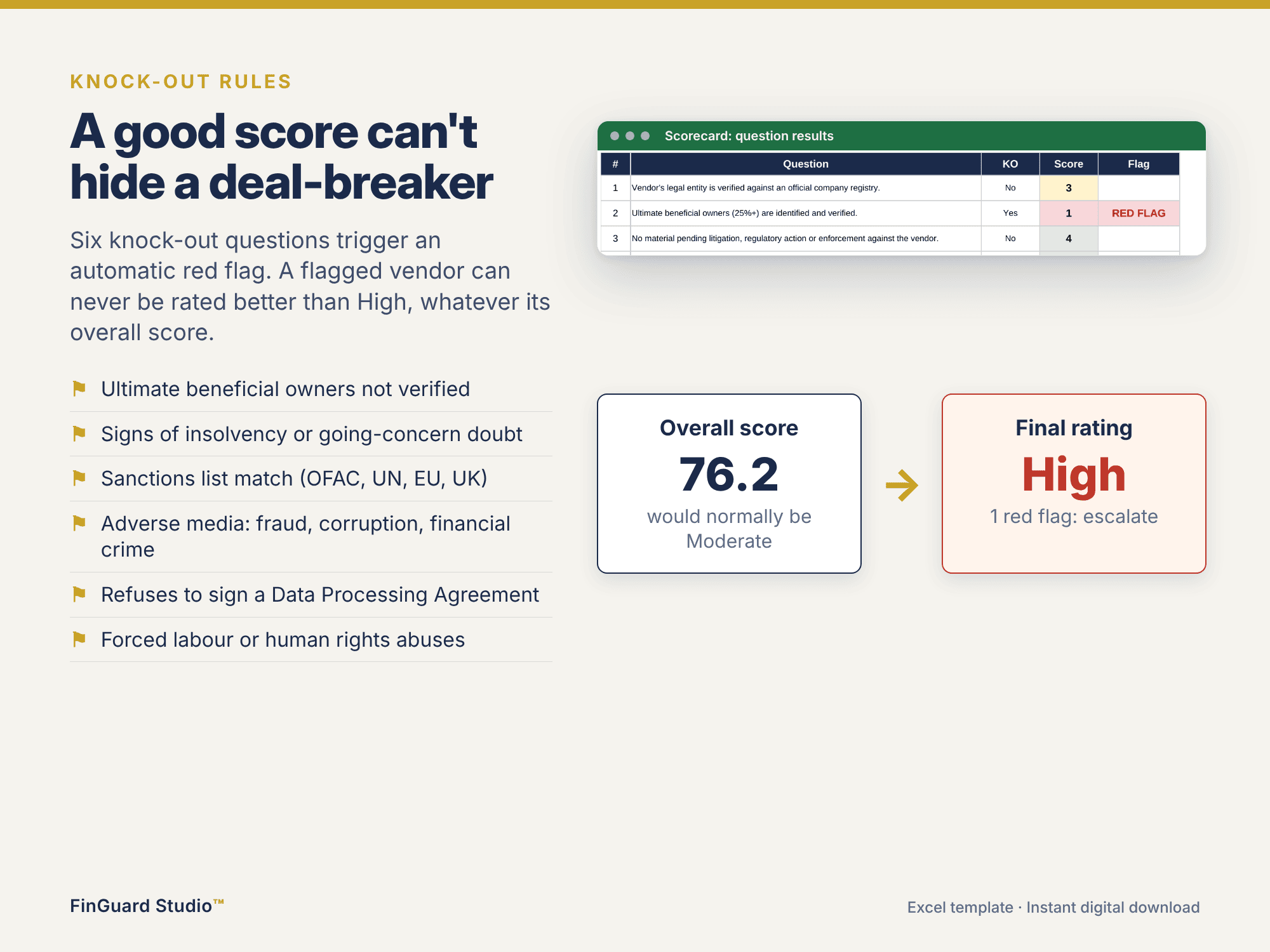
Knock-out rules: six deal-breaker questions (beneficial ownership, insolvency, sanctions screening, adverse media, data processing agreement and forced labour). A failed knockout question raises a red flag that overrides a good score, so the vendor can never be rated better than the minimum rating set in settings.
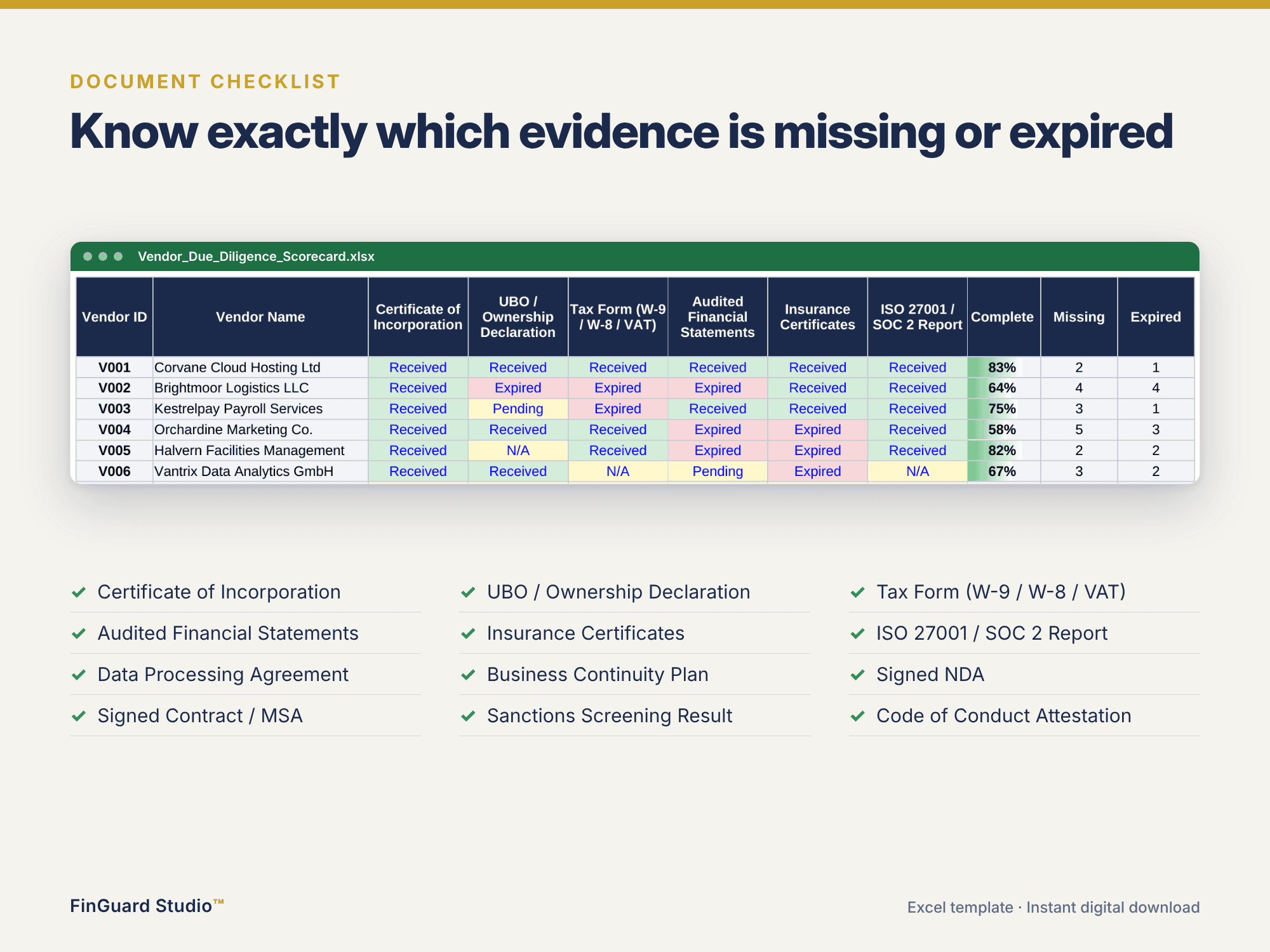
Document Checklist: 12 evidence documents per vendor (received, pending, expired or N/A) with completion percentage and counts of missing and expired items.
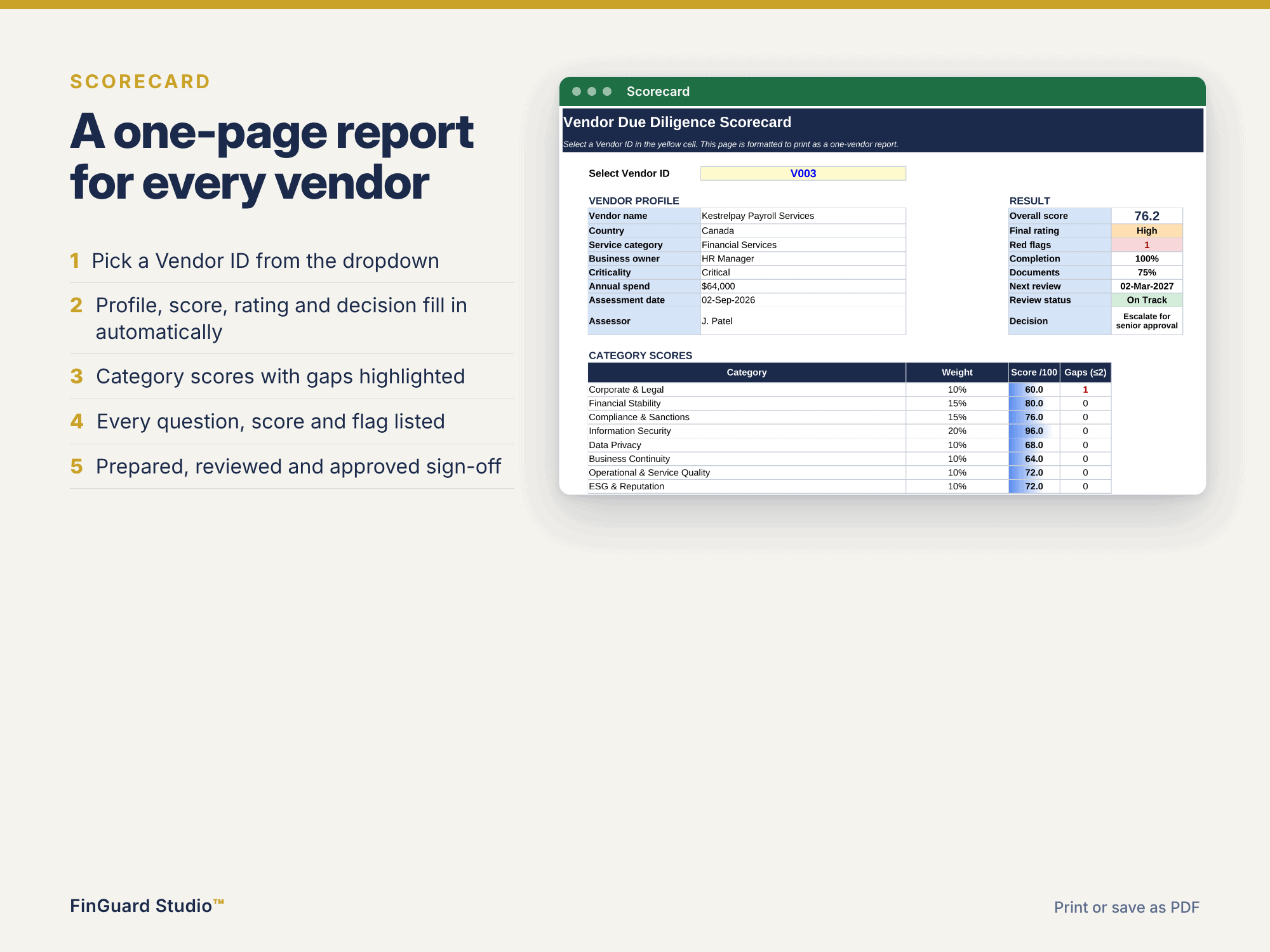
Scorecard: select a vendor ID to produce a one-page report with the vendor profile, category scores, gaps, question-level results, red flags, the recommended decision and a sign-off block. Formatted to print or save as PDF.
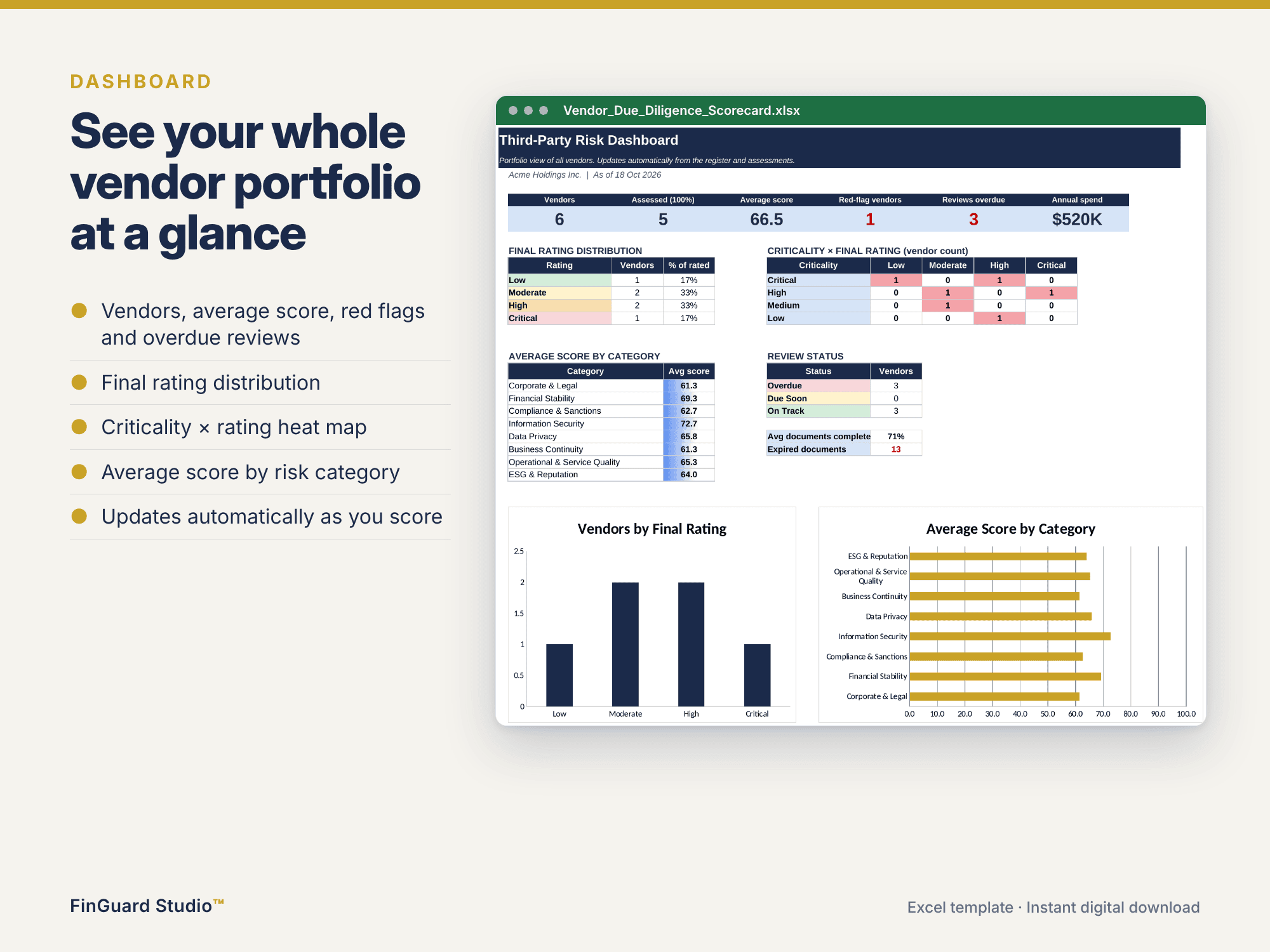
Dashboard: headline KPIs, final rating distribution, a criticality by rating heat map, average score by category, review status and charts.
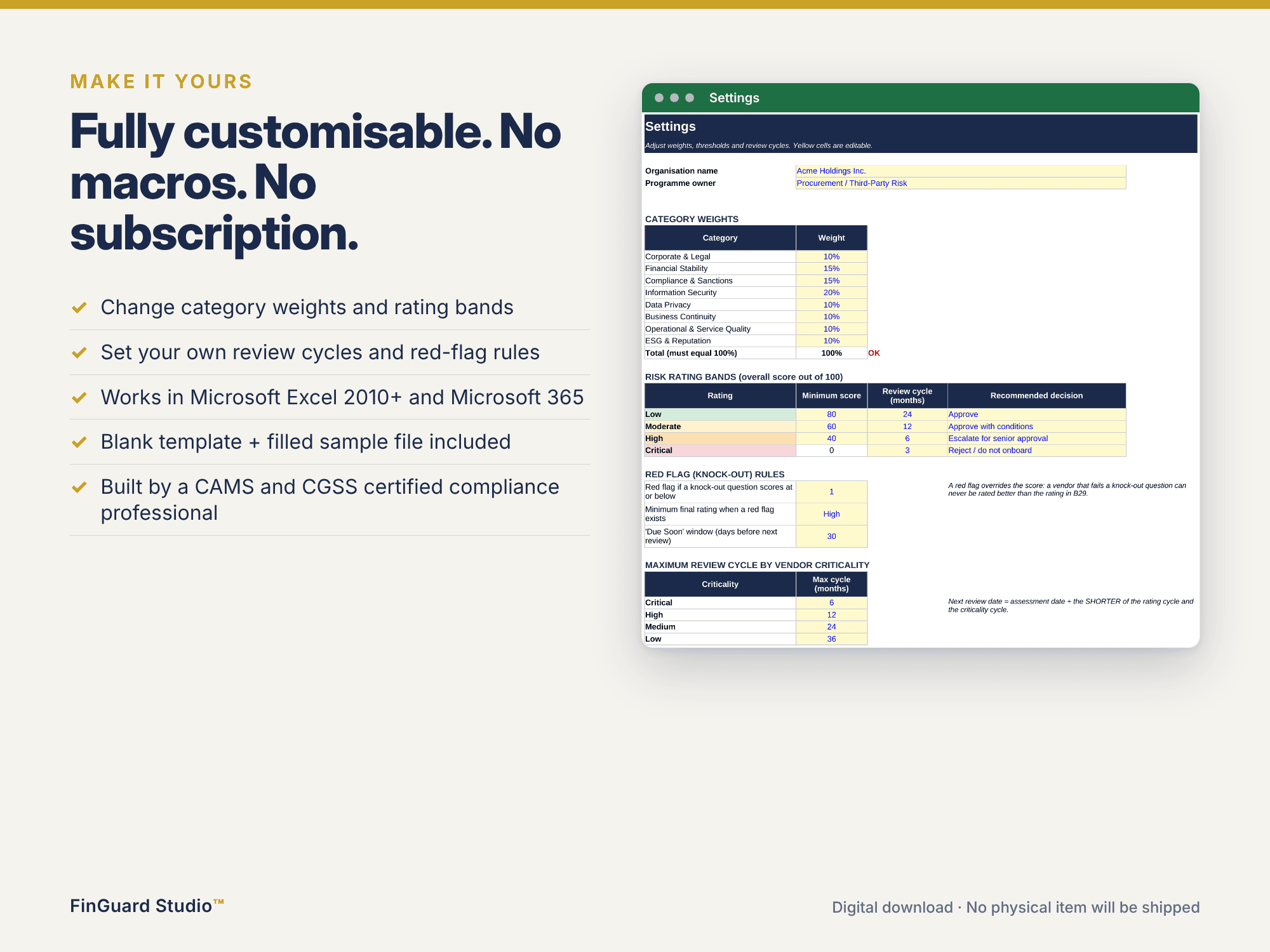
Settings: edit category weights, rating bands, review cycles by rating and by vendor criticality, and the red-flag rules.
How it works
The overall score is the weighted average of category scores out of 100. Default rating bands are Low (80+), Moderate (60 to 79), High (40 to 59) and Critical (below 40), each linked to a recommended decision: Approve, approve with conditions, escalate for senior approval, or reject. The next review date uses the shorter of the rating cycle and the criticality cycle, with Overdue and Due Soon alerts.
Files included
A blank template ready for your vendors, and a sample workbook populated with six fictional vendors showing every rating outcome.
Technical details
Microsoft Excel 2010 or later, including Microsoft 365. No macros, no add-ins and no external links. All sheets are unprotected, and all formulas are visible.
This template supports, but does not replace, your organisation’s own judgement, policies and legal or regulatory obligations.
Similar ProductsOther customers were also interested in...



 eFinancialModels
Electric Vehicle (EV) Charging Station Financial M...
With this comprehensive 5- or 10-year monthly tool, investors can assess the viability of setting up... Read more

Financial Model for Mobile App | Mobile App Busine...
The Mobile App Financial Plan Template in Excel allows you to develop financial projections when lau... Read more

 HenrySheykin
Food Truck Financial Model Excel Template
The Food Truck Financial Model helps entrepreneurs, founders, business owners, consultants, and anal... Read more

Green Hydrogen Production from Wind Energy Financi...
The Green Hydrogen from Wind Financial Model aims to comprehensively forecast a horizon of 40 years ... Read more

Simple Mutual Non-Disclosure Agreement Template
Protect your business secrets with ease using our Simple Mutual Non-Disclosure Agreement Template. S... Read more

Solar Energy Financial Model
The Solar Energy Financial Model Spreadsheet Template in Excel assists you in preparing a sophistica... Read more

 Peter Graf
The Customer-Centric Financial Model for Restauran...
Starting a restaurant without a financial plan is like driving a car blindfolded. You wouldn´t do i... Read more
You must log in to submit a review.