
0 ITEMS

Free Airbnb Expense Spreadsheet: Track Every Cost
A free Airbnb expense spreadsheet turns a shoebox of receipts into a clear monthly profit number, and it takes less than 30 minutes to set up.
Key Takeaways
- Track 8 core expense categories: cleaning, utilities, supplies, maintenance, platform fees, insurance, mortgage interest, and depreciation — missing even one can distort your true profit by hundreds of dollars per month.
- A well-structured spreadsheet needs 7 columns minimum: date, category, vendor, amount, property, tax-deductible status, and receipt reference number.
- The IRS requires hosts to split expenses into “direct” and “indirect” categories on Schedule E; a spreadsheet that pre-flags this split saves hours at tax time.
- Hosts managing 1-3 properties typically spend 2-4 hours per month on manual spreadsheet maintenance — a manageable commitment that pays off in deduction accuracy.
- Operating expenses for short-term rentals commonly run 35-55% of gross revenue; tracking every line item reveals exactly where your property sits in that range.
- Free spreadsheets are sufficient up to roughly 3 properties and 50 transactions per month; beyond that, dedicated property management software becomes cost-effective.
- 5 common spreadsheet mistakes — including mixing personal and rental expenses and forgetting depreciation — can each cost hosts $500 or more in missed deductions annually.
Why Airbnb Hosts Need Dedicated Expense Tracking
Without a dedicated system, most hosts undercount their deductible expenses and overestimate their profit. Airbnb deposits revenue directly to your bank account, but the platform does not automatically categorize your costs, leaving you to reconstruct months of spending from memory at tax time.
According to IRS Publication 527, rental income is taxable in the year you receive it, and deductions are only allowed when you can substantiate them with records. That means a receipt-less estimate won’t survive an audit. The IRS audits Schedule E filers at a higher rate than standard W-2 returns, making documentation a genuine financial safeguard, not just a best practice.
Short-term rental operating expenses commonly consume 35-55% of gross revenue [unverified: linked source is the NAR homepage and does not contain this figure]. A host earning $3,000 per month in gross bookings could be spending $1,050 to $1,650 on legitimate costs. Without a spreadsheet, those costs either go untracked or get lumped into vague categories that don’t hold up on a tax return.
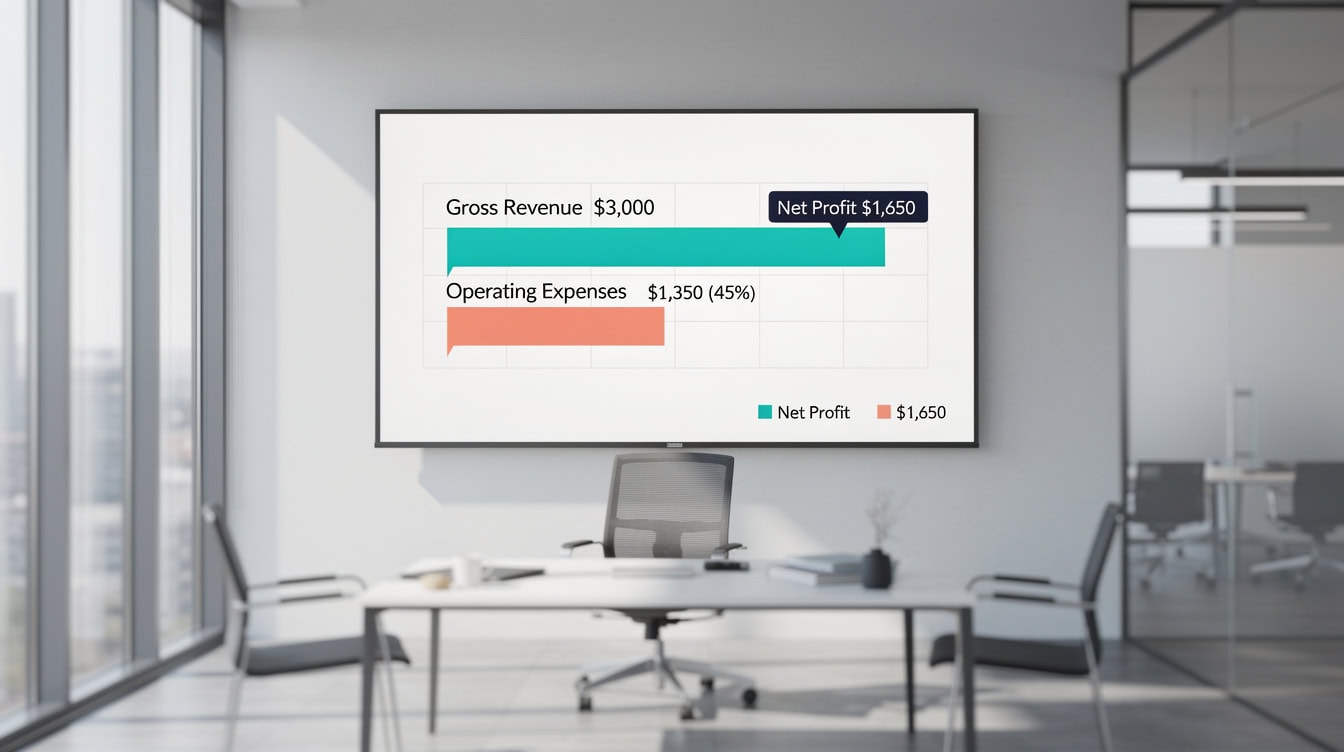
Operating expenses typically consume 35-55% of gross Airbnb revenue — tracking every category reveals where your property sits in that range.
Essential Expense Categories for Your Airbnb Spreadsheet
Every Airbnb expense spreadsheet should cover 8 core categories, each tied to a specific IRS-recognized deduction type. Skipping a category doesn’t mean the cost disappears — it means you pay tax on money you already spent.
Here are the 8 categories with real dollar-range examples:
- Cleaning fees: Professional turnover cleaning typically runs $60-$150 per stay depending on property size. Track each cleaning separately, not as a monthly lump sum, so you can tie costs to specific bookings.
- Utilities: Electricity, water, gas, internet, and trash service. For a dedicated rental unit, 100% of these costs are deductible. For a home-share (renting a room in your primary residence), you deduct only the proportional share based on square footage.
- Supplies and amenities: Toiletries, coffee, paper products, linens, and kitchen staples. Budget $15-$40 per stay for a well-stocked property.
- Maintenance and repairs: Plumbing, HVAC servicing, appliance repair, and seasonal upkeep. Repairs are deducted in the year incurred; improvements (which extend the property’s useful life) must be depreciated over time.
- Platform fees: Airbnb charges hosts a service fee of approximately 3% per booking.
This Airbnb service fee is fully deductible as a business expense [unverified: link redirects to the Airbnb Help hub and does not state the ~3% fee].
- Insurance: Homeowners, landlord, or short-term rental insurance premiums. If you use the property personally as well, you deduct only the rental-use portion.
- Mortgage interest: Deductible on Schedule E for the rental-use percentage of the property. Keep your annual Form 1098 from your lender as supporting documentation.
- Depreciation: A non-cash deduction that spreads the cost of the property structure (not land) over 27.5 years under IRS rules for residential rental property.
On a $250,000 structure, that adds up to $9,091 per year under the IRS 27.5-year depreciation schedule — a deduction many hosts miss entirely.

All 8 expense categories must appear in your spreadsheet from day one — depreciation alone can represent $9,000+ in annual deductions.
Building Your Free Airbnb Expense Spreadsheet: Column Structure
A functional expense spreadsheet needs exactly 7 columns to capture every piece of information the IRS could request. More columns add complexity without adding value at the 1-3 property level.
Set up your sheet with these column headers:
| Column | Purpose | Example Entry |
|---|---|---|
| Date | When the expense occurred | 2024-03-15 |
| Category | One of the 8 core types | Cleaning |
| Vendor | Who you paid | CleanPro Services |
| Amount | Dollar amount paid | $95.00 |
| Property | Which unit (for multi-property) | Unit A / 123 Main |
| Tax Deductible | Yes / Partial / No | Yes |
| Receipt Ref | File name or folder number | REC-2024-047 |
Add an 8th column, “Notes,” for anything that needs explanation — for example, a repair that was partially personal use. That note becomes your audit trail if the IRS ever questions the deduction.
For the revenue side, create a second tab titled “Income” with columns for: booking date, check-in date, check-out date, guest name (optional), gross payout, Airbnb fee withheld, and net deposit. Your profit calculation pulls from both tabs.
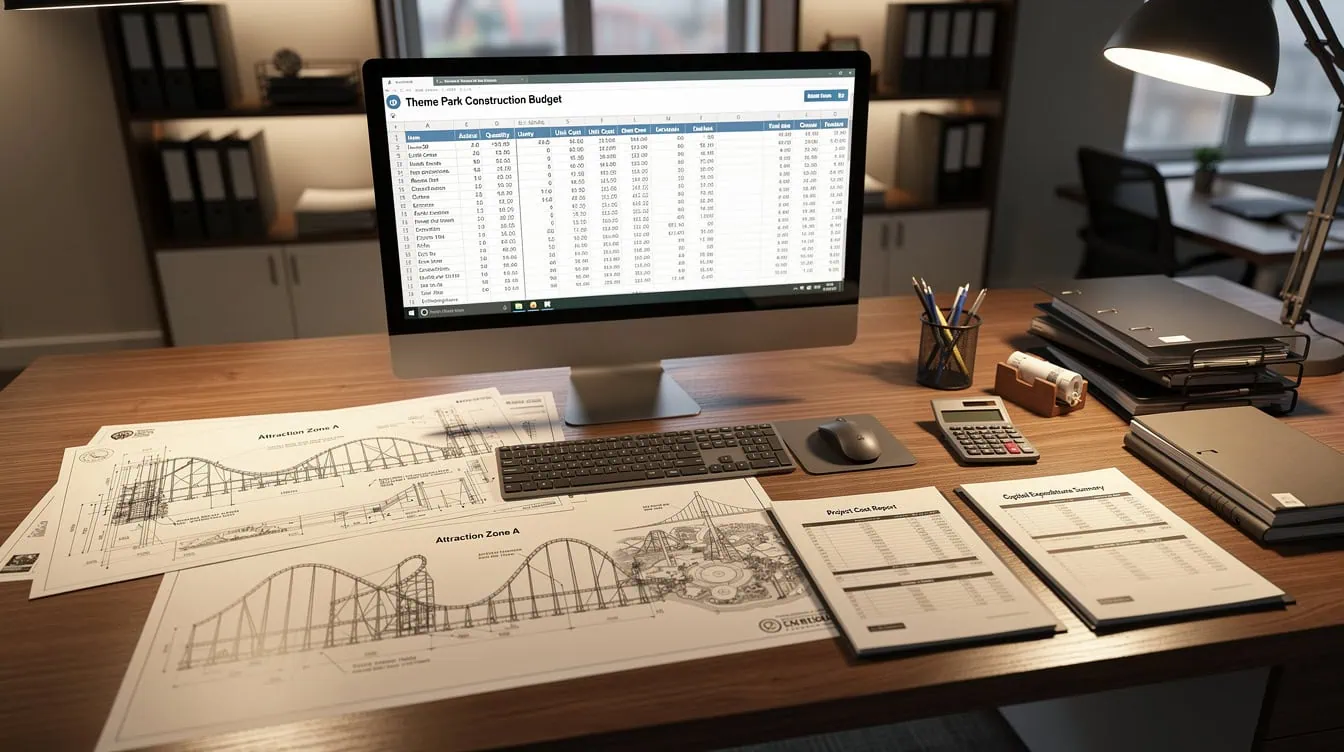
Seven columns capture every data point the IRS could request — the Receipt Ref column is your audit trail.
Connecting Expenses to Revenue: Calculating True Profitability
Net profit is gross revenue minus total expenses, but most hosts stop there and miss the full picture. True profitability also accounts for your time, vacancy rate, and the depreciation deduction that reduces your tax bill without touching your cash.
Worked Example: One Month, One Property
Here’s the math for a 2-bedroom Airbnb with 18 booked nights in March:
- Gross revenue: $2,700 (18 nights at $150 average)
- Airbnb service fee (3%): $81
- Cleaning (6 turnovers at $90): $540
- Utilities: $180
- Supplies restocking: $65
- Maintenance (HVAC filter + minor repair): $120
- Insurance (monthly pro-rata): $95
- Mortgage interest (monthly pro-rata): $420
- Depreciation (monthly pro-rata, $250k structure / 27.5 years / 12): $758
Cash expenses total: $1,501
Cash net profit: $2,700 – $1,501 = $1,199
Tax net income (after depreciation): $1,199 – $758 = $441
The depreciation deduction reduces your taxable income by $758 without you spending a dollar. Over a full year, that’s $9,096 in deductions that exist only if you track and claim them.
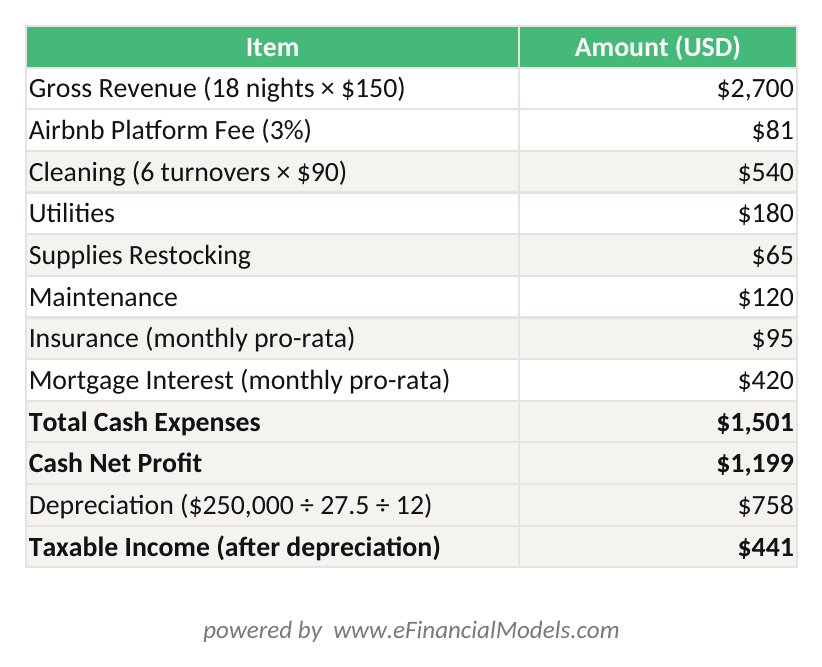
Cash Net Profit = Gross Revenue – Cash Expenses. Taxable Income = Cash Net Profit – Depreciation. On a $250,000 structure, monthly depreciation is $758.
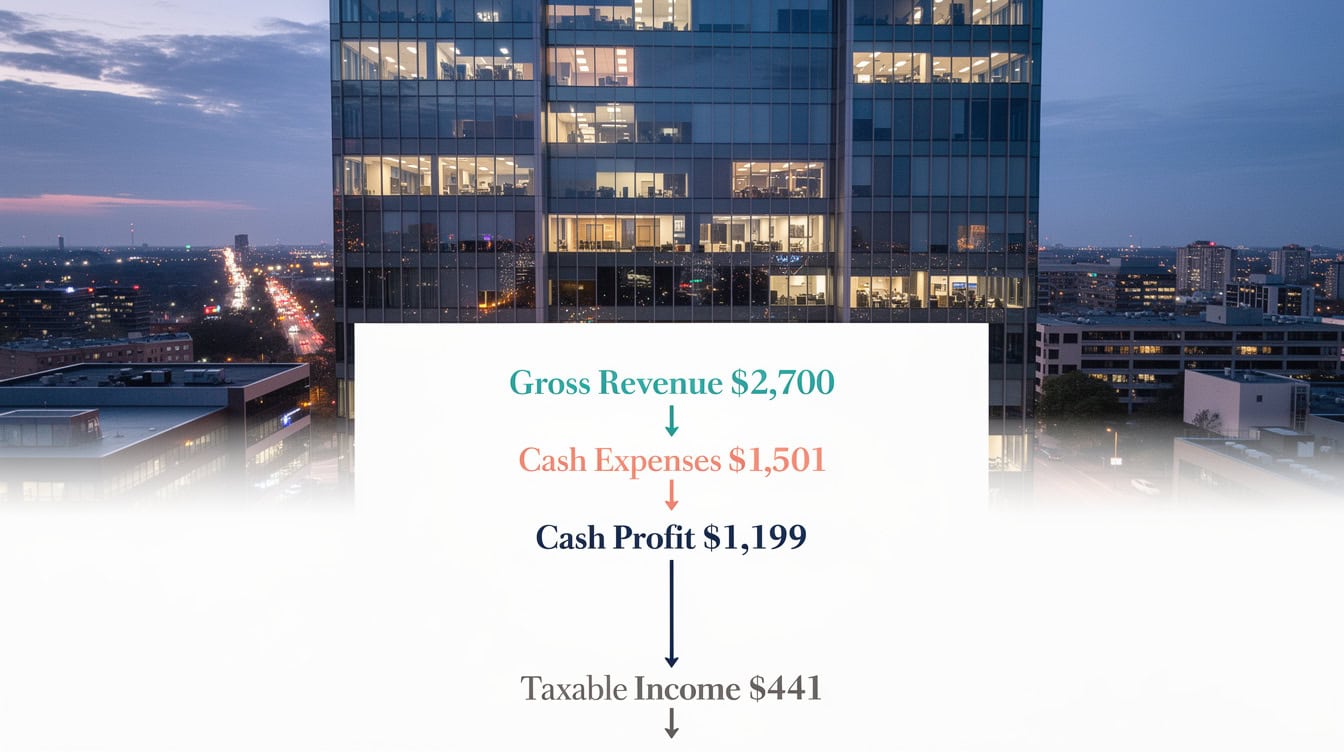
Depreciation reduces taxable income by $758 per month on a $250,000 structure without affecting cash — a deduction many hosts miss entirely.
Tax Deduction Tracking: What the IRS Requires
The IRS distinguishes between two types of rental expenses on Schedule E, and your spreadsheet must reflect this split. Direct expenses apply solely to the rental activity (cleaning, platform fees, supplies). Indirect expenses cover the whole property and must be allocated by the rental-use percentage (mortgage interest, insurance, utilities in a home-share).
For a home-share where you rent one of three bedrooms, your rental-use percentage is roughly 33%. A $1,200 annual insurance premium yields a $396 deduction, not $1,200. Your spreadsheet’s “Tax Deductible” column should flag these partial entries so you apply the correct percentage at year-end.
Under the “14-day rule” in IRS Publication 527, if you use the property personally for more than 14 days or 10% of the days it’s rented, whichever is greater, your deductions may be limited. Track personal-use nights in a separate column on your Income tab so you can calculate this threshold accurately.
Important: Tax rules for short-term rentals are complex and change with legislation. Consult a CPA or enrolled agent who specializes in rental properties before filing.
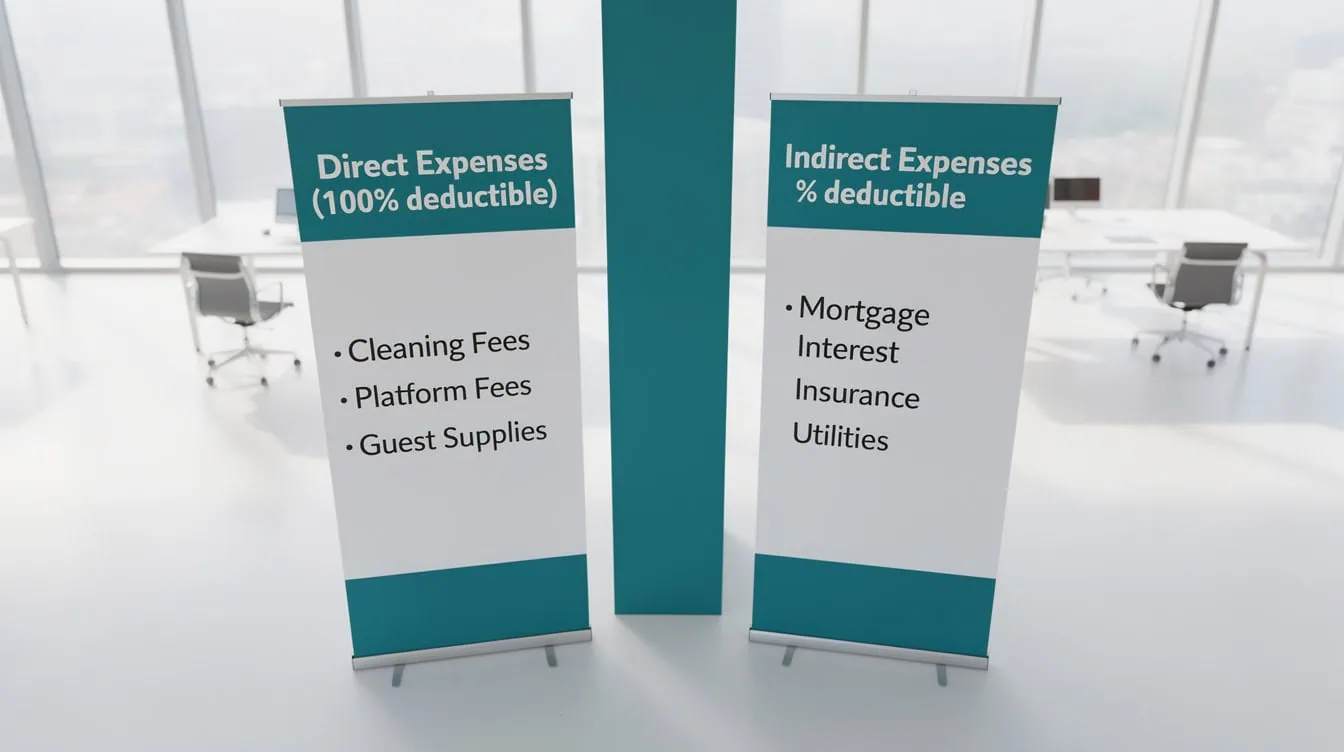
The IRS requires hosts to split expenses into direct and indirect categories on Schedule E — your spreadsheet’s Tax Deductible column enforces this split automatically.
Common Spreadsheet Mistakes That Cost Hosts Money
Most spreadsheet errors fall into 5 predictable patterns, and each one has a straightforward fix.
Mistake 1: Mixing personal and rental purchases. Buying cleaning supplies for your home and your Airbnb in one Amazon order, then expensing the full amount. Fix: split the order at purchase, or note the rental percentage in your “Notes” column and apply it at year-end.
Mistake 2: Forgetting depreciation. Depreciation is the single largest deduction most hosts miss. Fix: calculate your annual depreciation figure once (structure value divided by 27.5), divide by 12, and enter it as a recurring monthly line item.
Mistake 3: Recording Airbnb payouts instead of gross revenue. Airbnb deducts its fee before depositing. If you record only the deposit, you understate both revenue and the platform fee deduction. Fix: record gross booking value and the fee as a separate expense line.
Mistake 4: No receipt reference system. Entering an expense without linking it to a receipt means you can’t substantiate it if audited. Fix: number every receipt (REC-YYYY-NNN), store scans in a cloud folder with matching names, and enter the reference in column 7.
Mistake 5: Updating the spreadsheet quarterly instead of weekly. Memory fades fast. A $45 hardware store run in January is easy to forget by April. Fix: block 20 minutes every Sunday to enter the week’s expenses while receipts are fresh.
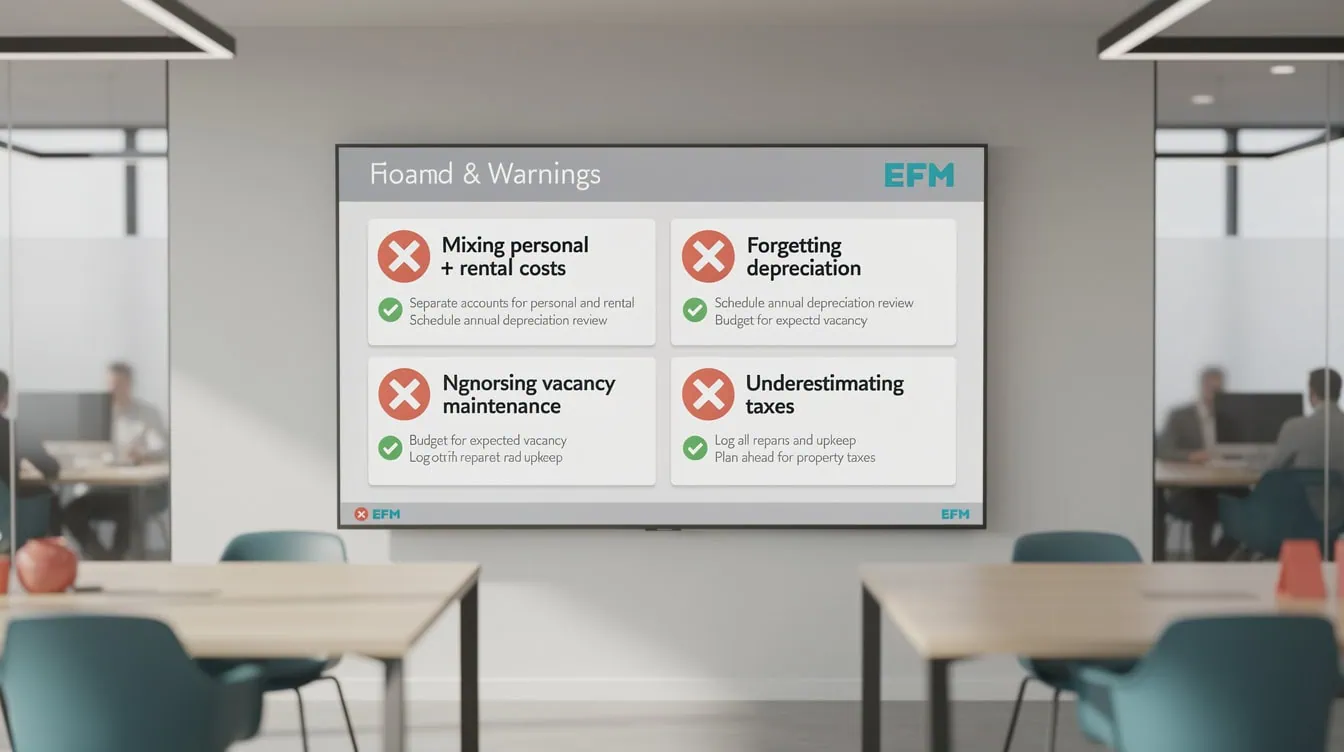
Each of these 5 mistakes can cost $500 or more in missed deductions annually — the fixes take under 5 minutes each to implement.
When to Upgrade Beyond Free Spreadsheets
Free spreadsheets work well for most hosts, but 4 specific thresholds signal it’s time to consider dedicated software. Crossing any one of these thresholds means the time cost of manual tracking likely exceeds the cost of a paid tool.
| Threshold | Spreadsheet OK | Consider Software |
|---|---|---|
| Properties | 1-3 | 4+ |
| Monthly transactions | Under 50 | 50+ |
| Admin hours per month | Under 4 hrs | 4+ hrs |
| Annual rental revenue | Under $50K | $50K+ |
Dedicated short-term rental accounting tools automate bank feed imports, categorize transactions using machine learning, and generate Schedule E reports directly. The time savings at scale typically justify costs of $20-$50 per month. For hosts below these thresholds, a well-built free spreadsheet paired with a receipt-scanning app covers every need.
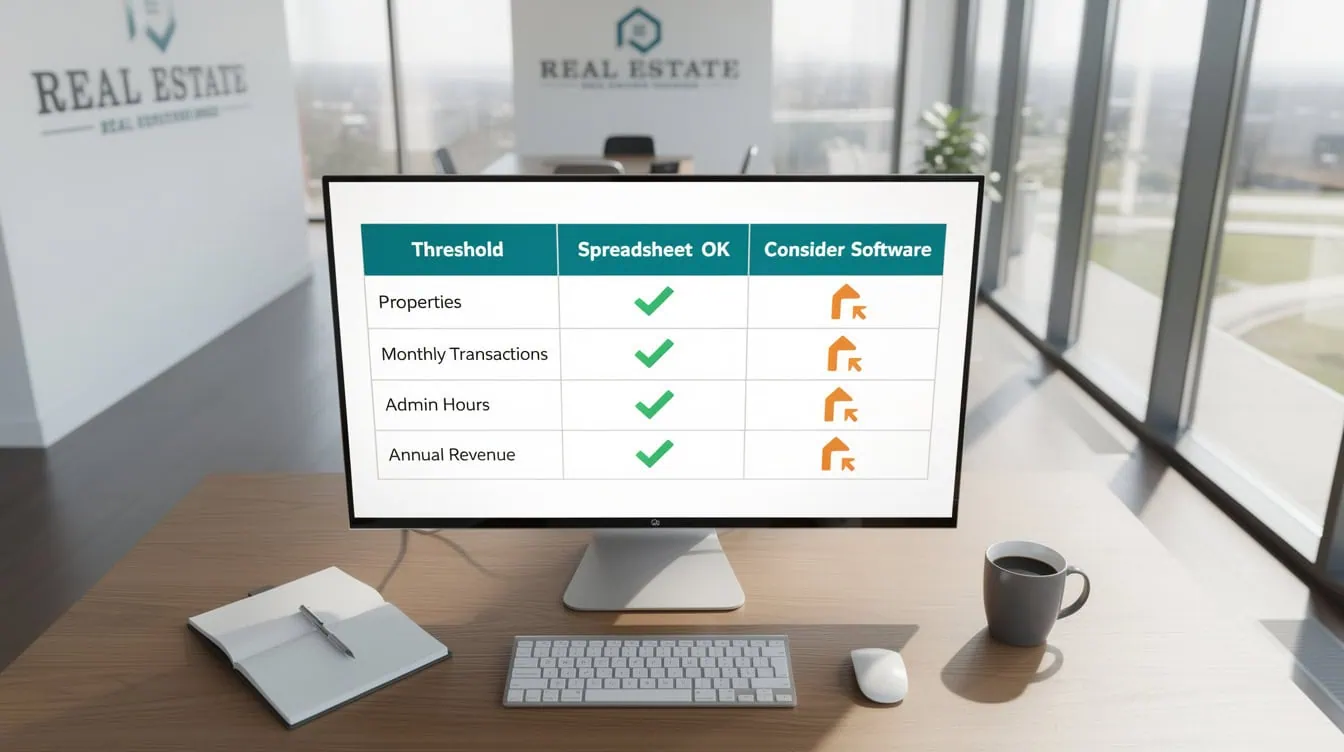
Crossing any one of these 4 thresholds signals that the time cost of manual tracking likely exceeds the $20-$50/month cost of dedicated software.
Integrating Your Spreadsheet with Banking and Receipt Tools
A spreadsheet works best when it connects to your other financial systems rather than operating in isolation. Three integrations make the biggest difference for hosts.
Dedicated bank account: Open a separate checking account for all Airbnb income and expenses. Every transaction in that account is rental-related by default, which eliminates the personal/rental mixing problem entirely. The Consumer Financial Protection Bureau recommends this separation for any side business [unverified: linked source is the CFPB homepage and does not contain this recommendation]. This single step cuts your monthly reconciliation time roughly in half.
Receipt scanning apps: Apps like Expensify or Dext (formerly Receipt Bank) let you photograph a receipt immediately after purchase. The app extracts the vendor, date, and amount using optical character recognition (OCR, a technology that reads text from images), and you assign a category. Export a monthly CSV and paste it into your spreadsheet’s expense tab.
Booking calendar sync: Export your Airbnb booking calendar as a CSV each month and paste it into your Income tab. This gives you a complete occupancy record that cross-references against your revenue entries and makes the 14-day personal-use calculation automatic.
For a ready-to-use solution, the Cash Flow Dashboard Spreadsheet from EFM gives you a pre-built framework you can adapt for rental property cash flow tracking.
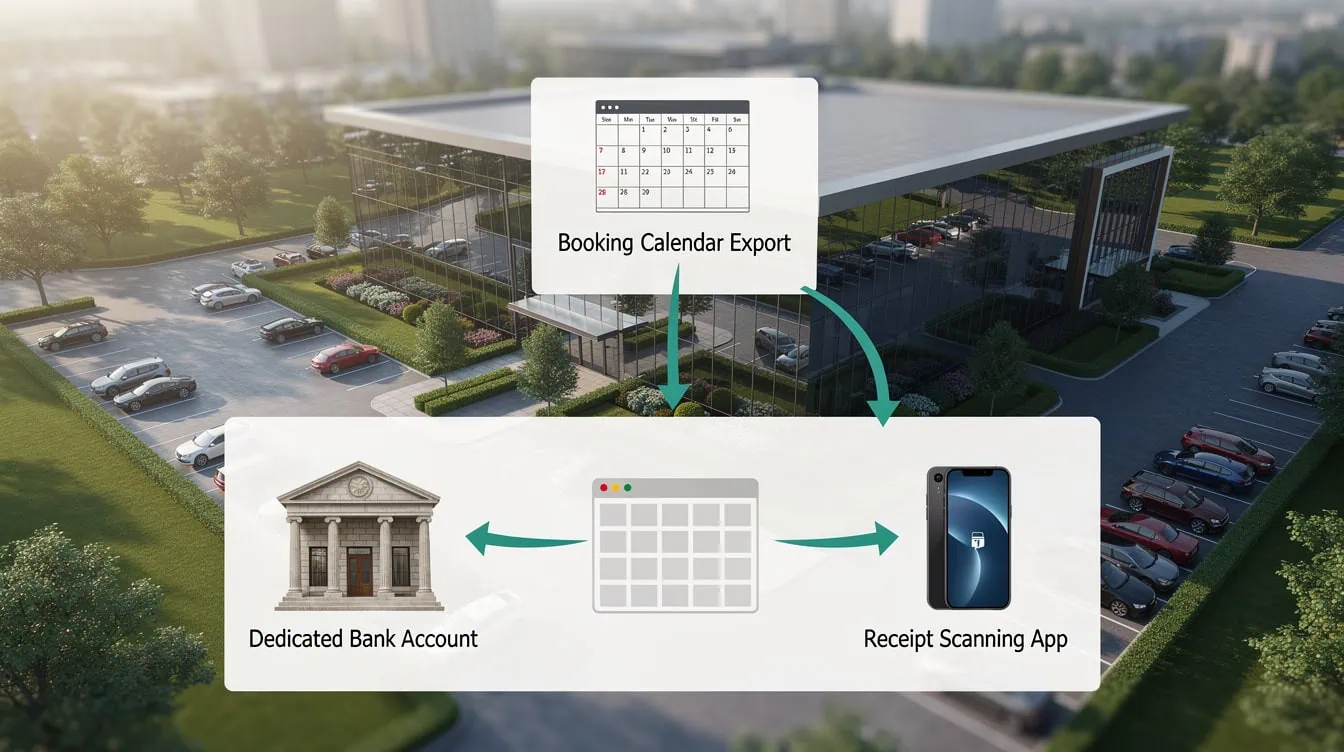
A dedicated bank account alone cuts monthly reconciliation time roughly in half by eliminating personal-rental expense mixing.
Frequently Asked Questions
What columns does a free Airbnb expense spreadsheet need?
A functional Airbnb expense spreadsheet needs 7 core columns: date, expense category, vendor name, dollar amount, property identifier (critical if you manage more than one unit), tax-deductible status (Yes / Partial / No), and a receipt reference number. The receipt reference links each row to a scanned document stored in a cloud folder, which is the documentation the IRS requires if you’re ever audited. Add an optional 8th “Notes” column for partial-use explanations. This structure handles every expense type from a $4 light bulb to a $1,200 insurance premium without modification.
How do I calculate net profit in my Airbnb spreadsheet?
Net profit equals gross booking revenue minus total cash expenses. In your spreadsheet, use a summary tab that pulls the SUM of your Income tab’s gross payout column and subtracts the SUM of your Expenses tab’s amount column. For example: $2,700 gross revenue minus $1,501 in cash expenses equals $1,199 net cash profit. For tax purposes, also subtract your monthly depreciation figure (property structure value divided by 27.5 years, divided by 12 months). On a $250,000 structure, that’s $758 per month, reducing taxable income to $441 in this example without affecting your cash position.
What is the IRS 14-day rule for Airbnb hosts?
The IRS 14-day rule (detailed in IRS Publication 527) limits your rental deductions if you personally use the property for more than 14 days or more than 10% of the total days it’s rented out, whichever is greater. For example, if your property is rented 200 days and you use it personally for 25 days, your threshold is 20 days (10% of 200). Exceeding that threshold means the IRS treats the property as a personal residence with rental activity, which caps your deductible expenses at the amount of rental income. Track every personal-use night in your spreadsheet’s Income tab to monitor this threshold year-round. Always consult a tax professional for your specific situation.
How many hours per month does spreadsheet maintenance take?
Hosts managing 1-3 properties typically spend 2-4 hours per month on manual spreadsheet maintenance when they update weekly. The breakdown is roughly 20 minutes per week for data entry, plus 30-45 minutes at month-end for reconciliation and a quick review of the monthly profit summary. Hosts who update monthly instead of weekly often spend 4-6 hours in a single session because they must reconstruct transactions from bank statements and faded memories. Weekly updates are faster in total and produce more accurate records. If your maintenance time exceeds 4 hours per month consistently, that’s a signal to evaluate dedicated software.
Can I use a free spreadsheet for multiple Airbnb properties?
Yes, a free spreadsheet handles 2-3 properties well if you add a “Property” column to every expense and income row. Create a summary tab that uses SUMIF formulas (a function that adds only rows matching a specific criterion, such as a property name) to calculate profit separately for each unit. For example: =SUMIF(D:D,”Unit A”,E:E) sums all amounts in column E where column D equals “Unit A.” This gives you a per-property P&L without building separate files. Beyond 3-4 properties or 50 monthly transactions, the manual effort typically justifies upgrading to property management software with automated bank feeds.
Which Airbnb expenses are only partially deductible?
Expenses that cover both personal and rental use are only partially deductible, and the deductible portion equals the rental-use percentage of the property. For a home-share where you rent one of four rooms, your rental-use percentage is 25%. Apply that percentage to mortgage interest, homeowners insurance, property taxes, and utilities. Direct rental expenses — cleaning fees, platform fees, supplies purchased solely for guests — are 100% deductible regardless of personal use. Your spreadsheet’s “Tax Deductible” column should flag partial items so you apply the correct percentage when preparing Schedule E. A CPA familiar with short-term rental rules can confirm your allocation method.
What’s the biggest tax deduction Airbnb hosts miss?
Depreciation is the most commonly missed deduction for Airbnb hosts. It’s a non-cash deduction that reduces your taxable income by the cost of the property structure (excluding land) spread over 27.5 years under IRS rules for residential rental property. On a property with a $275,000 structure value, annual depreciation is $10,000 — a deduction that exists every year without you spending a dollar. Many hosts skip it because it requires a cost segregation or appraisal to separate land value from structure value, but the tax savings are substantial. Add a recurring monthly depreciation line to your spreadsheet and consult a tax professional to confirm your depreciable basis.
Conclusion
A free Airbnb expense spreadsheet is the most cost-effective financial tool available to hosts managing 1-3 properties. Set it up with 7 columns, populate all 8 expense categories from day one, and update it every Sunday. That 20-minute weekly habit protects thousands of dollars in deductions and gives you a real profit number you can act on.
I recommend downloading the Short Term Rentals (Airbnb) Financial Model – Dynamic 10 Year Forecast from EFM — it includes pre-built expense categories, formula-driven profitability calculations, and a tax preparation worksheet that covers Schedule E requirements, so you can start managing your rental finances professionally from your first booking.
























































