0 ITEMS

Excel Financial Model Customization: DIY or Pro Help?

A founder can customize a template alone when the changes touch inputs, labels and timing, and should hire a professional when the changes alter the model’s structure. Time, complexity and cost decide the choice, and a quick hour count usually settles it.
Key Takeaways
- Do-it-yourself customization fits changes to inputs, labels and dates; structural changes such as new revenue logic or debt terms usually need a professional.
- Spreadsheet errors are common: Raymond R. Panko’s audit page reports important errors in 91% of 55 spreadsheets in its Core 5 studies.
- Hiring pays off when the founder’s hours, at their hourly value, cost more than the professional’s fee plus review hours.
- Data validation, sheet protection and formula tracing make a self-edited model safer, and they cost nothing beyond Excel itself.
- A hybrid route works well: the founder edits inputs, and a professional reviews or extends only the structural parts.
Can a founder customize a financial model template alone?
Yes, when the edits stay inside the template’s existing structure. Do-it-yourself (DIY) customization means a founder edits a ready-made Excel model personally instead of paying a specialist, and it works for changing assumptions, renaming lines, adjusting dates and adding rows that follow an existing pattern. It stops working well when a change needs new logic, because every new formula has to connect correctly to the statements around it.
The Excel templates collection on eFinancialModels lists ready-made Excel financial models, and the design intent of such a template is that the user fills in inputs while the template calculates the rest.
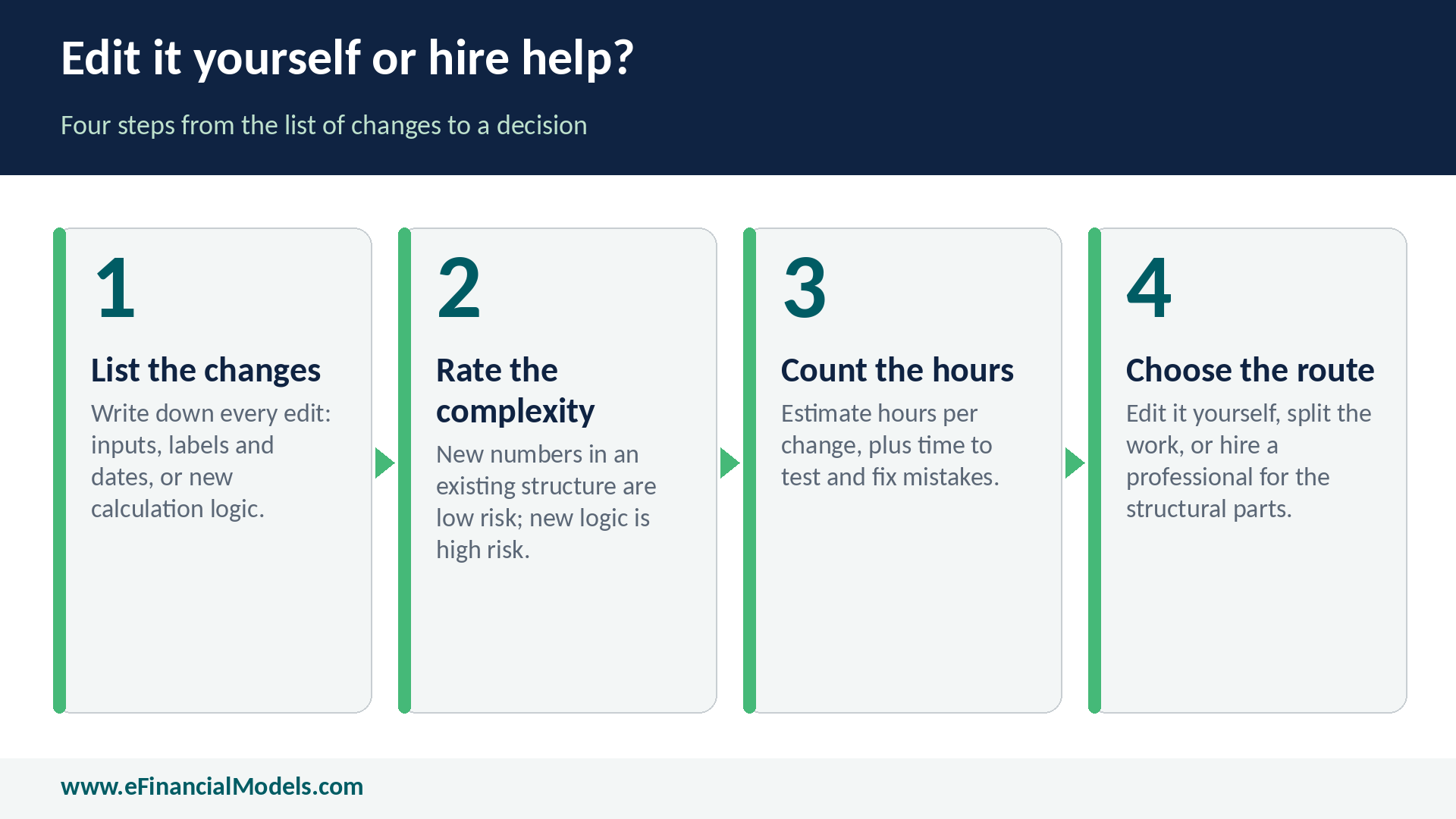
Decision path from the first list of changes to a choice between self-editing, a hybrid route and hiring a professional.
Which changes are safe to do yourself, and which are not?
Safe changes keep the structure intact; risky changes rewire it. A short sort of the change list into those two groups is the fastest way to see where a project stands.
| Change | Typical difficulty | Usual route |
|---|---|---|
| Update prices, volumes and growth inputs | Low | Do it yourself |
| Rename lines, change the currency label, shift the start date | Low | Do it yourself |
| Add a product line that copies an existing one | Medium | Do it yourself, then review |
| Add a new revenue model, such as subscriptions instead of unit sales | High | Professional |
| Add loans, equity rounds or tax rules | High | Professional |
| Link several entities or currencies into one consolidated model | High | Professional |
A rule of thumb follows from the table: any change that adds a new calculation chain, rather than new numbers in an existing chain, belongs on the professional list.
How do time, complexity and cost compare?
Self-editing costs mostly time, while professional help costs mostly money; complexity decides which bill is larger. Time for a self-edit grows quickly once a model has several linked sheets, because each change has to be traced through the links it touches. Complexity also raises the chance of a hidden mistake, which is the real cost of a slow, unreviewed edit.
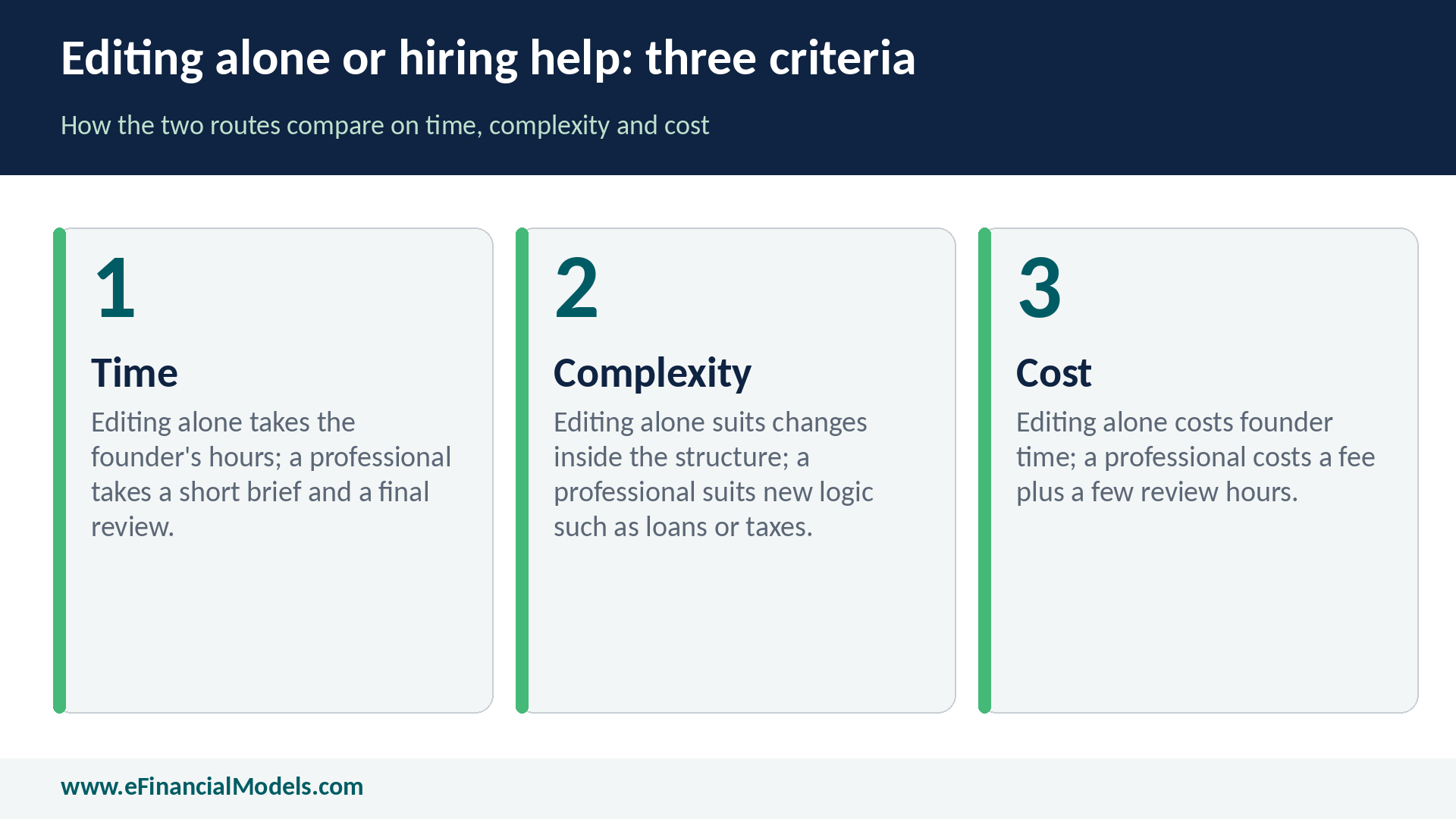
Side-by-side view of the three criteria that decide between self-editing and professional help.
What do the two routes look like in hours and money?
The table gives editorial estimates for planning, not measured averages, and every range depends on the size of the model and the founder’s skill.
| Criterion | Edit it yourself | Hire a professional |
|---|---|---|
| Time for input and label changes (illustrative estimate) | 2 to 8 hours | 1 to 3 founder hours for the brief |
| Time for a structural change, such as a loan schedule (illustrative estimate) | 20 to 60 hours | 3 to 8 founder hours for brief and review |
| Complexity it suits | Changes inside the existing structure | New logic, such as loans, taxes or new revenue models |
| Main cost | The founder’s time, plus the risk of unseen mistakes | A fee, plus the founder’s brief and review time |
The worked example below turns these estimates into a cost comparison.
How common are spreadsheet errors?
Errors are common enough to count as a cost. Raymond R. Panko’s spreadsheet audits page covers the “Core 5” studies, which it says used strong methodologies, and includes the lines: “These studies collectively examined 55 spreadsheets. They found important errors in 91% of them.” The page is a compilation of past audits, so the figure shows a long-standing pattern, not a current error rate, but it explains why a second pair of eyes is worth paying for.
Why does model quality matter when a founder seeks funding?
Financing is common among small firms, and lenders and investors review the numbers. The Federal Reserve Banks’ 2026 Report on Employer Firms, which reports the 2025 Small Business Credit Survey, finds that 60% of firms applied for financing in the 12 months before the survey and that 42% of applicants received the full amount they sought. The survey drew 6,525 responses from a nationwide convenience sample of small employer firms, so the results describe respondents, not all small firms. A model that may be read by a lender is a reason to have a self-edited model reviewed before it is shared.
How can a self-edited model be made safer?
Three built-in Excel features reduce the risk without any extra cost. Each one targets a different failure: bad inputs, accidental overwrites and unseen formula links.
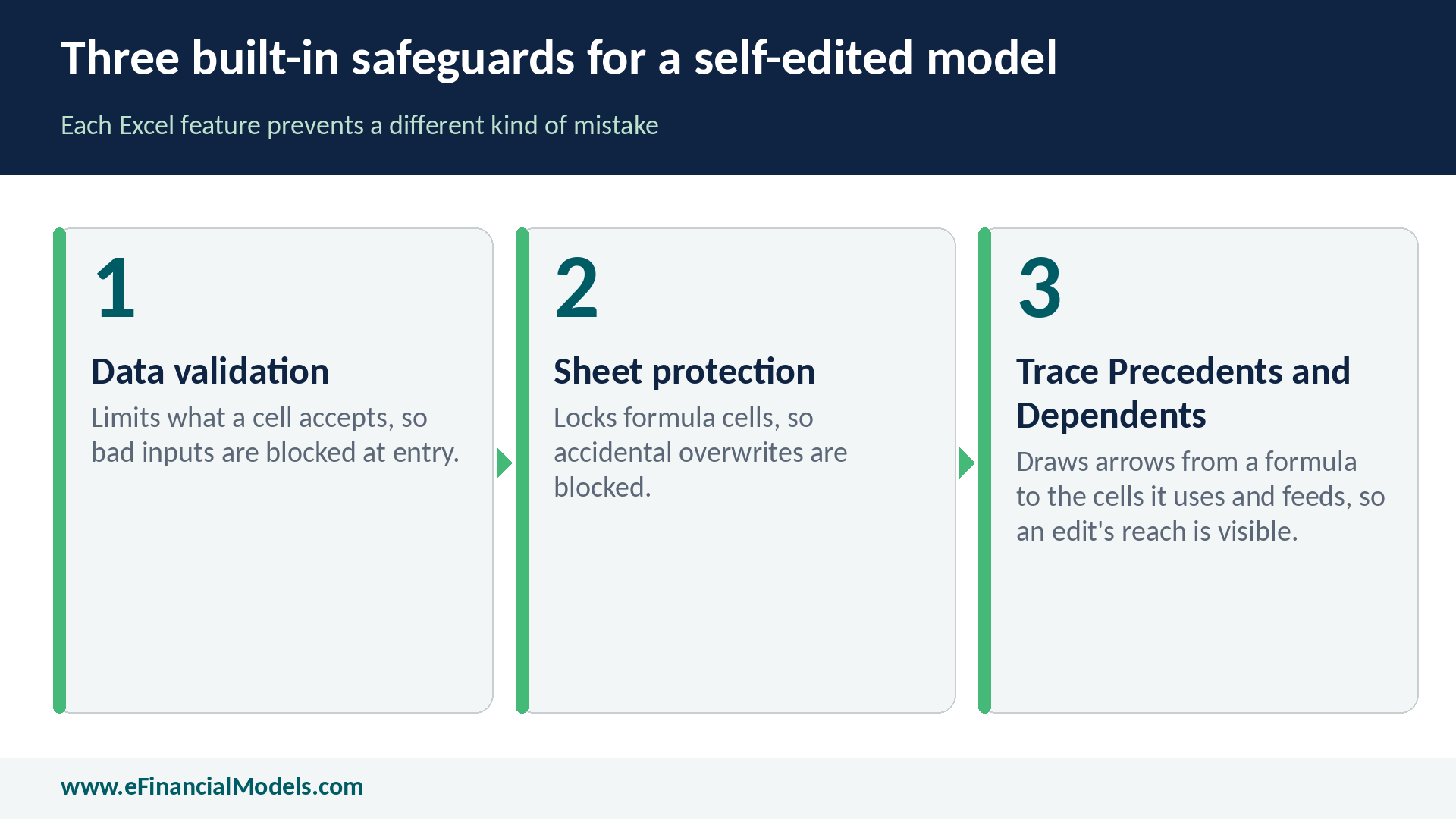
The three built-in Excel safeguards and the failure each one prevents.
First, data validation limits what a cell accepts. Microsoft’s support page says to “Use data validation to restrict the type of data or the values that users enter into a cell, like a dropdown list.” Applied to inputs such as growth rates or dates, it blocks typos before they reach the statements. The Microsoft data validation guide covers the steps.
Second, sheet protection locks formula cells so that only input cells can change. Microsoft notes that “Worksheet level protection isn’t intended as a security feature”, so it guards against accidents, not against a determined user. See the protect a worksheet guide for the steps.
Third, the Trace Precedents and Trace Dependents commands draw arrows between a formula and the cells it uses or feeds. The formula relationships page from Microsoft describes both commands, and they let a founder see what an edit touched before saving it.
When does hiring a professional pay off?
Hiring pays off when the founder’s own hours, valued at an hourly rate, cost more than the professional’s fee plus the founder’s review hours at the same rate. The eFinancialModels custom financial modeling services collection lists the service offers available for this route.
Worked example: hours against fees
In this hypothetical example, a founder values their own time at 50 USD per hour. The modeled change is adding a loan schedule to a template. A self-edit takes 48 hours, inside the 20 to 60 hour range of the table above, counting 40 hours to build the changes and 8 hours to find and fix mistakes. A professional charges a flat fee of 1,500 USD and needs 6 founder hours for the brief and the final review, inside the 3 to 8 hour range of the table.
| Item | Do it yourself | Professional |
|---|---|---|
| Founder hours | 48 | 6 |
| Time cost (hours × 50 USD) | 2,400 USD | 300 USD |
| Fee (cash paid) | 0 USD | 1,500 USD |
| Total cost, cash plus time | 2,400 USD | 1,800 USD |
The table follows one rule: total cost is founder hours times 50 USD plus the fee, so the self-edit totals 2,400 USD and the professional route 1,800 USD. Because the example’s self-edit takes 48 hours against 6 hours of founder time on the professional route, hiring wins here despite the fee. A founder with little cash and spare time may still prefer the self-edit, since only the 1,500 USD fee is cash paid out. The example leaves out the cost of an undetected error, which would push the balance further toward review.
Is there a middle path?
Yes, and for many first-time founders it is a good compromise between cost and risk. The founder fills in inputs and edits labels, and a professional builds or reviews only the structural pieces, such as a loan schedule or a tax block. A startup financial model template is a practical starting point for that split, since the collection lists templates built for new businesses.
Conclusion
Self-editing suits changes to inputs, labels and dates, and professional help suits changes to the model’s logic. Founders who want a customizable starting point can use the General Financial Model Bundle from eFinancialModels, whose page describes its Excel templates as designed by experts and customizable to specific needs.
Frequently Asked Questions
How long does it take to customize a financial model template?
As an editorial estimate, a light edit of inputs and labels takes roughly 2 to 8 hours, while adding new revenue logic or financing terms takes roughly 20 to 60 hours, because each addition must be tested against the statements. A sensible plan is to list every change first, estimate hours per change, and add a buffer for testing. If the total comes near a professional’s quoted price, the quote deserves a closer look.
What skills does a founder need to edit a model alone?
The founder needs comfort with basic formulas, absolute and relative cell references, and reading how a sheet links to others. Knowledge of the income statement, cash flow statement and balance sheet helps, since each edit has to keep profit, cash and balance sheet consistent. Founders without that grounding can still change inputs safely, provided the formula cells are locked and every input has a validation rule.
Should a professional review a self-edited model?
A review is wise before the model goes to a lender or investor, because readers of those documents will test the numbers. The reviewer should receive a short change log listing every edit, and should check that totals reconcile, that signs are consistent and that no input is hidden inside a formula. A review is usually cheaper than a full rebuild, and it catches the mistakes that self-checking tends to miss.
Can a professional work from a template the founder already owns?
Usually yes, and starting from the founder’s template often lowers the fee, since the structure already exists. The professional adds the missing logic, documents each addition and hands back a file the founder can keep updating. The brief should state which cells stay as inputs, which outputs matter to the reader, and which assumptions are fixed, so no time is lost on guesses.
What should be written down before asking for a quote?
A good brief names the business model, the forecast length, the currency, the reports the model must produce and the audience for the numbers. It also lists the changes the template cannot yet handle and attaches the file. With that information a professional is better placed to quote a fixed fee instead of an hourly estimate, which makes the comparison with a self-edit far easier.