
0 ITEMS

DCF Calculation in Excel: Step-by-Step Guide
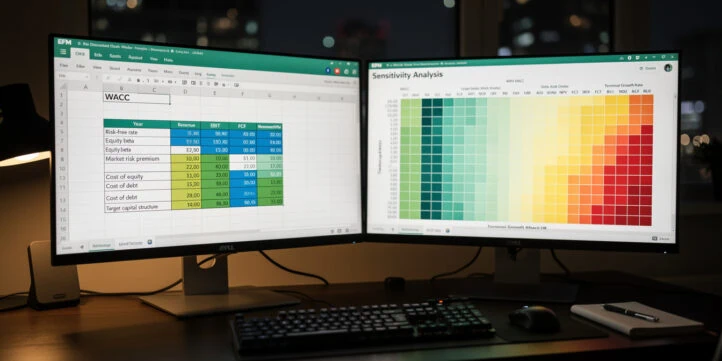
A DCF calculation in Excel discounts a company’s projected free cash flows back to today’s dollars using WACC as the discount rate, then adds a terminal value to capture everything beyond the forecast horizon. The build runs in five steps: project free cash flow to the firm from EBIT, calculate WACC from a CAPM cost of equity and an after-tax cost of debt, apply the Gordon Growth Model for terminal value, discount the result with Excel’s =NPV() function, and stress-test it in a two-variable sensitivity table. This guide works through each step with the exact Excel formulas, cell references, and worked numbers. It also covers the quality checks and formula errors that separate a model which survives institutional scrutiny from one that does not.
Key Takeaways
- A professional DCF model uses a 5-year explicit forecast period followed by a terminal value, which typically accounts for 60–80% of total enterprise value in mature companies.
- Free cash flow to the firm (FCFF) starts with EBIT, applies the tax rate, adds back non-cash charges, then subtracts capex and changes in working capital:
FCFF = EBIT × (1 - Tax Rate) + D&A - ΔWC - CapEx. - WACC combines the after-tax cost of debt with a CAPM cost of equity, weighted by market values:
WACC = (E/V) × Re + (D/V) × Rd × (1 - Tc), whereRe = Rf + β × (Rm - Rf). - Terminal value uses the Gordon Growth Model:
TV = FCF(n+1) / (WACC - g), with the perpetual growth rate (g) kept below long-term GDP growth, typically 2–3%. - Excel’s
=NPV()function discounts a series of future cash flows, but requires you to add Year 0 investment separately since NPV assumes end-of-period timing. - A two-variable data table in Excel lets you stress-test enterprise value across a grid of WACC and terminal growth rate combinations in under 5 minutes.
Understanding the DCF Valuation Framework in Excel
A DCF model estimates the intrinsic value of a business by discounting its expected future free cash flows back to today’s dollars using a risk-adjusted rate. The framework has two parts: an explicit forecast period (typically 5 years, per McKinsey & Company valuation standards) and a terminal value that captures all cash flows beyond that horizon.
The core logic is straightforward. A dollar received three years from now is worth less than a dollar today because of inflation, opportunity cost, and risk. DCF quantifies exactly how much less, using the discount rate as the bridge between future and present value.
The complete DCF formula for enterprise value is:
Enterprise Value = Σ FCFFt / (1 + WACC)^t + TV / (1 + WACC)^nWhere t runs from Year 1 to Year n (the explicit forecast period), and TV is the terminal value at the end of Year n.
Two model types exist and you must choose before building:
| Model Type | Cash Flow Used | Discount Rate | Output |
|---|---|---|---|
| Free Cash Flow to Firm (FCFF) | Operating cash flow available to all capital providers | WACC | Enterprise Value |
| Free Cash Flow to Equity (FCFE) | Cash flow available to equity holders after debt service | Cost of Equity (Re) | Equity Value |
This guide focuses on the FCFF approach, which is the institutional standard for corporate valuation.
Terminal value often represents 60–80% of total enterprise value in mature companies, which makes the perpetual growth rate assumption the single most sensitive input in the model.
Setting Up Your Excel Workbook for DCF Analysis
A clean workbook structure prevents formula errors and makes your model auditable. Professional financial models separate inputs, calculations, and outputs across distinct sheets.
Use this four-sheet structure:
- Assumptions — all hard-coded inputs (growth rates, tax rate, WACC components, capex as % of revenue). Color these cells blue with white text.
- Income Statement / FCF Bridge — projected financials and the EBIT-to-FCFF calculation. Color formula cells black on white.
- DCF Valuation — WACC build, terminal value, NPV calculation, and enterprise value bridge.
- Sensitivity — two-variable data tables for WACC vs. terminal growth rate.
Color-coding convention used by institutional desks:
- Blue fill, white text: hard-coded inputs (never formula cells)
- Black text, white fill: formula-driven outputs
- Green fill: final output cells (enterprise value, equity value per share)
Lock your assumption cells with $ anchors. For example, if your tax rate sits in cell B5 on the Assumptions sheet, reference it everywhere as =Assumptions!$B$5. This prevents accidental overwrites and makes scenario switching instant. Excel’s NPV function accepts up to 254 value arguments, so even a detailed multi-year forecast fits comfortably within a single formula.
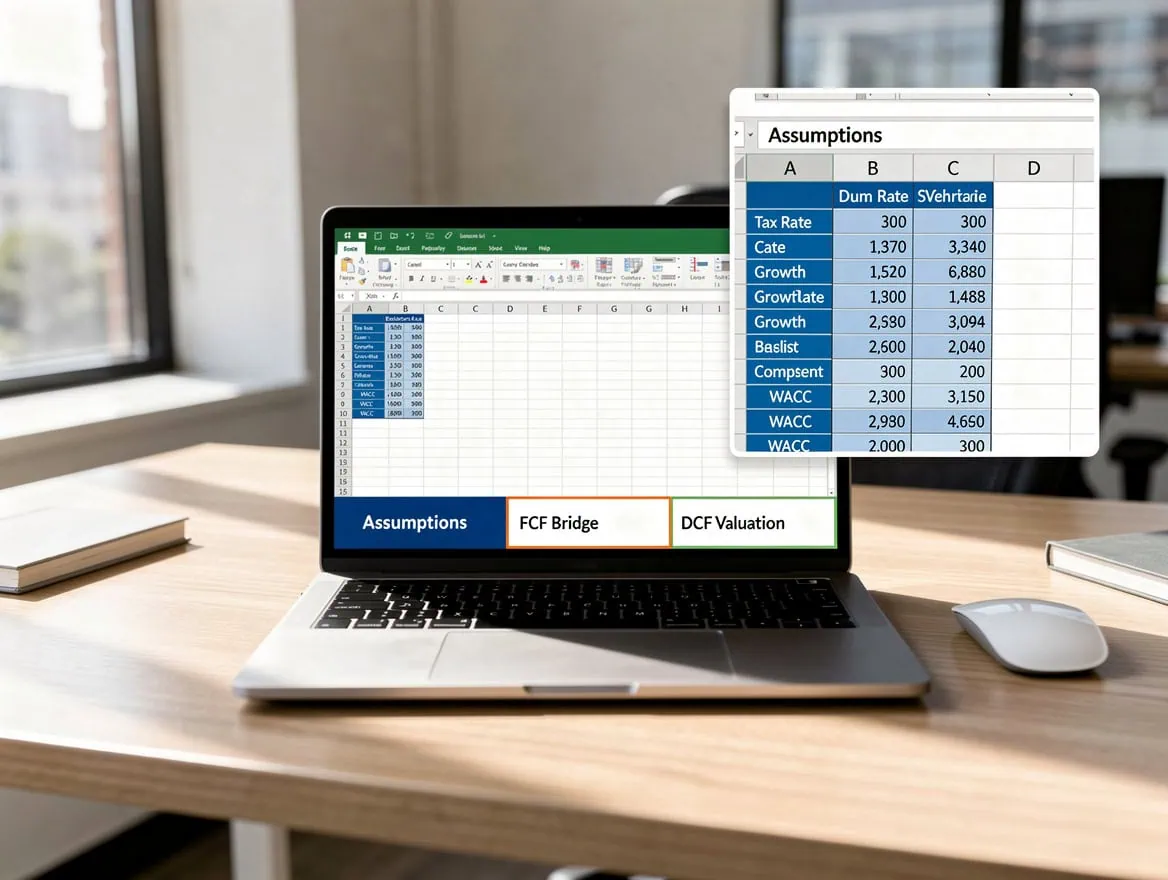
Separating assumptions, calculations, and outputs across dedicated sheets is the single most effective way to prevent formula errors from propagating through a DCF model.
Projecting Free Cash Flow to the Firm: The EBIT-to-FCF Bridge
FCFF measures the cash a business generates for all capital providers (debt and equity holders) before financing costs. You derive it from EBIT (Earnings Before Interest and Taxes), which appears on the income statement.
The exact formula is:
FCFF = EBIT × (1 - Tax Rate) + Depreciation & Amortization - ΔWorking Capital - Capital ExpendituresIn Excel, with Year 1 data in column C starting at row 10:
=C10*(1-Assumptions!$B$5) + C11 - C12 - C13Where:
C10= EBITAssumptions!$B$5= tax rate (e.g., 25%)C11= Depreciation & Amortization (non-cash charge added back)C12= Change in Net Working Capital (an increase is a cash outflow, so subtract)C13= Capital Expenditures (cash outflow, subtract)
D&A is a non-cash expense, meaning it reduces reported earnings but does not consume cash, so you add it back. Working capital changes reflect the timing difference between recognizing revenue and actually collecting cash. CapEx represents cash spent on long-term assets that does not flow through the income statement immediately.
Project each component separately using growth rate assumptions tied to your Assumptions sheet. For a manufacturing company, CapEx might run at 8–12% of revenue; for a SaaS business, it might be under 3%. Anchor those percentages in your Assumptions sheet and reference them with $ locks.
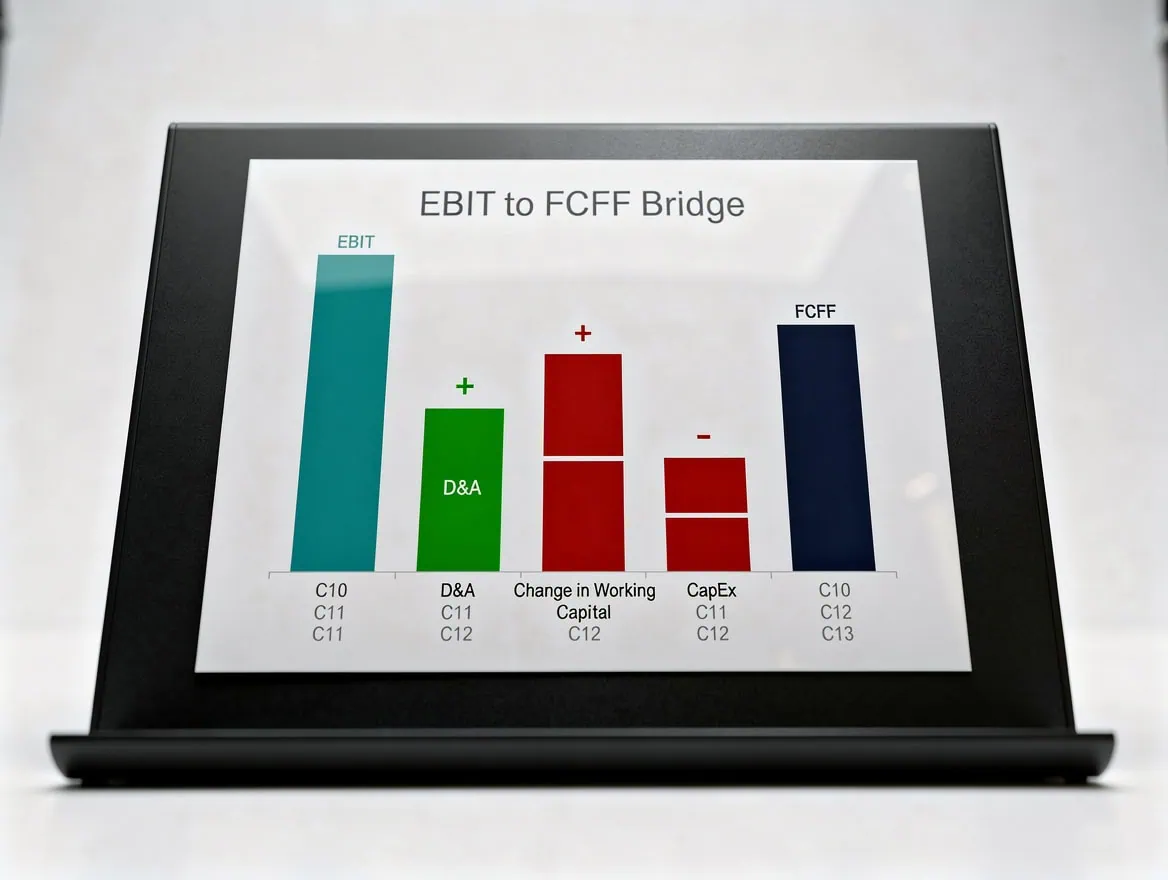
The EBIT-to-FCFF bridge adds back non-cash D&A and subtracts cash-consuming working capital increases and capital expenditures to isolate true operating cash generation.
Calculating Cost of Equity Using CAPM in Excel
The Capital Asset Pricing Model (CAPM) estimates the return equity investors require given the systematic risk of the investment. Systematic risk is the market-wide risk that cannot be eliminated through diversification, measured by beta (β).
The CAPM formula is:
Re = Rf + β × (Rm - Rf)Where:
- Rf = risk-free rate (typically the yield on the 10-year U.S. Treasury note)
- β = beta, measuring the stock’s sensitivity to market movements (β = 1.0 means it moves in line with the market)
- (Rm – Rf) = equity risk premium (ERP), the excess return of equities over the risk-free rate
In Excel, set up a dedicated CAPM block on your DCF Valuation sheet:
| Row | Column A | Column B |
|---|---|---|
| 2 | Risk-Free Rate (Rf) | 4.5% |
| 3 | Beta (β) | 1.20 |
| 4 | Equity Risk Premium (Rm – Rf) | 5.5% |
| 5 | Cost of Equity (Re) | =B2 + B3 * B4 |
With these inputs, =B2 + B3 * B4 returns 11.1% (4.5% + 1.20 × 5.5%).
Beta varies significantly by industry. Capital-intensive utilities typically carry betas below 0.6, while high-growth technology companies often show betas between 1.2 and 1.8. You can find current beta estimates from financial data providers or calculate a raw beta by regressing 60 months of stock returns against a market index, then unlever and re-lever for your target capital structure.
According to the CFA Institute (2024), the CAPM formula Re = Rf + β(Rm - Rf) remains the most widely used method for estimating the cost of equity in discounted cash flow models.
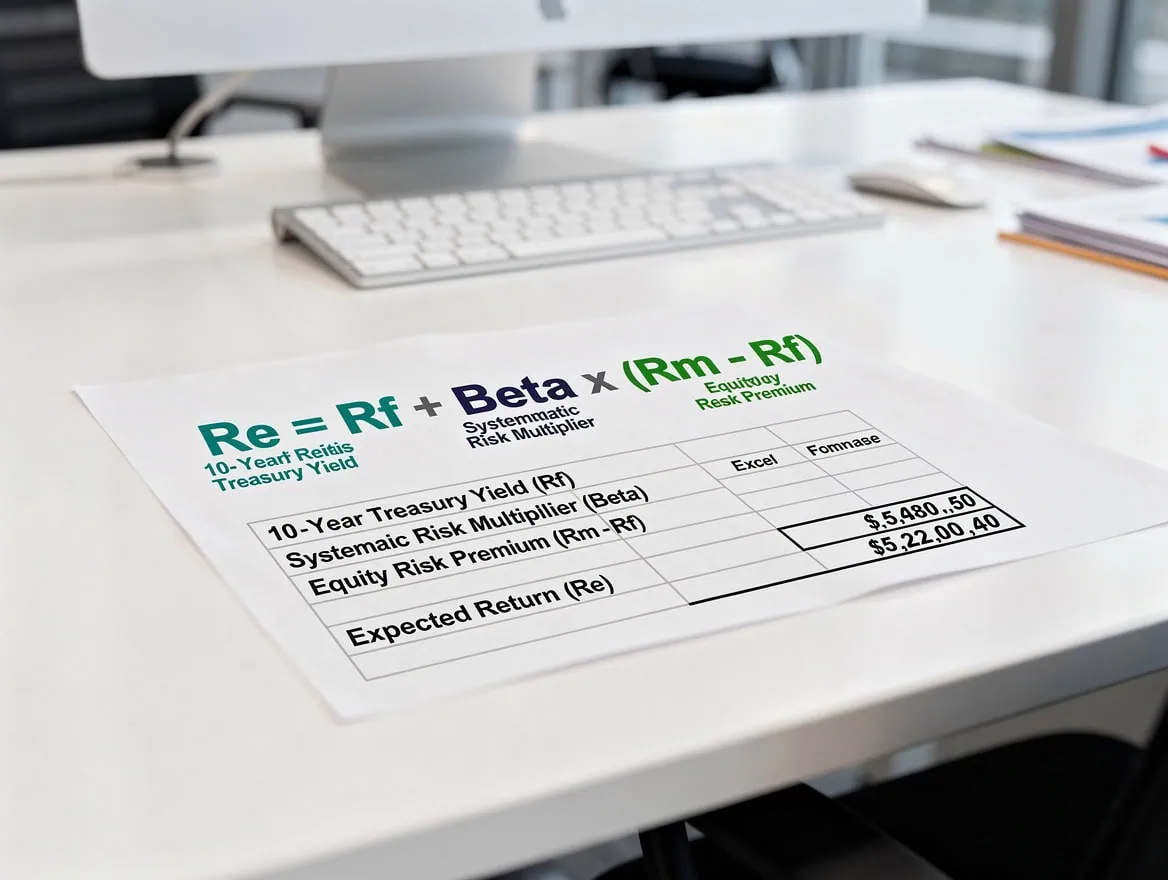
With a 4.5% risk-free rate, beta of 1.20, and 5.5% equity risk premium, CAPM produces a cost of equity of 11.1%, which feeds directly into the WACC calculation.
Building the WACC Calculation in Excel
WACC (Weighted Average Cost of Capital) is the blended discount rate that reflects the cost of all capital sources, weighted by their proportion in the firm’s capital structure. It is the rate you use to discount FCFF back to present value.
The formula is:
WACC = (E/V) × Re + (D/V) × Rd × (1 - Tc)Where:
- E = market value of equity
- D = market value of debt
- V = E + D (total capital)
- Re = cost of equity (from CAPM)
- Rd = pre-tax cost of debt (yield on outstanding debt or current borrowing rate)
- Tc = corporate tax rate (interest is tax-deductible, creating a tax shield)
In Excel, continuing the CAPM block from above:
| Row | Column A | Column B |
|---|---|---|
| 7 | Market Value of Equity (E) | $800M |
| 8 | Market Value of Debt (D) | $200M |
| 9 | Total Capital (V) | =B7+B8 |
| 10 | Equity Weight (E/V) | =B7/B9 |
| 11 | Debt Weight (D/V) | =B8/B9 |
| 12 | Pre-Tax Cost of Debt (Rd) | 6.0% |
| 13 | Tax Rate (Tc) | 25% |
| 14 | WACC | =B10*B5 + B11*B12*(1-B13) |
Here’s the math: =0.80 × 11.1% + 0.20 × 6.0% × (1 - 25%) = 8.88% + 0.90% = 9.78%.
Use market values for E and D, not book values. Book values reflect historical accounting entries; market values reflect what investors actually pay today. Using book values understates equity weight for profitable companies and produces a WACC that is too low.
Watch for circular references: if you calculate equity value from the DCF and then use that equity value to weight WACC, the model references itself. Break the circularity by either using the current market capitalization as your equity weight or by iterating manually (set a target capital structure and hold it fixed). When you do enable iterative calculations to resolve circularity, Excel allows a maximum of 32,767 iterations before stopping, though in practice convergence occurs well within 100 iterations for a standard WACC loop.
Terminal Value Calculation: Gordon Growth Model in Excel
Terminal value (TV) captures the present value of all cash flows beyond the explicit forecast period, and it typically represents the majority of total enterprise value in a DCF model. Two methods exist: the Gordon Growth Model (GGM) and the Exit Multiple approach.
Gordon Growth Model (GGM):
TV = FCF(n+1) / (WACC - g)Where FCF(n+1) is the free cash flow in the first year beyond the forecast period (Year 6 in a 5-year model) and g is the perpetual growth rate.
In Excel, if Year 5 FCF is in cell G20, your WACC is in B14, and the growth rate is in B15:
=G20*(1+B15)/(B14-B15)The perpetual growth rate should stay below long-term nominal GDP growth. According to McKinsey & Company (2024), a standard DCF model uses a 5-year explicit forecast period before estimating terminal value, and the growth rate assumption beyond that period is a critical driver of value. Most practitioners set g between 2% and 3%, roughly in line with long-term inflation expectations.
A growth rate above WACC produces a negative denominator and a nonsensical (negative) terminal value. Always validate: g < WACC.
Exit Multiple approach:
TV = EBITDA(n) × EV/EBITDA MultipleThis method anchors terminal value to a market-observable multiple. It is less theoretically pure but provides a useful cross-check. If your GGM and exit multiple approaches produce enterprise values within 10–15% of each other, your model is internally consistent.
| Method | Formula | Inputs Needed | Best Used When |
|---|---|---|---|
| Gordon Growth Model | FCF(n+1) / (WACC – g) | Perpetual growth rate | Stable, mature businesses |
| Exit Multiple | EBITDA(n) × Multiple | Comparable transaction multiples | Cyclical or high-growth businesses |
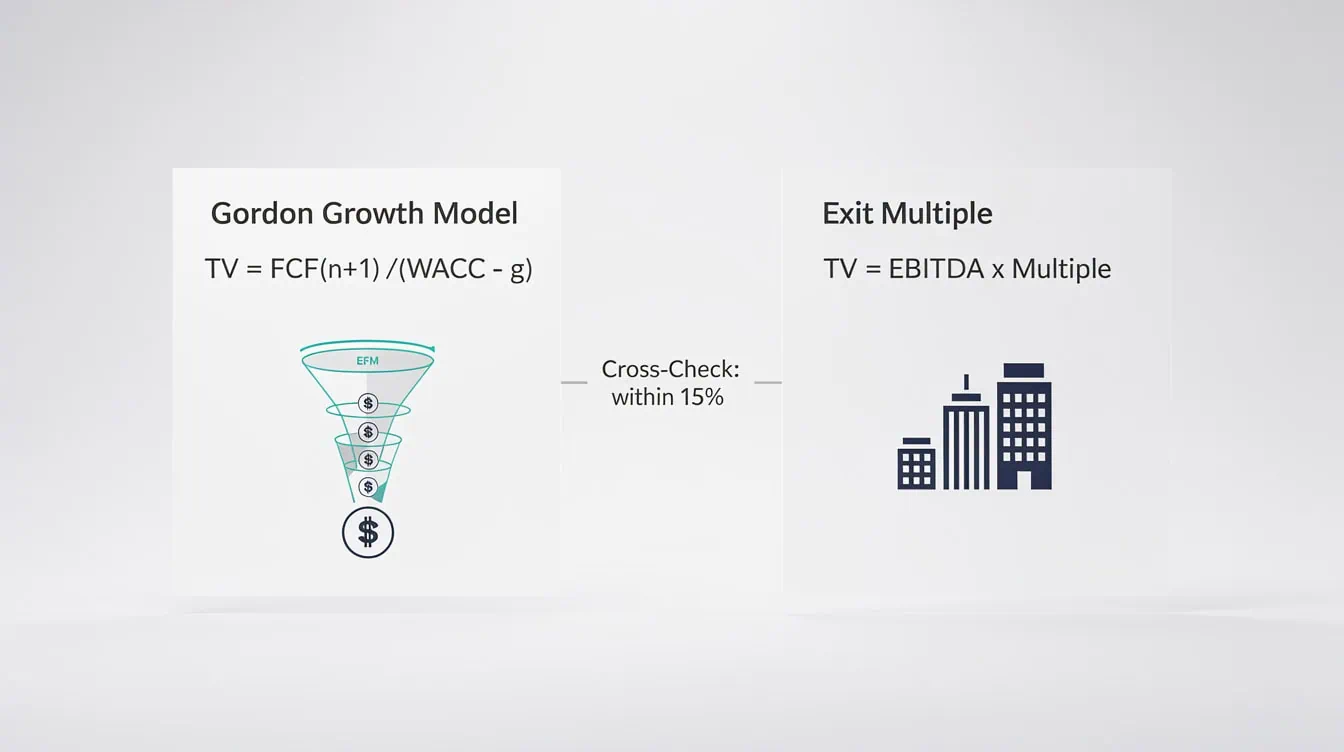
Running both terminal value methods and checking that results fall within 15% of each other is a standard quality control step in institutional DCF models.
Discounting Cash Flows to Present Value with Excel’s NPV Function
Excel’s =NPV() function discounts a series of future cash flows to present value, assuming cash flows occur at the end of each period. You then add the Year 0 investment (a negative number) separately.
The syntax is:
=NPV(rate, value1, value2, ...) + Year0_InvestmentFor a 5-year model with WACC in B14, FCFFs in C20:G20, and terminal value (already discounted or to be discounted separately) in H20:
=NPV(B14, C20:G20) + NPV(B14, 0, 0, 0, 0, H20)Alternatively, discount each cash flow manually:
=C20/(1+$B$14)^1 + D20/(1+$B$14)^2 + E20/(1+$B$14)^3 + F20/(1+$B$14)^4 + G20/(1+$B$14)^5Then discount the terminal value separately:
=TV/(1+$B$14)^5Sum both to get enterprise value. Subtract net debt (total debt minus cash) to arrive at equity value, then divide by diluted shares outstanding for equity value per share.
Note on mid-year convention: the standard =NPV() function assumes end-of-period cash flows (period-end discounting). Institutional models often apply a mid-year adjustment, discounting Year 1 cash flow at (1 + WACC)^0.5 rather than (1 + WACC)^1. This reflects the reality that cash flows arrive throughout the year, not all on December 31. To apply mid-year convention, multiply your NPV result by (1 + WACC)^0.5. Note also that the function accepts up to 254 separate value arguments, which is more than sufficient for any standard explicit forecast period.
Excel’s =NPV() function excludes Year 0 cash flows by design, so always add the initial investment as a separate term outside the function to avoid a one-period discounting error.
Quality Control and Error-Checking Your DCF Model
A DCF model with a formula error can produce a valuation that is off by hundreds of millions of dollars. Build error checks into the model from the start, not as an afterthought.
5 essential quality checks:
- Balance sheet check: Assets must equal Liabilities + Equity in every projected year. Add a cell that calculates the difference; flag it red with conditional formatting if it is not zero.
- FCF sign check: Verify that FCF is positive in your base case for at least the terminal year. A negative terminal FCF produces a negative terminal value.
- WACC sanity check: WACC should fall between the after-tax cost of debt (lower bound) and the cost of equity (upper bound). If WACC is outside this range, a weighting formula is wrong.
- Terminal value as % of total value: If terminal value exceeds 85% of enterprise value, your explicit forecast period cash flows are too small or your growth assumptions are too conservative. Investigate.
- Circular reference audit: Use Excel’s Formula Auditing toolbar (Formulas tab > Trace Precedents / Trace Dependents) to map cell dependencies. Circular references appear as blue arrows looping back to the same cell.
For the circular reference issue in WACC specifically: if your equity value from the DCF feeds back into the equity weight in WACC, enable iterative calculations in Excel (File > Options > Formulas > Enable Iterative Calculation, max iterations = 100, max change = 0.001). This forces Excel to recalculate until the values converge.
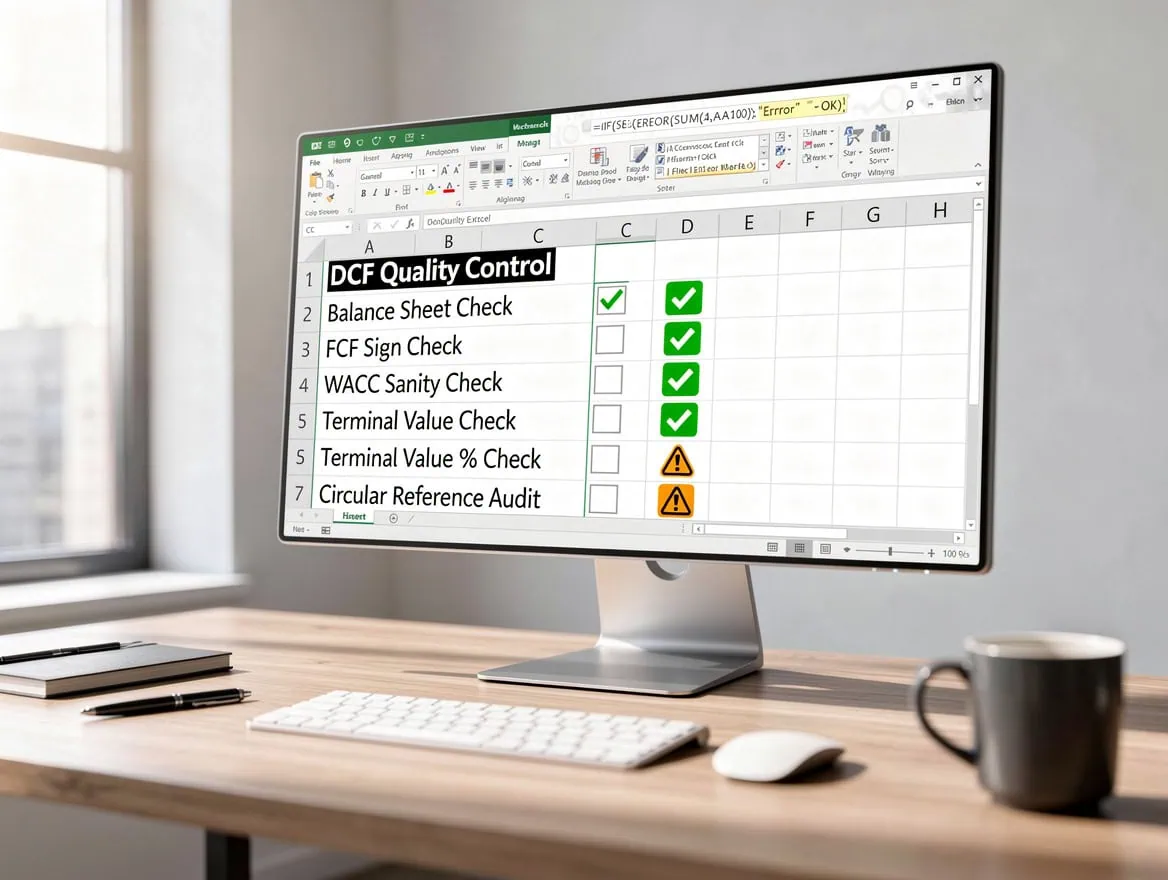
If terminal value exceeds 85% of enterprise value, the explicit forecast period cash flows are likely understated or the growth assumptions are too conservative — investigate before presenting.
Building Sensitivity Tables for Scenario Analysis
A two-variable data table in Excel shows how enterprise value changes across a grid of WACC and terminal growth rate combinations. This is the single most useful output for communicating valuation uncertainty to investors or management.
Step-by-step setup:
- Calculate enterprise value in a single output cell (e.g.,
B30). - In a new area of the sheet, create a grid. Put WACC values (e.g., 8%, 9%, 10%, 11%, 12%) across the top row and terminal growth rates (e.g., 1.5%, 2.0%, 2.5%, 3.0%, 3.5%) down the left column.
- In the top-left corner of the grid (where the row and column headers intersect), enter a formula that references your enterprise value output cell:
=B30. - Select the entire grid including headers and the corner formula.
- Go to Data > What-If Analysis > Data Table.
- Set Row Input Cell to your WACC cell (
B14) and Column Input Cell to your terminal growth rate cell (B15). - Click OK. Excel populates every cell in the grid with the enterprise value for that WACC and growth rate combination.
Apply conditional formatting (green-to-red color scale) so the highest values appear green and the lowest appear red. This gives any reader an instant visual read on the valuation range.
A typical sensitivity output for a mid-market company might show enterprise value ranging from $380M (high WACC, low growth) to $720M (low WACC, high growth), illustrating why a single-point DCF output is always misleading without context.
A well-constructed sensitivity table typically reveals a valuation range spanning 30–50% of the base-case enterprise value, which is why single-point DCF outputs are always presented alongside this grid in institutional work.
Common DCF Pitfalls in Excel and How to Fix Them
Even experienced analysts make these mistakes. Each one can materially distort your valuation.
1. Using book value weights in WACC instead of market values.
Fix: Pull the current market capitalization from a financial data source for equity weight. For debt, use the face value of outstanding debt as a reasonable proxy for market value unless the company is in distress.
2. Setting the terminal growth rate above WACC.
Fix: Add a validation cell: =IF(B15>=B14, "ERROR: g >= WACC", "OK"). This catches the error before it produces a nonsensical negative terminal value.
3. Double-counting the terminal value in the NPV formula.
Fix: Discount the terminal value separately using =TV/(1+WACC)^n and add it to the NPV of explicit-period cash flows. Do not include TV inside the =NPV() range unless you have already discounted it.
4. Forgetting to subtract net debt to get equity value.
Fix: After calculating enterprise value, always apply the bridge: Equity Value = Enterprise Value - Net Debt, where net debt is total financial debt minus cash and cash equivalents.
5. Projecting revenue growth without tying it to operational drivers.
Fix: Build a revenue model from unit economics (price × volume) or segment-level drivers. A top-down growth rate assumption with no operational grounding is the most common reason DCF models fail scrutiny in due diligence.
Frequently Asked Questions
What is the exact Excel formula for DCF calculation?
There is no single built-in DCF function in Excel. You build the calculation using =NPV(rate, cashflow_range) for the explicit forecast period cash flows, then add the discounted terminal value separately. The full formula looks like this: =NPV(WACC, C20:G20) + TV/(1+WACC)^5 + Year0_Investment, where Year 0 investment is a negative number representing the initial cash outflow. The =NPV() function assumes end-of-period cash flows, so if you want mid-year convention (which institutional models often use), multiply the result by (1 + WACC)^0.5 to shift the discounting to the midpoint of each year. Always verify that your cash flow range excludes Year 0.
How do I calculate WACC in Excel without a circular reference?
The circular reference arises when your equity value from the DCF feeds back into the equity weight used to calculate WACC, which then changes the DCF output. The cleanest fix is to use the current market capitalization as your equity weight rather than the DCF-derived equity value. If you must use an iterative approach, enable iterative calculations in Excel under File > Options > Formulas, set maximum iterations to 100 and maximum change to 0.001. Excel will recalculate until the WACC and equity value converge. Most practitioners prefer the market-cap approach because it avoids the instability that iterative calculations can introduce in complex models.
What perpetual growth rate should I use for terminal value?
The perpetual growth rate (g) in the Gordon Growth Model should reflect the long-run sustainable growth of the business, which cannot exceed the long-run growth rate of the economy indefinitely. Most practitioners set g between 2% and 3%, roughly in line with long-term nominal GDP growth or inflation expectations. According to McKinsey & Company (2024), the perpetual growth rate is typically kept in the low single digits and below long-term GDP growth. For a U.S.-based company, 2.0–2.5% is a defensible default. Always stress-test this assumption in your sensitivity table, as a 0.5% change in g can shift enterprise value by 10–20% in a mature business.
Why does Excel’s NPV function give a different answer than my manual calculation?
Excel’s =NPV() function discounts the first value in the range at period 1, not period 0. This means if you include your Year 0 investment inside the NPV range, Excel discounts it by one period, which is wrong. Year 0 cash flows (the initial investment) must be added outside the function: =NPV(rate, Year1:Year5) + Year0. Additionally, =NPV() assumes end-of-period cash flows. If your cash flows arrive at the beginning of each period, use =NPV(rate, Year1:Year5) * (1 + rate) to adjust. These two issues account for the vast majority of discrepancies between manual and Excel-generated DCF results.
How do I build a two-variable sensitivity table for WACC and growth rate?
Set up a grid with WACC values across the top row and terminal growth rates down the left column. In the corner cell where the two headers intersect, enter a formula pointing to your enterprise value output cell (e.g., =B30). Select the entire grid including the corner formula and all header values. Go to Data > What-If Analysis > Data Table. Enter your WACC cell as the Row Input Cell and your terminal growth rate cell as the Column Input Cell, then click OK. Excel fills every cell in the grid automatically. Apply a green-to-red conditional formatting color scale so the valuation range is immediately visible. This table typically shows a range of outcomes that spans 30–50% of the base-case enterprise value, which is why presenting a single DCF number without a sensitivity table is considered incomplete in professional settings.
What is the difference between FCFF and FCFE in a DCF model?
FCFF (Free Cash Flow to the Firm) is the cash available to all capital providers, both debt and equity holders, before any financing payments. You discount FCFF at WACC to get enterprise value, then subtract net debt to get equity value. FCFE (Free Cash Flow to Equity) is the cash remaining after debt service (interest and principal repayments), available only to equity holders. You discount FCFE at the cost of equity (Re from CAPM) to get equity value directly. Both approaches should produce the same equity value if applied consistently. FCFF is more common in practice because WACC is easier to estimate consistently across capital structures, and because FCFF is unaffected by financing decisions, making it cleaner for comparing companies with different leverage levels.
How do I check if my DCF model is internally consistent?
Run four checks. First, verify that WACC falls between the after-tax cost of debt and the cost of equity. Second, confirm that terminal value as a percentage of total enterprise value is below 85% for a mature business (higher percentages suggest the explicit forecast period is too short or FCFs are understated). Third, check that your perpetual growth rate is strictly less than WACC using a validation formula: =IF(g_cell >= WACC_cell, "ERROR", "OK"). Fourth, cross-check your GGM terminal value against an exit multiple approach using a comparable EV/EBITDA multiple. If the two methods produce enterprise values within 15% of each other, your model is internally consistent. Larger divergences warrant a review of your growth rate or multiple assumptions.
Conclusion
Building a DCF model in Excel is a precise, sequential process: project FCFF from the EBIT bridge, calculate WACC using a CAPM-derived cost of equity and after-tax cost of debt, apply the Gordon Growth Model for terminal value, discount everything back using =NPV(), and stress-test the output with a two-variable sensitivity table. Each step has a specific Excel formula, and each formula has a specific failure mode. The quality checks and pitfall fixes in this guide are what separate a model that passes institutional scrutiny from one that does not.
For DCF valuation models and Excel financial model templates that implement all of these conventions out of the box, the EFM library has pre-built frameworks ready to adapt. I recommend starting with the DCF Valuation Model with 3 Years Actual and 5 Years Forecast as a reference architecture for your next valuation engagement. It implements the WACC build, terminal value calculation, and sensitivity tables exactly as described in this guide, saving you 8–12 hours of model construction time.
























































