0 ITEMS

How to Build a 3-Statement Model in Excel for a Small Business

Profit on paper and cash in the bank are two very different things, and it is usually cash that decides whether a small business survives its next slow month. A 3-statement model in Excel ties your income statement, balance sheet, and cash flow statement into one connected file, so changing a single assumption updates all three at once. This guide walks through the build order, the formulas that matter, and a full worked bakery example you can copy for your own business.
Key Takeaways
- A 3-statement model links your income statement, balance sheet, and cash flow statement into one connected Excel file, so a single assumption (say, 15% sales growth) updates all three at once.
- Cash is the hardest thing to run out of: the median US small business holds only 27 days of cash buffer, so a model that projects cash is a survival tool, not a spreadsheet exercise.
- Build in this order: assumptions, income statement, supporting schedules, balance sheet, then cash flow, with cash calculated last as the balancing figure.
- The model is “done” only when total assets equal total liabilities plus equity in every period; a live balance check should read $0.
- A revolver and interest expense create a deliberate circular reference; you resolve it by turning on iterative calculation in Excel.
- Our worked bakery example forecasts $345,000 in revenue, roughly $58,000 in net income, and $52,246 of ending cash, all driven by formulas you can reuse.
What Is a 3-Statement Financial Model?
A 3-statement financial model is a single Excel workbook that connects the three core financial statements so they update together from one set of assumptions. The income statement shows profitability over a period, the balance sheet shows what the business owns and owes at a point in time, and the cash flow statement reconciles the two by tracking the actual cash that moved. In a proper model these are not three separate tabs you fill in by hand: they are wired together with formulas, so net income flows into retained earnings on the balance sheet, and the change in cash flows into the cash line.
Three terms are worth defining up front. The income statement (also called the profit and loss, or P&L) runs from revenue down to net income. The balance sheet lists assets on one side and liabilities plus owner equity on the other, and the two sides must always be equal. The cash flow statement starts from net income and adjusts for non-cash items and balance-sheet changes to arrive at the real cash position. The magic of the integrated model is that a change to any driver ripples through all three, which is exactly what makes it useful for planning.
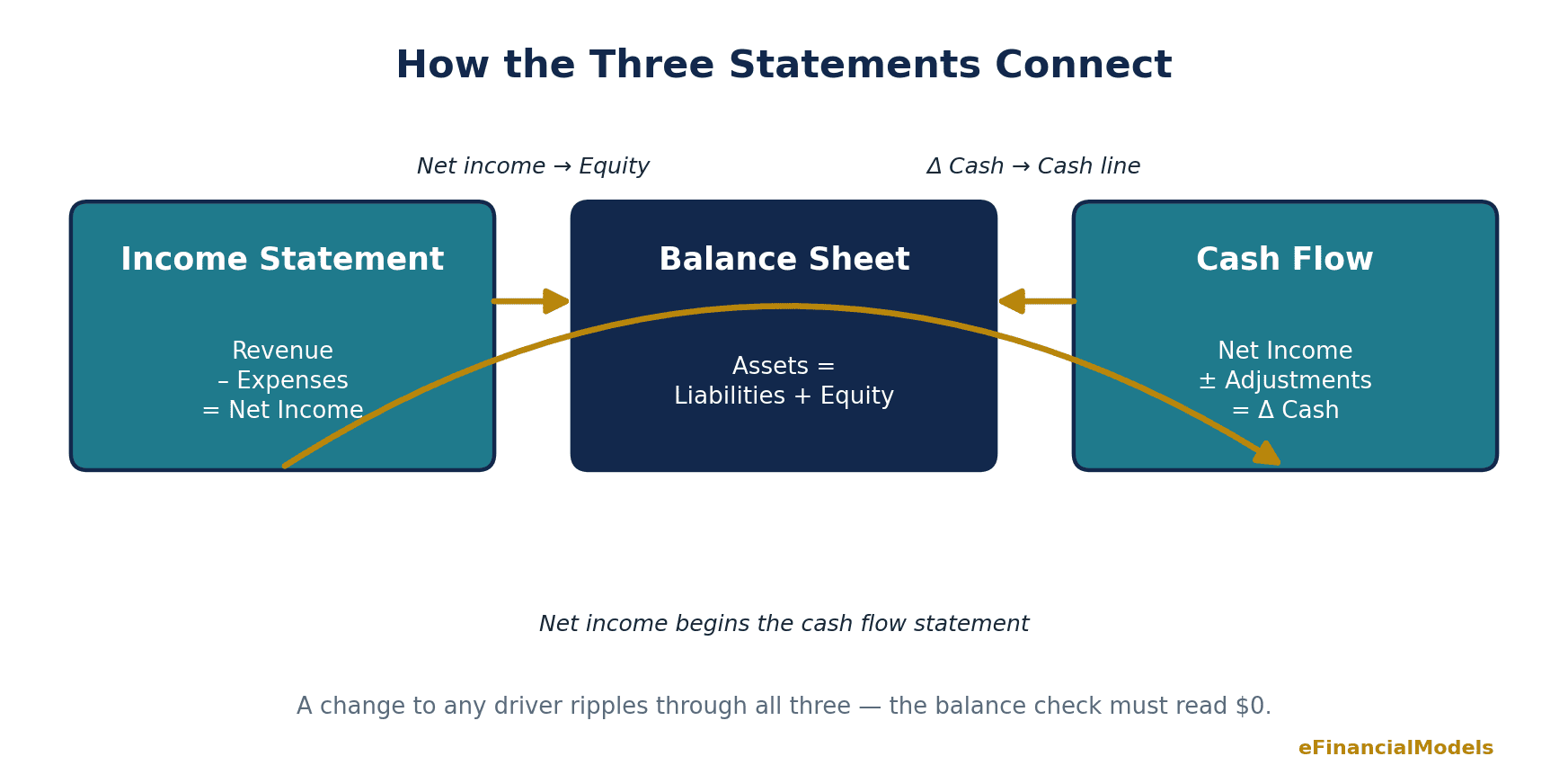
How the three statements connect: net income flows into equity, and ending cash flows into the balance sheet. Source: eFinancialModels Analysis.
Why a Small Business Needs a 3-Statement Model
A small business needs a 3-statement model because profit and cash are not the same thing, and running out of cash is what actually closes the doors. According to the JPMorgan Chase Institute, the median small business holds just 27 cash buffer days in reserve (JPMorgan Chase Institute), meaning it could cover less than a month of outflows if the money stopped coming in. A model that forecasts the cash flow statement, not just the P&L, shows you that gap months before it arrives.
The pressure is real and widespread. In the Federal Reserve’s 2024 Small Business Credit Survey, 56% of employer firms reported challenges paying operating expenses and 51% faced uneven cash flows (Federal Reserve Banks). Longevity is not guaranteed either: US Bureau of Labor Statistics data shows only about half of new establishments survive to their fifth year, and roughly a third reach ten years (U.S. Bureau of Labor Statistics). The encouraging news is that the businesses on the right side of those numbers tend to be the ones that plan with real financials. A 3-statement model turns “I think we can afford to hire” into a dated, numbers-backed answer you can trust.
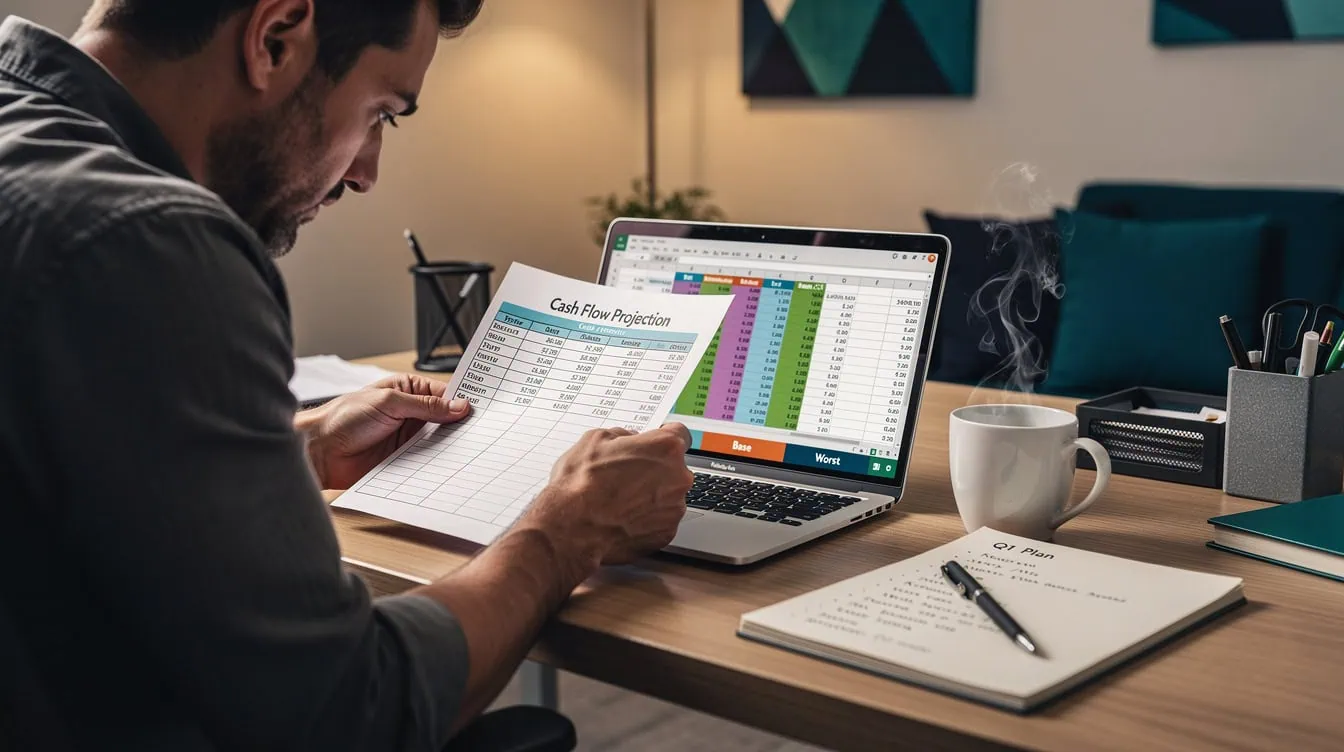
Modeling base and worst case cash flow is how owners see a shortfall coming. Image: eFinancialModels.
How Do You Build a 3-Statement Model in Excel? The 7 Steps
You build a 3-statement model in Excel by working from assumptions outward, forecasting the income statement first, then the schedules that feed it, then the balance sheet, and finally the cash flow. Corporate Finance Institute recommends keeping the whole model on a single, well-organized worksheet for easier navigation and fewer broken links (Corporate Finance Institute). Here is the sequence, with the formulas that do the work.
- Set up an assumptions block. Put every driver in one clearly labeled area: revenue growth rate, gross margin, operating-expense ratio, tax rate, capital spending, and working-capital ratios. Color these input cells differently (blue is the modeling convention) so anyone can find the levers. Every downstream formula references this block, never a hardcoded number.
- Forecast the income statement down to EBITDA. Start with revenue, then subtract cost of goods sold and operating expenses. If last year’s revenue sits in cell B2 and growth in B3, next year’s revenue is
=B2*(1+B3). Cost of goods sold is=Revenue*COGS%, and EBITDA (earnings before interest, taxes, depreciation, and amortization) is gross profit minus operating expenses.
- Build the supporting schedules. Create small schedules for fixed assets and debt. The property-and-equipment schedule rolls forward: opening balance plus capital expenditure minus depreciation. The debt schedule tracks the loan balance and calculates interest as
=Balance*Rate. These schedules feed depreciation and interest back into the income statement.
- Finish the income statement. Pull depreciation and interest from the schedules to get earnings before tax, apply the tax rate with
=EBT*TaxRate, and land on net income. Keeping tax as a formula, not a typed figure, means it updates the instant an assumption changes.
- Build the balance sheet. Forecast each line except cash. Accounts receivable, inventory, and accounts payable come from working-capital ratios tied to revenue or cost of goods sold. Retained earnings roll forward as prior equity plus net income. Net fixed assets and debt come straight from your schedules.
- Build the cash flow statement. Start from net income, add back depreciation, subtract the increase in working capital, then handle investing (capital expenditure) and financing (loan draws and repayments). The bottom line is the net change in cash, which you add to the opening cash balance.
- Link cash and stress-test the model. Feed the ending cash from the cash flow statement into the cash line on the balance sheet. Cash is calculated last, on purpose, so it acts as the balancing figure. Then add a check row:
=TotalAssets-(TotalLiabilities+Equity). If it does not read zero, a link is broken.
A Worked Example: Sunrise Bakery’s First Forecast Year
Here is the model working end to end for a fictional small business, Sunrise Bakery. Starting from $300,000 of prior-year revenue and a 15% growth assumption, Year 1 revenue forecasts to $345,000. Cost of goods at 40% is $138,000, and operating expenses at 35% are $120,750, giving EBITDA of $86,250. After $8,000 of depreciation and $4,800 of interest, pre-tax income is $73,450; a 21% tax leaves net income of about $58,000.
The cash flow statement then tells the more important story. Net income of roughly $58,000 plus $8,000 of depreciation, less $3,780 tied up in higher receivables and inventory, produces $62,246 of operating cash. After $20,000 of equipment purchases and a $5,000 loan repayment, cash grows by $37,246, lifting the bank balance from $15,000 to $52,246. Crucially, the balance sheet still balances: total assets and total liabilities plus equity both land at $159,786, so the check row reads $0. That single zero is how you know the model is trustworthy.
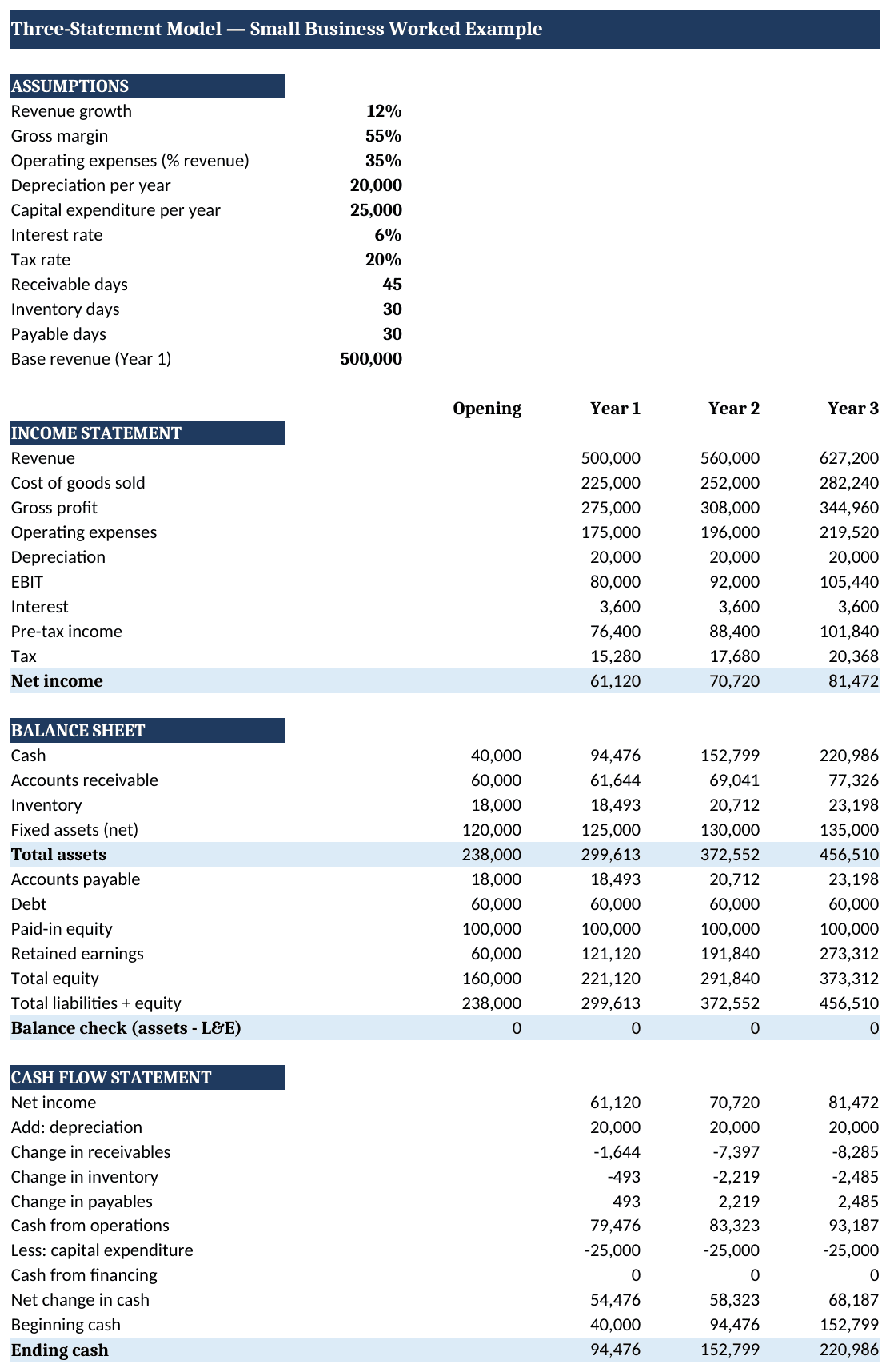
Sunrise Bakery worked example: the balance check reads $0 in both years. Source: eFinancialModels Analysis.
Handling Circular References in Your Model
A circular reference happens when a formula depends, directly or indirectly, on its own result, and in a 3-statement model it usually appears with debt. If you fund a cash shortfall with a revolving credit line, the interest on that revolver reduces net income, which reduces cash, which changes how much you need to draw on the revolver, which changes the interest again. Excel flags this loop because, by default, it will not let a cell refer back to itself.
The fix is built into Excel: enable iterative calculation. Under File, Options, Formulas, tick “Enable iterative calculation,” and Excel will resolve the loop by recalculating until the numbers settle (Microsoft Support). A common safeguard is a small “circularity switch,” a cell you can flip to 0 to break the loop if the model ever spirals into an error, then flip back to 1. For a first small-business model, you can often avoid the issue entirely by using a simple term loan with fixed interest, and only introduce a revolver once you are comfortable with the mechanics.
3-Statement Model vs. Simpler Alternatives
A full 3-statement model is worth the effort when you need to see profit, cash, and financial position together, but it is not the only tool. A simple cash-flow forecast is faster and fine for very early planning, while a single income-statement budget answers profitability questions only. The table below shows where each fits.
| Approach | What it shows | Best for | Effort | Key limitation |
|---|---|---|---|---|
| Full 3-statement model | Profit, cash, and financial position, all linked | Fundraising, loans, hiring and expansion decisions | Higher | Requires the balance sheet to tie out |
| Simple cash-flow forecast | Cash in and cash out only | Week-to-week runway tracking | Low | Ignores profitability and balance sheet |
| Income-statement budget | Revenue and expenses only | Setting annual profit targets | Low | Says nothing about cash timing |
Common Mistakes to Avoid
The most common mistake is hardcoding numbers into formula cells instead of referencing the assumptions block, which quietly breaks the model the moment a driver changes. Type your growth rate once, in one cell, and reference it everywhere. The second mistake is forcing the balance sheet to balance with a “plug” that hides an error; if assets do not equal liabilities plus equity on their own, find the broken link rather than papering over it. Third, many first-time modelers forget that depreciation is a non-cash expense and must be added back in the cash flow statement, which understates cash if missed. Fourth, mismatched signs on working-capital changes flip cash the wrong way, so confirm that a rise in receivables reduces cash. Fifth, building across many tabs invites broken links; keep a small model on one sheet and group sections instead.
Tools and Templates to Speed This Up
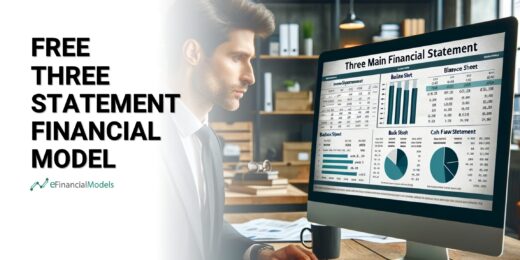
You can build a 3-statement model from a blank workbook, but a vetted template saves hours and reduces errors. Excel remains the standard because its formula engine, iterative calculation, and charting cover everything a small-business model needs, and the file opens anywhere. A good starting template already has the three statements linked, the schedules wired in, and a balance check in place, so you spend your time on assumptions rather than plumbing. eFinancialModels offers a ready-to-use three-statement model template as well as a free three-statement model to learn from, and a wider library under the three-statement model tag for industry-specific variants.
Frequently Asked Questions
How long does it take to build a 3-statement model in Excel?
For a small business with a straightforward structure, a first working model takes most people between four and eight hours once they understand the linkages. The income statement and assumptions come together quickly, but the balance sheet and the check row are where the time goes, because that is where broken links surface. Starting from a pre-built template cuts this dramatically, often to under an hour of customizing assumptions. The investment pays back fast: once the model is wired, updating a forecast for new actuals or a different scenario takes minutes, not hours.
What is the difference between a 3-statement model and a budget?
A budget is usually just a forecast of the income statement, revenue and expenses for the year ahead, and it stops there. A 3-statement model goes further by connecting that profit forecast to a balance sheet and a cash flow statement, so you see not only whether you will be profitable but also whether you will have the cash to operate and what your financial position will look like. Because 56% of firms report trouble paying operating expenses (Federal Reserve Banks), the cash view a budget lacks is often the more important one.
Why does my balance sheet not balance?
An out-of-balance balance sheet almost always means a link is missing or a sign is wrong, not that the concept is broken. Check three things first: that net income flows into retained earnings, that the change in cash from the cash flow statement feeds the cash line, and that every working-capital change carries the correct sign. A useful habit is to build a check row, =TotalAssets-(TotalLiabilities+Equity), and watch it as you build; the moment it moves off zero, you know which section you just touched caused the break, which makes the error easy to isolate.
Do I need to know accounting to build one?
You need a working grasp of how the three statements connect, but you do not need to be a trained accountant. The essential ideas are that net income adds to equity, that depreciation is an expense on the income statement but not a cash outflow, and that changes in receivables, inventory, and payables move cash. If those three relationships make sense to you, you can build a sound model. Many small-business owners learn them precisely by building their first model with a template, watching how one figure drives another.
How many years should a small-business model forecast?
Three to five years is the standard horizon for a small-business 3-statement model, and it maps well to how lenders and investors think. One year is too short to show a trajectory, and beyond five years the assumptions become guesswork. A five-year model with monthly detail in year one and annual columns thereafter gives you enough resolution to manage near-term cash while still showing the longer arc. Given that only about half of new establishments reach year five (U.S. Bureau of Labor Statistics), a five-year plan is really a plan to be in the surviving half.
Can I build a 3-statement model in Google Sheets instead of Excel?
Yes, the same logic works in Google Sheets, and the formulas are nearly identical. Excel still has an edge for larger or more complex models thanks to faster recalculation, more robust iterative-calculation controls for circular references, and a deeper set of financial functions. For a small business, either tool is capable, so the practical choice often comes down to which one your team already uses and whether you need real-time collaboration, where Sheets is strong, or heavier modeling features, where Excel leads.
Conclusion
A 3-statement model is the single most useful financial tool a small business can own, because it answers the two questions that matter most, “are we profitable?” and “will we have the cash?”, in one connected file. Build it in order, keep every driver in an assumptions block, and never trust a model whose balance check does not read zero. I recommend starting from a proven, pre-linked template rather than a blank sheet: download the eFinancialModels three-statement model template, plug in your own numbers, and you will have a working forecast this afternoon.