
0 ITEMS

Making Sense of 3D Printing Price Calculator Excel: A How-To
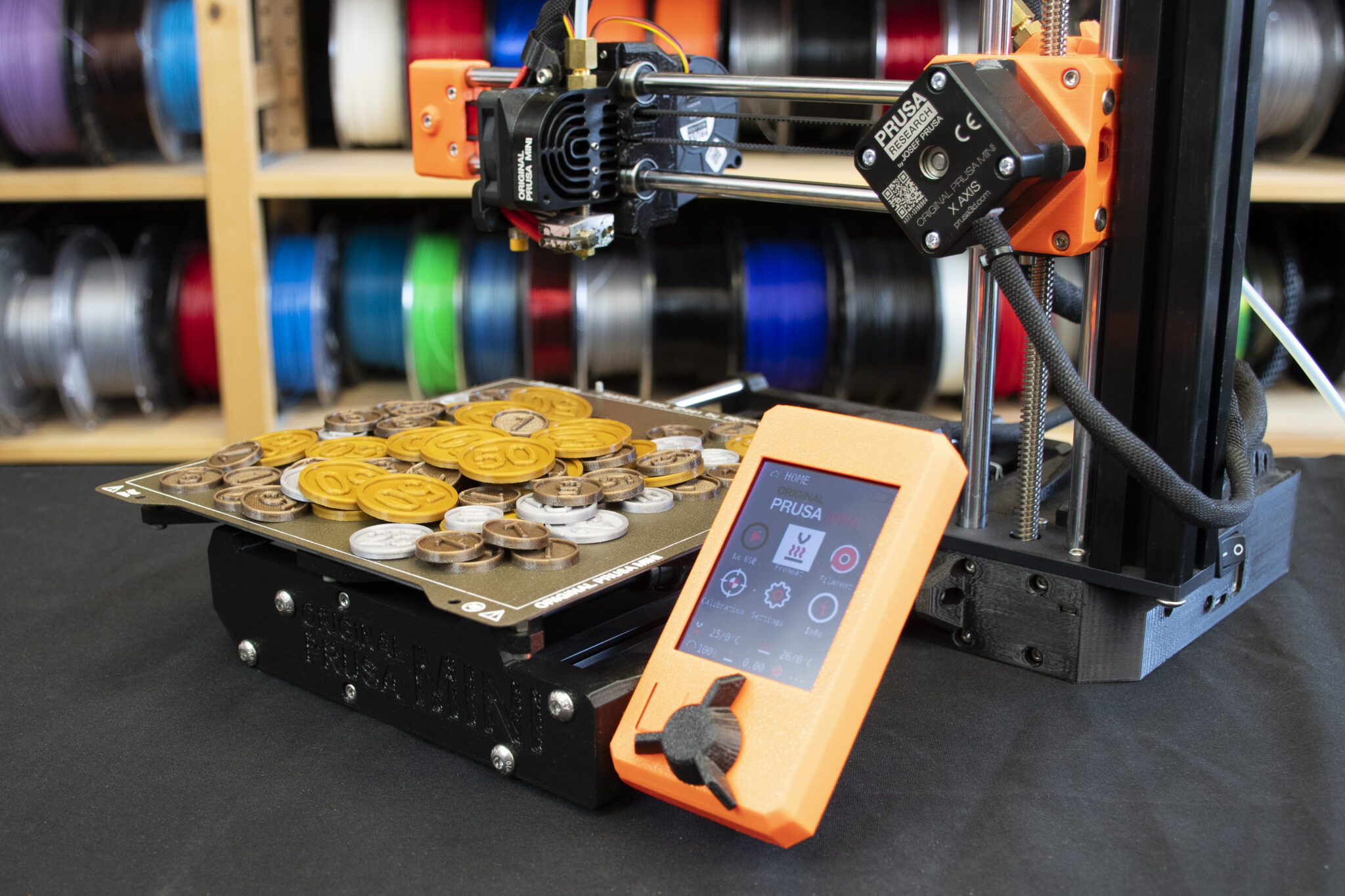
A reliable 3D printing cost calculator in Excel helps hobbyists and professionals estimate expenses accurately.
- It considers material costs, print time, energy use, and machine maintenance for precise budgeting.
- Adjusting settings and materials balances quality and affordability, preventing cost overruns.
- Inaccurate estimates can lead to budget overages, lost profits, and client mistrust.
- Incorporating post-processing and economies of scale ensures comprehensive cost analysis.
- Regular updates and market comparisons keep your pricing competitive and accurate.
Using a dedicated calculator streamlines quoting and improves cost control in 3D printing projects.
The Necessity Of Accurate 3d Printing Cost Estimation
In the booming world of 3D printing, getting the numbers right is crucial. Accurate cost estimation is not just a recommendation; it’s a must for both hobbyists and professionals alike. Knowing the exact price of your 3D printing project ensures that you stay within budget. It also maintains profitability for businesses.
Now, let’s delve into why striking a balance between quality and cost is pivotal, and explore the consequences of miscalculating your 3D printing expenses.
Balancing Quality And Cost In 3d Printing
- Material choice: Better materials often mean higher costs.
- Print resolution: Higher resolutions may lead to pricier prints.
- Complexity: Intricate designs can be costlier to produce.
Choosing the right settings and materials for any project is a tightrope walk. One has to achieve the optimal blend of quality and affordability. A sound price calculator helps you experiment with various scenarios before printing. This way, you keep quality up without letting costs spiral.
The Impact Of Inaccurate Cost Predictions
An inaccurate 3D printing price estimate can cause several problems:
| Issue | Consequence |
|---|---|
| Budget Overage | Unplanned expenses and potential project halts. |
| Lost Profits | For businesses, wrongly priced products can mean lost revenue. |
| Client Mistrust | If prices change often, clients may look elsewhere. |
Each wrong estimate could mean time and resources down the drain. Using a reliable 3D printing price calculator in Excel helps you avoid these setbacks. It provides a detailed breakdown of the costs, leaving little room for error.
Introducing The 3d Printing Price Calculator
Streamline your 3D printing pricing process with the ingenious tool – the 3D Printing Price Calculator. This digital assistant simplifies quoting and ensures that each print job is priced accurately without guesswork.
What Is A 3d Printing Price Calculator?
At its core, a 3D Printing Price Calculator is an Excel spreadsheet or software. It considers various factors like material, time, and complexity. The calculator provides a customizable formula. This calculates the cost of 3D printed parts quickly and precisely.
Benefits Of Using A Calculator For Price Estimation
- Consistency in Pricing: Use the same pricing standards across all projects.
- Time-saving: Calculate costs in seconds, not hours.
- Material Management: Estimate the amount of material needed, cutting down on waste.
- Customer Trust: Provide transparent pricing to your customers.
By leveraging a 3D Printing Price Calculator, businesses and hobbyists alike can enjoy a streamlined approach to pricing. Say goodbye to the uncertainty and welcome precision and efficiency in your pricing strategy. Incorporate this tool into your workflow and unlock its numerous advantages.
Key Factors Influencing 3d Printing Costs
Understanding 3D printing costs is crucial for both hobbyists and professionals. It’s not just about the price of the printer. Several factors play a role in how much you will spend on each print. A 3D Printing Price Calculator Excel can help clarify these expenses. Let’s dive into the key elements that matter most.
Material Selection And Usage
Materials are at the heart of every 3D print. Different projects need different materials. Each has its own price. See the types:
- PLA – Affordable, good for beginners.
- ABS – Tough, slightly more costly.
- Resin – Higher detail, higher price.
- Metal – Durable, most expensive.
Usage varies per project. Larger items use more material. Your calculator should reflect this.
Print Time And Complexity
Longer print times often mean higher costs. Complexity also adds to the duration. Detail requires precision, adding time. Here’s what influences time:
| Feature | Impact |
|---|---|
| Layer Height | Smaller layers, more time. |
| Infill | More infill, more time. |
| Supports | Complex parts need supports, this increases time. |
High complexity can also mean more labor post-printing.
Machine Operation And Maintenance
Running a printer isn’t free. Electricity consumption matters. Use the calculator to estimate this cost. Regular maintenance keeps the printer running smoothly.
Maintenance involves:
- Cleaning the printer.
- Replacing parts like nozzles.
- Updating software.
Well-maintained machines reduce print failures. This saves materials and time.
Setting Up Your 3d Printing Calculator In Excel
Welcome to the essential guide to streamlining your 3D printing projects using Excel. Setting Up Your 3D Printing Calculator in Excel provides a simplified approach to estimate the costs involved in 3D printing. Understand costs upfront and manage your budget more effectively. Below, I’ll guide you through the nuts and bolts of crafting a custom calculator from the ground up using Excel.
Creating The Spreadsheet Layout
First, open Excel and select a blank worksheet. Think of the layout as your calculator’s foundation. A clear, organized layout will make navigation and updates a breeze. Use the steps to set up your spreadsheet:
- Label the first row with headers such as Material Cost, Labor, Print Time, and Total Cost.
- Adjust column widths to ensure data fits neatly under each header.
- In the first column, list out different materials or services to track expenses.
- Leave enough rows for future additions to your materials or services list.
Defining Necessary Formulas And Functions
With your layout ready, it’s time to input formulas. Formulas do the heavy lifting, automating calculations. To incorporate them:
- Identify cells under the Print Time header to calculate print duration from start to end.
- Under the Material Cost, input formulas to multiply quantity by cost per unit.
- Calculate Total Cost by summing individual costs per row, aiding in budget forecasts.
Utilize functions such as SUM, PRODUCT, and IF statements for dynamic calculations. Let Excel handle the math, so you can focus more on your designs and less on the numbers.
Input Parameters For The Calculator
When diving into the world of 3D printing, costs can feel like a mystery. An Excel price calculator brings transparency. You enter numbers. It gives you a cost. Simple. But what figures do you need? Let’s unpack the key input parameters that will power up your 3D printing cost calculations.
Detailing Material Types And Costs
Different materials mean different costs. The first step in your 3D print cost journey is understanding this. You will input various material costs into your Excel calculator.
- PLA – Popular for its ease of use.
- ABS – Strong, more heat resistant.
- Resin – For detailed prints but pricier.
Each material comes with its own price tag. Here’s an example of how you can log these materials in your Excel sheet.
| Material Type | Cost per Gram |
|---|---|
| PLA | $0.025 |
| ABS | $0.030 |
| Resin | $0.050 |
Incorporating Printer Specifics And Print Speed
Your printer’s quirks impact your wallet. Don’t forget to consider its specific features. This includes things like power consumption and print speed.
For the calculation, you will need:
- Printer model and its energy use per hour in kilowatts.
- Cost of electricity per kilowatt-hour in your locale.
- Print speed, as slower speeds could mean higher costs.
Analyze these parameters and fill them out like so:
| Input Parameter | Value |
|---|---|
| Printer Energy Use (kW/h) | 0.5 |
| Electricity Cost per kWh | $0.12 |
| Print Speed (mm/s) | 50 |
Plug in these details, hit calculate, and unveil the mystery of your 3D printing costs.
How To Determine The Price Of Your Print
Getting the price of your 3D print starts with a simple process. By following a few steps, you can enjoy clarity and control over your 3D printing costs. Let’s dive into the world of 3D printing price calculators with Excel and understand how to gauge the value of your creations in an instant.
Entering Your Design’s Specifications
Start by detailing your project in the spreadsheet. Every design aspect impacts the price. Bold fields guide you through:
- Dimensions: Enter the length, width, and height.
- Volume: Measure in cubic centimeters.
- Material: Choose from a dropdown of options.
- Print Time: Input estimated hours and minutes.
- Quantity: How many replicas do you need?
| Specification | Details | Input |
|---|---|---|
| Dimensions | Length x Width x Height | User defined |
| Volume | Cubic Centimeters | Calculated/Auto-populated |
| Material | Type of 3D printing material | User selected |
| Print Time | Hours and minutes | User estimated |
| Quantity | Number of prints | User defined |
Fill out each field carefully. Accurate specs lead to a precise price estimate.
Analyzing The Calculated Results
The Excel calculator processes your inputs, delivering results in seconds. Examine these key output areas:
- Material Cost: Reflects the price for the filament or resin used.
- Labor Cost: Accounts for monitoring and machine maintenance.
- Energy Cost: Calculates power consumption during print time.
- Total Cost: Summarizes your entire print job’s expense.
Compare your estimated price with industry averages to ensure competitive rates.
A detailed print price breakdown helps make informed decisions for your project. Let the calculator be a guide to cost-effective 3D printing success!
Advanced Features For Complex Calculations
3D Printing Price Calculator Excel: an essential tool for offering precise cost estimation for printing projects. Going beyond the basics, the calculator can handle complex calculations with advanced features that consider every aspect of the printing process.
Including Post-processing Costs
Post-processing can significantly impact the overall cost. The advanced calculator has fields to input specific post-processing expenses. These may involve:
- Cleaning materials
- Finishing tools
- Man-hours for labor
Accurate cost projections require this inclusion. Don’t overlook post-processing when calculating expenses.
Adjusting For Economies Of Scale
Order volume affects cost. As the quantity increases, the per-unit cost often decreases. The calculator features:
| Quantity Range | Unit Cost Reduction (%) |
|---|---|
| 1 – 10 | 0% |
| 11 – 50 | 5% |
| 51 – 100 | 10% |
Enter your production volume to see the adjusted pricing. It’s simple and automatic.
Best Practices For Using The Excel Calculator
Welcome to the core of precision in 3D printing – the Excel Price Calculator. Mastering this tool ensures accurate pricing strategies for your 3D printing services. Embrace the following best practices to optimize its use.
Regularly Update Price Factors
To maintain accuracy in your quotations, keep the calculator current. Below, find key steps for regular updates:
- Check materials costs monthly, as they can fluctuate.
- Account for machine wear by adjusting the depreciation value.
- Revise labor costs if salaries or hourly rates change.
- Include software updates that may affect printing efficiency.
Consistent updates reflect true costs, offering reliability to customers.
Cross-verify With Market Rates
Market trends dictate pricing dynamics. Implement cross-verification with these practices:
- Analyze competitor rates quarterly for market alignment.
- Utilize industry reports and forums to benchmark services.
- Adjust your calculator to always stay competitive.
This approach helps you stay relevant and attractively priced in a dynamic market.
Sharing And Improving The Calculator
Understanding 3D printing costs is vital for any project, and using a 3D Printing Price Calculator in Excel is a smart solution. To ensure the calculator remains useful and up-to-date, sharing and gathering feedback is key. Let’s look into how we can make our calculator a dynamic tool that grows with user input and shared knowledge.
Shared Access Via Cloud Storage
Sharing the 3D Printing Price Calculator Excel is straightforward with cloud storage. Simply save the calculator to platforms like Google Drive or Dropbox. Ensure you set proper access rights. Only give edit permission to trusted collaborators. Everyone else should have read-only access. This maintains the calculator’s integrity. Users can access the calculator anywhere, on any device. Below are steps to give shared access:
- Upload the Excel file to your chosen cloud service.
- Right-click the file and select the ‘Share’ option.
- Choose who to share with and set their permissions.
- Send the sharing link to users or collaborators.
Collecting Feedback For Enhancements
Gathering user feedback is critical to enhance the calculator’s accuracy and efficiency. A simple way to collect feedback is through online forms or direct emails. Encourage users to suggest new features or report bugs. Regularly review feedback. Update the calculator based on users’ needs. Below is a bullet list of how to effectively collect feedback:
- Create an online form for users to submit feedback.
- Provide a clear email address dedicated to suggestions.
- Prompt users to report issues and recommend improvements.
- Keep track of submitted feedback in a structured manner.
- Analyze the feedback periodically and plan updates accordingly.
By following these steps, the 3D Printing Price Calculator Excel will evolve and remain a reliable tool for everyone in the 3D printing community.
Future Of 3d Printing Cost Estimations
The ‘Future of 3D Printing Cost Estimations’ is set to transform how makers and businesses calculate expenses. Understanding the full cost is crucial. Accurate estimations allow for better pricing, planning, and budget management. Let’s explore the advancements on the horizon.
Potential Integrations With 3d Printing Software
The next phase in 3D printing rests on robust software integrations. These are key to streamlining the estimation process:
- Direct Communication: Software can now talk directly to printers, getting real-time data on material use and print time.
- Design Analysis: Integrated tools can predict costs by analyzing design files beforehand.
- Digital Inventory: Track and adjust pricing based on virtual material stock levels.
The Role Of Ai In Predictive Cost Analysis
Artificial intelligence is set to redefine cost predictions in 3D printing. AI can make cost estimation smarter:
- Learning Patterns: AI studies past prints to improve future quotes.
- Error Reduction: It identifies potential issues to prevent wasteful prints.
- Material Optimization: AI suggests ways to reduce material use while maintaining quality.
Navigating these advancements gives businesses a competitive edge, ensuring they stay ahead in the ever-evolving world of 3D printing.
Frequently Asked Questions
How Does A 3d Printing Calculator Work?
A 3D printing calculator estimates costs by considering factors like material, print time, and machine use. Users input parameters, and the calculator computes the total expense. This helps budget and compare costs for different 3D printing projects.
What Is An Excel 3d Printing Price Calculator Used For?
An Excel 3D printing price calculator automates cost calculations for 3D printing projects. It serves as a tool to quickly determine printing expenses, aiding users in pricing models or deciding on production feasibilities within Excel’s framework.
Can I Use The Calculator For Any 3d Printing Material?
Yes, customizable calculators allow for inputs of various materials. Users can adjust settings for different 3D printing filaments or resins to ensure precise cost estimations.
Are Excel Calculators For 3d Printing Reliable?
Excel calculators for 3D printing are reliable if set up with accurate cost factors. Regular updating of material costs and machine run rates increases their precision, making them a dependable tool for pricing 3D prints.
Conclusion
Navigating the complexities of 3D printing costs is now simpler with a price calculator in Excel. This tool empowers you, providing clarity and control over your budgeting needs. Embrace this efficient method to estimate expenses and optimize your 3D printing projects for cost-effectiveness.
Unlock its full potential and enhance your financial planning today.













You might also like:
- How to Use Excel for Financial Analysis?
- Financial Modeling using Excel
- Financial Model Templates Easy to Use
- Top-Down vs. Bottom-Up Financial Planning: What’s the Difference?
- How to Build a Capitalization Table
- Understanding Debt Sizing & Project Finance Ratios
- 3D Printing
- Financial Modeling
- Cash Flow Analysis in Excel
- 10 Tips to Develop a First Class Business Valuation Report
- Business Valuation
- Financial Projections
- How to Forecast the Balance Sheet?
- How to Write a Business Plan Step-by-Step
- Are Wind Energy Farms Worth the High Initial Cost?
- 10-Step Financial Planning Pocket Guide
- Building a Monthly Budget – Using Monthly Budget Templates
- Understanding What is Yield to Maturity and Why It Matters
- Manufacturing


